Customer Ratings & Reviews
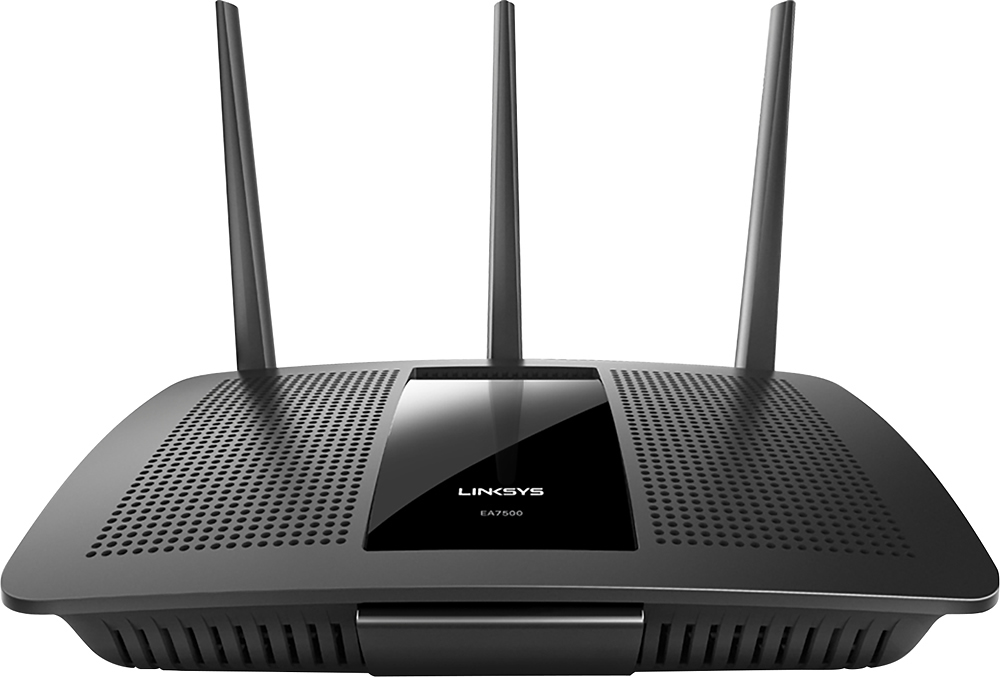
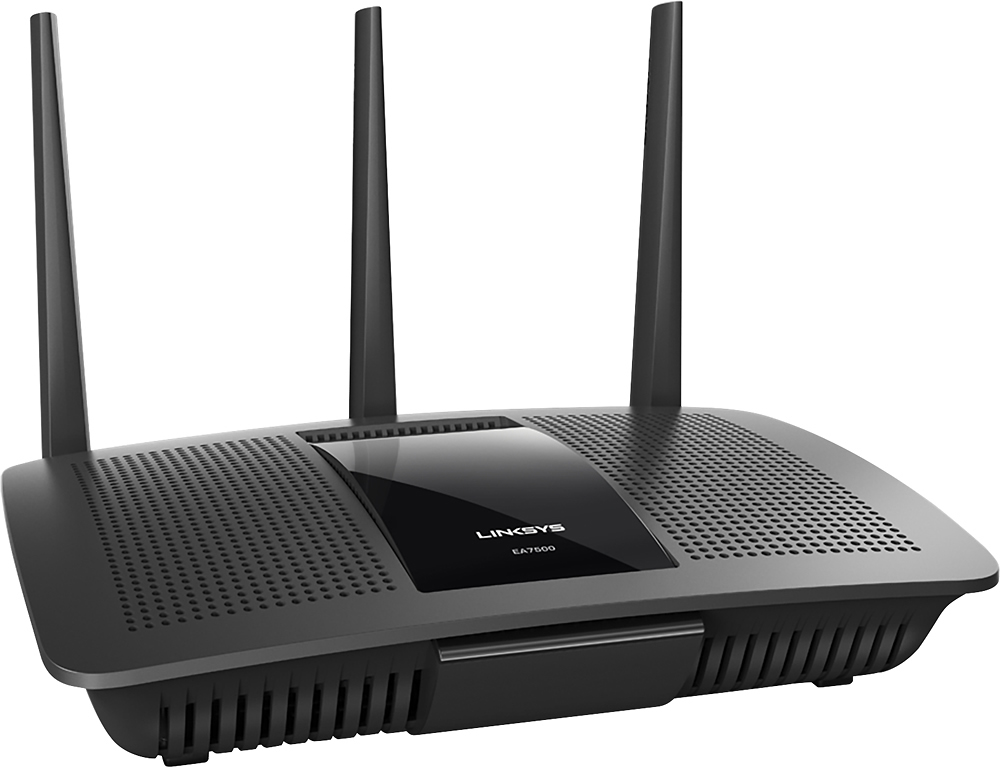
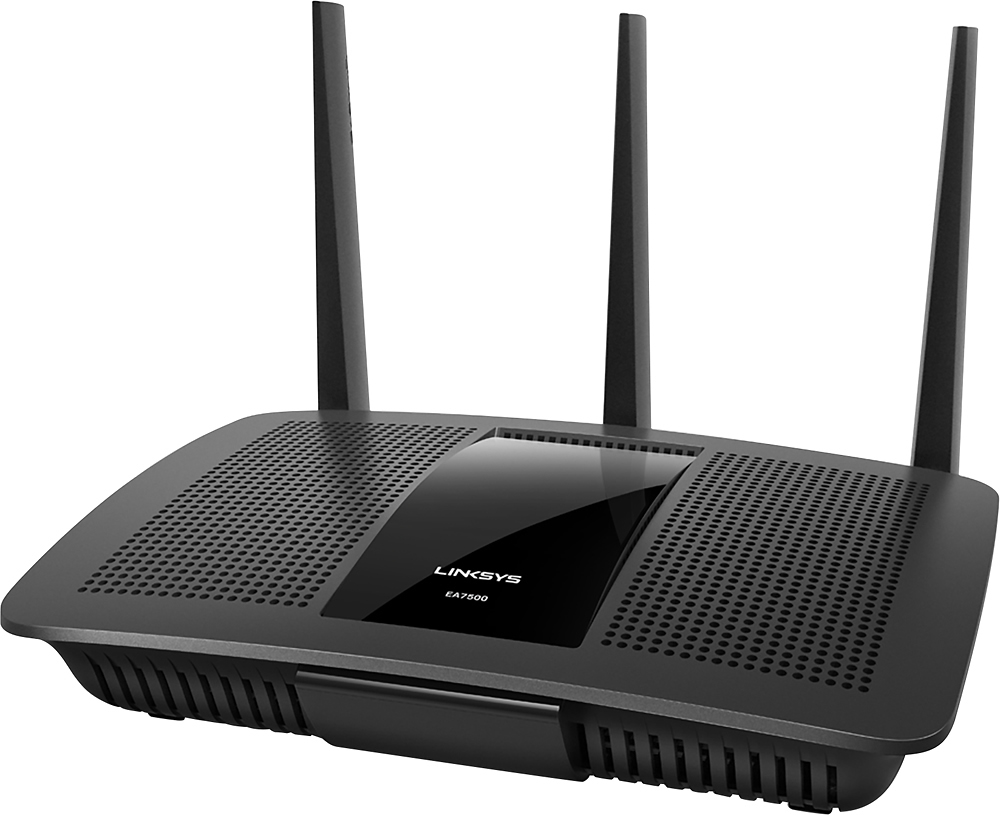
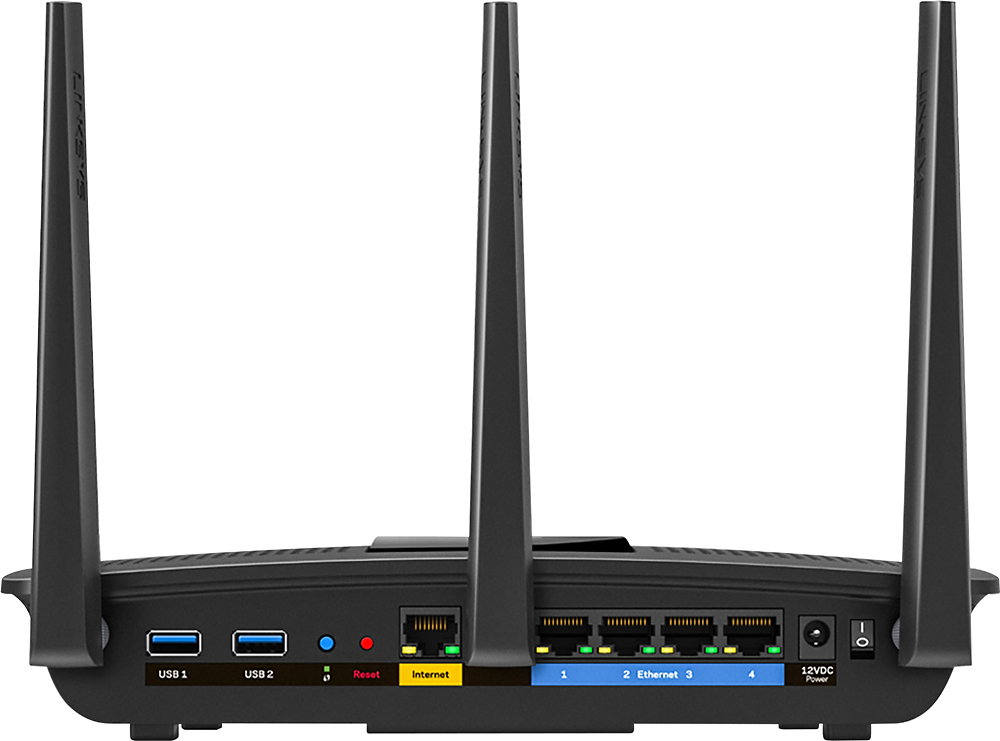



- Model:
- EA7500
- SKU:
- 4830200
Rating by feature
- Value
Rating 4.5 out of 5 stars
- Quality
Rating 4.6 out of 5 stars
- Ease of Use
Rating 4.6 out of 5 stars
Customers are saying
Customers find value in the AC1900 Dual-Band WiFi 5 Router's ease of use, range, and strong signal, frequently praising its performance and simple setup process. Many appreciate the improved WiFi coverage and its suitability for streaming. While some find the router larger than expected, the overwhelmingly positive feedback highlights its effectiveness.
This summary was generated by AI based on customer reviews.
Do not buy
||Posted . Owned for 1.5 years when reviewed.This reviewer received promo considerations or sweepstakes entry for writing a review.I had nothing buy problems. Always needed resetting.
No, I would not recommend this to a friendBrand response from Linksys Staff
Posted .Hi,
Our Second Level Technicians wants to investigate the trouble you're having with the Linksys EA7500 as to why it always needs to be reset. You may send us an email at LinksysCares@linksys.com with your contact info and the link of this review, for our reference.
Regards,
Elyza
Linksys Support
Easy to setup, works great!
Posted .This reviewer received promo considerations or sweepstakes entry for writing a review.After purchasing and returning a cable modem/router combination, and then a router that failed within hours, I opted for this Linksys unit. It was very easy to setup and is working perfectly. Physically, it would be nice if it had a smaller power brick or at least a separated part so that it didn't take up so much room on my power strip. Also, the power switch on the back is a little difficult to toggle when the antennas and cables are all connected, but this will rarely be a problem as I don't plan on turning it off typically.
I would recommend this to a friend- Pros mentioned:Ease of use
Great New Router! Very Good Signal
Posted .This reviewer received promo considerations or sweepstakes entry for writing a review.First off, full disclosure; I recieved this router sample in exchange for my honest review. Fuller disclosure, this is a killer router, and super easy to use! I started with a brand spanking new router from CenturyLink, theirs does dual band, but you have to have two different network names. This Linksys router setup was super simple, and it does most of the initial process for you. It allows you to use the same name for both 2.4ghz and 5 ghz, which is what I much prefer for a simpler household network(s). All you really need to do is pick network names and passwords. It streams super snappy, and I notice that my 3rd gen Apple TV no longer has hiccups in the signal streaming like it used to. This router looks good, and for any small to medium size house, the triple antenna signal should be more than sufficient. The icing on the cake is the Linksys companion iPhone app. It lets you do configurations, lockdowns and networks diagnostics (including resets if needed) on the fly! No need to log into your router's IP address really much anymore once it's initially set-up. I highly recommend this system, and even though I got a sample product, I would've happily have bought this unit. Linksys has always served me well, and is the easiest to set-up with the best support if needed.
I would recommend this to a friend - Pros mentioned:Ease of use, Range, Speed
Great wireless router
Posted .This reviewer received promo considerations or sweepstakes entry for writing a review.Setup was easy, range is very good and the speed of internet connection is good. Wireless speed at 2.4 GHz at the furthest point in the house is 76 on a 100 internet line. This is through several walls in a ranch style home. Antenna strength is showing 4 out of 5 bars in that area. It has been in use for a week now without any problems.
I would recommend this to a friend - Pros mentioned:Speed

Fast router - easy setup - great remote access
|Posted .This reviewer received promo considerations or sweepstakes entry for writing a review.This was very easy to set up and worked great right from the start. I'm looking forward to the new multiple gaming and streaming technology, as I have a large family with multiple users. I was able to set this up from my iPad and I can administer it remotely with the website application. The speed tested out very well. The device is made very well and the antennas are very high quality. This is a simple router and works very well. I also own ASUS and Netgear routers and this stacks up well compared to their high end devices.
I would recommend this to a friend Does not work
||Posted .This reviewer received promo considerations or sweepstakes entry for writing a review.Product not performing it does not work as advertised
No, I would not recommend this to a friendBrand response from Linksys Staff
Posted .Hi, Frank,
We truly value our customer's satisfaction when using our products. We'd appreciate if you will provide us more details about the behavior of your EA7500 Router so we can have you assisted by one of our Escalation Engineers. Please send us the link to this review and your contact information at LinksysCares@linksys.com.
Best regards,
Jay
Linksys Support
- Pros mentioned:Speed
Love it! Was better in the beginning...
|Posted .This reviewer received promo considerations or sweepstakes entry for writing a review.We use this router with 3 tv's, 3 tablets, 2 phones, and 3 laptops. Obviously not all are running at the same time but we are usually using at least 3 devices at once. I love that its sooooo much faster than our previous ones. We have tried several different routers and this has been the best by far. The only reason it got 4 stars and not 5 is because we now have to restart it at least once every 2-3 weeks because it works too slow if we don't and we've only had it for around 8 months.
I would recommend this to a friendBrand response from Linksys Staff
Posted .Hi, gabyv91,
We're happy to hear that your EA7500 router runs so much faster than the previous ones. We're just curious on your feedback that you need to restart the router once every 2-3 weeks which doesn't sound right. A manual firmware upgrade is our best recommendation to address this setback. Please reach out to us at LinksysCares@linksys.com and we'll have one of our Escalation Engineers walk you through the process. Don't forget to indicate your contact details and the link to this post.
Regards,
Jay
Linksys Support
Great coverage and simple to set up!
|Posted .This reviewer received promo considerations or sweepstakes entry for writing a review.I received this product to review, and I didn't think it would out perform my Asus RT-N66R I'd purchased last year! I don't have any "AC" band devices currently, so I only use the G and N. I have 2 Roku boxes that wouldn't hold a signal on the N band so they shared the G band along with numerous other devices. The video quality wasn't consistent, and I was in the process of running cable to avoid having to use WIFI. The signal strength difference and the consistency was night and day! That's reason enough to purchase this router compared to others! The setup is easy, and if you want to adjust settings the documentation is very clear. It can mount to a wall, but it doesn't come with a bracket to place it in a "stand up" position. The packaging was easy to open, and the antennas attached quickly and with little effort. The remote access is ideal for monitoring or "fixing" your network remotely if needed! Overall, it's the best router I've owned to date.
I would recommend this to a friendSlow internet
||Posted .This reviewer received promo considerations or sweepstakes entry for writing a review.Internet is super slow and have not found a solution
No, I would not recommend this to a friendBrand response from Linksys Staff
Posted .Hi, Tookybird,
Thank you for providing a review on this product. The router should get what the modem can give. Are you experiencing slow internet on both wired and wireless connections? It's best to check the speed when wired to the router and another test with the computer connected to the modem. If the results are the same, contact your ISP to verify your subscription. You can always email us at LinksysCares@linksys.com in case there's a difference with the results. Don't forget to indicate your name, phone number, location, and the link to this post.
Regards,
Linksys Support
Gets better with each new iteration!
Posted .This reviewer received promo considerations or sweepstakes entry for writing a review.Routers can be a fickle beast. There are many different experiences for each and every use case and scenario. Opinions and performance can vary from location to location. I've seen this first hand. This is our second Linksys router. A few years ago after many many hours of research I finally decided the Linksys AC1200 EA6300 was the best router for the money for our house size. I still use and love that router today ( although it is now being used in our office space ) It has been the most reliable router I have ever used with tremendous range that I can stick pick up at the gas station at the end of the street. This new EA7500 is even above and beyond that so far, although it has only been a week or so. On the EA6300 we were used to setting up media prioritization's for our most important devices i.e. the main TV in the living area. the more devices you connected, the less bandwidth you would have. Not to the point of being unusable but you could definitely feel the performance take a hit. So far I haven't had to set any media prioritization's on the new router and have seen no lag or reduced speeds even with multiple connected media devices. You can go anywhere in the house and still maintain a "Very Good 780mbps" signal and I can get all the way down to the stop sign at the end of the block before the signal drops to "Good 526mbps" signal. Not that I need to use the wifi while at the stop sign :) but its interesting to see the incredible range this thing has on the 5ghz band. I received a free sample from Linksys in exchange for my honest feedback. So far my experience has been entirely positive and based on my previous Linksys purchases I would expect it to stay that way. However if that should change at all I will promptly update my review.
I would recommend this to a friendLarge footprint, good speed
|Posted .This reviewer received promo considerations or sweepstakes entry for writing a review.Got the unit late Thursday afternoon. I know setting up a wifi network isn't a quick endeavor and not wanting to upset my wife with wifi upheaval waited until friday to set up. I'm glad I did. I don't think it's a fault of this unit but I tried to set up the same network ID and password as my last several routers. This one got half way through the process and it stalled. Got a warning if I stopped at that point I might have to reset the unit, but could get no further in the process. So I bit the bullet and closed the window. I think this is where the process only got worse. The set up really seemed easy and should have been, and the second try was, but when I had to reset and restart apparently my wifi thermostat lost connection and didn't recognize the network as the same. I've replaced the router before with no issue so this may be part of the linksys security. That took several hours to fix but that is due to thermostat's poor support page. How do you reliably rate a wifi router?? Throughput is a function of the rate your ISP puts out, the servers used and the the devices connecting to it. I can say with confidence that this unit is much faster than any I've had before. I don't have mu-mimo equipped devices yet. The one standard I could think of is my Tivo's. Tivo can transfer between 2 units on the same network. It's all self contained on my LAN so no external components. One half of my tivo lan is wifi so it would test that as well. To transfer a program from one tivo to the other took about half as long as other routers I've used. One router was also a high end mu-mimo made by a major computer manufacturer that also makes peripherals. As I mentioned it does have a large footprint. It's at least 50% bigger than any other router I've used.
I would recommend this to a friend- Pros mentioned:Ease of use, Range
BY FAR, THE EASIEST ROUTER I HAVE EVER SET UP!
Posted .This reviewer received promo considerations or sweepstakes entry for writing a review.There is no question that the EA7500 is by far the easiest router I have ever set up. It basically sets itself up. It is also very easy to log in, after the initial set up, to tweak any settings. I had no problems connecting another Linksys router, set up as an access point, two printers, and a Smart TV. All of my PC’s and Tablets work GREAT with the EA7500 router. I have not experienced any signal drops since installing this router and have not had to reset it. I have a large two story house, and the EA7500 is located upstairs. I find that the range is good, except the signal is weaker at the outside edges of my home, downstairs, and out on the back porch, with the EA7500, alone. That’s why I utilize another router as an access point. I also like that there are no distracting lights flashing on the front of the EA7500. Please be advised that while I received this router to test and review for Linksys Friends and Family, that had no bearing on my review. I based my rating purely on my personal experience with the EA7500.
I would recommend this to a friend Linksys EA7500-AC1900 Router w/ Next Gen AC (MU-MI
|Posted .This reviewer received promo considerations or sweepstakes entry for writing a review.This is my review of my new Linksys EA7500 Max-Stream™ AC1900 MU-MIMO Gigabit Router. The EA7500 comes with instructions, 3 antennas, power supply Ethernet cable and CD-ROM with documentation and instructions on how to access the Linksys Smart Wi-Fi application on your computer. The interface was user friendly allowing for easy configuration of the router. Using the provided CD-ROM on the Linksys Smart Wi-Fi page configuration of my EA7500 was up and running within minutes. This router has both a 2.4 GHz and a 5 GHz frequency. You have the ability to have them both share the same SSID or you can name them differently. For security purposes the EA7500 has guest access which is the capability to assign a different password for the occasional guests coming to visit without giving out your personal password. I can access my new EA7500 from anywhere with the Linksys Smart Wi-Fi app which is available for my Android and IOS devices. In all of the vicinities of my large home the Connection via WIFI the EA7500 effortlessly delivers signals utilizing its 3 adjustable antennas to my 6 Samsung Smart UHDTV’s, 1 Sony PS4, 3 PS3’s, 2 Yamaha Aventage Wireless Receivers, and 1 Samsung 3DBlu~Ray player and multiple laptops, mobile, and security devices. In my Cave the EA7500 is connected via Ethernet cable to my Sony PS4 for extreme gaming, and streaming of HD TV shows and movies. Using the Ea7500’s Wi-Fi connection, the true test was to see if I, my family or guests observed any buffering, slow speeds, or signal loss in any area of the house, which they didn’t. I also noticed a stronger signal in all areas of the house and areas outside of the house. I am truly impressed with my Linksys EA7500-AC1900 Router w/ Next Gen AC (MU-MIMO).
I would recommend this to a friend- Pros mentioned:PerformanceCons mentioned:Lag
Works Great
Posted .This reviewer received promo considerations or sweepstakes entry for writing a review.Works great and seems to support many devices. We have several different devices via wireless connection and no lag time it interruption.
I would recommend this to a friend - Pros mentioned:Performance
Great router
|Posted .This reviewer received promo considerations or sweepstakes entry for writing a review.The Linksys EA7500-AC1900 router is an excellent router. The wifi range is well over 50% greater than the previous router I owned. Additionally, it does extraordinarily well when there are multiple devices using the wifi (which is always more than 5 in my household). Previously, I would often noticed reduced online performance with the addition of devices, but the implementing of this router has resulted in a noticeable change for the better. The only negative I have to say about it is the cost, since it is expensive. Overall though, great product.
I would recommend this to a friend - Pros mentioned:Speed
It's nice, but it just can't be my primary router
|Posted .This reviewer received promo considerations or sweepstakes entry for writing a review.I’ve been in the market for an AC router for a few months now & this fell onto my lap. I’m a techie - love the new stuff & like to put it up against what I’ll be replacing. One thing, I don’t do any gaming, so I can’t speak to it’s performance there. To sum it up, I just *can’t* replace my Asus RT-N66-U with this router. With this router, it has what you’d expect for a home-focused router. Parental Controls, QoS (set little Johnny’s XBOX to use less of your speeds that he can really pull), Port Forwarding, DMZ (gaming) and VLANs (security / isolation) Here’s a quick speed test note — with my ISP, using this router, the performance for a Wireless N MacBook Pro on the 5G band averages 76.15 Mbps down / 12.32 Mbps up. Flipping over to my Asus RT-66N-U also on 5G (keeping the laptop in the same spot, just switching networks), averages: 111.40Mbps down / 12.32Mbps up. Hmmm. I don’t like that. The same tests with AC devices (Nexus6 & Nexus9), the Linksys is roughly 10% slower. The Mobile App as well, not great. It’s confusing … use your Admin password to the router, or use some Linksys username/password you created at some point? My advise ... skip it and use the Web to manage it. This router lacks OpenVPN support so I can’t have it as my primary device - I’ve stopped opening up obscure ports to the world for when I want to access internal resources - when I can VPN-on-in and access them that way. If you want to add AC capabilities and extend your network with this device, maybe consider using it as an Access Point (set a static IP, turn off DHCP and link non-WAN ports) - go for it. If they roll out OpenVPN support further down the line - I’ll totally give it another shot as my primary router.
No, I would not recommend this to a friendBrand response from Linksys Staff
Posted .Hi,
We appreciate your taking the time in writing your review about the Linksys MAX Stream AC1900 Dual-Band Wireless Router. Your comments and observations; from the speed performance - to the OpenVPN support, are duly noted. Allow us to validate these issues with our 2nd level support team. Please send us an email at LinksysCares@linksys.com together with your contact details and the link to this post.
Sincerely,
Linksys Support
www.linksys.com
- Pros mentioned:Performance
Definitely a good buy
Posted .This reviewer received promo considerations or sweepstakes entry for writing a review.I did quite a bit of research on routers before I bought this one, and so far it's been very very good. My main choice came down to the Linksys AC1900 and the Netgear AC2300 as I didn't want to spend (or have use for) a $200+ router. All in all, this router offers all of the capabilities of the more expensive Netgear AC2300, but at a more competitive price. First and foremost for me was MU-MIMO capabilities and Smart Wifi setup. Both have worked very well with this router. The Smart Wifi app is particularly useful, allowing me to rename my networks, give priority to specific devices, such as my TV and Xbox for streaming purposes, and see what exactly is connected to my network at all times. As far as performance of the router itself, I'm running at 113Mbps from 50ft on 100Mbps internet - enough said. Gigabit ethernet allows direct connection for up to 1000Mbps. The router was very easy to set up and is very configurable with the Smart Wifi app.
I would recommend this to a friend - Pros mentioned:Speed
Great router
Posted .This reviewer received promo considerations or sweepstakes entry for writing a review.Upgraded from a 2010 Apple AirPort Extreme. Was having problems keeping devices connected and streaming movies. Linksys rep was in the store. Told me all about the new features. Easy setup. And easy to use app to keep everything connected and running smooth. Not the fastest router out there. But works for my 100 Mbps internet speeds. No more slow movie downloads. And no more getting kicked off the Internet.
I would recommend this to a friend - Pros mentioned:Ease of use, Signal strength
Fastest router i ever purchase
Posted .This reviewer received promo considerations or sweepstakes entry for writing a review.This router is super easy to set up n the speeds n signal strength is great too! Good job Linksys!
I would recommend this to a friend - Pros mentioned:Ease of use, Range
Easy install, No problems.
Posted .This reviewer received promo considerations or sweepstakes entry for writing a review.To be honest I've never really been a fan of Linksys. Had a few Products before that had some major issues but I got a really good deal on this router. At first I was quite skeptical about the router but honestly the install was super easy, It came loaded with features that anyone would be able to understand, and It has run very well since install! There are 3 games in the house and we all constantly stream music, videos, and play games usually simultaneously and never have issues even running on 50 Mbps internet service. This is indicative of the router's ability to process multiple requests and give out the proper amount of data needed at the time. ultimately this is a great product and quiet honestly this had renewed my faith in Linksys!
I would recommend this to a friend