Customer Ratings & Reviews
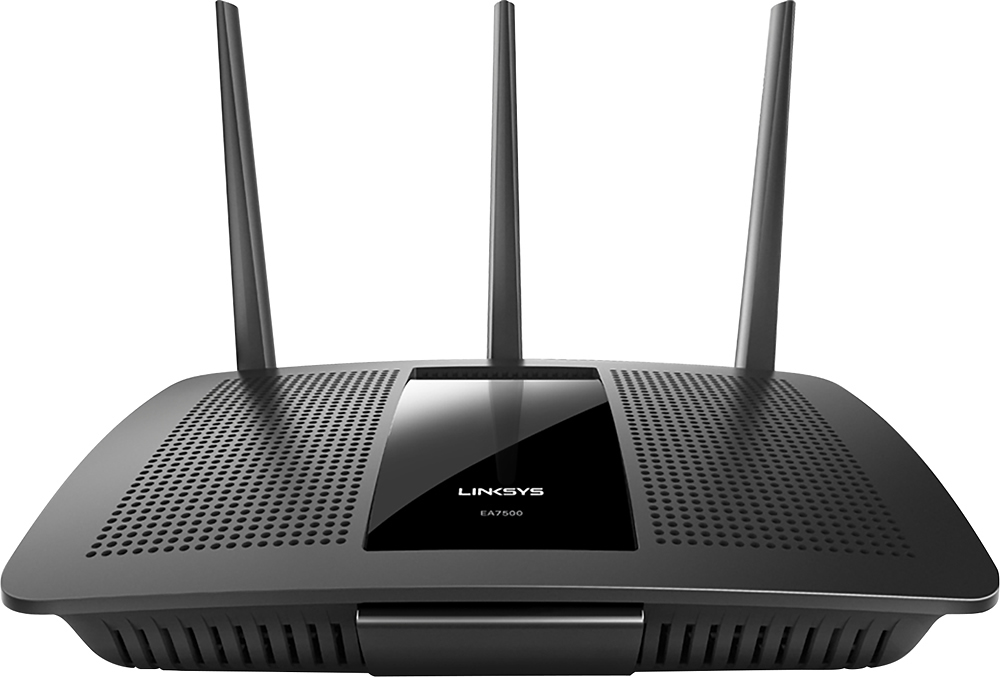
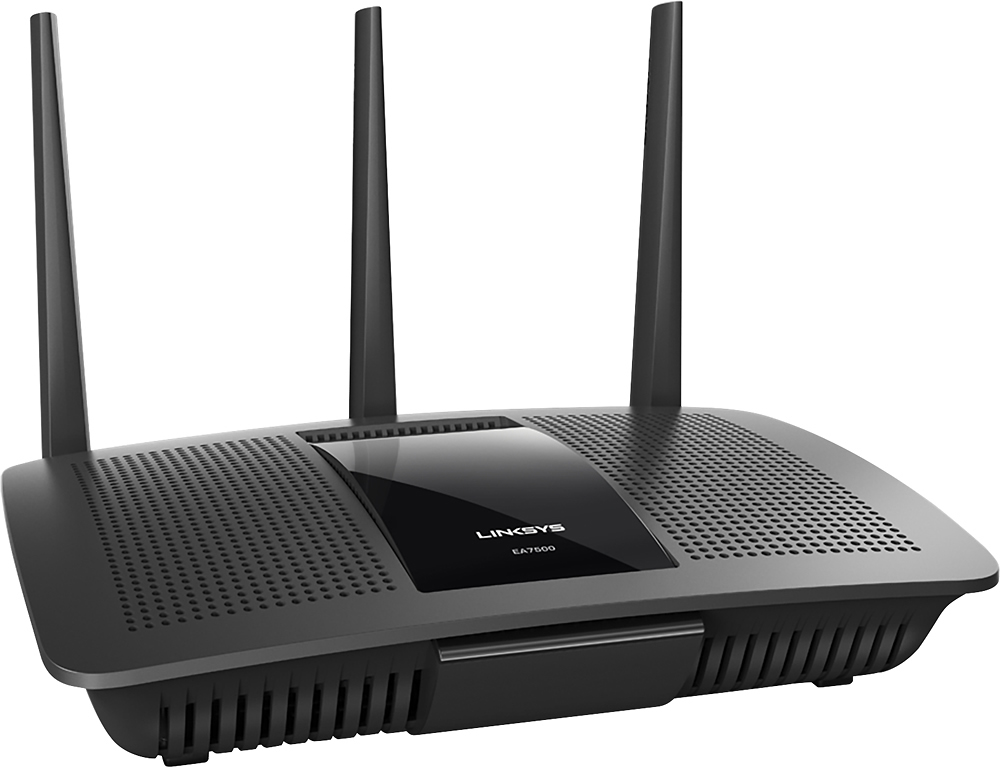
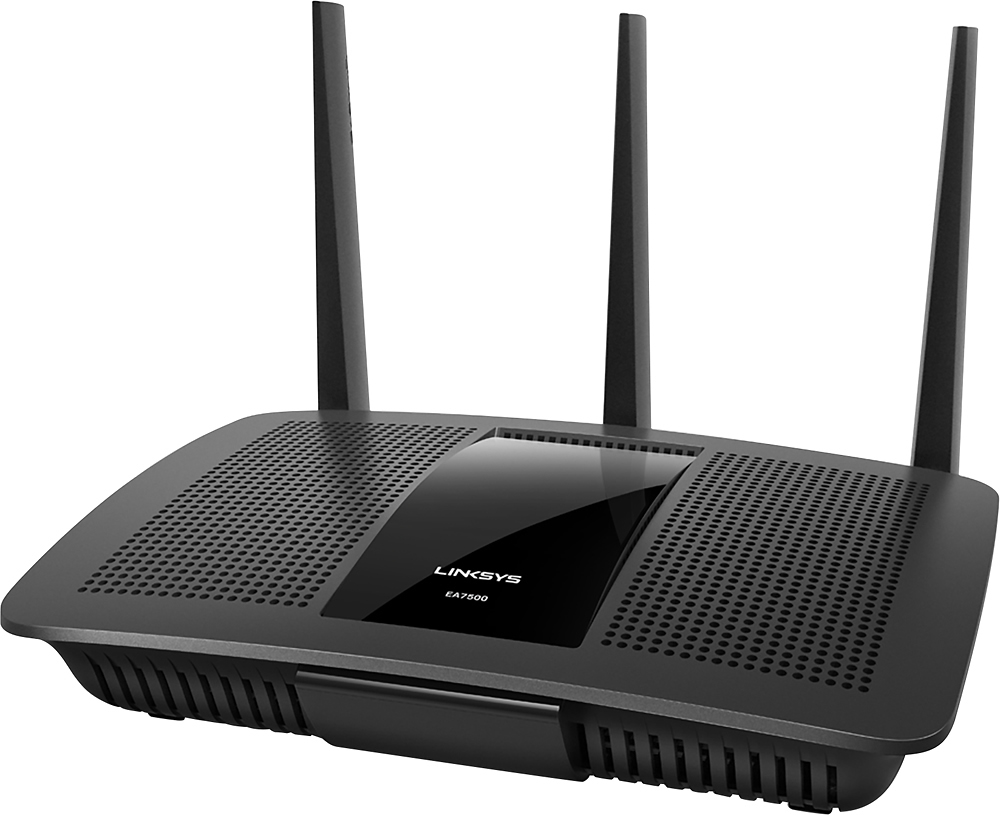
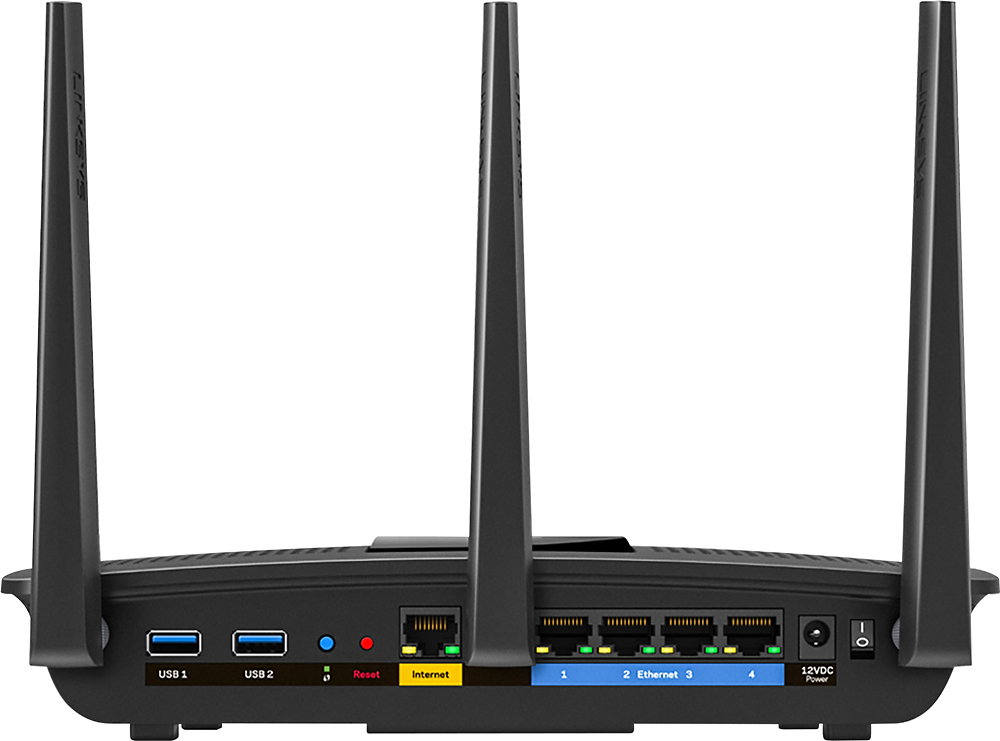



- Model:
- EA7500
- SKU:
- 4830200
Rating by feature
- Value
Rating 4.5 out of 5 stars
- Quality
Rating 4.6 out of 5 stars
- Ease of Use
Rating 4.6 out of 5 stars
Customers are saying
Customers find value in the AC1900 Dual-Band WiFi 5 Router's ease of use, range, and strong signal, frequently praising its performance and simple setup process. Many appreciate the improved WiFi coverage and its suitability for streaming. While some find the router larger than expected, the overwhelmingly positive feedback highlights its effectiveness.
This summary was generated by AI based on customer reviews.
- Pros mentioned:Speed
Works quite well
Posted .This reviewer received promo considerations or sweepstakes entry for writing a review.I bought this because I was having issues with my previous router, primarily with the chromecast streaming being awful. My initial impression of this product was off because I was still having issues with streaming, but once I read the FAQ and set my stream devices to use 5 GHz all those problems went away, and it is so powerful that I can actually use steam link over wi-fi (computer itself is wired), which was a pretty big plus I did not expect. The app is also pretty sweet. I give this a 5 but make sure your streaming devices are on 5GHz otherwise this router performs below average on the 2.4 GHz channel.
I would recommend this to a friend - Pros mentioned:Performance

Did the Job and More+
|Posted .This reviewer received promo considerations or sweepstakes entry for writing a review.The Linksys EA7500 has so far performed up to expectations (has worked exceptionally well on all of my basic internet requirements from streaming to downloading). I haven't yet used it at a level where I would really need the 7500 to do some of the heavy lifting that it was built for but I expect it to take on and easily accomplish any task I require of it.
I would recommend this to a friend Great router for gaming/streaming
|Posted .This reviewer received promo considerations or sweepstakes entry for writing a review.I previously used a Belkin router - this Linksys router is far better. With my Belkin, I had issues with a dropped connection from day 1. This Linksys does not have that problem. Actually, it allows me to stream 4K video AND game on my Xbox One without any slowdown. Highly recommended.
I would recommend this to a friend- Pros mentioned:Range, Speed
Covers our space.
Posted .This reviewer received promo considerations or sweepstakes entry for writing a review.The Linksy AC1900 Covers a large area of our property. The speed as far as I can tell is pretty fast. I could go out all the way to my shed, which is a good distance from my house. Its good cause I like streaming music while doing yard work. Set up was a little bit of an issue for me, it was cause of my modem and it's settings, but after I got it squared away I was good to go. I received the router from Linksys free for my fair and honest review. I will also say, when something works in the background and you don't have to think about it, is golden to me. I've used it to stream video with no issue. So far I'm pleased.
I would recommend this to a friend - Pros mentioned:Range, Speed
Layman's Review
Posted .This reviewer received promo considerations or sweepstakes entry for writing a review.I'm not going to get all techie on this review. I live in Longmont, which has fiber optics for internet service - blazing fast! When I switched to this service I read several reviews and articles, and honestly, they got above my head. Many meet typical specs and such. So, here is our usage. In our house we have five adults. This means five cell phones, three TVs, four laptops, and a couple of tablets too. We can all stream Netflix, HBO Now, Hulu, etc. I work from home - wirelessly. We have a Seagate Personal Cloud hooked up. Oh, and our thermostat is hooked to the wifi. This router works flawlessly!
I would recommend this to a friend - Pros mentioned:Range, Speed
Excellent wireless router
Posted .This reviewer received promo considerations or sweepstakes entry for writing a review.This wireless router is great for home use, haven't had any issues with connectivity or speed, no dead zones either. The app is great for prioritizing devices as well.
I would recommend this to a friend - Pros mentioned:Performance, Speed
Extraordinary Fast Simple RELIABLE!
Posted .This reviewer received promo considerations or sweepstakes entry for writing a review.I absolutely love this router. i had a more expensive Linksys model before that just had too many options and found WIFI to be out every so often. This model router has given me zero problems. Built with solid hardware, cutting technology, and able to handle speed draining games as well as 4k video all at the same time and without getting hot like some routers do. I have to say, this router is for ANYONE with a serious internet connection to take advantage of with reliability you can count on. And last but not least Thank You Best Buy for giving me a great deal with guaranteed lowest price match
I would recommend this to a friend EA 7500 ac1900 great for N upgrade
Posted .This reviewer received promo considerations or sweepstakes entry for writing a review.This was the best Linksys Router I have used and I did receive this item from Linksys for free for my honest review. I am currently using Motorola SURFboard 600 Series DOCSIS 3.0 Cable Modem/ Comcast cable and have noticed a great improvement on the communication between both my cable modem and my Linksys wireless routers. I have been using now for about a week and have noticed no connectivity issues and/or performance issues while having multiple devises and pages open. It was easy to setup as usual but I was able to add priority to my wife’s mac and iPad with drag and drop without having to type in the mac address (system still allows for this if needed). All in all the fastest router I have used and as my wife is in a doctorate program she is very critical to have streaming available on all her devises. I would recommend this product to anyone who is still on N and has AC devices.
I would recommend this to a friend- Pros mentioned:Signal strength
Great router that works beautifully!
Posted .This reviewer received promo considerations or sweepstakes entry for writing a review.Let me just start by saying that I have been a long-time customer of Linksys (since the first cable modems and routers became commercially available and back in the days of LAN parties where you would lug your custom-build PC and CRT monitor to a friend’s house and network via a hardwired Ethernet network). I have had various Linksys cable modems, routers, Ethernet cards and other network devices over the years and all have worked beautifully without any issues. I Just recently installed this router and so far it is working great. I had been using a Linksys EA4500 Smart WI-FI router before upgrading to this router so I was already familiar with the Smart WI-FI app and setup was a breeze. I am currently running 1 Android smart phone and 1 laptop on the 5GHz band; 3 Android tablets, a WI-FI printer, a Nintendo Wii, and a desktop computer on the 2.4GHz band; and 2 TiVo boxes, an Xbox 360 hardwired via Ethernet cable to the gigabit ports. All of these can be running simultaneously and the router handles it without any issues. Out of all these devices, my tablet tends to use the most bandwidth because I play a lot of games that utilize a lot of system resources and data. I would tend to have a problem with one game in particular as it would have difficulty loading and connecting giving me an error message saying “weak network connection detected” even though I could be standing right next to the router with full signal strength. This was the first game that I tried upon installing this new router using this as a benchmark to test the new router’s capabilities. Let me just say that not only does it load and play with no issues, but it does so very quickly with no lag whatsoever. The next test I did was a range test to see how far I could go before losing signal. There was also a marked improvement from the old router. Compared to the old router where I would lose signal as soon as I went outside the house, I was able to not only go outside the house but also go all the way to the edge of my property in the back yard and go all the way out to my car parked on the street and get inside without losing signal. In summary, I’m going to give this 5/5 stars for ease of setup, 5/5 stars for connection speed, and 5/5 stars for signal strength and range, giving this router a total average of 5 stars. (I didn’t give it a rating on price as I received this router for free in exchange for writing an honest review.)
I would recommend this to a friend Dual Band is the way to go
|Posted .This reviewer received promo considerations or sweepstakes entry for writing a review.Router - Packaging big, but not overwhelming. Seems like they took great care to ensure package was not damaged while shipping. Included items: Router 3 Antenna 1 Ethernet cable 1 power supply for router 1 CD instructions and legal use 1 quick start guide. Simple items contained within box - makes setting up the router initially very easy. CD instructions - User guide and legal information. Note User guide does not start with English language first. English is many pages in, could be off setting to some. Linksys setup is online using their LinksysSmartWiFi.com website. This is a good thing. Makes setup easy and familiar if you have ever used their site before. Registration is quick and easy. Linksys's site is easy to use. If you have multiple linksys smart routers in your network - you can easily switch between them to set up your preferences as you wish.
I would recommend this to a friend- Cons mentioned:Size
An OK router.
Posted .This reviewer received promo considerations or sweepstakes entry for writing a review.I was sent this router free in exchange for my review of the product. After this review, it may be the last thing I get from them. I found the router to be very bulky, and even with the 3 antennas, it gives me no more range in my home than my old Linksys E2500. The speed was the same, too.I am no novice at setting up my routers manually, and usually have it done in minutes. This router took me almost an hour to get working like I wanted it to. It has two channels, one 2.4GHz, the other, 5 GHz. I have 3 computers sharing the network, and could only get them to run on the 2.4 channel. As far as comparing this $199.00 router to my old E2500 which cost me around $75, to me, it's not worth the money. I'll leave it hooked up, though. Don't wanna go thru any more plugging and unplugging. Sorry Linksys, not impressed. For the money, wouldn't recommend this product to a friend.
No, I would not recommend this to a friend - Pros mentioned:Ease of use, Range
Easy set up and no issues yet
Posted .This reviewer received promo considerations or sweepstakes entry for writing a review.This router has yet to give me any issues 3 months in. Very easy to install and set up. Has a great app to see and control all devices connected to the router. Easy to use as well. I need to get a faster internet speed through my internet provider because of all of the devices that it is able to send WiFi to with no issues. My internet speed is underworking this router. Has very good WiFi range as well. All my devices connected anywhere in my house and outside and I still have a excellent signal without a WiFi extender.
I would recommend this to a friend - Pros mentioned:Ease of use
Great
Posted .This reviewer received promo considerations or sweepstakes entry for writing a review.Works great... east to install, durable and sturdy
I would recommend this to a friend - Pros mentioned:Signal strength
As usual great solid Wifi Router from Linksys
Posted .This reviewer received promo considerations or sweepstakes entry for writing a review.Have been using and enjoying LInksys routers for the last 13 years and familiar with the set-up, so wanted to continue with a Linksys router when upgrading. Did some research and decided that the EA7500 (AC1900) would probably be a good upgrade for my needs and the reviews were positive. The set-up interface was easy to access and use, similar to the prior Linksys routers I've owned. I called LInksys customer support when setting up since I had some problems getting an internet connection, but most of it seemed to be due to the set-up having occurred late at night when their servers happened to be down temporarily for maintenance. Once I went through the set-up program/software and updated the firmware, it was easy. I set up my network name, password and security same as my old router and everything connected easily and maintained a strong connection. This was a big improvement over my prior wifi router, maybe due to the stronger signal? I have an old TIVO that used to not hold a connection consistently to the old wifi router, but the new EA7500 router seems to connect consistently and maintain a connection. The only problem I had in set-up was with my network printer (connected via ethernet cable to the LAN port in the back of the router). It would not maintain a consistent connection and would drop-off after 30 seconds and remain offline. I kept turning it on and off, but could not really access the device. I called customer service about the problem and they worked with me to troubleshoot. Nothing seemed to work, and they eventually escalated it to an engineer who contacted me to schedule a time to help out. I have to say I'm really impressed with the quality of their customer service. They really tried to help, were responsive, and were pretty knowledgeable. I figured out the problem after much research on-line before I had a chance to schedule a time with the engineer. HP printer support has a Print and Scan doctor which didn't fix the issue, but had suggestions in case there were still problems. I tried to reload the drivers, but it didn't help. I eventually had to turn off the new router, connect to the old router again, use it to connect to the Embedded Web Server of the printer (using the printer's IP address assigned and connected to the old router) and enter the Network configuration system to disable IPv6 on the printer which solved the problem and allowed me to maintain a stable connection to new router's LAN. I'm not sure why my network printer worked easily (more or less plug and play) on the old LInksys E1200, but not the new router, but this fixed the problem and hope it helps others in a similar situation. I'm very happy with the new EA7500 router and the only functionality I wish they had kept was to be able to disable the SSID broadcast on the guest network. This was available on my old Linksys router, but doesn't appear to be available on the new router. Also, wish the guest network had the WPA/WPA2 security protocols that the primary network does. Would recommend the router to anyone looking for a reliable solid Wifi router.
I would recommend this to a friend - Pros mentioned:Ease of use
Easy to use Management Interface
Posted .This reviewer received promo considerations or sweepstakes entry for writing a review.After receiving this product, for free, from Linksys - I setup my EA7500 as a repeater for my WRT1900AC. Configuring the EA7500 to act as a repeater was painless. The only issue I ran into was having to select apply instead of okay when changing Internet Settings under Connectivity.
I would recommend this to a friend - Pros mentioned:Speed
Worth Every Penny!
Posted .This reviewer received promo considerations or sweepstakes entry for writing a review.I decided it was time to replace our Wireless-G router. I read the reviews on this router and they were great. It took me just a few minutes to set it up and get all our devices configured. Excellent speed, no queuing of live streaming videos. network map that shows all connected devices. You can set up a guest network for those who you want to provide access to but not to your entire network. Not only that, you can monitor your network from the web. I would buy this router again in a heartbeat!
I would recommend this to a friend - Pros mentioned:Speed
Major upgrade!
Posted .This reviewer received promo considerations or sweepstakes entry for writing a review.Maybe it's because I haven't replaced my old linksys in about 5 years, but this one is great! I have an L shaped house of about 3000 sq ft and the router sits at the bottom part of the L. We had to have an extender to get to the bedroom at the top of the L previously, but now now. Although the 5ghz can't get there, the 2.4 is fine. Made me feel like I had upgraded to a higher speed from my IP. Linksys is the only brand router I would put in my house. We've owned 4 and never had a problem
I would recommend this to a friend - Pros mentioned:Ease of use, Speed
highly recommend
Posted .This reviewer received promo considerations or sweepstakes entry for writing a review.Easy installation & set up (didn't have to create an account for linksys). Immediate explosive wi-fi felt all around the apartment. Netflix is blazing fast (no more dreaded 25% buffering) and needed for the 4k uhd experience. iphone & ipad are a breeze and the ps4 is uploading above 50Mbps. I highly recommend this router. The only limitation is the total 1900 dual band capacity and since the cable internet provider doesn't offer anything over 300Mbps, I am set for a while...
I would recommend this to a friend - Pros mentioned:Range
Great Router, fast, and easy to setup!
Posted .This reviewer received promo considerations or sweepstakes entry for writing a review.Just unpacking, once I had the router sitting my hands, you could tell the quality is good. After plugging everything in, powering on, the setup was very easy. The control panel is very user friendly, and I like the option to acces the router/network from my phone. My old router was not able to send reliable signal to everywhere in the house (roughly 1100sqft). This new router, no problem, and at 5ghz, it's awesome. Would definitely recommend to someone needing a router.
I would recommend this to a friend - Pros mentioned:Performance
5 years and still going strong
Posted .This reviewer received promo considerations or sweepstakes entry for writing a review.This was a great upgrade 5 years ago and still going strong.
I would recommend this to a friend