Customer Ratings & Reviews

- Model:
- MX2003
- SKU:
- 6502566
Rating by feature
- Setup
Rating 4.5 out of 5 stars
- Range
Rating 4.7 out of 5 stars
- Signal Strength
Rating 4.7 out of 5 stars
Customers are saying
Customers commend the Atlas 6 WiFi 6 Router for its ease of use, extensive coverage and range, and smooth setup process. Many appreciate the strong signal strength and reliable performance, along with the added benefit of multiple LAN ports. While some users noted occasional lag, the overwhelmingly positive feedback points to a high-quality mesh WiFi system.
This summary was generated by AI based on customer reviews.
- Pros mentioned:Speed

Great Mesh Network
|Posted .This reviewer received promo considerations or sweepstakes entry for writing a review.Linksys has long built some reliable networking equipment and has done a great job here too. This mesh networking equipment provides great coverage and awesome speeds that have worked great in our home. This particular pack has two satellites that let you build the perfect coverage for a decent sized space. In our 1600 square foot house this setup worked great. The setup wasn’t too bad and pretty similar to setting up any WiFi mesh network if you’ve ever done that. The build is pretty solid and is easy to stick away and not take up precious counter space. As far as features go this setup is packed full. My favorite is the inclusion of 3 LAN ports! It’s always been my biggest complaint that these mesh networks always have very few LAN ports. While 3 is still on the lower end, it’s way more than the single port most mesh networks have. You also get dual band WiFi 6 which is good. It doesn’t include the new tri band features that some mesh systems are pushing, but overall it works well and doesn’t drop signal. You also get wired back haul if you need it and option to add more satellites if needed. Overall it’s a great router that will make you forget it’s there, which is a good thing for routers! You can’t go wrong with Linksys.
- Pros mentioned:Setup, Speed
Great way to extend your wifi!!
|Posted .This reviewer received promo considerations or sweepstakes entry for writing a review.This mesh stuff is brand new to me. I had tried an extender to reach the basement and other end of the house in the past. It seemed to work and at least get the internet to the areas but it still wasn't very fast. I recently moved my office to the far side of the house and needed something better. I gave this a shot and lo and behold, I've got high speed in the office now. I didn't quite understand why it came as a 2 pack at first but after reading up on it to see that I'm supposed to connect the first one wired to the modem, kind of like a base and use the 2nd one as an extender. I originally thought I would just set them up and use 1 in the basement and 1 in the office. You would need the 3 pack for that. After gaining an understanding of what mesh was, it was simple to set up. Using the Linksys app, it walked me right through it all and I had everything working fine in about 10 minutes. I can't actually see anything working, I just know I'm able to stream with no buffering and there has been no more downtime like I had been running into before. I don't have any before and after speed data but the difference is quite noticeable. I think I will be picking up one more so I can add a node to my basement.
I would recommend this to a friend - Pros mentioned:Range, Setup
Wi-Fi with reach
|Posted .This reviewer received promo considerations or sweepstakes entry for writing a review.I used to think an N-band router was all there was, then along came AC and now we're at AX and I'm not sure what comes after AX but whatever it is is easily 15 years away because of products like this. Very easy to hook up. Very easy to navigate. I recommend downloading the Linksys app not only for registration but managing the Wi-Fi and advanced features. This is especially important if you have items that are directly hooked up to each of the individual towers and or if you have a peloton or special wireless internet connected piece of equipment. A lot of those exercise equipment pieces I see my friends with tend to come with special Wi-Fi instructions to open up particular protocols. Beyond that I love Linksys so I am super biased. I'm never had a problem with any of their products and I tested the range, my Wi-Fi reaches to my car. I remember the day when it didn't reach to the pepper door. I highly recommend this product to anybody with a four bedroom or greater home. If you have a huge home and need a Mesh Wi-Fi system that can expand and requires a lot of space, this is the wireless system for you.
I would recommend this to a friend - Pros mentioned:Speed
Reliable WiFi 6 throughout, once finally setup
|Posted .This reviewer received promo considerations or sweepstakes entry for writing a review.I have an existing Linksys Router with multiple remote boosters and was interested in moving to a true mesh network. This system had high expectations to meet as we have a farm and run wifi cameras out in the barn and horse arena. The current configuration gets the job done usually but the camera out by the arena loses wifi strength for large points in time. I recently setup a Netgear Nighthawk Mesh Wifi 6 in the main house and that was very seamless and great improved the reliability and speed of internet through the house – I was expecting a similar experience with the Linksys. It’s been two weeks and I’ve finally gotten Linksys’s mesh setup. The setup was supposed to be simple and easy. But I found pain in every attempt. I was disappointed that the only setup documentation in the package was a business card telling me to download an app, no QR code so I had to take on faith that I picked the right one. The app continually failed to load the router. My thinking was that the web admin portal would be a valid way of working however when you login to 192.168.1.1 all you get is a referral to use the app: There is ZERO option except to use an app wizard to set this up. Once I finally got the router recognized by the app and got started with the process I found the process was overly step by step where I could’ve setup the network in 5 minutes each individual step took multiple minutes and to get both the router and the additional node setup took well over 30 minutes, and that’s after I finally got the app to recognize the router. Once I got everything setup the speeds were impressive and while the WiFi by the arena is not perfect I no longer get Nest notifications that the camera is out (so outages are brief and far more reliable). In the end, after the bad setup days you do get great WiFi over a broad coverage area. I do goback to that Netgear Nighthawk Mesh that I have in the house though. If I had the choice of one, this that I have in the barn or the one in the house, I would buy the Netgear over again over this. It’s not bad, and in time I’m sure it will be great but the setup did really leave a bad taste in my mouth.
I would recommend this to a friend - Pros mentioned:Range
Great way to extend internet coverage
|Posted .This reviewer received promo considerations or sweepstakes entry for writing a review.Last year, I upgraded my router to the Linksys - Hydra Pro AXE6600 Wi-Fi 6E Tri-Band Router, and has performed admirably thus far. However, through the years, I've tried different avenues to extend my wifi, but always an issue in the house I live in, due to the old design. Specifically, the Netgear Power line adapters extended plug in Ethernet around the house. Unfortunately, I never got any where near the full output of my broadband this way, and also introduced issues with printing in Windows too. I set up each node via the Linksys app within 30 minutes: Plug in node, which requests bluetooth to sync and join the network. That's about it. I can verify from the app, that the devices on the lower level of the house, were now connected to the lowest nodes. Also connected my PS5 & XSX via Ethernet cable for speeds as if I was sitting next to the router itself. Finally an ethernet connection for multiplayer and downloading. Additionally, there are about 17-20 devices connected at any one time on a 300 mb/s connection. Downloaded about +2 gigs / minute from the other side of the house. With the 2 nodes added to my existing network, I can now add 50+ connections with solid connection.
I would recommend this to a friend - Pros mentioned:Ease of use
Solid Mesh Router That Suits Any Home or Office
|Posted .This reviewer received promo considerations or sweepstakes entry for writing a review.The Linksys Atlas 6 AX3000 is an upgrade from my last dual-band mesh wi-fi system, but I can't say it's a major upgrade. The mesh router touts range, and I expected more range compared to my previous Linksys mesh router, but I don't really find myself getting that. It claims up to 4,000 square feet of coverage, which may be technically true, but not all of that coverage is a good connection. I often struggle to get a connection in my farthest room which is less than 500 square feet from the closest node. Walls are going to cause some issues, surely, but there is only one wall in the way and it's made of drywall. Sometimes even the TV which is less than five feet away from a node shows the faintest connection. Perhaps there is interference of some kind but nothing I can seem to find. I do like are that the Atlas 6 AX3000 is super easy to set up. You don't need to know much about networking to get this thing going. I also like that the node hopping works much better than my previous system. Before, my devices always wanted to link to the farthest node, and I would have to reset the mesh wi-fi system in order to fix it. I no longer see that issue with the this system. They also blend very well into my home of modern rustic display. It's entirely possible that I have some kind of interference somewhere. I still see myself benefitting greatly from this system than before, and I'm very happy with it. I only wish I could gain some consistency in having a good connection for my whole home. I might need another node!
I would recommend this to a friend Good setup for the price.
|Posted .This reviewer received promo considerations or sweepstakes entry for writing a review.Linksys Atlas 6 (2-pack) - White The Linksys Wi-Fi mesh router system seems to work well. There are a couple of things that I’ve noticed that will probably be fixed in future firmware updates. First, equipment seems to lock on to the parent node, even when they are closer to the child node. This is not all the time, but when you’ve left the parent nodes acceptable range it still hangs on to that node until the last minute. Only switching when the signal falls off. This could be the devices’ fault for not wanting to give up a connection. We have several tablets and 2 phones on Wi-Fi as well as other computers that do not move. The tablets and phones all want to lock on to the parent node unless you reboot them much closer to the child. And even then, when given the chance they will switch back to the parent node given the chance. I’ve also noted that both parent and child are showing up in the network setting on the Android devices with the same SSID. I would expect them to have the same SSID, they are a mesh, but showing up twice? The apple devices do not show both. Setup was easy with the App. Once you have configured the parent, adding the child or additional nodes is very easy. Once the child node was online, I tested the speed, making sure I was attached to the child node. The speed was not good. Well below what it should be. No matter what device I used to check the speed, the child node was much slower. As a test I added a network hardwire from one of the parent LAN outputs to the Internet port on the child. Rechecking the speed now on the child, it has the full speed as the parent. So hopping Wi-Fi to Wi-Fi signals does slow down the speed. Adding the hardwire is very simple and does not require any additional configuration. Once configured and working as a child, just add the network cable, it takes care of the rest. I am coming from a professional access point that is many years old and out of date. It had a limit of about 250Mbps on each device. It also had every option under the sun, and you could do anything you wanted. The Linksys system has limited controls thru the App but can reach at least double the speed. You are also allowed to set 3 priority devices, letting them take full advantage of the bandwidth. Guest access is easy to setup. My final setup problem came from my existing cable modem. It supports full GB speed but is not happy at all when you try and turn off the router functions. I ended up setting it up in bridge mode and rebooting everything on the network. Once that was done, I can see the Linksys system is now in full control of the network. The only thing is even hardwired connections do not get the full GB speed. It seems they top out at about 900Mbps. This really isn’t much of a loss for a home setup, but at a business this would not be good. I have not done any trouble shooting to see where the lost 100Mbps is going. Is it the Linksys or is the cable modem being in bridge mode. My bottom line is, so far this has been great. Even when the device attaches to that parent node, I’m still able to get the Wi-Fi 6 signal.
I would recommend this to a friend- Pros mentioned:Coverage, Ease of use
great wifi!
Posted .This reviewer received promo considerations or sweepstakes entry for writing a review.product is excellent. great coverage throughout the house and easy to set up
I would recommend this to a friend mesh router..
Posted .This reviewer received promo considerations or sweepstakes entry for writing a review.Our gateway is in a finished basement. We had a small "expander" to boost the wifi up the stairs to the main floor. We have fiber 500 wifi. The reception was 2 of 4 on the upstairs tv's scale. With the mesh router installed we now get 4 of 4 on the scale. Live sports coverages are now uninterrupted for loss of signal.
I would recommend this to a friendSo easy to set up and such great connectivity!
|Posted .This reviewer received promo considerations or sweepstakes entry for writing a review.My husband and I both work from home and during the course of the pandemic it seems that we (like so many other families) acquired nearly a dozen "devices" each to try and keep ourselves and our kids entertained. That being said we've been depending on our internet provider's wifi router for the past two years and it has worked fine. As long as you were within a good distance without too many obstructions then it worked just swimmingly. I found, though, that where my office is located in the house apparently had too many obstructions and should I close the door to try and have a meeting my wifi would break up and drive me nuts! I picked up an extender and while that helped its connection was still pretty spotty. When I saw this two pack router, I hoped my problems would be solved... and so far so good!!! I placed the "parent" device in our living room where the previous router was and then placed the "child" in my office and three days into use, I haven't lost connection for a single minute! I have connected to meetings at various points throughout the day, while my husband and I were both hooked-up and working, and once the kids got home and booted up all of their electronics and it doesn't seem to have any negative effects on the connection; I could not be happier!!! It took about 15 minutes to set up but I believe most of that was because my main modem was being a bit difficult about starting the connection. That being said once the "parent" was hooked up, I was up and running with the "child" connection in under 5 minutes. I very much appreciated the subtle humor that the Linksys App has while setting up the devices and the management system that they give in the App seems very user-friendly and easy to operate!
I would recommend this to a friendLots of coverage for lots of devices!
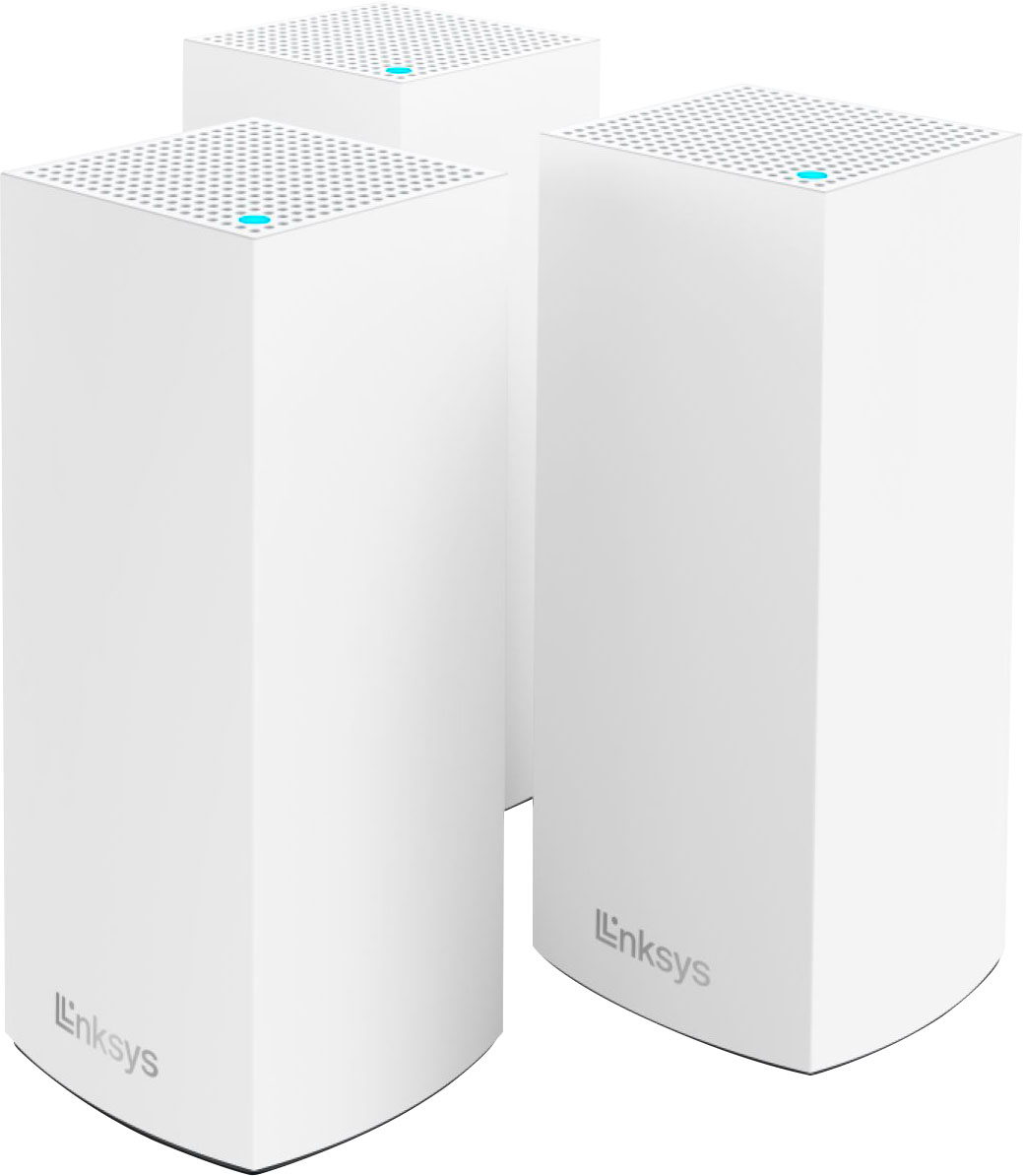
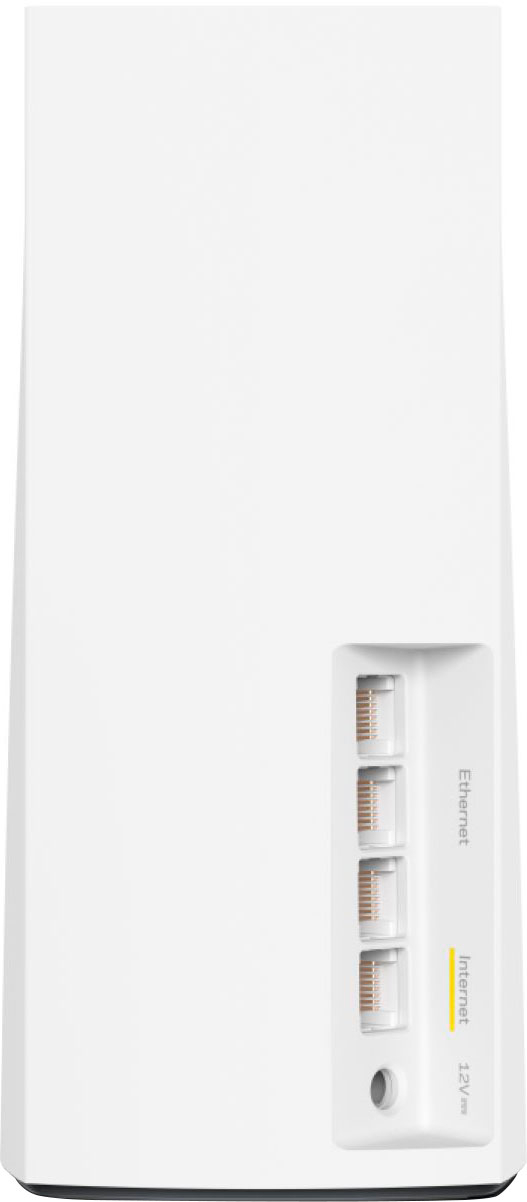
|Posted .This reviewer received promo considerations or sweepstakes entry for writing a review.This Linksys Atlas 6 kit brings an advantage to wifi modules that I love; being able to hardwire multiple devices into each module. Being able to range extend and power ethernet devices that don't have wifi makes life easy. Out of the box, there are three Atlas 6 modules that link together to form a connection. You don't have to use all 3 if you choose not to. 3 modules can cover up to 6000 sq. feet of range and connect up to 75 devices. Each module uses its's own power adapter and there is one ethernet cable included to connect from your modem to your main module. Setup is easy with the Linksys app that you need to download. The only issue I had was that it does not play well with gateways. A lot of internet providers supply a wireless gateway instead of a traditional modem and they don't like to talk to each other unless you make a bunch of settings changes, or get with support from your internet provider to be able to set it up correctly for you. The speeds carried through the modules wifi are reduced, even though it is using wifi 6 which is supposed to handle gigabit speeds. I have about 50% speed loss through wifi on gigabit connection, but it may be less if you have a slower connection. I think it's more of a "cap" the transfer speed for wifi6. Overall the coverage is amazing and as I said, being able to connect non wifi ethernet devices to the module makes it well worth it. Besides being designed for standard modem/non gateway users, it is definitely worth recommending
I would recommend this to a friendThis router has changed my life!
|Posted .This reviewer received promo considerations or sweepstakes entry for writing a review.This router set has completely changed our home wifi experience and made it amazingly better in every way. To think we spent years paying for whatever piece of junk our internet service provider would lease us. Our smart TV’s have been jolted to life with this system. No more waiting for the spinning circle of death waiting for apps to load or movies to start. No more sputtering and stuttering during peak hours. You don’t really realize how much bandwidth you lose over the air until you upgrade your router! On opening the box, you are presented with the 3 towers, 3 plugs, and a card that tells you to download the app. That’s it!. The towers are roughly 4”x4”x10”. I downloaded the app and followed the instructions. The app in your phone is all you need. It’s very easy, but it takes a little while. The main problem I was having was that it was taking my modem so long to boot up, that the app would get impatient and time out. After a couple tries, I got it. Our modem is in the upstairs office so I left the one tower in there, put one in my son’s room upstairs, and the third one downstairs in the master bedroom. Activating the second two were easy as could be. Just plug them in and let the app do the work. Now that they have been up and running, we couldn’t be happier. Wifi latency is down and bandwidth is up! The speed of my Wifi-6 Fire Stick is lightning fast. Do yourself a favor and ditch your ISP’s piece of junk and get something that works.
I would recommend this to a friendStalled in setup but may have been my ISP
|Posted .This reviewer received promo considerations or sweepstakes entry for writing a review.To start, I am tech savvy. I am familiar with and have setup several mesh networks. This one was a bit troublesome to setup and I think it was a combination of the Linksys and my ISP. It took me about 45 minutes of resetting and I was finally able to get the main node up and running. Setting up the two “child” units was really easy after that. I replaced a system that was a couple years old from a company who also runs a search engine you may have heard of. I was having connectivity issues with that one and the Linksys solved all those issues. My smart lock set wasn’t consistently connecting to my old system but it has been flawless with this network. I haven’t noticed any speed differences since I installed the Linksys but I wasn’t really expecting to. The main advantages of this network is Wi-Fi 6 which means once I get fiber internet, hopefully in the next year, the Linksys will be able to handle the speeds. The other major benefit to Wi-Fi 6 and this Linksys system is being able to connect up to 75 devices at once. I’ll never reach 75 but with an increasing number of “smart” products in the house, the old Wi-Fi standard will not work. The Linksys app is pretty user-friendly and it’s easy to control the network from it. No problems connecting anything to it. So far I’m pretty happy.
I would recommend this to a friend- Pros mentioned:Ease of use
Great device and love parental control
Posted .This reviewer received promo considerations or sweepstakes entry for writing a review.You won’t regret the purchase! This system is easy to setup and program. I love the ability to pause wi-fi on certain devices with the app (kids sleep better w/o temptation). Definitely highly recommend for all, especially for parents!!
I would recommend this to a friend - Cons mentioned:Lag
Honestly, not that good.
Posted .This reviewer received promo considerations or sweepstakes entry for writing a review.I was hoping it being a linksys product, it would be able to setup with a breeze, but no. I work in the tech industry and setuo dozens of routers and by far, this one was the worst. The units themselves look okay, nice visual apeal. Performance was a okay. Would encounter issues with the meah system from time to time. Lagging and higher pings. When it was just one router connection, perfectly fine. As mesh, they arent that good. If you are looking for something that can cover a large house, either choose a more high end single router, or a different branded meah system.
No, I would not recommend this to a friendBrand response from Linksys Staff
Posted .Hi, Vedran,
Several factors may have caused the challenge, as the nodes are meant to work together to enhance the connection. To improve your setup, you might want to consider relocating the nodes, and optimize the settings by utilizing less congested channels and keeping the firmware up to date. Wireless interference could also be one of the culprits.
For further assistance, please email your updates to LinksysCares@linksys.com. Include your contact details and a link to this review for reference, and we'll have someone get in touch with you.
Regards,
Rosalyn
Linksys Support
Great coverage, difficult setup
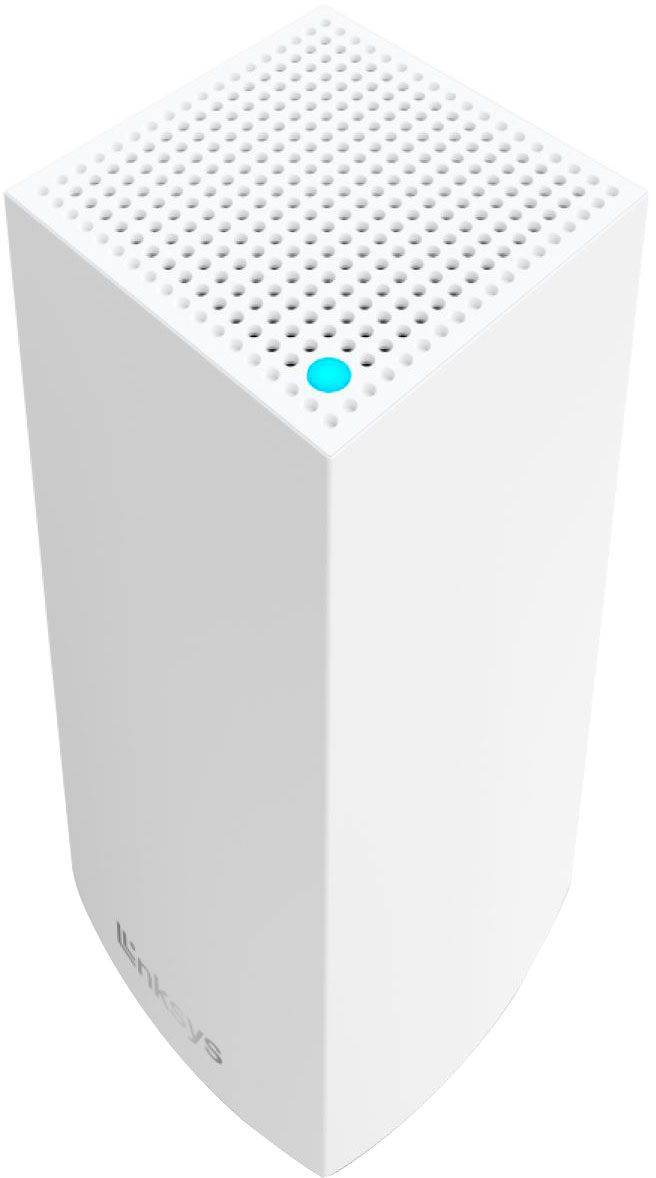
|Posted .This reviewer received promo considerations or sweepstakes entry for writing a review.This Linksys Atlas 6 Wi-Fi mesh router does a pretty good job once it is up and running. But getting it to that point was harder than it should have been and that makes it hard to recommend. Since are lots of other similar routers out there that don't suffer from these issues, there is no reason to put yourself through any unnecessary grief. In this case, that grief was mostly centered on the setup process, which Linksys promised would be simple and easy. It was not, at least it was not for me. I found the entire process quite unintuitive, in part because the Linksys app you must download to complete the setup (no instructions come in the box) never really worked as advertised. So I would start over. And wait. And start over again. And wait some more, for the thing that was supposed to happen finally happen. Long story short, I finally got this two-node package working, but it required a lot more effort than I expect most consumers would want to deal with. Even worse, once it finally was working, I encountered some other odd issues. One example: Attempting to switch to a more secure WPA2/3 mixed mode protocol caused a lot of my Wi-Fi devices to lose their internet connection. So I had to switch back to the default (and less secure) WPA2. Another example:. I have a fairly new high-end laptop that was working fine with a different router. But when I switched over to the Atlas 6 system, it disconnected from the network. When I attempted to reconnect it, it would only hold for a minute or two and then disconnect again. Very annoying. I dug into the laptop's network settings and saw it was configured for WPA3, which was fine with a variety of other routers I have used, but not this one. So I switched the laptop to WPA2 and after several reboots, it finally worked again. Life it too short to deal with these kind of hassles, especially since there are lot of other products out there which are far easier to setup and cause fewer issues. With the same or better performance. To be fair, there are a lot of variables associated with each household -- Apple or Windows computers, Android or iOS phones, the mix of devices. So this product could perform far better in different circumstances. I am a Windows/Android guy. Perhaps people who have mostly Apple products will have a better experience. If so, here's what I can say about the Atlas 6 system once it is up and runing: It's pretty good, most of the time. Two nodes were more than enough to give me good wi-fi coverage in my modest 1,500-square-foot home (Linksys says it will cover 4,000 square feet) and throughput was very good. I ran several tests and found I was getting between 200 and 350mps pretty much anywhere in my house and garage. (I have 350mps internet service). I also notice the responsiveness of my Sling apps on various TVs were a bit snappier than before, using a dfferent non-mesh Wi-Fi 6 wireless router. There is one other big plus with the Atlas 6 package. Each node has a built-in four-port switch, something lacking in a lot of other mesh system. This is important if you have some devices that demand an ethernet connection, since you don't have to fool around with adding an outboard switch to the node. Less clutter is better. One reason Linksys could do this is because its mesh nodes are much bigger than ones used by most mesh system competitors. So there is plenty of room for all those ethernet ports. Each node is a small but tall rectangular tower, vs the smaller puck-style designs often preferred by the competition. Since both nodes have 4 ports, you can move some devices that used to be trapped next to your main router to another location in the house, next to the second child node. That's a nice convenience. This is a Wi-Fi 6 device so it is built to handle multiple Wi-Fi devices at the same time -- up to 50 of them-- without a problem. It lacks the extra 6Ghz band of latest Wi-Fi 6E routers but very few Wi-Fi devices support that extra frequency yet so that's not a big issue in the short term. As with most mesh systems, you can also add more nodes later if you move to a bigger house and need to cover more real estate. Overall, the Atlas 6 is a good performer but the hinky setup process and other undesireable issues I encountered means I can't recommend it.
No, I would not recommend this to a friend- Pros mentioned:Ease of use
Worked well for me.
Posted .This reviewer received promo considerations or sweepstakes entry for writing a review.Easy to set up with the app. After you do that, you can use the browser based interface to configure security improvements.
I would recommend this to a friend Easy to install, works as advertised
Posted .This reviewer received promo considerations or sweepstakes entry for writing a review.This router was very easy to install. It is performing as I had hoped, dramatically increasing signal strength throughout my home.
I would recommend this to a friend- Pros mentioned:Range
Our winning wifi
Posted .This reviewer received promo considerations or sweepstakes entry for writing a review.We hVe been able to use our wifi when we are outdoors and not lose connection to wifi
I would recommend this to a friend - Pros mentioned:Coverage
Linksys Mesh 3 Node Router
Posted .This reviewer received promo considerations or sweepstakes entry for writing a review.A very easy set up. Coverage is wide and steady and stays online.
I would recommend this to a friend