Customer Ratings & Reviews
- Model:
- MX5503
- SKU:
- 6467755
Rating by feature
- Setup
Rating 4.3 out of 5 stars
- Range
Rating 4.4 out of 5 stars
- Signal Strength
Rating 4.4 out of 5 stars
Customers are saying
Customers praise the Atlas Pro 6 WiFi 6 Router for its ease of use, impressive range and coverage, and strong signal strength, leading to great performance. Many found setup to be straightforward and the system reliable. However, some customers expressed concerns about the system's cost and occasional connectivity issues. A few also commented negatively on the user app experience.
This summary was generated by AI based on customer reviews.
- Pros mentioned:Ease of use, Range, Speed

Compact router great performance!
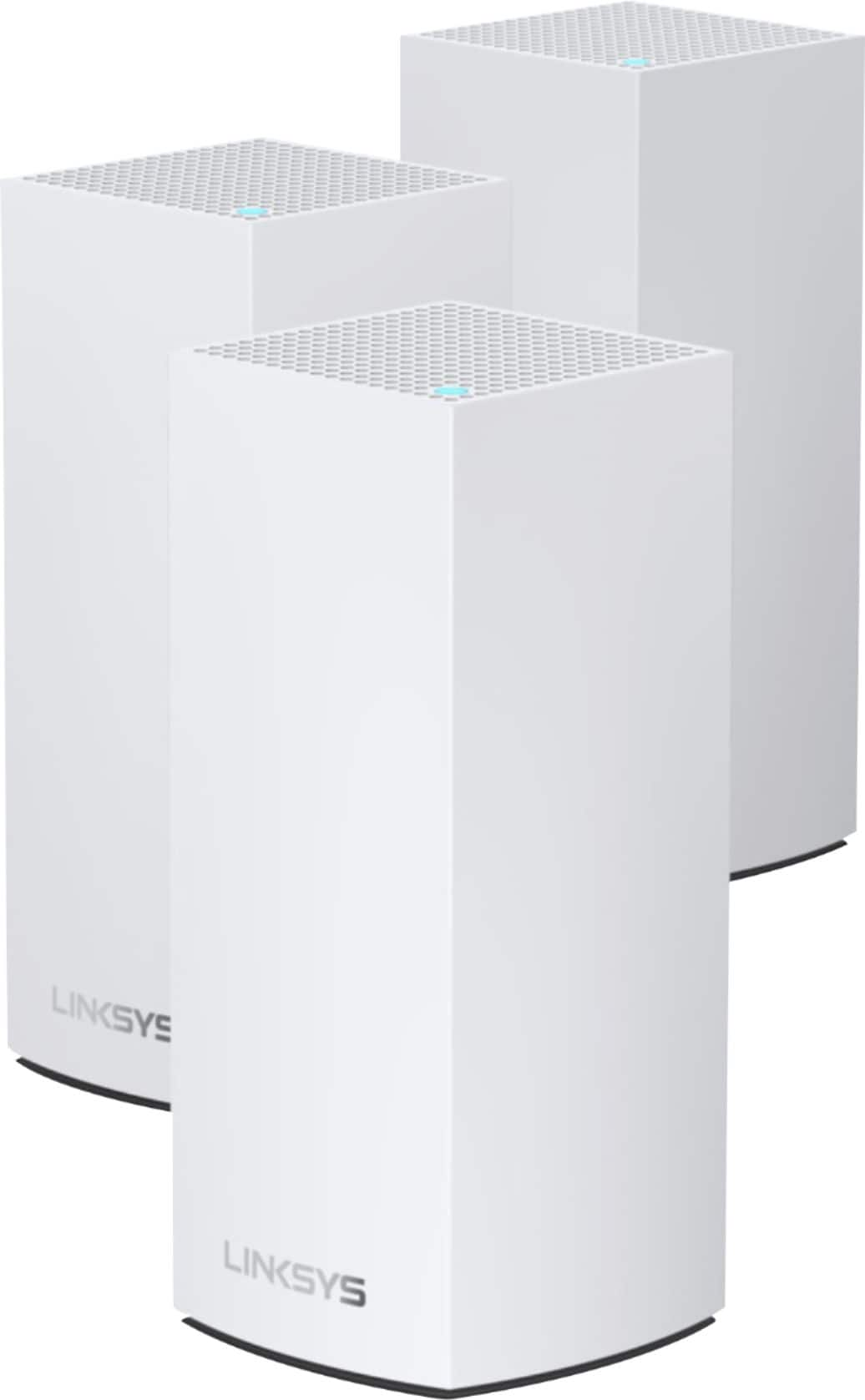
|Posted .This reviewer received promo considerations or sweepstakes entry for writing a review.I have used other Linksys brand routers and I've had good experiences and this product is no exception. Unboxing is one of the simplest things, you open the box, you take out the routers with their respective power cables and an ethernet cable to connect to the modem and that's it. I did the installation in the living room since that is where I have the modem connected, once having connected the first router with the help of the app I was able to configure the network and have access to the internet, the next two routers I could connect them more easily, although at first it showed me an error at the end it was able to connect correctly, apart from this I haven't had any other inconvenience so far. I did a tests to check the internet speed and normally it gives me from 170mbps to 195mbps but with this router I was able to reach speeds higher than 225mbps, one more thing is that when playing online video games the ping became more stable, of course the result will depend on the speed of the internet that is available, what I mean is that if the internet speed that is contracted is for example 100mps it is not possible to exceed this speed however, it is possible to keep more devices connected at the same time, reduce latency and in addition to that maintaining a stable connection which is very important when streaming or playing video games online. At first the size of the routers made me a bit curious but it is only appearance since the power and reliability when using the router are things that can be perceived, in addition to that it is possible to extend the Wi-Fi signal if they are installed the 3 routers in the ideal points in a house, it seems to me that if you have a good speed internet and you require stability and a greater availability of connection of several devices at the same time, or even improve your gaming experience, this product is a good investment I can highly recommend this product.
I would recommend this to a friend - Pros mentioned:Coverage, Setup, Speed
Ultra fast whole home Wifi coverage!
|Posted .This reviewer received promo considerations or sweepstakes entry for writing a review.This system is a great mesh system and is very fast, very easy to setup and very easy to use. This was probably the easiest WiFi system I've setup and performance wise, it's as fast or faster than being wired on gigabit ethernet. Setup was very easy, simply download the Linksys app, plug a node in to your internet router/gateway and plug it in to power. I was able to simply unplug my old router, and plug the node in and setup the exact same Wifi 6 network name and transitioned to it without a hiccup. Setting up additional nodes was also much easier than anticipated, where you just plug the node in to power in a room that you want to extend your network to. Placed in the right areas throughout your home, you can easily expand the 5ghz Wifi 6 coverage and have ultra fast signal where ever you are in your home. Prior to this system, I had only medium signal strength outside (my home is a brick home) and now I have a strong signal in my yard. I'm truly amazed at how well this system actually improved coverage and made it so easy to setup. Each node does have ethernet too so you can also hook up wired ethernet devices too giving many options for placement and connectivity. In terms of speed, it's fast and I was able to copy files to my NAS drive just as if I were connected to the gigabit LAN port. Speed will vary of course with your connection but I was not expecting to see the speeds that I got. In terms of stability, this system seems to be very stable so far and hasn't had a single hiccup since I set it up. Overall, the Velop system is an amazing system packed with the latest Wifi technology and finally, easy to setup wifi that's as good as commercial wifi is here. I would absolutely recommend this system if you have a large home, large number of users or devices. You can easily expand by adding nodes but the 3 included seem to cover most large size homes with two or more levels.
I would recommend this to a friend Very nice upgrade
||Posted . Owned for 1 month when reviewed.This reviewer received promo considerations or sweepstakes entry for writing a review.This mesh network really improved my WiFi signal all over my house. It can support more devices than my older system.
I would recommend this to a friendLinksys - Nightmare
||Posted . Owned for 5 months when reviewed.This reviewer received promo considerations or sweepstakes entry for writing a review.Absolutely crap! NOthing but trouble... hours and hours and more hours on tech support and they won't even replace them! Doesn't auto download firmware updates. NIGHTMARE
No, I would not recommend this to a friend- Pros mentioned:Coverage
Very powerful mesh router
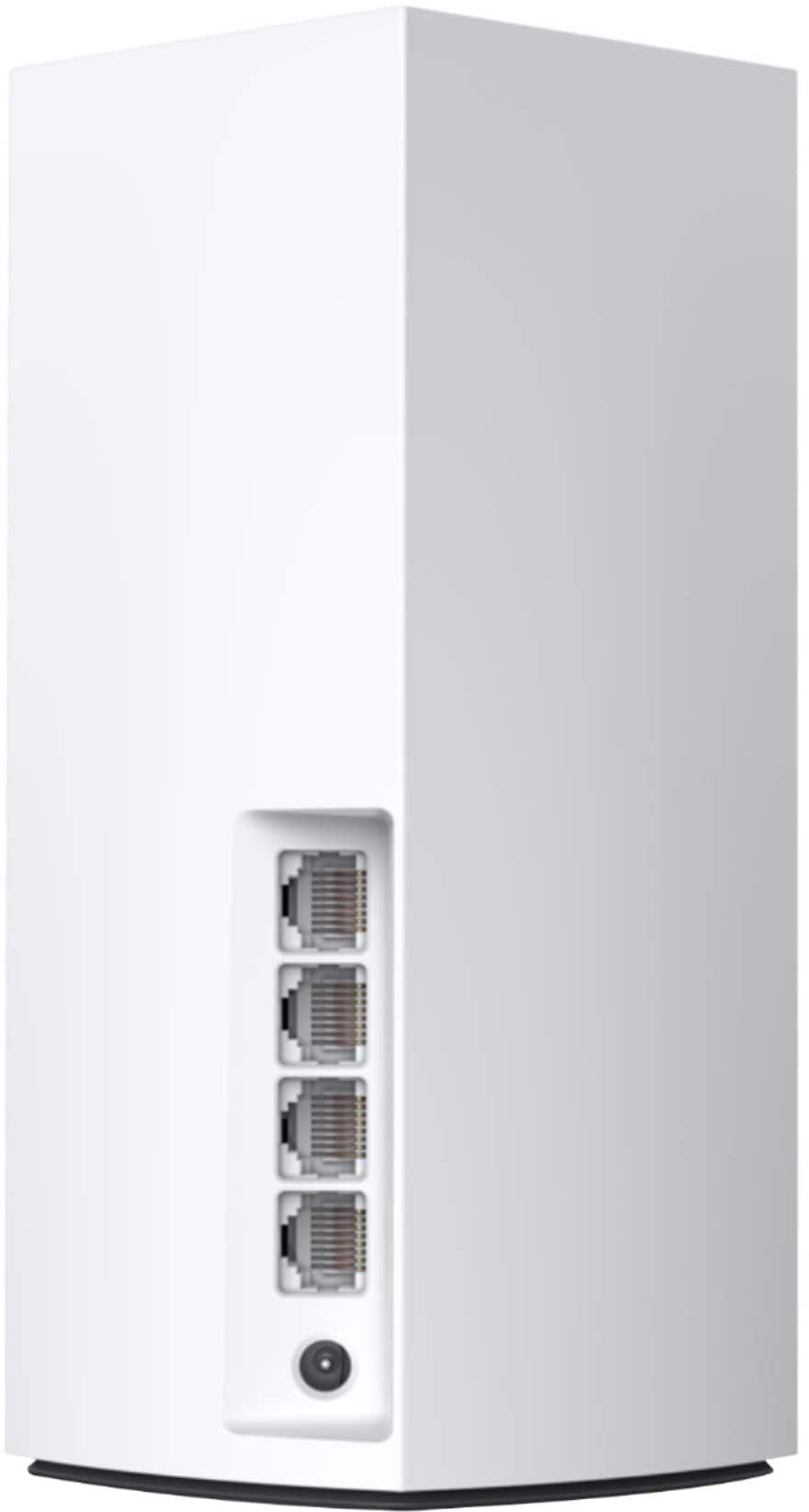
|Posted .This reviewer received promo considerations or sweepstakes entry for writing a review.I’ve been a big fan of Linksys’ Velop mesh internet routers, and I’ve been using one of the earlier versions since it came out 3 years ago. Since then, Wi-Fi 6 has come on the scene, and since I have a newer laptop featuring Wi-Fi 6, I decided it was time for an upgrade. The Atlas Pro 3 pack includes 3 white mini tower style nodes. This is in contrast with my previous setup, which had a main node and 2 plug-in “wall wart” range extenders. What you’re essentially getting here are 3 routers, each one of which is capable of functioning as the main node that is connected to the modem. Each node features its own 1 GHz processor and a little less than a GB of RAM. Linksys utilizes a new 160 MHz band to allow the nodes to communicate with each other at top speed. The Atlas Pro is not cheap, retailing for $599, but it’s half the price of the Atlas Max. I’m not sure what the Max offers over the Pro, but even $600 for a router is something you’ll want to think about. My earlier comment about the 3 pack being 3 routers might help you justify the price. A good router can easily run $200, and you’re getting 3 of them that communicate with each other to provide incredibly fast Wi-Fi. I realize that’s not exactly the best argument, but if it works for you, you’re welcome. Inside the box you get the nodes, power supplies for each node, and an ethernet cable to connect to your modem. A “quick start” card tells you to get the Linksys app, and that’s it. Since I already have the app for controlling my existing setup, this didn’t bother me, but I was a little surprised at such scant documentation to welcome me to the Velop family. I was hoping to get some direction on what to do as an existing customer, but that was nonexistent. So, I decided to treat it as if I was coming in for the first time, and I unplugged my existing setup and started from scratch. Step one of the setup process is to connect to your modem and the internet. Here’s where I got a little frustrated. Multiple attempts to connect to the internet failed, and even restarting the modem didn’t help. I gave up and decided to call support, but was put on hold because of high call volumes. While I waited, the Velop was finally able to find the internet and setup asked me to sign into my account (or create one if I didn’t have one). I entered my account credentials and was told that my account had been locked and I needed to reset my password. This was annoying, but at least it got the process moving again. From this point on, things went pretty smoothly, and I was able to successfully add each node in succession. All of my devices were able to connect successfully, and every looks good so far. One thing I noticed immediately was that the strength of my signal is improved throughout the house. My old setup did a fine job, but its signal did not reach as far as the Atlas Pro does. Now I’m getting strong signals at the farthest point from the router (which isn’t that far), and the speed is excellent. My laptop is fairly new and supports Wi-Fi 6, so I logged on to Steam to download a game. I chose a game that required a 5.8 GB download. My previous setup would do this in 10-15 minutes (I don’t have the fastest internet package), but with the Atlas Pro I was able to download everything in a little more than 5 minutes! This is truly a case of the router allowing me to get what I’m paying for. In today’s internet-centric world with so many devices relying on an internet connection, it’s not unusual to have some that need not a wireless connection, but a wired one. I use a VOIP phone setup, and I also have security cameras that connect to a unit that needs an ethernet connection to the modem. Because of that, I’ve been using a standalone ethernet switch to give me enough connections. The new Atlas Pro comes with 4 ethernet connections on each node! One of these is for the connection to the modem, but that still left me with an additional 3 connections, so I was able to put my switch in the drawer for now. This is a nice touch! Even the satellite nodes have these ethernet ports, but without a direct modem connection, that’s only for convenience, not additional speed. Streaming video and downloading huge files both feel more solid than on the old system. My security cameras no longer struggle to get a strong signal. If reliability turns out to be solid, then this system is a winner. With all 3 nodes installed, the system is rated for over 90 concurrent devices. While I’m nowhere near that and won’t likely ever be, it’s nice to know that device conflicts won’t bring my Wi-Fi to its knees. With the ability to cover 8100 square feet, this system is more than I need, but it’s worth it to me to know that I have power to spare. My older Velop system was still holding its own against more recent models after 3 years, and I think that shows what a good product the Velop line really is. The new Atlas Pro seems to be picking up where the older model left off. I’m very pleased with this system so far and feeling good about being able to take advantage of the internet speed that I’m paying for. If you’re considering this mesh router, I would also suggest you take a look at the less expensive version that Linksys offers for $499. It’s top-rated speed is less, and it doesn’t reach as far, but if your home isn’t big enough to need the reach of the Atlas Pro, you may be able to get an equally competent system and save some money as well.
I would recommend this to a friend Useless
||Posted . Owned for 1 month when reviewed.This reviewer received promo considerations or sweepstakes entry for writing a review.Useless. Nodes go offline constantly. Overall wifi connection isn’t significantly improved.
No, I would not recommend this to a friend- Pros mentioned:RangeCons mentioned:Price
Great Signal Extender, Tricky Setup
|Posted .This reviewer received promo considerations or sweepstakes entry for writing a review.The setup was a bit tricky because i could net get the 3 nodes to sync. Once i had them sync up, the signal strength was noticeably improved. The range of my WIFI6 signal was extended and my dead spots in the house and property are virtually gone. I placed them just like the manual suggested, not near brick walls or thick barriers which would impede the signal. It's a little pricey for the system but i pay over $100 for gigabit service and in the long run, i would rather squeeze the best service i can out of my internet service. Definitely recommend if you pay a hefty monthly fee for internet service and still experience dropped signals. I didn't need anything fancy besides a strong signal extender for my weak signal zones.
I would recommend this to a friend - Pros mentioned:Range, Setup, Speed
Amazing range
|Posted .This reviewer received promo considerations or sweepstakes entry for writing a review.This has incredible range, up to 8100 sq. ft. we have over a half acre of land & our house sits in the middle, the modem & router are in a front room & I walked all the way to the end of my backyard & still had WiFi. The next test was in our metal pole building, we never get reception in there & same thing, strong signal. We had the older version of these towers, the AC 2200 model & always had good connection with that also. These nodes are a little larger, like a large air freshener but set up was very easy. They also have 3 LAN ports & one WAN port on the side to connect to instead of just one I already had the app so I just added to my devices. Connected easily to our Arris Surfboard modem.This is suppose to support 90+ devices, we have about 17 connected. From tv’s to iPads everything was simple to connect. The only issue was with my Nest protects & lock, they’re still not connected but it may be a Nest issue & not Linksys. Internet is fast, streaming is good. There are a few other devices I still haven’t connected but they’re not necessary. This really does the job & more for all those necessary ones!
I would recommend this to a friend - Pros mentioned:Coverage, Speed
Impressive Wifi Speeds & Coverage
|Posted .This reviewer received promo considerations or sweepstakes entry for writing a review.I purchased my first Linksys router the WRT54G almost 20 years ago. Ever since that iconic device I’ve been hooked on the quality and design of Linksys networking products. I have strayed a few times to try other brands only to be ultimately disappointed and I quickly returned to Linksys. In 2016 I was introduced to the first Linksys mesh network solution the Velop. Hooked yet again I’m now excited to try my third Linksys mesh product. It seems that Linksys has dropped the Velop name as this system is called the Linksys Atlas Pro 6 Dual-Band Mesh WiFi AX5400. The Atlas looks identical to Velop and this version comes with 3 nodes. For those unfamiliar with mesh networking these 3 nodes are placed throughout your house and operate like a single device while providing expanded wifi coverage in your home. In the box you’ll find the 3 Atlas nodes, 3 power adapters, and a setup guide. The setup guide simply directs you to download the Linksys app where you do the entire setup. Once installed you simply select add a device. Along the way you are prompted to setup a Linksys user name and password. You can then proceed with the installation of your first node. You can use any of the 3 nodes as your primary node. You simply connect the node to your internet modem and power it on. The app detects the node and you are prompted to name your Atlas network. If you have a bunch of devices I would suggest using the same name and password of your current network. This saves you the trouble of adding each device to a newly named network. The setup of the first node did take about 15 minutes from start to finish. Once complete you can then proceed with adding the next node. You should pick a location only a few rooms away from the first node. Upon installing the node the app notifies you if your selected location is ideal. You simply repeat this process to add the third node. Upon completion I did notice that a firmware update was available so I installed it as well. The app walks you through the setup process with ease and once setup is complete it serves as your access to all your Atlas Pro 6 settings. Specifications wise the Atlas Pro 6 Dual-Band Mesh WiFi AX5400 is mighty impressive. First of all this is an wireless AX or WiFi 6 router which is over 4 times faster than wireless AC and is capable of gigabit wifi speeds to 30 devices per node. The Atlas Pro 6 also supports 160 MHz wifi capabilities. The 160 MHz channels are the least crowded for wifi performance and can offer incredibly high wifi speeds up to 1733 Mbps. Keep in mind you need internet service that supports these internet speeds and a device that supports 160 MHz in order to see these speeds realized. I have 1000 Mbps internet service and a laptop that supports 160 MHz wifi and I got about 840 Mbps with the Atlas Pro 6. I was thrilled. The Atlas also supports Dynamic Frequency Selection DFS which helps reduce interference from other networks in your neighborhood. If you’re in a neighborhood like mine I can see nearly a dozen networks near my home all of which can negatively impact the performance of my own network. DFS should help substantially. The Atlas Pro also provides wifi coverage up to an incredible 8,100 square feet. While my home is more in the ballpark of 2,000 square feet this expanded coverage is great for rock solid coverage for my outdoor wireless security cameras and my other wireless devices while enjoying my outdoor entertainment areas. For wired connections the Atlas Pro 6 also has 3 gigabit lan ports and 1 gigabit wan ports per node. Ultimately I was very pleased with the Linksys Atlas Pro 6 AX5400 and it is certainly an improvement over my prior Velop system.
I would recommend this to a friend - Pros mentioned:Coverage, Setup, Speed
Wifi everywhere!
|Posted .This reviewer received promo considerations or sweepstakes entry for writing a review.In the age of the smart home, a mesh wifi system is a must. This linksys system is amazing. It can handle all the devices you can throw at it! Everything in my home communicates and works better than before. I now have one superior system from the doorbell and cameras out front, to great coverage in the back yard. This Setup was the easiest setup I have experienced yet. Download the linksys app if you don't already have it then shut down your old wifi. Plug in the first node(doesn't matter which one) and follow the steps. Name it the same as your old wifi and everything should connect back up(I had a couple older devices that had to be manually set back up) setting up the 3 nodes took maybe 1/2 hour. So simple! The design is also nice and pleasing if they have to be placed out in the open. This is great, fast, full coverage wifi!
I would recommend this to a friend - Pros mentioned:Range, Setup
A super easy way to add insane WiFi range
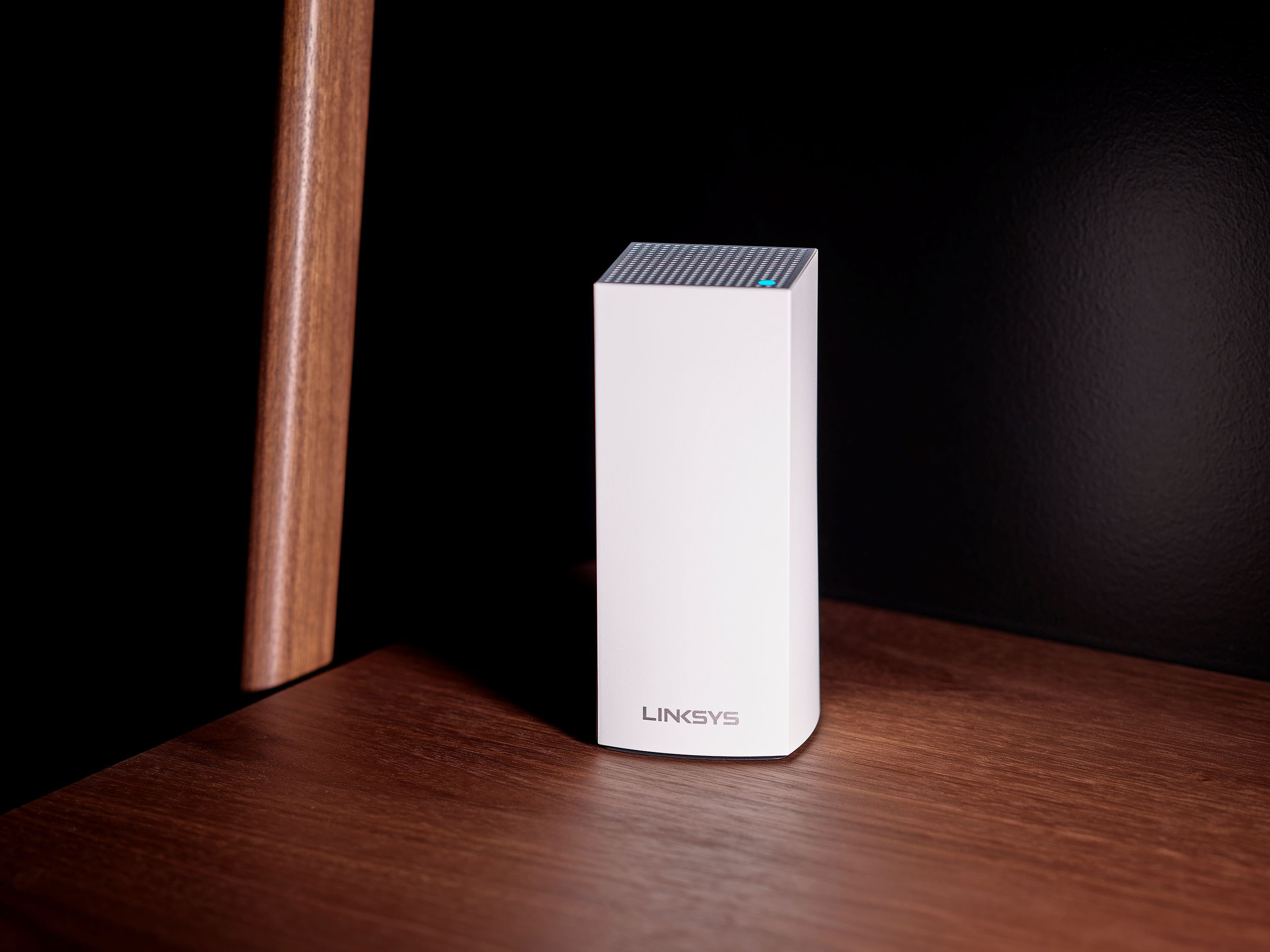
|Posted .This reviewer received promo considerations or sweepstakes entry for writing a review.I'm generally a single router guy as I like to be able to manually control all my ports and remote access. I enjoy the URL web-based interface and I am used to it. That said, I was excited to try these new mesh routers that work similarly to a cell phone network in which the traffic is handed off to the closest node and then transferred to the base station that's connected to your internet connection. The idea is that you have a strong and fast WiFi signal wherever you are in your large home or office. My kit boasts a 8100 sq ft range! Though I am not able to fully test the full range, I can tell by extrapolation that this unit will meet that or come very close. Setup was very easy. Download the app and power up the node, connect your Ethernet cable for internet and the app finds the node and configures it as the Master Node automatically. It then will find and satellite nodes and they are just as easily configured. I do miss a little of the advanced settings my URL based routers have and working off an app is a little strange but in all fairness my URL routers have been begging me to switch to their app for years now so I guess I will need to get with the times. Build quality is excellent and I can see these hanging around for a long time because they don't have built-in displays like some Mesh router sets do. Highly recommend this set !
I would recommend this to a friend - Pros mentioned:Ease of use, Speed
Powerful Mesh Router, Simple to Install
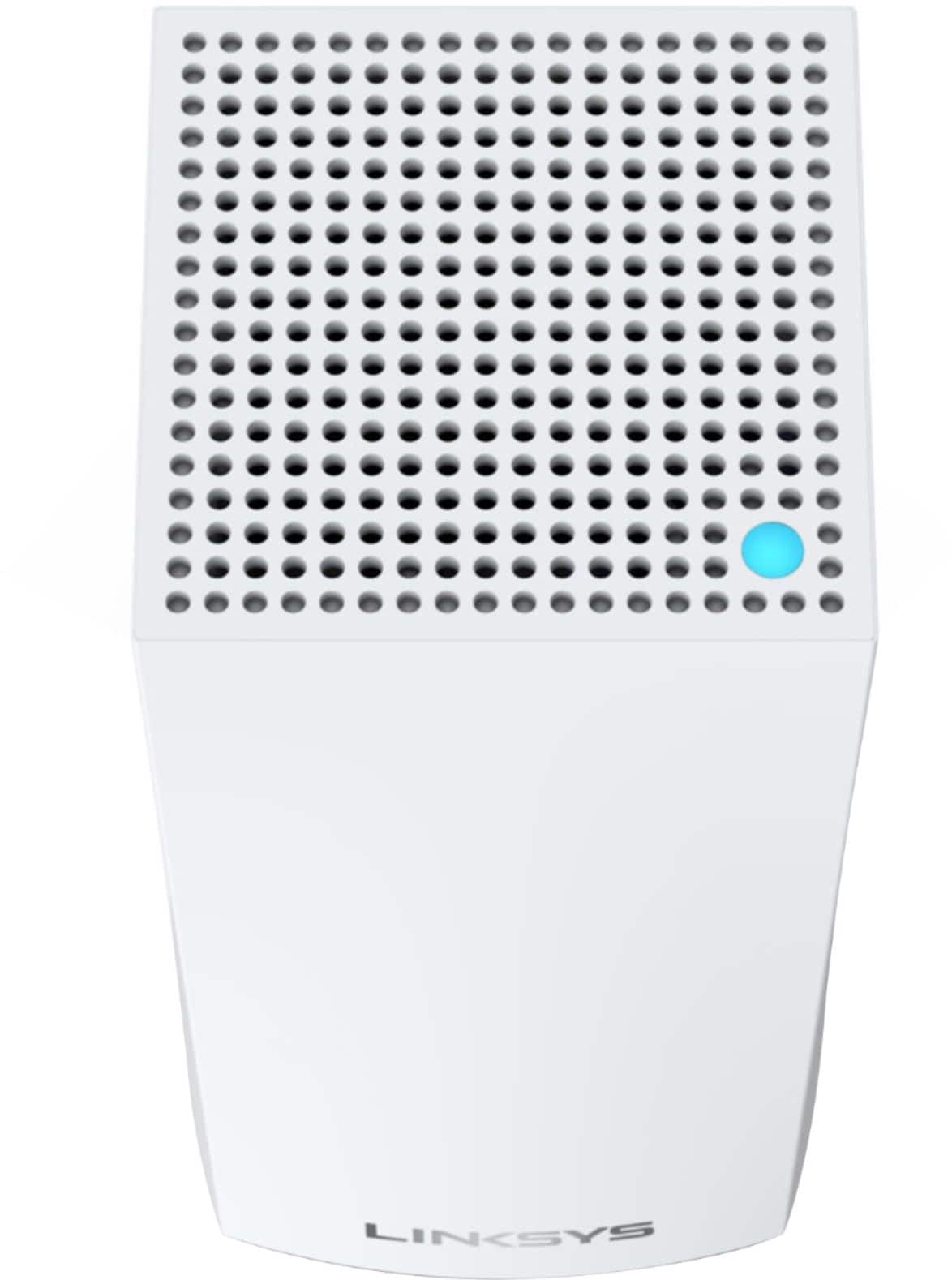
|Posted .This reviewer received promo considerations or sweepstakes entry for writing a review.The Linksys Atlas mesh router was absolutely simple to install. Once upon a time it was much more difficult to install a router and ensure it was working. Basically, with this Linksys router you install an app on your phone and then you flow seamlessly through the install. There are steps that take a few minutes and a message does pop up to essentially say ‘be patient’. I realized that the software is gathering a lot of information and does establish all your settings – so just be patient. You do receive a little setup card that indicates the color and blink status of the setup progress, so it is smart to use this card so you can see the progress. Once the light turns solid blue you are done. This system has three nodes so you will repeat the process for each node. It was the easiest process I have ever used. I actually put one node only 15 feet from the base node and the software popped up with a message saying ‘…are you sure you don’t want to place this note further away…’ – now that is amazing. I connected this mesh system off a cable modem/router and established a second in-house network in order to balance resources. SpeedTest showed very little differential in speed from the cable modem/router WiFi versus the Linksys WiFi, so I am very happy with this Linksys system. The app also has an abundance of information on the devices attached and makes it easy to control your network. You will want to put nodes on different floors if you like, or at least in different corners of the house. I do highly recommend this powerful and simple to use Linksys Mesh system.
I would recommend this to a friend Extremely poor linksys status dashboar performance
||Posted . Owned for 3 weeks when reviewed.This reviewer received promo considerations or sweepstakes entry for writing a review.Unstable, 1. have to regularly unplug nodes to reset, 2. unit switches to guest wifi intermittently, 3. Status site in cellphone takes forever to load - also most times indicates lynksis cloud not available, have to exit and reenter multiple times.
No, I would not recommend this to a friendBrand response from Linksys Staff
Posted .Hi, Luis,
Please make sure that the Velop's firmware is updated to further isolate the issue. Send us an email at LinksysCares@linksys.com with the following details for further assistance.
> Serial number and firmware version of the Velop
> Linksys App version
> Copy of the receipt
> Your phone number and mailing address
Regards,
MJ
Linksys Support
- Pros mentioned:Ease of use, Range
Phone app missing important functionality
Posted .This reviewer received promo considerations or sweepstakes entry for writing a review.Was fairly easy to set up until I had to separate the bands to connect my Lo T devices which needed my phone to be on the 2.4 GHz band. Apparently the default set up names the bands the same and no way to connect to a particular band for this type of connection. The phone app doesn’t have the functionality to separate the bands . Had to get in the web app and fight with my internet security to give the bands different names. Once over that hurdle, works great with amazing range
I would recommend this to a friend - Pros mentioned:Speed
This Works
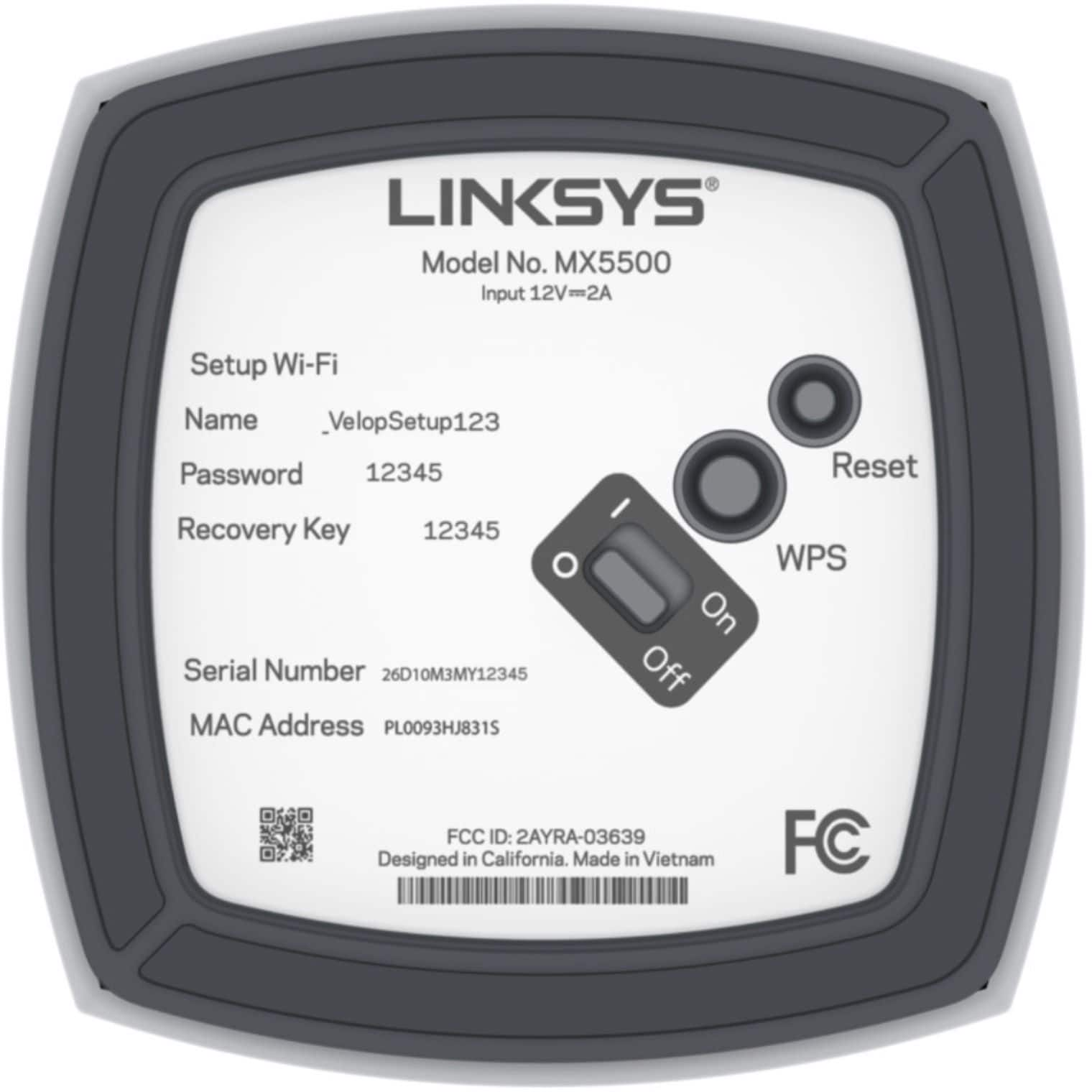
|Posted .This reviewer received promo considerations or sweepstakes entry for writing a review.I had the previous version of this in 2016. Linksys Velop wifi 5 and the Nodes kept dropping out at times. Here we are 5 years later with the Pro 6 Mesh system and so far it has worked great. Seems linksys has worked out the bugs and developed a more robust system. All My AC wireless devices (1st Gen) are connecting at 866.7 mbps. constant. I have 1 wifi 6 laptop connecting at 1.2 gbps (fast). Here is how I set it up. 1. Disconnect old router. 2. Connect 1 of the new Nodes to the modem. 3. Power cycle the modem with the new node connected, this will allow the modem to properly see and configure the new router/node. 4. Download linksys app and proceed with setup through the app. 5. when first node is found, power on the next node and proceed with 2nd node set up. Continue to add nodes one at a time. Do not power them on until ready to add. This will alleviate confusion to the node system. Then proceed to connect your devices. Linksys will automatically connect to your devices using the fastest speed and best wifi band/hrz as you add them. One of the things a I like best is each node has several ports. So I put 1 node at each TV and connected with ethernet cable to simulate a direct connection experience. Over all, I had approximately 15 wireless devices connected with no issues. I also like the fact that I did not have to tweak anything. I did check to see out of curiosity what radio channels were being used compared to other networks around me and found Linksys using the higher channels that were open. Great Stuff. This is a winner, just make sure you set it up properly. Setting up can take approximately 45 minutes depending on what your needs are.
I would recommend this to a friend Decent wifi - with a few issues
|Posted .This reviewer received promo considerations or sweepstakes entry for writing a review.I'll start by saying I already had a Linksys router, so I already had an account, and the app installed. The router I had was a max stream ac-4000 tri-band mu-mimo router. Good router, never had any issues. It was just big and bulky and kind of an eye sore in the living room. Figured I'd "upgrade" and try the whole home intelligent mesh setup. Well, kind of became a horror story. Figured I'd set aside an hour or so and get this new system setup "quickly" one night, since I already had browsed the app to see what I needed to do to set this up. Seemed like a piece of cake. Out of the box the Velop system has 3 nodes, each with their own power supply cord, and 1 Cat 3 cable for hooking the main node up to your cable modem, like you would already have for your current wifi router. Simple plug and play, and follow the instructions. Well I did, and the instructions via the app ARE super simple. Plug in main node to cable modem, wait for the light on top to flash purple, app asks you if light is purple, click yes, it finds it, connects to it, and you are good. Then asks if you want to add another node, or just be done. So I setup the 2nd node in a different room. Plus it in, wait for purple light to flash, and follow instructions on the phone app. Easy. 3rd node was setup the same way, and I thought I was going to be done in about 20 minutes so I was feeling good. This is where issues arose. During setup of the 3rd node, the app detected it, and started adding it like the first 2, but towards the end of the setup it started saying it was "adding" the node but then just froze up and the app wouldn't move. Waited 10 minutes. Finally had to force close it. That was a problem. When I loaded the LInksys app back up, at first it was only finding the 2 nodes, not the 3rd, even though the 3rd node now had the solid blue light which means its "good and setup". App starting glitching and then it magically showed 3 nodes. Ok, I figured it was just a hick up, and things were back on track. I noticed in the linksys app it now said the nodes needed a "system update", so I started that. Again things were going fine, the app was moving along with the progress of the updates, and then it reached a stage where it said "updating router" and again it froze. Nothing was moving. it said "this should take about 2-3 minutes". Well I waited 20 just to be sure. Again had to force close. That's where things got messy. All 3 nodes now were a solid red, which is not the color you want to see, Even though the app was showing the nodes as still being "correctly" setup. I had no wifi tho, and no matter what I did trying to unplug, wait, plug back in the nodes, it wouldn't change from flashing a solid red. That's an error code btw if you have it. All I really wanted to do at this point was just somehow get back to the beginning of the setup and try a fresh install to see if that would help. I was "this" close to just plugging back in my old router since it worked fine. At this point, it had been almost 3 hours of back and forth. My solution, and what ended up working, was I ended up having to reset EACH node back to the flashing purple state, create a new Linksys account setup in the app, AND the most IMPORTANT piece for me which without it would never have worked, was to RESTART my iPhone. Trust me, do it. I tried to just create a new account and restart the routers, and the phone just wouldn't find the node, even tho it was flashing purple. Somehow along the way I really messed up the connectivity connections in my phone somehow. Restarting the phone fixed this, and once I did it, was able to connect to the nodes. Mind you, I had to start ALL over again. But this time everything worked, and there was no updates to do on the Linksys Velop nodes this time. So after all that hassle, how's the wifi? Well, it's ok. Previous router had no issues covering my whole 1300 sq ft small house. For some reason, the wifi coming from this has created a dead spot in my kitchen, even though it claims to cover 8100 sq ft, more than triple the size of my house. Even though I used the same wifi name and pw as before, I have about 4 devices, (including my phone), that had to be re-connected to the wifi. I had a google home hub display in my kitchen (which is inbetween the 2 rooms with nodes) that worked great previously, that now will only connect if I place it in a different area of the room. So overall I should have, and wish I would have, just stayed with my old wifi router. It worked fine. I have a small house and never had any issues. This setup was a hassle. I would not recommend this product until some of the bugs are fixed.
No, I would not recommend this to a friendBrand response from Linksys Staff
Posted .Hi, ReviewGuy85,
Thank you for posting a review and we’re sorry to hear that your experience was not of the quality you expected. We would like the opportunity to investigate your feedback further and let our Escalation Engineers check the unit for diagnosis. With the link to this review and your contact details, please send an email at LinksysCares@linksys.com so they can better assist forward. Indicate a small but brief description of your network topology when you reach out.
Regards,
Carl
Linksys Support
- Pros mentioned:Setup
More than enough coverage
|Posted .This reviewer received promo considerations or sweepstakes entry for writing a review.First time using a mesh system, so I didn’t know what to expect. Opened the box and started setting up the nodes. Once you download the app, this makes the process very easy. Each node was setup in about 5 minutes. Once all the nodes were up, then an update ran and took about another 20 minutes. All dead zones are gone with these nodes. A big surprise is there are three ethernet ports in each node, so you could have some devices hard-wired without have to run wires from the other side of the room. This is huge for me as I’ve been working from home since last year and I need to be hard-wired for stability. I haven’t noticed a boost in connection, per se. If anything, all the nodes are equally carrying 200-225 Mbps in every corner of the house and on occasion hitting 235 Mbps. I don’t have any Wi-Fi 6 devices yet, but I like that these nodes are already in place and ready for it.
I would recommend this to a friend Versatile WiFi 6 Mesh Setup
|Posted .This reviewer received promo considerations or sweepstakes entry for writing a review.Based on the construction of my home, I've been dabbling in mesh routing for a long time. This means I have a long history of shoehorning regular residential routers to work in my house to make sure I can get coverage. I was originally excited when the first models of Velop came out but was unable to take advantage of it or its competitors and still use the wiring I had pulled, or connect the few devices that needed a hardwire connection that were not going to get home-runs all the way back to my main router. As these systems have evolved and more and more mesh options have entered the market, the idea of wired backhaul has gotten more and more common. The Atlas 6 includes the option for both wired and wireless backhaul. That means it can communicate with the main hub that has a direct connection to the internet in multiple ways. This is the 3rd router I've set up with the Linksys app, and I have to say I love that part of it. That's also where this one fell down a little bit and resulted in my dinging it one star. The main hub I plugged in had a heck of a time connecting to the internet, which won't let you complete the setup. After multiple restarts and two calls with customer support, I was able to get the first one up and running. After that, the other two were a breeze with the app. Having 5 hard-wired ports on each node means I have plenty of ports to connect those nonwired devices. My next step is to configure a VLAN to keep my security and IOT /smart home devices from bogging down my network, but again the Linksys management panel will allow me to do that. I was a little surprised that this kit also didn't include any ethernet cables, but that's the most nitpicky thing I could come up with after the setup was successful. These nodes look like the other Velop devices and they are very attractive and blend in with your decor. I was initially apprehensive without being able to adjsut the antenna manually, but the internal array inside the Atlas must be robust. I would recommend this setup to anyone.
I would recommend this to a friendGreat tech support
Posted .This reviewer received promo considerations or sweepstakes entry for writing a review.I had to call tech support because out of the box it was performing very strangely. The tech support person was a total trip, like a character out of a book, and that made it a really fun experience. We applied a firmware update as part of what seemed distinctly like a hail mary but lo, it worked, and the AX5400 has been working great. It's a bit of overkill for a 1200 sq ft house but there's definitely no dead spot.
I would recommend this to a friendAbsolutely great WIFI system
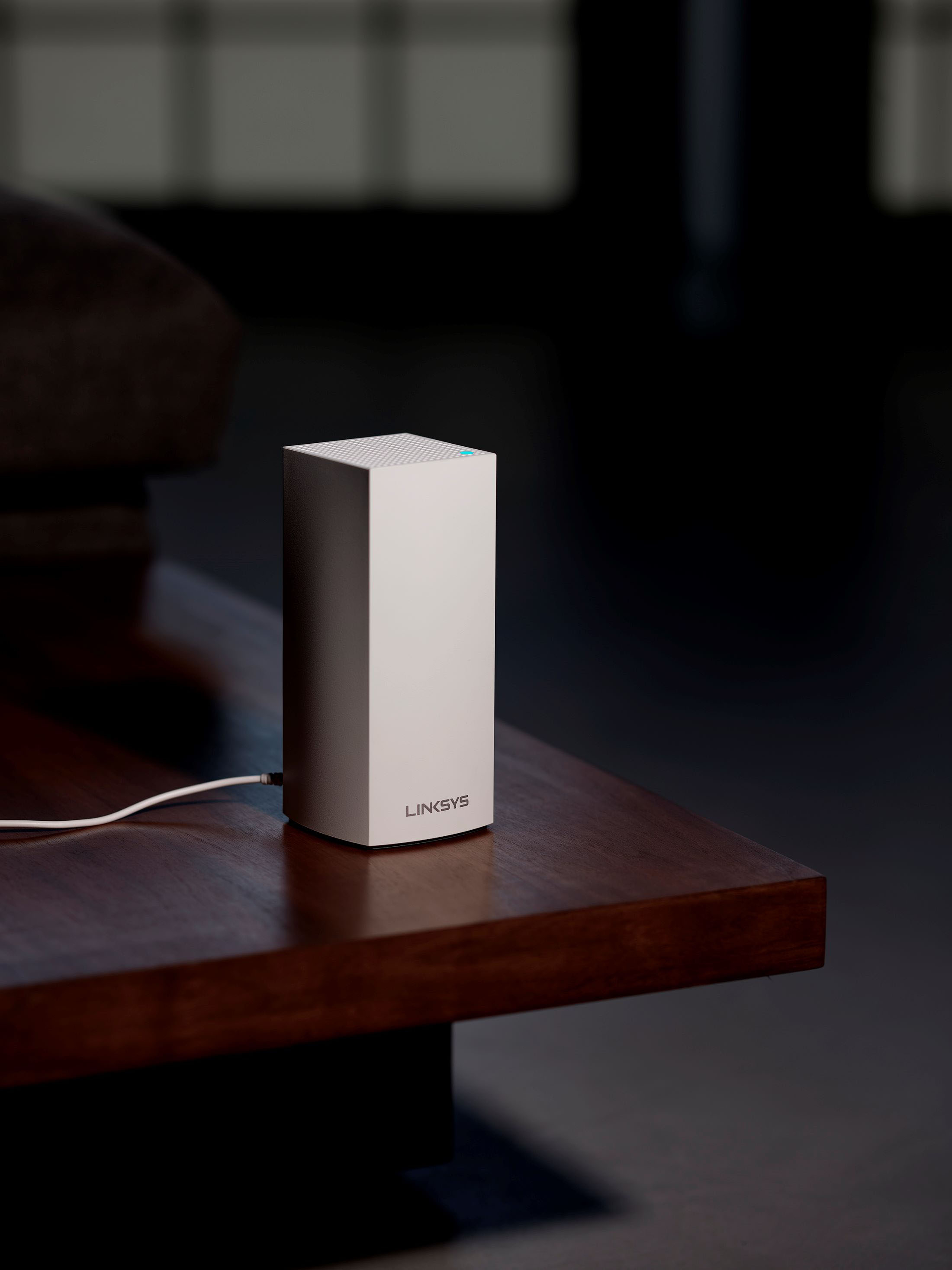
|Posted .This reviewer received promo considerations or sweepstakes entry for writing a review.I'm replacing a current Linksys router that I was not happy with at all. It honestly made me question Linksys current routers. I've owned countless Linksys routers for the last couple decades and I always considered them to be a top brand. This router has definitely brought them back to the top in my experience. To start with this router is really easy to set up. Out of the box the physical routers are just a power plug and the white router. Install the first one by plugging it into the modem. Then activate it using the Linksys app. It takes about 5 minutes to completely set up the device through the bluetooth connection but it's seamless and worked the first time. After that you can add on as many 'child' routers as you want (child is Linksys term, could be called range extender). The programming is pretty straight forward. It is nice they give you the option to have the 2.4 and 5 Wifi signals named the same and the system will automatically switch devices to the strongest router signal, very similar to how cell phones have worked for decades. I changed my 2.4 password to a different name so I wouldn't have to reprogram all my 2.4 only devices but will probably update them over time to the new name. I could not get the name change through the app though, I was only able to find it on the computer browser page. Signal strength is great. I connected the 2 additional child routers wirelessly to see how the speed was. I wasn't able to notice any speed degradation from the furthest router that was bouncing off the middle router. I'm only running a couple devices at a time though so you might notice a speed dip if you have several devices using a lot of bandwidth off the same router. They also give you the option to hardwire between nodes, which I'll plan to do when I finish my basement and I'll update the review when I can compare speeds between wireless and wired connections. Each node also acts as a wired router to some extent. All the nodes have 3 ethernet ports that you can use to hardwire devices to directly if you like the more stable connection or not taking up wireless bandwidth for close devices. Aesthetically the routers look very nice. If you wanted them sitting out in plain sight they are not obtrusive at all. They are larger then the older smart speakers but I do not think they would be any more noticeable. Overall I highly recommend this system. I now have at least 3 bars throughout my entire property (1/3 acre, nodes on each end of basement and one in garage). Setup is great, system works flawlessly and I saw a great wireless speed increase over my couple year old system (Wifi 6 devices were much much faster but even the older devices had faster speeds). Linksys has a great product here and the system being able to expand endlessly is nice peace of mind.
I would recommend this to a friend