Customer Ratings & Reviews


- Model:
- MX55EC3
- SKU:
- 6474691
Rating by feature
- Setup
Rating 4.5 out of 5 stars
- Range
Rating 4.4 out of 5 stars
- Signal Strength
Rating 4.3 out of 5 stars
Customers are saying
Customers love the Atlas Pro AX5300 Wi-Fi 6 System's ease of use, extensive coverage, and strong signal strength, resulting in improved Wi-Fi range and performance. Many appreciate the straightforward setup and the increased number of Ethernet ports. However, some users experienced occasional connection drops and found the app could be improved.
This summary was generated by AI based on customer reviews.

Not Worth The Asking Price
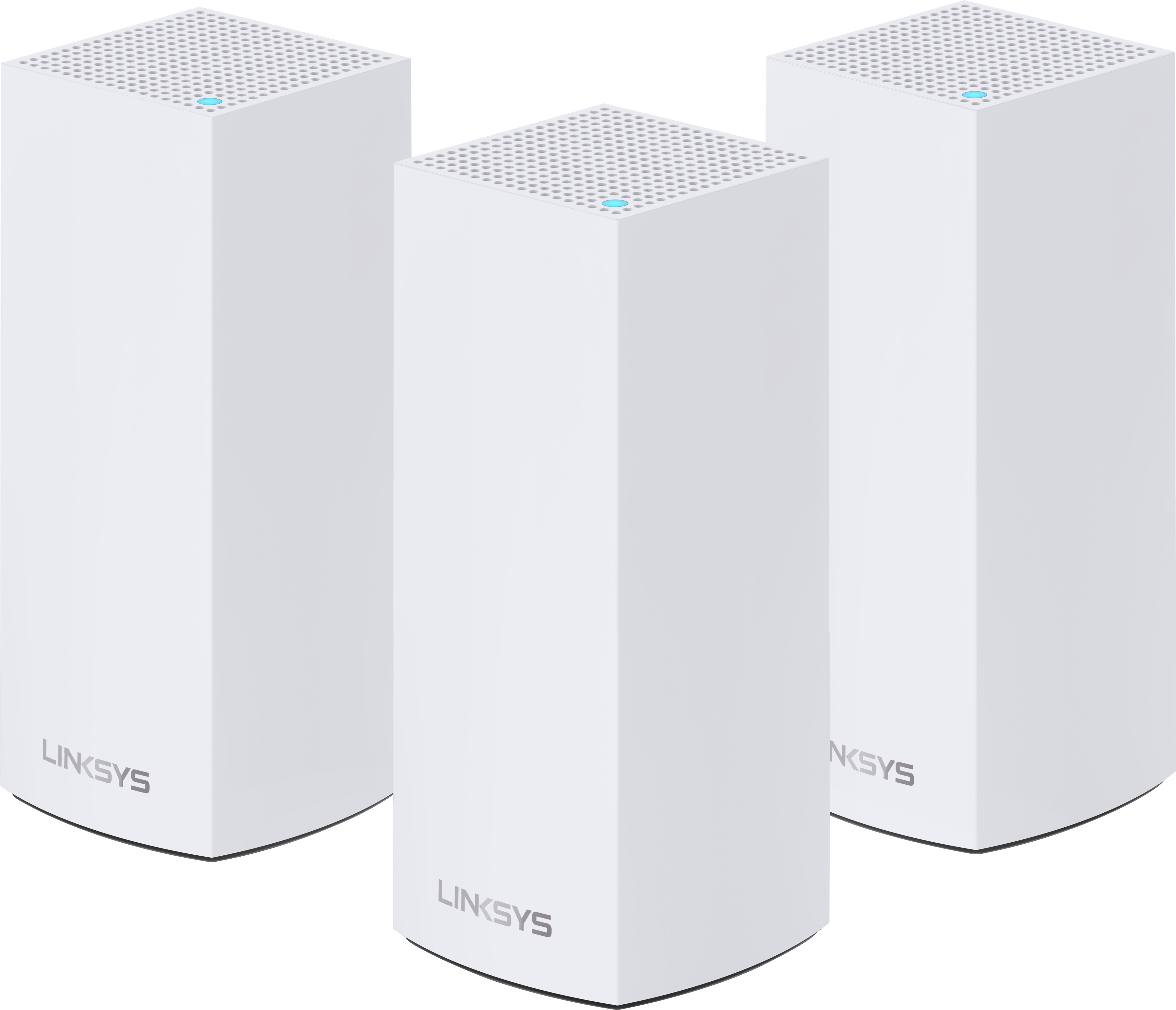
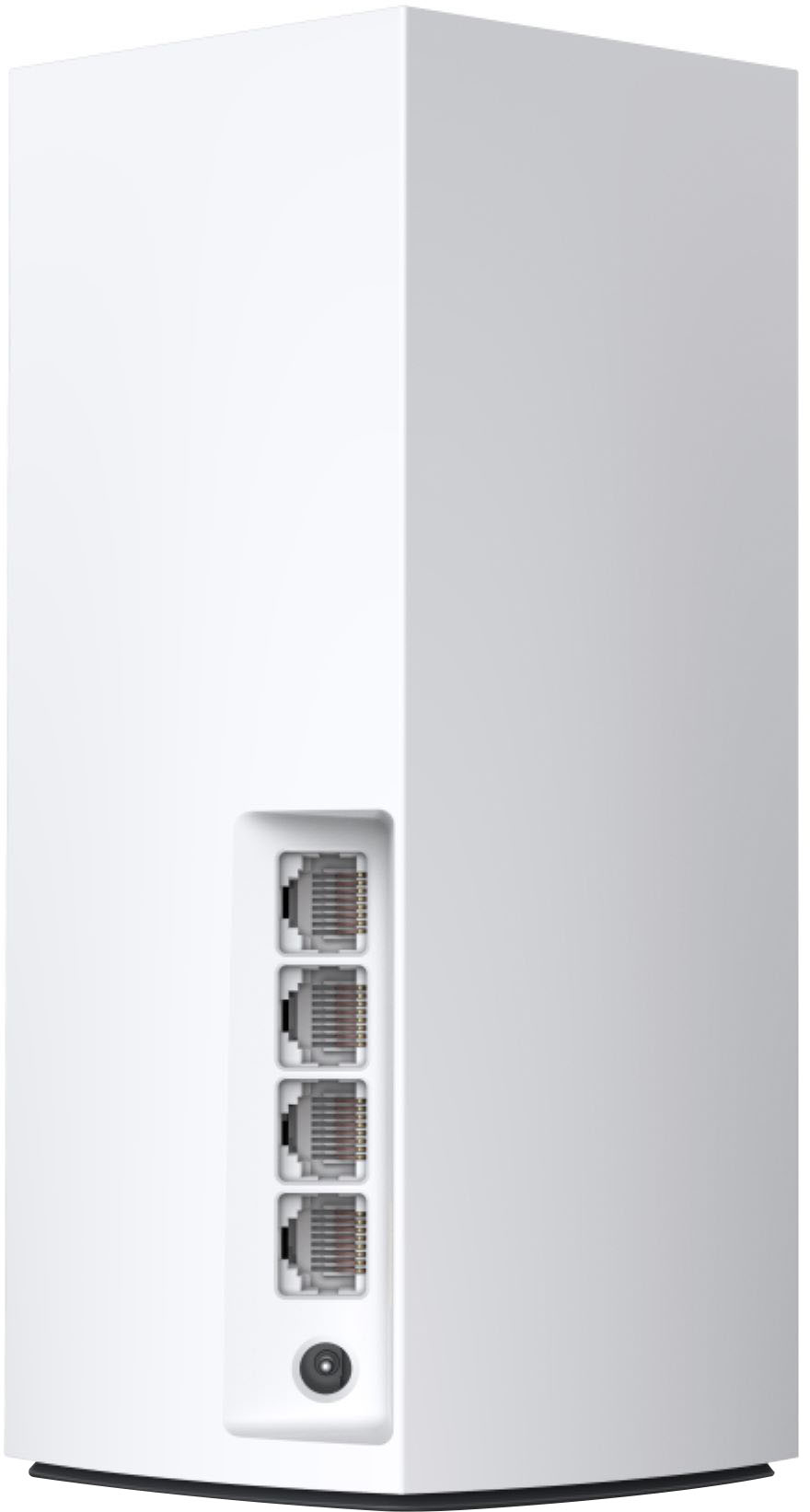
|Posted .This reviewer received promo considerations or sweepstakes entry for writing a review.The last mesh router I’ve reviewed left a sour taste. I shall not name the make and model and leave it at that. The reason why I decided to check this product out was because it was made by Linksys and my previous router/AP is also a Linksys. It has served me well over the years since and has been a stable workhorse for WiFi strength and reliability. It is also one of the top tier routers that featured 8 gigabit ports instead of the common 4 or 3. The specific model reviewed is the MX55EC3, which appears to be a Best Buy-only item. While I have some reserve on store-specific products, people still need to at least know what they’re getting if they decide to purchase anyway. This specific model has a speed rating of AX5300, which is slightly lower than the (generally/widely available) MX5503 that has a speed rating of AX5400. Comparatively, this is confusing in both the speed capability of these similar models and the price attached to them. The MX55EC3 retails for $649.99 while its MX5503 is priced at $599.99. I’ll discuss pricing later. The Atlas Pro 6 (AP6 henceforth for future reference) is one of the latest generation of WiFi mesh routers on the market today. While we’re still getting more WiFi 6 capable devices onto the market, the AP6 provides a bit of future proofing. Inside the box are 3 identical nodes. It doesn’t matter which one you choose to set up. They will all work the same. A single ethernet cable is provided in case you need to connect the router to an internet providing device. Linksys provides a smartphone app to allow ease of setup for the AP6. This is fine for most people who are unfamiliar with setting up a new router after install. And I prefer to go directly to the router’s configuration page to set any preferences. Getting the first AP6 node running was easy initially. But the smartphone app seems to be a bit troublesome to get working. And there’s also the issue of my unique network setup due to Verizon FiOS’s MoCA network system. Total setup for all 3 nodes is about 20-30 minutes, give or take 5 minutes due to the smartphone app being weird. Setup time will be different and likely shorter if your internet setup is similar to those commonly found in cable providers (ie. Comcast). Side note, make sure your power outlet has room since the power cable provided is a brick style, with all the electrical components situated at the plug. I personally prefer that the electrical components be placed between the AC plug and the DC plug. It is something to keep in mind just in case. Right at the start, there are some things I am noticing that don't sit well with me. The first is the router’s DHCP service. Again, my setup is unique and DHCP service is handled by the router/modem provided by the ISP. The smartphone app does not provide a toggle to turn on or off the DHCP service for the AP6. I have to go into AP6’s configuration web page to turn that off. The second bit is being unable to disable SSID broadcasting. I am not a fan of allowing people to see my network name. Exposing your network name to the public only invites bad people to try to break into your WiFi network and wreak havoc. And any router that I personally set up will always have its SSID broadcast disabled or turned off. Both the AP6’s configuration page and the smartphone app does not have a toggle to disable SSID broadcast. And that’s disappointing and concerning. Lastly, it seems there is no way to split the WiFi operating bands into its own network (ie. one for 2.4GHz and another for 5GHz). I do not know if this is necessary for a mesh WiFi to work but I’m bummed out by that omission. Seeing as all the nodes are identical only means that the available ports are the same. Each node comes with 3 ethernet ports and 1 WAN/Internet port. Having 3 ethernet ports is very limiting as I have at least 4 devices that either require an ethernet port or I prefer using one. Fortunately I managed to work around this limitation after mentally struggling to decide which device will keep its wired capability. I’m the kind of person who would use an ethernet cable first and wireless second. Even the laser printer I have that is capable of both is wired due to preference. With only one device (a laptop) in ownership capable of WiFi 6, all network testing was done on that alone. Any transfer of data is either sourced or sent to a desktop connected through gigabit ethernet. Network test is performed using a 50GB file sourced from the desktop. Transfer speed hovered around 850Mbit/s to 900Mbit/s on average. This completely saturates the gigabit ethernet bandwidth, which is good. But sadly it cannot go any further than this to see how much more WiFi 6 can provide for speed. Connection consistency is about as good as it gets. But I am finding one of my devices to have a connection stability issue. At random times, and never consistent, WiFi connection would drop on that device. No other devices have exhibited this issue so perhaps this is an issue with the device itself. This has never happened on the previous setup before. But I also set the previous router to have two different WiFi network names depending on operating frequency. It’s not a flaw but it’s something to keep in mind if you have a lot of devices around. So, overall the Atlas Pro 6 definitely does perform to spec. The network performance is there and being able to fully utilize what available network bandwidth is great. But that’s usually under ideal situations. Large file transfers do not happen often on WiFi. And ideal conditions means either being close to the WiFi access point or having a line of sight to it. Neither of the two is common in many WiFi installations at home. On top of that, a lot of broadband users can’t maximize what WiFi 6 is capable of since the broadband connection is but a fraction of WiFi 6 capable speeds. And then there’s the price. Seeing as this is a store-only model, the $650 asking price makes me wonder just what Best Buy is smoking. Sure the AX5300 and AX5400 speed rating is very minimal and not likely to be a big deal in real world performance. But we as humans commonly perceive this as meaning this model being inferior to the other. The price only makes it worse. A higher price with lower speed rating than its commonly available sibling makes this model not worth considering. I would not have such an issue if this was regularly priced lower than its counterpart to ensure this is priced accordingly to its potential capable performance. And with that.... The Good: mesh WiFi really covers a large area The Bad: 3 gigabit ports, some options not visible in Linksys app, lengthy setup if not using common internet connection The Ugly: $50 more and potentially slower than its widely available brother Verdict: Don’t buy; maybe if discounted well below $600
No, I would not recommend this to a friendBrand response from Linksys Staff
Posted .Hi,
We understand that you've experienced challenges with the Linksys Velop. Our Product Experts would like to take a closer look at your experience and provide assistance. Please send an email at Linksyscares@linksys.com along with your contact details and the link to this review for our reference.
Regards,
Marie
Linksys Support
Not great, riddled with bugs you cant get rid of
Posted .This reviewer received promo considerations or sweepstakes entry for writing a review.Sister nodes drop regulary or pull from farthest node requiring restart which is plain silly. Once restarting the sister nodes usually automatically drop requiring manual unplug in order from nearest to farthest from main node or they screw up again on reboot. Iphones will randomly not pull from wifi at all and will tell you incorrect password for wifi 90% of the time when this happens, which is often. Been the most aggravating wifi network i had dealt with in my life so far. “Upgraded” to this from a pre wifi6 linksys mesh system that rarely had any issues. Ive had this sysyem for several years at this point but nothing has gotten better thru updates from Linksys so in process of looking to make a change sooner than later. When this one works its fine. But expect issues at least every week or two as long as you own this system. Plain and simple
No, I would not recommend this to a friendLinkSys Atlas Pro
Posted .This reviewer received promo considerations or sweepstakes entry for writing a review.Works very well. I was a little reluctant to purchase based on the negative reviews about dropped signals. But 2 months in and the product works outstandingly well.
I would recommend this to a friend- Pros mentioned:Speed
Very Good Wireless Mesh System!
Posted .This reviewer received promo considerations or sweepstakes entry for writing a review.Awesome connectivity and consistent download and upload speeds! Highly recommended!
I would recommend this to a friend - Pros mentioned:Wi-fi range
Router update
Posted .This reviewer received promo considerations or sweepstakes entry for writing a review.Replaced my Apple router system with this Linksys system and it is a definite improvement. The Geek Squad from Totaltech installed it and did a great job.
I would recommend this to a friend Scam artists
Posted .This reviewer received promo considerations or sweepstakes entry for writing a review.My item didnt last the full 3 year warranty without 2 of the nodes becoming defective and their horrible support wanted me to pay for shipping to send back 2 units just so they can come back and only offer $18 dollars for BOTH of the broken nodes. These are $650 retail and they cant even replace the unit
No, I would not recommend this to a friend- Pros mentioned:Ease of use
Money well spent to update the home network.
Posted .This reviewer received promo considerations or sweepstakes entry for writing a review.These work great! They are very easy to setup and provide great connectivity around the house.
I would recommend this to a friend - Pros mentioned:Speed
Good system
Posted .This reviewer received promo considerations or sweepstakes entry for writing a review.Very fast to set up and get working good speed. Got for a great price while on sale
I would recommend this to a friend Linksys Atlas 6 pro
Posted .This reviewer received promo considerations or sweepstakes entry for writing a review.I was really skeptical about getting it, i honesty didn't think it'll help but I'm glad i was wrong this really helped out my wifi connection i get wifi in my entire house and backyard including my garage which was a issue in the past, for half the price take a chance you won't regret it, the setup was fast and if you have difficulty there is the number they provide for assistance.
I would recommend this to a friend- Cons mentioned:Connection
Not very good
Posted .This reviewer received promo considerations or sweepstakes entry for writing a review.Keeps disconnecting and our phones often will not connect while our computers are connected. It is a real pain. Set up was easy, but im returning these for an Eero system. The kid at Best Buy definitely steered us the wrong way on this one as he had no real clue what he was talking about
No, I would not recommend this to a friendBrand response from Linksys Staff
Posted .Hi Cornerstone,
We have taken note of your feedback on the Linksys Atlas Pro Wi-Fi 6 System. Let’s have our Product Experts help you isolate the issue and advise how to proceed with this.
If you still have the Linksys device, email us at LinksysCares@linksys.com with the relevant info and the link to this review, for our reference.
Regards,
Kyla
Linksys Support
App Not Ready
Posted .This reviewer received promo considerations or sweepstakes entry for writing a review.I had the Geek Squad attempt to install this but they had difficulty with the app, and also stated that it is a known issue. I do not recommend this product at all.
No, I would not recommend this to a friendBrand response from Linksys Staff
Posted .Hi, GTMark,
We sincerely understand your sentiments. We will have our 2nd level support team assist you furthe with this. Send us an email at LinksysCares@linksys.com for any updates. Please include your personal information and the link to this post for reference.
Regards,
MJ
Linksys Support