Customer Ratings & Reviews
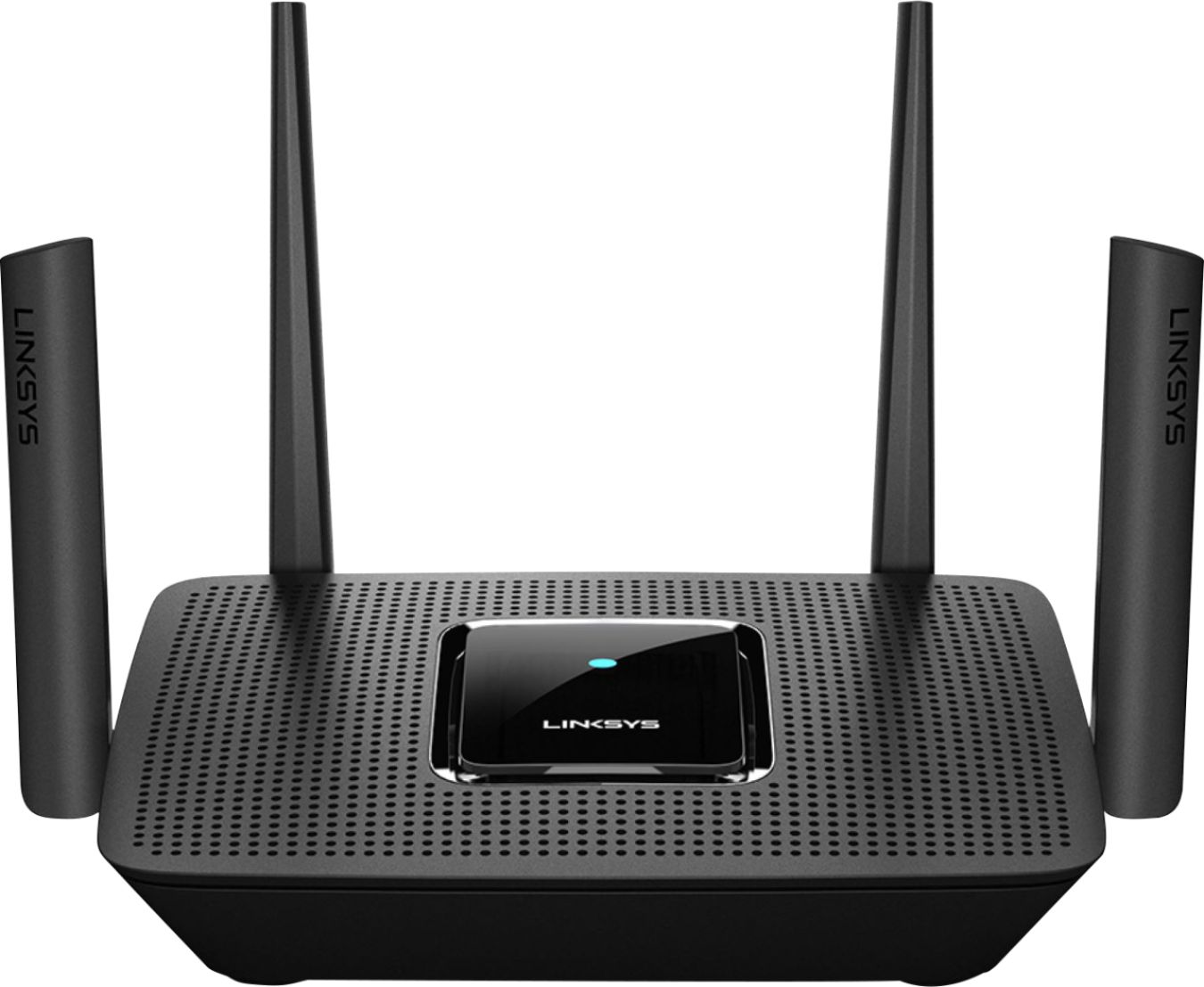
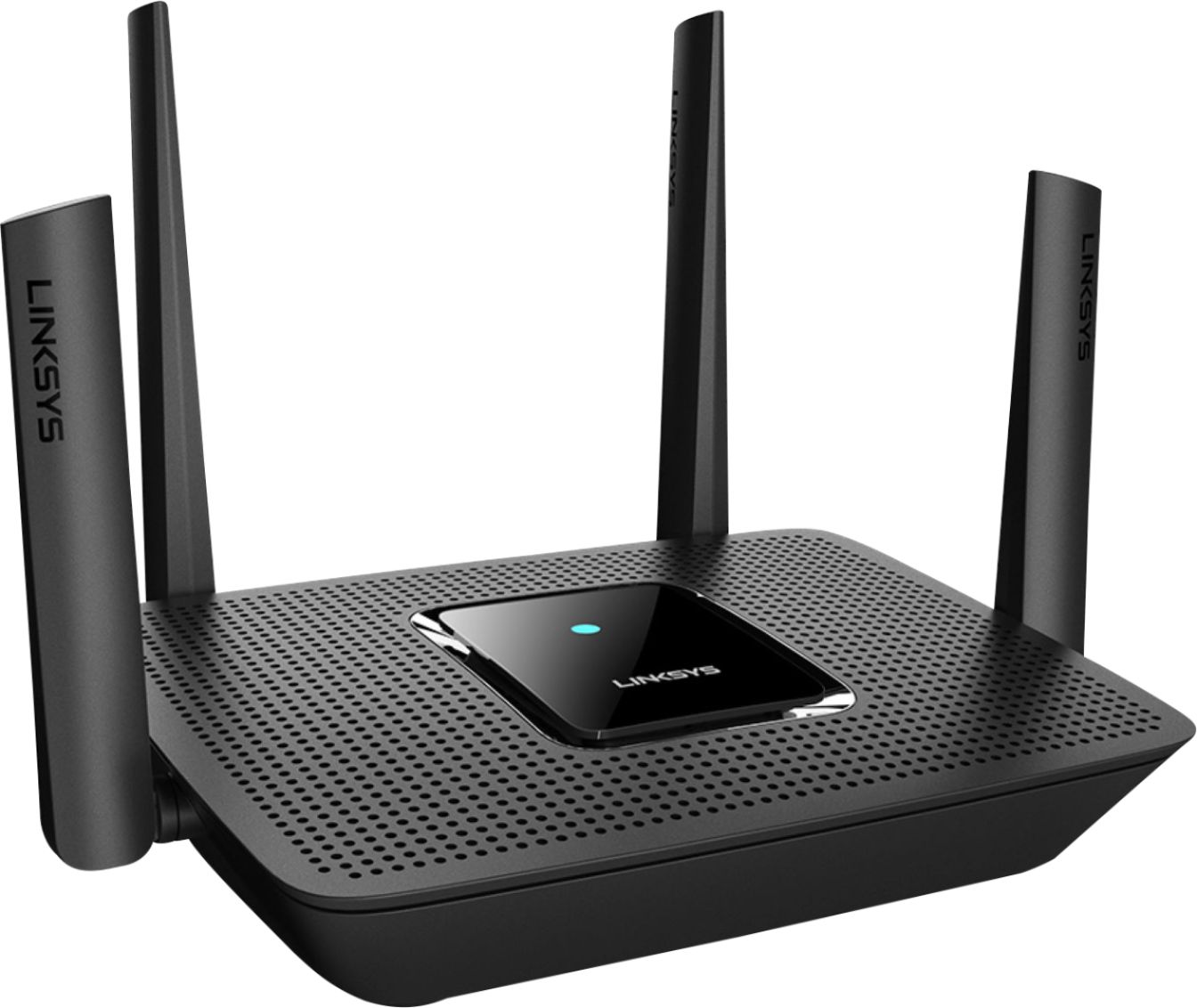
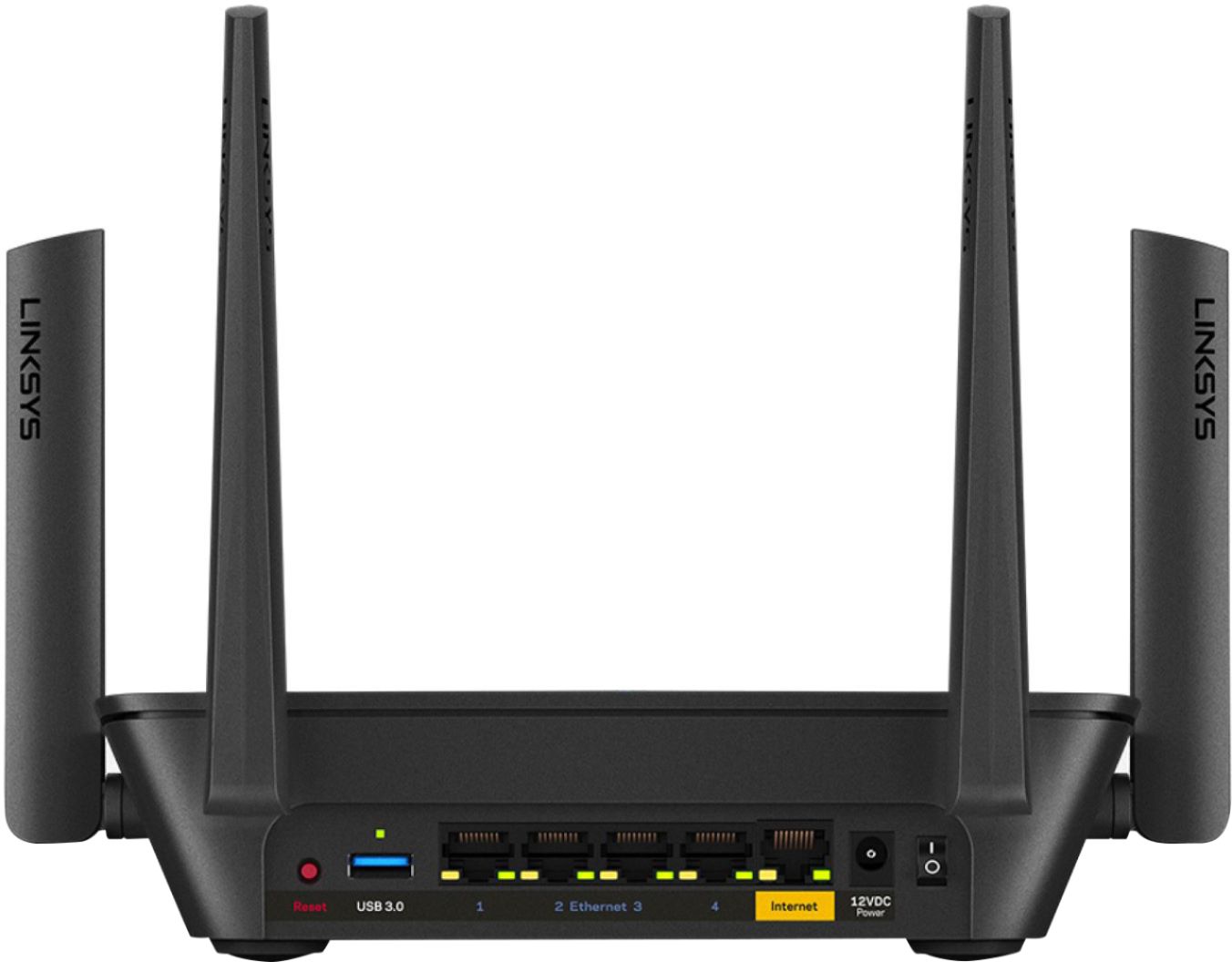
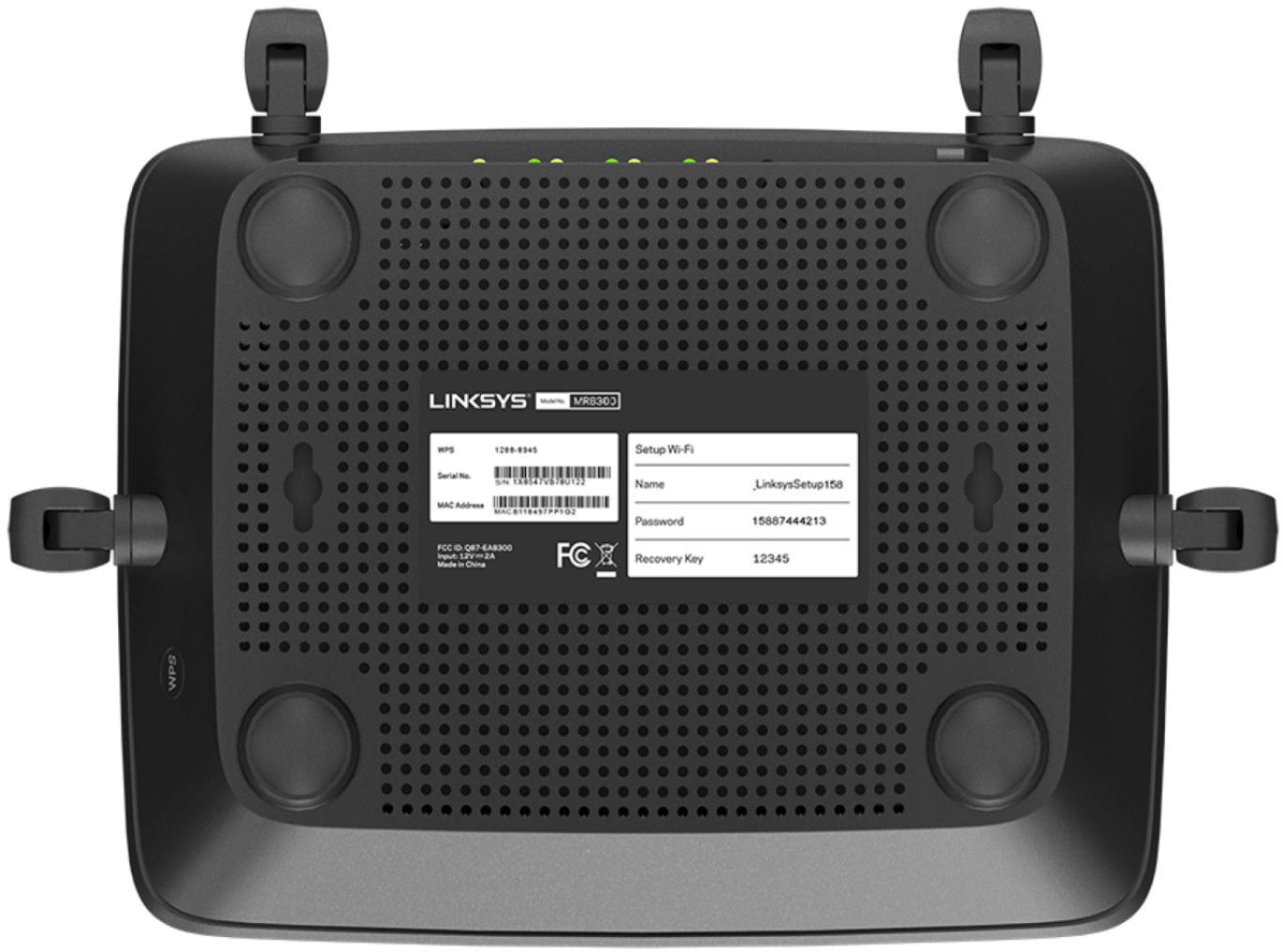


- Model:
- MR9000
- SKU:
- 6370647
Rating by feature
- Setup
Rating 4.6 out of 5 stars
- Range
Rating 4.6 out of 5 stars
- Signal Strength
Rating 4.7 out of 5 stars
Customers are saying
Customers have good things to say about the Max-Stream AC3000 Tri-Band Mesh Wi-Fi 5 Router's ease of use, performance, and range. Many appreciate the straightforward setup and reliable signal strength, with positive feedback also given to the app for managing the router. However, some users experienced connection issues and occasional lag. A few comments mentioned the router's size, with some finding it unexpectedly large or small.
This summary was generated by AI based on customer reviews.
- Pros mentioned:Range, Setup

Far Reaching!
|Posted .This reviewer received promo considerations or sweepstakes entry for writing a review.I really like this router. It exceeded my expectations. It says that it will only cover a 3000sqft home but ours is 4600sqft and there's adequate coverage through out. I already had some Velop nodes before this so I added them to high traffic areas. Set up was simple and adding Velops was as easy as turning them on. My only problem is that I can't seem to get enough signal in the basement to get the Velop to connect but I'm still able so access wifi down there. Still working this issue to figure out if there's a position down there that will connect. The house hold does a lot of movie streaming with TVs and devices and gaming and I didn't notice any slow downs.
I would recommend this to a friend - Pros mentioned:Range
Great router with MESH capability
|Posted .This reviewer received promo considerations or sweepstakes entry for writing a review.I was adding/replacing this router to my existing Velop system, which has been a little spotty at times. I live in a large (5000 sq ft) three level home with many walls, so getting wifi to all areas in my home (and the deck/garage) has always been a challenge, particularly because the ISP hookup is tucked away in our office in a small corner of the house (surrounded by electronic equipment that loves to wreak havoc with wireless signals). So the plan was to replace the "main" Velop (of a trio) with the MR9000 to give me more wired options in the office, as well as hopefully stronger projection of the wireless signal to the rest of the house. In a moment of stupidity, I thought I'd try to set it up with the same network name to keep me from having to connect all my equipment again. It worked... kind of. I had constant issues with the signal dropping everywhere. So I reset the system and set it up as a brand new network (new name, password, etc.) and it has worked like a charm. If you are using a MESH system like the velop, be sure to have all nodes disconnected and powered off before trying to run the setup- the competing signals really confuses the issue... you can figure out why I know that. So after using the router for a few days (sans any other nodes), I found it worked almost perfectly- I had wifi in all corners of the house coming from the MR9000 alone, amazingly. Having said that, the signal was fairly weak at the far corner of my home, which led to pretty slow speeds- so I did end up bridging over with a couple of the Velop nodes to insure I'd get top speed everywhere. After resetting the nodes to factory settings, adding them to the MESH network with the linksys app was a piece of cake. Not that this has anything to do with the MR9000 specifically, but the linksys app is amazing. It is such a breeze to dive into router settings, set up "preferred" devices (to deliver full bandwidth to when they are connected), check ISP connection and download speeds... all from my iphone. Love it. Overall, I love this router. It is great on its own, and with the addition of a node or two on a MESH network, its range is amazing.
I would recommend this to a friend - Pros mentioned:Speed
Great router that's future proof.
|Posted .This reviewer received promo considerations or sweepstakes entry for writing a review.I found the AC3000 is a great entry router to the mesh routing world. Just using the AC3000 by itself, I have found that the coverage is better than average, covering my apartment and the sidewalk outside. The speed is where this beauty really shines. I didn't really realize just how much devices that are connected to my WiFi (ie game consoles, smart devices, mobile phone(s) & PC's). The bandwidth handled it all with good speed on all devices without much speed interruptions. I'm on a 400/20 Spectrum Ultra plan and with a DOSIS 3.0 modem, the AC3000 really out class itself. I plan to add a Velop node in the future, but till then, this really is the best router I have used so far. Thanks.
I would recommend this to a friend Works with NO Nest products
||Posted . Owned for 1 week when reviewed.This reviewer received promo considerations or sweepstakes entry for writing a review.If you have any NEST products in your home, avoid this like the plague. Their customer service won't even tell you that it doesn't work with NEST. And further, has the shortest range of any router I've ever owned. Plus, no way to dedicate to 5 or 2.5. Returned it after 3 days of trying to tweak the untweakable. Horrible product, horrible experience.
No, I would not recommend this to a friendBrand response from Linksys Staff
Posted .Hi,
Multiple Wi-Fi devices should work with the Linksys MR9000 Mesh Router and, it has Wi-Fi coverage of up to 3,000 sq. ft. We could have tried to use the channel finder to optimize the device but, allow us to investigate your support experience.
Please share your case number or phone number at [email protected] for us to review your case and, link to this review for our reference.
Regards,
Jan
Linksys Support
- Pros mentioned:Ease of use
Great performance
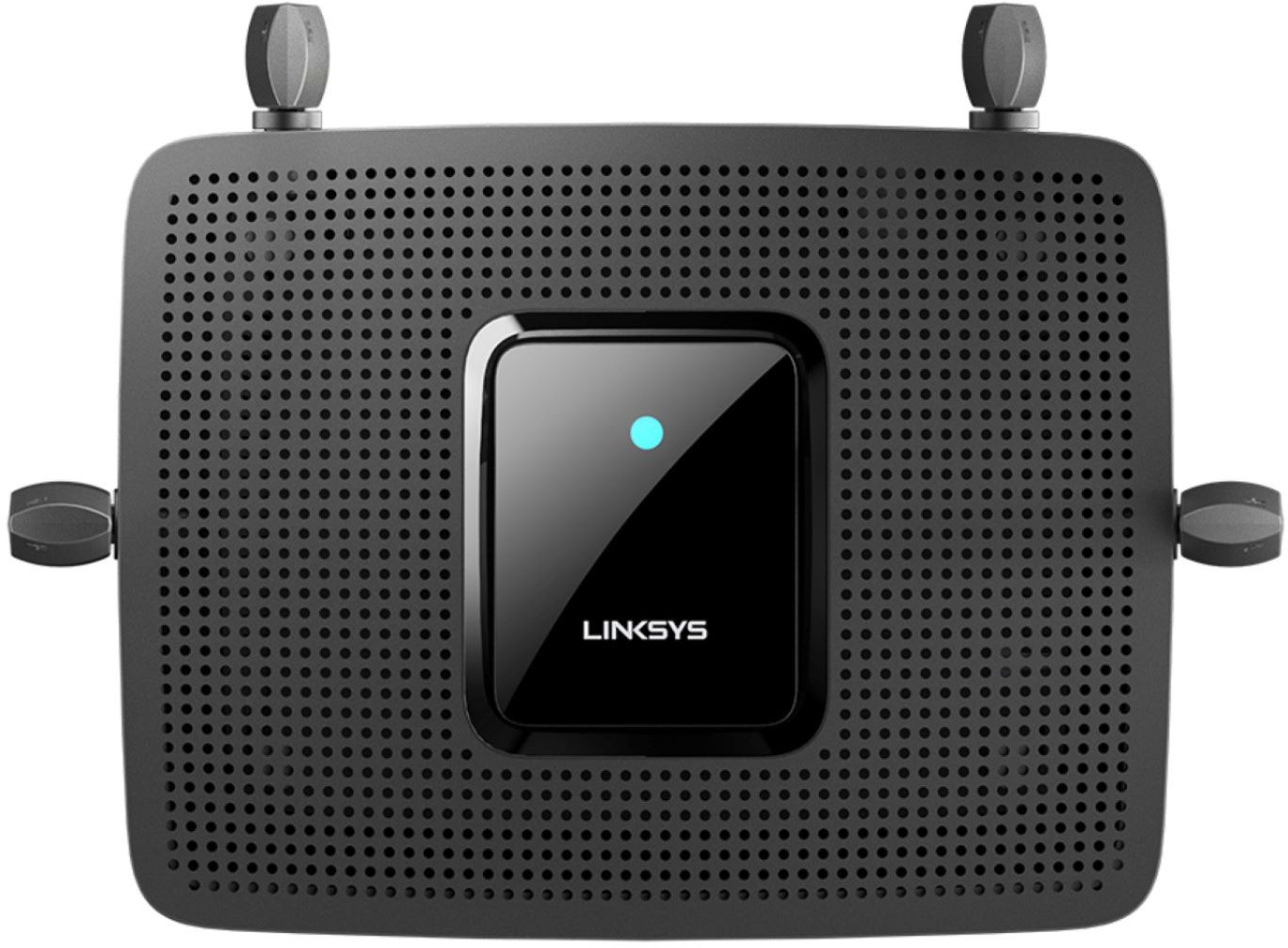
|Posted .This reviewer received promo considerations or sweepstakes entry for writing a review.The Max-Stream™ MR9000 Tri-Band Mesh WiFi 5 Router is a potent package paper with easy setup, sufficient speed and range for most households. SETUP: Having used a Linksys AC4000 Tri Band router before this one I thought I had enough experience with their products to be up and running withing minutes. That was not exactly the case. The MR9000 comes with their latest app integration and setup interface so things were a little moved around compared to the previous router I had. Thinking I could simply export settings from the other Linksys router and import them on the MR9000 which unfortunately not true. The MR9000 requires use of the app to setup the router so you can access all settings instead of going straight to the local admin interface (using the IP address). This seems to be a bug in the software since we got the router to work without using the app first but some settings were locked of use until we setup using the app. The router features a color LED on top to signal what state the router is in for setup and usage. Once we got everything working we tried to import the settings from the old router however on the MR9000 there is no way to import settings from another Linksys router. This may be a bug or missing feature easily remedied via an update but currently there is only a factory reset button. USAGE: The MR9000 features up to 3 Gbps of speed and can connect up to 25+ devices at once. This was slightly lower than the 4Gbps with my AC4000 router of course, but during my usage I did not see any speed problems or connectivity problems. Download and Upload speeds between both routers were very similar and likely limited to my internet speed through the provider. Range was great with the new MR9000 with no problems with plenty of coverage for a typically family house. There is an option to blend 5 GHZ and 2.4 GHZ into one WIFI option for device to see or you can separate them into two different options to only allow AC devices to connect to that particular band. Overall: The Max-Stream™ MR9000 Tri-Band Mesh WiFi 5 Router is a very capable router with plenty of coverage and speed for most people. The app integration allows for easy setup if you are not familiar with setting up routers. Now if you are use to using the admin interface then it is a hindrance since you must use the app anyways to unlock all features. Hopefully this will be fixed up a software update. Also the fact there is no way to import settings from another Liknsys router is a downside. I would definitely check this router out regardless if you are in need of a capable router without going with something you dont need just because its a little faster.
I would recommend this to a friend - Pros mentioned:Speed
Setup was a hassle, features missing
|Posted .This reviewer received promo considerations or sweepstakes entry for writing a review.[ Overview ] The Linksys MR9000 router may work fine enough for those with basic needs and expectations. However, I found plenty of issues with it that would have me suggesting consideration of alternative options. As a BB TIN member, I was hoping I’d receive one or more Velop nodes to test the mesh WiFi support of this router, but alas that was not the case. As such, I cannot comment on the Velop-specific functionality of this router. Also note that because of the tight time constraints placed on TIN reviewers, it will not be possible for me to address long-term stability in this review, which is generally a considerable concern for Small Office Home Office WiFi routers. [ The Good ] The Linksys app provides convenient, easy to navigate configuration for most of the router’s settings. This is especially handy for adding devices using Wifi Protected Setup. I experienced good performance with this router. When placed about 15 feet away from another, unassociated WiFi router, it still managed a strong signal. With client devices in the same room, I was able to pull 478 Mbps speeds from wired to wireless (transmitted from this router to a wireless client), and 590 Mbps from wireless to wired (received by this router from a wireless client). With wireless-to-wireless transmission of client devices having significant spatial overlap, I was getting around 56% of the previously mentioned speeds. As expected, the speeds taper off with increased distance to the router, but the signal strength holds up well over distance. Connectivity was stable during my nine to ten days of testing. The power/status light is a great improvement over the cryptic vertical bars found on some other Linksys router models, allowing quick and easy assessment of the router’s general state without having to reference a manual. [ The Bad ] The setup process for me was a complete mess. I made five separate attempts to set up this router: twice using the Linksys app on a Pixel Chromebook, twice using the Linksys app on a Pixel phone, and once using other devices while avoiding the Linksys app. No matter what I did, I could not manage to configure this device using my Pixel Chromebook. I restarted the process from scratch repeatedly, and the Linksys app would get stuck at varying stages of the setup process with a slew of different error messages to match. Granted, the Chromebook runs Chrome OS and not Android, but it still runs most Android apps without a problem, and the Linksys app should not have been visible in the Google Apps store if this device was not properly supported. On my Pixel phone, I was able to successfully set up this router in both attempts, but not without hiccups and error messages along the way. Even when this app was successful, it still managed interesting foibles, like popping up an odd black box for a fraction of a second every time I tapped a key of the on-screen keyboard while entering Linksys account credentials (among other issues). As for the attempt to set up this router via the web interface while completely avoiding the Linksys app, this appears to be entirely unsupported. The web interface gives no login option before the router has been set up with the Linksys app. There is, however, an invisible link hidden in the page that, when followed, allows the password to be reset, after which point you can access the familiar web configuration interface without having used the Linksys app. However, after setting up the router in this manner, and having rebooted it, it seemed to be stuck in a state where it thinks it hasn’t been properly setup (as indicated by the power/status light), despite basically being functional. This led to issues that made this type of setup impractical (long reboot times, connection instability). As far as I can tell, the Linksys app is mandatory for setting up this router initially, which I find to be quite unfortunate. Once the router has been initially set up with the Linksys app, the familiar web configuration interface can be used for configuration if desired. However, there seems to be considerable firmware regression by way of missing features. Despite the official product page stating that “thanks to the ultra-fast USB 3.0 port, you can easily connect shared storage devices, printers, and other peripherals to your network”, I didn’t see any such options in either the web interface or the Linksys app. The web interface was even missing the ‘External Storage’ tab/page that can be found on some other Linksys WiFi router models. Also missing (compared to other Linksys models) was the option to backup and restore router configuration, the option to restore or manually load router firmware (which seems to be a new step of hostility towards third-party firmware), VLAN support, ability to disable one or more WiFi bands, and the ability to disable broadcasting of the SSID. These are just what I managed to catch while casually perusing the various pages; I could easily be missing more. The Linksys app requires logging into a Linksys account before it can be used to setup this router, yet one more example of taking control away from the user. Also, the Linksys app becomes completely unusable for managing the router when the router has no Internet connection (at which time the app detects this and instructs you to perform power-cycling of the router and ISP-provided device(s)), even though the web configuration interface remains fully accessible and functional during such a time. It took longer than a week after I received this router for the main and support Linksys sites to acknowledge that this particular model even existed. And still, as of the writing of this review, no manual appears to be available for download for this router model. [ Conclusion ] After setting up this router--a process which can be a considerable hassle--it may very well be a solid performer that works well for many people. However, the number and severity of issues and regressions present with this model lead me to think this model was not quite ready for release, and I don’t recommend this product in its current state.
No, I would not recommend this to a friend Linksys router
||Posted . Owned for 3 weeks when reviewed.This reviewer received promo considerations or sweepstakes entry for writing a review.Very disappointed. Move more than a few feet away and signal drops 50%. Made the mistake of contacting Linksys directly, by the time they got back to me I was passed the 15 day return window.
No, I would not recommend this to a friendCHOOSE ANOTHER ROUTER. DONT WASTE TIME
||Posted .This reviewer received promo considerations or sweepstakes entry for writing a review.Been stuck with the garbage router from spectrum with unstable wifi. Tried "upgrading" to this one and it would never connect. Spent 4 hours trying to go through the setup app and after contacting tech support, found out that there entire system is down. Never buying them again.
No, I would not recommend this to a friendBrand response from Linksys Staff
Posted .Hi, Chris,
We'd like to make things right and let our Escalation Engineers help you figure our what's causing the unit not connect. With the link to this review and your contact details, please send us an email at LinksysCares@linksys.com so they can lend you a hand. They're the best to diagnose this type of challenge.
We'll wait for your updates.
Regards,
Carl
Linksys Support
not far enough wifi range.
||Posted . Owned for 1 month when reviewed.This reviewer received promo considerations or sweepstakes entry for writing a review.It doesn't give me enough range with wifi will be returning it.
No, I would not recommend this to a friendBrand response from Linksys Staff
Posted .Hi, Rosie,
The MR9000 router is designed to cover up to 3000 square feet under normal network environment. If you still have the device, let’s have our Escalation Engineers help you optimize the router instead, to improve its overall performance. Just send us an email at [email protected] along with your contact information and a link to this review as a reference.
Regards,
Rosalyn
Linksys Support
Good router ruined by terrible “easy” software
||Posted . Owned for less than 1 week when reviewed.This reviewer received promo considerations or sweepstakes entry for writing a review.Requires a terrible mobile app for setup and the configuration is extremely limited. Throughput is low compared to netgear at the same price. Seems like it tries to keep a low power profile as speed tests result in a slow build of speed instead of a fast ramp up
No, I would not recommend this to a friendBrand response from Linksys Staff
Posted .Hi Warcraft,
We can setup the Linksys MR9000 through its web interface aside from the mobile app. Let’s have our Escalation Engineers help you and experience the best out of this product. Just send us an email at LinksysCares@linksys.com along with your contact details and the link to this review for easy reference.
Regards,
Carl
Linksys Support
Froze up daily requiring reboot
||Posted . Owned for 3 months when reviewed.This reviewer received promo considerations or sweepstakes entry for writing a review.This router would daily "freeze" up. Your could not access the admin portion of the router which would get an error. Checked and had latest firmware. After rebooting each day, replaced it with old router with no problems. Would return but it was past my return window.
No, I would not recommend this to a friend- Pros mentioned:Range, Speed
Love The Linksys AC3000 Tri-Band Router
Posted .This reviewer received promo considerations or sweepstakes entry for writing a review.This is an excellent all-around medium speed (300 gb) mess Wi-Fi router. To get better coverage in our home we added two additional Velop nodes. Never have had delays or dropped connections to 15-assorted Wi-Fi devices. Remember, we have had this for four-years.
I would recommend this to a friend State-of-the-Art Router with Smaller Form Factor
|Posted .This reviewer received promo considerations or sweepstakes entry for writing a review.The Linksys Max-Stream MR9000 (AC3000) Tri-Band Mesh WiFi 5 Router is a full-featured modern router. It was easy to set up with the Linksys app - which also gives many options for prioritizing devices and setting parental controls. Coverage is very good. And, although the design is the basic black box with antennas, the fact that it's overall size is smaller than usual is a big plus. A solid offering in a more-convenient size makes this a good choice.
I would recommend this to a friendExtremely slow set up
|Posted .This reviewer received promo considerations or sweepstakes entry for writing a review.Seriously 90 minutes was involved in setting up the devices. I already had a Velop set up running but in bridge mode. In bridge mode you can basically do nothing, you can't connect with the app but you can access via the embedded web server but it's very basic. You can't even change IP address so you need to know how to do that with your router. I wanted to make the MR9000 the master for the nodes so I reset all my device. This is the most verbose, time consuming, and ridiculously slow set up I've ever had to do - this includes actually physically installing two new AP in a new section of our building, running 200ft of ethernet cable and getting them on the network. This set up is seriously that slow! It was 10 minutes per device plus the time between. Nearly 90 minutes. I've still got to get them in bridge mode and put them in their places. So after all that waste of time I finally got everything set up. The MR9000 is an improvement over the older Velop node and has given me a good signal in my driveway where the old Velop would have occasional drop outs. Speed really hasn't improved, but that's the limitation of my devices' network cards more that it its the MR9000. Most my work and play devices are wired where only my tablets and phones are wireless. I haven't gotten to test the laptops yet to see if their was any improvement in transfer speeds. I can understand why they made the set up frustratingly slow for someone like me whose installed hundreds of AP's and routers so to ding them for wasting my time doesn't seem right when someone like my Dad would find this helpful - and so would I if he didn't have to call me. The hardware is pretty great I just wish there were some more advanced set up features for someone like me who could have just input the info instead of wait for an app to waist 10 minutes searching for settings.
I would recommend this to a friendDidn't work for me,
||Posted . Owned for 1 month when reviewed.This reviewer received promo considerations or sweepstakes entry for writing a review.Did not work for me. iPhone 12 would not auto connect. Other devices also had trouble. Did not have the range for my 2000 square foot home. Spent days on phone with customer support, no help.
No, I would not recommend this to a friendBrand response from Linksys Staff
Posted .Hi there,
We appreciate your writing us a review, and this is not the experience we want you to feel. Please make sure that the firmware of the router is up to date to optimize its performance. We would like to have our Escalation Engineers further assist you. Please email us at LinksysCares@linksys.com with your contact details and the link to this post. Include your case number for our visibility.
Sincerely,
Gregory
Linksys Support
Very Short Range
||Posted .This reviewer received promo considerations or sweepstakes entry for writing a review.Don't get this unless your devices are in the same room. I live in a fairly small house and I was dropping from 100+ mbps to 30 mbps in the next room. Had to get a wifi extender.
No, I would not recommend this to a friendBrand response from Linksys Staff
Posted .Hi, Seadyvr,
We can stabilize the speed coming from the unit by placing it away from physical obstructions and equipped with the latest firmware. Allow us to check this further by sending an email at LinksysCares@linksys.com with your contact details and the link to this review for our reference. Our Escalation Engineers would like to lend a hand and aid in experiencing the best out of our products.
Regards,
Carl
Linksys Support
Not that good
||Posted . Owned for 3 weeks when reviewed.This reviewer received promo considerations or sweepstakes entry for writing a review.Stopped working after correctly after 3 months and within the year I performed 3 factory resetsto it, however I did use it a lot but nevertheless it still wasn't my favorite.
No, I would not recommend this to a friendBrand response from Linksys Staff
Posted .Hi, Foxyy,
The Linksys MR9000 Mesh WiFi 5 Router delivers Seamless WiFi and WiFi speeds of up to 400 (2.4GHz) + 867 (5GHz) + 1733 (5GHz) Mbps. However, allow us to investigate your router and assist you further. Please share more details at [email protected] with the link to this review for our reference.
Regards,
Jan
Linksys Support
Nightmare
||Posted .This reviewer received promo considerations or sweepstakes entry for writing a review.I did retuned because it gets extremely hot and it stopped sending wifi signals, i replaced by a Nighthawk from Netgear
No, I would not recommend this to a friend- Cons mentioned:Size
Just amazing!
|Posted .This reviewer received promo considerations or sweepstakes entry for writing a review.I'm semi-technical literate. Setup was a little confusing at first with all the setup options, security, etc. This is replacing an older netgear router. The differences are amazing! Coverage is excellent. I can actually get good signal at the back of my old house. And when I say old, I mean I have a 1200 SqFt home built in 1886, plaster and lath walls and all. very sturdy home. Wifi has always been an issue at the back room I use as an office. With the new router I no longer need to use a powerline adapter or ethernet cable.. Gaming is lag free, I can stream with no buffering. Very pleased and would recommend. I have not tried the mesh setup as I have no need for it currently. To give it a workout, had 3 friends over with their gaming laptops All of us playing Destiny 2, my lady streaming on the smart tv, her friend streaming on a tablet, my phone streaming video and a buddy streaming music.. No isses, no lag, no dropout. My only complaint is it's big. Gets the job done, and now I'm wire free. Definitely recommend.
I would recommend this to a friend No good router
||Posted .This reviewer received promo considerations or sweepstakes entry for writing a review.This thing I will not suggest anyone getting it. Hackers can still by pass your router and get into this one.
No, I would not recommend this to a friendBrand response from Linksys Staff
Posted .Hi, GreatforSchoolandOfficePC,
Our Linksys MR9000 has an internal firewall that protects your Internet connection against malicious Internet traffic. Thus, for your router’s settings, it is suggested to change the router password from the admin password. In case you encounter odd issues with it, then please feel free to send us an email at LinksysCares@linksys.com so we can have it investigated by our Escalation Engineers. Send along your contact info and the link of this review, for our reference.
Regards,
Elyza
Linksys Support