Customer Ratings & Reviews
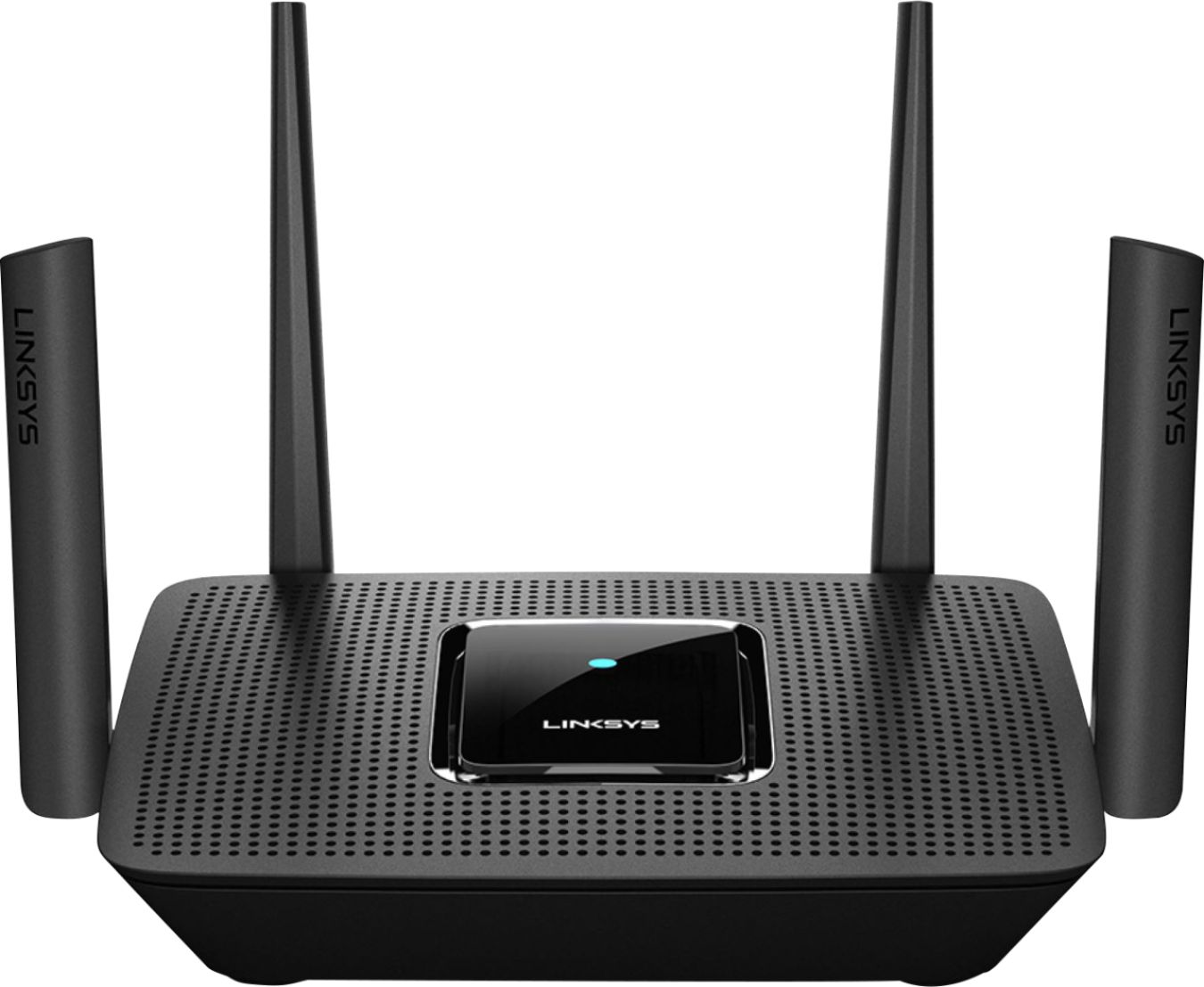
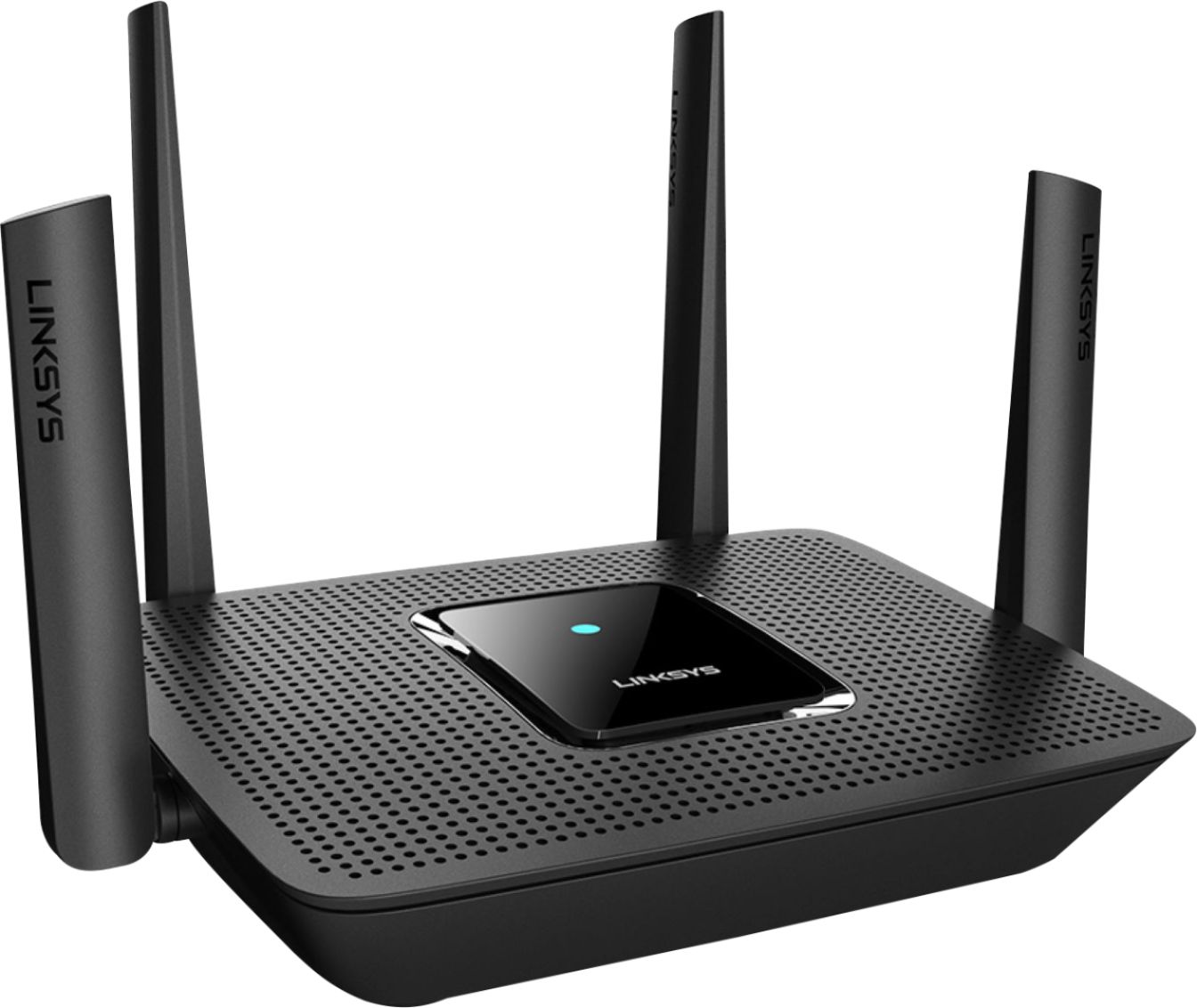
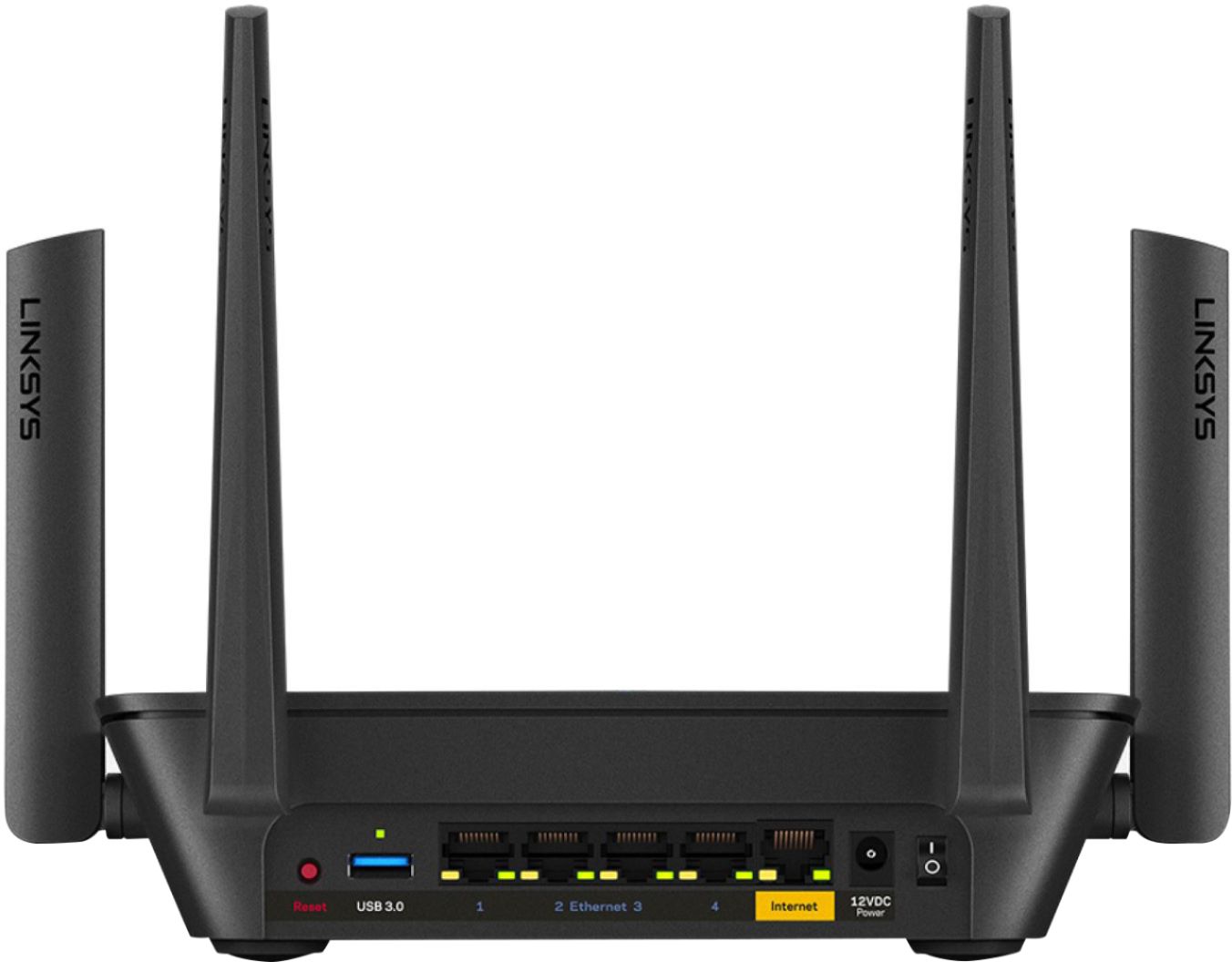
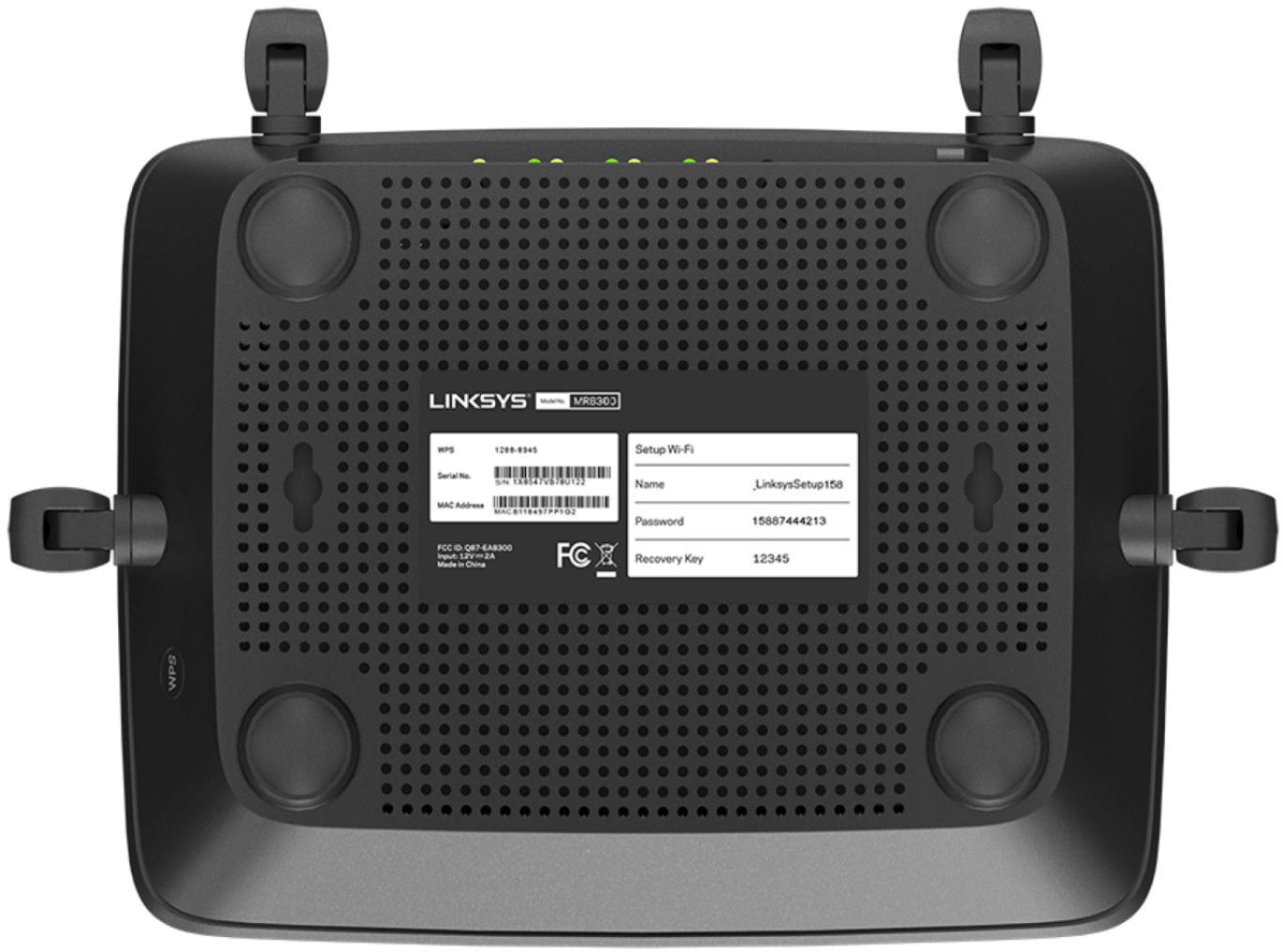


- Model:
- MR9000
- SKU:
- 6370647
Rating by feature
- Setup
Rating 4.6 out of 5 stars
- Range
Rating 4.6 out of 5 stars
- Signal Strength
Rating 4.7 out of 5 stars
Customers are saying
Customers have good things to say about the Max-Stream AC3000 Tri-Band Mesh Wi-Fi 5 Router's ease of use, performance, and range. Many appreciate the straightforward setup and reliable signal strength, with positive feedback also given to the app for managing the router. However, some users experienced connection issues and occasional lag. A few comments mentioned the router's size, with some finding it unexpectedly large or small.
This summary was generated by AI based on customer reviews.
- Pros mentioned:Setup

Great but band auto steering is problematic
|Posted .This reviewer received promo considerations or sweepstakes entry for writing a review.The ease of setup with the Linksys software and app is painless and fast. I was set up 8n under 10 minutes but was probably aided 8n my prior router was also Linksys based. Coverage is exceptional and LAN connectivity is as expected solid. But as with my prior Linksys router and this one as well, the auto band steering continues to cause momentary drops in WiFi coverage as your devices Linksys switches them to the appropriate band. Also Linksys updates are far and few for their routers overall as evidenced by this continuing issue of band steering that still exist in this newer router.
No, I would not recommend this to a friend Not as good as it gets
||Posted . Owned for 1 month when reviewed.This reviewer received promo considerations or sweepstakes entry for writing a review.Signal drops a lot or isn't very strong. For the money I'd get something with better quailty
No, I would not recommend this to a friendBrand response from Linksys Staff
Posted .Hi, Spenderofmoney,
We might just need to update the firmware of the router and make sure that it’s running with the less congested channels. If that won’t help, we’ll have our Escalation Engineers check this further so they can investigate. Just tap us at LinksysCares@linksys.com with your contact information and a link to this review as a reference.
Regards,
Rosalyn
Linksys Support
Had to return
||Posted . Owned for 3 weeks when reviewed.This reviewer received promo considerations or sweepstakes entry for writing a review.Didn't see an improvement it actually kept disconnecting more that usual , I had to return it
No, I would not recommend this to a friendPoor
||Posted . Owned for less than 1 week when reviewed.This reviewer received promo considerations or sweepstakes entry for writing a review.Does not project a good WiFi signal throughout the house especially with two floors.
No, I would not recommend this to a friendBrand response from Linksys Staff
Posted .Hi, Great,
It's odd that the Linksys MR9000 is giving you such challenge when it comes to signal performance. Our Escalation Engineers would like to take a closer look at your experience and help you figure out what's causing this to happen. With the link to this review and your contact details, please send an email at LinksysCares@linksys.com.
Let's continue from there.
Regards,
Carl
Linksys Support
Stinks
||Posted . Owned for 1 year when reviewed.This reviewer received promo considerations or sweepstakes entry for writing a review.I always have issues with this. Seems as if it has a weak signal
I would recommend this to a friendBrand response from Linksys Staff
Posted .Hi, Robert,
Thanks so much for bringing this issue to our attention. Rest assured that this is not the expected behavior of the router especially the weak signal. The router is dependent on where it is connected to so it is important to check the stability of the connection from the source. Aside from that, always make sure that the router is equipped with the most latest firmware. Moreover, our 2nd Level Engineers want to investigate this further too. Please drop us a message at LinksysCares@linksys.com with your contact details and the link to your review for easy reference.
Regards,
Mara
Linksys Support
Dead on Arrival
||Posted . Owned for 1 week when reviewed.This reviewer received promo considerations or sweepstakes entry for writing a review.Kept resetting. Returned. Purchased a different router.
No, I would not recommend this to a friendBrand response from Linksys Staff
Posted .Hello,
We could have checked your Linksys MR9000 to our Escalation Engineers why it behaves that way. However, we respect your decision about it, and if in case you have future concern with any of our products, feel free to email us at [email protected] with your contact info and the link of this review, for our reference.
Regards,
Elyza
Linksys Support
Easy setup , great for multiple users
|Posted .This reviewer received promo considerations or sweepstakes entry for writing a review.This router is designed for medium to large homes. Out of the box it promises 3000 sq. ft. , but can easily connect to other Velop nodes to increase wifi coverage in much larger spaces. The router and any nodes necessary can easily be set up with the Linksys app. It took less than a minute to connect my phone to the router, and rename the SSID with a new password. The app also allows users to go more advanced and enter quality of service settings as well as parental controls. The app even lets you monitor or change settings outside of your home network, ie. work or on the road ( as long as you can connect to the internet ). Which is a great feature if you need to modify parental controls or allow guest user access while you are not home. The best feature of this router is the tri-band with MU-MIMO technology. This is what makes it possible to have several users on the network utilizing larger bandwidths, but all receiving high quality uninterrupted bandwidth as if each user was the only one on the network. The Tri-Band signal consists of one 2.4ghz signal, with two 5ghz signals. The two 5ghz signals split the band down the middle creating one high band and one lower band signal. The intelligent features find the best signal paths to allow for the fastest internet connections. MU-MIMO stands for Multi-User - Multiple Input/ Multiple Output which allows for more antennas on the router, to be used for simultaneous input and output signals. So far this router has lived up to it's promises (within the limits of our ISP, fios 1Gbps) Everyone has had a solid connection for both games and streaming, which is something that would make our games suffer at, in the past. Streams use to freeze and glitch if too many people were downloading at the same time. The MR9000 handles all this with no glitches and what seems to be minimal to no lag.
I would recommend this to a friendExceptionally easy setup!
|Posted .This reviewer received promo considerations or sweepstakes entry for writing a review.I am using this router as an add-on to my existing LinkSys Mesh router system. Setup took (including unboxing) 10 minutes at most. I was able to add this router to the existing linksys mesh and still have access to the ethernet ports on the back, which allowed me give my security camera's DVR a connection to the rest of the network. Definitely worth while, especially since this filled the only coverage gap I had in the house - great job Linksys!
I would recommend this to a friend- Pros mentioned:Setup
Fantastic Router
Posted .This reviewer received promo considerations or sweepstakes entry for writing a review.Has been a fantastic router. I plugged it in and set it up and I haven’t had any issues nor have I had to change any setting since.
I would recommend this to a friend Works great after difficult setup
|Posted .This reviewer received promo considerations or sweepstakes entry for writing a review.My internet connection is a combination modem/router (Pace 5268ac) so connecting the Linksys RM9000 didn't follow the script in the app which expects to be behind a stand-alone modem. I had to open a firewall hole in the modem/router so the Linksys could talk directly to the internet (using what Pace calls DMZ+ mode). Then I had to turn off the radios in the modem/router. Once I'd done that, the rest of the setup was straightforward via wifi (though I did need a call to support -- who, incidentally, did a great job). At any rate, once set up, the router works fine and the wifi transmitters radios are far more powerful than those in the modem/router (based on the strength rating on the Windows 10 "wifi analyzer" app). The Linksys iPhone app UI is a good one. Having easy access to the guest wifi and device prioritization (so heavy bandwidth users like video streaming get priority) is a great feature. I'm not using the mesh wifi feature (yet) because the RM9000 seems to provide sufficient power to cover my 2500 sq ft two story.
I would recommend this to a friendSimple setup and great broadcasting
|Posted .This reviewer received promo considerations or sweepstakes entry for writing a review.This router is the simplest setup I have ever done. I am tech-savvy, and have set up networks for personal use and small business customers and would definitely recommend to friends. The app makes setup a breeze and does not require the user to do much more than download the app itself and plug the router in for internet and power. Modifying the SSID is extremely simple with the app. This router gives me great coverage in my house. I have it located in a closet and that does not inhibit it’s transmission at all. I used to have dead spots in my ~1700 sq ft home but this router has eliminated them.
I would recommend this to a friend- Pros mentioned:Performance
Great product
Posted .This reviewer received promo considerations or sweepstakes entry for writing a review.Great router. The product works very well. Linksys tech support is very good
I would recommend this to a friend - Pros mentioned:Setup
Very Good router. Strong signal
Posted .This reviewer received promo considerations or sweepstakes entry for writing a review.This is very good router with strong signal. Easy to install. I definitely recommend. Also excellent tech support
I would recommend this to a friend - Pros mentioned:Range, Speed
Great Product
Posted .This reviewer received promo considerations or sweepstakes entry for writing a review.Easy set up. Speed and great range. Plenty of ports to hard wire and great signal to all my devices.
I would recommend this to a friend MR9000 and Velop nodes
Posted .This reviewer received promo considerations or sweepstakes entry for writing a review.I had a 3 node Velop triband system. I purchased the MR9000 router and I am so glad I did. The processor in the MR9000 and MR8300 is a quad core chip. The wired network is X10 better than the old ones. I like have an excellent mesh router with 4 ports and a USB 3.0 for network backup. You have to set up router and then add Velops as child nodes and then add to router. One of the criticisms is not liking the software and running on cell phone. I downloaded to my Samsung google tablet and it works great. Also the software works on my Windows 10 computer, it just didn't update the MR9000 router. What a great combo and after setting up the child nodes and adding to router, I then connected network cables to have the best of both. Very happy.
I would recommend this to a friendDouble check pick up location.
Posted .This reviewer received promo considerations or sweepstakes entry for writing a review.The only complaint I have was with the email that sent my partner & I to the wrong store. Litterally the busiest store in the state of Oregon. Where we parked in the numbered spot. We were there about an hour b4 I saw a second email saying it was acctually at the store location I had picked for my pickup location . Once we got to that store it took 3 minutes at most to hand us our router.
I would recommend this to a friendGood for beginners or plug & play
Posted .This reviewer received promo considerations or sweepstakes entry for writing a review.If you need better control of your network, this is NOT the device to get. You can't turn off the wifi radio. You can't configure a lot of settings. When I configure a guest network, there's no function within to either allow or deny access to the internal network. Positive note is that it's automatically denied by being placed on a separate subnet. It's only concerning within the software that when you look at "connected devices" that there are no devices connected to the guest network but all under the main network. Adding MAC addresses are a PAIN as you can't select a device but you have to manually enter the MAC address. From the standpoint of an IT professional, it's defective because the status screens are wrong vs the actual configuration.
No, I would not recommend this to a friendBrand response from Linksys Staff
Posted .Hi Munkiebunz3,
We'd like to know more about the challenges that you are having with the Linksys MR9000. Our Escalation Engineers are more than willing to help resolve what you are experiencing.
Just send us your contact details at [email protected] so that we can escalate your case. Don't forget to include the link to this post as a reference.
We hope to hear from you soon.
Regards,
Thaddeus
Linksys Support
Intolerable Router - poor signal and random resets
Posted .This reviewer received promo considerations or sweepstakes entry for writing a review.I bought this router thinking "top of the line" name brand to establish better consistency and range to the older routers I owned. What a disaster. The Wifi signal is poor. Even within 25 feet of the router, expect to only get a fraction of bandwidth expected. Worse yet is the router routinely resets itself. This shuts down the entire internet connection, OFTEN!. Both ethernet and wifi gets shut off with this router reset cycles. It is by far the most inconsistent and frustration router I've ever owned. Has become intolerable. Spent time to do all the right troubleshooting steps such firmware updates, proper power source, accurate settings and range. In the end, the router is an intolerable, poor performer hiding within a name brand and high price tag. The 15 year old generic router performs far better and consistently. Do not buy this junk.
No, I would not recommend this to a friendBrand response from Linksys Staff
Posted .Hi, JonL,
The Linksys MR9000 Mesh WiFi 5 Router should deliver a stable connection and WiFi coverage up to 3,000 sq ft. We would like to have our Escalation Engineers investigate your router further. You share more details at LinksysCares@linksys.com with the link to this review for our reference.
Regards,
Jan
Linksys Support
Linksys never again
Posted .This reviewer received promo considerations or sweepstakes entry for writing a review.I bought the Linksys EA9300 at Best Buy. It was a bad acquisition. I bought it, tested it and kept it. A few months later, I bought a spsrtsmento and renovated it. I installed the equipment and shortly thereafter there was a problem. As it was out of warranty, Linksys did not change. The equipment was abandoned by the manufacturer. Since 2017 there is no firmware update. Nowadays I prefer Netgear or Asus routers. Linksys never again.
No, I would not recommend this to a friendBrand response from Linksys Staff
Posted .Hi,
We understand your sentiments. Please don't hesitate to send us a message at LinksysCares@linksys.com should you want to discuss this further. Do include the link to your post and your contact details as well.
Regards,
Mara
Linksys Support