Customer Ratings & Reviews
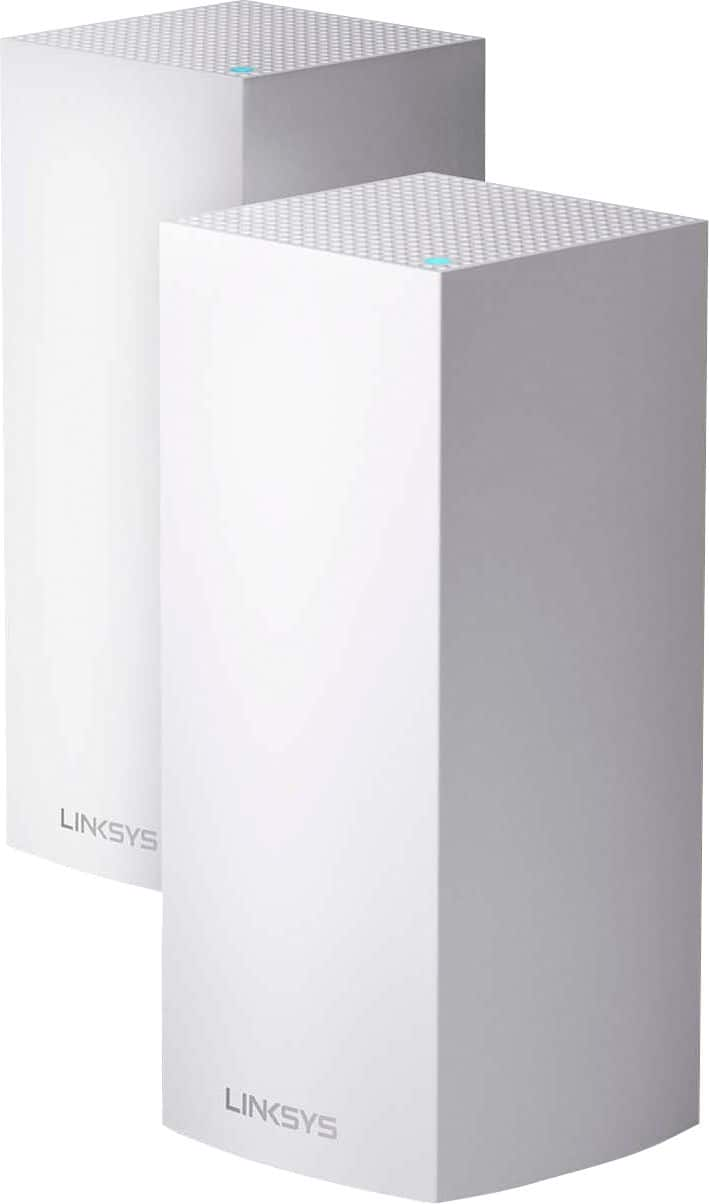
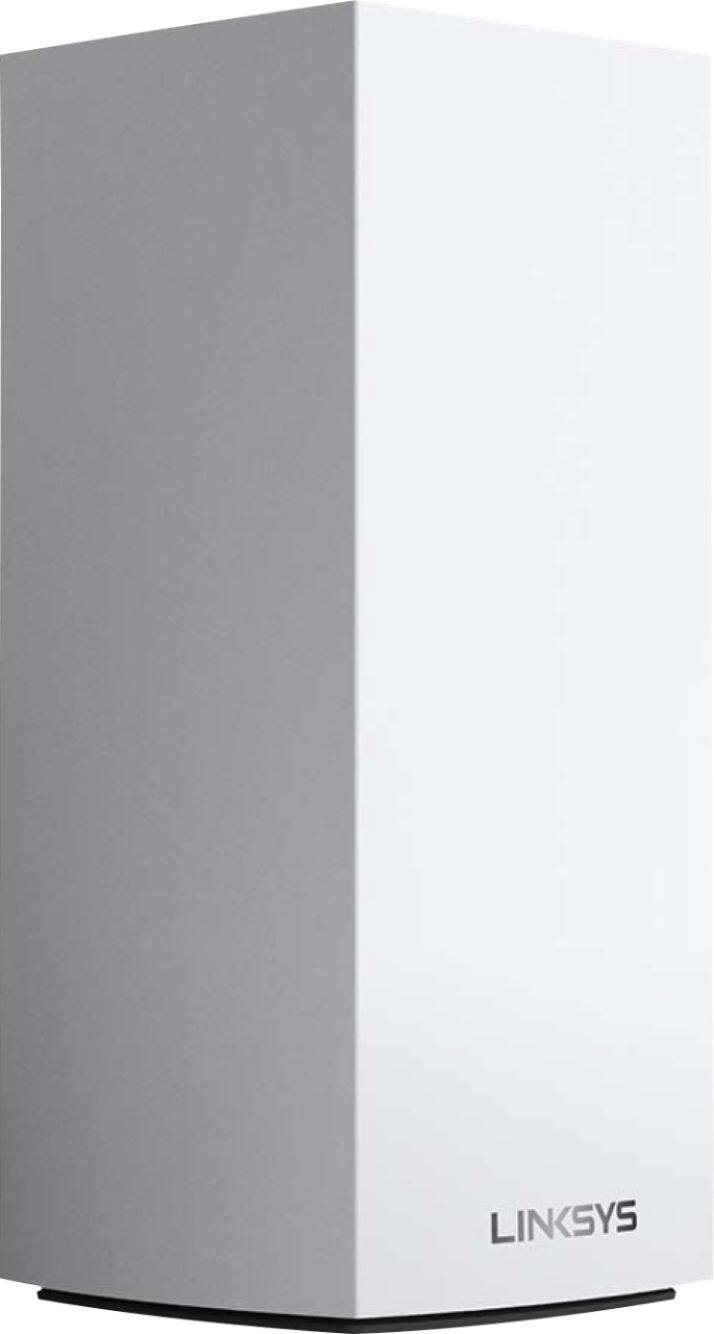
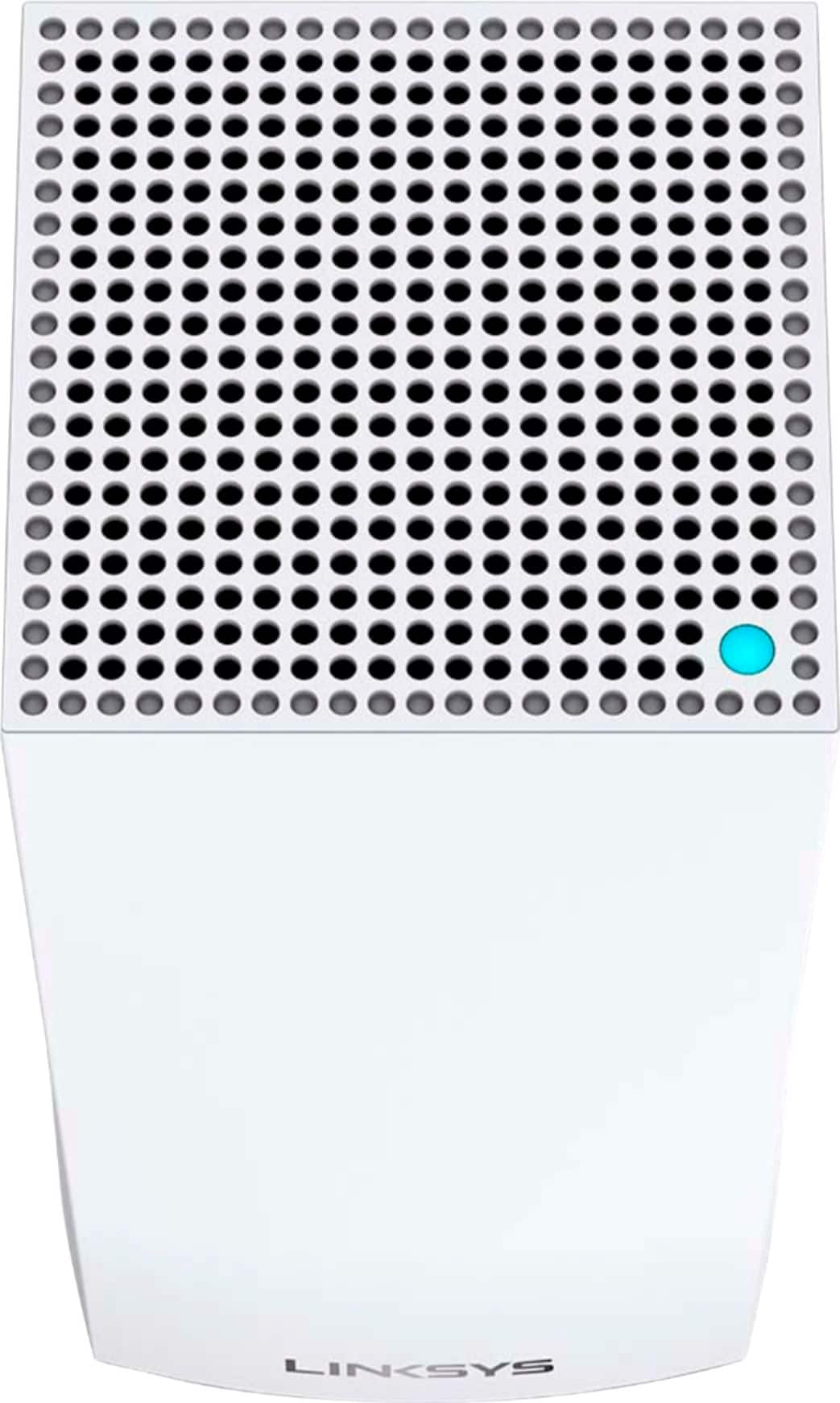
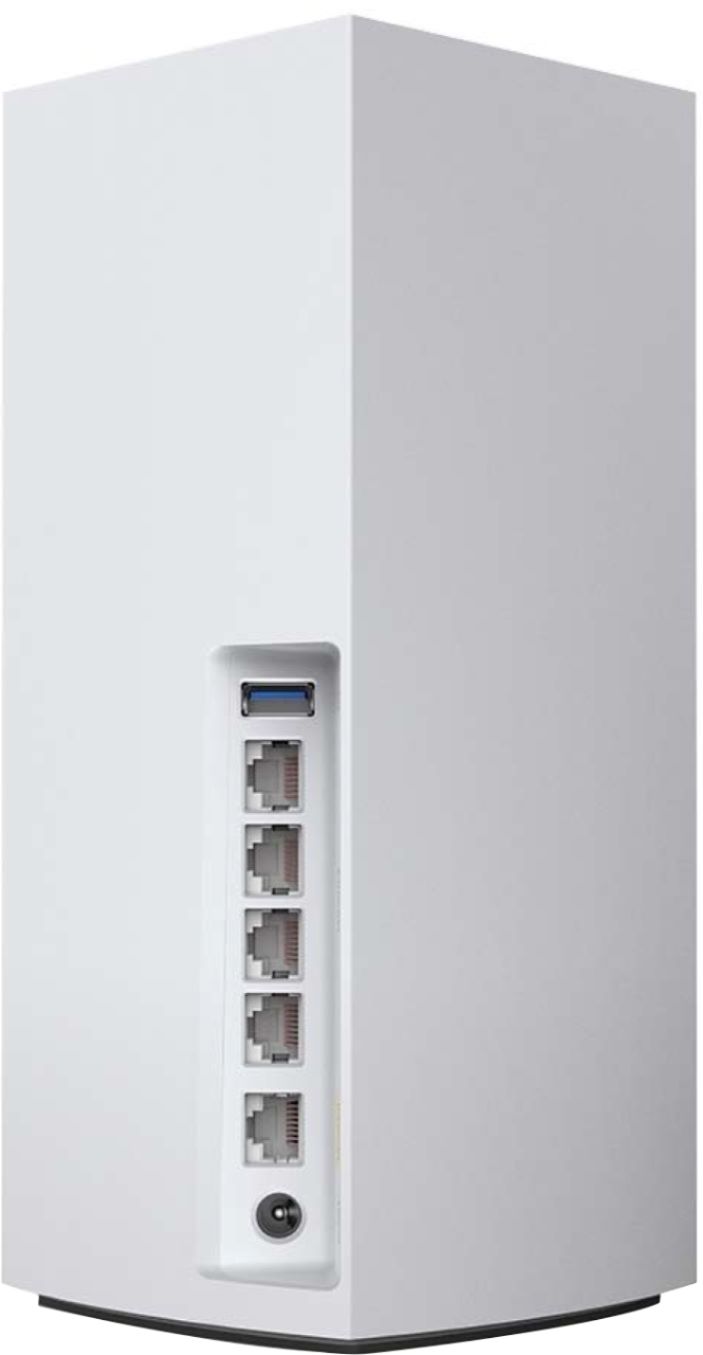
- Model:
- MX10600
- SKU:
- 6373231
Rating by feature
- Setup
Rating 4.5 out of 5 stars
- Range
Rating 4.8 out of 5 stars
- Signal Strength
Rating 4.7 out of 5 stars
Customers are saying
Customers are satisfied with the MX10 Velop AX5300 Mesh Wi-Fi 6 System's ease of use, coverage, and setup, with many praising its improved range and signal strength. Positive feedback also highlights the system's performance and the inclusion of Ethernet ports. However, some customers expressed concerns about the system's price and size, while others mentioned occasional connectivity issues and app-related frustrations.
This summary was generated by AI based on customer reviews.
- Pros mentioned:Speed

Mesh WiFi has never been better
|Posted .This reviewer received promo considerations or sweepstakes entry for writing a review.I have used the original Linksys Velop Tri-band three node mesh WiFi system for almost three years and it still runs and provides a fantastic wifi connection to upwards of 40 devices throughout my two story, 5 br,, 3500 sq ft house. However, now that there are more devices available and have over doubled the devices in the past three years, I could tell that system was being strained when multiple devices were streaming simultaneously. Hence, it was time to look for an upgrade. Enter the new and improved Linksys Velop MX10 AX5300 two pack Tri-band Mesh Wifi System able to provide great Wifi coverage using the latest WiFi 6 technology for up to 6000 sq ft, over 50 devices, up to 5.3 Gbps speeds with 12 stream connectivity; all around a substantial upgrade to their original mesh system with only two nodes while also providing four hard line Ethernet out options in comparison to the one or two you get with the original nodes. You'll immediately notice the size and weight difference in this system in comparison to the previous models (see pictures) as the MX10 nodes are about twice the size and weigh substantially more which is interesting because technology usually gets smaller. I imagine the size increase is due to the amount of tech built into the new nodes. If you are setting these up without replacing an existing system, you shouldn't run into any hurdles during the process as it's pretty streamlined and easily explained using the downloadable Linksys smart phone/tablet app. You're able to change the name and password of the Wifi system during setup as well as any device priorities you want to set and where to position your node in your home or business. After set up, you're able to enable parental controls on specific devices, guest access, do speed tests and add external storage through the USB ports on the nodes which is also new to these devices. If you are upgrading your system from the older Velop system, like myself, and aren't too tech saavy, you may run into some issues with adding additional child nodes to the system if you are going that route. However, have no fear, the Linksys technical support team is only a phone call or live chat away to handle your concerns as they have a team dedicated to the Velop systems that can remotely access your system, with your approval of course, and walk you step-by-step through the set up process and troubleshoot any issues that may arise. I have used the tech support on a couple of occasions in the past due to modem replacements and internet resets done by my provider and they have always been very responsive and helpful; probably some of the best tech support I have had over the years. All that being said, I am a strong supporter of mesh WiFi systems because of the stability they provide throughout any homes or businesses streaming to multiple devices. I would recommend this system to those who have a lot of devices and smart home technology since we all know more is coming in the future and your WiFi system and modem are the foundation to have reliable connectivity.
I would recommend this to a friend - Pros mentioned:Coverage, SetupCons mentioned:App, Price
Great Wifi mesh system
||Posted . Owned for 3 weeks when reviewed.This reviewer received promo considerations or sweepstakes entry for writing a review.I have been using the Velop mesh system for 3 years. I had purchased the original three node system and it has worked well for my family. The quarantine presented new challenges for our Wi-Fi network. We had many frantic mornings when the Wi-Fi would cut off during school or work presentations and everyone switched to hotspots on their phone (I was not happy with that bill!!) I decided to upgrade our Internet service to gigabit and in doing so I began to add additional nodes. I wanted to purchase the newest technology so that it would last just like my last set up. I decided to go with the MX10 because it offered the new Wi-Fi 6 standard and it was backwards compatible with my current system. In addition I upgraded my main router to the Linksys MR9600 which is mesh compatible with the Velop. I essentially have nodes in every corner of my house and the coverage is fantastic. Now for the specifics 1. Set up- set up is fairly easy using the app. You start with the main parent node which is either one of the Velop towers or in my case the router. Then you set up each additional node. The app takes you through the process and you basically just sit there and wait for it to finish. Takes about 6 to 10 minutes per node. The instructions seem simple but I felt they could have added some pointers. For instance they should have mentioned that it is best to set up nodes from closest to furthest. 2. Usage-Once set up you can walk around your house and your device will usually switch from node to node seamlessly. I have had instances, though, when my phone will decide to be stubborn and remain connected to a far node with a weak signal even though I'm standing next to a closer node. I assume this is an issue with my phone. Another issue I have run across is that occasionally 1 of the nodes will go off-line. Typically all you have to do is unplug, then restart the node. Sometimes you will have to reinstall the note from scratch which can be annoying because of the 6 to 10 minute wait time. 3. The app- the app is pretty simple and you can check on the status of your nodes. It would be nice if there was a utility to check the signal strength. This would allow for better placement of the notes. Also the signal strength would be nice when you're looking at the connected devices in order to determine if you need to move your nodes to different locations. There is a speed test in the app that checks your download and upload speeds at the level of the modem which is nice. This actually revealed that I was not receiving the speeds that I was paying for through my provider. I was able to call my Internet provider and they are actually going to upgrade our outside lines in order to reach the gigabit speed I pay for. Overall- I think the system is great for anyone that needs to have good Wi-Fi coverage. It is pretty simple to set up. There are some issues with the nodes going off-line but it is not frequent. I have used other systems and they all seem to have similar issues. It is extremely expensive but that's the case with any new technology. Also not many devices utilize Wi-Fi 6 yet so it may be worthwhile to wait till the technology is more pervasive. The original velop system is still available in a great option and comes at a cheaper price. Also all of the Velop systems are compatible so you can always upgrade later and just add nodes. But if you want to future proof your system especially in the age of quarantine the system should be taken into serious consideration.
I would recommend this to a friend Best mesh system
|Posted .This reviewer received promo considerations or sweepstakes entry for writing a review.Coming from a previous competing mesh system which I wont mention the name of (you search with them) I can tell you hands down this thing is a beast. From AC1200 to AX5300....wow Before I unhooked my previous system I went to the furthest part in my house in the basement. There were 3 nodes in this system and I have a 1 Gbps connection. I grabbed 3 downloads on my phone to get an average and I was pulling 110Mbps down which is nothing to laugh at. I then hooked up the Linksys Velop (Which set up is super simple, just follow the app instructions) and went to the same spot in the basement. To my amazement I was hitting between 400 and 500 Mbps down with this Linksys mesh system and it only has 2 nodes. That seems to be the speed I hit in all corners of the house. So That means the signal is even and consistent no matter where your're at. The wifi 6/AX5300 really helps getting that signal to parts of the house you've never had a signal at. The devices I have hooked up with the Ethernet ports coming out the back of the unit consistently hit 950 to 1100 Mbps down. One of the key things I like about this system are the built in Ethernet ports on each node. My previous system had one in and an out so I was forced to use a switch to get internet to my wired devices. Which require more cords to manage. The nodes are large, take up a bit of vertical space. But are well built and sturdy. Are they priced right? I think they could shave a 100.00 off the 2 node model. Overall happiness with this Mesh system from Linksys/Belkin
I would recommend this to a friendThe WiFi Router of The Future
|Posted .This reviewer received promo considerations or sweepstakes entry for writing a review.The typical household is increasing in its WiFi usage every year. More devices are going cord-free, higher quality streaming audio and 4K HDR videos create for higher bandwidth demand, and the increase in Smart Home devices only continue to add on to the WiFi usage in a house. To fight this new demand, the next step in WiFi is "WiFi 6" which is exactly what the LinkSys Velop MX10 Whole Home WiFi System will bring to your home! WHAT IS WIFI 6?? - To simply this, WiFi 6 is just the next generation of WiFi. Every system gets an upgrade like this from time to time but WiFi 6 is definitely important. It's main perks are that is it faster, stronger, and covers larger areas. These factors mean that it can handle a much larger number of devices at a time while still providing strong WiFi to each individual device. So no more "hey get off the WiFi, you are hogging all of it and I need WiFi". Another big perk is that WiFi 6 delivers the signal more efficiently which allows for devices to not have to work as hard to get the signal which effectively improves battery life on all your devices, that’s a big deal! WHY THIS DEVICE IS GREAT: - Most mesh systems operate by having one main unit and the other units are essentially WiFi extenders that aren't as strong as the main unit. That being said, it's important to note that this two pack is two main units! One of them plugs into the modem while the other is placed in another location in the house but since they are both main units, they combine to create a constant powerful signal throughout the house. - The Set Up of the two routers were very easy to use. LinkSys provides an app you can download and it’s a very easy step by step to set everything up. After setup you can continue to use this app for management of the routers and anything you may need to monitor or change. Very well done! - As far as performance goes, these are unmatched to anything I have ever used. I stream live TV, stream 4K HDR movies and TV shows, use mobile devices frequently, and have numerous smart home devices on this network. I noticed an increase in responsiveness and had no more areas in the house that I thought were too slow. - Most importantly, I made sure to actively use as many streaming devices and mobile devices at once and overall I did not notice that typical "too many people are on the WiFi" feeling that usually plagues households. This is a huge win for LinkSys and a must have feature going forward. ONLY DOWNSIDE: - The only downside of this device has nothing to do with the device itself but rather the technology. WiFi 6 right now is essentially what 4K HDR was on TVs a few years ago. WiFi 6 will work best with devices that support WiFi 6 and there are not a ton of devices that do yet. You will still see benefits on your non-Wifi 6 devices, but to truly get the perks you need all your connected devices to be up to date as well. So that being said, purchasing this Mesh Router system is really a future proofing move as eventually all devices will support WiFi 6 but not quite yet. BOTTOM LINE: - If you want a top of the line mesh router system that will cover your entire house & yard plus future proof you when more devices become compatible, then you should buy this system no question. The mesh system handles all of your household devices at the same time which is very important for how smart homes are advancing. This is definitely a "Early-Adapter" type of technology but it will be well worth the purchase now and over time.
I would recommend this to a friend- Pros mentioned:Range, SpeedCons mentioned:Price, Size
Great speed
||Posted . Owned for 2 months when reviewed.This reviewer received promo considerations or sweepstakes entry for writing a review.I've owned this for about 3 months now. It is replacing the older Velop AC6600 3-pack I bought about 3 years ago. Replacing the systems was easy, and set up was simple with the app. The unit is significantly bigger than the older AC6600 node, but it includes 4 LAN ports (+1 WAN port) and a USB port, a welcome addition over the older 2 WAN/LAN and no USB ports of the older model. As for speed, download speeds over WiFi 5 (I do not own any client WiFi 6 devices yet), produced a 3x download speed improvement versus the older AC6600 node. Range of the router also significantly improved, I can now receive full bars outside, and half bars from the other side of the parking lot. (~100') However, bandwidth throughput at that distance and through an exterior wall is poor to none, even if showing bars. I've also replaced 3 (older model) nodes with only 2 of the newer ones, and I've experienced only faster speeds, and larger range. I fully expect when I get WiFi 6 client devices (new phone or laptop) my speeds and range will only get better. Steep price though, but to be expected from a next gen mesh system, but I hope the price will come down as WiFi 6 becomes the norm.
I would recommend this to a friend - Pros mentioned:Setup, Speed
Excellent, meeting all expectations
||Posted . Owned for less than 1 week when reviewed.This reviewer received promo considerations or sweepstakes entry for writing a review.After reading numerous reviews of this item I decided to replace my Linksys EA6900 router and RE6500 extender with this Velop mesh system. I placed one unit in my den and the other near my entertainment center and they completely cover the home (3500 sqft) and three car garage with a strong signal throughout. Very impressive! Setup was easy since I retained my existing ssid and passwords. I opted for one ssid, yes no separate 5Ghz ssid. No problem connecting to cable modem. Be sure to copy existing modem settings for port forwarding, DYN and ip reservations before removing the old modem. Performance is rock solid and network file sharing speed has at least doubled. Wireless internet speeds are consistently good everywhere. No WIFI 6 devices yet but ready. Expensive but worth it for me.
I would recommend this to a friend - Pros mentioned:Setup, Speed
Better than expected
||Posted . Owned for less than 1 week when reviewed.This reviewer received promo considerations or sweepstakes entry for writing a review.Background: I have had Asus for many years, first with Router and AP, then with AImesh with ethernet backhaul. About 1/3 of my devices are hardwired. Issue: I kept having to reboot the system frequently finally having to reboot up to 4 times a week. Also had a few dead spots, but nothing too bad. Main issue was stability. I kept hoping firmware updates would help stabilize the Asus system. Asus support was not helpful. Decision: Wanted to stay with mesh (with ethernet backhaul) due to the L-shape of my house. The biggest question was should I go with wifi 5 or wifi 6. Wasn't sure I wanted to spend the extra $$ until wifi 6 was more prevalent. I ended up going with Linksys Velop MX10 Wifi 6 figuring it would future-proof my home network. Was hoping for a little better performance with the newer hardware. Also wanted multiple ethernet ports and the ability to have a hard-wired backhaul. Results: Pros: - Only had the system for a week, but no stability issues. - Setup was very simple and I was up and running quickly. - Plenty of ethernet ports for those of us that like to hardwire when possible. (I still have a couple switches for additional hard-wiring and I use the ethernet backhaul.) - Surprisingly the range is much better than my previous system. The old deadspots now have 3 bars. - More surprisingly was the improved speed. I ran speedtest with the old system and the new Linksys. I was getting 2.5-3 X performance improvements with Linksys! Cons: - No additional security like AIProtection on Asus. - Limited tools such as the ability to see which users and apps are using most of the bandwidth. Bottom Line: I am very pleased with the system. Glad I made the purchase, and expect years of stability and great performance.
I would recommend this to a friend - Pros mentioned:Ease of use, Speed
Installed yesterday, could not be happier....
||Posted . Owned for less than 1 week when reviewed.This reviewer received promo considerations or sweepstakes entry for writing a review.This is my preliminary review until this unit proves itself overtime: Bought the MX5 Velop to replace an aging Netgear AC1750. We have ATT 1Gb down/up, and the AC1750 was behind the Arris Router. We were getting dropped connections all the time and max speeds of 250 Mbps with about 25 devices connected. Sometimes the network was SO congested that it looked like ATT had an outage and living the dial-up days all over again! It was a very frustrating experience, and I was quick to blame ATT for the poor performance because not even the ARRIS Router could broadcast a reliable WIFI signal, faster than 300 Mbps when the input signal was 993Mbps!!! Our house is 3,500 sqft (2 stories) and this single unit (no mesh yet) sitting at the open living room in lower level is receiving the full 1Gbps via wired ethernet from ARRIS and broadcasting a superb signal that is smooth and pretty stable to all devices. In close proximity we are getting almost 600Mbps to our iPhones which is 2x what we had in the past, but most importantly, stable connections with no drops. Linksys app is good, but I believe there is room for improvement. It could benefit from a more intuitive UX and provide more controls. Awkwardly, you can only prioritize 3 devices in the network and there is no controls for them, just a single switch on/off that lets the Velop unit give them priority. Parental controls also seem bleak (possibly the lowest score). Simply pause/resume internet, schedule connectivity and block up to 10 websites. Pretty limiting. Will be monitoring this unit closely for the following months and provide more details, but as a regular user who does not have deep understanding into all of the network intricacies, I believe this is top-notch technology who provides a great, frustration-free experience. Setting it up was a breeze that took under 10 min.
I would recommend this to a friend - Pros mentioned:Coverage, Speed
A very powerful and robust setup.
||Posted . Owned for 7 months when reviewed.This reviewer received promo considerations or sweepstakes entry for writing a review.The performance of these are amazing. Very high speed with plenty of capacity. Initial setup was a bit more complex than other reviewers suggested, but I have had plenty of experience with other network devices and conceptually understood what was needed. The units are also very powerful. Completely covers both floors of house and provides minimal (15-50% full performance) at 150 Ft+ (most of my yard). Be sure to use good security! The performance of both primary and secondary units are nearly identical. You definitely need to use the phone App for the set up. It makes keeping up with the setup much clearer. It also provides a secure connection to the device during the initial setup. The phone app is also very good for quickly reviewing what is connected devices and their status The only issue that I have had has been during unplanned power outage. It is sometime necessary to restart both units manually. This must be done by getting the first unit stable before restarting or turning on the secondary units. It may also be necessary to cold start in sequence. This has not always happened but when it does, being systematic is helpful and will save time.
I would recommend this to a friend - Pros mentioned:Setup, Speed
Multiple Xboxes and Gigabit
||Posted . Owned for less than 1 week when reviewed.This reviewer received promo considerations or sweepstakes entry for writing a review.A little background; in my house we have around 45 connected devices. We have more than one Xbox that plays Call of Duty at a time as well. I have spent hours tinkering with routers after purchase to get our gaming setup to not crash from sharing the same ports. With this system, there is no additional setup, really. The only thing I changed is I made the xboxes priority devices. That took all of 12 seconds. Everything else was smooth with the app and the wifi 6 is fast. I have managed 802mbs down and 45mbs up over wifi, so that is more than I will need for awhile. I also get full wifi “bars”? “Waves”? “Little stacked curved lines”? Anyway, I digress, this is an awesome system. The price is high, but this is a true example of you get what you pay for. The system comes with 2 identical units. The first one you set up is the main base and every one after is a node. It knows when you set it up what it needs to be. Thank you Linksys for smart Machine Learning algorithms! Best Buy has a decent return policy, great if your elite plus, and if you hate it, then return it. You will know in a day or two of you do. Hope this is a somewhat helpful review. Good luck and stay safe!
I would recommend this to a friend - Pros mentioned:Range, Speed
Strong Wifi 6 Router and easy to Use!
||Posted . Owned for 1 month when reviewed.This reviewer received promo considerations or sweepstakes entry for writing a review.This mesh Wi-Fi system is an expensive one to say the least, but what you're paying for is longevity, reliability, and great performance. I bought the router on sale ($100 less) which made it an easy decision to upgrade. The router comes with a user friendly app that walks you through the entire setup and once connected, you never have to deal with it again. There are plenty of ways to optimize and customize your wireless connection. For those not so tech savvy, it's also very simple to setup and not have to troubleshoot to get it up and running. The range is excellent, one Velop MX Router is enough to cover my home of 1500 sq. ft. There is little to no lost upload/download speeds even at the furthest point in my house. I only have a handful of Wi-Fi 6 devices and the speeds are impressive. To be honest, even my Wi-Fi 5 devices got a slight boost with this upgrade. Overall, an excellent router/mesh system that can easily serve a medium-large size house and provide excellent speeds, coverage, and reliability. If you can afford the unit now, it will grow with you for at least 5 more years.
I would recommend this to a friend - Pros mentioned:Coverage, SpeedCons mentioned:Size
Great for working from home
||Posted . Owned for 1 month when reviewed.This reviewer received promo considerations or sweepstakes entry for writing a review.This was the mesh system I was hoping for! Because I work from home, I needed a high-speed, stable internet connection for work. Plus, like many people, we have a household with many devices that use wifi. This Velop system handles the internet speed and device capacity with no problem. I was surprised at the size of the towers, they were a little larger than I expected, but their design is simple and doesn't stand out too much amongst our decor. I had a previous version of the Velop that was dual-band, and slower. If you are looking for internet stability, it's worth buying more power than you may need, keeping the number of devices you'll be connecting in mind. I have a small to mid-size home and the two modules are more than enough coverage.
I would recommend this to a friend - Pros mentioned:Speed
Surprisingly good upgrade
Posted .This reviewer received promo considerations or sweepstakes entry for writing a review.I have had my existing 3 Node Velop setup for a few years now. It's improved over time and has been pretty consistent. With some of my newer devices coming with WiFi 6, I wanted to test the waters with these new units. Not expecting to see a big difference, I was pleasantly surprised. To start, the new nodes dwarf the old ones. They are very solid and the port arrangement and switches are much easier to reach. The inclusion of 4 additional lan ports also allowed me to remove additional switches. The setup itself went quickly and I suggest starting from scratch. Record your old settings and apply them afterwards if possible. Only took about 15 minutes to get everything up and running, though I was very familiar with the process beforehand. May take longer for someone new to the products. As far as speeds and coverage, I'm able to get roughly 800Mbps to my iPhone 11 Pro Max and Wifi 6 laptop when closer to the nodes. It reduces to 500-600Mbps when at the farthest points inside the house. They are also able to provide better coverage with only 2 nodes compared to the prior 3. I have one placed in the basement and the second in the upstairs master bedroom. I will continue to evaluate these over the next few days, but at this point I plan to keep them.
I would recommend this to a friend - Pros mentioned:RangeCons mentioned:Price, Size
MX10 Velop systems are great
||Posted . Owned for 3 weeks when reviewed.This reviewer received promo considerations or sweepstakes entry for writing a review.I installed the 2 mx10 systems along with 2 of the linksys older velop systems. The MX10 provide excellent range and stability. I have a Tivo attached to each of the MX10 and I stream downloaded recordings across the two with no issues. Along with this setup I have a PS4 attached to the mx10. with 20+ wireless devices as well. The older units are stable, but at a low frequency tend to loose connection, hence my purchase of the mx10. I've had the mx10 for more than 1 month and with no drops. The units are bulky compared to the older model, but I'll take the size for more stability. The range of the two units cover my house, where before I need 4 of the older velops. The price is steep, but a great buy. J
I would recommend this to a friend - Pros mentioned:Ease of use, Speed
Very fast and easy to setup
Posted .This reviewer received promo considerations or sweepstakes entry for writing a review.I recently upgraded to frontier fios 500 mbps service and needed to upgrade my older velop mesh network to match. The MX10 is consistently much faster than the old one. It only took about ten minutes to install. I named it the same as my last velop network and everything connected again without making to log each device in again.
I would recommend this to a friend - Pros mentioned:CoverageCons mentioned:Price
Great Mesh Wi-Fi. Way too expensive
||Posted . Owned for 1 month when reviewed.This reviewer received promo considerations or sweepstakes entry for writing a review.Overall, this is a decent Mesh 6 system. I had significant issues with coverage drops in my home using an extender strategy with a really decent gaming router. Once replaced with this system, I am getting nearly 95% of my internet speed throughout a 2400 sq ft home. I have had no dropouts or lags. Great for 3 family members all on zoom at the same time. The Linksys app is quite nice and I like the option to check the speed at the router if having issues (need to know if the ISP is to blame). However, there are a few issues with the system. 1. The obvious. This is a ridiculously expensive system. This was one of the few systems that I could find to replace the gaming router that just suddenly died and I could not wait for something to come via FedEx (I needed to be back up the same day). Had I had some time, I probably would have bought something less expensive. 2. The setup is actually too simple, to the point where it creates challenges. You use the phone app for the setup which was fairly straightforward. However, when you place the second node, if the placement is not right, it just says "The node is too far away, please place it closer to the first node" or something like that. No indication of how closer you need to be. So, I could see someone having to plugin, test, move, plugin, test. move over and over before finding a spot. Luckily, I found an acceptable location on the 2rd try and that is where it now sits. But, it felt like I was just randomly placing the second node until it liked its new home. Other systems give you some type of gauge to let you know if you are in the sweet spot for the 2nd node. Nothing like that for this system. Plug and pray is the strategy. 3. My prior router had a built-in FTP and other sharing options. This router is painfully light if you want to use it to share a drive. I ended up buying a free-standing NAS to get back to what my previous router had for storage sharing. I hope that Linksys pushes out a firmware update to address. So, in short, blazing-fast mesh system with great consistent coverage. Just hope you can find it on sale.
No, I would not recommend this to a friend - Pros mentioned:Coverage, SetupCons mentioned:Price
Excellent mesh system
||Posted . Owned for 3 weeks when reviewed.This reviewer received promo considerations or sweepstakes entry for writing a review.A bit over priced but great system. Great coverage, strong signal, very easy setup with iOS app. Seamlessly switches nodes as you move around, we finally have a strong signal throughout our house.
I would recommend this to a friend - Pros mentioned:Coverage, SpeedCons mentioned:Connection
Out With The Old
||Posted . Owned for 1 month when reviewed.This reviewer received promo considerations or sweepstakes entry for writing a review.Had to replace our old dual band Nighthawk 1750. With everyone working from home in addition to the amount of technology now operating on our home network, it was time to pull the trigger and upgrade. This is a clear improvement over the old system. My only complaint is that our Nest Protect (which use the 2.5 band is having a problem connecting to the the Wi-Fi now). This is why I’m giving it 4 stars. Otherwise, I have been happy with the new Wi-Fi 6 coverage as well as it speed.
I would recommend this to a friend - Pros mentioned:Speed
Works well so far
||Posted .This reviewer received promo considerations or sweepstakes entry for writing a review.When we got gigabit internet service, it became clear that we'd need to upgrade our trusty AC router since it would only put out a fraction of the new speed. We thought one of the new AX routers would be the best choice, both to maximize speed and to future proof for WiFi 6 (we've now got a couple of those devices). I quickly learned that AX routers are pretty inconsistent in terms of quality. This Linksys MX10 was the FIFTH AX router we tried and is probably the one we will keep. The first two didn't consistently yield greater wireless speeds than our old AC router - but were much more expensive. The next two maxed out the speeds (we would consistently get 750-800 Mbs on our iPhone 11's) but had connectivity problems - either dropping devices periodically or having difficulty connecting to older 2.4 Ghz devices. One of them even had inexplicably slow speeds on the ethernet ports. We finally tried this (expensive, yes) Linksys. While the top-end wireless speeds are just a touch slower than some others, it otherwise performs very well. The signal is strong and consistent throughout our 2,100 sf condo. The speeds top out at about 700-750 Mbs close to the router but don't drop to much less than 300 Mbs at the greatest distance from the nodes. The app user interface is well-designed and easy to use and there is a web interface if you want complete control. While it may lack all the bells and whistles of some other AX routers, it seems to be a solid performer so far.
I would recommend this to a friend - Pros mentioned:Ease of use, Range, Speed
Incredible Range and Speed
||Posted . Owned for 4 months when reviewed.This reviewer received promo considerations or sweepstakes entry for writing a review.This router literally made my internet faster. I know it's silly, but I ended up only using one because I realized it's more than powerful for a 3,000 square feet house. I plan on taking the other one with me when I move out here soon, but I seriously can't emphasize how powerful, fast, and amazing this router is. I also love their mobile app. I have always struggles setting up IPv6, which is slowly becoming a standard, and this router literally made it possible with a tap of a button. Amazing.
I would recommend this to a friend