Customer Ratings & Reviews
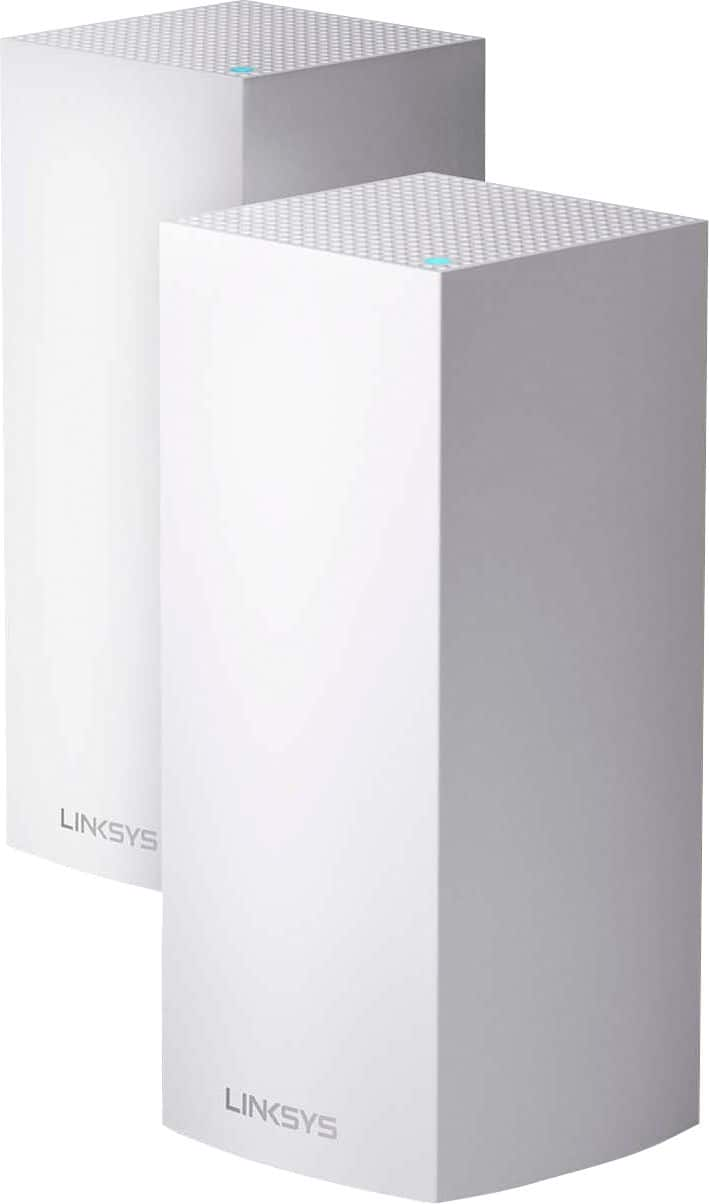
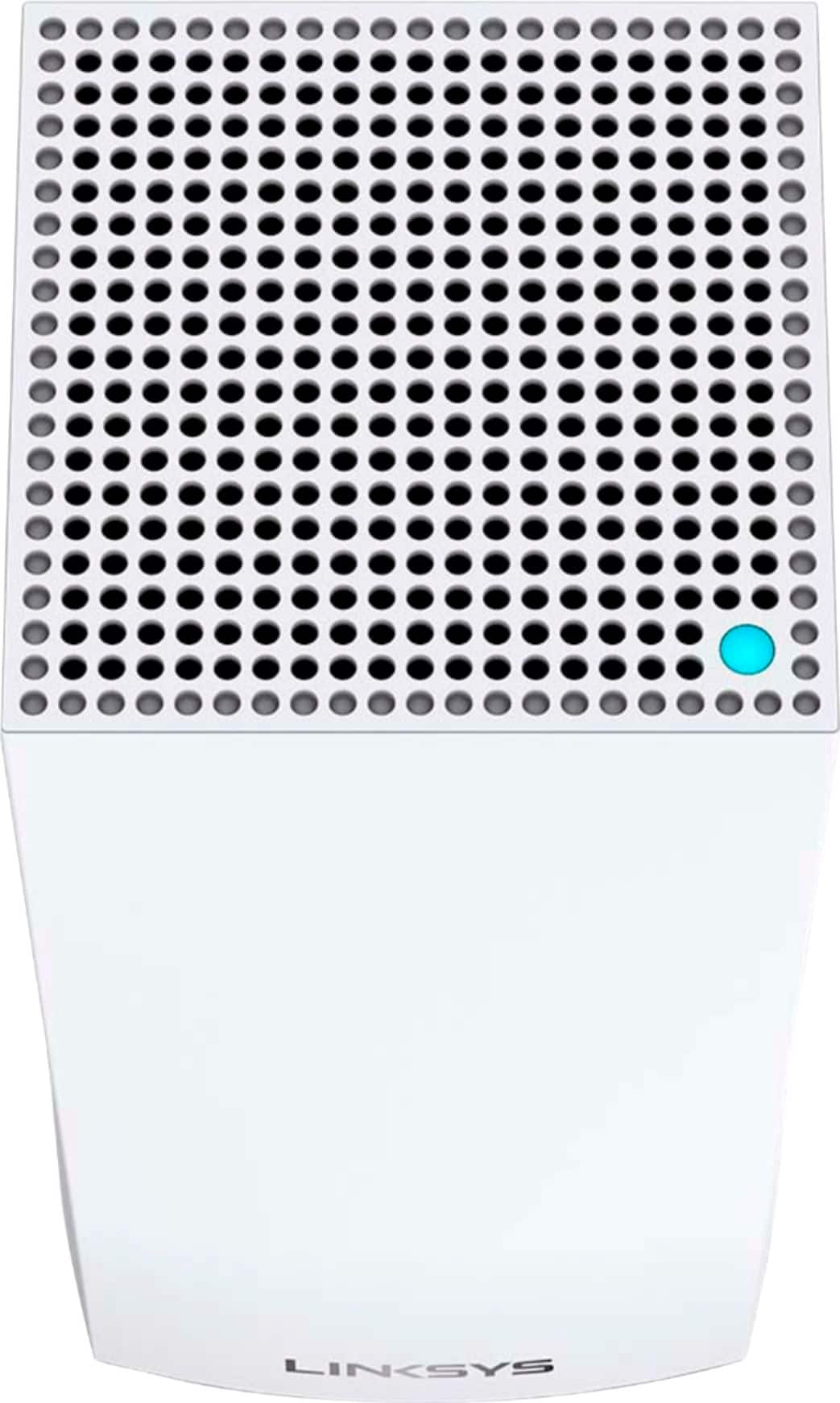
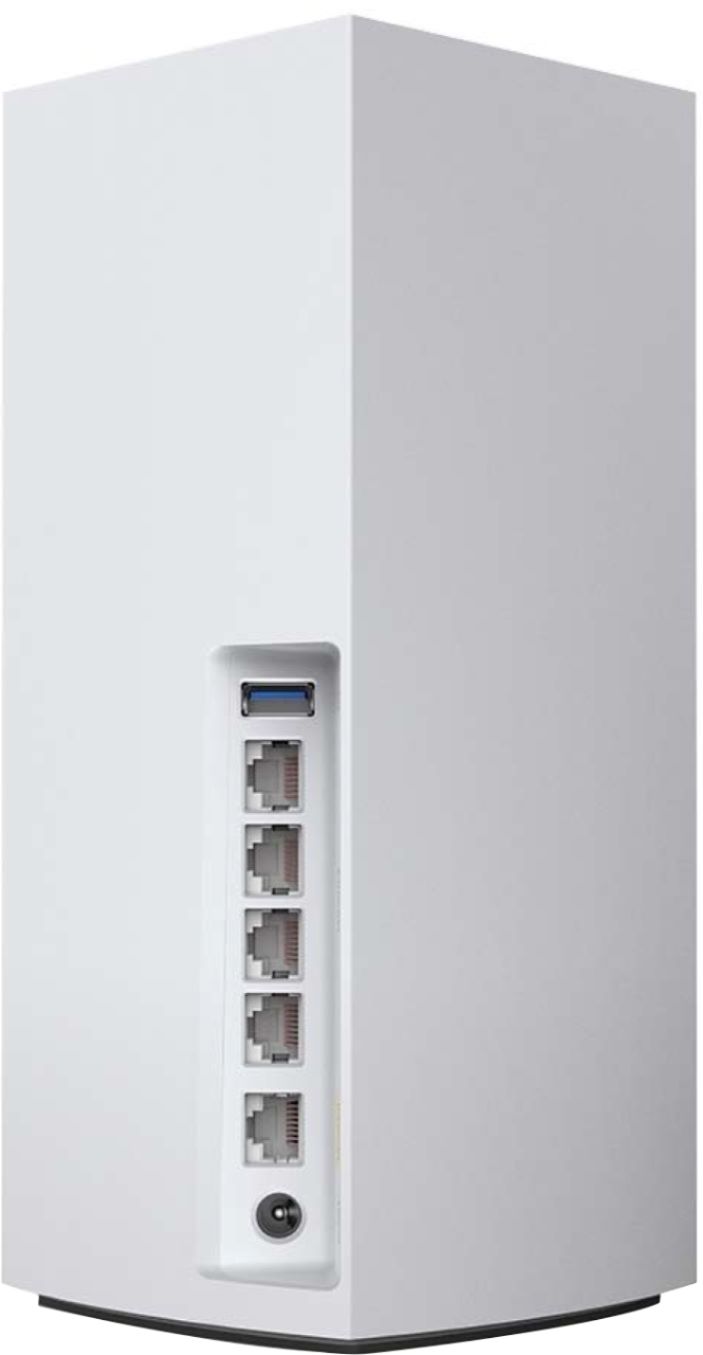
- Model:
- MX10600
- SKU:
- 6373231
Rating by feature
- Setup
Rating 4.5 out of 5 stars
- Range
Rating 4.8 out of 5 stars
- Signal Strength
Rating 4.7 out of 5 stars
Customers are saying
Customers are satisfied with the MX10 Velop AX5300 Mesh Wi-Fi 6 System's ease of use, coverage, and setup, with many praising its improved range and signal strength. Positive feedback also highlights the system's performance and the inclusion of Ethernet ports. However, some customers expressed concerns about the system's price and size, while others mentioned occasional connectivity issues and app-related frustrations.
This summary was generated by AI based on customer reviews.
A disppointment
||Posted .This reviewer received promo considerations or sweepstakes entry for writing a review.I bought this $600 hoping to solve all issues, signal coverage, stability and external storage. Especially that this is the ONLY mesh product of any type/brand that has an external storage USB interface compared to my current Linksys AC1200 that suffers from signal coverage and stability, but offers decent external storage interface (except for new files not appearing in MediMonkey and other streaming/casting android apps). The MX10 installed fairly easy, signal coverage and strength was very good downstairs and upstairs and defined 5GHz and 2.4GHz SSIDs easily for devices that can't work on 5GHz. Even external storage looked good, until the unthinkable is seen!!. It doesn't support DLNA or FTP like the AC1200 did!!!. I just couldn't believe that I paid $600 for the most complex Mesh, and arguably most functions, to find out that its nothing like what its advertised!!. A $600 Mesh that doesn't support the most basic FTP and DLNA!!. I returned it for a full refund and stick with the AC1200 for now with kludged extenders and extra routers Ethernet connected to the Linksys to get coverage until the sought Mesh solution is born, my be few years from now!!. Very disappointed.
No, I would not recommend this to a friendBrand response from Linksys Staff
Posted .Hi KHS1,
Thank you for sharing your feedback. Rest assured that we will forward your review to our Engineers. If you have questions regarding any Linksys device, feel free to email us at [email protected].
Have a good day!
Regards,
Thaddeus
Linksys Support
- Cons mentioned:Connection
Worst Router Ever
||Posted . Owned for 6 months when reviewed.This reviewer received promo considerations or sweepstakes entry for writing a review.Worst Router ever do yourself a favor and stay away from it, to be honest it's great when it works, but the problem is that if I'm lucky it works properly about an hour a day, i have tried resetting it, restarting, and even switching the parent node and one keeps disconnecting nonstop, just buy Netgear 1000 times better than this. It gets one star because I can't go negative.
No, I would not recommend this to a friend - Pros mentioned:Ease of use, Range

Great range and signal in a small package
|Posted .This reviewer received promo considerations or sweepstakes entry for writing a review.Pros: Long cords Small node size Easy pairing App is easy Wide range Cons: None Linksys makes great products. We paired these nodes with an existing linksys router. We previously used the linksys app to set up our router and the app made it super easy to pair the nodes to our existing network and be up and running in minutes. We rely on the WiFi to run our gaming systems, computers, tablets, phones and TV. Having a solid signal everywhere in the house is super important and with adding the nodes we have a fill signal everywhere. We don’t see a dip in signal going from room to room anymore. We also can finally use video calling in any room without issue. I highly recommend this for the ease of set up as well as how strong it boosts the signal and the area each node covers. The nodes are easy to place anywhere because of their size without looking out of place. The cords included are long enough to put wherever needed. The linksys app is great for prioritizing devices to make sure certain devices always get the best speed.
I would recommend this to a friend - Cons mentioned:Connection
Horrible
||Posted . Owned for 10 months when reviewed.This reviewer received promo considerations or sweepstakes entry for writing a review.Horrible. Always looses connection and second node never connects. Wish I returned it when I had the chance.
No, I would not recommend this to a friendBrand response from Linksys Staff
Posted .Hi, Nooo,
There are a lot of possible factors that are causing the challenge that you’re experiencing with the device as clearly, this is not what is expected. Let’s have our Escalation Engineers investigate this further. Just send us an email at LinksysCares@linksys.com along with your contact information, other relevant details, and a link to this review as our reference when you reach out.
Regards,
Rosalyn
Linksys Support
- Pros mentioned:Speed
Worst
||Posted . Owned for less than 1 week when reviewed.This reviewer received promo considerations or sweepstakes entry for writing a review.I thought this would work better than my nighthawk ax12 since I didn’t get the distance but the speed was phenomenal when 10 ft in front of it. This was the opposite. I got the distance with no speed. I went from 970down to 25-160 down standing I the same spot and around the house. I decided to keep my nighthawk.
No, I would not recommend this to a friendBrand response from Linksys Staff
Posted .Hi, Thomas,
We might just need to optimize the settings to improve the overall performance of the device. If you still have the unit, our Escalation Engineers would like to work with you. Just send us an email at [email protected] along with your contact information and a link to this post as our reference.
Regards,
Rosalyn
Linksys Support
- Pros mentioned:Range
Disappointing
||Posted . Owned for less than 1 week when reviewed.This reviewer received promo considerations or sweepstakes entry for writing a review.Given the reviews was expecting a boost in internet speed, but the upload speed was actually significantly worse than my existing router / wifi and download was about the same. Overall range was good, but one of the units would not function as a router (it had zero upload speed) and the other unit was about 4MBs.
No, I would not recommend this to a friendBrand response from Linksys Staff
Posted .Hi LaJollaTech,
This is definitely not the experience we want for our customers. Send us an email about this at [email protected] so that we can have our Escalation Engineers contact you to further check the challenges that you are experiencing with one of the Velop nodes.
Don't forget to include your contact details and the link to this post as a reference.
We hope to hear from you soon.
Regards,
Thaddeus
Linksys Support
Don't Buy it
||Posted .This reviewer received promo considerations or sweepstakes entry for writing a review.Horrible product/performance and even worse customer service. If you live in a smaller home with a very open floor plan where the primary unit (node) is within line of sight to your wireless device, the speed is pretty good. if you have a larger home with other wireless networks nearby this system is NOT for you. the performance is just plain terrible. in addition there is a problem with multiple nodes working as designed. I have spent months trying to resolve the issue with Linksys tech support and its an absolutely painful process. I have still not been able to get the system to work properly and I continued to let them try to resolve it only to find myself past my return period with Best Buy and can't return it. Linksys refuses to allow me to return it to them even though I worked with them in good fait to try and resolve the issues. As a result I am stuck with a $700 brick. Please don't waste your time buying this. both the Comcast xFi product (XB7) with the second generation xFi pods work well and the NETGEAR Orbi wifi 6 mesh system works really well - as I had expected the Linksys wifi 6 system to work
No, I would not recommend this to a friendBrand response from Linksys Staff
Posted .Hi,
We’d like to check what happened with your support case. Please email us your case number at LinksysCares@linksys.com with a link to this review as our reference, so we can pull up and review your records in our system.
Rosalyn
Linksys Support
- Pros mentioned:Ease of use
Exceptional Mesh Network especially on 802.11ax
|Posted .This reviewer received promo considerations or sweepstakes entry for writing a review.Overview – The Linksys Velop is an easy to set up, easy to use Wi-Fi Mesh Network. It provides a more fluid distribution of Wi-Fi coverage over a larger distance than traditional Wi-Fi routers. It uses 802.11ac and 802.11ax Wi-Fi Protocols. The setup up process only took about 10 minutes to complete. Download the Linksys setup app from the Android or IOS app stores, create an account and begin. First the original Velop router is connected to an incoming broadband source. If more area of coverage is needed, additional nodes can be placed around the house to allow for more coverage. In the event that multiple nodes are needed to cover more distance, the setup prompt will test the location chosen to ensure signal strength. If the setup process finds the distance too great, it will suggest moving the nodes closer to each other or to the original router or even adding additional nodes. Testing – A router and one additional node were placed in my home of about 1800 sq. ft. The Router was connected to a “Big Name” ISP’s provided modem/router combo. The node was placed in the center of the house in an office closet, about 25-30 ft. away in a straight line blocked by only one interior wall. Speed tests were run all over the house and into the back yard with Speedtest.net as a standard on a cell phone using the 802.11ac Wi-Fi protocol and a test on a desktop workstation with an x570 based motherboard supporting 802.11ax Wi-Fi. Testing speed are seen below. All test reported between 29ms & 30ms ping with 0% loss. Format is download mbps/upload mbps. For reference, the internet speeds paid for by customer and promised by ISP are 150 down / 10 up. LOCATION OFFICE running 802.11ax protocol “Big Name” 120.24/11.98 “Velop” 237.61/11.88 LIVING ROOM “Big Name” 210/12 “Velop” 53/11.2 KITCHEN “Big Name” 55.8/12 “Velop” 39.1/11 OFFICE using phone on 802.11ac protocol “Big Name” 100.14/12 “Velop” 34.18/11 BEDROOM (furthest away from ISP Router) “Big Name” 5.76/5.83 “Velop” 24/10.5 BACK PORCH “Big Name” 92.7/11.9 “Velop” 43.1/9.98 Results – It appears that the Velop system evens out signal strength over a larger footprint than the “Big Name” ISP supplied router while using 802.11ac Wi-Fi protocol. If the 802.11ax can be used as the standard Wi-Fi protocol with the Velop, better results with a faster Download speeds will be seen. The ISP router has a higher drop-off over a large footprint making it difficult or even impossible at times to stream video in the bedroom. No noticeable degradation was seen using the Velop as the main WIFI source. Pros 1. Easy to setup and use 2. Even signal strength throughout house and over a larger area 3. 802.11ax support allows for faster connections 4. Visually appealing design to the nodes. 5. Solid construction. Cons 1. Expensive 2. Less than stellar performance on 802.11ac Final Thoughts – This product does what it’s intended to do. It provides a WIFI mesh over a fairly large area. Noticeable speed improvements were seen using 802.11ax protocol. With this product being as expensive as it is, it is suggested that newer devices with newer WIFI protocol be used to full enjoy the benefits the Velop Mesh System can provide.
I would recommend this to a friend - Pros mentioned:Range, Setup, Speed
Great
|Posted .This reviewer received promo considerations or sweepstakes entry for writing a review.Because my home seems to be becoming almost smart gadget exclusive I’ve noticed that my old Linksys was laboring to handle all of the devices when everyone was home. This one handles the load like a champ. Relatively simple to setup. Range is amazing but to be fair my home is smaller than the “up to 6000 sq ft” range this one boasts. I’m sure there will be other reviews that will satisfy the tech stats for those that need them but for those that just needs to know that it works and can handle their needs as far as number of devices that need to be connected (up to 50), range, and speed...the answer is yes in my opinion. Also, the accompanying app is great (I’ve been a big fan of it with my old linksys also) and allows you to make changes to your device priority if necessary as well as use your parental controls on each device connected.
I would recommend this to a friend - Pros mentioned:Coverage, Ease of use, Speed
Great coverage in my home
|Posted .This reviewer received promo considerations or sweepstakes entry for writing a review.The new linksys velop system is an easy to set up mesh wifi system. I replaced a linksys 9500 router with this 2 node velop system and gained both speed and coverage. With my old router I was getting around 70 mbps download speed and with this new router I am seeing 116 mbps download on a regular basis. Setting up the mesh system was simple with the linksys app. The process took only a few minutes. The hardest part was switching all my wireless devices to the new network. This 2 node system is easily covering 4200 sq ft total in both the main living area and basement. Overall, this seems to be a nice upgrade to my wireless network and the addition of wifi 6 makes this new router ready for the future. This unit isn't cheap, but it is worth the cost if you are a heavy data using household. I do recommend this device
I would recommend this to a friend Horrible product and tech support, 2FA not working
||Posted . Owned for 7 months when reviewed.This reviewer received promo considerations or sweepstakes entry for writing a review.Frequent disconnect during pandemic where we are working from home and the children schooling from home. Terrible customer service experienced too. They sent an email last December 2020 to enable 2FA to access LinksysSmarWifi.com and up now I still have not received a single verification code thru mobile text. I'm only able to run the app when I'm in the local Wifi and thru the router password but outside when I'm away could no run the mobile Linksys app. Two level 1 support personnel (one thru chat one thru phone) could not fix the problem. Its the same problem Error 2137 when logging in thru the cloud account. I missed their level 2 support call and they left a voicemail and gave the call back number. Tried to call the number but nobody was answering. They also sent an email and gave the same call back number and I called back again. But its the same, always nobody was answering. I will file a BBB complaint I paid more than $1K for AX6000 and AX5300, the products are lemon.
No, I would not recommend this to a friendBrand response from Linksys Staff
Posted .Hi, RoyA,
We regret to hear your experience. Don’t worry, we’ll have this investigated as your support experience is equally important to us. Just email us your case number at LinksysCares@linksys.com so we can pull it up and review what happened. Don’t forget to include a link to this review as our reference when you reach out.
Regards,
Rosalyn
Linksys Support
- Cons mentioned:Connection
Bad systey
||Posted . Owned for 1 month when reviewed.This reviewer received promo considerations or sweepstakes entry for writing a review.One node did not work I spent 2 Hours of my Saturday with the technician and still did not resolve my connection issue I demanded to get a new node Cauthen no response for an expensive system like that I should not have that problem or the run around I got
No, I would not recommend this to a friendBrand response from Linksys Staff
Posted .Hi, rafik,
If you’ve contacted our support team, please email us the case number at LinksysCares@linksys.com so we can pull up your records and review what happened. Just include a link to this review as our reference when you reach out.
Regards,
Rosalyn
Linksys Support
Verizon FIOS Gigabit - Beware
||Posted .This reviewer received promo considerations or sweepstakes entry for writing a review.I spent few days with Linksys Support trying to figure out why the nodes are delivering slow speeds (80 Download/90 Upload Mbps) and no one seems to know what's going on at Linksys. I replaced the nodes with another brand new set and I'm still having the same exact issue. After some research online, it appears there is a known bug/issue with some Linksys routers and Verizon FIOS Gigabit connection. I'm not sure if the bug is only related to this model or all the Linksys Mesh Wi-Fi routers. I tried calling Linksys to get help and I have gotten no where with them and no one appears to know about this bug. I'm giving up on Linksys and plan to get another brand. Never again! *** Don't Buy this and I don't recommend it ***
No, I would not recommend this to a friendBrand response from Linksys Staff
Posted .Hi Mando,
We most definitely do not want you to have a support or product experience like this. We want to use this chance to set things right. Send an email to LinksysCares@linskys.com with the reference number for your support case so we can review it and offer solutions that are practical for you.
Hopefully speaking with you soon.
Regards,
Mara
Linksys Support
- Pros mentioned:Ease of use, Speed
The need for speed resolved
|Posted .This reviewer received promo considerations or sweepstakes entry for writing a review.Before installing Linksys Velop, reception in the kitchen was so poor on laptops and cell phones and couldn’t get wifi reception in basement during times I needed to troubleshoot issues regarding repairs for my washer/dryer and more. Now, after installing Linksys Velop, I can surf the web, while simultaneously watching a music video on another tab from my laptop while sitting, in my car parked on the street in front of my home, backyard or basement. The speed can pack a punch and keep up with our household’s demands. With multiple users simultaneously watching videos, playing video games and constantly surfing the internet, the Velop has made sharing wifi feel like I’m getting the whole pie. We were thinking of replacing some streaming devices because they were outdated and slow but now we will hold off since the speed of those devices have accelerated and can keep up with the demands of the household. Having kids who are constantly on multiple devices all day long, (since we homeschool and use the internet as a supplement for teaching/research), while other family members are streaming videos on smart tvs and doing their own web surfing, makes having Linksys Velop a true necessity. While the towers are a bit bulky, I don’t mind because they are doing their job. There’s an on/off switch on the bottom of each tower, a reset button and a WPS button. I love the prioritization feature which allows you to select three devices from the list of devices connected, giving them priority over all other devices connected. This is easier than asking others to disconnect temporarily to ease up traffic for someone needing to complete urgent work. The Velop is very easy to install; Simply plug in one tower to your modem, plug your power supply in and download the app to your smartphone. The light on the top of the tower will change colors as indicated on a card included in the box the Linksys came in. When it is ready to be set up the light will indicate so and you will be prompted to enter a password which can be found at the bottom of the tower. You may rename each tower to find them easier when connecting devices to the wifi. After following the prompts on the app, all while keeping your phone next to the tower so they can communicate, you can be sure your Velop will be up and running in no time. Once the first one is set up, you will be prompted by the app to set up the next tower on another floor/location by placing it in a room as indicated in the app. Plug the second tower’s power source into an outlet and wait again until the light turns to the color for set up and use the app to set up just like you set up the first tower. If you test the speed or surf the internet and find it’s not going so fast, move it to a different room and also restart your device you wish to connect to the wifi. I found restarting the device made a huge difference. Parental settings can be set very easily by going into the app and clicking on the device you want to prevent from connecting to the wifi by a specified time range. You may also choose to block certain web content on the parental settings. From the app you can set up parameters in a multitude of ways for securing your wifi from intruders. The further the signal reaches the outside of your home, the more likely you’ll need to set stronger security parameters. The app has Speed Test included and pings your upload and download speed. Having control over my wifi using my smartphone is nothing but fantastic. Being in the kitchen now doesn’t feel like mom was thrown in a dungeon and left in the Dark Ages. I would highly recommend the Linksys Velop to anyone with a need for speed and control of their wifi.
I would recommend this to a friend - Pros mentioned:Ease of use
Hands down my favorite!!
|Posted .This reviewer received promo considerations or sweepstakes entry for writing a review.THE BREAKDOWN: This product was nicely packaged. Everything you needed to get this product up and running was in the box. This Lynksys Velop AX5300 is a dual node mesh Wi-Fi networking system. I have to admit that I own the previous version of this product except it has 3 nodes. This system is very simple to get setup and running. Once you download the app it walks you through each step and it really doesn’t take but about about 10-15 minutes to get it up and running. I actually kept my Wi-Fi name and password the same so that all my devices would just connect automatically. I only had one device that I had to reenter the Wi-Fi name and password. If you are a previous owner of the Velop system (like the one I mentioned above) then it is good to note that the new system is compatible with the old system. What does that mean? Well, it means that this system is backward compatible with the old system and will also work with the new system. You can use the old nodes to help further extend your Wi-Fi if you wanted. I have found that the 2 nodes far exceeded the 3 nodes that I used to have. Performance was excellent. With my old system I was getting speeds around 180Mbps down and 24Mbps up wirelessly. As soon as I got this system up and running I immediately tested it and it far exceeded my expectations. I was getting speeds 100Mbps faster down!!!! I tested this in all the remote areas of my 3000+square ft home. Yes, speeds of 290Mbps just like that, simply amazing!! Another new feature that I really liked is the addition of 4 Gigabit LAN ports. I use this for hardwiring some of my devices and this was a huge plus for me. You can also add a USB storage device to the 3.0 port and share other devices like printers over your network. A couple things that I found particularly annoying is that for some reason my phone and a couple other devices would connect to the farthest node and connect on the 2.4Ghz band. This was one of the features of the past that dramatically hindered my speed. If there was a 2.4Ghz device connected it would downgrade all the devices connected to that 2.4Ghz band. I had to call tech support and log into the router via the computer not the app and configure a separate 2.4Ghz band. However, for this router I found that even though it stated it was on the 2.4Ghz band the speed did not downgrade. The other issue was when enabling the Guest Wi-Fi access it locked up and lost the second router. I had to manually turn off and back on the node and then from the app I had to restart my Velop system. PRO’s: -Easy to use and setup -Feels solid -Tri-band AX5300 with 4x4 MU-MIMO and 1024-QAM, up to 5.3 Gbps -Wi-Fi 6 -12-stream Wi-Fi -4x4 MU-MIMO -2.2GHz quad-core processor -our Gigabit Ethernet ports -USB 3.0 port -Great app CON’s: -Connects to the 2.4Ghz band randomly -Guest Wi-Fi setup is a little glitchy SUMMARY: Overall, I feel that this product worked very well and I would recommend this to a friend if they are in the market for device like this. This is hands down my favorite mesh Wi-Fi system. Don’t let the high price deter you, this is well worth the money.
I would recommend this to a friend This will be my last Linksys purchase!
||Posted . Owned for 10 months when reviewed.This reviewer received promo considerations or sweepstakes entry for writing a review.I have battled with this wifi router for almost a year. It has not been a pleasant experience and I would not recommend it to anyone. It will randomly stop working multiple times a day which results in having to restart both of the towers. The second tower is constantly showing a yellow LED light at the top for poor signal...even of the tower is sitting next to the base. Customer service is very poor. I get a lot of "we've heard there are issues with this router" from customer service reps at Linksys but nothing is done to correct the issue. So basically, they know it's garbage but good luck fixing it since we already have your money. Stay away from this one!
No, I would not recommend this to a friend- Pros mentioned:Range, Speed
A good Wifi6 mesh router that isn't future-proof
|Posted .This reviewer received promo considerations or sweepstakes entry for writing a review.Let me begin by reminding everyone that this 2-pack costs $699.99. If your goal isn't for high performance, you can spend your money for much less. In fact, the Velop MX10 is really useful to a select group that isn't immediately obvious. Who is this for? If you have gigabit internet service, and do NOT plan on upgrading to multi-gigabit internet service anytime soon, this is for you. If you have high-speed internet service with speeds less than gigabit speeds but plan on upgrading in the near future, this *may* be for you but consider this: 1) gigabit speeds are not available at all locations, 2) the price for this router will most likely drop by the time you do, 3) there may be better Wifi6 routers by the time you do, especially since this Velop router is Linksys' first entry into Wifi6 for its mesh routers. The MX10 delivers on gigabit internet speed but it is unfortunately limited by its Gigabit WAN port. So it is NOT future proof. If you have the money to spend on gigabit internet, multigigabit internet may not be far off for you. Some of you may already be on Xfinity's 2Gbps internet. Unfortunately the MX10 will not give you the speeds you're paying for and will cap out at 1Gbps. For the rest of us, if you don't have gigabit internet a Wifi5 / AC mesh wifi router is good enough for our internet speeds and will be cheaper. Your device also needs to be compatible with Wifi6 (AX) and presently there aren't that many. I had issues with the setup of this router, but after consulting Linksys support, a factory reset of the routers fixed the issues I had. It's still concerning that I even had to reset it when it was brand new and the setup process is really straight forward. Hopefully mine was just an isolated incident. But the issue I had was that I wasn't achieving max speeds (it capped at 30Mbps) and the child node was getting a weak connection from the parent even though they were a foot away from each other. Linksys assumes every end-user has a smartphone, so its instructions for setup only refer you to their app. From there, setup is very simple. If you don't have a smartphone, and you're not technically savvy, you'll need to contact Linksys by phone. For the technically savvy, you can set up the router using the web UI but even then the options for new router setup are hidden away in the CA menu. After you log into the router, on the bottom right hand corner of the site you'll see a link that says "CA". Click on that and then go to "Connectivity" under "Router Settings". You'll now see the once hidden "Velop Setup" tab unlocked. The MX10 includes a USB3 port, which can only be used for storage and not peripherals. I was pleasantly surprised that the port doesn't appear to be capped. I can't confirm this because all the USB 3 hard drives I threw at it maxed out at their highest speeds but it was my hard drive that's the bottleneck, not the router's USB3 port. The fastest I was able to achieve was 150Mbps read and write. It may be able to do faster than that. So the router can easily transform a USB3 external hard drive into a NAS device. Just be aware that the router can only support the following file systems: Windows - NTFS, FAT32 Mac - APFS, HFS+, and FAT32 I had a memory card that was in exFAT format and the Velop wouldn't recognize it. I had to format it to NTFS to get it to work. The Velop MX10 has the wifi bands consolidated to one wifi connection by default. With this, the router will automatically select which band you're on. Unfortunately, my apartment gets terrible speeds on the 2.4GHz band so this auto-steering of the bands done by the router was not optimal for me. Fortunately, through the Velop MX10's web UI (accessible by entering in the IP address of the router into a web browser on your computer), you can split up the bands to be on their own wifi connection. This is what I opted to do, and it works perfectly. By separating them, I can now have all my 5GHz-capable devices stay connected to the 5GHz band. The 2.4GHz only devices can connect to the 2.4GHz band connection. What stinks is that this can be only done on the web UI. I prefer the web UI, but my issue is that the app and the web UI have features that aren't available on both platforms. For example, another feature is the Channel finder. This feature is available on the app and will automatically search for the best wifi channel for your nodes and set it up to that. This feature is not available on the web UI. The closest thing on the web UI is manually selecting the wifi channels, but even that feature is hidden. The wifi channel selection in the web UI is unlocked after you click on the "CA" link of the web UI. Otherwise, the user interface of the router administration from the web UI, or the app is clean and pretty simple to use. The Velop MX10 delivers on range. I have a steel front door for my apartment and wifi signals have a difficult time penetrating through it. This makes it hard for my wifi to reach my Ring video doorbell outside of my front door. With the Velop MX10, it's no longer an issue. I get full bars outside of my door when I couldn't get a signal at all using a traditional wifi extender or Ring's own Chime Pro. Unfortunately though, I can't recommend this router because at $699.99 it just achieves the basic requirements of Wifi 6 and doesn't really do a great job of distinguishing itself from the competition aside from its brand name, "Linksys". The Netgear Orbi Wifi6 mesh router has a 2.5Gbps WAN port. This Velop MX10 only has a gigabit WAN port. So much for "future-proof", huh? I'll bet they're saving it for the next Velop refresh. Both the Orbi and Velop cost $699.99 too. And if you don't have gigabit internet, now really isn't the best time to spend $700 on a Wifi6 router. Wait until you do and I guarantee you the price of this router will drop. ARRIS's SURFboard mAX Pro released earlier this year already has. There's also better Wifi6 router options than the Velop MX10. Last but not least, you'll also need Wifi6 devices to take advantage of the gigabit wifi speeds and at the moment there aren't many. The newly released Nvidia Shield refresh doesn't even come with wifi6 compatibility. Just be a little bit more patient, and thank me later.
No, I would not recommend this to a friendBrand response from Linksys Staff
Posted .Hi KusMoG,
We appreciate and respect hearing your feedback as it truly helps us improve our products, especially to our newly released AX Systems. Should you experience any more setback or have further queries, please don’t hesitate to email us at LinksysCares@linksys.com and our Escalation Engineers will take care of you. Include your contact details and the link to this review for reference.
Regards,
Jan
Linksys Support
Meh
||Posted . Owned for 1 month when reviewed.This reviewer received promo considerations or sweepstakes entry for writing a review.The hype wasn’t worth it, I have a fairly decent size place and was ready to move from the velop tri-band AC system to this AX system. Let’s just say it didn’t reach my roof deck and at least the Tri band system could do that. Was slightly dissatisfied with it. Took it back 2 days after I purchased it.
No, I would not recommend this to a friendBrand response from Linksys Staff
Posted .Hi, DCSmarthouse,
We appreciate your feedback. Placing the router properly and away from Physical Obstructions can normally help improve the performance. We could've had our Escalation Engineers to check on the device. Please feel free to email us at [email protected] with your contact details and the link to this post should you need our help in the future.
Regards,
Gregory
Linksys Support
Unreliable and Useless as a whole house system
||Posted . Owned for 1 week when reviewed.This reviewer received promo considerations or sweepstakes entry for writing a review.Never ever could I could longer than three days in a row without a node dropping offline. I even let Linksys log into my computer and set it up themselves and run signal tests to verify proper location and distance. After several calls with Linksys and well over ten hours of phone time over two weeks, Linksys tech support continues to be incapable of correcting it and the warranty department will not do anything until it’s been thoroughly troubleshot. I’ve reached my level of patience with this one. What good is a warranty if I have to prove it’s bad and Linksys can’t prove that it’s good? It’s the worst customer service experience I’ve ever had. After 20 years of Linksys product loyalty, I’m replacing this with another brand. I’d give it zero stars if the system would take it.
No, I would not recommend this to a friendBrand response from Linksys Staff
Posted .Hi,
We appreciate your feedback but, allow us to investigate what happened to your support experience, and we'll have our Escalation Engineers assist you further. You reach out to us at LinksysCares@linksys.com and share your case number or phone number with the link to this review for our reference.
Regards,
Jan
Linksys Support
Horrible!
||Posted . Owned for 1 year when reviewed.This reviewer received promo considerations or sweepstakes entry for writing a review.I had struggled for a full yr, blaming xfinity that the interest comes and go, I even change my modem thinking that it was the problem bc in my head never thought that my super expensive and new mesh router bee the problem of my nightmare with the internet.
No, I would not recommend this to a friendBrand response from Linksys Staff
Posted .Hi, grunge665,
Your experience is totally unexpected and we'd like to make things right! We can optimize the performance of the whole system by making sure that the nodes are equipped with the latest firmware, swap the nodes, or even use another spare Ethernet cable in connected the parent node from the main modem. Our Escalation Engineers would like to take a closer look at your experience and help you figure out what's causing this to happen. With the link to this review and your contact details, please send us an email at LinksysCares@linksys.com so they can lend you a hand on this matter. Indicate a small but brief description of your network topology and their LED statuses when they lost connection from the network.
Regards,
Carl
Linksys Support