Customer Ratings & Reviews
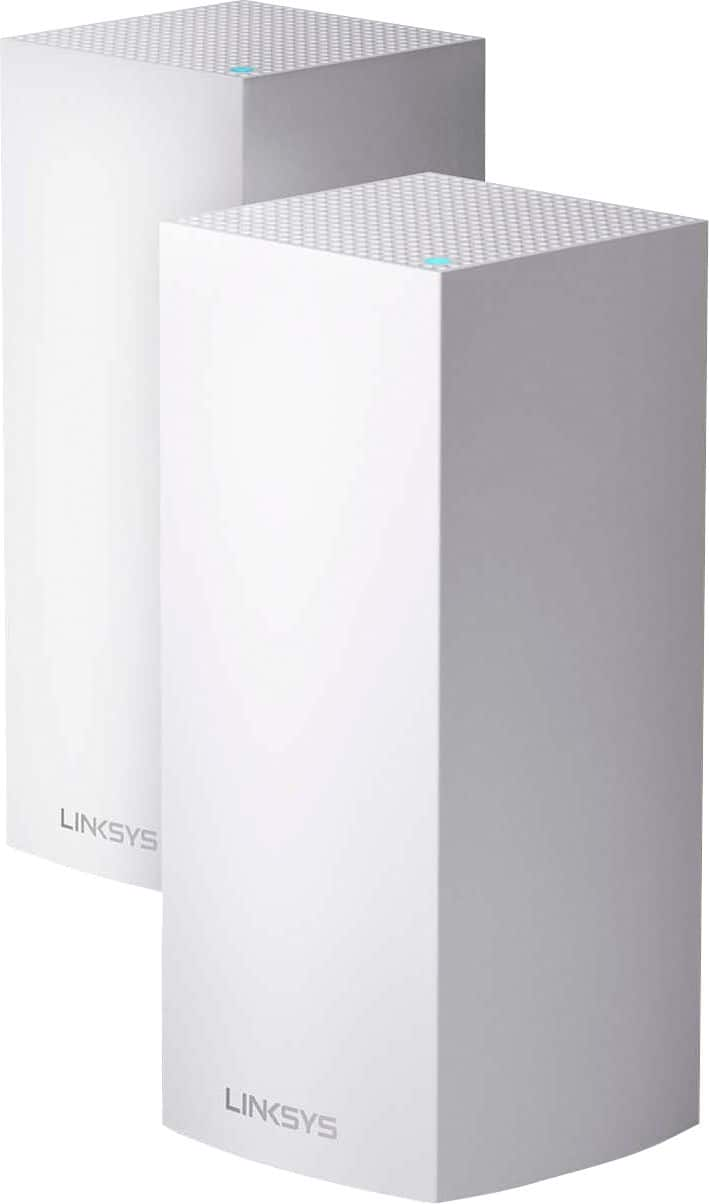
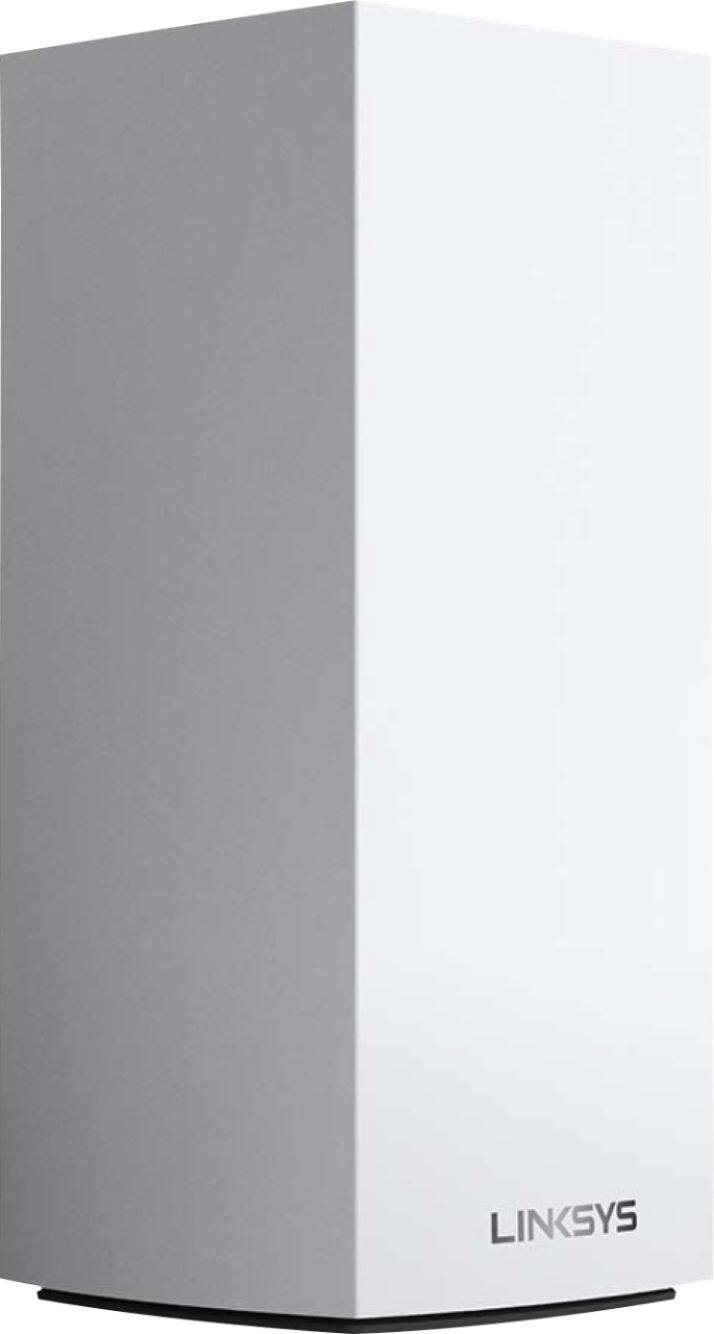
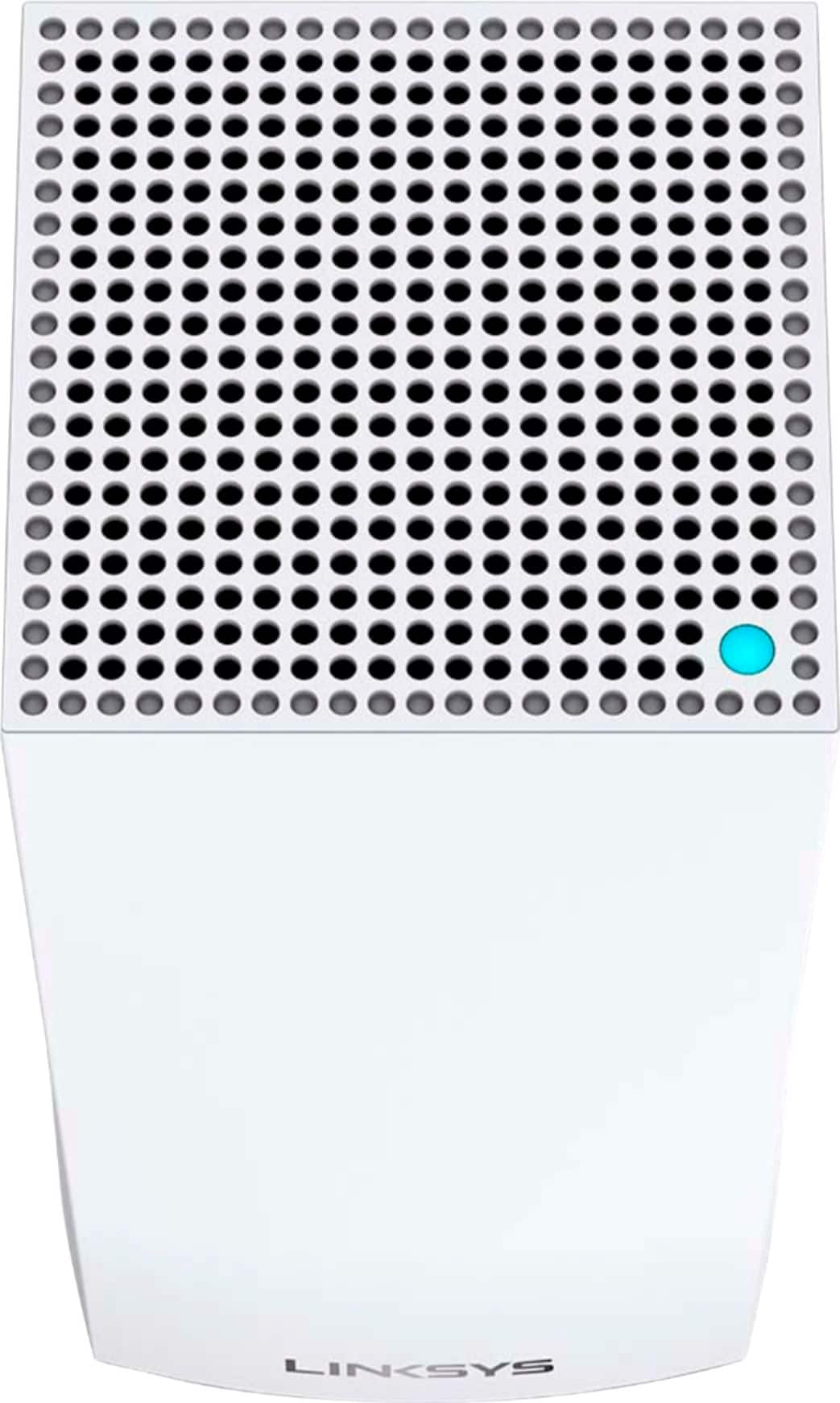
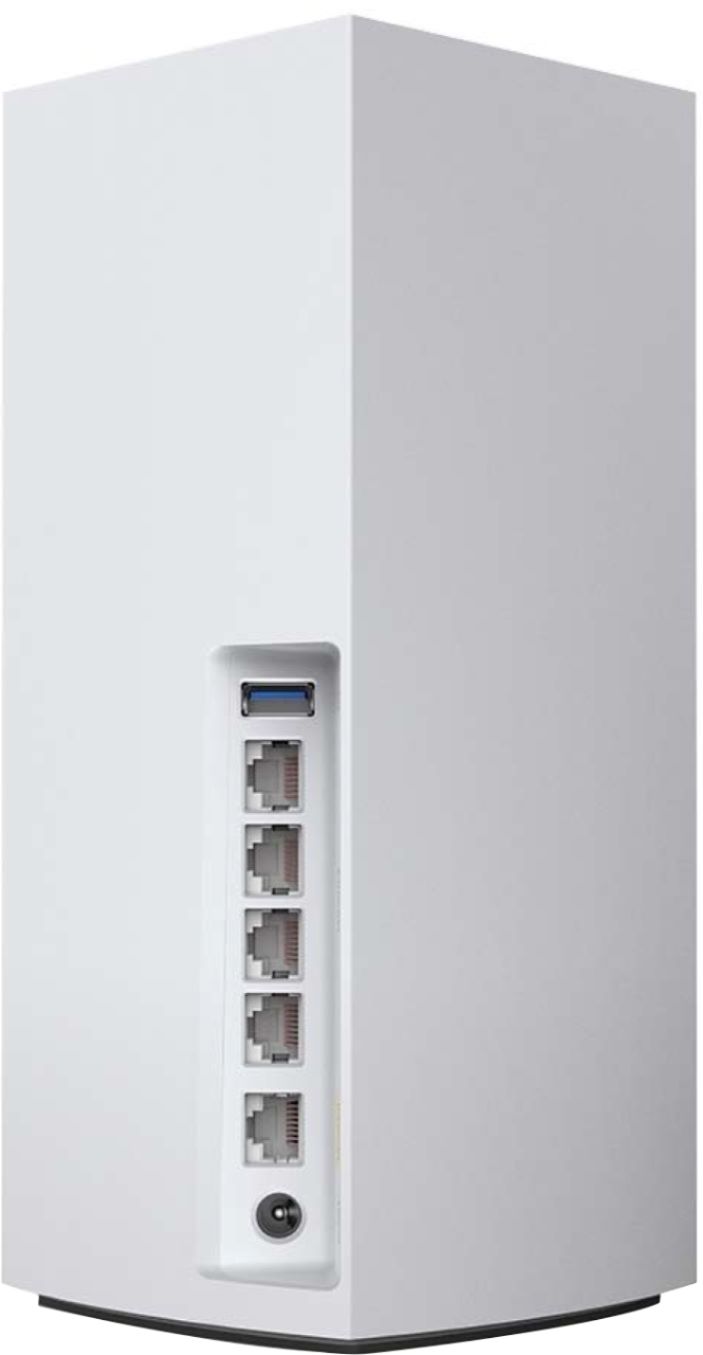
- Model:
- MX10600
- SKU:
- 6373231
Rating by feature
- Setup
Rating 4.5 out of 5 stars
- Range
Rating 4.8 out of 5 stars
- Signal Strength
Rating 4.7 out of 5 stars
Customers are saying
Customers are satisfied with the MX10 Velop AX5300 Mesh Wi-Fi 6 System's ease of use, coverage, and setup, with many praising its improved range and signal strength. Positive feedback also highlights the system's performance and the inclusion of Ethernet ports. However, some customers expressed concerns about the system's price and size, while others mentioned occasional connectivity issues and app-related frustrations.
This summary was generated by AI based on customer reviews.
Quality issues.
||Posted . Owned for 1 year when reviewed.This reviewer received promo considerations or sweepstakes entry for writing a review.It had great features and wonderful technical support but there were quality issues especially sparking when I plugged it in so back it went. It was probably just one unit with a manufacturing issue but sadly I wouldn’t take a chance on it.
No, I would not recommend this to a friendBrand response from Linksys Staff
Posted .Hi, TechM,
We’re sorry to hear about your experience with the Velop System. Feel free to tap us at LinksysCares@linksys.com should you want to give the router another chance. Our team can help you optimize and stabilize the units.
Regards,
Rosalyn
Linksys Support
Not for me, but may be for you.
||Posted . Owned for 4 months when reviewed.This reviewer received promo considerations or sweepstakes entry for writing a review.Did not meet my needs due to the configuration of my home.
No, I would not recommend this to a friendWifi
||Posted . Owned for 3 weeks when reviewed.This reviewer received promo considerations or sweepstakes entry for writing a review.Works okay but the user interface seems a little clunky.
I would recommend this to a friendInconsistent Connection - Slow LAN
||Posted . Owned for 2 months when reviewed.This reviewer received promo considerations or sweepstakes entry for writing a review.What an exceptionally disappointing experience. I had originally gone with the Linksys Velop MX option because it could directly connect to my fiber internet service with the correct VLAN port settings. And while it can do that, the VELOP base LAN speed is consistently 50% (or less) my internet speeds, and Wifi connection throughout my home (with a single OR double node set-up) is also constantly dropping out. Firmware upgrade(s) do not fix. I tried to make this thing work for way too long past my opportunity to return them. What a waste of time and money. It's certainly not worth it when even the LAN ethernet speeds are so abysmal, let along Wifi.
No, I would not recommend this to a friendBrand response from Linksys Staff
Posted .Hi, MisterMudduck,
The Linksys Velop MX5300 Mesh WiFi 6 system supports Gigabit Ethernet speed and should provide a stable WiFi connection. You can try to use the channel finder to optimize the Velop System's wireless network and try to swap the Ethernet cable between the modem and Parent node and see if this will make any difference.
For further assistance, you can share more details at [email protected] with more details and the link to this review for our reference.
Regards,
Jan
Linksys Support
- Pros mentioned:Ease of use, Speed

Streamlined Setup. Current Gen WiFi
|Posted .This reviewer received promo considerations or sweepstakes entry for writing a review.Pros: — Very impressive setup experience. The mobile app walks you through all the steps. From opening the box to connecting a daughter node around 20 minutes. I did spend some time moving around some plugs. More on that later. — Clean look. While hefty, the router itself is very clean looking. All of the IO is in the back and the LED status light is on the top and very subtle. Over time I see this blending in with the rest of the furniture. It just looks like it belongs on a book shelf. — Speed is very impressive, especially if you’re using a device that supports wireless AX (WiFi 6). Connection speed to network drives is the same as if it were connected to my laptop. Files transfer very quickly. — QOS is easy to set up. Just pick your device from the list and drag it into one of the 3 priority slots. — One broadcast name for simple setup. No need to set up multiple WiFi networks for different bands. Devices automatically connect to the best frequency. — I plugged in my network drive into the usb slot and it instantly connected and I was able to quickly access my files. — WPS setup was the fastest of any router I’ve owned. I used this to connect my printer and had to check to make sure it worked because it was so quick. Cons: — I wasn’t impressed with the size/shape of the power brick. It was difficult to find a spot to plug it into my power strip and I ended up having to unplug several devices and move it around to find a spot to plug it in. — The bands you can turn on is limited. I’m only given the option for “mixed”. On the 5ghz band all my devices are wireless ac so mixed isn’t necessary but couldn’t figure out how to dedicate it to wireless ac. — No landscape mode for ipad app. Other Thoughts: For the speed and power the router has, the size is compact. My wife loves the look compared to the dead spider look you get from other routers. It blends in with the décor beautifully and delivers next gen connectivity.
I would recommend this to a friend - Pros mentioned:Speed
Best WiFi Solution I Have Had
|Posted .This reviewer received promo considerations or sweepstakes entry for writing a review.I live in an apartment with concrete and steel construction. It is impossible for WiFi signals to get from one side to the other without the use of an extender even though I have a high-end router made to provide wide area coverage for heavy usage. Then, the extenders have their own long list of limitations. The Velop system eliminates the headaches of having a traditional extender. I have one network name. Within that one name, the Velop system runs on both 2.4 and 5 GHz bands. I do not have to pick which band or test the signal strengths between the router vs. extender to see what works better. There is no lag and my speed tests are 200+ Mbps throughout my entire apartment. Previously with the extender, any devices connected to it ran about 50% slower than the primary router. Now, I cannot find any noticeable difference in speed, regardless of how many users are streaming or where we are located. To stress the Velop system, we had three people on computers plus a TV streaming video. Setup is done via the Linksys app. Since my previous router was a newer Linksys router, I already had an account. I just had to set up a new Velop system. Once the main router was online, adding the second node was even easier. The app installs all of the settings on the node and connects the two together without any human intervention besides telling it to start. Both the main router and the extra node are the exact same physical hardware. This means they both have four functional ethernet ports for devices close to them. My smart home hub is plugged into the main router and I have a printer and my VoIP router plugged into the extra node. They all connect like any other ethernet ports and do not have any issues with connectivity. It is far more reliable than my extender. Overall, I am really happy. This is an excellent system.
I would recommend this to a friend Great when it stayed Connected
||Posted . Owned for 2 weeks when reviewed.This reviewer received promo considerations or sweepstakes entry for writing a review.Would drop connection every time I went to bed. Had to wake up and reset the network every morning. Does not cover a 3000 sq ft home. Had to buy two sets. Returned and went with the Netgear Orbi WiFi 6 router and haven’t looked back.
No, I would not recommend this to a friendBrand response from Linksys Staff
Posted .Hi, Enchillama,
We understand your decision. However, we could have tried to use the channel finder on the Linksys app to optimize the nodes and made sure that the Velop system is properly connected to your modem or modem-router.
If you need assistance with other Linksys devices, feel free to reach out to us at [email protected] with the link to this review for our reference. We'll have our Escalation Engineers assist you further.
Regards,
Jan
Linksys Support
Not worth the cost. Pick a different product.
||Posted . Owned for 4 months when reviewed.This reviewer received promo considerations or sweepstakes entry for writing a review.Fast wireless at first. Units died after 3 months of use. Warranty is good, but you have to jump through hoops with tech support to get the product replaced. Ugh. Should have bought three Orbi.
No, I would not recommend this to a friendBrand response from Linksys Staff
Posted .Hi,
The Linksys Velop MX5300 Mesh WiFi 6 System should work longer than described but, allow us to investigate what happened to your support experience, and, if you encounter any challenges with the product, we can have our Escalation Engineers assist you further. You can share your case number or phone number at [email protected] with more details and the link to this review for our reference.
Regards,
Jan
Linksys Support
- Pros mentioned:Ease of useCons mentioned:Size
Simple to setup and works great!
|Posted .This reviewer received promo considerations or sweepstakes entry for writing a review.This is replacing my previous generation Linksys Velop 3 node system. At first I was nervous with only having 2 nodes in this new system, the previous generation 3 node system was perfect for my 3000+ sq. foot home. I had great coverage inside the home and the coverage extended to the outside of the home on the back patio and pool area as well. Out of the box these are significantly bigger than the previous generation models. I started the setup and it was simple, plug the primary node in and connect it to my modem in the basement, and open up the app. It walks you through each step and before you know it you're connected. I setup up the other node upstairs and a few rooms away, but it said it was a perfect position for the node. Once all connected, I did a firmware update and then did a quick speed check... I live in a rural area, and the fastest internet we have is 100 mbs...In the past I would get contradictory results, one time would say 80 mbs download, the next time I would be in the 20s mbs... I ran a few tests and now I am consistently getting in the 90 for download speeds. Its been a few days and I'm still getting 90s, so I am happy! Coverage has been great too, I have gone to different areas in my house and outside and am still getting great coverage and fast speeds. The 2 node system is perfect and I don't have any dead areas when comparing it to my previous 3 node system. Also, the app is great! It makes the product so much easier to use... From parental controls, prioritizing devices, restating the router, to WPS setup. You can do it all through the app!
I would recommend this to a friend disappointing
||Posted . Owned for 2 months when reviewed.This reviewer received promo considerations or sweepstakes entry for writing a review.Not as simple to set up. And honestly hasn’t been working that well. Considering i purchased and extra node and still can’t get the wifi to be decent across three floors is disappointing!
No, I would not recommend this to a friend- Cons mentioned:App
Easy Set-Up, Solid Wi-Fi, App Kinda Frustrating
|Posted .This reviewer received promo considerations or sweepstakes entry for writing a review.TLDR: If you are just getting into setting up a mesh network for your home or even upgrading an early mesh network, the Velop AX5300 is a solid choice and should be future-proof for quite some time. Set-up was very easy, but it does take a day or two for the system to optimize itself. Also, don't pay too much attention to the app because it caused me more frustration than it was worth. Review: So, I have had a mesh network system for about 4 years now, which was really when they started taking off. Prior to that I had a beast of a router but you had to switch yourself between the two bands to maximize your signal. The beauty of the mesh network is that you have one network and the routers maximize the signal to your device for you. My previous system was running just fine but I was getting the feeling that I had kind of maxed it out. I recently got rid of cable in my home and upgraded my internet to a 500/500mbps connection. I also switched my TV to all streaming for three TVs and a bunch of handheld devices, plus a security network, a smart home system, and an ever expanding number of everyday appliances that now connect to the internet. I think my previous mesh network was good but I was maxing out the number of devices and maybe the bandwidth as well. When I saw the Linksys - Velop AX5300 system, I figured that this one, with wi-fi 6 and the ability to handle over 50 devices at a time, would be more than enough to last me well into the future. I worried a little bit about switching devices and manufacturers especially since I have so many devices linked in now and the security devices are a bit of a pain to set up, but then I had an epiphany and realized, why don't I just give it the same SSID and password? DUH! I realized in my smart home I am now probably the dumbest thing. I'm sure others had figured that out already but I've never done that before. Set-up of the Velop system was super easy. My previous system had two base units and so does this one and so I just pulled the other two and placed these two towers in their place. I thought that I might even be able to use the same power but I noticed that the Velop system pulls a bit more juice than my previous one and I didn't want to handicap it even though the plugs were the same. So two plugs, and a swapping of LAN cables which took all of five minutes and I was ready to rock. I fired up the app on my phone, hit the sync button on the main base station and the app found it right away. It asked to do a firmware update which was the longest part of the entire process and even that was only about ten minutes. The app then asked me to go upstairs to the second 'node' and link up, again this went super smooth and the main node even took care of doing the firmware update for this node. I set everything up with my old SSID name and password and everything linked back up immediately. With that, I thought I was pretty much done. I was wrong. Later in the day I went to go plug in my car in the garage and noticed that the ChargePoint device was flashing that it lost it's internet connection. My Ring network extender was also flashing that it had no signal. I thought this was weird because in the past some of my best signal strength was in the garage because the second node is right above the garage. I whipped out the app to check the signal strength on the connected devices and noticed that the second node was off-line and the primary node was doing a pretty cruddy job connecting to anything beyond the office where it is placed. I took care of the secondary hub first and found that it had completely taken itself off of the network and I had to reinitialize it again, though I did not have to do another firmware update. I did have to name it something else because it said that 'Loft' was already taken by another device but it wasn't on the network. Once I got it up and running again, it has stayed solid and the garage devices and a few of the other security devices picked up much better signal. After using the app to figure out what device was on which channel/band and how much signal it was receiving I began to make myself crazy trying to figure out why the upstairs streaming device was pulling the long-range and lower-bandwidth signal from the downstairs node even though the upstairs node was like three feet away and should be feeding it the firehose strength signal. Tons of device connections were not making any sense. I have a pretty new house and it is primarily stucco on the outside so the mesh that surrounds my house does create a kind of Faraday cage but that usually just give me a terrible cell signal in my house and usually doesn't interfere with the interior wi-fi. This time it seemed if I put a single wall between me and one of the nodes, I lost all signal. I thought this was really weird because one of the prime reasons I wanted the Velop AX5300 system is because it specifically said that it has the power to blast the signal through your house and it was doing anything but. By then it was pretty late in the day and I was going to test out some things in the morning and if things couldn't get straightened out, I was going to call tech support, and if that didn't work, I was going to go back to my old system. Fortunately, the next morning they system seems to have figured itself out. I know the system says that it has Target Wake Time and some other features that are supposed to maximize signal and reduce battery drain on devices, so I wondered if the system just needed some time to figure everything out and then it optimized the system from there. Whatever it did, everything was running solid. Even though the app still showed some strange connections, for all I know it was taking into account what all was connected where and what each device needed and was giving it the optimized signal/bandwidth. Like I said, I was getting the feeling that I was now the dumbest thing in my house! So that was a lot to tell you that the Linksys Velop AX5300 is a solid system that just needs a good 24-36 hours of a shakedown cruise to get up and running beautifully. While it is a bit pricey of a system, you are pretty much taking care of everything you will probably ever need for many years to come. It definitely deserves a solid look when considering your mesh-network options. The star rating should really be about 4.5 stars and that is just because of the frustration of the app and some of the initial befuddlement.
I would recommend this to a friend Limited Support
||Posted . Owned for 1.5 years when reviewed.This reviewer received promo considerations or sweepstakes entry for writing a review.This statement by manufacture is true when they say “ limited”. Invested 7+ in troubleshooting once approved for RMA good luck getting product, now on my third follow-up. Manufacture support: Backed By 3-Year Limited Warranty and Tech Support Velop is backed by both a three-year warranty and a three-year tech support guarantee. This premium level of support also includes a dedicated phone support line.
No, I would not recommend this to a friendBrand response from Linksys Staff
Posted .Hi, Chris,
This is certainly not the experience we wanted you to have with us. Our Escalation Engineers would love to investigate your case. Please email us at LinksysCares@linksys.com with your contact details and the link to this review. Hope to hear from you soon.
Regards,
JC
Linksys Support
- Pros mentioned:Range
Currently only 1 of 2 nodes works
|Posted .This reviewer received promo considerations or sweepstakes entry for writing a review.If you have a large number of devices connected to your network and need coverage for a large home, definitely consider the Linksys MX10 system. The system comes with 2 nodes and this is to replace a 3 node system of a different brand. As my summary states, 1 node is not working from this Linksys setup, so I was just using 1 node for most of my review, so I know is not a real world test...or is it? My home is 1800sqft upstairs and the same finished downstairs with 10ft basement ceilings and the ductwork runs through the middle of the house between the floors. With just 1 node all of my devices connect. I have noticed some buffering with a couple of my Roku devices that wasn't present before, but again that is 1 node running and I average 17 devices connected at a time. I pretty confident I would not notice any lag if I had the 2nd node working. As wifi routers setup go, this was definitely one of the slowest processes I have ever done. Took about 40 minutes all in. There are multiple steps and each one took the max amount of time stated for the process or more the tutorial said it would take. And this process is required for each node being setup. Now since I know 1 node is an issue, the setup time may have been greatly factored by this too. What I really like about this node style is that each one has 4 Ethernet ports and a USB port making it easy to connect devices that you wish to be hardwired or even adding a NAS device, which were my main reasons for getting this, as the current setup lacks this functionality. In the very beginning (like first 15 minutes) when both nodes were working I was able to get great range from the setup. With my last traditional wifi router setup I was able to stay connected outside from about 50 yards from my wifi router. When I switched to a mesh system for better overall in home connectivity I lost that range. I get almost the same range as traditional wifi router with both Linksys nodes working and total home coverage, so I know when the system is at full potential it should operate just fine. On paper and nearly in use, this setup ticked off the boxes that I wanted in my setup. My rating reflects the issues I have encountered. I know its not node location. I have tried every conceivable useful location. It just simply will only stay connected for no more than 5 minutes, drop off, then reconnect. Not sure if it was an issue with the firmware update right out of the box or just a faulty node? I'm definitely giving Linksys the benefit of the doubt here as my preferred setup works just fine with my older mesh setup that I have reverted back to until I can go through the phone process that they make you go through to get something replaced, etc. My wife and I both work from home with odd schedules, so its really been hard to drop the internet to go through the support chain of command. For the amount of devices it should be able to support and the extra wired features, this is a compelling setup. Just wish I didn't have the issues out of the box that I did. As for the app integration for controlling everything, there was a little bit of a learning curve, mostly I don't care for where they place the location of finding the current connected nodes, should be a bit quicker to access. I want to recommend this product, but just know you may have to give yourself some more time if you run into any issues.
I would recommend this to a friendBrand response from Linksys Staff
Posted .Hi, MnstrMike,
Several factors may have caused the challenge as the setup is designed to be a breeze just as the manual states. Allow us to have our Escalation Engineers check into the setback instead and provide you with recommendations that’ll work in your network environment as well as check into the node that doesn’t function as expected. Just drop us a word or two at [email protected] along with your contact information and a link to this review as our reference when you reach out.
Regards,
Rosalyn
Linksys Support
- Cons mentioned:Size
Great Mesh System, AX too soon
|Posted .This reviewer received promo considerations or sweepstakes entry for writing a review.This is a solid Wi-Fi mesh system. I'm using it great with several AC devices. While I've purchased several modern systems, none of them had the option of 802.11AX. So I can't take advantage of the AX features and efficiencies it's supposed to bring. When you get this 2 node set, it comes with two identical boxes surrounded by a sleeve. The nodes are identical. There is no physical distinction between the master node and the slave node. The difference is purely logical. Whichever one you set up connected to your internet modem will get set up as the master node. On square footage, my house could be serviced by one node, but I was hoping for a 3 node set since my main floor is spread a little long. With a 3 node set, I would be able to set a node on the main floor, a node upstairs and a node in the basement. I see on the sleeve that the scaling is even. Each node can handle up to 3,000 sq. ft. So a 3 node set could possibly handle 9,000 sq. ft. But I cannot find a vendor that sells 3 nodes in a set. The nodes of this Velop AX5300 Mesh Wi-Fi System are much larger than I expected. My previous Velop system's main node was small only measuring a couple inches square at the top and about 6 inches tall. This meant that the main node could only house 2 network ports, one for Internet and one for LAN. The nodes for the Velop AX5300 are huge by comparison. They are 4 inches square at the top and flair slightly at the bottom and stand 9.5 inches tall. As I pulled them out of their respective boxes, my first thought is that they reminded me of 1/2 gallon milk cartons. The rear panel contains 1 Gigabit Internet port and 4 Gigabit LAN ports. On the underside, there is an on/off switch which has conveniently been set to on, a WPS button, a reset button and a sticker that provides the SSID Name, password and recovery key. Since the slave node is identical, that means it also has 4 Gigabit LAN ports, which is useful to connect next to my basement media center and hard-wire connect my Roku and other streaming devices. Setting up the main node was about what I expected. Most modern wireless routers drive the setup to occur with a mobile app. I already had the Linksys app from my previous router so that wasn't a problem. However, in my case, since I already had Linksys products, the Linksys thought I was trying to manage my previous product and I had to poke around to find a way to tell it I wanted to set up a new device. Once I had a basic setup, I had to reset my computer and point its browser to 192.168.1.1. From there I had to change the private IP address to one that my other systems would recognize. I then set my SSID and password to match my previous one so that most of my devices attached to the wireless without having to go to each device and join it manually. I have over 40 devices on my network at any time (more than half of them are smart devices like light switches). So any shortcut I can take is greatly appreciated. I also run some virtual machines that I like to keep on statically assigned IP addresses. So I had to go to Connectivity->Local Network->DHCP Reservations. I had 13 to enter and the MAC addresses were the hardest to enter. In some systems I could just run all the characters together, but in this system, I had to add in the colon between each pair of characters. I also run some services so I had to set up some port forwarding. That was found under Security -> Apps and Gaming -> Single Port Forwarding. This was much easier to enter since it was just IP addresses and ports. Note: Neither DHCP reservations nor Port Forwarding are necessary for normal home users. However, I would like to see an option to export those settings and import them on new routers. Especially when both the old and new routers are Linksys systems. Once I was satisfied with those settings, I went downstairs and added the second node within the app. That took about 10 minutes to complete. I would say setting up these nodes was an easy process with the Linksys Mobile App. Since I have a custom network, I needed to put in more effort, but coming from a previous Linksys system, I knew where to find most of the settings I needed to change. I love mesh networking systems like the Velop system. At one point in my home network history, I had a pretty beefy wireless AC router and a network extender and I did not like that. I had hoped my network extender would extend all the different SSIDs. (2.4 Ghz, 5.0 Ghz, 2.4Ghz-guest, 5.0 Ghz-guest). Instead, that network extender created its own SSID and it would only extend one band. Mesh networks negotiate all of that into two networks. One for your regular network and one for your guests if you choose to enable it. All the negotiation between 2.4 Ghz and 5 Ghz bands are done between the router and the end device. It's the way it should be in my mind. Handoff between the mesh nodes requires no user effort. One feature I would like to see brought back is the option for guests to have access to local network resources. It wasn't a popular feature, but sometimes I would need to grant a guest user access to something like my network printer for a short time. I could grant the local network access via a checkbox in the router settings and then clear that checkbox later. Most people would probably just move the user from Guest Wi-Fi to main Wi-Fi. Unfortunately, I jumped on the AX bandwagon too early to make any significant use of the technology. I don't have any AX devices at this time. Let's be clear, AX will not provide better Wi-Fi range, it's still using 2.4 Ghz and 5.0 Ghz so you will get the same range as AC. While there is a modest speed increase per channel, it's only achievable with AX devices. Where you find the need for AX is for dense Wi-Fi usage areas (e.g. airports). The sleeve says it will hand 50+ users. This is a bit of a misnomer. I can have hundreds of Wi-Fi devices connected if I wanted. AX, however, is tuned to provide faster speeds across more people than AC. This would be a great system for those who want to take advantage of or future planning for AX features and the efficiencies it brings. For most homes, I would actually recommend a decent AC Mesh Wi-Fi system at this time. For a small business, I might set up this system, but I would actually bring back a feature I had in my Linksys Max-Stream EA9500 router. That router had a Guest system that would immediately connect but take the guest user to a capture portal where they entered the guest password. That system would reset the connection at midnight, to force guests to re-enter the password each day. It was annoying in a home, but I think it has use in a small business.
I would recommend this to a friend Do not buy
||Posted . Owned for 5 months when reviewed.This reviewer received promo considerations or sweepstakes entry for writing a review.it goes in and out i thought by paying a lot of money for that it would be good but is very bad too late to get my money back for my Nighthawk work way better and I have to pause one upstairs one downstairs don't want upstairs everyone's complaining that the internet is bad so much for paying a lot of money for something to work good
No, I would not recommend this to a friendBrand response from Linksys Staff
Posted .Hi, John,
Factors such as thick walls and other electronic devices can contribute to dropping connection coming from the system. Make sure to run the latest firmware and the child nodes are placed on the optimal spots. Our Escalation Engineers would like to take a closer look at your experience and help you figure out what's causing this to happen. With the link to this review and your contact details, please send us an email at LinksysCares@linksys.com so they can lend you a hand on this matter. Indicate a small but brief description of your network topology and their LED statuses when they lost connection from the network.
Regards,
Carl
Linksys Support
Ughhhhhh
||Posted . Owned for 3 weeks when reviewed.This reviewer received promo considerations or sweepstakes entry for writing a review.Spent nearly a full day between Verizon customer service and Linksys customer service. This should have been an easy setup but became a disaster. Bottom line... if you are trying to get better coverage in your house with a new WiFi 6 gigabit router and this as an extender, forget it.
No, I would not recommend this to a friendTerrible support for a Terrible product.
||Posted . Owned for 2 months when reviewed.This reviewer received promo considerations or sweepstakes entry for writing a review.Had this device less than 60 days, and the nide dropped off 2 times. Had spent 2 hours the first time and 5 hours the second time with linksys support with them hanging up on me 3 times. I returned it and bought and Orbi. Dont waste your time or your money.
No, I would not recommend this to a friendBrand response from Linksys Staff
Posted .Hi, Leoper215,
The Linksys MX10600 Velop WiFi 6 System should deliver a stable connection. We could have tried to update the firmware and use the channel finder to optimize the node. But, allow us to investigate your support experience. You can share your case number at LinksysCares@linksys.com with the link to this review for our reference.
Regards,
Jan
Linksys Support
Slow, poor range, inconsistent
||Posted . Owned for 3 weeks when reviewed.This reviewer received promo considerations or sweepstakes entry for writing a review.Not ready for prime time. I get poor speeds from the satellite, dropouts, and lots of inconsistency from this product. Considering returning and trying something else as a result.
No, I would not recommend this to a friendBrand response from Linksys Staff
Posted .Hi, wajezza,
The Linksys Velop MX10600 should deliver stable connection and speeds of up to 5.3 Gbps. You can try to use the channel finder on the Linksys app to optimize the node and make sure to update the firmware.
Please email us at [email protected] with your contact details and the link to this review for our reference and, we'll have our Escalation Engineers provide further assistance.
Regards,
Jan
Linksys Support
Velop AX5300
||Posted . Owned for 11 months when reviewed.This reviewer received promo considerations or sweepstakes entry for writing a review.Impressive specs but woefully disappointed with setting up. Many devices in home could not connect. After hours with technical support I gave up and decided to return
No, I would not recommend this to a friendBrand response from Linksys Staff
Posted .Hi, IC68,
We would like to investigate your case as we could have you assisted by our Escalation Engineers. Thus, we understand and respect your decision upon returning the unit. In case you have future concern with any of our products, please feel free to communicate with us so we can assist you with it by sharing it through email at LinksysCares@linksys.com with your case number/phone number and the link of this review, for reference.
Regards,
Elyza
Linksys Support
- Pros mentioned:Ease of use
Amazing coverage for my house and future proof
|Posted .This reviewer received promo considerations or sweepstakes entry for writing a review.I am so excited to have my pad set up with this mesh wifi system. I have the unfortunate reality of living in a condo that suffers from mystical "dead-spots" akin to geographic vortexes like the Bermuda triangle where I just cannot seem to get internet when I am running a single Wifi router, no matter the strength. Perhaps my 2006 built condo was intended to be a bomb shelter and the walls are lined with lead, but I digress. These little nodes where super simple and handy to set up. I downloaded the Linksys app onto my phone and following the prompts I had my internet up and running in minutes. The difference is incredible. I can take my laptop into any room in the place and have full coverage at the maximum speeds available to me through my Charter plan right now; about 100mbps. Speaking of this, one of the huge excitements I had for getting this specific mesh WiFi system is that it is WiFi 6 and capable of Gigabit wifi speeds so that when I upgrade my home office, I will be set to go to upgrade my internet and have routers that are capable of the speeds I am paying for (this is a super common tech troubleshooting you will find; people paying for very fast plans but having terrible routers or signal coverage in there situation). Another thing that excites me about these is the ability to add nodes later if I want to. I have a nice private patio that I am thinking of setting up as an outdoor lounge this summer and if I am having trouble with the internet out there, I only have need to by another separate node of the same compatibility and model from Linksys and I will be set to go! Overall, for ease of set up, future-proofing, looks, and function, these get a solid 5 stars. Thanks for reading and I hope this was helpful in some small measure!
I would recommend this to a friend