Customer Ratings & Reviews
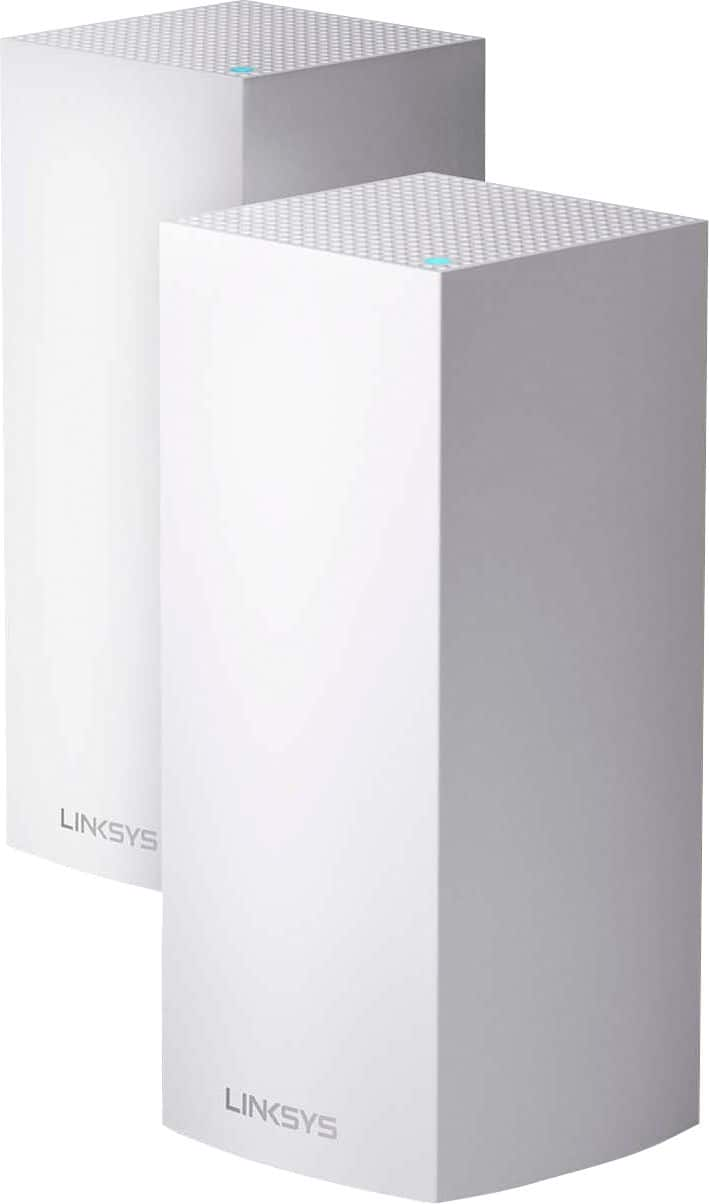
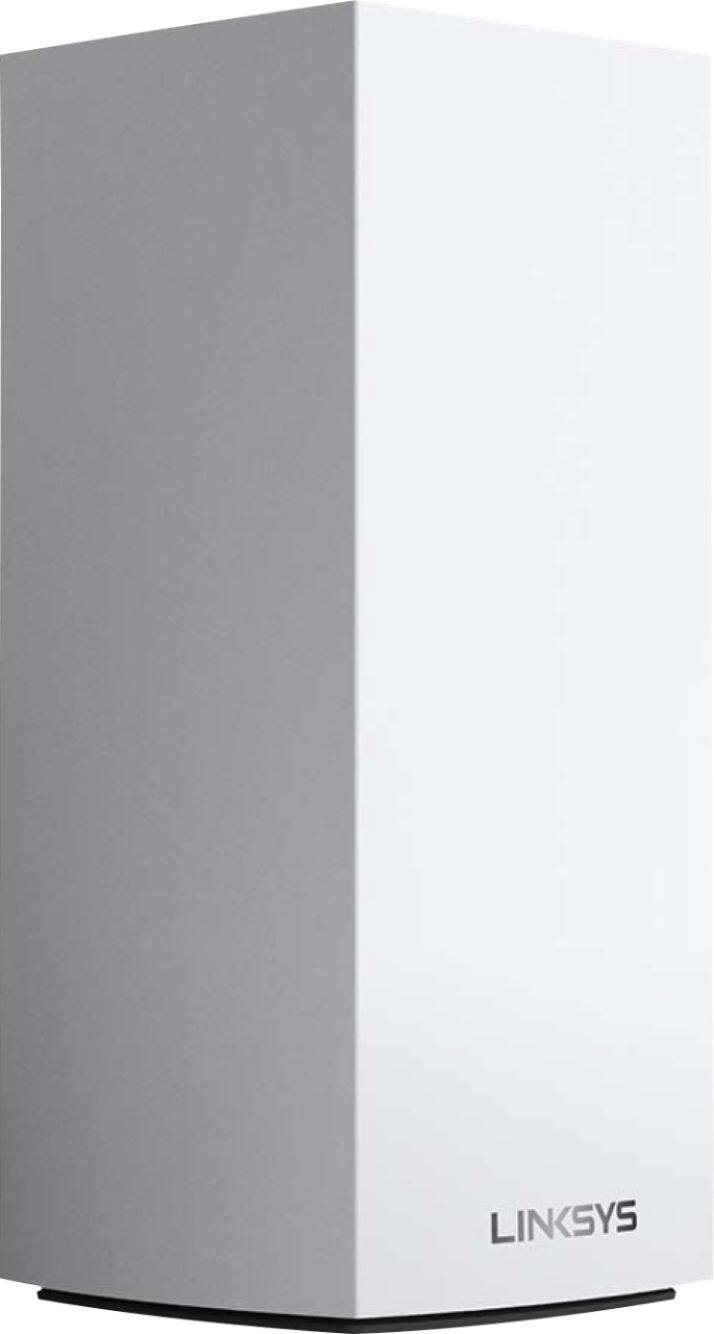
- Model:
- MX10600
- |
- SKU:
- 6373231
Customer reviews
Rating 4.4 out of 5 stars with 489 reviews
(489 customer reviews)Rating by feature
- Setup4.5
Rating 4.5 out of 5 stars
- Range4.8
Rating 4.8 out of 5 stars
- Signal Strength4.7
Rating 4.7 out of 5 stars
Customers are saying
Customers are satisfied with the MX10 Velop AX5300 Mesh Wi-Fi 6 System's ease of use, coverage, and setup, with many praising its improved range and signal strength. Positive feedback also highlights the system's performance and the inclusion of Ethernet ports. However, some customers expressed concerns about the system's price and size, while others mentioned occasional connectivity issues and app-related frustrations.
This summary was generated by AI based on customer reviews.
- Pros mentioned:Coverage
Rated 4 out of 5 stars
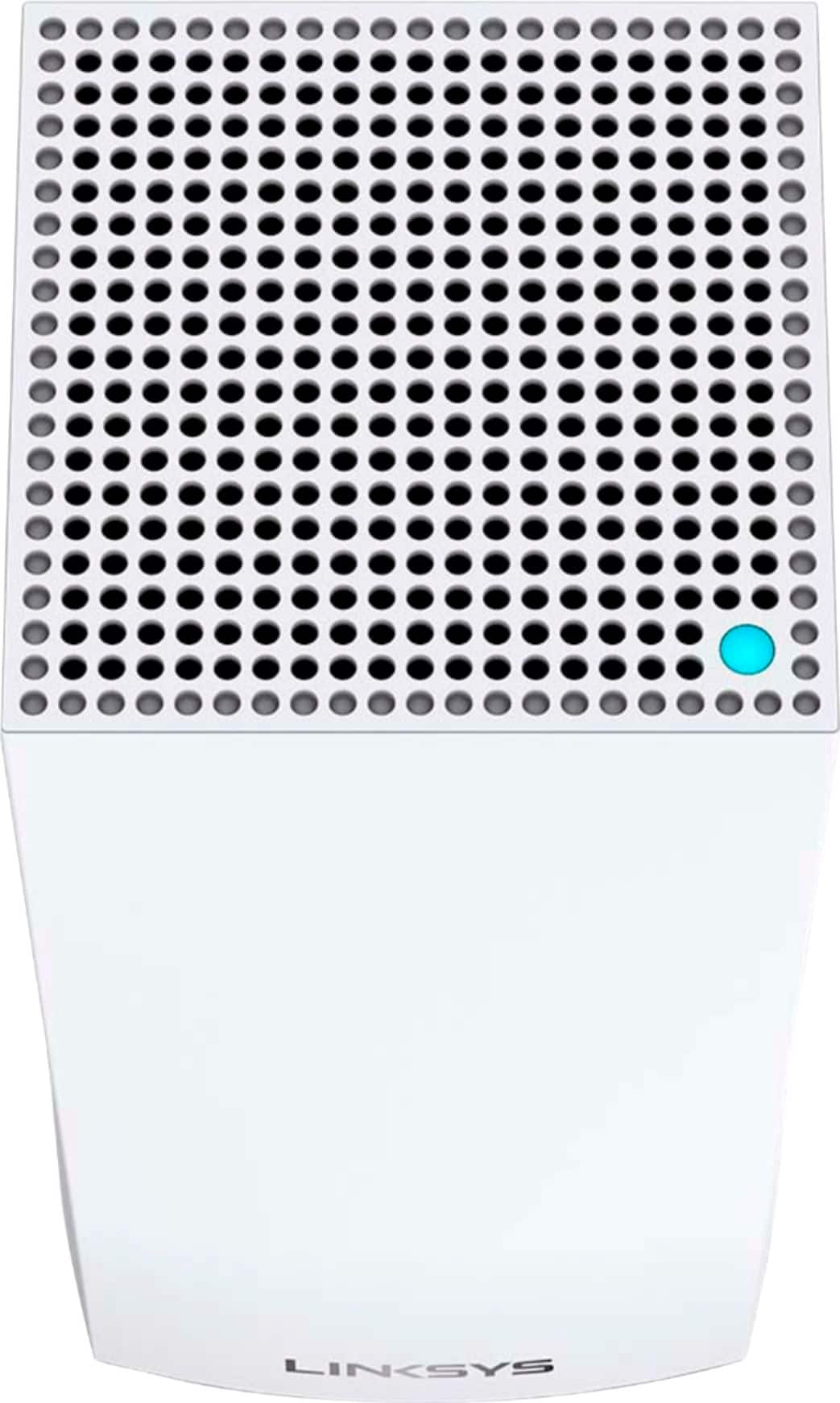
Needs LED on/off control when status is fine
||Posted . Owned for 3 months when reviewed.This reviewer received promo considerations or sweepstakes entry for writing a review.Works extremely well and much better than the original Velop, AC three pack. Wish the internal setups would allow more flexibility and customization, but what is there is adequate. Be aware that Linksys hasn't released a firmware update on this model in many months. Coverage in our 2400 sq/ft home is amazing and what really motivated me to pick this Mesh pair up was the inclusion of 4 Ethernet ports on EACH tower. That was the deal maker for me at this high price point. My only real complaint is the super bright status LEDs on the top of each tower. Linksys should have built into the firmware an option set to either lower the brightness of the LED and/or offer an option to completely turn them off unless an important notification state was needing attention. I consider it a really bad design decision not having that included. Sure, you can place small bits of tape over the top facing LED ... but really? You shouldn't have to do that when paying this much for a pair of wireless nodes. In other words, not a bedroom appliance unless you're specifically shopping for a wireless mesh system that seconds as a night light ; ) Subtracted one star due to the lack of LED light control built into the firmware of this really expensive bit of kit.
I would recommend this to a friend - Pros mentioned:SpeedCons mentioned:Price
Rated 4 out of 5 stars
Fast WiFi 6
||Posted . Owned for 3 weeks when reviewed.This reviewer received promo considerations or sweepstakes entry for writing a review.Great product! Fast as heck and I have had no issues with playing games. I have these set in the absolute worst places in my house so my kid doesn’t mess with them and the signal strength is still awesome. The only issue is the price but if I was able to get this on sale I’d definitely buy it and will get a 3rd to ratchet things up for outside the house.
I would recommend this to a friend - Pros mentioned:SetupCons mentioned:Price
Rated 5 out of 5 stars
Very good, but expensive
||Posted . Owned for less than 1 week when reviewed.This reviewer received promo considerations or sweepstakes entry for writing a review.I wanted to upgrade to a mesh router because our coverage wasn’t what we needed. And I wanted WiFi 6 for future-proofing. This tri-band router works great and was reasonably simple to set up. But ouch, the price. I suppose I could have waited a year or so for prices to drop. I wanted black but only white was available anywhere. Still, these are nice looking modules and the fact that there are multiple Ethernet ports on the back of them makes them very configurable.
I would recommend this to a friend - Pros mentioned:Ease of use, Range, Speed
Rated 5 out of 5 stars
MX10 Velop AX5300 is a real WINNER.
||Posted . Owned for 1 month when reviewed.This reviewer received promo considerations or sweepstakes entry for writing a review.The Linksys - MX10 Velop AX5300 Mesh Wi-Fi 6 System was extremely easy to insall and setup. It has preformed well above what I expected. The range of the Wi-Fi signal is very impressive. There is no lag time on up/down processing from the 9 devices that I run via Wi-Fi. Would recommend this Wi-Fi solution for any household.
I would recommend this to a friend - Pros mentioned:Setup, Speed
Rated 5 out of 5 stars
Great router upgrade
||Posted . Owned for 2 months when reviewed.This reviewer received promo considerations or sweepstakes entry for writing a review.I am VERY impressed with these routers. I’m someone that has been deep in the “apple” camp for many years. Say what you will about Apple, but I rarely have issues with their products. They build them to last. That being said, I had several AirPort Extreme base stations (towers on the AC band) that were starting to show their age. My home wasn’t hardwired for Ethernet, so the extra towers I had that were extending my wi-fi, were slowing our internet down. I did a lot of research and decided on the Linksys AX5300 mesh models. Set up was much like Apple’s wireless networks. VERY EASY. Download the app from the App Store, set up the base router, then add your additional units one at a time. Whole process took less than 20 min. An additional feature I’m excited about them bringing to this unit that they’ve already released on the previous WIFI 5 models is Apple HomeKit support. We’ll be able to further lock down how Apple’s HomeKit devices communicate internally and externally - meaning, if we so chose, we can prevent those devices from calling home to the manufacturers (think security cameras). As far as connectivity - these are great. Haven’t had any issues/dropouts. Connection between the satellites and the base unit is strong/steady, and my internet speeds haven’t dipped at all. Highly recommend this router!
I would recommend this to a friend - Pros mentioned:Speed
Rated 4 out of 5 stars
Fast WiFi
||Posted . Owned for 3 weeks when reviewed.This reviewer received promo considerations or sweepstakes entry for writing a review.I upgraded my home wifi as many smart devices were interfering with each other . Installation was pretty simple with the use of the Linksys app. After the first node was connected, I had to an issue trying to set up the second. But I moved to the same room as the first to set up the connection. After the connection was set up, I was able to move it downstairs to spread the signal though out the entire house. I didn't try the set up with just one node but that probably would have covered the whole house. Speeds are faster now with the new system. Getting the speeds I'm paying for. I no longer have interference between devices and getting the same signal in the backyard that I'm getting next to the modem. This model has a USB to connect a drive to your network. Took a few minutes to figure out how to map the drive to allow network access. The negative is the cost. Kind of pricey. There is an app that you can connect to Alexa but it seems useless to me.
I would recommend this to a friend - Pros mentioned:Setup
Rated 5 out of 5 stars
Awesome in box, well 2 boxes really.
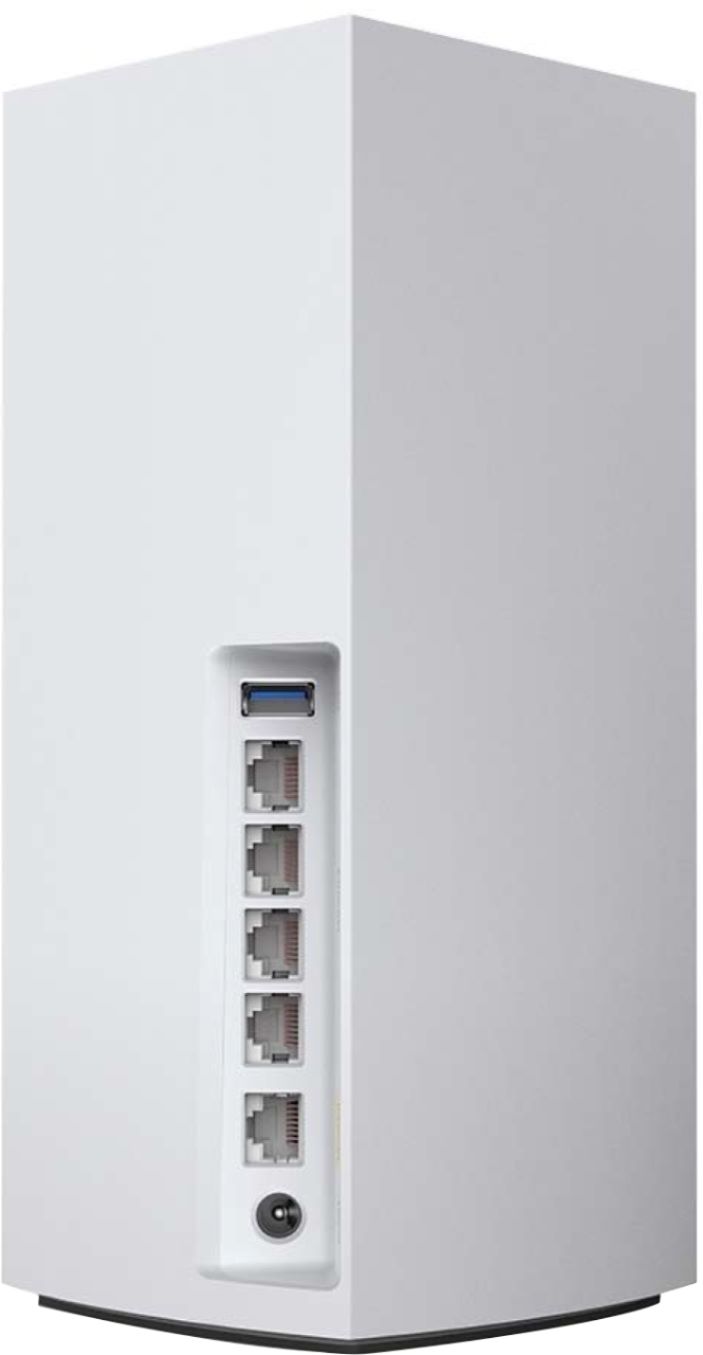
||Posted .This reviewer received promo considerations or sweepstakes entry for writing a review.This was completely easy to setup both units. They act as a single network router. If you know anything about Enterprise computing, think of it as a clustered network router. I have 2 office spaces in my home, one upstairs for my son and one downstairs for me. I places one in each location. My son's PC had slower WIFI, but a gigabit wired network interface card (NIC). These each have 1 Wide Area Network (WAN) port and 4 Local Area Network (LAN) ports. So I wired my son's PC & game machines to the Linksys node in his office space. That Linksys node connects wireless to the Linksys network node in my office space which is connected to my Internet modem via the WAN port. Some of the equipment in my office is wired to the Linksys node, whilst others are connected via WIFI. Linksys MX10 is essentially a 2 pack of the Linksys MX5. I plan to but an MX5 so I can add a 3rd node in my living room. My home entertainment equipment, including smart TV do not have WIFI 6, but with the option to wire them to a Linksys network node placed near them, I can rely on their wired NIC speed to the local node and the nodes WIFI 6 speed connection back to the primary node in my office. My internet connection is 1 Gbps (gigabit speed) so effectively I can boost the speed of most of my old equipment to match that gigabit speed without running wires throughout my house. OK, so I was getting 290 Mbps using my old cable modem (supplied by my ISP) and my old Linksys router with WIFI 5. Signal strength impacted speeds in some parts of the house, but it wasn't a major problem. I returned the ISP's modem, bought my own gigabit capable modem (checking my ISP's list of certified devices) and upped my service speed to gigabit internet. plugged the modem into the cable line. Plugged the primary node's WAN connection into the new cable modem's network port, downloaded the Linksys app to my phone and configured the node and the WIFI setup by following the simple, easy instructions. I plugged in a wire from my wife's PC, located in my office space, to the Linksys network router node and was able to login to the admin portal that way also. Ran a speed test online and it was getting over 900 Mbps. Ran the test from my laptop using WIFI and got a bit over 650 Mbps. Laptop only has a WIFI 5 wireless card, thus the speed is reduced vs wired connection to the Linksys node. Excited by how easy it was, I took the 2nd Linksys node upstairs and set it up in my son's office space. I removed the monster of a WIFI antenna array sitting on top of his PC (a gaming NIC), and plugged his wired gigbit network card to the secondary node upstairs. This secondary node, mind you, is connected wirelessly to the primary node in my office via the WIFI 6 Linksys Velop router. I ran a speed test on his PC and it was also getting over 900 Mbps. My son's PC has dual channel NIC, capable of connection pooling (using 2 connections as 1 to speed up & downloads), so I plugged a second wire from his PC to the Linksys network node in his office space. At this point, it is my ISP's connection speed that has become the limiting factor, so his speed with the 2nd wire for the speed test was not significantly improved; however, his connection to other resources on our internal network, when using applications also support connection pooling, was very much improved. These Linksys Velop AX5300 Mesh WI-FI 6 routers also have a USB port and builting SMB server capabilities. I plugged a USB portable hard drive, even tried it with a USB memory stick (flash drive) and was able to use it as simple network accessible storage drive. And I was able to setup a drive on each one of the nodes and it supports that too. All my media and music files went onto an 8TB drive and I setup my game machines, upstairs and downstairs, and each PC, with a media player capable of access SMB network resources... and now I can listed to my favorite music from anywhere in my home, even on my phone. Now, due to issues with how the 8TB portable drive was setup by it's manufacturer this Linksys network router could not initially connect properly to the drive to setup the SMB access. Linksys support was awesome, though ultimately it was a design issue with S**G*** portable drives. Whilst waiting for a callback from Linksys' advanced support team, I found and fixed the problem with the drive, Once I had done that, it was simple plug & play to setup the SMB access as well. In short, the only problem I had was not with Linksys, though they could build a workaround into the device fairly simply to avoid such issues if they choose. The service they provided for it was awesome. They also followed-up with me, after I told them I found the solution, so they could fully document what I found and they sent that off to their product development team to look at. So maybe they will build a workaround into a firmware update. They will surely update their support manuals for their support agents should they continue to see issues with S**G*** drives. Yes, I would recommend this to my friends. In fact, I wrote up a story of my experience with this and shared it on our internal messaging boards at work the very next business day. I was uneasy about spending this much money on a router, but I've been using about a month now and I couldn't be happier all around.
I would recommend this to a friend - Pros mentioned:Ease of use, Speed
Rated 4 out of 5 stars
ok product
||Posted . Owned for 1 month when reviewed.This reviewer received promo considerations or sweepstakes entry for writing a review.The mesh wifi by linksys was easy to install and set up. I don't see any improvement of our non mesh linksys we had before. We had the nighthawk. Never had an issue or a dropped connection. I have found that we have had some instances of dropped connections on my iPad. However, this could be because I iPad is four to five years old and may be having a little challenge. We have the highest level of home wifi that we pay for, therefore with the upgraded Linksys, we are seeing the true speed of our service. I am not quite convinced they were worth the price we paid. I am going to mark below that I would not recommend to a friend based on the price only. I believe there are items out there for have the price that would provide the same service.
No, I would not recommend this to a friend - Pros mentioned:Coverage, Setup, Speed
Rated 5 out of 5 stars
Velop just improved from very good to great!
||Posted . Owned for 3 weeks when reviewed.This reviewer received promo considerations or sweepstakes entry for writing a review.Upgraded a large 7000sq ft. home from the Velop tri-band AC6600 which required 3 units to the new Velop AX5300 which only needed 2 units. The results were better coverage, easier setup, faster speed, added compatibility and function. This is by far the best mesh network you can buy!!!
I would recommend this to a friend - Pros mentioned:Setup, Speed
Rated 5 out of 5 stars
Best Router Ever . Great product .
||Posted . Owned for 2 weeks when reviewed.This reviewer received promo considerations or sweepstakes entry for writing a review.I want everyone to know that I don’t work for Belkin and neither I am doing this because of free trial . I purchased this router when it was on sale for $599 and what can I say . Before I was using the Google WiFi and I was getting the speed of 150-200 Mbps when I am paying for 300 Mbps . With velop I am now getting 360-380 MBPS in close range and 300 MBPS in second floor . I use one bar for most part and even one is so powerful that second floor is clocking 300 MBPS. Everyone of these bars have six inbuilt antennas hence the speed and penetration of WiFi frequency . Absolutely love the Linksys app and set up was the easiest part of all through the app. If you can afford $700 this is the best router in the market . This is not for everyone . If you are paying for 300 Mbps plus broadband speed then yes go for it . One word of caution : every bar is very heavy so consider that in your calculation before you make a purchase . All in all the best router I have ever owned . Thank You Linksys.
I would recommend this to a friend - Pros mentioned:Coverage, SetupCons mentioned:Price
Rated 5 out of 5 stars
Easy setup!
||Posted . Owned for 3 weeks when reviewed.This reviewer received promo considerations or sweepstakes entry for writing a review.This was the easiest setup ever! We had to replace our Orbi mesh WiFi system with two satellites due to a power surge, and we’re a little unsure that this 2 ack would cover the Whole house, but so far, it works great! But, it is quite pricey!
I would recommend this to a friend - Pros mentioned:Ease of use, Speed
Rated 5 out of 5 stars
Added a Third Node To Existing System
||Posted . Owned for 3 weeks when reviewed.This reviewer received promo considerations or sweepstakes entry for writing a review.Having already installed a two-node Linksys Velop Wi-Fi 6 system, I decided to add a third node for the lower level of my house. (I have ~ 3,400 sq. ft. on the main level and another ~ 1,600 sq. ft. for the basement.) I have been very pleased with the Linksys Velop, which I installed to replacing an aging Google WiFi mesh network. The Velop was easy to install and was up and running in less than 30 minutes, all in. (Disconnect the Google WiFi, download, the Linksys app, follow the instructions, done). I am now able to access the full 200 Mbit subscription I have with Comcast and plus a bit. I look forward to my next residence where I will have access to AT&T Fiber at 1 Gbit. Since installation the system has worked as expected, and I am pleased with my purchase. A bit on the expensive side, but I am finding the value/benefit sufficient for my needs and network demands.
This review is from Linksys - MX5 Velop AX5300 Mesh Wi-Fi 6 System - White
I would recommend this to a friend - Pros mentioned:SpeedCons mentioned:Price, Size
Rated 4 out of 5 stars
Works really well and easy to setup
||Posted . Owned for 2 weeks when reviewed.This reviewer received promo considerations or sweepstakes entry for writing a review.These work really well and havent noticed any issues with speed or dropped performance. I only gave 4 stars as they are a little pricey and I do wish they were a little smaller
I would recommend this to a friend - Pros mentioned:Coverage, Speed
Rated 5 out of 5 stars
Quality Mesh Wi-Fi System
||Posted . Owned for 1 month when reviewed.This reviewer received promo considerations or sweepstakes entry for writing a review.I have been using the Linksys MX10 Velop AX5300 Mesh System for over a month now. All I can say is that I haven't had to think about it once since I installed it. I have a super fast internet speed (averaging over 500 Mbps) so having a great Wi-Fi router is important to take advantage of the speed. The 2 nodes give me full coverage all over my house. This system replaced the Google Nest Wi-FI router with 3 nodes that gave me nothing but problems since day one. Nest cameras and Nest Hello Video Doorbells would not function well and Google and Nest is the same company. If you have Wi-Fi enabled garage door openers, video door bells and/or outside cameras you will definitely notice the difference with having two bands (2.4 GHz and 5.0 GHz) with Linksys.
I would recommend this to a friend - Pros mentioned:Coverage, Ease of use, Speed
Rated 5 out of 5 stars
Amazing Fast Wifi
||Posted . Owned for 1 month when reviewed.This reviewer received promo considerations or sweepstakes entry for writing a review.Super easy to set up using my Mac. Full house coverage. Even though I don’t have wifi6 devices my existing devices seem three times faster than before. If you are a power user or have lots of streaming devices, get this!
I would recommend this to a friend - Pros mentioned:Speed
Rated 4 out of 5 stars
Buggy Setup, But Great Performance Afterwards
||Posted . Owned for less than 1 week when reviewed.This reviewer received promo considerations or sweepstakes entry for writing a review.I finally installed my new Linksys MX5 WiFi 6 Velop as the primary node in my existing WiFi 5 Velop system. However, it took me about 4 hours off and on and several retries and a ton of waiting following the instructions in the Linksys app. I kept getting STUCK at the question asking if your node has a "blinking purple light." I chose Yes, because the MX5 was, in fact, blinking purple, but when it was checking for Internet connectivity, it would NOT detect the internet when I knew that my modem was providing internet connectivity (tested by plugging in my laptop directly to the modem). After hours of agonizing retries, resetting the modem over and over again, I decided to choose "No, it's not blinking" 3 times in succession, even though the purple light was blinking. This then brought me to instructions to connect my iPhone 11 to the "_VelopSetupXXX" SSID and password printed in the bottom of the MX5. Once I did that, I returned to the Linksys app and I was able to very quickly pass the step to verify Internet Connectivity. Hopefully this step helps you to save many hours of frustration with waiting to get on the line with Linksys support (I was never able to get through the virtual phone queue due to COVID-19 related high call volume)! Once, I was able to FINALLY complete setup, I was able to perform a wifi Speedtest app test and I was able to get the maximum 350+mbps download speed on my iPhone 11 Pro Max, connected to the new MX5 node. Impressive! Also, I was then able to utilize my existing 3 wifi 5 Velop nodes as extender nodes. For example, I was able to place one of my old Velop nodes nearby my PS4 by connecting an ethernet cable to the bottom of the Velop to the back of the PS4, and I was able to instantly boost my PS4's download speed by 100mbps! Impressive!
This review is from Linksys - MX5 Velop AX5300 Mesh Wi-Fi 6 System - White
I would recommend this to a friend - Pros mentioned:Setup
Rated 5 out of 5 stars
Get these Now
||Posted . Owned for 3 weeks when reviewed.This reviewer received promo considerations or sweepstakes entry for writing a review.Can't say enough about these routers! I upgraded from the previous version that seem to have nodes disconnect weekly. I have had these for almost a month without issue. The signal is excellent and setup is a breeze. I live is a large ranch-style home with many rooms/walls which cause interference with signals. This system has proven to work well, even in this hostile environment. I purchased two sets for a total of 4 nodes and couldn't be happier. I know they are expensive, but slow or inconsistent internet is the worst. Spend the extra money, get great internet and be future proof for the next few years!
I would recommend this to a friend - Pros mentioned:Speed
Rated 5 out of 5 stars
A MUST HAVE
||Posted . Owned for 1 week when reviewed.This reviewer received promo considerations or sweepstakes entry for writing a review.I had the Velop WiFi 5 system for two years even with a newly upgraded gigabit internet plan having a family of 5 was causing endless buffering issues. We have 3 Xbox gamers 5 phones, 5 laptops , 2 Apple TV’s, smart thermostat, 3 iPads, Hue smart lights, 3 Google Homes And 4 wireless xfinity tv boxes. The second I setup the WiFi 6 velop every single device in the house stopped buffering. I was even able to connect my WiFi 5 nodes onto the new network and sync them. I consistently get 300 download compared to the WiFi 5 system where I’d get 40-70 download. If you have a full sized house GET THIS ROUTER and get a gigabit plan!
I would recommend this to a friend - Pros mentioned:Coverage, Ease of use
Rated 5 out of 5 stars
Excellent WiFi for large home
||Posted . Owned for less than 1 week when reviewed.This reviewer received promo considerations or sweepstakes entry for writing a review.This is one of the most impressive consumer electronics products I've purchased in a long time. Install couldn't be easier including setting some complex features like static IP addresses and port forwarding. I have a large home and need outdoor coverage for some connected products outside so I figured I'd need 4 nodes. 3 covered it. I was very surprised since I had Nighthawk R9000 with an extender and the coverage of 2 of the LinkSys nodes in the same locations was far better. Having same SSID throughout the system is a huge positive. And ability to setup wired back-haul on one of the distant nodes is a big plus. Very impressed.
I would recommend this to a friend - Pros mentioned:Coverage, Speed
Rated 5 out of 5 stars
Best future proof router!
||Posted . Owned for 1 week when reviewed.This reviewer received promo considerations or sweepstakes entry for writing a review.I’ve had some great success with Linksys routers ever since Apple stopped making their routers and decided to upgrade to the MX10 Velop and I was not excited about the price upon purchase. Luckily, this set was $100 off so I decided to try it and if I didn’t love it planned to return. First off, I’ve got gigabit internet speeds and this gives me the closest I’ve ever come over wireless at about 500 up and down. Extremely impressive. It even covers my entire 3 floor home. I would recommend this router 100x over. Oh by the way, I’m only using one currently. Excited to set up the second one when we move!
I would recommend this to a friend