Customer Ratings & Reviews
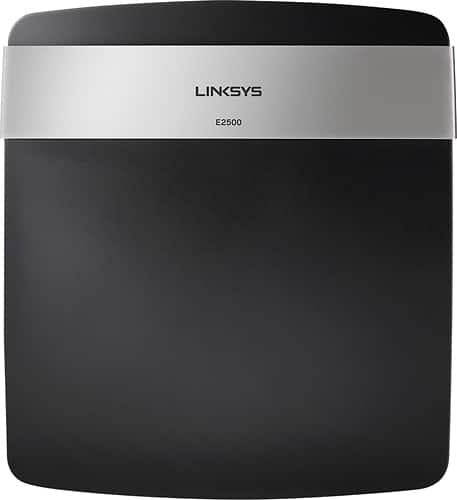
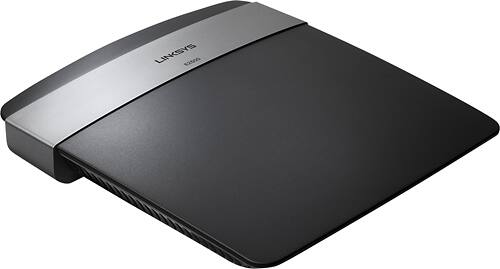


- Model:
- E2500
- SKU:
- 6571467
Rating by feature
- Ease of Use
Rating 4.6 out of 5 stars
Customers are saying
Customers enjoy the N600 Dual Band Wi-Fi Router's ease of use, performance, and range. Many appreciate its affordable price and straightforward setup process, resulting in strong signal strength and reliable connections. Positive feedback also highlights the router's compact size and good coverage. While some users experienced compatibility issues and limitations with parental controls, the overall sentiment is overwhelmingly positive.
This summary was generated by AI based on customer reviews.
Too complicated to set up for Apple iOS Yosemite
Posted .This reviewer received promo considerations or sweepstakes entry for writing a review.So I bought this router because it got decent reviews. My main computer is a MacBook Pro and I have Yosemite as my operating system. The installation software for this router is incompatible with Yosmite and trying to set it up manually was too complicated. After spending 30 minutes of my life I'll never get back, I decided to return it and I bought the AirPort Extreme. I was much happier with that purchase.
No, I would not recommend this to a friendDon't buy this piece of junk
Posted .This reviewer received promo considerations or sweepstakes entry for writing a review.1) Wireless router does NOT perform at advertised speeds. 2) Cisco Connect utility worked until I updated to the new Mavericks OS X 10.9 operation system. 3) Now, Cisco Connect utility is not supported and you cannot change primary or guest network password or any of the other utilities for this E2500 Wireless router. 4) Tried to use the user interface (UI) through ip address 192.168.1.1 When you click on "Wireless" tab, it will scan only up to 98% then freeze. Cancel button will not work and your only choice then is to close browser. 5) Cisco Live Chat is of NO HELP! They insisted that I press the reset button and use the UI to reconfigure. CD will not work because OS X 10.9 is NOT supported and you cannot click onto the "Wireless" tab as it continues to do the same thing. Immediately scans to 98% and freezes. 6) Now, I can only connect using a wired connection directly from my Broadband modem. 7) Now, I need to box up this piece of junk E2500 and return it for a refund. DO NOT PURCHASE THIS WIRELESS ROUTER IF YOU ARE USING A MAC OS X and intend to upgrade to the latest version of Mavericks 10.9
No, I would not recommend this to a friendDon’t WASTE your money on this piece of JUNK!!!!
Posted .This reviewer received promo considerations or sweepstakes entry for writing a review.I went to Walmart and bought an E2500 back in August (2013), everything seemed to work fine until December, for apparent reason I lost my wireless network. I went back to my fancy E2500 and found a “blinking power LED”. Next I hardwired my laptop to the modem and searched for similar cases, I found that most of the people recommended unplugging and plugging back the router, by doing so I didn’t get the unit to respond. Then I got on a “live chat” with Cisco, I was surprised the first thing they tell you “We offer two support packages, a onetime ~$30 and six month unlimited ~$60” My reaction: Son of a gun! Really? By continuing reading about similar situations, it seems I got a power outage and the firmware got messed up when rebooting; now my $80 router is a worthless piece of plastic JUNK sitting on my desk. So, please learn from other’s experience and DO NOT waste your hardly earned dollars buying this piece of JUNK. Last time I buy a Cisco product.
No, I would not recommend this to a friend- Cons mentioned:Compatibility
will not work with Mac OX X operating System!!
Posted .This reviewer received promo considerations or sweepstakes entry for writing a review.Don't buy if you own Mac: did not allow me to upgrade my OS and LInksys said I could pay them for a fix since I was out of my year warranty.
No, I would not recommend this to a friend Garbage!!
Posted .This reviewer received promo considerations or sweepstakes entry for writing a review.I was looking for something to be able to run a few wireless products off of, I read many online reviews and spoke to a salesman about this router and they assured me it was a solid product ... Well they were wrong! It's been just over a year and I find myself having to reset the router numerous times a week after the connection is lost (it's not my ISP as I have contacted them and they say everything is running fine on their end). That's garbage, the last router I had lasted 5+ years. It also likes to reset it self to the factory settings now and then, so that's always fun to deal with (infuriating actually) Save your money and time and look for something worthwhile
No, I would not recommend this to a friendBrand response from Linksys Staff
Posted .Hi, SS1982,
We value the experience that you've shared with us through this review. We'd be happy to help you in isolating this case further. We understand you've contacted your ISP but it's best if you'll check the connection yourself. Wire a computer to the modem and observe if you have a stable internet connection.
If the result is positive, the next thing we should consider is if the router has the latest firmware. You may refer to this article to know if it's running on the latest one: http://www.linksys.com/us/support-article?articleNum=179035
By the way, if you have a cable internet service, follow the steps in this article to clone the MAC address of your PC through the setup page: http://www.linksys.com/us/support-article?articleNum=142912
Update us with the results via email at LinksysCares@linksys.com and indicate your full name, phone number, location, and the link to this post.
Regards,
Linksys Support
www.linksys.com
Router broke in less than a year
Posted .This reviewer received promo considerations or sweepstakes entry for writing a review.I would not buy another Linksys router due to the poor service. I contacted Linksys support and they said it would cost me $29.95 or $29.99 in order for them to troubleshoot the problem. All I wanted was for them to verify the router was broken and I would have bought a new one. They wouldn't take the time to determine if it was indeed broken so now I need to buy a new router but it won't be a Linksys router. Not with poor quality product and poor support.
No, I would not recommend this to a friendConstantly dropping wireless connection
Posted .This reviewer received promo considerations or sweepstakes entry for writing a review.This is the worst Linksys router I've ever purchased. I replaced my wireless G router due to being too old and starting to give me problems. I replaced it with E2500 and my connections drops frequently. About 10-15 times through out the day. I have the latest firmware and changed the default signal to no success.
No, I would not recommend this to a frienddont waste the extra 40$
Posted .This reviewer received promo considerations or sweepstakes entry for writing a review.I bought this after my old D-Link finally went out. This is being used in a 1700 sq foot home, one wall between it and the devices being used. The connection continually drops and I am resetting it one every week. Speed test on my computer show slow download speeds and almost non existent upload speeds. I thought after reading the reviews it was a safe bet. I am returning this and I will go get the same 45$ D- Link again. Very disappointed in this product
No, I would not recommend this to a friendGarbage device
Posted .This reviewer received promo considerations or sweepstakes entry for writing a review.I have had this for lets say about a week now, and I have had it! My Playstation 3 takes 2 minutes to login, My computer does not get the speed it should be, Im supposed to be getting 15mbps download and 5mbps upload, and I am only getting 0.50-2.5Mbps Download and 1.5-2.6Mbps Upload speed, I've called Linksys about it, they said that some ports needs to be opened, so they walked me through getting them opened, well that hasn't worked yet, so tomorrow 12/17/2013 I am going to return this garbage and get me something that does work!
No, I would not recommend this to a friendDoesn't work on OSX Lion or Mountain Lion
Posted .This reviewer received promo considerations or sweepstakes entry for writing a review.Be careful when buying this product. Check the model number specifically. If you have the latest version of Lion or Mountain Lion it is not compatible with these operating systems. There are downloadable updates to this router but none for Mountain Lion. Linksys has a list here of the compatibility issues: http://kb.linksys.com/Linksys/ukp.aspx?pid=80&vw=1&articleid=23897
No, I would not recommend this to a friendDon't buy anything "Linksys"
Posted .This reviewer received promo considerations or sweepstakes entry for writing a review.I would advise anyone who will listen not to buy Linksys products. Their products are subpar for a comparable price (our wireless router lasted less than one year) and their customer service has the look of helpfulness without the reality of helpfulness. The bottom line is that their is NO REFUND period, regardless of lack of quality of the product or poor performance. You can get a lifetime warranty on NETGEAR wireless router for the same price....just say, "NO!" to Linksys. If I could give 0 stars for an overall rating, I would.
No, I would not recommend this to a friendDISAPPOINTED
Posted .This reviewer received promo considerations or sweepstakes entry for writing a review.Terrible installation had to uninstall and reinstall, worked for a day and then it stopped. Had to keep adding new network... time consuming returned for a different product. I was really surprised it didn't work I replaced the linksys that I had for several years for this one and never had a problem. I'm trying another brand.
No, I would not recommend this to a friendJunk
Posted .This reviewer received promo considerations or sweepstakes entry for writing a review.This product broke within the first 2 weeks of having it - absolute junk!
No, I would not recommend this to a friend