Customer Ratings & Reviews
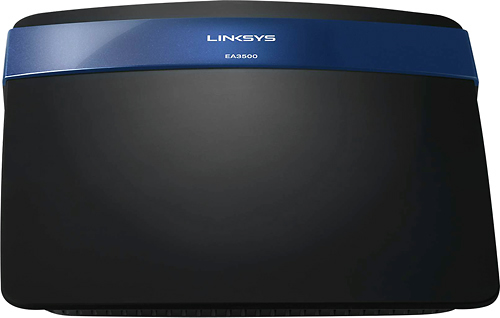
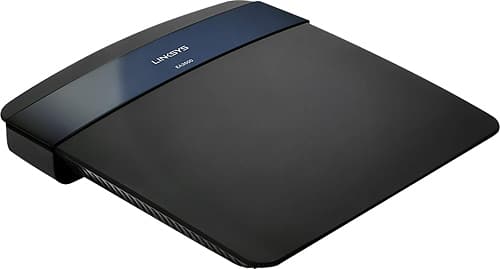

- Model:
- EA3500-NP
- |
- SKU:
- 6571458
Customer reviews
Rating 4.5 out of 5 stars with 1507 reviews
(1,507 customer reviews)Rating by feature
- Ease of Use4.6
Rating 4.6 out of 5 stars
Customers are saying
Customers are pleased with the router's ease of use, performance, and range. Many also highlighted the strong signal and relatively easy setup process. While some experienced connection issues or compatibility problems, the positive feedback on performance and ease of use outweighs the negative. The affordable price point was also frequently praised.
This summary was generated by AI based on customer reviews.
Rated 1 out of 5 stars
dumbed down user interface
||Posted .This reviewer received promo considerations or sweepstakes entry for writing a review.Dumbed down user interface makes it difficult for advanced users who know how and want to manually configure the settings.
No, I would not recommend this to a friendRated 1 out of 5 stars
Could not install router. Returned for refund
||Posted .This reviewer received promo considerations or sweepstakes entry for writing a review.Poor setup process. Could not reconize router on my computer..
No, I would not recommend this to a friendRated 1 out of 5 stars
Total junk
||Posted .This reviewer received promo considerations or sweepstakes entry for writing a review.Avoid at all costs. Junk. Not stable, can't use 5ghz for guest network.
No, I would not recommend this to a friendRated 3 out of 5 stars
Disappointed
Posted .This reviewer received promo considerations or sweepstakes entry for writing a review.I bought this router less than two years ago for around $100 at my local Best Buy, which was a pretty sweet deal considering it had so many features, and seemed easy enough to install. At first the worst problem I had with this router was that the Cisco Cloud App was not behaving properly on my MAC, but I managed using my smartphone. I've had many problems lately though with the router. I would say the last six months of the eight since moving to a new location, the internet speed has declined and suffered. I want to mention that I do have a great internet plan. I had found a leech who was able to use my internet despite password settings, but I denied them access using the Cisco Router App. They in turn it seems hacked the router completely. I decided to update the firmware in order to refigure and refresh so I could gain security while kicking them out, and if need be reinstall everything. After several attempts, I can neither reset nor update my router. This causes a lot of privacy concerns and well, it is upsetting because this router is supposed to have a good level of security, at least it isn't supposed to be weak enough so a greedy neighbor can hack into my internet system. I no longer feel comfortable, and will be repurchasing a new router. This is out there for the very conscious purchasers who value security.
No, I would not recommend this to a friend- Pros mentioned:Performance, Speed
Rated 5 out of 5 stars
Painless Setup and Excellent Speeds!
Posted .This reviewer received promo considerations or sweepstakes entry for writing a review.Backstory: I live in Austin TX and TWC recently upgraded me to their 100 Mbps down/10 Mbps up speed so I don't switch over to Google Fiber (yay competition!) and my old router, a Netgear N600 (WNDR3700v3) was just not cutting it anymore. Speeds from my modem would be 108Mbps down but speeds connected to my wireless network were sometimes just 3Mbps down, even on the 5Ghz band. I also live in an apartment with a lot of competing wireless networks on the 2.4 Ghz band, which was pretty much unusable with my old router. Purchase: I purchased this item at a local bestbuy store for 100 dollars after a bit of online research. I opted against a more expensive wireless AC router b/c I didn't do anything on my network other than Internet. I got this one over the Netgear N750 after reading reviews saying they router had better 2.4Ghz speeds. Setup: I switched out my old router with this one and connected to it with my laptop, which doesn't have a CD drive. Nonetheless, I was able to set up the wireless network security painlessly through the web interface. Results: I had expected good performance from this router but it still blew me away. On the 5Ghz network, I got 108Mbps down and 10 Mbps up, the exact same performance I got when directly connecting to the modem! On the more crowded 2.4 Ghz network, I still got 80 Mbps down and 10 Mbps up, still a vast improvement over the ~3Mbps I was getting previously. Lets hope it continues to perform this way for a long time!
I would recommend this to a friend - Pros mentioned:Ease of use
Rated 5 out of 5 stars
Worthy replacement to my old Linksys WRT54GL
Posted .This reviewer received promo considerations or sweepstakes entry for writing a review.Bought this EA-3500 NP router to replace my old trusty Linksys WRT54GL wireless router which could not keep up with the WiFi demand of today's equipments that requires multiple video streaming content. I needed something with dual band capabilities since it's certain that future equipment with built-in WiFi will give more options to using either the 2.4Ghz or 5.0Ghz band so that the load can be distributed. Setup was a snap if you have some experience with setting up routers. I opted to set up the router manually rather than using their Smart setup app since that involves having to have all your information stored on their server. Setting up the router manually did require me to go digging around the internet to find what its default password is, but after that was located, the rest was pretty straightforward. I notice that the coverage and streaming speed to my WiFi-capable devices on my televisions were noticeably improved over my old wireless router. Price was reasonable. Let's hope that this new Linksys wireless router will perform and last just as well, if not better, than the old Linksys wireless router that it replaces.
I would recommend this to a friend - Pros mentioned:Signal strength, Speed
Rated 5 out of 5 stars
Better than I had expected
Posted .This reviewer received promo considerations or sweepstakes entry for writing a review.I got tired of having to reboot my Centurylink wireless modem/router every day just to get online and then dealing with dismal speeds. So, I decided to turn off the wireless function and get a stand alone router. I initially went in to get a netgear router, but they were out of them. This router seemed to have the same features for the same price, so I grabbed it instead. I'm glad I did. I set it up as soon as I got home. Install was extremely simple and the speeds are outstanding. My house is just under 2900 sq ft and 2 stories. The router is in my office which is at the top of the stairs on the other end of my house from where I am writing this review. I just ran a speed test and I'm getting exactly the speeds I'm supposed to and my signal bar is full. I have now had this router for about a week and have yet to have any issues with any of my devices. We stream a lot of Netflix, Amazon Instant, and YouTube and have had no problems with buffering or losing the connection. In all, I believe we have about 12 devices connected at any given time. Overall, I am more than pleased with this purchase and I'm glad that the netgear was out of stock the day I went. Unless you get a defective item, I believe you will be pleased with this router.
I would recommend this to a friend - Pros mentioned:Ease of useCons mentioned:Connection
Rated 5 out of 5 stars
I say stick with Linksys
Posted .This reviewer received promo considerations or sweepstakes entry for writing a review.I began having connectivity problems the past couple of weeks and decided my 2004 Linksys WRT54G router probably needed to be replaced. I decided to stay brand loyal and go with a new Linksys router. I ordered it online yesterday for store pickup, picked it up within the hour, took it home and had it up and running within minutes. Could not have been easier. I then fine-tuned it, adding all my devices, and I have my home network back. It is a great feeling and I do not anticipate any further problems with my internet connection. There may be other routers out there that are as good as or better than Linksys, but based on my experience (this is my third Linksys router in 12 years or so, upgrading the wireless technology each time) I highly recommend their products, this model in particular.
I would recommend this to a friend - Pros mentioned:Ease of use
Rated 5 out of 5 stars
Easy setup and great coverage
Posted .This reviewer received promo considerations or sweepstakes entry for writing a review.I've set up many WiFi routers and this is by far the simplest setup with using the CD provided. The coverage is much better than what we had previously. With our old router I was considering purchasing an extender for our large home. After installing the Linksys and testing in all corners of the house, I do not need to go to that additional expense. Video streaming to all of our units (sometimes 4 simulaneously), was smooth an uninterrupted.
I would recommend this to a friend Rated 5 out of 5 stars
As Advertised
Posted .This reviewer received promo considerations or sweepstakes entry for writing a review.Just upgraded to 50/10 service from comcast and found that the Netgear router i bought 3 weeks ago wouldn't put out more than 25Mbps even though it was rated for "up to 600". Got the whole "are there any obstructions" and "well, you are splitting your bandwidth among all your connected devices" routine from tech support guy, but wasnt really buying it. I exchanged for this Linksys unit, and I am getting the 50Mbps I paid for. Isn't it great when things work they way they should? My only gripe is the lack of status LEDs on the front of the unit, but I can live without them.
I would recommend this to a friend- Pros mentioned:Ease of use
Rated 5 out of 5 stars
Great Router - Great Price!
Posted .This reviewer received promo considerations or sweepstakes entry for writing a review.Bought this router to replace my old Linksys G from about 5 or so years ago. I kept getting drops during streaming and gaming and at first could not figure out why. Started trouble shooting and came to the conclusion that it had to be the router. This is my third router and I have only purchased Linksys routers in the past. I must say that I have never been disappointed. I actually have 14 devices running sometimes with three laptops, four mobile phones, a tablet, 360, smart TV's, smart Blu Rays and DirecTV boxes. All continue to have full bars and I have not had anything drop. My router is located in my basement and some of the the devices are on the second floor (third if you count from the basement up) of my home. This was very easy to set up and I love the fact that I now have guest access and don't have to allow company to log into my main hub. I do not normally write product reviews unless I am very impressed or very dissatisfied and I am very impressed with this product!
I would recommend this to a friend - Pros mentioned:Speed
Rated 5 out of 5 stars
telling you right now!!
Posted .This reviewer received promo considerations or sweepstakes entry for writing a review.Telling you right now if your going to buy a router this is the one that you should have in your hands if you dont...your getting what you pay for which case that 50 dollar one you were looking at....and is junk. THIS DOES IT ALL ...got 8 devices and they all work super FAST,at the same time. Be smart and get this...money well spent.even a smart phone app...so you can turn on and off your familys service..and they wont know what the hell's going on ....lol
I would recommend this to a friend Rated 5 out of 5 stars
Bought this to replace an old D-Link router...
Posted .This reviewer received promo considerations or sweepstakes entry for writing a review.Our home network just overwhelmed our old D-Link router. Which had served us well for 4 years. Our network: 4 pc's Epson Workforce 600 Printer 3 Direct TV's receivers with DVR 1 Samsung Smart TV 1 Samsung Blu-Ray player Engenius ERB300H Wireless range extender used as a client bridge for the man cave. Kobo E-reader I used the supplied CD to get the initial set up going. Then set up my wireless networks (2.4GHz) & (5GHz) with the same SSID's and passwords. The biggest time consumer was with the Engenius product. I had to reset the extender...hard wire it to my laptop and run the installation program again, being sure to chose client bridge, then run the Advance Setup for my Direct TV DVR receiver to change the local IP address. Everything went OK just took about a ½ hour. It was rather painless. I have a rather large house and I now have 5 bars throughout the house on the 2.4GHz N network, even out on my carport and backyard. I use the 5.0GHZ N network for my laptops and have bumped from 3 bars to 4 bars throughout the house. For the price of $100 I'd say it's an excellent value. It might not have every bell and whistle know to the human race but it has more than enough to suit my needs.
I would recommend this to a friend- Pros mentioned:Ease of use
Rated 5 out of 5 stars
Easy to set up
Posted .This reviewer received promo considerations or sweepstakes entry for writing a review.I was desperately in need of a new router. Easy to set up for someone not really savvy with things like this. I did it all by myself. Works great!
I would recommend this to a friend - Pros mentioned:Performance
Rated 5 out of 5 stars
Easy, accurate set up
Posted .This reviewer received promo considerations or sweepstakes entry for writing a review.This Cisco Linksys EA3500-NP router is great! Have had many problems with routers in the past, from complicated set up to recurring signal drops etc. This router is well designed, doesn't look or feel cheap, the set up was easy for me (a non-tech guy) and it's worked so far non-stop with no problems. Five star recommendation here.
I would recommend this to a friend - Pros mentioned:Ease of use
Rated 5 out of 5 stars
Very good router.
Posted .This reviewer received promo considerations or sweepstakes entry for writing a review.This router is perfect for all of my applications. I mostly use it for gaming and it has never given me any issues.
I would recommend this to a friend - Pros mentioned:Speed
Rated 5 out of 5 stars
surprisingly powerful
Posted .This reviewer received promo considerations or sweepstakes entry for writing a review.I researched several routers and decided on this on. It is powerful, a trusted brand and gives me the opportunity to turn a spare external hard-drive into a home cloud storage. I pay for 25mb per second and am currently getting around 30. It is not the cheapest but it does everything I ask of it. I paired it with the zoom 3.0 high speed cable modem and am very satisfied with my set up. Hopefully this one last as long as the last Linksys router I had, which was 10 years. I stream Netflix, Amazon instant, and HBO Go and play a little online gaming with my 360 and have had no connectivity issues. Also my professors for my masters program video tape their lectures so I am able to watch those videos while working with large amounts of data that I have to download and upload. All of this has worked flawlessly since I upgraded to this set up.
I would recommend this to a friend - Pros mentioned:Range
Rated 5 out of 5 stars
Product works well
Posted .This reviewer received promo considerations or sweepstakes entry for writing a review.This router has a greater range than earlier wireless routers I have owned.
I would recommend this to a friend - Pros mentioned:Ease of use
Rated 5 out of 5 stars
Great Next-Gen features for the price
Posted .This reviewer received promo considerations or sweepstakes entry for writing a review.This router was a replacement for the Belkin N150 router that wasn't stable. The router setup from the CD worked perfectly but the average person setting this up may be confused by the fact there are two ways to login to the router after the CD wizard is complete. There's the traditional way of using the local IP and entering the Local router password that was set during setup. There's also the new feature of using the Linksys Smart Wifi website (https://www.linksyssmartwifi.com) using your newly created Linksys Smart Wifi account username and password to check and change settings on the router. The screens to give basic details of how this feature works but may need further explanation by visiting the router support page and viewing the tutorial videos for a in-depth explanation of how to configure and manage the router.
I would recommend this to a friend Rated 4 out of 5 stars
Good dual band WAP/Router
Posted .This reviewer received promo considerations or sweepstakes entry for writing a review.This is a good dual band WAP and router. It's not flashy nor does it have all the bells and whistles of some of the others but it does the job. I gave the "Ease of Installation" 4 marks out of 5 only because the setup CD failed to recognize/detect the device. I eventually gave up and connected to it manually #took a quick search online via my smartphone#. Once I connected in manually I was able to complete the basic setup. Once it's setup and configured, there isn't much you need to do. It does have some custom tuning but not like some of the other high-performance ones. We stream a lot of online multimedia #Hulu, Netflix, YouTube, etc...# and do some online gaming - this WAP/Router works great. Doing some research, I had found some people who complained about the range. I was a bit concerned with this since we have a two story house. But majority of our devices are downstairs and I figured if it was really bad I'd just return it. That being said, we have excellent signal throughout the house. The one thing I wished that this WAP had was an external status light. Something visible to show that it's online and has Internet connection. All that said, this is a good basic dual band WAP/Router. It has some advanced capabilities and features. This is really perfect for the person who's not very tech savvy. Once it's setup and online, they shouldn't have to touch it again.
I would recommend this to a friend