Customer Ratings & Reviews
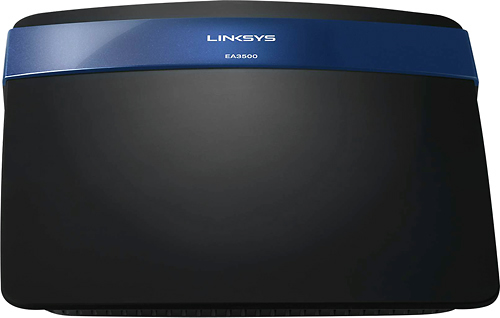
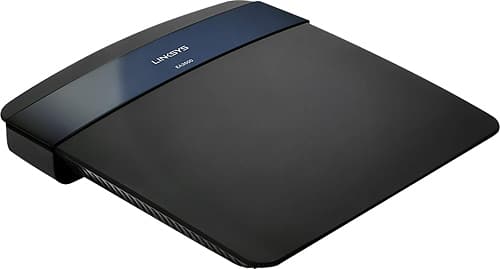

- Model:
- EA3500-NP
- SKU:
- 6571458
Rating by feature
- Ease of Use
Rating 4.6 out of 5 stars
Customers are saying
Customers are pleased with the router's ease of use, performance, and range. Many also highlighted the strong signal and relatively easy setup process. While some experienced connection issues or compatibility problems, the positive feedback on performance and ease of use outweighs the negative. The affordable price point was also frequently praised.
This summary was generated by AI based on customer reviews.
- Cons mentioned:Connection
Not quite up to Par for the price.
Posted .This reviewer received promo considerations or sweepstakes entry for writing a review.I have always like the Linksys (Cisco) products. I have an old WRT54G2 and before that the WRT54G routers. They have all served me well. Easy setup, and great reliability. This unit however, did not follow in the footsteps of its predecessors. It did outperform the others with its Gig ports and its throughput, however, when it came to the 2.4 and 5 Gig radios, it fell flat on its face. The User interface is great, easy to use, and includes nice features to help monitor web activity. Parental controls are nice for those who want to help keep the bad stuff out, or just limit internet times. It had other great features too, but ultimately, if you cannot stay connected to it when the router is sitting 3 feet from your laptop, then whats the point of all the bells and whistles? I started with one unit and took it home, configured it and it seemed to be working great. for the first 30 minutes or so at least. Then i started to notice the internet being VERY slow, i started to do a little investigation, noticed that my packets were getting dropped from my laptop, again only a few feet away, to the router itself. So i pulled out a network cable and plugged in to make some changes to the frequency settings and channels on the radios. No matter what i set it to, the radios would still drop out and lose packets, therefore causing slow or no internet connection. So i thought that maybe it was a bad unit. Backed up my configuration file and took it back and exchanged for another unit. Got home, set up the replacement unit, uploaded my backed up configuration and again, it was great for about 30 minutes. It then started to do the exact same thing. So, i contacted Linksys, and worked with them for a few hours trying to figure out what was going on. Updated firmware, rolled back to older versions of the firmware and still the issue was there. Ultimately the tech suggested that i take it back and get another unit that was a step up in cost and performance. Didn't feel that spending MORE money would solve this issue. So, I took the unit back. Now, I am back to using my trusty old WRT54G2 and it works like a champ, no drops in packets, keeps my connection without dropping. Now to do some more research on other units. I know Linksys is better than this, and i expect they will have a better solution in the near future. Still think they have great products, just need to wait for them to update the firmware or work the bugs out of this unit.
No, I would not recommend this to a friendBrand response from Linksys Product Expert
Posted .Hi JACarter8085,
We appreciate the time you've spent in writing this review and we value your comprehensive feedback for this unit. Though we're sad to know that the EA2700 unit has been returned, we're glad to hear that you still have your old and trusted WRT54G2 to serve you as it has always done so. We hope that when you do another upgrade, you will not be able to experience the same thing that you've had with the previous one. Should you encounter any challenge with any of your Linksys device, you may also email us the details at [email protected] along with your contact details and the link to this post so we can help you.
Regards,
Linksys Support
http://support.linksys.com
This router works fine Limited configuration
Posted .This reviewer received promo considerations or sweepstakes entry for writing a review.This router works fine. It does perform better than my old router, which was the whole point of upgrading to a new router. I used to have a classic Linksys WRT54G for many years. I liked it so much that I wanted to stay with a Linksys/Cisco router. My old router still works, sort of, it keeps dropping signal on the wireless network and reboots itself twice a day. Actually, this is my third home router I had a D-Link router a long time ago that exhibited the same symptoms just before it died. I like the styling of this router too. I like the sleek saucer shape and the blue Cisco stripe on top. In wireless mode I am able to move all over the house and even out in the back yard with my wireless devices without any problem and connecting at 300M most of the time. The wired part works fine too. I have the router connected to an 8 port Netgear Gigabit switch for all the wired computers in my house. I attached a 2TB USB drive to the USB port for network attached storage. I store recorded TV from my DVR on the NAS so I can watch it on any computer or wireless device in the house. The things I don’t like about the new router. It is not nearly as configurable as the WRT54G. The WRT54G came out of the box with a simple user friendly configuration BUT if you wanted to delve into the advanced routing features you could. The old router was so configurable you could screw it up if you didn’t know what you were doing. This router does not allow you to configure anything outside of what Cisco must feel is the typical user. One of the big gripes is you cannot turn off broadcast for wireless SSID without a kluge work-around. I understand that this method of security is out of date but there still should be the option. I don’t like that there are fewer indicator lights on the outside than the old router. There is no indictor light for the wireless. Although, some people have written they like that. There is even a configuration option to turn off all the indicator lights. I don’t like that the router configuration is stored in Cisco Cloud Connect (CCC). The advantage is you can connect to your home router from anywhere. The disadvantage they have access to your home network information and sell the information for targeted ads and spying on your activities.
I would recommend this to a friend- Pros mentioned:Ease of use, Performance
Great 4 port Eithernet router
Posted .This reviewer received promo considerations or sweepstakes entry for writing a review.Great product, easy setup and very reliable. Uses it with 3 ihpones, 2 Ipad tablets, 2 computers and 1 Apple TV running at the same time with no connection issues.
I would recommend this to a friend Good router but Set-up in win 8.1 not easy
Posted .This reviewer received promo considerations or sweepstakes entry for writing a review.The router functions well once it is setup up. But initial setup under windows 8 and up has to be manual. LinkSys/Cisco Connect software is currently only compatible with WIN7 and Vista, confirmed by LinkSys. Because of this it is not a good router for an inexperienced user. It does stall occasionally but a reset (not just a router reboot) will clear the problem. This seems to be consistent with other LinkSys routers.
I would recommend this to a friend- Pros mentioned:Signal strength, Speed
Excellent!
Posted .This reviewer received promo considerations or sweepstakes entry for writing a review.Easy set up, amazing signal and fast, highly recommended.
I would recommend this to a friend - Pros mentioned:Performance
Research before you buy
Posted .This reviewer received promo considerations or sweepstakes entry for writing a review.I've installed wireless routers in my home before and was excited to finally upgrade to a router I was assured would give better coverage and reliability. I'm a software engineer and while hardware is not my thing I can figure it out. After spending about 4 hours attempting to install this (including 2.5 hours on line with Cisco tech support), I decided to cut my losses and return the product to Best Buy. To make a long story short I believe we were running into issues because my Dell laptop: 1) was running on an old OS - Windows XP, SP 3 2) the Dell was setup to run wireless with it's own utility designed to work with the installed Dell WLAN card. 3) My ISP provides me with a static IP address that I need to set up in the router and enable the router via DHCP to provide my computers/devices with an IP. The install CD ran into several glitches and was not specific enough about what I needed to fix in order to rerun the install CD. I fixed what I could on my laptop and I got far enough to name the network and create passwords, but it was clear I needed to do a manual install. I should have downloaded the User Guide and done the manual install myself, but I called Linksys Tech Support instead. I was mostly curious if they had any specific known issues with old Dells. That got us into a very long process as I answer every question (Who is your ISP?) that doesn't seem relevant. The tech support guy may be using a knowledgebase system though and relies on it to highlight patterns that are associated with problems. I was patient. So I took the product back for 3 reasons: 1) The install CD doesn't analyze my PC sufficiently to be able to steer me through the various failures it encounters. Running into a problem and then being presented with a 5 item list of things that MIGHT be the problem isn't that helpful. There can be a lot of things to check out for just "might". 2) Hitting that many problems in a process that is supposed to be super smooth (so they promise) is an indicator to me that the installation program developers/marketers don't understand their own product very well. That just sets me up for more problems down the road if I keep it. 3) I already used up a good part of one weekend day on this. I might not be able to try again for 2-3 weekes and the return policy is 15 days. For computers only 1-2 years old - Vista probably - this may well work. Anything older, be careful. It's a dumb install program and it may eat up your time and leave you stranded.
No, I would not recommend this to a friend Not the best but it will work for a small area
Posted .This reviewer received promo considerations or sweepstakes entry for writing a review.I wanted to upgrade from my E4200, which was top of the line at the time and I went with the "better" Cisco router. It was not as good speed as my E4200. I love the connected cloud and the ability to use my iPhone to do one button network connections. The unit however did not have the same sort of signal strength as the E4200 and I would often only see 2 bars where I'd see 3 on the 4200. In addition, the unit seemed to drop the internet connection a lot. I don't know why nor could I find the cause but I can tell you none of my wireless devices lose the connection with the E4200. I would take it back if I could but I'm outside the return window. I see this unit working well with a small apartment but not a two story house.
No, I would not recommend this to a friend- Pros mentioned:Ease of use
works perfect for me
Posted .This reviewer received promo considerations or sweepstakes entry for writing a review.A young friend form church set it up for me. Works very well. My concern was that I travel for weeks at at time. I just turn off the power bar and it comes back up when I get back and works when I get back.
I would recommend this to a friend Works great
Posted .This reviewer received promo considerations or sweepstakes entry for writing a review.It solved all of our internet connectiity problems
I would recommend this to a friend- Pros mentioned:Range
awsome product
Posted .This reviewer received promo considerations or sweepstakes entry for writing a review.the range is perfect for a big home,no disconnection and the network never goes,absolutely lov this product,range even in the backyard
I would recommend this to a friend Blocking internet by schedule terrible
Posted .This reviewer received promo considerations or sweepstakes entry for writing a review.I bought this because I wanted to be able to block internet access at my house at different times on different days (weekdays vs. weekends). While you can do this, it's at a connected device level. So you have to pick a device, then set the schedule, that is a pain and time consuming. You can only do this on 14 devices. But what happens if a new device is connected (like my son's friend), it will not be restricted. So linksys router's don't solve my problem. At least my netgear lets me set a schedule for all devices on the router.
No, I would not recommend this to a friend- Pros mentioned:Performance
Best Router Ever
Posted .This reviewer received promo considerations or sweepstakes entry for writing a review.This Router is so reliable that I can have around 40 people on it and it still works fine.
I would recommend this to a friend Good Choice
Posted .This reviewer received promo considerations or sweepstakes entry for writing a review.I have a large home with multiple devices and this router has worked great so far. Setting it up was very fast and easy. I would recommend it.
I would recommend this to a friendGreat when Functional but Poor Quality Control
Posted .This reviewer received promo considerations or sweepstakes entry for writing a review.Two positives: very capable of handling many devices (10-15) connected to network and capable of two networks: 2.4GHz and 5GHz; streaming 5GHz through HDTV without delays. Linksys has poor quality control. Went through two N750s routers in 15 months. Current one lasted 13 months. Customer service will not replace because router has more than 12 months of use. Expensive router to have such short life. I will be shopping another manufacturer to replace second dead N750 router.
No, I would not recommend this to a friend- Pros mentioned:Signal strength
Good Router
Posted .This reviewer received promo considerations or sweepstakes entry for writing a review.I want to use it for signal strength and it's working fine..well worth for money
I would recommend this to a friend - Pros mentioned:Range
Decent range
Posted .This reviewer received promo considerations or sweepstakes entry for writing a review.Is not a router as well. Fairly easy to install. The range is decent
I would recommend this to a friend - Pros mentioned:Range
About what you'd expect from Linksys
Posted .This reviewer received promo considerations or sweepstakes entry for writing a review.This router works fine, but needs resetting pretty frequently. The warranty is a year, and I find these Linksys routers last about two years before the software crashes and by then its no longer supported. Decent range but doesn't reach every room in my midsize condo.
No, I would not recommend this to a friendBrand response from Linksys Product Expert
Posted .Hi Will,
We appreciate you in sharing your experience with the EA3500 router. May we know why do you need to reset the router? Are you experiencing dropping WiFi connection with the router? You can adjust the WiFi settings on the router to avoid dropping connection and optimize the WiFi range. Change the Channel on the router from Auto to any of the non-overlapping Channels on 2.4GHz (1 or 6 or 11) and set Channel 161 on 5GHz. For further assistance, do send us an email at [email protected] together with the link to this review.
Regards,
Linksys Support
www.support.linksys.com
- Pros mentioned:Speed
Great fast as lightning router
Posted .This reviewer received promo considerations or sweepstakes entry for writing a review.This router is great and has very fast internet speed
I would recommend this to a friend Great Router as always
Posted .This reviewer received promo considerations or sweepstakes entry for writing a review.If you had issues setting up this router it is because you didn't know what you where doing. I didn't need to use the disk and it took about 15 minutes to setup. As always Linksys/now cisco make some of the best routers out there. I would not buy anything else nor would I recommend anything else.
I would recommend this to a friendVery easy to setup
Posted .This reviewer received promo considerations or sweepstakes entry for writing a review.Using the included CD I was able to get this wireless router setup and working with my laptop in under 20 minutes. I was having problems connecting to a different router (over 3 hours on the phone with tech support) but this one was a breeze! Fast through-put also.
I would recommend this to a friend