Customer Ratings & Reviews






- Model:
- WHW0103
- SKU:
- 6215341
Rating by feature
- Setup
Rating 4.2 out of 5 stars
- Range
Rating 4.1 out of 5 stars
- Signal Strength
Rating 4.1 out of 5 stars
Customers are saying
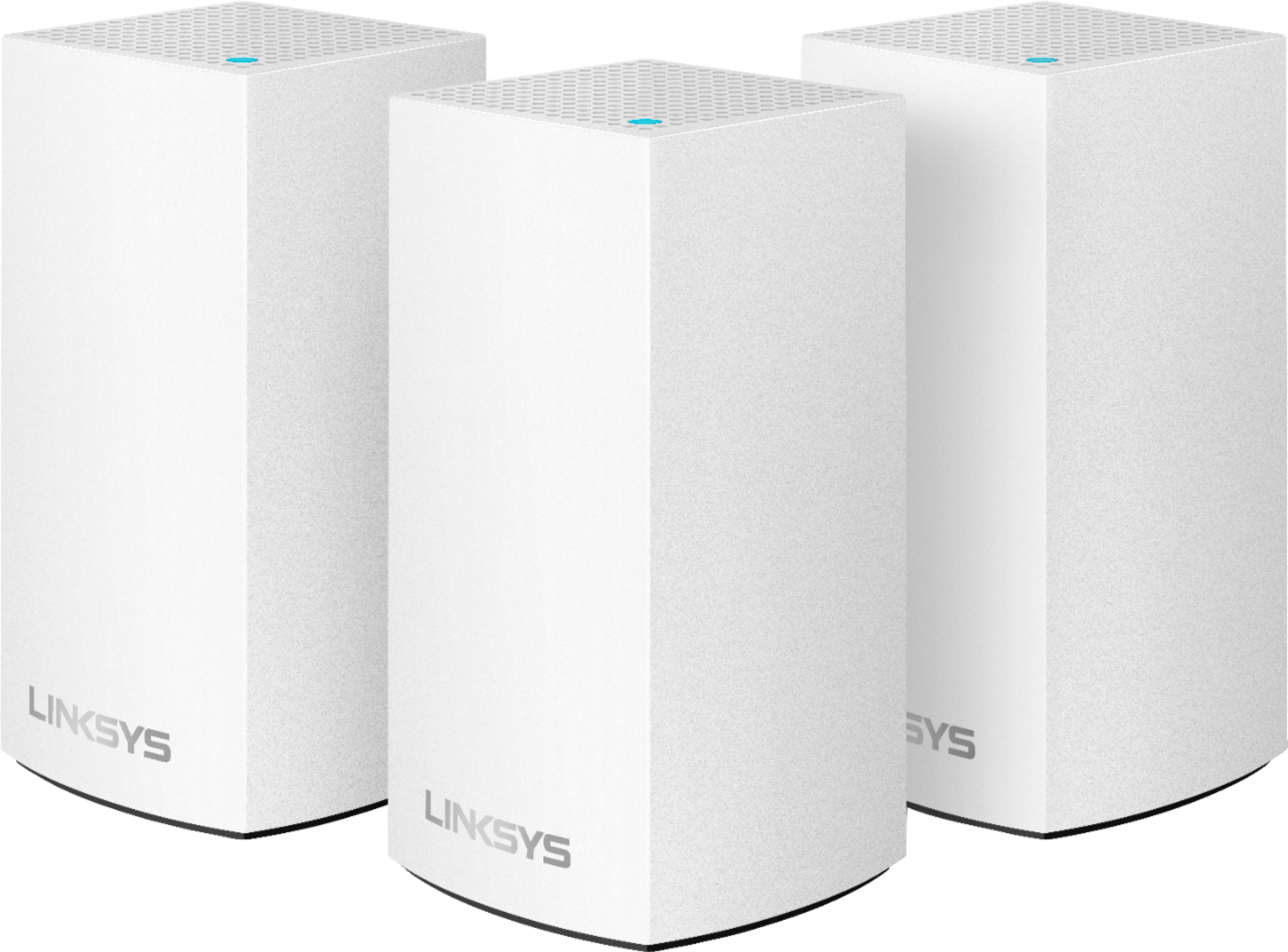
Customers enjoy the Velop AC1300 Dual-Band Mesh Wi-Fi 5 System's ease of use, expanded Wi-Fi coverage, and strong signal. Many appreciate the improved range and performance compared to single routers, finding setup straightforward. A common concern, however, is the relatively high cost.
This summary was generated by AI based on customer reviews.
Look elsewhere for your mesh-Wi-Fi!
||Posted . Owned for 1 month when reviewed.This reviewer received promo considerations or sweepstakes entry for writing a review.I chose this because I liked that it came with three nodes. However, in my experience the nodes are quite weak and the signal does travel well through walls. I have 400 mbps internet service and could only get 300 mbps when right next to the node connected to internet. Everywhere else I’d only get up to 100 mbps, some spots as low as 60 mbps. Now you might say, “Hey, you probably just placed the nodes in a bad location!” Well, I’ve now put in a Google Nest mesh wi-fi system (hub with 1 node) in two of the same spots and now get 300-400 mbps anywhere in the house.
No, I would not recommend this to a friendBrand response from Linksys Staff
Posted .Hi Brendan,
Keeping the firmware updated and running the Velop's Channel Finder can help improve its speed output.
If you still have the Velop WHW0103, we can have our Level 2 Support team assist you in resolving the issue. Please send us the relevant details and the link to this post at [email protected], for our reference.
Regards,
Kyla
Linksys Support
Terrible product. Doesnt work
||Posted . Owned for 2 months when reviewed.This reviewer received promo considerations or sweepstakes entry for writing a review.Worked well for about month. After that I have to reset the whole system about once every 3 weeks. The nodes would constantly disconnect from each other. For a system that's meant to provide internet coverage for the whole house there isnt enough power to go through the floors. What's funny is that nothing in my house had changed but after a month this thing seem to think all the nodes are too far away from each other and the floor became an EM barrier.
No, I would not recommend this to a friendNot worth it for the money
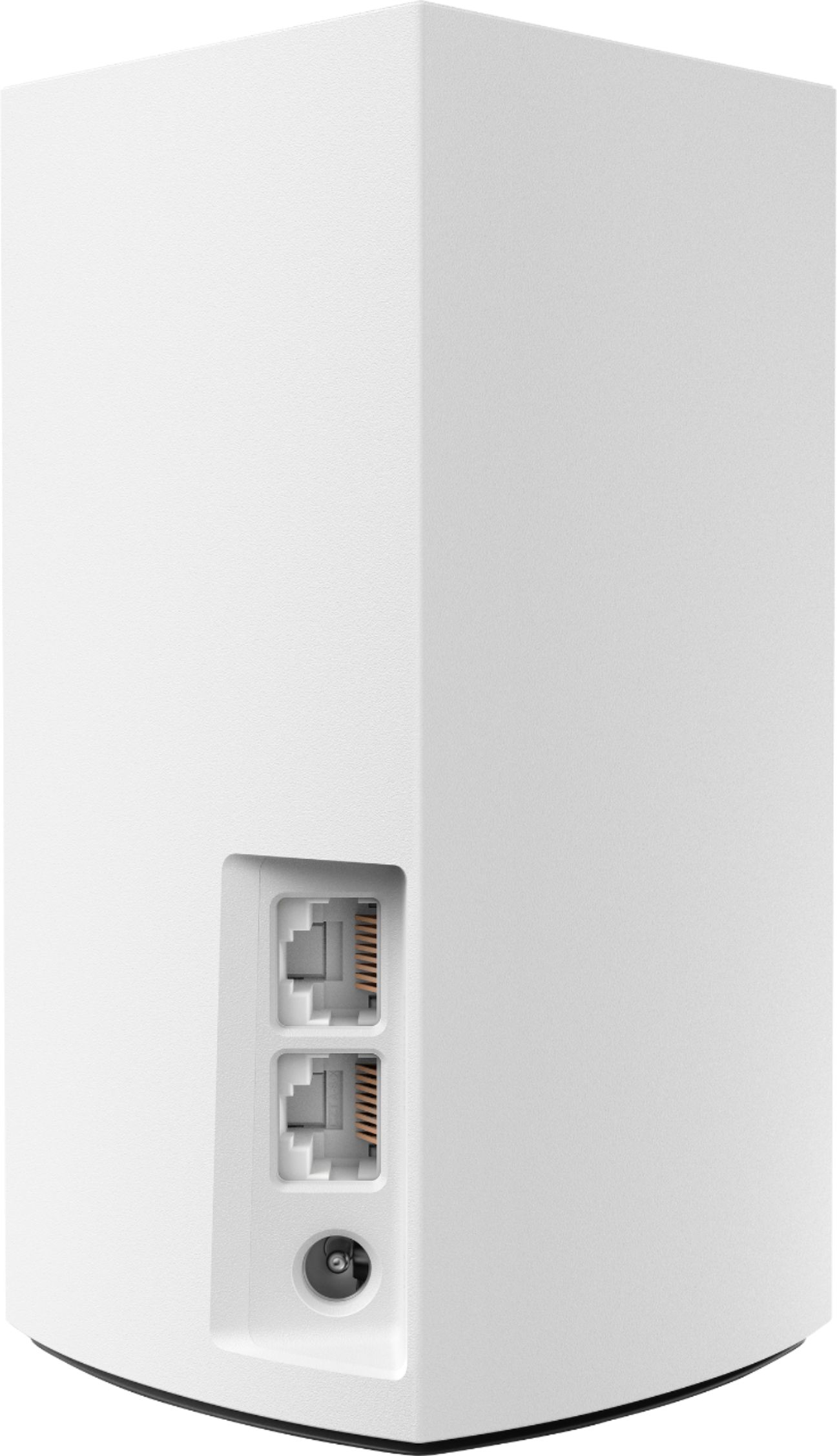
||Posted . Owned for 1 week when reviewed.This reviewer received promo considerations or sweepstakes entry for writing a review.I live in a 800 sq foot apartment and the nodes had trouble connecting to each other in that tiny space. Once they were finally connected, you better hope you only have one device needing internet at a time. It was shocking how drastically the speed would decrease when connecting a few devices. Also if you have multiple devices requiring Ethernet connection, the main node will only support one connection, so your other network storage devices, gaming consoles etc. will have to connect elsewhere to the other nodes if they require hardwiring
No, I would not recommend this to a friendBrand response from Linksys Staff
Posted .Hi, Eric,
Proper optimization might need to be done to improve the overall performance of the nodes. We’ll have our Escalation Engineers lend you a hand. Just send us an email at LinksysCares@linksys.com with your contact information, other relevant details, and a link to this review as our reference.
Regards,
Rosalyn
Linksys Support
Was great to start but leaves you wanting more
||Posted . Owned for 1 year when reviewed.This reviewer received promo considerations or sweepstakes entry for writing a review.The idea of full coverage WiFi was a great notion and thought this system would assist me in that. Was okay but if you have an older home (ours was built in early 90’s) walls wreak havoc on the signal.
No, I would not recommend this to a friendBrand response from Linksys Staff
Posted .Hi Evan,
You can make adjustments in the position of the Velop nodes to further maximize its range and coverage. If you wish, we can have our Escalation Engineers contact you for further assistance on how to improve the Wi-Fi coverage.
Just send us your contact details at [email protected] so that we can escalate your case. Don't forget to include the link to this post as a reference.
We hope to hear from you soon.
Regards,
Thaddeus
Linksys Support
wifi failure
||Posted . Owned for 1 month when reviewed.This reviewer received promo considerations or sweepstakes entry for writing a review.This is the second round of purchasing and exchange your product. I have tried chat to no avail, was on hold for about 1/2 hour and then you hung up. I have bought many of your products over the past 20 years, this is the first time I have had such a poor experience. I hope some one can email me a product return label. I purchased and exchanged the product this year from Best Buy last time was 2/23/2020. serial # 25F10609904550 Case ID # 12289494
No, I would not recommend this to a friendBrand response from Linksys Staff
Posted .Hi, George,
We saw your case and, our team has already looked into it. You may reach out to us if you wish to track your case at [email protected] with the link to this review for our reference.
Regards,
Jan
Linksys Support
pure garbage
||Posted . Owned for 4 months when reviewed.This reviewer received promo considerations or sweepstakes entry for writing a review.I bought 2 - 2pks of the Velop AC2600 models and almost from the beginning, all 4 nodes randomly drop almost constantly throughout the day. My house is 2700sq ft and 4 nodes should be plenty to cover it all. I successfully ran setup and the app showed everything was properly placed. This mess is maddening since I have to work from home but can't maintain a reliable connection. Do yourself a favor, if it says Linksys on the package, buy something else!
No, I would not recommend this to a friendBrand response from Linksys Staff
Posted .Hi, Fisheye,
If the nodes are already running on the latest firmware and you’ve already tried to run the channel finder, please get in touch with us [email protected] so our Escalation Engineers can lend you a hand. Include your network setup, a link to this review and your contact information for documentation.
Regards,
Rosalyn
Linksys Support
Very unstable
||Posted .This reviewer received promo considerations or sweepstakes entry for writing a review.I am returning this item to the store today! In less than 30 days from the date of purchase-I have lost over a 100 hours of internet time. At least 14 hours on the phone with Tech support, waste of time and money!!
No, I would not recommend this to a friendBrand response from Linksys Staff
Posted .Hi, Joesph,
If you still have the nodes, please get in touch with us at [email protected] so we can have our Escalation Engineers investigate what happened and help you optimized the settings for a better WiFi experience. Include your contact details for us to pull up your records in our system and a link to this review for easy reference.
Regards,
Rosalyn
Linksys Support
Mr Wen
||Posted . Owned for 1 year when reviewed.This reviewer received promo considerations or sweepstakes entry for writing a review.WiFi speed is much slower than then the router that they are connected, therefore we have to select using router other than linksys for iPhone, PC and TV.
No, I would not recommend this to a friendBrand response from Linksys Staff
Posted .Hi, David,
This is totally unexpected as we designed the Velop WHW0103 to provide a dual band connectivity speeds up to a gigabit. Make sure that the connection behind the main modem is stable, use another Ethernet cable in connecting the main node from the modem, relocate or swap the child nodes if connected wirelessly, or check if they are equipped with the latest firmware. Our Escalation Engineers would love to assist and aid in experiencing the best out of the unit. Please drop us an email with your contact details and the link to this review for reference at LinksysCares@linksys.com.
Regards,
Carl
Linksys Support
The worst Wifi mesh on the market for Apple device
||Posted . Owned for 1 week when reviewed.This reviewer received promo considerations or sweepstakes entry for writing a review.This is simple - if you are 100% Windows in your home - this works OK. If you have any apple device - DO NOT BUY! I tried everything, I mean everything, all the ideas do not work. Macbooks or iPad all fail to STAY connected. They will connect fine, but will drop off CONSTANTLY! Further, resetting and even setting these up is INFURIATING. They take forever to start up, to reset - sometimes it never happens. The overall feel of this product is of a 3rd-grade science fair project. Move on! Bought the Deco M9 from Costco deal and I am happy!
No, I would not recommend this to a friendBrand response from Linksys Staff
Posted .Hi, RogueR,
Any wireless devices should stay connected to the Velop network. You can try to use the channel finder on the app to optimize the network and, make sure to update the firmware.
For further assistance, feel free to reach out to us at [email protected] with the link to this review for our reference. We'll have our Escalation Engineers investigate the nodes further.
Regards,
Jan
Linksys Support
STAY BACK GUYS
||Posted . Owned for 1 year when reviewed.This reviewer received promo considerations or sweepstakes entry for writing a review.WORST of everything out in the market I been had this for a years and it’s till this day it’s lags always on red really really never work TBH don’t waste your money on this at all guys I use it for Security cameras and it’s never work so I tried it’s with my ps4 and it’s lagg bad kick me out of party’s And now I put it to my ps5 and no surprise it’s did the same thing PLZ STAY BACK!!!!!
No, I would not recommend this to a friendBrand response from Linksys Staff
Posted .Hi Oscar,
We can stabilize the connection from the unit by making sure that it runs the latest firmware, and the connection behind the main modem is stable. Our Escalation Engineers would love to help you out and learn what's causing this to happen. Please send us an email at LinksysCares@linksys.com with your contact details and the link to this review for our easy reference.
We'll wait for your updates.
Regards,
Carl
Linksys Support
Gamble
||Posted . Owned for 1 month when reviewed.This reviewer received promo considerations or sweepstakes entry for writing a review.These worked well until they didn't... 2 of the nodes stopped working after 5 months & the other stopped a week later despite troubleshooting & resets. It was a huge nuisance & cost me a whole day's work. I ended up purchasing a new set of nodes because I was in a bind with the hopes of returning them once Linsky replaced the faulty nodes but that never happened. Very disappointing and the hours spent with customer service were a waste of time.
No, I would not recommend this to a friendBrand response from Linksys Staff
Posted .Hi, ShineOn,
We hear you and totally understand your sentiments and respect your decision. No worries, just send us an email at LinksysCares@linksys.com with your personal information should you need further assistance with your other Linksys devices.
Regards,
MJ
Linksys Support
Didn’t connect
||Posted .This reviewer received promo considerations or sweepstakes entry for writing a review.This item has not been able to connect. I’ve called customer service and after 2plus hours with the company the device still wasn’t connecting. I’ve heard great things about this product so I’m not sure what the problem is. My money is wasted and now I have to buy another device for my apartment for my WiFi.
No, I would not recommend this to a friendBrand response from Linksys Staff
Posted .Hello, TheMrs,
Our Escalation Engineers wants to investigate further the issue you’re having with the Linksys WHW0102 by sharing the details of what happened via email at [email protected] with your case number or phone number and the link of this review, for our reference.
Regards,
Elyza
Linksys Support
very disappointed
||Posted . Owned for 3 weeks when reviewed.This reviewer received promo considerations or sweepstakes entry for writing a review.the normal extender that I was using appears to have worked better than this item. Even after I connected the modem directly (expensive cable) to one of the nodes the wi-fi was slower than before.
No, I would not recommend this to a friendBrand response from Linksys Staff
Posted .Hi,
Wireless interference could have caused the Wi-Fi issue. Try to use the Channel Finder on the Linksys app to optimize the network and, make sure to update its firmware as this fixes some issues.
Let us know the result at [email protected] with your contact details at the link to this review and, we'll have our Escalation Engineers investigate this further.
Regards,
Jan
Linksys Support
Does not work with Comcast XFinity wireless cable
||Posted . Owned for 1.5 years when reviewed.This reviewer received promo considerations or sweepstakes entry for writing a review.I had to disconnect them because my wireless xFinity cable box would not work. Not sure if it is Comcast trying to get me to buy their wifi extenders ...... BOO. Waste of 250.
No, I would not recommend this to a friendBrand response from Linksys Staff
Posted .Hi, tonybyrk,
Thanks for writing us a review. Our Linksys routers work with major Internet Service Providers. Make sure that the firmware of the device is up to date and it was properly setup. Please email us with your contact details and the link to this post so we can have our Escalation Engineers to further assist you.
Sincerely,
Linksys Support
www.linksys.com
Zero Impact on WiFi
||Posted . Owned for less than 1 week when reviewed.This reviewer received promo considerations or sweepstakes entry for writing a review.Arrived on time and was very easy to set up - but there's absolutely zero impact on the wifi speed or coverage since I added this product. All of the devices are testing at exactly the same speed as before I added the Linksys. Was looking forward to extra speed / coverage and had a couple of co-workers waiting for my assessment so they could decide whether to purchase same product. Won't recommend.
No, I would not recommend this to a friendBrand response from Linksys Staff
Posted .Hi TW1212,
Please note that your internet speed will depend on your subscription. We'd like to know more about the challenges that you are experiencing. Allow us to have our Escalation Engineers to get in touch with you for further troubleshooting to help improve the performance of the Velop system.
Just send us your contact details at [email protected] so that we can escalate your case. Don't forget to include the link to this post as a reference.
We hope to hear from you soon.
Regards,
Thaddeus
Linksys Support
- Pros mentioned:Setup

Good whole home coverage
|Posted .This reviewer received promo considerations or sweepstakes entry for writing a review.First, setting up each node was quick and easy. It is done through the Linksys app. Simply follow the instructions and you'll be up and running in no time. The nodes are a good size and can easily be hidden behind a picture frame. I set up the first node in our master bedroom since this is where our modem is located. The second and third nodes are in the living room. One covers my PS4 and the Fire Stick for streaming. The second living room node covers our kids bedrooms. For most of the time we have 10 devices on the network. 3 cell phones, 3 laptops, the PS4, a printer, (3) smart bulbs and the Fire Stick. I have had these set up for a little over a month now with no issues. There has been no buffering while streaming and I don't lag when gaming. We were overdue for an upgrade coming from an old Netgear router that just wasn't built to handle too many devices at once. As far as the app, it is straightforward and easy to understand and use. You can see exactly which devices are connected to each node and even prioritize certain devices. For me, I have prioritized the PS4 and Fire Stick. You can rename each node and change the icons for each device for easy identification. The parental controls are nice for the kids. I have time limits set for my youngest daughter's laptop. This way, half an hour before her bedtime, she loses connection to the network and doesn't have access again until the next morning. One con that I've found is that it automatically puts the PS4 on the 5gHz band, which isn't always ideal. I haven't found a way as of yet to change it to 2.4gHz. Overall, this is a great setup. Mesh is the way to go. It is far better than range extenders as each node only has to handle a few devices versus one router trying to cover everything at once. I definitely recommend the Velop mesh wi-fi.
I would recommend this to a friend Returned item.
||Posted . Owned for 3 months when reviewed.This reviewer received promo considerations or sweepstakes entry for writing a review.After the set up, different wifi signals were coming from the 3 nodes. My desk top PC would not work. Everything worked fine when I hooked up my old net gear router.
No, I would not recommend this to a friendBrand response from Linksys Staff
Posted .Hi, andy,
The Velop system should only have one Wi-Fi network once you've followed the quick set up guide. If you still have your Velop system, we can have our Escalation Engineers assist you further.
Just email us more details at [email protected] with your contact details and the link to this review for our reference.
Regards,
Jan
Linksys Support
Sucks !!
||Posted . Owned for 3 weeks when reviewed.This reviewer received promo considerations or sweepstakes entry for writing a review.This item sucks !! I upgraded to fiber optic so I bought this router because the internet provider does not issue you a router . The Best Buy employees told me the mesh system was a must have . They weren’t lying but not this one . I end up buying the eero pro and returned the Linksys due to dead zones around the house and also it would disconnect me from the internet in the middle of watching tv or playing videos on my phone to while I was working from home
No, I would not recommend this to a friendextending wifi
||Posted . Owned for 6 months when reviewed.This reviewer received promo considerations or sweepstakes entry for writing a review.supposed to be, what i thought, a wifi extender...but it doesnt work as well...maybe i should "read" the manual? at this point isnt performing like i thought....
No, I would not recommend this to a friendBrand response from Linksys Staff
Posted .Hi, gibgorilla,
The WHW0102 is a router which you can also use to extend WiFi. Let’s discuss your desired setup at [email protected] so we can come up with recommendations. Don’t forget to your contact information and a link to this post as our reference.
Regards,
Rosalyn
Linksys Support
Not as good as we hoped.
||Posted . Owned for 1 month when reviewed.This reviewer received promo considerations or sweepstakes entry for writing a review.Works, but not great. My house is older and has thick walls and while promised this would help, it doesn’t quite solve the problem.
No, I would not recommend this to a friendBrand response from Linksys Staff
Posted .Hi, Alisa.
Each node has an effective range of up to 1500 sq ft in a perfect environment. Factors such as building materials, interference, and other adverse conditions can affect the actual coverage.
For further questions or assistance, email us at LinksysCares@linksys.com with your contact details and a link to your post for reference.
Regards,
Linksys Support