Customer Ratings & Reviews






- Model:
- WHW0103
- SKU:
- 6215341
Rating by feature
- Setup
Rating 4.2 out of 5 stars
- Range
Rating 4.1 out of 5 stars
- Signal Strength
Rating 4.1 out of 5 stars
Customers are saying
Customers enjoy the Velop AC1300 Dual-Band Mesh Wi-Fi 5 System's ease of use, expanded Wi-Fi coverage, and strong signal. Many appreciate the improved range and performance compared to single routers, finding setup straightforward. A common concern, however, is the relatively high cost.
This summary was generated by AI based on customer reviews.
Junk buy google wifi instead
||Posted . Owned for 2 weeks when reviewed.This reviewer received promo considerations or sweepstakes entry for writing a review.If I could give this negative 30 stars I would. Long story short bought it hooked up parent node no issue. I tried for 2 hours to hook up the other nodes nothing but problems. Called tech support no help. Supposedly firmware was different on each node??? Why?! Because junk thats why. Returned asap and got google wifi. 15 mins tops it was hooked up. You pay for what you get. Don't buy this. But hey you may get lucky and it'll work perfect... I didn't
No, I would not recommend this to a friendBrand response from Linksys Staff
Posted .Hi Jeff,
The behavior of the nodes are from expected. We could've make things right for your and provide further assistance with the help of our Escalation Engineers. Though the unit was already returned, we'd still like to ask for your support case number to review what happened during your contact and learn if there are breakdown on the process. Please send an email at LinksysCares@linksys.com along with the link to the review as a reference.
We'll wait for your updates.
Regards,
Carl
Linksys Support
A bit of an improvement over the ATT router,
||Posted . Owned for 2 months when reviewed.This reviewer received promo considerations or sweepstakes entry for writing a review.These are convenient and generally work well, but the latency between upstairs modem and downstairs mesh connector can be a real pain.
No, I would not recommend this to a friendBrand response from Linksys Staff
Posted .Hi there,
The Velop WHW0103 is expected to deliver dual band connectivity speeds up to 867 plus 400 Mbps. If the child nodes are connected via wireless backhaul, try placing them on a different spot and run the latest firmware for isolation. Please send an email at LinksysCares@linksys.com along with your contact details and the link to this review for our easy reference. Our Escalation Engineers would like to lend you a hand on this matter.
Regards,
Carl
Linksys Support
Don't waste your time or money
||Posted .This reviewer received promo considerations or sweepstakes entry for writing a review.Was able to get 1 router up and running then spent an hour and a half trying to connect the other two to the mesh system and was never able to do it. No matter how close my phone was to the router tying to connect or how close I put the other two routers to the main one it would never connect. Also the wifi from the main router barely worked. I'd recommend an eero router with a couple eero beacons, works much better for me at least.
No, I would not recommend this to a friendBrand response from Linksys Staff
Posted .Hi,
Updating the firmware might help resolve the range, and you can try to connect the two child nodes using the web interface or the 5-press method. You can follow the set-up step on this link "https://www.linksys.com/us/support-article?articleNum=316694". For further assistance, you can reach out to us at LinksysCares@linksys.com with the link to this review for our reference.
Regards,
Jan
Linksys Support
Mesh network
||Posted . Owned for 1 month when reviewed.This reviewer received promo considerations or sweepstakes entry for writing a review.Two week return policy. Nodes seem to loose connections periodically requiring reboot. Expensive product to still have to deal with connection issues.
No, I would not recommend this to a friend- Cons mentioned:Price
Not good coverage
||Posted .This reviewer received promo considerations or sweepstakes entry for writing a review.Took some time to hook up, coverage did not improve, To expensive for performance
No, I would not recommend this to a friendBrand response from Linksys Staff
Posted .Hi, Riverjb1,
Running the channel finder as well as keeping the firmware updated will greatly help to improve the overall performance of the device. If that won’t help, allow us to have our Escalation Engineers check if the settings are already optimized. Just send us an email at [email protected] along with your contact information and a link to this review as our reference.
Regards,
Rosalyn
Linksys Support
- Pros mentioned:Ease of use, Speed

Great Mesh Wifi System at a Budget Friendly Price
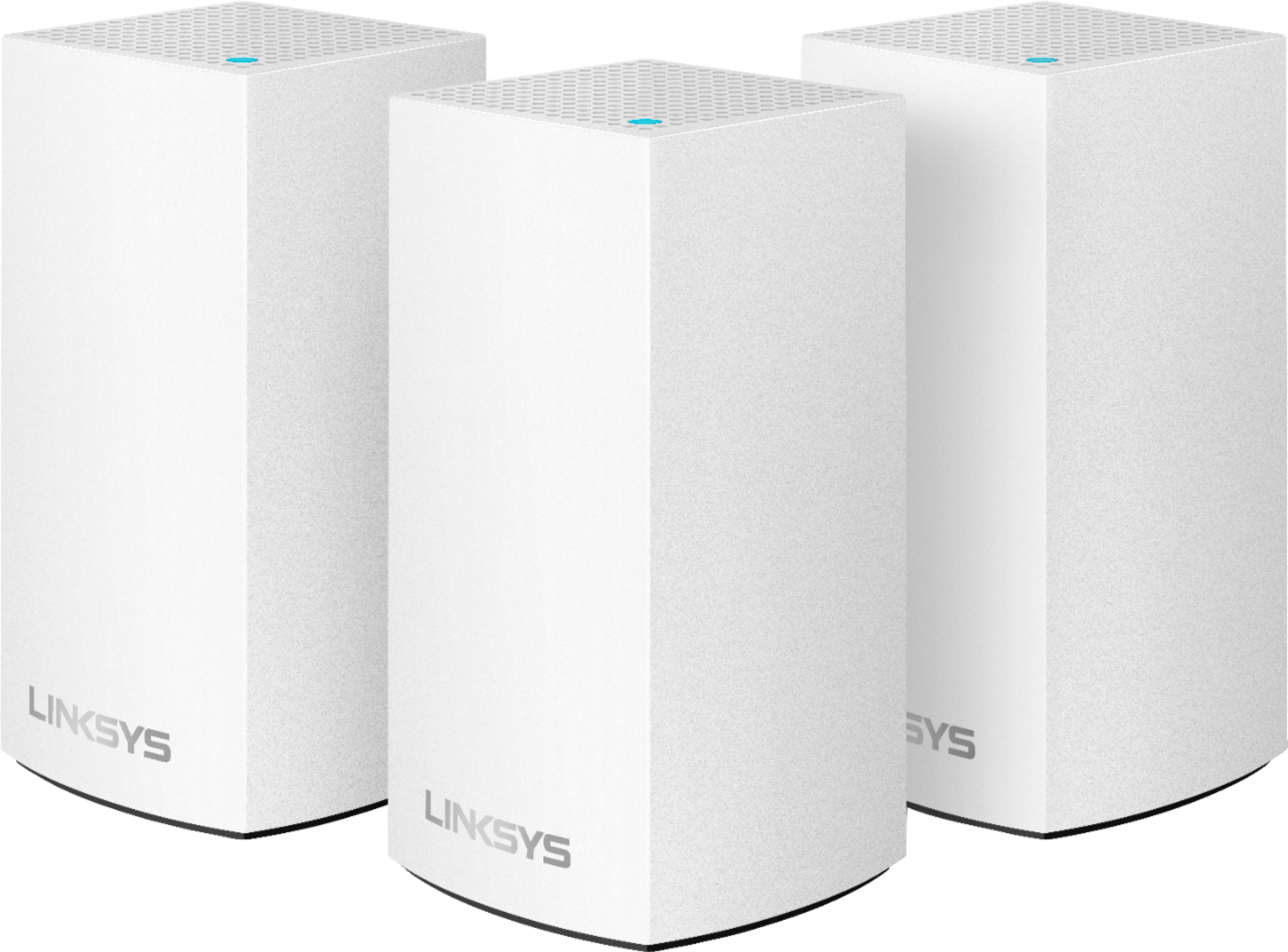
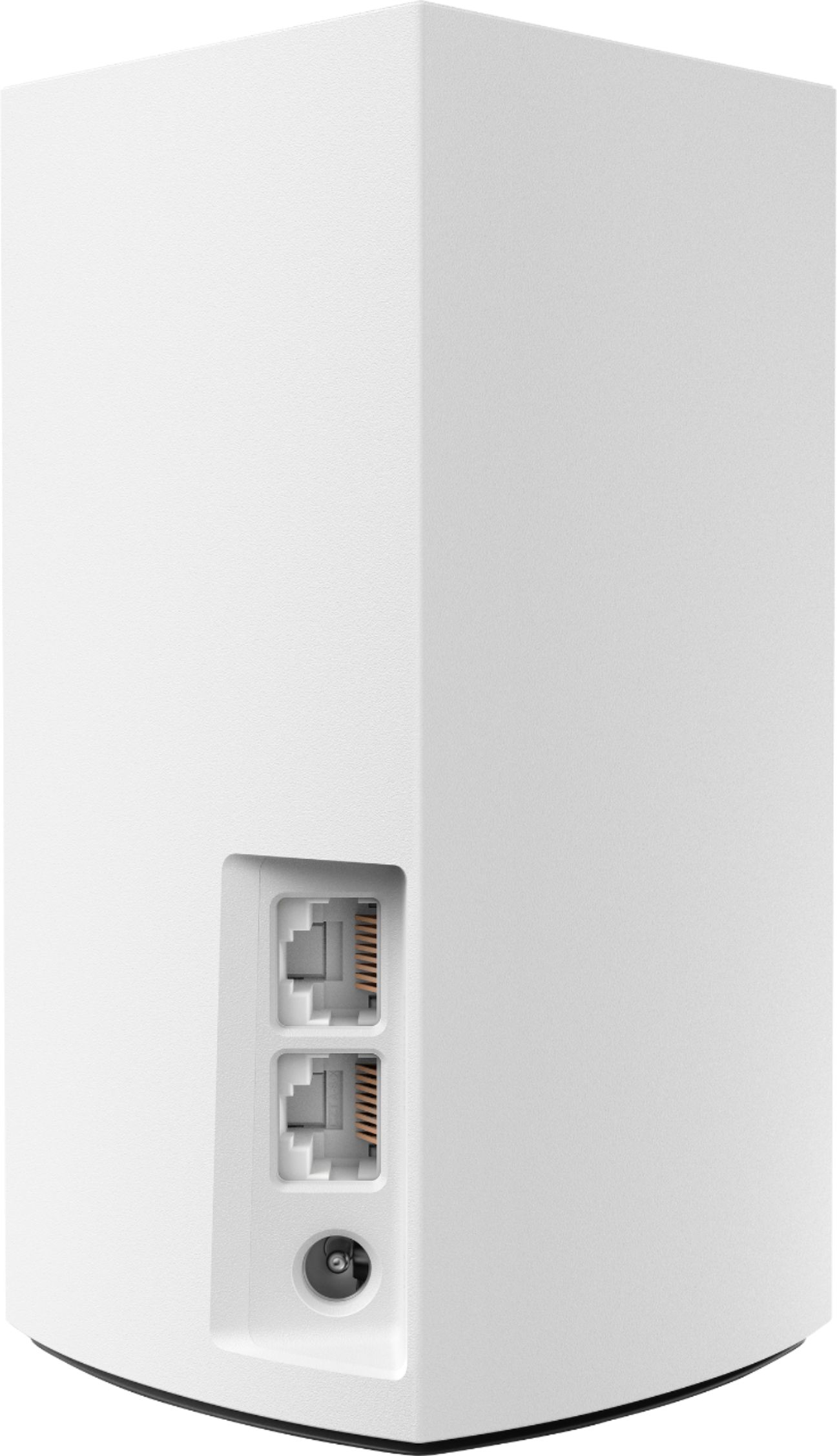
|Posted .This reviewer received promo considerations or sweepstakes entry for writing a review.The Linksys Velop Dual-Band Mesh system was literally the easiest setup of any device I've ever used. This was setup on a new internet install and was the first Wifi system installed. Setup from opening the box to online was less than 10 minutes. The system is packaged well and includes the 3 nodes, power cables, an ethernet cable and an install guide. Follow the setup guide, download the iOS app and walk through the steps. Basically you need to set up the first node and then add additional nodes within the app. I installed 2 nodes and it provides complete and solid coverage for our 2,000 sqft. condo. The app is also a great addition to the system, with many features to manage your internet connection, users, nodes, etc. I manage two different systems with the app and love it. Pros: - The Velop nodes are esthetically pleasing vs. the usual drone looking routers with antennas pointing in all directions. - Setup is a snap - Ease of use of iOS app for setup and maintenance - Blazing fast speeds and covers my 2,000 sqft condo with full bars Cons: - Can only be set up on Android or iOS phone – shouldn’t really be an issue for anyone at this point! - I have a handful of wired devices and needed to buy a switch to support them with the Velop system as there are only 2 ethernet ports on the nodes. - Large head on the power cord, doesn't not play well with my surge protector. The Velop System is the real deal, I would recommend to anyone looking to update their home wifi setup. This is the “basic’ dual-band model, but the speed and performance has been great since install. No issues with dropped signal, very pleased with the overall experience at this price point.
I would recommend this to a friend Don't waste your money.
||Posted . Owned for 11 months when reviewed.This reviewer received promo considerations or sweepstakes entry for writing a review.DO NOT BUY THIS!!! I bought this in June 2021 and it never worked well. Setup is tedious and hit-or-miss. I eventually had to run ethernet cables to physically wire these up to the router just to get wifi in a single room. To top everything off, last week one of the devices just stopped working completely. I tried resetting it, turning it off for an hour, nothing helped.
No, I would not recommend this to a friendBrand response from Linksys Staff
Posted .Hi Eric,
Thank you for the honest feedback on the Linksys Velop Dual-Band Mesh system. This shouldn't be the case as long as it gets a stable internet connection from the upstream device, is correctly configured, and is running on the latest firmware. Since you did a reset, let's have our 2nd Level Team take a closer look at this instead. You may email this link, the system's serial and firmware, and other relevant info to LinksysCares@linksys.com.
Looking forward to hearing from you soon.
Regards,
Mara
Linksys Support
Worked fine for gaming systems
||Posted .This reviewer received promo considerations or sweepstakes entry for writing a review.Router worked great for gaming systems but all our phones kept dropping Wi-Fi and reconnecting. It was a huge pain. Returned and picked up the orbi router...works flawlessly.
No, I would not recommend this to a friendBrand response from Linksys Staff
Posted .Hello blnd1990,
The Linksys Velop might need to be optimized by updating its firmware. Our Escalation Engineers would have loved to assist you with the challenge that you've experienced with it. In case you need our assistance in the future, please feel free to tap us at [email protected] along with your phone number and the link to this review for our reference.
Regards,
Princes
Linksys Support
I returned it
||Posted .This reviewer received promo considerations or sweepstakes entry for writing a review.It did little to improve my in home network, so I returned it. Worked with Verizon who installed another router slaved to first router on other side of house, problem solved.
No, I would not recommend this to a friendBrand response from Linksys Staff
Posted .Hello Gordy,
We understand that you no longer have the Linksys Velop nodes. Our Escalation Engineers would've loved to assist you with the challenge that you've experienced with it. Should you need our assistance in the future, feel free to tap us at [email protected] along with your phone number and the link to this post for our reference.
Regards,
Princes
Linksys Support
- Pros mentioned:Ease of use, Wi-fi coverage
Great concept this is for basic set up tho
|Posted .This reviewer received promo considerations or sweepstakes entry for writing a review.This mesh router set up is all new to me right. The concept is great the fact that you have individual routers and not repeaters is great. Each node even comes with Ethernet ports which is perfect for gaming in my situation. Set up really is easy as most routers are. No issues there. Design is simple but nice. New age I call it. Only issue (minor) is this model is great but just a little bit slower than my new model modem with built in WiFi. This has very smooth internet and works well. But the Speedtest showed slightly lower numbers so that gets me mentally. Although Linksys does have higher rated models and I’m sure those are even better. This is for basic internet. Even states this on the box. So fair enough. I think this version will suit the majority looking to upgrade. My internet speeds are very very high tho. So thats the reason for 4 stars. Great product overall. No issues tho with drops or connectivity. Good luck and I hope this helps.
I would recommend this to a friend Save your money! Do buy it!!
||Posted . Owned for 1.5 years when reviewed.This reviewer received promo considerations or sweepstakes entry for writing a review.It is a total waste of money. I bought this two years ago and had many problems with it. I had to restart them so many times. Now this will not work at all. The power went out yesterday, and now I can not connect any of them to the internet. I can not factory reset them. Customer support is worthless. I wasted $200 please stay away from this piece of garbage.
No, I would not recommend this to a friendBrand response from Linksys Staff
Posted .Hi, Martin,
Thank you for sharing your feedback. We’re sorry your experience didn’t match your expectations, we'll strive to do better. We would like the opportunity to talk and investigate your feedback further. You may email your support case number to LinksysCares@linksys.com.
Looking forward to hearing from you soon.
Regards,
Mara
Linksys Support
Mesh network options
||Posted .This reviewer received promo considerations or sweepstakes entry for writing a review.Didn’t work that much better then router. Exchanged for a Eero mesh network. That works great with no issues and quick WiFi speeds. I recommend buying that instead.
No, I would not recommend this to a friendBrand response from Linksys Staff
Posted .Hello TechDave,
We understand that you no longer have the Linksys Velop and we respect your decision. Our Escalation Engineers would've loved to assist you with the challenge that you've experienced with it; should you need our assistance in the future, please don't hesitate to tap us at [email protected] along with your phone number and the link to this review for our reference.
Regards,
Princes
Linksys Support
Choose something else
||Posted . Owned for 4 months when reviewed.This reviewer received promo considerations or sweepstakes entry for writing a review.Software engineer with plenty of tech experience here - and this product was a nightmare. Constantly had to reboot - takes forever to restart - phones connect to Wifi, but the internet is completely unusable - management UI is pretty awful. After months of trying - had to give up and go with another solution. Too bad, I have a small house - this mesh router should have been great. Alas, it doesn't deliver at all.
No, I would not recommend this to a friendBrand response from Linksys Staff
Posted .Hi mike,
Your product experience is valuable to us. The performance is far from expected and we could've let our Escalation Engineers to check the unit and provide further diagnosis before setting it aside. Should you have any Linksys products in the future and need a helping hand, please don't hesitate to get in touch with us at LinksysCares@linksys.com. We're eager to help.
Regards,
Carl
Linksys Support
Big problem
||Posted . Owned for 7 months when reviewed.This reviewer received promo considerations or sweepstakes entry for writing a review.I bought Linksys - Velop AC1300 (3pack) two years ago. A couple of months ago it developed a problem. It can take a minute for a new page to load. Devices drop the connection. An internet search shows many people have this problem. It seems that the new firmware is unreliable and it is not possible to download the old reliable firmware 1.1.9.195026 any more. After wasting many hours I must now buy a new router.
No, I would not recommend this to a friendBrand response from Linksys Staff
Posted .Hi, Goleta,
Updating the Linksys Velop system's firmware and using the channel finder on the Linksys app should optimize the node's performance. However, allow us to investigate the Velop system further. You can reach out to us at LinksysCares@linksys.com and share more details with the link to this review for our reference.
Regards,
Jan
Linksys Support
Upgrade!
||Posted .This reviewer received promo considerations or sweepstakes entry for writing a review.Only fair transmission. Incoming signal was 100 MBS, but only got 20 MBS 40 feet from the router node. Quickly replaced.
No, I would not recommend this to a friendBrand response from Linksys Staff
Posted .Hi, NewBoseMiniCable,
Running the channel finder, keeping the router updated, and proper node placement might’ve helped to optimize and improve the overall performance of the Velop system.
We respect your decision in replacing router, however, know that we’re just here at LinksysCares@linksys.com should you decide to use a Linksys product again. Our team would be happy to lend you a hand.
Regards,
Rosalyn
Linksys Support
Gaming router is a better choice
||Posted . Owned for 1.5 years when reviewed.This reviewer received promo considerations or sweepstakes entry for writing a review.Wouldn't really waste much time with this system. First off, setting these up are a pain. You pretty much have to set these within 10ft of each other or they won't connect. Second, the app tells me that my wifi is not connected, so then I cannot access the router settings and all but yet, I'm on the same wifi. Save yourself the hassle and headache and just spend the money on a powerful gaming router instead
No, I would not recommend this to a friendBrand response from Linksys Staff
Posted .Hi, Bags,
We’ll have our Escalation Engineers take a look at what happened. Just send us an email at LinksysCares@linksys.com so they can help you investigate and optimize the settings to improve its overall functionality. Don’t forget to include your contact information and a link to this review as our reference.
Regards,
Rosalyn
Linksys Support
- Cons mentioned:Price
Nope nope
||Posted . Owned for 2 months when reviewed.This reviewer received promo considerations or sweepstakes entry for writing a review.Horrible product for the price. Having to plug up each one to a modem wasn’t what we wanted.
No, I would not recommend this to a friend - Pros mentioned:Setup
Affordable Mesh Wifi Router - Good Value
|Posted .This reviewer received promo considerations or sweepstakes entry for writing a review.What's in the box ----------------- Ethernet cable (3 pcs) Linksys Velop Dual-Band Mesh Wi-Fi System (3 Pack) Owner's manual Power adapter (3 pcs) Printed documentation Pros ---- 1. Price, I think its a good value for a dual-band mesh router 2. Coverage - 3000 sqft (my house) with ease and excellent speed, no dead spots 3. Setup - Using the velop app, it was as easy as plug n play 4. Build Quality - Good, will easily take on a few drops 5. Automatic software updates Cons ---- 1. No USB Port , Cant use as a poor man's NAS 2. only 2x WAN/LAN auto-sensing Gigabit Ethernet ports 3. Color - Why not Black? Review ------ I will be replacing my T-Mobile Hotspot Router which is nothing but a ASUS Dual Band Router (Asus RT-AC68U), so my review will be comparing a mesh router vs. my current ASUS router. I have a 3000 sqft home and i know where my dead spots are. My modem and router are in the living room and with my current router, i do not get a good reception in my kid's bedroom which is at the other end of the house. So I decided to upgrade to this router and could not be happier. For a 3000 sqft house, i get uniform signals across all the corners of the house with the Linksys Velop Mesh 3-piece router. Setup - The Setup is a Breeze, you connect it to the modem and follow the steps on the velop app which can be downloaded from the apple store or play store. For folks who wants the old school type of setup instructions, there is a printed instruction document in the package as well. I prefer the app and it is very straight forward as you connect one unit at a time. Test - I have 2 Fire TVs, 3 phones, 3 tablets, 1 Blink camera system, 1-Samsung smartthings hub, 1 desk and 2 laptops. Not all of them are running all the time, the camera system and smartthings are running all the time, others keep coming and going. With that said, i started the test with 2 velop placing one next to the modem in the living room and one at the far end at my kids room. With 100/100 Mbps line that i have with optimum, i was consistently clocking at 80-100 Mbps all corners of my home which i tested using the inbuilt speed check app. I also cross checked with the speedtest app you can find on the app store, came in the same range. With an additional router added on in my wife's office in the 1st level, i can get consistently 100Mbps speed in all the rooms. I liked the guest access feature since i do not get good cellphone reception at home, our guests are constantly asking for WiFi password, i can easily set this up using the velop app. There are parental controls which can be setup using the app as well. This is a great feature if you want to ration the internet for your kids, setup online time on a schedule and block it during certain hours. You can block some sites or completely block certain devices (app shows you the devices) from internet access. Automatic software update is the feature i liked the most. i do not have to worry about security patches and manually install them! I recommend this product!!
I would recommend this to a friend - Pros mentioned:Setup
Wish it work longer
||Posted .This reviewer received promo considerations or sweepstakes entry for writing a review.Was easy to set up but crap out after only 4 days had to return it.
No, I would not recommend this to a friendBrand response from Linksys Staff
Posted .Hello, chickachickaboomboom,
We understand that you had to return the Linksys WHW0102. We could have it checked with our Escalation Engineers further as to what was causing the concern. In case you need help in the future, feel free to send us an email at [email protected] with your contact info and the link of this review, for reference.
Regards,
Elyza
Linksys Support
- Pros mentioned:Ease of use, SpeedCons mentioned:Price
Does The Job of Increasing Coverage
|Posted .This reviewer received promo considerations or sweepstakes entry for writing a review.The setup was very easy, and the coverage throughout my home is very good and the speed is still there. The only two issues I have is that I am having issues making wifi calls on my cellphone. Also, this is a little pricey, there are cheaper options out there.
I would recommend this to a friendBrand response from Linksys Staff
Posted .Hi BigRoy,
We're pleased to hear that your new Velop System is providing you a good Wi-Fi coverage to your home without slowing down your network speed. If you're still having issues making Wi-Fi calls on your phone, reach out to us at [email protected] so we can have one of our Escalation Engineers look closely into this matter. For easy reference, include your contact details and the link to this review.
Best regards,
Jay
Linksys Support