Customer Ratings & Reviews
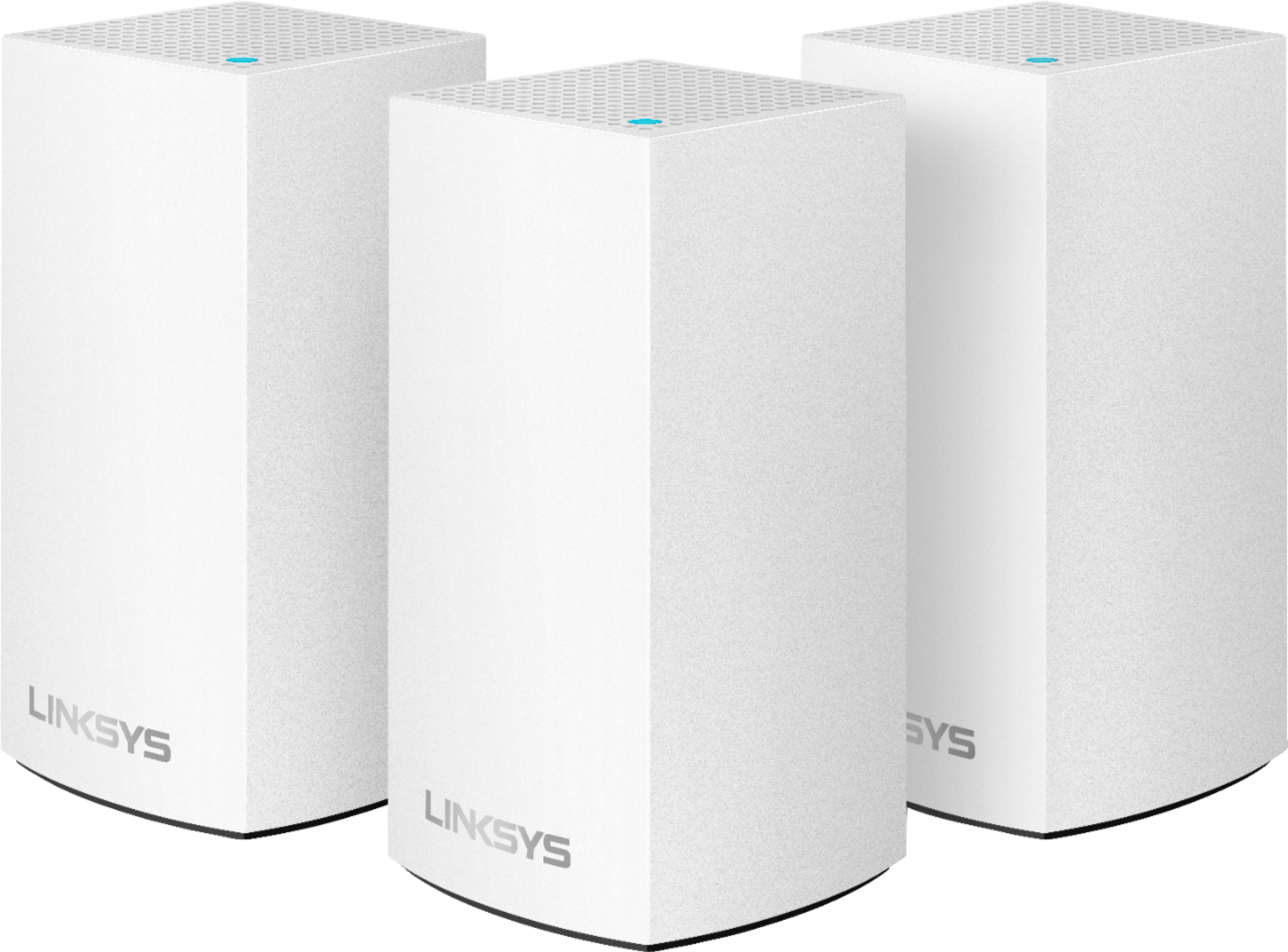






- Model:
- WHW0103
- SKU:
- 6215341
Rating by feature
- Setup
Rating 4.2 out of 5 stars
- Range
Rating 4.1 out of 5 stars
- Signal Strength
Rating 4.1 out of 5 stars
Customers are saying
Customers enjoy the Velop AC1300 Dual-Band Mesh Wi-Fi 5 System's ease of use, expanded Wi-Fi coverage, and strong signal. Many appreciate the improved range and performance compared to single routers, finding setup straightforward. A common concern, however, is the relatively high cost.
This summary was generated by AI based on customer reviews.
Poor
||Posted . Owned for 1 month when reviewed.This reviewer received promo considerations or sweepstakes entry for writing a review.Don’t boost WiFi coverage in my house like it is suppose to
No, I would not recommend this to a friendBrand response from Linksys Staff
Posted .Hi Blue44,
The Velop system should be able to provide wide wireless coverage. However, wireless interference and physical obstructions can cause issues to the Wi-Fi network. To isolate, try to use the channel finder feature on the Linksys app to help optimize your Velop system and, try to update the firmware as this usually fixes some issues.
Regards,
Jan
Linksys Support
not great
||Posted . Owned for 4 months when reviewed.This reviewer received promo considerations or sweepstakes entry for writing a review.not worth the money - haven't noticed any wifi boost.
No, I would not recommend this to a friendBrand response from Linksys Staff
Posted .Hi, Keri,
The Velop Mesh System is expected to deliver a 100% seamless Wi-Fi experience without lag or dropping connection throughout your home. We'd like to have our Escalation Engineers to contact you and assist you in optimizing the device so it can work up to its full potential in your network. Email us at [email protected] with your contact details and the link to this review as a reference. Let us sort the challenges that you have from there.
Regards,
Carl
Linksys Support
Not for satellite.
||Posted . Owned for 1 month when reviewed.This reviewer received promo considerations or sweepstakes entry for writing a review.I could not get this to work in my house even with the support of the company’s trouble shooters. Sorry but I returned it and bought some long cables and direct connected my equipment instead.
No, I would not recommend this to a friendBrand response from Linksys Staff
Posted .Hi Hubcapman,
Our Velop system is designed to work with any ISP so there might be other factors causing your challenge. We regret to hear that you already returned the item as we could have tapped one of our Escalation Engineers to take over your case. Should you have other Linksys device that needs assistance, we're just an email away at [email protected]. Just indicate your contact details and the link to this post for easy reference.
Regards,
Jay
Linksys Support
BB
||Posted . Owned for 3 weeks when reviewed.This reviewer received promo considerations or sweepstakes entry for writing a review.I do not recommend purchasing this system. It does not provide the solution that it claims to provide. Additionally, it negatively affected the operation of the tv service provider. The system was returned.
No, I would not recommend this to a friendBrand response from Linksys Staff
Posted .Hi,
The Linksys Velop WHW0103 Mesh Wi-Fi System delivers a full-strength mesh Wi-Fi and a Wi-Fi coverage of up to 1,500 sq. ft. per node. Should you need assistance with other Linksys devices, you can reach out to us at LinksysCares@linksys.com with the link to this review for our reference.
Regards,
Jan
Linksys Support
- Pros mentioned:Ease of use, Speed

Better than those clumsy range extenders!
|Posted .This reviewer received promo considerations or sweepstakes entry for writing a review.In the past I've used range extenders to try and get WiFi coverage across my home and property and it was always a pain... Difficult to setup, adding an additional network, giving the password to that network to those who need it,etc... This solves all that. Super easy setup, love the app integration. Wish it was Tri band, Dual band is one of the few draw backs. Speed check also comes in handy, great way to confirm the speeds and make sure you're getting what you should be.
I would recommend this to a friend Terrible system
||Posted . Owned for 2 months when reviewed.This reviewer received promo considerations or sweepstakes entry for writing a review.This system is terrible if you want to reduce your speed and unreliable connections this is the system for you. Going back to my ac router and disconnecting this garbage. Does not do as advertised at all
No, I would not recommend this to a friendLoses Internet Connection
||Posted . Owned for 6 months when reviewed.This reviewer received promo considerations or sweepstakes entry for writing a review.i’ve tried multiple firmware updates, restarts, changed modems, and support phone calls. the system has great coverage but loses internet connection for unknown reasons.
No, I would not recommend this to a friendBrand response from Linksys Staff
Posted .Hi DRAMS,
This is definitely not the experience we want for our customers. We'd like to have our Escalation Engineers to contact you for further isolation and troubleshooting to try and resolve this behavior from the Velop system.
Just send us your contact details at [email protected] so that we can escalate your case. Don't forget to include the link to this post as a reference.
We hope to hear from you soon.
Regards,
Thaddeus
Linksys Support
Never Worked
||Posted . Owned for 1 month when reviewed.This reviewer received promo considerations or sweepstakes entry for writing a review.System never worked. Spent four hours on two separate phone calls with support and it seemed all they wanted to do was to get me off the phone so they didn't have to deal with issue.
No, I would not recommend this to a friendBrand response from Linksys Staff
Posted .Hi,
This certainly is not the experience we wanted you to have with us. Our Escalation Engineers would love to assist you further with this setback. Please send us an email at LinksysCares@linksys.com with your contact details and the link to this post. Hope to hear from you soon.
Regards,
JC
Linksys Support
- Pros mentioned:Speed
Better is Just Better!!!
|Posted .This reviewer received promo considerations or sweepstakes entry for writing a review.The test environment for this system was as follows. The home size was 3400 sq.ft two story home with the WI-Fi network upstairs (Direct TV/Internet Router) with 100mbps speed. The system tested three areas of the home were the most traffic was including outside living area with TV and Roku setup. The whole setup is for lack of a better word long as each node (Three is this system) have to be set up independent of each other. Approx. time is 5-8 minutes. After installation, it took an additional 15 minutes to upload a firmware update. (approx. 5 minutes per node for update) Area 1 Dining Area next to the Living Room The before speed downstairs dining area was, Ping 6 ms, Download 70.32 Mbps and Upload 13.34 Mbps and after installation of the Linksys node in the living room (which is 10 feet from the dining area) the speed was Ping 5 ms, Download 116.23 Mbps, and the Upload was 12.85 Mbps. Overall improvement of approx. 45.91 Mbps increase in Download, similar Upload, and Ping rate. Area 2 Outside Living area with Entertainment Area (TV and Roku set-up) This is a large area of approx. 700 Sq.ft. of space however approx. 25 feet from the node in the living room, the results are as followed.: Ping 7 ms, Download 60.37 Mbps and Upload 13.59 Mbps and after installation of the Linksys node in the living room (which is 10 feet from the dining area) the speed was Ping 6 ms, Download 116.18 Mbps and the Upload was 12.95 Mbps. Overall improvement of approx. 55.81 Mbps Download increase and similar Upload and Ping rate. Area 3 Office area (Upstairs) This is a loft style office with the only walls in the rear of the office. Ideal for a strong overall Wi-Fi signal to reach the whole home. This is the node that is directly connected to the router. Ping 5 ms, Download 100.03 Mbps and Upload 13.90 Mbps and after installation of the Linksys node in the living room (which is 10 feet from the dining area) the speed was Ping 5 ms, Download 123.65 Mbps and the Upload was 13.85 Mbps. Overall improvement of approx. 23.62 Mbps Download increase and similar Upload and Ping rate. My overall impression is that this system is indeed an amazing upgrade to the whole home internet coverage and will decrease any and all dead zones in the home. I am extremely happy with these results. That being said I have family and friends asking if this system would be good for a small business and I say yes, yes, yes!!! I would recommend this for anyone wanting an upgrade to any Wi-Fi system.
I would recommend this to a friend Not sufficient for moderate wifi need
||Posted . Owned for 9 months when reviewed.This reviewer received promo considerations or sweepstakes entry for writing a review.Nodes frequently lose connections. Often devices only connect to one of the nodes. Unable to provide sufficient stability for applications like Zoom. Ended up running ethernet cable and network switches.
No, I would not recommend this to a friend- Pros mentioned:Setup, Wi-fi coverage
Coverage Everywhere
|Posted .This reviewer received promo considerations or sweepstakes entry for writing a review.This mesh wi-fi system has eliminated the dead spots around my house and even outside in the yard. We have our internet set up on one side of the house where it's out of the way. With my old LInksys router, we had a few dead spots and would lose connection in the driveway and garage. After the easy setup with these nodes, we now have coverage everywhere we need it with no noticeable speed loss. Switching from node to node is unnoticeable. I also set this up with the same router name and password as my previous router, so everything automatically connected with no issues. Would definitely recommend if you have dead wi-fi areas in your house or if you just want even more coverage out the yard.
I would recommend this to a friend Absolute Crap! - Worst customer service
||Posted .This reviewer received promo considerations or sweepstakes entry for writing a review.These go off line for no apparent reason. Less than 9 months after purchase, 2 of 3 of the nodes no longer will reset, or find the network. Don't buy Linksys / Belkin crap.
No, I would not recommend this to a friendBrand response from Linksys Staff
Posted .Hi,
We'd love to make things right and check this setback with our Escalation Engineers. Please email us at LinksysCares@linksys.com with your contact details and the link to this post. Hope to hear from you soon!
Regards,
JC
Linksys Support
I lose connection often.
||Posted . Owned for 3 weeks when reviewed.This reviewer received promo considerations or sweepstakes entry for writing a review.I purchased and had someone else install. After installation I lost connection. I decides to try to reconnect. however, still lose connection throught the day. will be returning and purchasing the more expensive brand.
No, I would not recommend this to a friendBrand response from Linksys Staff
Posted .Hi, Tennese,
We assure you that the nodes should provide reliable connection once properly installed, the Channel Finder is utilized, and equipped with the latest firmware. Please reach out to us at [email protected] with the link to this review and your contact details. We'll forward your case to our Escalation Engineers for further troubleshooting.
We'll be waiting for your response.
Regards,
Carl
Linksys Support
Worst router I've ever had.
||Posted . Owned for less than 1 week when reviewed.This reviewer received promo considerations or sweepstakes entry for writing a review.This router constantly drops internet and after multiple reboots the nodes finally start working again. The only thing good about it is the mesh system.
No, I would not recommend this to a friendBrand response from Linksys Staff
Posted .Hi, Corey,
We regret to hear that the unit did not work as expected. With the setback you've encountered, there are several factors we may have to look into further. It may be addressed by double-checking the network settings and properly configuring it. Please have our Escalation Engineers contact you for troubleshooting. Just send us an email at [email protected] with your contact details and the link to this review for easy reference.
Regards,
Carl
Linksys Support
Better Investment Than Range Extenders
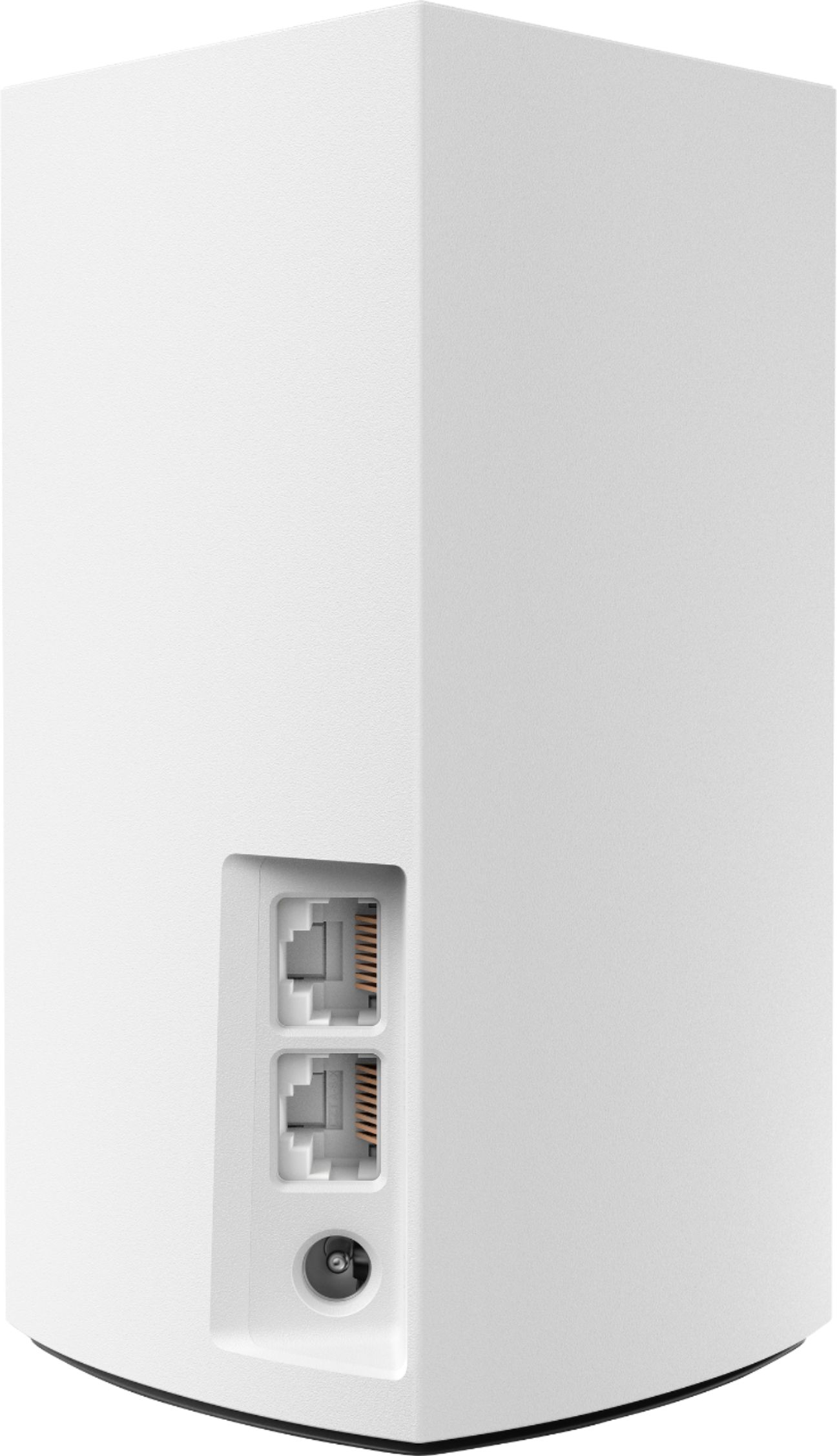
|Posted .This reviewer received promo considerations or sweepstakes entry for writing a review.I attached these to an existing Velop Tri-Band network. So, if wondering, there is no issue connecting to a mixed node setup. The plan was to have these as the far reaching satellite nodes at the outer walls of the house. After configuration, I decided to reset the network, I had it set as a bridged network, but could not change the primary node due to some glitch with the old config. One definite upgrade from the previous iteration of Velop, they have fixed he status lights that looked more red than purple during setup. The LED fix is a major configuration improvement. It also makes trouble shooting a little easier since the light matches the warning color. Another improvement, you can now manage from a PC browser, still can not configure. The original release would only allow phone app management. The range for these nodes in the 3 node setup is about 4600 square feet, but that is with limited interference between nodes. The dual band will still cover most houses if you can get them lined up just right. The configuration wizard will let you know if you need to move nodes closer. Adding a node is a simple process. Simply log into the app and select "Setup a new product" in the hamburger menu of the app. Follow the onscreen prompts, and you should be done in about 10 minutes for the 3 node setup. Using the phone app is the only way to setup initially since you need to be near the node during configuration. A few key things to know: - Default passwords for each node is inside on tri-band and on a label under the node for dual-band. I would recommend taking a picture of them and label the picture correctly. Store it in your cloud provider of choice in a folder or email it to yourself and save it appropriately. - Factory reset of a node is done by holding the red button until the light flashes red and goes out. About 10 seconds. - There are 2 networking ports on the nodes. You can plug in a wired connection if you like. On the tri-band they are inside and the dual-band they are on the back. - Depending on your device, you may move from one coverage to another without switching nodes. If you experience a slowdown, turning WiFi off and on should connect to the strongest node. - After a few days, go into the app and click WiFi Settings | Advanced WiFi Settings | Channel Finder and have it detect the best channel. This will bring WiFi down temporarily. So do this when no one is doing anything. This is especially important if you are in a highly populated area. Also do this if you are having slow network connections. My personal opinion, this is a better investment than trying to add range extenders. When the next WiFi standard is certified (already certified?) and commonly used expanding to that standard will be simplified. You can add a new node and replace your primary node that is attached to your cable/DSL/Fibre modem. I would add the device to the network and then connect it to the modem. The node removed from the primary position can then be placed elsewhere to expand your range. If you are like me, you would be upgrading routers every few years anyhow. Overall, the Velop are fantastic devices. They look nice and can blend in to a rooms look pretty easily. They give a great network solution and eliminate dead zones. IF you have a WiFi enable cell phone and plan, mesh networking is almost a must if you have shaky service at home. Linksys has done a great job with the Velop devices.
I would recommend this to a friendJunk
||Posted . Owned for 3 weeks when reviewed.This reviewer received promo considerations or sweepstakes entry for writing a review.Setup two times cut off use of on-line services. Text told use to replay with different brand. We go to purchase and Best Buy is sold out of this product so we are left hanging
No, I would not recommend this to a friendBrand response from Linksys Staff
Posted .Hi, Aline,
If you still have the Velop nodes, we’d like to discuss further about what happened so our Escalation Engineers can assist you further. Just email us at LinksysCares@linksys.com with your contact information and a link to this review as our reference.
We look forward to hear from you.
Regards,
Rosalyn
Linksys Support
Terrible
||Posted . Owned for 1 month when reviewed.This reviewer received promo considerations or sweepstakes entry for writing a review.I have this mesh setup in my house. It's not a big house by any means. Less than 2000 sqft. Zoom meetings keep dropping. Spotty quality all-over. Unfortunately, my return period has passed.
No, I would not recommend this to a friendBrand response from Linksys Staff
Posted .Hello, Andy,
Physical obstructions and frequency interference from other device are one of the possible causes of the issue. Try running the channel finder feature of the Linksys WHW0103 and do a system reboot (power-cycle). Update us then over email so we can have you assisted by our Escalation Engineer at [email protected] with your contact info and the link of this review, for our reference.
Regards,
Elyza
Linksys Support
joke
||Posted . Owned for 1 year when reviewed.This reviewer received promo considerations or sweepstakes entry for writing a review.was told by best buy personel they would work with att . but ofcourse they dont . found no difference in having them to my service before them . waste of money .
No, I would not recommend this to a friendBrand response from Linksys Staff
Posted .Hi, pearl223,
Our range extenders will work with most routers and gateways as long as properly configured, and equipped with the latest firmware. Allow us to look into this further by sending an email at LinksysCares@linksys.com along with your contact details and the link to this review for our reference. Our Escalation Engineers are eager to help as well.
Regards,
Carl
Linksys Support
Don’t bother
||Posted . Owned for 2 months when reviewed.This reviewer received promo considerations or sweepstakes entry for writing a review.This system does not work properly. I didn’t realize that could return it and now I am 10 days past my return deadline. A waste of 200 dollars.
No, I would not recommend this to a friendBrand response from Linksys Staff
Posted .Hello,
We’ve taken note of your feedback on the Linksys WHW0103. Let’s have our 2nd Level Support team help you further with this. Please email us the link to this review along with other relevant details at LinksysCares@linksys.com for our reference.
Regards,
Kyla
Linksys Support
Disappointed
||Posted .This reviewer received promo considerations or sweepstakes entry for writing a review.Reception not great. Have to keep resetting router. House is a ranch and only 1200sq ft. 2 receptors should be able to provide excellent coverage. Very disappointed. Will be purchasing a different router.
No, I would not recommend this to a friendBrand response from Linksys Staff
Posted .Hello Baytay,
There might be interference from your area which is causing the challenge. Shoot us an email at [email protected] along with your phone number and the link to this review; we'll have our Escalation Engineers lend you a hand.
We hope to hear from you soon.
Regards,
Princes
Linksys Support