Customer Ratings & Reviews
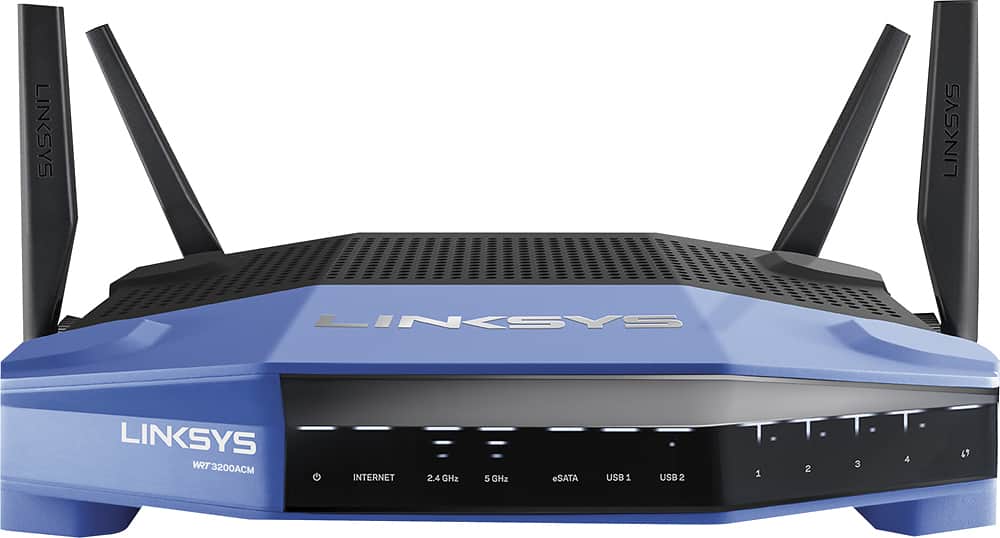
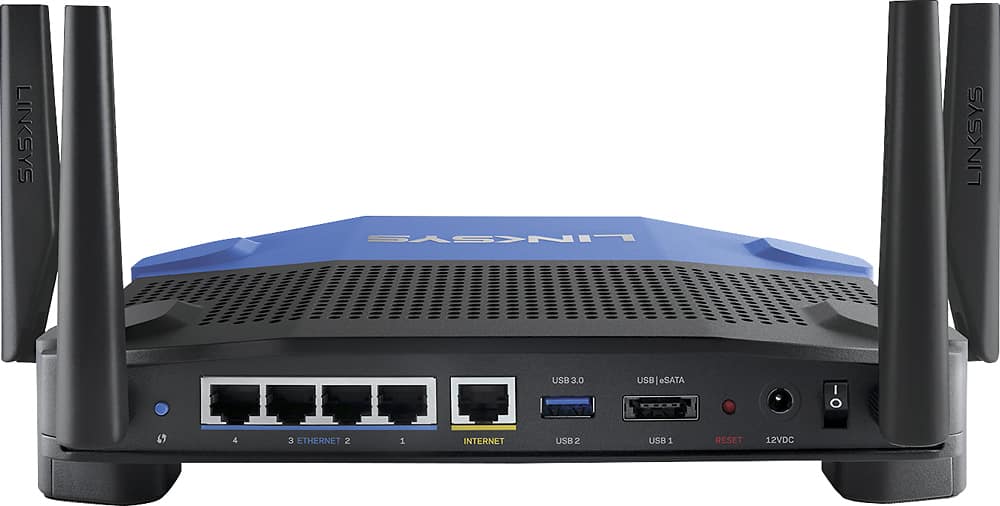
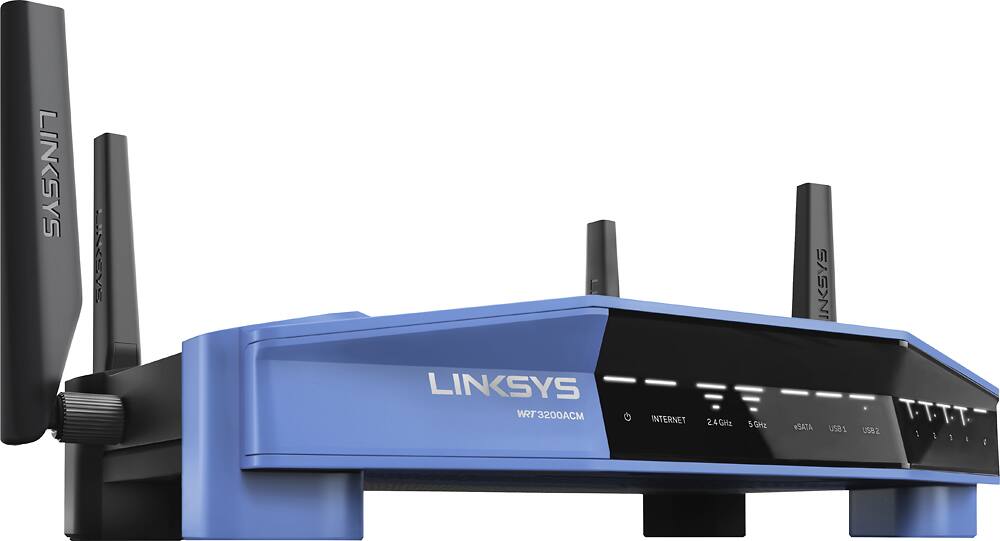



- Model:
- WRT3200ACM
- SKU:
- 5601000
Rating by feature
- Value
Rating 4.3 out of 5 stars
- Quality
Rating 4.6 out of 5 stars
- Ease of Use
Rating 4.5 out of 5 stars
Customers are saying
Customers love the WRT AC3200 Dual-Band WiFi 5 Router's ease of use, range, and performance, with many praising the simple setup and strong signal. Positive feedback also highlights excellent coverage and improved streaming capabilities. While some users noted the router's size and experienced occasional connectivity or firmware issues, the overwhelmingly positive reviews focus on its strong performance and user-friendliness. A few users mentioned needing firmware updates.
This summary was generated by AI based on customer reviews.
Drops Wifi 2x per day for 2 yrs, no solution yet
Posted .This reviewer received promo considerations or sweepstakes entry for writing a review.I bought this router for its robust dual-band WiFi signal, Mu-Mimo speed, and OpenWRT capabilities. What I got was a router that can't maintain a WiFi internet connection for more than eight hours. What I mean by that is my wireless device shows a good connection to my network, but cannot access the internet. Wired devices on the same router/network are fine, but each wireless device, 2.4 and 5g, cease to have WAN service until the router is reset. Then access is restored for 10 minutes to 10 hours. I have updated, downdated, reflashed firmware until the cows came home, nothing seems to fix this problem. It looks as though this is a common problem with this router, and I did not catch it in the reviews, so BEWARE!!! Avoid this device unless you are a masochist.
No, I would not recommend this to a friendBrand response from Linksys Staff
Posted .Hi, Steve,
The latest firmware for the WRT3200ACM Model should fix any connectivity issue that you have. Please email us the workarounds you've tried at LinksysCares@linksys.com so we can get you over to one of our Escalation Engineers for further isolation. Indicate your contact information and the link to this review for reference.
Regards,
Jay
Linksys Support
Junk Out Of The Box
Posted .This reviewer received promo considerations or sweepstakes entry for writing a review.Been using Linksys Routers for years, have the WRT1200AC and after one year it I had to reset the router every other day because of speed dropping, so I decided to go for the WRT3200ACM AC3200 MU-MIMO Gigabit Wi-Fi Router, after using it 1 day the download speed drop to .89 mbps then .2 mbps, took it back and exchange it for another one, bad right right out of the box, called Linksys and after 2 hours they decided it was bad, took it back and got my $200 back and got the Netgear R6400, works great. Oh yes, I told the tech that they need to check into this but the only thing she said "SORRY",,,no more LINKSYS
No, I would not recommend this to a friendBrand response from Linksys Staff
Posted .Hi Opa90,
Thank you for bringing this to our attention. What you’ve experienced is clearly not what we wanted you to have with our support as well as using our product. If we can be of any assistance in the future, please don’t hesitate to reach out to us at LinksysCares@linksys.com anytime.
Regards,
Rechel
Linksys Support
Terrible Belkin In Disguise
Posted .This reviewer received promo considerations or sweepstakes entry for writing a review.Router setup is Microsoft style, encouraging insecure "account creation" on some Linksys server. Difficult to find the real, traditional setup process makes a shady image right from the get go. The admin GUI is awful and lacking features of even a $40 router. The DD-WRT is Beta, that's all there is available. How can they advertise DD-WRT compatibility when all that is available is Beta? How do I explain that to a client? Clicking the "Wireless" tab under "Status" causes the device and browser to crash requiring the ridiculously long reboot time to recover, making remote management completely impossible. It is a shame what Belkin has done to our beloved WRT series router. I am taking this piece of brick back and getting an Asus.
No, I would not recommend this to a friendBrand response from Linksys Staff
Posted .Hi, TechHead,
Thank you for sharing your feedback. The WRT3200ACM router is open source ready for OpenWrt and DD-WRT and is made available for coders to tweak their own firmware. The "Account Creation" remains a secure service that makes it convenient for you to manage your network locally or remotely via web or mobile app. Before you consider returning the WRT3200ACM router, we would like to have one of our Escalation Engineers assist you with the traditional setup and help you optimize the router's settings to ensure that the router is working at its best. Get in touch with us at LinksysCares@linksys.com with your contact information and the link to this review.
Regards,
Jay
Linksys Support
Setup was a nightmare
Posted .This reviewer received promo considerations or sweepstakes entry for writing a review.I spent 2.5 hours on the phone with Linksys technical support and 2 separate support techs trying to set up bridge capabilities with my existing Comcast modem. I finally gave up and went to Best Buy to find another solution. Craig was VERY knowledgable on whole-home wifi systems, including Google Wifi, and he provided instructions on how to integrate Google Wifi with my Comcast modem. Setup with the app was a breeze, and I had 3 access points connected and up and running in 15 minutes. So far the wifi signal is strong and reliable throughout the house. I would highly recommend Google Wifi to anyone experiencing trouble with their current wifi network and looking for a simple and elegant solution.
No, I would not recommend this to a friendBrand response from Linksys Staff
Posted .Hi ParGolf,
We’re sorry to hear that the setup process didn’t work smoothly. We understand that the unit is no longer with you. However, we would like to review the steps you’ve done with our Technical Support team so this won’t happen again. Email us your case number or phone number at LinksysCares@linksys.com with the link to this review for our reference.
Regards,
Rechel
Linksys Support
Not impressed with the product or customer support
Posted .This reviewer received promo considerations or sweepstakes entry for writing a review.Tough to set up. Documentation isn't clear nor specific. Customer service reps have trouble speaking English. Can't access USB storage device that I attached to the router from offsite locations.....which documentation "seems" to say can be done.
No, I would not recommend this to a friendBrand response from Linksys Staff
Posted .Hi, Alan,
Setting up the WRT3200ACM router should be easy because of its CD-less setup and you can run the setup from a web browser even if the router does not initially have an Internet connection. We'd appreciate if you will share with us your reference number or contact details at LinksysCares@linksys.com so we can investigate what happened to your previous phone call. Also, we'd love to have one of our Escalation Engineers look closely into your challenge in accessing your USB storage device from offsite locations.
Regards,
Jay
Linksys Support
Wifi 5G always dropping
Posted .This reviewer received promo considerations or sweepstakes entry for writing a review.No matter what i do, what settings I choose, even checking the spectrum with a spectrum analyzer to make sure there are no competing signals. Every 10 second the 5G WiFi will just drop, stop transmitting. I have read similar reviews on this and it sucks. is there a remedy yet? A firmware update that resolves the radio issue? I have read others downloading a custom firmware to fix it. I shouldn't have to do that at all. Been really frustrating over the year and feel I wasted 300 bucks but I wanted to keep trying. using an old router at the moment because this new one can't even do 5G...what a let down.
No, I would not recommend this to a friendBrand response from Linksys Staff
Posted .Hi, Joseph,
We appreciate your bringing this to our attention so we can help. Our Escalation Engineers will update your router's firmware and optimize the settings of the 5 GHz network to achieve a stable connection. Please get in touch with us at LinksysCares@linksys.com with your contact information and the link to this review.
Regards,
Jay
Linksys Support
Returned
Posted .This reviewer received promo considerations or sweepstakes entry for writing a review.Purchased for 250 USD. Immediate issues with 5ghz network upon setting this up. 5ghz would work for 2hours or so and then stop. Restarting router or manually changing the 5ghz channel would make it work again for about 2 hours. Returned after 2 days as I could find nothing to fix the issue. Support was useless also. Replaced with nighthawk r8000 which works flawlessly.
No, I would not recommend this to a friendBrand response from Linksys Staff
Posted .Hi,
This is definitely not the experience we want for our customers. We respect your decision in returning the device. If you have any questions regarding a Linksys device, feel free to email us at LinksysCares@linksys.com.
Have a good day!
Regards,
Thaddeus
Linksys Support
Don't buy
Posted .This reviewer received promo considerations or sweepstakes entry for writing a review.Don't buy. I had to call twice their tech support. I got an awful experience. PPTP protocol 47 (GRE) is blocked. they were unable to find a fix. Parental control does not work.
No, I would not recommend this to a friendBrand response from Linksys Staff
Posted .Hi, Zoee,
Thank you for bringing this to our attention. This is definitely not the experience we wanted you to have as customer's satisfaction is always our top priority.
Please email us your contact information or your case number at LinksysCares@linksys.com so we can look into your case and have it prioritized by our Escalation Engineers. Our team is eager to gather more details regarding the PPTP protocol 47 and help you get the Parental Control feature to work. Indicate the link to this review for our reference.
Regards,
Kristine
Linksys Support
no good
Posted .This reviewer received promo considerations or sweepstakes entry for writing a review.thought it was good until cablevision gave me a much better one no charge. one year wasted of bad internet
No, I would not recommend this to a friendBrand response from Linksys Staff
Posted .Hi, Stikboy,
The WRT3200ACM is the latest Wireless-AC router and it should deliver an exceptional performance in your network. If you need help with the router, please reach out to us at LinksysCares@linksys.com anytime. Our Escalation Engineers are eager to help you achieve the unit's full potential. Indicate the link to this review for our reference.
Regards,
Kristine
Linksys Support
Worst Router! Super Bad Wifi! Common issue!
Posted .This reviewer received promo considerations or sweepstakes entry for writing a review.Worst router ever! Loses wifi connection consistently. Just google WRT3200 Wifi issue and you'll find that this is a common issue w/ this router. Upgrading firmware does not help. The only known fix is to replace the bios with something open source like OpenWRT. Not worth the $200. Instead go with something else like the UniFi Switch and AP.
No, I would not recommend this to a friendProblems for last 6 months, Tech Support sucks.
Posted .This reviewer received promo considerations or sweepstakes entry for writing a review.I have had noting but problems for the last 6 months, I have contacted Linksys and still no help. To their credit they did do 1 exchange but still have problem (have even gotten my ISP to come out and rewire my place and even got a new modem from my provider and still problems. I will never buy another WIFI Router from them again...
No, I would not recommend this to a friendBrand response from Linksys Staff
Posted .Hi pmjj,
It's clearly unacceptable that even the replacement item is still having issues. As one of our valued customers, this is not the experience that we wanted you to have. Please send us your phone number at LinksysCares@linksys.com for us to have a better understanding of your case so we can endorse it to one of our Escalation Engineers for further isolation. For easy reference, include the link to this review.
Regards,
Jay
Linksys Support
AWFUL SPEED on 2.4
Posted .This reviewer received promo considerations or sweepstakes entry for writing a review.If I could give this a zero, I would. The 5GHZ speed is awesome but the 2.4 is awful at best. nothing was downloading on the 2.4 so I did a speed test on both. The 5.0 got me 186 mbs and the 2.4 was 9.7 mbs and that was 10 feet from the router. Not going to cut the mustard with all the devices I have. I am not a novice at this either so stay away!!
No, I would not recommend this to a friendBrand response from Linksys Staff
Posted .Hi, Joeolson9,
This is very weird for the router. Have you tried to reset and configure the router again? It is best to make sure that the firmware of the router is up to date.
Send us your contact details at LinksyCares@linksys.com and we'll have our Escalation Engineers assist you with the device. Also, include the link to this post for our reference.
We hope to hear from you soon.
Regards,
Thaddeus
Linksys Support
Waste of time
Posted .This reviewer received promo considerations or sweepstakes entry for writing a review.We wasted several days and many hours with Linksys customer support. We tried two different units. The attached storage feature (NAS) simply does not work; and, when it fails, it crashes the router. We ended up with a Netgear R7800, which works correctly and is faster, too.
No, I would not recommend this to a friendBrand response from Linksys Staff
Posted .Hi, budryerson,
It's odd that the attached storage feature (NAS) of your WRT3200ACM router doesn't work, which is causing your network to crash. We'd appreciate if you will share with us your reference number at LinksysCares@linksys.com so we can trace the history of your case and investigate where the process broke so this won't happen again.
We hope that you will give us a chance to make things right for you.
Regards,
Jay
Linksys Support
Claims to support OpenWRT / DD-WRT but does not
Posted .This reviewer received promo considerations or sweepstakes entry for writing a review.The description on this website and the product box says this device supports OpenWRT and DD-WRT. Unfortunately, there's no wifi driver available for the WRT3200ACM on either platform. This makes the device useless for these platforms. These claims should be removed until a driver is made available.
No, I would not recommend this to a friendBrand response from Linksys Staff
Posted .Hi Jcodybaker,
We would like to confirm that the WRT3200ACM is an open source ready. For instance, DD-WRT has the open source firmware for this router. Please refer to DD-WRT’s router database for more information. If we can be of any assistance, feel free to reach out to us at LinksysCares@linksys.com with your contact details and the link to this review.
Regards,
Rechel
Linksys Support
Do Not Buy!
Posted .This reviewer received promo considerations or sweepstakes entry for writing a review.I have had this router for almost 4 months now and it is an absolute nightmare! With the cost you would think It would work well. It goes out more than 20 times a day, the router I got with my internet company worked better than this. Do not waste your money.
No, I would not recommend this to a friendBrand response from Linksys Staff
Posted .Hi, Rach,
This is a very unusual behavior for the Linksys router. We can have our Escalation Engineers assist you further with the device. They'll help you figure out what is causing this. Just send us your contact details at LinksysCares@linksys.com along with the link to this post.
We hope to hear from you again.
Regards,
Thaddeus
Linksys Support
Worst UI in history
Posted .This reviewer received promo considerations or sweepstakes entry for writing a review.Had this router for less than 24 hours and took it back. The UI is absolutely atrocious. Went with the asus AC3100 which has a MUCH BETTER UI. Will never purchase LInksys again since they are owned by Belkin now....
No, I would not recommend this to a friendBrand response from Linksys Staff
Posted .Hi, Tony,
The Linksys Smart Wi-Fi Web UI is designed to be simple and easy to use. Our Escalation Engineers could have gathered more details of your experience so that they can relay your feedback to our Engineering team. Should you need any assistance with your other Linksys devices, please reach out to us at LinksysCares@linksys.com anytime.
Regards,
Kristine
Linksys Support
WI-FI not working after 15 minutes of work
Posted .This reviewer received promo considerations or sweepstakes entry for writing a review.For the first 15 minutes WI-FI signal was much weaker in strength and range that the signal of my old Linksys ACS1900.WRT. After 15 minutes WI-FI signal can not be detected.
No, I would not recommend this to a friendBrand response from Linksys Staff
Posted .Hi, Mikhail,
The router should provide you the maximum signal strength and better coverage on your home network. This unit is our latest Wireless-AC router and it is expected to perform flawlessly.
We’d love to have one of our Escalation Engineers help you check what's going on and to get the unit working. Please email us your contact details and link to this review at LinksysCares@linksys.com and we will have someone reach out to you as soon as possible.
Regards,
Kristine
Linksys Support
TERRIBLE
Posted .This reviewer received promo considerations or sweepstakes entry for writing a review.LASTED A WEEK AND THEN RESET ITSELF TO FACTORY SETTINGS. COULD NOT SUPPORT ALL MY DEVICES!
No, I would not recommend this to a friendBrand response from Linksys Staff
Posted .Hi, WHAT,
This is not the behavior that your WRT3200ACM router should exhibit. If you still have the unit, get in touch with us so we can tap one of our Escalation Engineers to check if you've possibly purchased a defective router. Rest assured, we'll assist you in getting a replacement if it's proven to be defective. Shoot us an email at LinksysCares@linksys.com with your contact information and the link to this review for reference.
Regards,
Jay
Linksys Support