Customer Ratings & Reviews
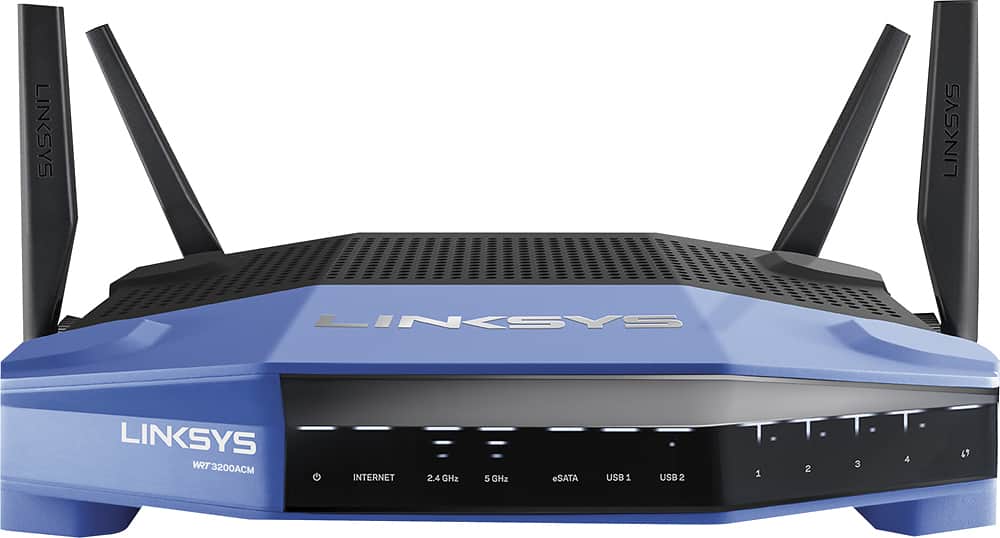
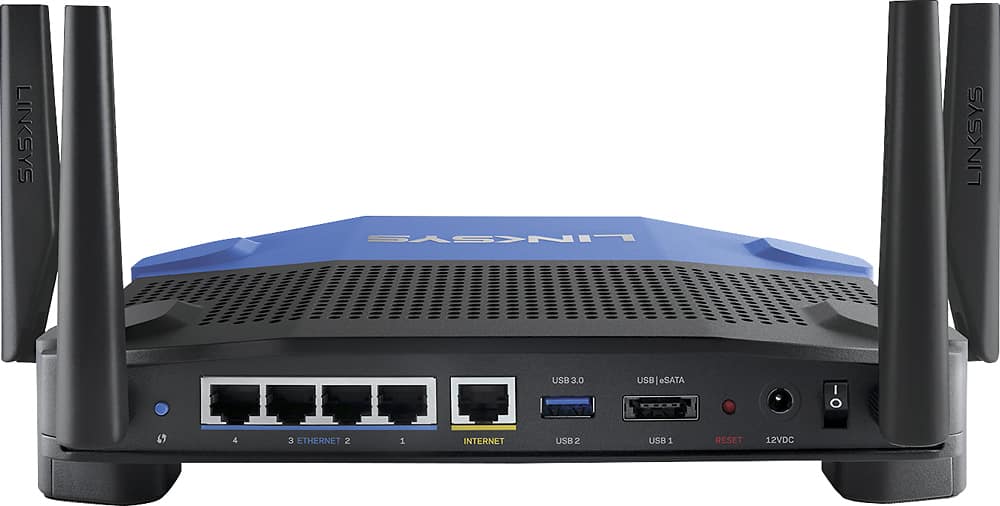
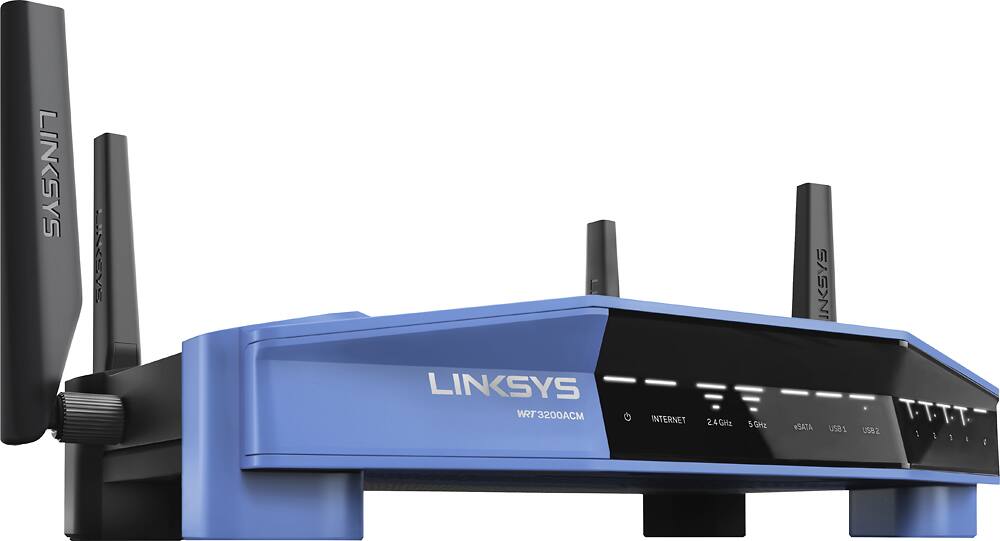



- Model:
- WRT3200ACM
- SKU:
- 5601000
Rating by feature
- Value
Rating 4.3 out of 5 stars
- Quality
Rating 4.6 out of 5 stars
- Ease of Use
Rating 4.5 out of 5 stars
Customers are saying
Customers love the WRT AC3200 Dual-Band WiFi 5 Router's ease of use, range, and performance, with many praising the simple setup and strong signal. Positive feedback also highlights excellent coverage and improved streaming capabilities. While some users noted the router's size and experienced occasional connectivity or firmware issues, the overwhelmingly positive reviews focus on its strong performance and user-friendliness. A few users mentioned needing firmware updates.
This summary was generated by AI based on customer reviews.
Great price but subpar performance
||Posted .This reviewer received promo considerations or sweepstakes entry for writing a review.Had this router for a couple weeks started of great but eventually the 2.4 band kept disabling and you would have to reset. I returned this router very disappointed.
No, I would not recommend this to a friendBrand response from Linksys Staff
Posted .Hi, KaotikJ,
This is an unusual behavior of the router. Updating the firmware of the router usually fixes this. If it doesn't we can escalate this challenge to our 2nd level engineers. We respect your decision in returning the device.
Should you have questions about our products, feel free to email us at LinksysCares@linksys.com.
Regards,
Thaddeus
Linksys Support
This is average product for us
||Posted . Owned for 1.5 years when reviewed.This reviewer received promo considerations or sweepstakes entry for writing a review.Linksys - WRT AC3200 Dual-Band WiFi 5 Router i bought it for my house we use it but does not work very well all area of house very weak signal
No, I would not recommend this to a friendBrand response from Linksys Staff
Posted .Hi, Joea,
Factors such as physical obstructions and wireless interference may have caused the weak signal coming from the router. For optimal performance and widest coverage area, place the router in the center of your home away from walls and other obstructions. Keeping it running on the latest firmware will also help to improve its performance.
Get in touch with us at LinksysCares@linksys.com so our Escalation Engineers can help you isolate the setback. Include your contact information and a link to this review for our reference.
Regards,
Rosalyn
Linksys Support
Returned - realized it wasn't what we needed
||Posted .This reviewer received promo considerations or sweepstakes entry for writing a review.After having Geek Squad visit we ended up returning this router and going with google pods on each floor to give us the internet speed we needed.
I would recommend this to a friendBrand response from Linksys Staff
Posted .Hi,
Although we understand that you already returned the router, please know that our Escalation Engineers could have gotten in touch with you and made sure the unit works accordingly on your network. Nonetheless, please feel free to email us at LinksysCares@linksys.com should you require further assistance with any Linksys device. We always love to be of help.
Regards,
Klaudette
Linksys Support
BAD RETURN ON INVESTMENT
||Posted . Owned for 6 months when reviewed.This reviewer received promo considerations or sweepstakes entry for writing a review.WOULD NOT RECOMMEND THIS OLD UNIT. MUCH BETTER OPTIONS AND BETTER PRICES. RETURNED IT. VERY POOR RETURN ON INVESTMENT.
No, I would not recommend this to a friend- Cons mentioned:Connectivity
Did not work for me
||Posted . Owned for 3 weeks when reviewed.This reviewer received promo considerations or sweepstakes entry for writing a review.I could not set up the vpn. but what caused me to return it is the wifi kept dropping.
No, I would not recommend this to a friend - Pros mentioned:Ease of use, Performance

Fast Router - Latest Technology and Easy to Set Up
|Posted .This reviewer received promo considerations or sweepstakes entry for writing a review.The Linksys WRT AC3200 MU-MIMO Wi-Fi Router is made to set up easily and work well. Although it looks like your standard Linksys router, the tech inside is anything but standard. It is cutting-edge and bumps the performance of a typical wifi set up significantly. This new, MU-MIMO, tech is especially suited for households or other locations where there's multiple users streaming at the same time. The set up was simple - which I greatly appreciated - and the Linksys software for tweaking the performance, setting up separate channels, and establishing filters is equally user-friendly. If you don't mind a traditional-looking router, this one is great and the price is very competitive.
I would recommend this to a friend Works but with hiccups
||Posted .This reviewer received promo considerations or sweepstakes entry for writing a review.This router is great when it's working. But the internet drops every hours or so. Wish i bought something else but it's too late now.
No, I would not recommend this to a friendBrand response from Linksys Staff
Posted .Hello Hung,
The Linksys router's behaviour is not normal. Allow us to sort this out. If the challenge is true to both your wired and wireless devices, we recommend that you try plugging a computer directly to your modem and check if the challenge recurs from there. Update us at LinksysCares@linksys.com along with your phone number and the link to this review; we'll have our Escalation Engineers lend you a hand.
Regards,
Princes
Linksys Support
Not the best choice
||Posted . Owned for 1.5 years when reviewed.This reviewer received promo considerations or sweepstakes entry for writing a review.Below average speeds easy to set up replaced after a yaer after purchase due to slow speeds
No, I would not recommend this to a friendit was not what i expected
||Posted .This reviewer received promo considerations or sweepstakes entry for writing a review.looks might differ from the performance with this guy, buy it for my office but whenever I did my setup was very trouble to have it working properly.
No, I would not recommend this to a friendBrand response from Linksys Staff
Posted .Hi, AlexBB2017,
We would like to have a better understanding of your challenges with the router so we can assist you accordingly. Email us you challenges with the router at LinksysCares@linksys.com along with your phone number and the link to this post so that our Escalation Engineers can contact you.
Regards,
Irish
Linksys Support
- Pros mentioned:Speed
Very Fast Router!
|Posted .This reviewer received promo considerations or sweepstakes entry for writing a review.I've had this router up for about a week now. The speed increase over the router I replaced (no slouch) is quite noticeable, for both wired and wireless clients. Routing speeds between local clients (wireless or wired) and over the internet were very impressive. Wireless coverage was also significantly improved over the previous router (an ABGN device) for both the 2.4 and 5ghz bands. Routing and wireless performance are definitely strong suits of this router. Setup was pretty typical for Linksys routers, the setup wizard worked well, with one exception. There was no way to set the 5ghz SSID from the wizard; either both the 2.4 and 5ghz SSIDs have to be the same, or the 5ghz SSID is defaulted to {2ghz SSID}_5ghz. This can be changed later from the wireless configuration screen. I did set up the cloud administration and phone app to try them. They worked well, but I have security concerns about allowing remote configuration and disabled it after testing. There were some problems during setup with a four year old wireless printer, due to the automatic channel allocation algorithm and default channel width settings for 2.4ghz, but once the channel was locked and set to 20mhz, everything started working. One note, this is a very new router and the firmware updates are coming very frequently to address residual issues. Fortunately, there is an auto-update feature. Both IPv4 and IPv6 routing and dhcp are well supported, which is excellent news, since more ISPs are supporting IPv6. Both the external disk and printer support worked well, and with two separate USB ports, it appears that they can be supported simultaneously. Some additional features that are present, and not usual in a home router, are limited VLAN support and packet prioritization. Both have simplified administration controls. One positive security note is that Linksys now requires the admin password be changed and set during initial setup. There is a minimal strength check, but at least there is strong encouragement to set a decent password. There doesn’t appear to be any way to change the admin user, which would be a plus. There is also a setting to allow automatic update of the firmware, as well as the option to check it manually. Both are a welcome change over the old “check the website occasionally, download if found and manually update” method. uPnP is enabled by default but can be disabled, and the firewall can be applied to both IPv4 and IPv6, although custom configuration is quite limited. Finally, Linksys is actively supporting development by the OpenWrt and dd-wrt teams. This provides two additional feature rich sources for firmware, although neither is as simple as the factory firmware. Both have significant feature and security advantages over the factory image, and offer an alternative to it. This is a well-supported and competitively priced, feature-rich device. Overall, an excellent router that really brings a new level of performance to home networking with a familiar administrative interface.
I would recommend this to a friend - Cons mentioned:Firmware
Horrible
||Posted .This reviewer received promo considerations or sweepstakes entry for writing a review.This is a really horrible product. It doesn't support DD-WRT and the stock firmware is horrible too
No, I would not recommend this to a friendBrand response from Linksys Staff
Posted .Hi, Bill,
Your review has caught our attention. The Linksys WRT3200ACM is open source ready. For example, DD-WRT has the open source firmware for this router. Please refer to DD-WRT’s router database for more information.
Our Escalation Engineers would like to closely check the details of your experience and ensure that the unit will work at its best using the stock firmware. Please email us your contact information at LinksysCares@linksys.com so that they can contact you as soon as possible. Indicate the link to this review for our reference.
Regards,
Kristine
Linksys Support
- Cons mentioned:Connectivity
Issues make this unusable
||Posted .This reviewer received promo considerations or sweepstakes entry for writing a review.This router drops its connection to the internet every few hours. Support does not know what to change in the settings to make it reliable. On my third call to support, they said to call back in an hour if it was still dropping the internet and ask for a supervisor. I boxed it up and returned it to the store within the return policy.
No, I would not recommend this to a friendBrand response from Linksys Staff
Posted .Hello TomR,
We appreciate the time you've made to share your experience, and we understand the need to return it. The WRT3200ACM router's connectivity should have been reliable right off the bat. Should you need any further assistance or support, hit us up at LinksysCares@linksys.com.
Regards,
Harvey
Linksys Support
- Pros mentioned:Performance, Speed
Winning combination
|Posted .This reviewer received promo considerations or sweepstakes entry for writing a review.This is the first consumer router to support 160 Mhz channels. The first 'ac' routers supported 20 Mhz and 40 Mhz channels. Most high throughput routers works with 80 Mhz channels (with one or two independent 5 Mhz radios). This router uses a very new AC with dual 160 Mhz channels and simultaneous 2.4 Mhz radios. This means a theoretical speed of 867 Mhz per channel (two channels in 5 Mhz) and also supports DFS, which dynamically selects the best channels available for less interference. On the software side, it comes with standard Linksys software. If you're familiar with the EA line, this is nothing new. However this is a 'WRT' router, meaning that open source alternatives OpenWrt and DD-WRT are openly supported by Linksys. Both distros already offer builds for this router. The standard software has a remote access app for Android/iOS that works very well (this is completely optional, not required). Also, it supports OpenVPN out of the box. This is a nice surprise, and it's one big reason why many would install OpenWrt or DD-WRT, so for now I'm using it with the standard software. It has a dual-code Marvell CPU, one USB 3.0 and one SATA/USB 2 port for file sharing (supports SMB and FTP), and can read FAT32, NTFS and HFS (Mac) partitions. It also supports DLNA. The four antennas are removable. The bottom feet have markings for wall-mounting, has a power switch on the rear and four LAN ports. The power supply is quite large and has no extension cable on the power socket, which might annoy some. The white LEDs on the front and rear Ethernet LEDs can be turned off from the web interface. The enclosure design is a throwback to the old Linksys designs from late '90s, so it's likely something most people won't expose (Nerdy yes, but not pretty). I'm using mine on a basement and feeds a two-story house with no issue. It covers the backyard and have reasonable reception from a sidewalk across the street. Have good to excellent Wi-Fi connectivity through the whole medium-size house. As for internet, we have a symmetric 100 Mb connection and gets full bandwidth on speed tests, tested with Ookla Speedtest for iOS. Going back to the standard linksys software , is very easy to configure, and fairly complete with a very useful graphical map on the web page, standard DHCP and NAT forwarding. Very rudimentary parental controls, but as I said, supports OpenVPN with a very simple to use web interface, while most will end up using OpenWrt or DD-WRT, and Linksys openly supports these. I'll wait a few more weeks before going to OpenWrt since the images for this hardware is so new, but this time Linksys is openly supporting these, so it should go smoothly. We have a lot of WiFi devices: Mac, Win7, Win10, iOS, Android, Fire, Roku, Chromecast and other IoT devices. All of them are connecting without issues. I want to get a good feeling of how it works with the stock software first.
I would recommend this to a friend Firmware is not able to do certain things
||Posted .This reviewer received promo considerations or sweepstakes entry for writing a review.This router is a very good router, if that's all you need it for. If you also need it for media sharing, etc., it is lacking to be sure. 1. It will not read or detect .srt files paired with with a video file on an external usb drive. 2. You cannot write or paste into any files on the usb drive or even see "properties" when you right click on any file on the external usb drive. I returned it to Best Buy after 2 days.
No, I would not recommend this to a friendBrand response from Linksys Staff
Posted .Hi, Mike,
Your experience with the external USB drive that is connected to the router has caught our attention. The WRT3200ACM storage file system supports FAT, HFS+ and NTFS. Our Escalation Engineers could have closely worked with you and helped you get the USB hard drive to work on this model. Should you need assistance with your other Linksys devices, please don't hesitate to reach out to us at LinksysCares@linksys.com anytime.
Regards,
Kristine
Linksys Support
Not great
||Posted . Owned for 1.5 years when reviewed.This reviewer received promo considerations or sweepstakes entry for writing a review.This router worked well, but over time I didn't like this product and I had to return it.
No, I would not recommend this to a friend- Pros mentioned:Speed
Excellent Router
|Posted .This reviewer received promo considerations or sweepstakes entry for writing a review.The Linksys - WRT AC3200 is a really good router for a large home. I live in a two story apartment and I installed the router in the living room below. I was able to get full coverage without any drop in signals in the entire house. This is very important for me as I play games like DOTA 2 and fast and reliable internet is very important for me. I have been using the device for a couple of days without any problems or hindrance. Also the device is light and easy to mount on a wall and looks great. It gets the job done and is also relatively cheap as compared to similar products from Netgear
I would recommend this to a friend Keeps dropping wireless
||Posted .This reviewer received promo considerations or sweepstakes entry for writing a review.Bad product for the cost. Power cycle device 5 times a day to keep wireless connection working for 2 devices. DON’T buy this
No, I would not recommend this to a friendBrand response from Linksys Staff
Posted .Hi,
This is definitely not the experience we want for our customers. We'll have our Second Level Support team assist you further with the device. Just send us your contact details at LinksysCares@linksys.com along with the link to this post.
We hope to hear from you soon.
Regards,
Thaddeus
Linksys Support
- Pros mentioned:Setup, Speed
Powerful, simple to use and setup, VERY FAST
|Posted .This reviewer received promo considerations or sweepstakes entry for writing a review.I had previously had to bridge two routers together to cover my whole home. I had explored using a mesh network and had tried network extenders in the past. This thing blows all of that out of the water! Straight out of the box it was easy to setup. The size and number of antenna are a little intimidating. This router FEELS like it has some heft to it when you pick it up. Connectivity is expected at this price point: integrated four port gigabit ethernet switch, one built in USB 3.0 port and one Combo eSATA/USB port, as well as a WAN port and a well recessed reset button. Setup was such a breeze, with the first wireless connection redirecting me to a splash page that walked me through the setup. At the end of the process it prompted me to create a smart wifi account to manage the router through the smartphone apps and from off site. After doing this I was easily able to monitor my network from my iPhone and I started playing with media prioritization and filtering. Smart Wifi App - this is probably more than most home users need, but for someone who's tech obsessed like me, or trying to get the most out of every gig of bandwidth you've got, this is definitely helpful. I appreciate being able to see bandwidth usage by device and chart it over time. I also want to play around with the QoS (Quality of Service/Media Prioritization) a little to see if it affects my streaming from devices at all. Overall: So far it feels tangibly faster. Could be placebo effect right now, but I think this was exactly what I needed to convince me to turn off the Wi Fi router radio in my modem and make the switch. This also allows me to get rid of that 2nd router to cover the rest of the house and get rid of those limitations. I love this thing.
I would recommend this to a friend - Pros mentioned:Setup, Speed
Fast and Easy Setup, and Blazing Wifi
|Posted .This reviewer received promo considerations or sweepstakes entry for writing a review.Up to this point I have been using a six year old wireless router which only provided the wireless stream to only a single user at a time. In those six years, my family went from a household having only one laptop to one that has over ten devices connected simultaneously to the wireless router. Needless to say, the old router could not keep up. Enter the Linksys WRT 3200 ACM MU-MIMO wifi router. This machine freed up my wifi bottleneck. Wi-fi is now really fast. My family no longer complains about how slow the wifi is. Video streams are uninterrupted and web pages load noticeably faster. With MU-MIMO technology, the Linksys wireless router is able to simultaneously stream to my devices all at once. Also with dual band 2.4GHz and 5GHz wifi support, it eliminates the interference that is often experienced when too many devices are on the 2.4GHz spectrum. All of my newer devices connect wirelessly through the newer 802.11ac standard and I put them on the 5GHz band. I leave only my older devices on the crowded 2.4GHz band where my bluetooth devices sometimes cause interference. Linksys also really made the router easy to set up with its Smart Wifi app. I followed the automatic set up wizard and was up and running in ten minutes. Wow, I never was able to set up a router that fast before! So for those of us average folks out there who are intimidated by difficult set ups or are not tech savvy, have no fear, because the Linksys Smart Wifi app will make setting up a breeze. I also want to comment on the fact that the router really emits a strong wifi signal. My previous wireless router left parts of my home with very spotty to non-existent wifi coverage. The Linksys WRT 3200 was able to cover my entire home with no problem. I now have strong, robust wifi coverage. Finally, I want to bring attention to the Smart Wifi app. With this app, you can customize your router's settings remotely. This means you can be half-way across the country, log-in to a computer, and access your router's settings. The app has a well laid out graphical user interface that allows you to see all the devices that are connected through your router, add guest accounts, and set parental controls. In summary, the ease of setting up the router, the improved efficiency at delivering wifi with MU-MIMO technology, greater wifi coverage, and the ability to configure the router remotely make the Linksys WRT 3200 ACM MU-MIMO wireless router an easy choice when considering your next router.
I would recommend this to a friend - Pros mentioned:Range, SpeedCons mentioned:Size
Great hardware. A few minor software bugs
|Posted .This reviewer received promo considerations or sweepstakes entry for writing a review.I love the range and speed of this router. It's very a big router that takes up lots of space. The hardware is top of the line but the software could use some tweaks. Make sure to do your firmware updates. Some people have reported that there internet speeds weren't as fast as they should be. There is a option under media prioritization that was defaulted to cap at 30 Mbps. Set this option to whatever your max bandwidth is and you should be good to go. It occasionally does get slow but a simple reboot will fix the speeds. Linksys is aware of the issue and working on a firmware update to fix it.
I would recommend this to a friend