Customer Ratings & Reviews



- Model:
- WRT3200ACM
- SKU:
- 5601000
Rating by feature
- Value
Rating 4.3 out of 5 stars
- Quality
Rating 4.6 out of 5 stars
- Ease of Use
Rating 4.5 out of 5 stars
Customers are saying
Customers love the WRT AC3200 Dual-Band WiFi 5 Router's ease of use, range, and performance, with many praising the simple setup and strong signal. Positive feedback also highlights excellent coverage and improved streaming capabilities. While some users noted the router's size and experienced occasional connectivity or firmware issues, the overwhelmingly positive reviews focus on its strong performance and user-friendliness. A few users mentioned needing firmware updates.
This summary was generated by AI based on customer reviews.
- Pros mentioned:Setup, Speed

Great Wi-Fi range
|Posted .This reviewer received promo considerations or sweepstakes entry for writing a review.First off I was very pleased with how strong of a signal I got inside and outside of my home. Now if you have slow internet a new router won't make it any faster. I have a 150Mbps service and this router can take full advantage of it. From streaming 4k movies to just transferring files on my network this router never bogged down. And set up was easy. Comes with step by step directions on how to set up for the first time. And like always if your replacing a old router keep the same network name and password for easy set up of all your wi-fi devices.
I would recommend this to a friend - Pros mentioned:Range, Setup
Fast and Powerful!
|Posted .This reviewer received promo considerations or sweepstakes entry for writing a review.The Linksys WRT 3200 is a fast, powerful router. This router is designed with the enthusiast in mind and it opens the door to loads of customization. Although, the software needed for a thorough customization is still in beta at the moment so I wouldn't recommend trying to install open wrt or the alternatives unless you are already familiar with the process. The good news in that the factory software still allows for a good deal of tinkering and may be enough for the average person. Setup was quite simple; screw in the antennas, plug in the device, connect the modem, fire up the smart wifi app, follow the prompts and you’re good. I ran some speed tests and found it initially a bit lacking compared to my previous router but this was fixed by adjusting my settings on the 5g band within the app. I wasn’t able to adjust the 5g band to a frequency with less congestion, but I was able to adjust the width as which is not an option I’ve seen in any router's base software so far. After that, speeds were consistently in-line with my expectations. Performance between walls does take a hit like any router, as you will lose considerable amounts of speed the further you are from it. That being said, the speeds were still very respectable on the fringe of the network, while I got 250mbs in front of the router i got 60mbs on the fringe. My old router was great in the same room but typically fell to 15-20mbs on the fringe so this was a great improvement. This router also features both a usb port and eSATA port so you can easily configure your own media server. The linksys app also allows you to setup remote connection too so you can adjust settings on your router when you’re away. So if someone is home having issues and you’re out and about, you can most likely fix the issue in a few moments on your phone without hassle. This router is more than enough for most, and can easily scale the experience for others. This router isn’t for a person who has a large home and doesn’t want to go through the work of adjusting antennas, frequencies and setting range extenders and power lines on the fringe. Linksys and other router makers have other solutions for a out of the box options. Barring that, and assuming this falls within your price range, I see no reason why you wouldn’t make this your next router.
I would recommend this to a friend Poor Router
||Posted . Owned for 1 year when reviewed.This reviewer received promo considerations or sweepstakes entry for writing a review.Did not like this router. Did not work that long. Will not buy again.
I would recommend this to a friend- Pros mentioned:Speed
Almost There
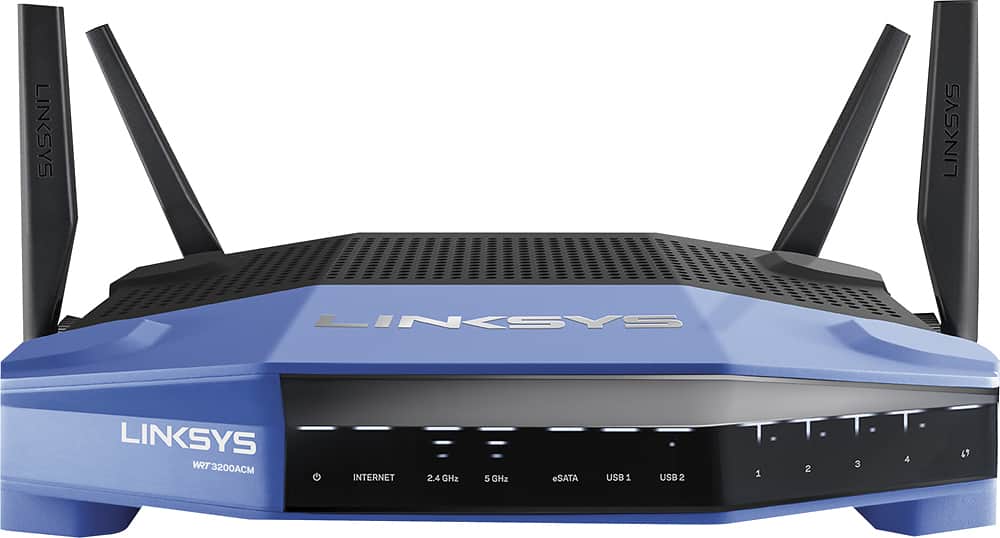
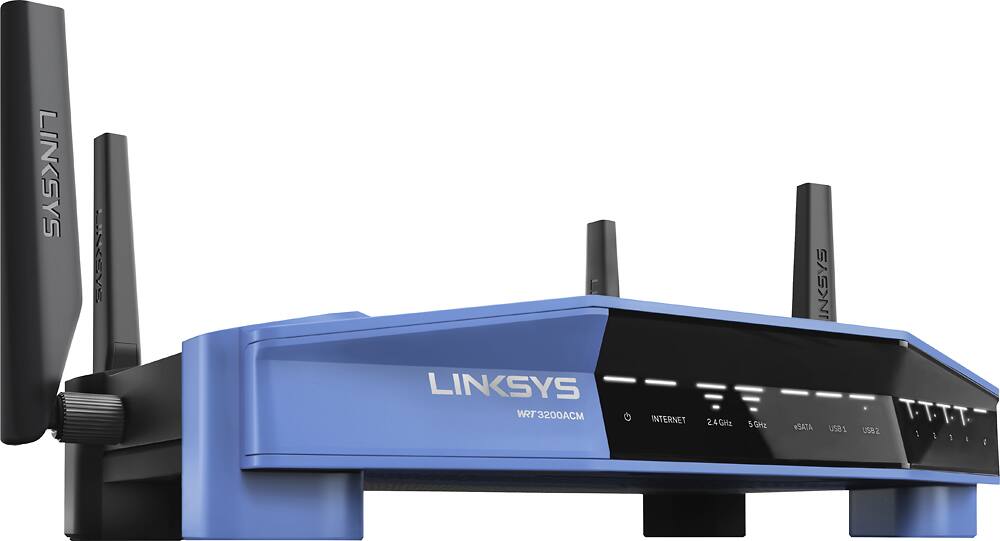
|Posted .This reviewer received promo considerations or sweepstakes entry for writing a review.Presentation The unit arrived packaged in what I would describe as the standard fair Linksys container. And that’s not a ding. I think a lot of thought goes into Linksys packaging, well-constructed, loads of information and balanced. Inside, everything is clearly marked and compartmentalized. The router itself may appear dated to some but I personally find this trademark look to be fantastic. One of the more notable aspects to this updated look is the semi-muted illumination of the indicators on the front panel. They appear softer in light output while still being useful to those that need the dashboard of lights to indicate what’s happening. I do like the ability to shut down the lights in the setup and I’m happy that Linksys maintains this option. With respect to the unit’s size, I would rate it as average – in the middle. There are plenty of routers now that dwarf this thing, in antenna count and foot print. Don’t be persuaded to overlook this model by someone else’s subjective take on things until you see it for yourself, in real life. It’s not huge, relatively light weight and is wall mountable but it performs nearly as good as many a ginormous spider box. Initial Setup To start off, my router came with the latest available to-date firmware … 1.0.5.175944 and for the sake of not injecting variables into my review towards the end, I didn’t allow it to update. I’ve worked with countless routers and this model was a breeze to setup. One of my pet peeves is how awful some mfg’s approach the IPv6 detection. Without mentioning any names, two of the more prominent mfg’s out there have awful IPv6 detection that routinely demonstrates ‘fall-back’ to IPv4 which in my mind is totally unacceptable. I’m happy to report that his new Linksys WRT links up to IPv6 right away - no fuss - and releases/renews perfectly with no apparent fall-backs. In testing this router out for nearly 3 solid weeks, I never observed it losing IPv6 connectivity. You will be offered an opportunity to setup a Linksys Smart WiFi account but I prefer to avoid the cloud angle on devices (initially) and like the option to do things manually, which I did with the 3200ACM. Internal Configuration Inside this beast you’ll find the clean and easily maneuvered GUI where everything is clearly organized. Again, others will complain about the approach Linksys has taken in recent years but I personally commend them for the thought that has gone into the effort. For the ‘plug & play’ type owner, this is where it is at now days. But keep in mind, this is a WRT based unit – so the real geeks will pour over this platform with the full intention of going customization – so in many respects, this unit IS the best of both worlds. The GUI isn't harsh, crammed and tangled like a few other of the router mfg’s out there. You know who they are. I won’t go over all the typical aspects of what you can control, as those features are pretty customary, but I can’t skip mentioning that this unit does have the WiFi Scheduling tab that is sorely missing from even the top of the line model Linksys offers. The combination of Parental Controls and aggregate wireless scheduling is a must have in my mind and I’m glad to see it here. It does need some polish though. On a few occasions I did notice that WiFi stayed asleep after changing the control grid, requiring a soft reboot but it behaved like this randomly and needs further investigation. Setting up the media server, file share and tunneling all worked as intended. Overall, I prefer what Linksys is doing for the configuration controls and GUI on this model. Performance The 3200ACM provided strong, shared connections throughout our ~2000 sq/ft home. The 2.4 GHz channel seemed range bound to no greater than 54 Mbit/sec speeds but the reach was strong through multiple walls and across several rooms. For the record, our home is not “open concept”. I would have liked to have seen speeds closer to 80 Mbit/sec to our capable devices but a solid 2.4 G connection that doesn’t drop at greater distances is nothing to shake a stick at. On the other hand, although the MIMO operation was greatly appreciated and noticeable with the 5 GHz channels, spurious disconnects were observed for no apparent reason, even at short distances. Also, and not too terribly surprising, connection speeds routinely pegged 180 Mbit/sec with speed tests on the 5 GHz channels – matching our Xfin Performance cable limit – but strength & speed rolled off much sooner than I would have preferred compared to other routers I have tested … even at just 12 feet down a line-of-sight hallway from the router. I presume these types of performance gremlins will be rectified in future firmware updates and/or by the open source wiz kids. One last observation worth noting on the WiFi side of the equation is this router’s immunity to nearby channel interference. I found it to be a tad too much susceptible to cross-talk interference even from nearby channels 25 dB down from center. I know, sounds like Greek. But trust me, there’s improvement to be made within the Auto channel control of this router and something to look forward to. I wasn’t able to alleviate much of it with manual channel selection so be forewarned. If you’re in a crowded WiFi environment, or near a high school like we are, you may want to wait for this platform to bake a little more … say 3 to 6 more months. The USB 3.0 port performed up to expectations, never letting me down and serving up music, photos and file sharing at consistently fast speeds with a higher end USB thumb drive. We use network attached storage arrangement like this all the time and have no complaints. Good job Linksys. Another thing worth nothing is the Linksys Smart App (the Android one in my particular case) and what it offers. You can control many of the most important features of the WRT 3200ACM router through this app, including enabling/disabling primary WiFi channels, guest networks, channel assignments (which is handy as heck when you’re trying to optimize your connectivity vs competing nearby signals) and even forcing a reboot. One suggestion though. When playing around with the configuration via the Smart app, which I found myself doing frequently to figure out how to get the most out of the 5 GHz radios, force your phone or tablet to prefer the 2.4 GHz connection. For whatever reason, when you make changes to the router with respect to the 5 GHz side of things, the change/reboot that occurs on the WiFi outputs takes a really long time vs. any changes made to the 2.4 GHz side. And if you are making say – channel reassignments and monitoring surrounding WiFi networks with a separate, surveying app – you’ll be happier in the end. Trust me. Re-initialization of the 2.4 GHz network is far quicker than the other side. Summary For the price, there’s a compelling case to be made for this router. It has all the flexibility any open source Geek could want - married with a truly automatic and pain free, ‘plug & play’ router for the average consumer. You literally can set this thing up and get connected in less than 15 minutes – less than 10 if you’re a total Geek. You can control the heck out of it, right down to shutting off all but one light indicator and you can control it from anywhere in your home with a well-designed & easy to use app. It has the features most mid-range to higher end routers are offering these days – most notably MIMO - and that makes it worth the price of admission alone … and it’s backed by Belkin/Linksys who have been doing this stuff for a very long time. I would personally recommend that anyone looking to upgrade their aging router or wanting expanded features, that they should at least try the WRT 3200ACM out and see if it works in their home or office. Since it is new, needs a bit more polish and I wasn’t able to dive into the WRT side of this router with any reliable open source baseline – I’ve giving it a confident rating of 4 out of 5.
I would recommend this to a friendBrand response from Linksys Staff
Posted .Hi, YourMainDude,
We appreciate your taking the time to share your detailed product review. It is good to know that the WRT3200ACM router is providing you strong shared connections throughout your 2000 sqr/ft home. We're just curious about your feedback that on a few occasions you did notice that Wi-Fi stayed asleep randomly after changing the control grid, and it's requiring you a soft reboot. Please reach out to us and we'll have one of our Escalation Engineers look into this matter. Shoot us an email at LinksysCares@linksys.com with your contact details and the link to this review for reference.
Regards,
Jay
Linksys Support
Relaced
||Posted . Owned for 9 months when reviewed.This reviewer received promo considerations or sweepstakes entry for writing a review.Did not perform to my spec's sold to a friend ok if you just want a run of the mill unit.
No, I would not recommend this to a friendOkay unit
||Posted .This reviewer received promo considerations or sweepstakes entry for writing a review.I gave 3 stars because the lag on having 4 plus gaming system and wireless don’t wk so well
No, I would not recommend this to a friendVery disappointed
||Posted .This reviewer received promo considerations or sweepstakes entry for writing a review.I don't think I've ever written a review before; I'm hoping to save people a lot of headaches and frustration. We bought this router a few months ago and have logged more than 20 hours on the phone with Linksys and our internet provider. They keep blaming each other and coming up with excuses why it isn't working properly. You'd think you could plug it in and it would send a reliable signal through the house. There's a 99% chance someone new coming to our house won't be able to use this wifi when they try and connect. They might have a slight chance if they switch from 2 to 5 a few times and power down also. We consistently can't get our computers, televisions, xbox, phones or security system to connect. I hooked our old router up this weekend and its working perfectly. It's beyond the return period for this new Linksys router so I might take if out back and recreate the scene from Office Space where they destroy the copy machine!
No, I would not recommend this to a friendBrand response from Linksys Staff
Posted .Hi RowdyWO,
This is definitely not the experience we want for our customers. Allow us to have our Second Level Technicians get in touch with you for further isolation and troubleshooting.
Just send us your case number from your previous call from us at LinksysCares@linksys.com so that we can pull-up your case. Don't forget to include the link to this post as a reference.
We hope to hear from you soon.
Regards,
Thaddeus
Linksys Support
Terrible signal levels and mediocre setup options.
||Posted . Owned for 1 week when reviewed.This reviewer received promo considerations or sweepstakes entry for writing a review.I bought this due to the reputation of the WRT-54G line of routers in 2010s. Item was well packed but I was very disappointed to see the performance and low signal levels. Linksys did not meet the expetations I had after using wrt54gl line. Returning this beautiful device and getting netgear or tplink.
No, I would not recommend this to a friendBrand response from Linksys Staff
Posted .Hi, jagggaaz,
Slow wireless internet connections are caused by physical obstructions such as thick walls or by frequency interference from other Wi-Fi devices. We could have tried to change channels for both wireless networks and observe the connection. We can also have you assisted further by our Escalation Engineers by sending us an email at LinksysCares@linksys.com with your contact info and the link of this review, for our reference.
Regards,
Elyza
Linksys Support
- Cons mentioned:Connectivity
DO NOT BUY IT!
||Posted .This reviewer received promo considerations or sweepstakes entry for writing a review.Best buy told me this was the best gaming router they have, IT DOES NOT HOLD A CONNECTION! Lnksys knows thers a huge problem with this unit to the extent that they are replacing them for free even out of warrenty , WHY does best buy keep selling it? SHAME ON YOU BEST BUY
No, I would not recommend this to a friendBrand response from Linksys Staff
Posted .Hi,
The challenges with the Linksys WRT3200ACM should have been fixed with a recent firmware update. Allow us to have our Second Level Technicians get in touch with you for further troubleshooting.
Just send us your contact details at LinksysCares@linksys.com along with the link to this post.
We hope to hear from you soon.
Regards,
Thaddeus
Linksys Support
Little oversize but does the job.
||Posted . Owned for 8 months when reviewed.This reviewer received promo considerations or sweepstakes entry for writing a review.I used it as a VPN gateway and it does what its expected to do.
I would recommend this to a friend- Pros mentioned:Ease of use, Range, Speed
Awesome Router
|Posted .This reviewer received promo considerations or sweepstakes entry for writing a review.First off this is a great router. Setup was super easy. Has tons of features. I live in a two story house with multiple devices connected all at once. After setting up the router i noticed my internet speed improved a lot. Webpages loading up faster. My range has also increased around the home. There is also the Linksys app that you can use to view and manage your network which is a plus.
I would recommend this to a friend Has more power than old router
||Posted .This reviewer received promo considerations or sweepstakes entry for writing a review.We needed a router with dual band to support gaming and surfing needs, this router does that
I would recommend this to a friendBrand response from Linksys Staff
Posted .Hi Jeanne,
Thank you choosing our product. It’s good to know that you were able to put some of our device’s features to good use. If we can be of any assistance, please feel free to shoot us an email at LinksysCares@linksys.com anytime.
Regards,
Rechel
Linksys Support
- Pros mentioned:Speed
Surprising Performance
|Posted .This reviewer received promo considerations or sweepstakes entry for writing a review.I substituted the WRT AC3200 for a Netgear Orbi system which had replaced a Linksys AC5300 before that. I am in a 4000+ sq ft. home with a full size basement and the AC5300 struggled to provide a decent 5GHz signal in the basement from the opposite side of the house on the main floor. So I switched to the Netgear Orbi system which provided a main base and satellite which I could use in the basement for better coverage. It's worked pretty well, but I thought I would give the AC3200 a chance since it offered additional features such as an OpenVPN server. Much to my surprise the AC3200 has given me a consistent and strong signal to the basement that the AC5300 could not. In fact, it is as good as the Orbi system without needing a satellite/repeater. Consider me impressed. I have not experienced any lockups or abnormal behavior from the unit over the course of the last week. I have found that with more than 20 or so devices connected to the 5GHz band it does start to struggle with ping times. I have had my iPad timeout in Safari when trying to load a page if several other devices around the house are streaming video. This does give me reason to pause about the robustness of the unit, but I am hopeful some of that can be ironed out with new firmware. I am on Gigabit internet and while I can obviously achieve those speeds when wired in, I can't come even close via wireless. The best I have seen is using a 3x3 802.11AC system in which I achieved 540mbps via SpeedTest. On wired I consistently receive 900+ mbps up and down. So, your mileage may vary and for the vast majority of people this should be more than enough bandwidth as so few have Gigabit internet access. Overall, this is a very solid router and is considerably more compact than the AC5300. It represents a solid value especially when compared to the two "higher" end units I referenced above. The only caveat I have found is that it stresses when too many devices are on the 5GHz channel. This might be a deal breaker for some, but in a smaller household would be a non-issue.
I would recommend this to a friend - Pros mentioned:Performance, Range, Speed
Great router that will never let you down
Posted .This reviewer received promo considerations or sweepstakes entry for writing a review.This router was provided to me for free for a product sample review for my true honest feedback. I was not paid for this review. This router is Linksys’s legendary WRT series, which is known for its ability for customization and reliably. Now getting on to the review, the first thing that I have notice is the great amount of detail that Linksys has put into the design and packaging of this product. The inside box is protected by lots of foam and is well packaged. The design of this router shares its native classic flagship design of the early day WRT series but more modern and robust. Very sleek and very nice looking :) Configuration was pretty simple for me, it can take a little bit of getting use to the new admin page if you are not familiar with the Smart Wi-Fi web interface. This router has a lot of good setting tweaks for the advance users. Which is nice since you take the experience to the next step buy install third party firmware like DD-WRT if needed. But from my tests it’s something I don’t need yet, but it’s nice to have that option to use in the future if needed. This also supports WPS so if you don’t what to deal with the web admin interface, which is good for basic users. I have tested this router for the past month for a lot of different usages: online gaming, file uploading, video/music streaming, large file downloading, running VoIP and IP cam systems, server hosting, and normal everyday web browsing. This router is very reliable, I have never had to reset it once; besides updating the firmware during setup. Truly flawless performance. You can even have multiple devices connected without throughput issues thanks to the MU-MIMO wireless technology. This router has very good range, I have a large backyard and I can still get a signal very far and still get decent speeds away from the router. I like that this router supports the Linksys smart app (available for Android and iOS), for where you can keep tabs devices on you network, as well as make quick setting changes without using the web interface. Which not a lot of routers have on the market today. This router had both 2.4 GHz band and 5 GHz bands, which is a major plus for me since I have a lot of dervices that can take advantage the increased throughput from the 5 GHz band. Speed tests with this router was very positive, did these tests during peak and off peak. This router handles heavy network traffic pretty well with very low latency. Overall I truly like this product a lot and is a major upgrade from my last first gen ac router. I highly recommend this product for people that are looking in this price range. This router is a great value for the technology, speed, reliably, and also the ability to customize it if desired. This is a router that you can depend on and will not let you down and is a very good buy.
I would recommend this to a friend Not bad
||Posted . Owned for more than 2 years when reviewed.This reviewer received promo considerations or sweepstakes entry for writing a review.This is not a complaint but I prefer Netgear. Easier to set up.
No, I would not recommend this to a friend- Pros mentioned:Ease of use, Range, Speed
Great wireless router and easy to set up
|Posted .This reviewer received promo considerations or sweepstakes entry for writing a review.This router was very easy to install and set up. I've had quite a few different routers over the years. This was one of the easiest I've used. Previously, my favorite was the Apple AirPort Extreme, but this was nearly as easy to set up. The firmware needed updating, but that didn't affect the installation. The range and speed are solid as well. I'm getting wireless speeds similar to my wired speeds. Gotta like that. I would highly recommend this router.
I would recommend this to a friend - Pros mentioned:Setup, Speed
Great upgrade to the network
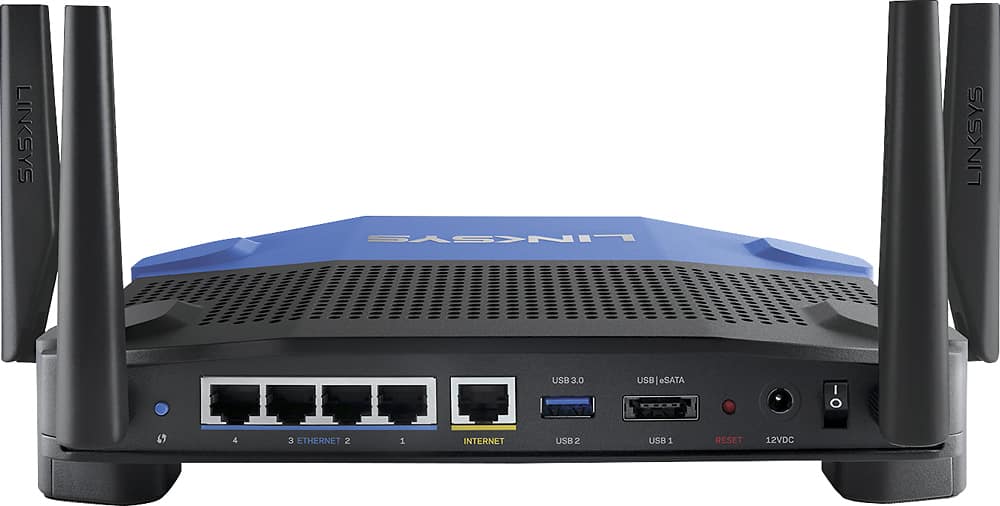
|Posted .This reviewer received promo considerations or sweepstakes entry for writing a review.Setup of this router was very easy. Everything is clearly labeled on the router for easy connection. It has four ports to connect to with ethernet cables. Just turn on the router, connect internet cable, connect to the router through the web interface, reset your modem then it is done. The router does not come with a printed manual. Instead, it includes a CD-ROM with all necessary documentation. As I said earlier, setup is easy and should not require accessing the disc. An insert that's included in the box provided a card with four step directions for setting up you router, which is all you should need to get going. I like the styling of this router and it provides me a big upgrade to my previous router. The speed is great. I currently have multiple devices running on it, both WiFi and hard wired, and it is handling them all well. I streamed every device connected to it simultaneously and there were no issues. The router can be accessed via web interface or a downloadable app. The web interface provides many more options for customizing your router's settings over the app. The app seems very basic compared to the web version. Both versions are very easy to use though. One feature I really appreciate of this router is the ability to prioritize devices based on their uses. Gaming or streaming videos clearly take up more bandwidth and can be specified as having priority through the router. Included are various services and even games that you can choose to prioritize through the UI. So far, this router is serving well and with Linksys having a history of providing a quality product it seems a no brainer that this one would be a good addition to your home network. Top speeds help ensure that data transferred over my network completes tasks quickly and effectively.
I would recommend this to a friend Great router
||Posted .This reviewer received promo considerations or sweepstakes entry for writing a review.Bought this router to get added security features. So far working great
I would recommend this to a friend- Pros mentioned:Setup, Speed
Blazing fast router
|Posted .This reviewer received promo considerations or sweepstakes entry for writing a review.First, let me say this is one fast router, especially on the 5GHz band. Linksys uses what they call Tri-Stream 160, which effectively doubles the bandwidth. Besides being very fast, it also uses MU-MIMO technology (stands for multiple-user, multiple input, multiple output). In a nutshell, this tech allows the router to deliver its blazing fast speeds to multiple devices all at the same time. Traditional routers can bog down when multiple users are, for example, streaming 4k videos simultaneously. The WRT3200ACM won't increase the bandwidth you get from your ISP, but it is able to evenly distribute the bandwidth you do have across all connected devices. Pretty sweet. If you have new router setup anxiety, no worries here. Setup is super easy. Just look for the router in the available Wi-Fi networks on your computer, connect to the WRT-3200ACM, and a browser automatically opens up to the router’s web interface and asks a few simple questions to get you up and going within minutes. This was one of the easiest router setups I’ve ever done. For most of us the standard features are more than sufficient, but if you need more control over router functionality, this router supports DD-WRT (open-source firmware). If you don’t know what DD-WRT is, there’s a good chance you probably don’t need it. Summary: This is a very fast router with some pretty serious technology built in, and it's easy to set up to boot. It's not cheap, but fast doesn't come cheap. So, what makes it worth the price tag? If you are a gamer the milliseconds this router saves you could be the difference between life and "respawn". Or if you anticipate having multiple users connected at the same time streaming videos (like most families), this could the perfect router for you.
I would recommend this to a friend - Pros mentioned:Performance, Speed
Best consumer router on market
|Posted .This reviewer received promo considerations or sweepstakes entry for writing a review.I think that thia is the best performing router on the market that is not enterprise. They build them fast, reliable and run cool. This can handle 2 x 5ghz 867mhz connections which mean you can have great performance to a high powered 2.4ghz and 2 seperate 5ghz devices all at the same time. Real world means you can finally start to approach wired speeds of old. Great coverage also. Can also text guests the guest password from the app on your smart phone
I would recommend this to a friend