Customer Ratings & Reviews
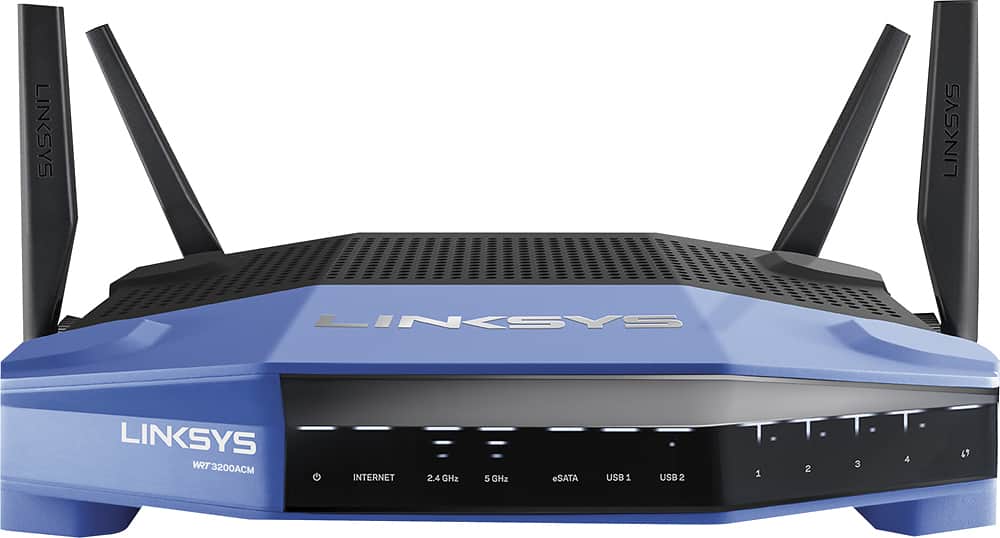
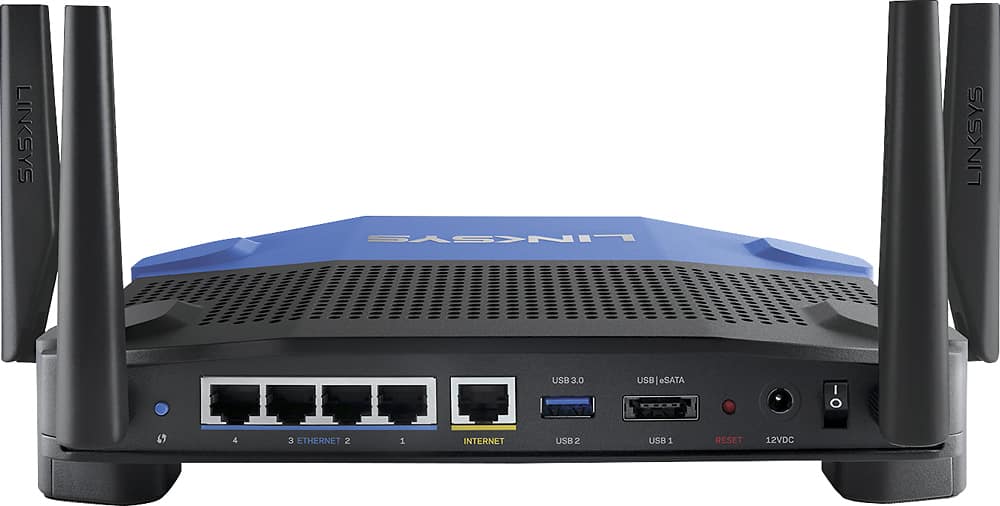
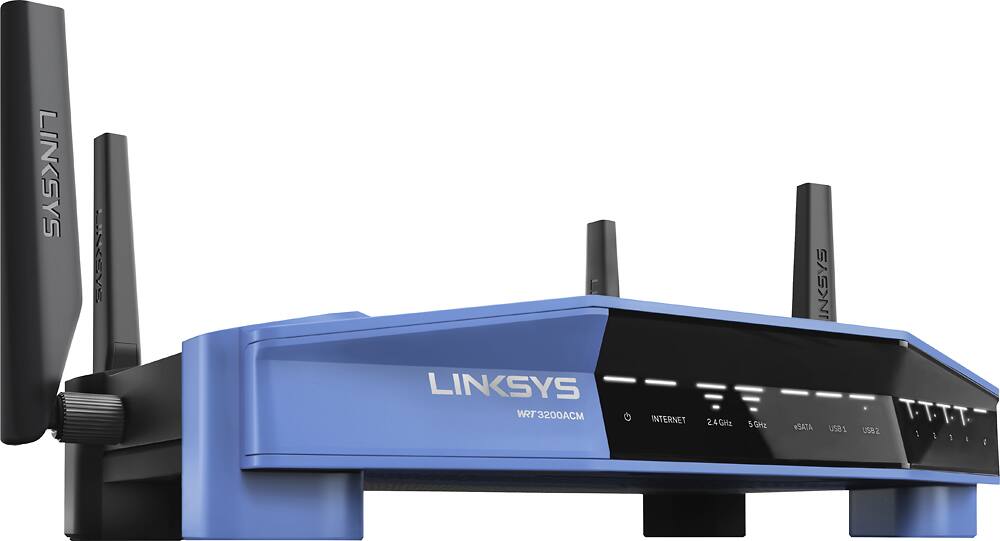



- Model:
- WRT3200ACM
- SKU:
- 5601000
Rating by feature
- Value
Rating 4.3 out of 5 stars
- Quality
Rating 4.6 out of 5 stars
- Ease of Use
Rating 4.5 out of 5 stars
Customers are saying
Customers love the WRT AC3200 Dual-Band WiFi 5 Router's ease of use, range, and performance, with many praising the simple setup and strong signal. Positive feedback also highlights excellent coverage and improved streaming capabilities. While some users noted the router's size and experienced occasional connectivity or firmware issues, the overwhelmingly positive reviews focus on its strong performance and user-friendliness. A few users mentioned needing firmware updates.
This summary was generated by AI based on customer reviews.
- Pros mentioned:Setup, Speed

Easy to use and fast
|Posted .This reviewer received promo considerations or sweepstakes entry for writing a review.I'm not a computer network guru, I can't really tell you about the different bands, speeds, or the internal processor of this router and how it relates to others on the market, I can just speak to real world experience. First, it's super easy to set up. Screw in the antennaes, plug it into the power outlet and connect your modem to the WAN port. And I love the app; I'm not sure if it's absolutely necessary to use to get everything set up, but it sure beats the days of having to login to your router's IP address in days past. I set it up on my phone including the password in no time. In terms of speed, I've seen no slowdown. I get 300 MB/s speed through Time Warner and it handles all of our devices. We are a connected home, with several laptops, tablets, phones, Amazon Echo, Nest products, video game consoles, garage door all connected at one time. I can play Xbox Live while my wife streams Netflix 4K in the other room and we have no complaints. My one psuedo complaint is the footprint of this router. It takes up a good size of space (for a router) and there's no option to stand it up on it's side. I do not like putting a HDD or thumb drive into the USB port of any router (honestly, no real reason or justificiation, it's just a personal decision) so I can't state how well network attached storage works. I have to mention the Linksys app one more time. I find it extremely useful and easy to use. It's not necessary (I don't think so at least) and I'm not on it every day by any means, but it is a convenient way to look at who's using your network, how many devices are on it and turning on/off a guest network. It's also easy to run some diagnostics on your network and let you know if you're online (I haven't had to yet).
I would recommend this to a friend - Pros mentioned:Ease of use, Performance
Excellent Router
|Posted .This reviewer received promo considerations or sweepstakes entry for writing a review.The new Linksys WRT3200ACM router has everything you would expect from a router an more. There were a few key points that differentiate this router from the rest, and that is its performance and ease of use. Like most routers, setup was simple and the step-by-step instructions were clear to follow, even for someone that is less technical. However, the admin page that comes after is definitely its strong point. The ability for a user to customize their home page after logging in allows monitoring of activity much easier. Something as simple as monitoring internet usage from each connected device is only two clicks away! Trivial functions such as parental controls and guest access are configurable without needing to read a guide. As for performance, this router has no trouble in keeping up with today's internet needs. The advertised MU-MIMO technology shined through after testing streaming 1080p-4k videos across multiple devices (smartphone, tablet, 2 PC's). All devices did not have to pause to buffer, and was able to maintain the same low ping as usual while playing Overwatch. However, the same cannot be said when another device is given the ability to download at full bandwidth (games through steam). When testing this setup (one PC downloading a game, while another is playing Overwatch), there was definitely a noticeable lag. The normal ping of 30 shoots up to 400. With Linksys' media prioritization, that ping was reduced to around 150-200. Although it is not desirable to play at even 150 ping, it is still better than 400. Overall, this router can certainly pull its own weight. There is no doubt that it can handle the demand of multiple users. This router is deserving of the high ratings its received.
I would recommend this to a friend - Pros mentioned:Setup, Speed
Great performance upgrade
|Posted .This reviewer received promo considerations or sweepstakes entry for writing a review.I replaced a Netgear Nighthawk Wi-Fi router with the new Linksys WRT AC3200 MU-MIMO arouter hoping to pick up some additional speed in data transfer. Installation was quick and easy, especially since I already had a router. Just unplug the old and plug in the new. Setup of the router was easy. I opened my favorite browser, typed in the generic 192.168.1.1 to access the control panel. It had a step by step setup wizard that allowed me to get up and running quickly. I especially like the editable network map. The map allows you to quickly see what devices you have connected to your network all on one page and it has filters to allow you to see just LAN, 2.4gHz and/or 5gHz connections. When you right mouse click on a connected device and click on "Device Info" it displays the name, IP address and MAC address. You can edit the name of the device on this screen as well, naming it something that makes since to you... like "nVidia Shield" instead of "Android-034145354234". You can also connect external storage directly to the router for a home network NAS (untested since I don't have a NAS device to connect). I'm connected to Comcast high speed internet. Before switching I ran speedtest.net and download speed was about 120-130Mbps and after switching I'm getting over 150-180Mbps depending on time of day and pinged server and that's with 19 devices connected to the router. I can definitely recommend this router especially if you've got an older Wi-Fi router and do online gaming. You should see significant speed increases especially if you connect to the 5gHz channel.
I would recommend this to a friend - Pros mentioned:Ease of use, Speed
Powerful Awesomeness
|Posted .This reviewer received promo considerations or sweepstakes entry for writing a review.I received my Linksys WRT 3200 ACM MU-MIMO Gigabit Wi-Fi Router on Wed. (10/26/16). And just like every other Linksys router I've ever owned, I was able to quickly install this router with no issues whatsoever. Linksys has hit another home run with this router. Installation took no more than 5 minutes. I changed a few network settings and updated them using the hands down best Smart WiFi app. I highly recommend using the Smart WiFi app. After installing the router and updating a few network settings, I noticed an immediate boost in coverage of range inside as well as outside my apartment. Areas that were once dead zones are now covered and within range of my WRT 3200 ACM router. Every last one of my mobile and streaming devices connected seamlessly, to my home network with stronger signals that the router I replaced with this amazing beast. I must say my favorite part of this router is the Smart WiFi companion app. You can see and monitor everything within this app. Everything is connected at the same speed which is glorious. I would seriously recommend this router to anyone looking to upgrade their home network to amazing speeds while boosting coverage and wiping out any dead zones.
I would recommend this to a friend Better than what I had but not great
||Posted .This reviewer received promo considerations or sweepstakes entry for writing a review.The reach and speed is improved but not as great as I was hoping.
I would recommend this to a friendBrand response from Linksys Staff
Posted .Hi, Case,
We're glad to know that you're experiencing a wider range and faster speed through this router as expected. To optimize its performance, you can try repositioning its antennas and set a static wireless channel to lessen the interference. Please email us at LinksysCares@linksys.com with your phone number and the link to this post so we can get you over to our Escalation Engineers for further assistance.
Regards,
Irish
Linksys Support
- Pros mentioned:Range, Setup
A really fast router with rock solid connection
|Posted .This reviewer received promo considerations or sweepstakes entry for writing a review.Ive used this router for almost a week now, i believe you can not use a router for a night and then do a review, a week is a short time in its self. This router though is great, as a router it does what i needed and does so in impressive fashion. The reboot time to reconnect on this router is fast, it doesn't spend a lot of time trying to reconnect. The range on this router is also very very impressive so if you are looking for something with wide coverage then this router is for you. The router also handles multiple devices exceptionally well, i have over 10 devices in my home either hard wired or connected wireless and it doesnt bat an eyelid, it just powers on. Set up is extremely easy with an exceptional priority list allowing you to simply drag and drop your devices as to what gets deemed as most important. A very simple interface that doesnt bog you down with a lot of jargon, Linksys did a really good job of simplifying this process. Within minutes you`ll be online with your own SSID`s and protection. Build quality is also a a bonus on this unit, while it may not be pleasant to some to look at the overall quality of the product cannot be ignored, very sturdy with a good sized heat sink, this will last for sure. Parental controls work well with this device also. In short this is a really great router, with a simple setup interface that even the novice can tackle, its built well with a modern take of the super awesome predecessor/ If you want speed, range and no hassle then this is the router for you
I would recommend this to a friend Router
||Posted .This reviewer received promo considerations or sweepstakes entry for writing a review.You can spend $1,000 and still have connectivity problems.
No, I would not recommend this to a friendBrand response from Linksys Staff
Posted .Hi, Millie,
Your feedback is important to us. If you are experiencing connectivity issues with your WRT3200ACM router, please get in touch with us at LinksysCares@linksys.com so we can optimize its settings with the help of one of our Escalation Engineers. Indicate your contact details and the link to this post for easy reference.
Regards,
Jay
Linksys Support
- Pros mentioned:Performance, Range, Setup
Simple setup and FAST
Posted .This reviewer received promo considerations or sweepstakes entry for writing a review.First off. I want to disclose. Linksys was kind enough to send me this router for my honest review. Thank you very much Linksys team! That will not how ever effect my review of this router. I will share my honest thoughts and opinions. On to the review. My previous router was a Linksys WRT1900AC. I have had it for 2+ years. So I was very excited to receive this new model and set it up. I waited a full week to see how it goes before posting my review. I also want to mention. I have the matching Linksys WRT004ANT high gain antennas from my WRT1900AC. So I put them on this new WRT3200ACM as well. I do recommend those if you are interested in them. They have been great and do give a little bump in signal gains. As for my home network setup. Its a mix of desktops, laptop, game consoles, tablets, printer, tv's, voip phone. All in all I have 11 devices online 24/7. Packaging Great! Everything looked real nice in the box and organized very well. Build Quality Linksys shines. I have never had a problem with their build quality. They always feel premium and well constructed. Which they are. Please don't ever change Linksys. This is a strong point for you. Setup Does not get any easier. Another area Linksys shines in. Their routers are extremely easy to setup. 10 minutes you are up. That includes unboxing it. Some people complain about Linksys firmware being so limited in features etc. I absolutely love the simplistic approach they take. And the menus are laid out very well. Easy to understand and get around. The great thing with this router if you want or demand a lot more features and need them. You can flash 3rd party firmware onto it like DDWRT etc. Getting back to the factory setup. I prefer to set mine up manually using the local log in. All I did was log in. Check for firmware updates. None available atm as I have the latest version. Set each device with DHCP reservations with in the router gui. Followed up by a reboot. I also changed my router password before doing that. I suggest you do as well. Performance Fast, fast and FAST! This new router is definitely faster then my previous WRT1900AC This one is better do to the newer hardware and improvements. This router is even future proof with 160Hz when more devices can take advantage of it. Other speedy specs include 1.8GHz dual core cpu and 512mb ram. I have had zero issues with this new WRT3200ACM. Its been up for a solid week and you would not even know it exist. It just quietly does its job and does it extremely well. I am very pleased with it. And these are with using factory settings out of the box. I have not needed to change a thing. I have a 130mb/5mb cable connection with Charter and I get every bit of it. The range on this router is crazy. Even for the 5GHz band. I can go any where in the house with out issue and still have blazing speeds. Features Once again. Simplistic approach Linksys takes. Tons of features is not always better some times and can confuse consumers. Now a days in these busy times. People just want to hook up and go. While being safe doing it. Linksys does just that and they do it very well. Suggestions (Linksys) Advise customers to change the default router log in password. Bandwidth meter. This is a short fall for Linksys here. All the other manufactures include a detailed bandwidth chart/logs. What I mean. You can see in real time, hourly, weekly, monthly etc. With caps now a days. I know people would appreciate this. Especially to see their weekly and monthly uses for everything on their network all at once. I would greatly appreciate it. Its one thing I have been wishing Linksys would add for years. Now this router does have a limited feature in this regard. But its extremely limited as in it shows per device as its being used atm. Other then that. What I suggested earlier does not exist yet. I hope Linksys will add it in the future with this product or others. In closing Great router. I had no issues with it during setup or performance wise. I would certainly recommend this router to anyone. The other added bonus is having that optional 3rd party firmware support. That is a big deal for many people who enjoy that. In the end. I have no major complaints about this router at all and deserves the 5 star rating I gave it.
I would recommend this to a friend - Pros mentioned:Range, Setup
Great For Expanding Wifi Range and In Home Use
|Posted .This reviewer received promo considerations or sweepstakes entry for writing a review.First of all, this router looks great. It looks and feels premium. It has four detachable antennas with a sleek black and blue look. It won't look out of place in whatever room you decide to put it in. I have it connected via Ethernet to my AT&T Router/Modem and it was easy to install. It was plug and play. All that was needed to be done was configure it from a computer or phone. Its really simple to set up and doesn't take any amount of expertise to understand it's basic use. My in home wifi range was greatly extended thanks to this device but I recommend connecting via Ethernet cable if you're sharing the internet with an ISP router/modem like AT&T's. Being able to use a 5Ghz and 2Ghz channel is extremely useful when your house is crowded with devices. It helps split the traffic and I'm always running 5Ghz on capable devices. The greatest feature for me is device prioritization. I was able to give PlayStation Network priority and my PlayStation for streaming music, video, and gaming. I haven't had any troubles with this product and for that reason it is worthy of five stars. Does everything mentioned in the description and is a top notch product. I would recommend this product to more advanced in home users that know how to set up VPN's and use the router to its full potential but also for the casual streamer looking for a router capable of handling multiple devices at a time. Make sure to use the Linksys app for easy access to router settings and remote access.
I would recommend this to a friend Great product a little pricey
||Posted .This reviewer received promo considerations or sweepstakes entry for writing a review.2nd one I've had to buy so I'll see if this one works better
No, I would not recommend this to a friendOk
||Posted .This reviewer received promo considerations or sweepstakes entry for writing a review.Easy to set up but signal not tol strong between 2 walls
No, I would not recommend this to a friendBrand response from Linksys Staff
Posted .Hi, DrSnoopy,
We recommend that you position the router in a location where the Wi-Fi can cover more ground with minimum physical interference. If this cannot be avoided, we recommend that you consider adding a range extender on your network.
If you need further assistance, feel free to email us at LinksysCares@linksys.com.
Have a good day!
Regards,
Thaddeus
Linksys Support
Doesn't hold well against heavy traffic
||Posted .This reviewer received promo considerations or sweepstakes entry for writing a review.Wireless stops working every now and then, only way to recover is to either disable and re-enable wireless or a restart. This is painful, I have been running with WRT54GL for years and it was so stable that it went without a restart for months (a year). This one requires a restart every other day. I have tried stock firmware and DD-WRT, it made no difference. Community discussions suggest that wireless driver is the culprit. So if you are a heavy user, stay away until Linksys does something about the stability issues. I was hoping firmware update would resolve it, so held on to it. However, there is no sign of any firmware update since version 1.0, so can't even return it. Poor linksys support behind this product, another reason to stay away.
No, I would not recommend this to a friendBrand response from Linksys Staff
Posted .Hi, techwizard,
The dropping connection that you're experiencing with your WRT3200ACM router might be due to misconfiguration problem or probably a corrupted firmware. If you're currently using its stock firmware, please email us the details at LinksysCares@linksys.com and we'll have one of our Escalation Engineers take care of your issue. Include your contact information and the link to this post.
Regards,
Jay
Linksys Support
Get the extended warranty
||Posted . Owned for more than 2 years when reviewed.This reviewer received promo considerations or sweepstakes entry for writing a review.I have had several of these. I bought extended warranties, since their lifespan seems to be only a year. When they worked, they did an adequate job
No, I would not recommend this to a friend- Cons mentioned:Connectivity
Total Junk
||Posted .This reviewer received promo considerations or sweepstakes entry for writing a review.Wireless conection keeps dropping out. Internet connection also keeps dropping out, having to reboot router several times a day. Always bought linksys products in the past, but this will be the last.
No, I would not recommend this to a friendBrand response from Linksys Staff
Posted .Hi, Watson,
The wireless connection through this router should be stable once it is configured. To help us isolate this, you may change the wireless channel of the 2.4 GHz and 5 GHz band on the web interface as the signal could've been affected by interference.
Please email us at LinksysCares@linksys.com along with your phone number and the link to this post so we can get you over to our Escalation Engineers for further assistance.
Regards,
Irish
Linksys Support
- Pros mentioned:Ease of use, Speed
great router!
|Posted .This reviewer received promo considerations or sweepstakes entry for writing a review.Ok, I have been using this router know for a few days. First off set up was a breeze the application window was well thought out. Making changes and setting up things like MAC filtering, changing of passwords, setting up parental controls (I have no need for it but I did look at the set-up page), The ability to VPN, network map and being able to do this from your cell phone from anywhere is awesome. The speed is a huge upgrade from what I had. My previous router was and 802.11n so going to the ac protocol I saw some difference. What I have noticed is no lag when watching Netflix, either in my living room which is about 20 feet from the router to my bedroom which is about 45 feet from the router. Still has great reception and produces great results. My laptops, cell phones and tablets all seem to have no issue connecting and keeping the connection unlike my previous router. Pros: Speed, I feel this is better utilizing the speed package I pay for from my ISP. Buffering or Lag time, none that I have come across. Easy setup for those how might not be as tech savvy. 4 additional Ethernet ports Cons: Bigger router, can’t be positioned vertically to save space Not a deal breaker but where my router is compared to outlets, another foot on the cord would have been perfect!
I would recommend this to a friend - Pros mentioned:Ease of use, Speed
Easy to set up and use
|Posted .This reviewer received promo considerations or sweepstakes entry for writing a review.This is a great router, with some customization options. With any internet connection hardware, there are other factors to consider as well. Before purchasing this router, make sure that you actually need it. Check with your service provider to find out what speeds you are capable of getting. Make sure your modem is at least DOCSIS 3.0. If your service doesn't provide these speeds, you don't need a pricey router. Linksys has made some great advances in setting up routers, and this is no exception. It is simple to set up, access, and tweak. There have been some complaints about speed, but you can adjust a media speed cap by logging into the router and changing the media prioritization settings. On earlier routers, you could only change the priority of devices, but on this you can adjust the allowable speeds. The default is 30mbs, but you can raise this to whatever you'd like. In my home, we have two desktops, 4 laptops, 4 tablets, a streaming device, and 2 cell phones which all connect to the internet, and there have been no speed issues at all. Setting up an external drive for FTP is simple, with the only difficulty coming from setting up the FTP service on other devices. All in all, this is a great router with great speeds. Easy to set up and work with.
I would recommend this to a friend - Pros mentioned:Performance
Fantastic router for dd-wrt
|Posted .This reviewer received promo considerations or sweepstakes entry for writing a review.I have owned a few of the old blue Linksys 54 routers. My parents were using one of my old ones up until this year in fact! They were built like tanks and performed well so I was excited to see an upgraded "old blue" style in this model. Not to mention openly support dd-wrt or other open source firmware. What is dd-wrt? Well, it is an open source firmware that can turn a supported router into a very detailed and powerhouse of a router. It includes a lot of enterprise type features into a consumer product. And best of all, they usually perform better than bloated OEM firmwares. Ok, on to this model. Features are rich (even on stock firmware). Performance is very good and coverage is excellent. So far it is the best router I've ever owned. Is it worth the price tag? I'm a little split on this because there are some decent performing routers out there for a fraction of the cost. If you are a power user, then yes, I would recommend it. If you are an average user that cares nothing about playing around with open source firmware...you might be happier to save a few bucks and get a cheaper model. I will say this, if this thing is built like the old "blue" routers of years past...it will be well worth the investment. Hope this helps!
I would recommend this to a friend Restarted many times and finally exchanged for som
||Posted .This reviewer received promo considerations or sweepstakes entry for writing a review.Initially I was impressed with the router speed, handling of multiple devices and setup but I had to restart it a half dozen or more times to regain a signal. This was a dealbreaker and I exchanged it for a different router.
No, I would not recommend this to a friendBrand response from Linksys Staff
Posted .Hi, Linksysrouter,
This is clearly not the expected behavior of the WRT3200ACM router. We understand that you no longer have the device, we could have asked our Escalation Engineers to check it up for you. Reach out to us at LinksysCares@linksys.com next time should you encounter any challenge with your other Linksys products. We'd be more than willing to assist.
Regards,
Rosalyn
Linksys Support
- Pros mentioned:Speed
Fast, powerful, and simple
|Posted .This reviewer received promo considerations or sweepstakes entry for writing a review.This is a fantastic router. It replaces three devices (a double N router and two network extenders) in a 3600 SF, three story home. Setup was fast and simple, straightforward enough for a novice but with enough extra features to keep a tweaker busy. Once the router went live, the first thing I noticed was the speed. Web sites loaded noticeably faster, and video streamed without any glitches even at the edge of the coverage area. I do keep a couple of wired devices attached, and the gig-e ports provide really fast throughput. Coverage is remarkable. It's mounted near an outside wall of the house, on the middle floor. My previous router, mounted in the same place, required extenders on each floor. The AC3200 keeps a very strong signal (around -50 for you geeks out there) even at the opposite end of the house and one floor up or down. I really like the bandwidth prioritization feature. I have a femtocell network booster for my cell phone, and with the old router it would sometimes drop out for a couple of seconds. With the AC3200, I set this device as the highest priority, and now the connection is always clear, even if others are streaming video and playing on-line games. Overall, just a remarkably well designed device.
I would recommend this to a friend - Pros mentioned:Performance, Setup, Speed
Top of the line!
Posted .This reviewer received promo considerations or sweepstakes entry for writing a review.First let me say I received this router through the friends of Linksys program as a free sample in exchange for my honest feedback. I was not paid for this review. This replaces my Linksys WRT1900AC that I've been running in my home for over a year (a great router in itself) that I purchased as a refurbished item. This review is, in part, comparing performance between the two. Before I get into too much detail let me throw out there that set-up is extremely easy. For most users you'll plug & play and never think twice. I do go in and set-up a few other things for ease of use, increase gaming performance through port forwarding, and few other tweaks. All of which are easy to do from the computer. The Linksys Android app is also quite handy to do some basic monitoring and changing some settings as well. I have to say that being able to do maintenance right from my mobile device has a huge advantages over other routers on the market. Now to the fun stuff... I have been using the WRT3200ACM for a few days now and have put it through various test at peak and off peak times. I was a bit skeptical that the performance differences would be really noticeable between these two, and for the most they do have similar performance. However, I have been getting more consistent performance on all connected devices. I'm a fairly heavy user, as is our family. At any given time we have several devices connected wirelessly to our Internet. This includes, but not limited to, at least two phones, a tablet or 4, Playstation 4, Wii U, laptops, Amazon Echo, Google Chromcast, and however many family and friends we have over on any given day. Gaming on the PS4, as well as using Netflix through the PS4, has been smooth and only minimal lag at peak hours. Part of this problem lies, however, in my relatively slow DSL speed (a problem that is being remedied). Given our low Mbs, I'd say the performance in gaming and video streaming has been a 9.5 of 10. Very robust overall. Video streaming on multiple devices at once (our kids tablets/phones watching Youtube, Netflix on a smart TV, etc) has been fairly smooth as well. There has been some dropping in video quality at times; however, I can't emphasize enough how much this is more due to my relatively slow DSL speed, in particular at high peak hours when congestion reigns supreme. Basic web browsing on any device has been buttery smooth. No issues whatsoever. Music steaming through the Amazon Echo, and overall performance on the Echo, has been flawless. I've noticed, actually, that there has been less lag during peak hours this week. Which is a plus. Speed tests: well, I've done various speed tests at peak and off peak times, as well as during heavier usage times amongst my family, and this is where this router has really excelled. I've been able to consistently get nearly the max download and upload speeds with minimal ping approximately 90% of the time I've checked (in relation to the speed my pay for through my ISP). That is pretty impressive considering I'd often get a large slow down in the evenings with previous routers at peak times. I do believe this is largely due to the MU-MIMO technology. Pretty amazing. I'm looking forward to pressing this harder when I get my speed increase from my new ISP. The other area this router is excelling is in 5Ghz range. At the furthest corner of my 2nd floor where I'm furthest from the router I've maintained a fairly strong signal. My WRT1900AC was not as strong and my phone especially would switch back to 2.4Ghz. This hurts speed big time since these channels are highly congested in my neighborhood. Being able to remain on 5Ghz is huge advantage in my area as there are few others using these channels. In fact, I can choose several channels and have that bandwidth all to my self! Overall, a nice upgrade from my current router; which is a beast in its own right. With my new ISP coming this weekend, is should see even greater performance. I would definitely recommend this router for those searching in this price range. If this is beyond your price range, I'd say any similar Linksys router will give the performance most people would expect.
I would recommend this to a friend