Customer Ratings & Reviews
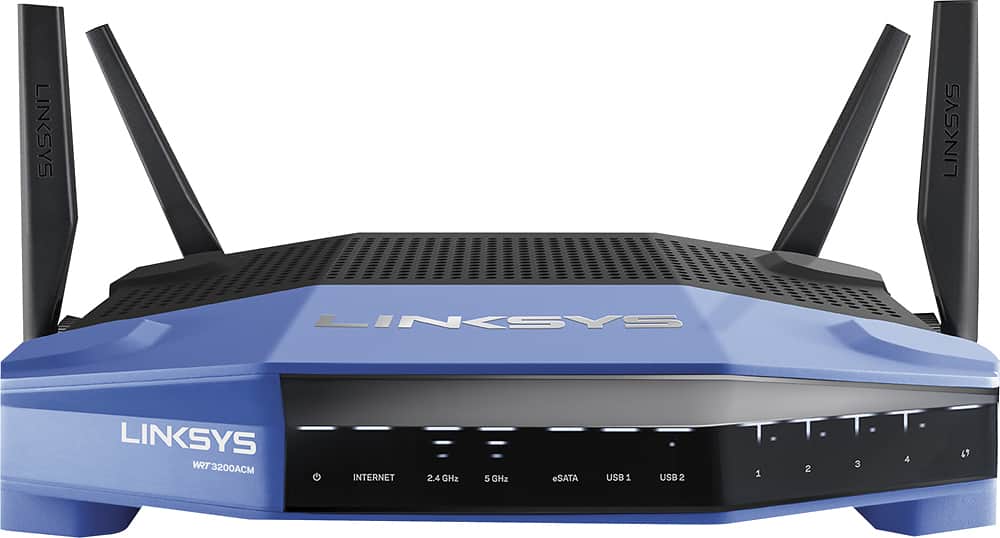
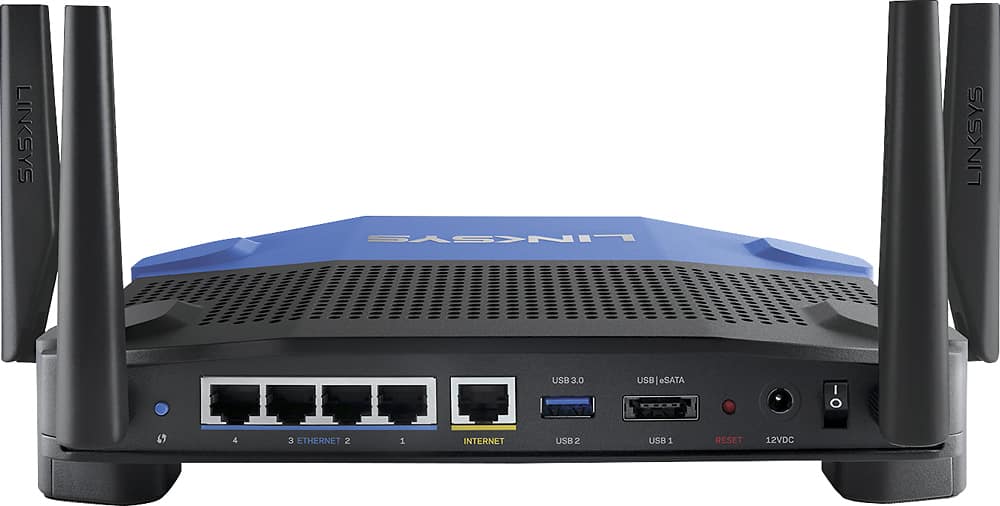
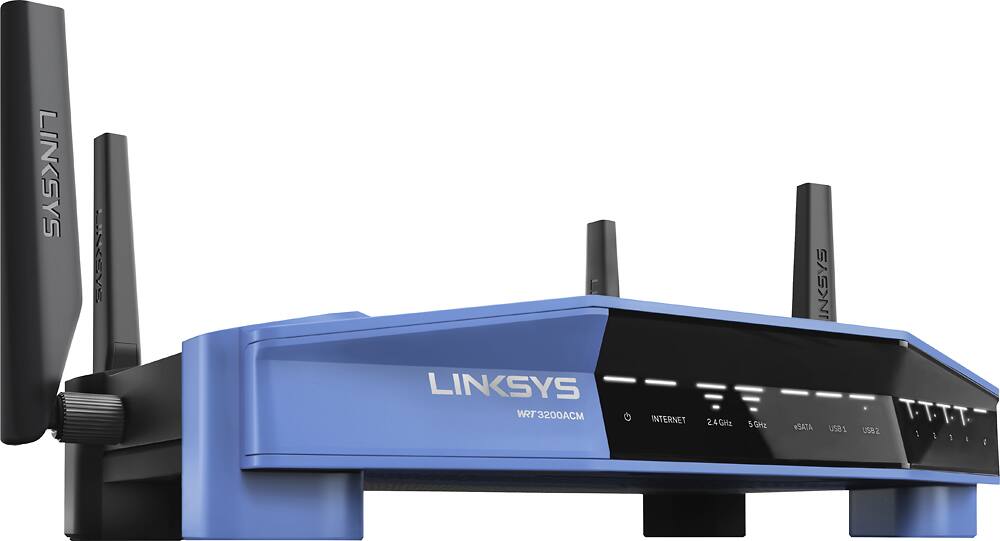



- Model:
- WRT3200ACM
- SKU:
- 5601000
Rating by feature
- Value
Rating 4.3 out of 5 stars
- Quality
Rating 4.6 out of 5 stars
- Ease of Use
Rating 4.5 out of 5 stars
Customers are saying
Customers love the WRT AC3200 Dual-Band WiFi 5 Router's ease of use, range, and performance, with many praising the simple setup and strong signal. Positive feedback also highlights excellent coverage and improved streaming capabilities. While some users noted the router's size and experienced occasional connectivity or firmware issues, the overwhelmingly positive reviews focus on its strong performance and user-friendliness. A few users mentioned needing firmware updates.
This summary was generated by AI based on customer reviews.
- Cons mentioned:Connectivity
Setup error
||Posted .This reviewer received promo considerations or sweepstakes entry for writing a review.Worked for an hour with cable tech support but could not see router as available on multiple computers
No, I would not recommend this to a friendBrand response from Linksys Staff
Posted .Hi Bimini,
Setting up the router is normally easy using the Smart Setup Wizard. To prevent any problems during setup, make sure you have a good signal from the router or bring the wireless computer closer to the same room as the router. You might find this link useful: http://www.linksys.com/us/support-article?articleNum=142526
Please don’t hesitate to reach out to us at LinksysCares@linksys.com so we can have one of our Escalation Engineers walk you through the necessary steps. Include your contact details and the link to this review.
Regards,
Rechel
Linksys Suport
Router
||Posted . Owned for 1 month when reviewed.This reviewer received promo considerations or sweepstakes entry for writing a review.The router did not improve any wi fi coverage. The speed did not change at all. Returning the device ASAP
No, I would not recommend this to a friendBrand response from Linksys Staff
Posted .Hi,
Before you return the product, allow us to have our Second Level Technicians get in touch with you first so that they can assist you with the challenges that you are experiencing.
Just send us your contact details at LinksysCares@linksys.com so that we can escalate your case. Don't forget to include the link to this post as a reference.
We hope to hear from you soon.
Regards,
Thaddeus
Linksys Support
- Pros mentioned:Range, Speed

Powerful equipment with a learning curve.
|Posted .This reviewer received promo considerations or sweepstakes entry for writing a review.So first, I should mention that I have a fair degree of experience working with enterprise grade networking hardware thanks to work. I've also set up many, many consumer routers. So the idea of this particular router, which is basically being presented as a midpoint between the fully customizable professional grade equipment and the cheaper and more user friendly consumer products, was interesting to me. Unfortunately, the conclusion I drew after spending a day struggling with the basic setup was that they've managed to bring a lot of additional complexity to the product along with the improved specs. This router was not at all easy to get running the way I needed it to. Getting it operational required a ton of tinkering, a manual firmware downgrade, and a LOT of working around the bugs that kept popping up. Fortunately I knew how to do all of this - and the fact that it's designed to be a bit more accessible than most to tinkerers helped. But when it comes right down to it, this is more aimed at consumers than it is at pros, and for a consumer product that's very worrying. The thing is, once I did get it working, the router performed brilliantly. It's extremely fast, has good range, and has a host of features that I find very useful in managing my home network. It's got good prioritization, fine control over the guest network, and the option to merge the 2.4ghz and 5ghz bands into a single SSID. Not only that, but the way the 5ghz band is setup does indeed seem to result in an overall increase in speeds with compatible devices (though it's not quite the 3x boost advertised on the box - this kind of equipment never actually reaches its theoretical capacity.) But in the end, these are features that consumers can find elsewhere. So yeah. If you're a hobbyist or need a cheap option to set up an extremely complicated environment, this router is a great choice. But if you're not particularly experienced in working with open-source networking equipment, I can't say that the added cost of this router will necessarily be worth it.
I would recommend this to a friend Drops internet every 12 hours
||Posted . Owned for less than 1 week when reviewed.This reviewer received promo considerations or sweepstakes entry for writing a review.Title says it all. I was hoping that by July 2020 Linksys would have sorted their issues with this router and I took a chance. Unfortunately they have not. Every 12 hours or so I have to reboot the router. It just drops the internet connectivity. Really is a shame because it's fantastic when it works. The Linksys brand is not what it used to be.
No, I would not recommend this to a friend- Pros mentioned:Performance, Range
Excellent Advance Router
|Posted .This reviewer received promo considerations or sweepstakes entry for writing a review.This router works excellently with heavy usage. It seems like the more devices you connect with higher bandwidth needs, the better it performs! The MU-MIMO is one of the best features as it allows multiple direct beams to the most demanding devices to help ensure they stay connected with the performance they need. I have owned a number of Linksys routers in the past and this one carries on the ability to use their Smart WiFi app on your smartphone which adds the convenience of having everything in your network available at your finger tips! I would highly recommend this for homes or small offices with many devices that are very demanding of your networks capabilities and the need for a very reliable network signal!
I would recommend this to a friend Dual-Band router with room to grow!
|Posted .This reviewer received promo considerations or sweepstakes entry for writing a review.At first this router may seem a little pricey and a little bit of overkill for household use, but when I sorted out the 3 phones, 2 tablets, 2 TVs, 3 desktops, laptop, and home server for backups and streaming videos – more bandwidth that is reliably available not matter who is using what seems like a good investment after all. This router allows me to satisfy current bandwidth needs with plenty of room for whatever comes next. INSTALLATION was easy and pretty much automatic, although with my internet provider I have to clone the mac address of my desktop to the router to get the internet connection. This really doesn’t show up in the instructions from either the router manual or my internet provider, but a quick Google took care of that (I forgot about having to do that with previous routers). Once that was done, everything else connected to the internet without any problems. SIGNAL STRENGTH is definitely dramatically improved and I can go outside the house and walk around without losing much in the way of performance. Of course I would expect this from the ‘beamforming’ feature, and it seems to be working as advertised. For BANDWIDTH, during our peak usage times with wife playing on her tablet and watching TV, son gaming online, home server streaming videos to me, and everyone’s phone up and running, there is no drop in data or signal and as the family’s technical consultant I am happy that I don’t get the “Honey/Dad, is the internet working?” calls from the rest of the family when they can’t get a web page to load or the TV show starts to stutter. OPEN SOURCE capability is something I have used with previous routers to get increased performance or specialized functions, and although the Linksys has everything I need at the moment, being able to customize if the need arises has been a real benefit with previous routers. As another installation note, if you are installing on an existing home network, check the Linksys factory installed IP address (192.168.1.1) and the Linksys starting IP address range of the router (>192.168.1.100) as you might need to reset the router IP to 192.168.0.1 and the starting router IP address range to 192.168.0.X to allow your existing static IP devices to connect. For example, my home server had a static IP address of 192.168.0.6 and would not connect to the Linksys router (factory settings) until I changed the settings on the router. Easy to do, and very much easier to change the router settings using the browser management console that to go and change settings on the existing server and everything else with a static IP. All the technical stuff aside, the “Network Map” feature on the browser console shows how many devices are connected to both the main and ‘guest’ network – which is not earth-shaking but a nice feature that is new to me. I doubt I will make much use of the android app management tools, but they are there if I need them and might come in handy in the future. This is one of those “has all the new stuff” devices that probably has some features I will never use, but I have said the same thing about many other technology purchases that turned out to be obsolete or “behind the times” in just a year or two. I don’t expect to have the same problem with this device, and if I am going to invest in something that is “more than I need” at the moment, I believe the heart of my wireless system would be the best place to start. Bottom line for me is that: 1 – it works; 2 – it was easy to set up; 3 – everyone gets the bandwidth they need when they need it; 4 – it won’t need to be replaced any time soon. Win-win-win-win. At the end of the day and into the weekend, I value my leisure time and want to enjoy the internet without having to fiddle with the router or find some new settings that bump up the bandwidth. Having that quality leisure time is more than enough compensation for buying a top-notch router that will keep pumping out the bandwidth as needed now, and in the future.
I would recommend this to a friend- Cons mentioned:Connectivity
not good
||Posted .This reviewer received promo considerations or sweepstakes entry for writing a review.internet connection became slower and losing connection more than old one.
No, I would not recommend this to a friendBrand response from Linksys Staff
Posted .Hello, pink.
With its innovative wireless technology, the WRT3200ACM router should provide you with reliable and consistent connectivity with speeds that shouldn't lag. Make sure that the unit is running on its latest firmware for a more optimized performance. Get in touch with us as well via LinksysCares@linksys.com for further assistance. Include your full contact details and the link to your review for ease of reference.
Hoping to hear from you soon.
Harvey
Linksys Support
- Pros mentioned:Ease of use
Easy Setup Powerful WiFi Router
|Posted .This reviewer received promo considerations or sweepstakes entry for writing a review.The included CD and companion phone app made the setup a breeze. The router control software has all kinds of tools to manage the connection with all the devices on your network. Don't want your kids online with their phones or tablets pr PC's in the middle of the night? No problem. Want to devote 90% of your bandwidth for Netflix on the smart TV in the evening? No problem. You can manage just about everything even with the phone app. The real perk I found was the signal was still great when I was outside in the yard 150 ft away from the house.
I would recommend this to a friend - Pros mentioned:Ease of use
Excelent for Most, Amazing for Power User
|Posted .This reviewer received promo considerations or sweepstakes entry for writing a review.Even though this router is very advanced, setup was very easy and fast. Once I powered it up and connected to its default SSID, I followed the installation wizard which is very straightforward and was finished in less than 5 minutes even after waiting a couple of minutes for it to download and install the latest code. My preferred method to test a wireless router is by using the many devices we have at home for a real life experience . Speed for iPad Air ranged from 80 Mbps at 90 feet to 525 Mpbs at 10 feet away from the router inside our two story house. Of course my broadband is not nearly as fast as the WRT AC3200 but fast connectivity to the router is extremely important to get the most out of whatever bandwidth you have to the internet especially if you have many device and watch multiple video streams or play games online. I had 2 TV's streaming HD movies from NetFlix at the same time while my wife and two kids browsed Facebook and other sites. There was never any buffering or stuttering and video quality was excellent everywhere. If needed, you can prioritize a device or web service but I didn't have to do that. The only minor issue I noticed was that speed on my iPhone 6 Plus would go down to 20Mbps while climbing up the stairs but then it would go back up to 225Mbps once I got to the second floor. I connected an external Hard Disk Drive to the e-SATA port and got excellent speed from it, comparable to the Linksys EA9500 which is another excellent wireless router that I use. Overall performance is excellent and OpenVPN is a great feature that I love. Also, you can control time of the day a device should be disconnected from the internet which is great if you have kids that need to go to bed. I just wish you could increment/decrement time in minutes not hours. However, if you really want to customize this router with an advanced firewall, control the power of the antennas and much more, release the geek in you and install OpenWrt or DD-WRT and see this thing really shine. Some disclosure: No, I don't work for Belkin (Linksys); and yes I, did receive this router to evaluate and give my unbiased opinion which is exactly what I just did. So far, I couldn't be happier but I must admit that I have had it only for a few days although I think my love for it will only increase.
I would recommend this to a friend - Pros mentioned:Performance, Setup
Great router
|Posted .This reviewer received promo considerations or sweepstakes entry for writing a review.As always, Linksys didn't disappoint. From the unboxing of the unit to using the router. this thing just works. When you open the box, it is packed cleanly in foam, with the 4 antenna safely packed in the foam itself. All you need to do is attach the 4 antennas by screwing them to the base. Remove the foam and the disc, power supply and a network cable are there. Installation is simple, just follow the quick setup guide included under the router base. So far, the unit works flawlessly as a router should. It's only when a router fails to operate correctly that we find fault with it. Otherwise, the internet works and works fast....all is good with the new Linksys unit.
I would recommend this to a friend Terrible product,
||Posted .This reviewer received promo considerations or sweepstakes entry for writing a review.My wireless would cut in and out constantly, never a good stream with this device, my printer was plugged directly into the device and would still go off the network. I would never recommend this device and found out after I received my EERO system that it is too late to take it back. I am not happy with this at all. My rating is a zero or below no stars on this device.
No, I would not recommend this to a friendBrand response from Linksys Staff
Posted .Hello, JenO,
Please know that the Linksys WRT3200ACM provides quality performance with proper setup and configuration. We will appreciate it a lot if you could email the link to this post and your contact details at LinksysCares@linksys.com so our Escalation Engineers can troubleshoot your router and turn your impressions around.
Regards,
Klaudette
Linksys Support
- Pros mentioned:Performance, Setup
Great coverage/ease of use! No more WiFi issues
|Posted .This reviewer received promo considerations or sweepstakes entry for writing a review.My first thoughts are Linksys has come a long way. I had been previously using a competitor's device to which I had NO problems with but I agreed to test this one to see where Linksys stands today with their technology. I last used Linksys in 2005 for my home networking needs because there was always trouble with setup and connectivity. So far, I have not seen the same issues I experienced in the past. I am trying to start fresh with this review and not take into account my antiquated experience with older Linksys routers. My overall experience thus far has been a great one. Setup was easy and performance is excellent. Very powerful transmission!
I would recommend this to a friend Terrible for Gaming. I’ve replaced 7 times.
||Posted .This reviewer received promo considerations or sweepstakes entry for writing a review.I have had this router for about 3 years. If you plan on doing anything with a heavy load like gaming and streaming at the same time, expect this router to start dropping connection after 5-6 months of use. I’ve have to replace mine AT LEAST 5 times and I always come back to the same issue. PLEASE DONT BUY THIS.
No, I would not recommend this to a friendBrand response from Linksys Staff
Posted .Hi, JTeds,
Obstructions and wireless interference from other wireless devices are the possible reason for dropping connection that your encounter behind the Linksys WRT3200ACM. Changing the wireless channels may help us isolate the concern. However, allow us to have this checked with our Escalation Engineers by sharing it through email at LinksysCares@linksyss.com with the details of what happened, your contact info and the link of this review, for our reference.
Regards,
Elyza
Linksys Support
Hardware issues
||Posted .This reviewer received promo considerations or sweepstakes entry for writing a review.It stopped working a few weeks after purchase. Called Linksys Tech Support who advised that this model needed a "firmware" update but didn't have one at the time & didn't know when one would be available. So what was I suppose to do, have no internet service until whenever? So, I returned the product. Now they have the firmware update. Go figure.
I would recommend this to a friendBrand response from Linksys Staff
Posted .Hi Orlysud77,
This is definitely not the experience we want for our customers. We could have had our Second Level Technicians assist you further with the device. We respect your decision in returning the device.
If you have questions regarding a Linksys device, feel free to email us at LinksysCares@linksys.com.
Have a good day!
Regards,
Thaddeus
Linksys Support
Totally Disappointed
||Posted .This reviewer received promo considerations or sweepstakes entry for writing a review.I purchased this particular router because I owned a linksys router previously. I needed a gigabit router so I figured linksys. This particular router was great until it stopped working after 6 months. I was very upset. I will never buy a linksys product ever again. Do not buy this router it is garbage should have reviewed it but was an impulse buy.
No, I would not recommend this to a friend- Pros mentioned:Speed
Fast Router - Many Bells & Whistles - Pricey
|Posted .This reviewer received promo considerations or sweepstakes entry for writing a review.My review of this router covers both the router and Linksys's customer service and tech support. I gave this router a strong 4 out of 5 stars because it has better than average speed and good distance. While its 5GHz band produced excellent speeds in my unscientific speed tests, the 2.4GHz band produced a solid higher than average speed. My previous router, released over a year ago, had comparable speeds at the 2.4 range to this WRT-3200 model. So even though the speeds on this new router’s 2.4 band weren’t a great improvement, it’s possible the speed can be improved upon with future firmware updates. Whereas, my older AC comparison router is no longer receiving updates. Another reason why I'm rating the Linksys WRT3200ACM four out of five stars is because of its price. If you already have a solid AC router, there isn't a compelling reason to upgrade to this router unless you really need an open source supported router. If having a router that allows you to load customized firmware is your highest priority, then this router is a very smart choice. But if you're looking for a router with fast speeds and good distance, there are similar models available that are more affordable. One more observation I'd like to make before I comment on Linksys's customer service and tech support, is regarding the router's web-based interface and mobile app. Both are highly polished and have very user friendly interfaces. It is very easy to change the router's settings within both applications. And since it's “cloud” based, you can log into the router’s settings from outside of the network too. Regarding Linksys's customer service and tech support, I unfortunately received a defective unit and needed to work with them to troubleshoot the issue. Working with them was a very easy experience, and they made replacing the product as simple as it possibly could be. After describing the issue to their first level customer service rep, she informed me that a company engineer would contact me next to address the issue further. On a side note, I believe my case was forwarded to an engineer because I was an early adopter of this newly released product. So much so, that when I first opened the package, there was an extra slip of paper next to the router that contained a specific phone number for early adopters to call if I experience any issues with the router. After the engineer confirmed the unit was defective, he quickly began the process of sending me a replacement router. The new router arrived a few days later, and I've been using it now for close to a month without any issues. The original problem with the router was a broken radio controlling the 2.4GHz band. This meant that the router wasn't able to broadcast the 2.4GHz band. It was a little frustrating at first, because the laptop I was using to setup the router only operated on the 2.4GHz band. So at first, I couldn't even see the router in my Wi-Fi connections. I was perplexed for a while, until I decided to look for the router using my phone, which operated on the both the 2.4 and 5GHz bands. My phone was able to see the router and I was able to get the router working on the 5GHz band. Overall, this is a very fast router with good range. And Linksys's customer service was very helpful in resolving my issue. I definitely recommend this router to anyone if they are looking for a strong router and the price is within their range..
I would recommend this to a friend Ok router
||Posted .This reviewer received promo considerations or sweepstakes entry for writing a review.Easy to set up but had signal issues. My house is only 1700sf. Took back and bought a Netgear nighthawk.
No, I would not recommend this to a friendBrand response from Linksys Staff
Posted .Hi, Bigdog,
The WRT3200ACM is capable of providing you an exceptional wireless coverage in your home network. Please reach out to us at LinksysCares@linksys.com so that our Escalation Engineers can help you achieve the unit's maximum potential and assist you in optimizing its wireless settings. Indicate the link to this review and your contact information so they can contact you as soon as possible.
Regards,
Kristine
Linksys Support
Average
||Posted .This reviewer received promo considerations or sweepstakes entry for writing a review.Im not so impressed. I have a gigabyte internet, but would only get 80+ mbps on wifi...
No, I would not recommend this to a friendBrand response from Linksys Staff
Posted .Hi,
Wireless performance depends on many factors, including distance from the access point, volume of network traffic, and building materials and construction. Your router's wireless settings may require certain adjustments and our Escalation Engineers would be eager to assist you. Please email the link to this post and your contact information at LinksysCares@linksys.com.
Regards,
Klaudette
Linksys Support
- Pros mentioned:Speed
Its like a high performance car but its a router
|Posted .This reviewer received promo considerations or sweepstakes entry for writing a review.I wanted to wait a week before I post my review. I wanted to check if there are any bugs or errors to this router, so far I have had two issues. I lose signal on my Surface 2 tablet and Amazon fire stick. I normally get the signal back buts its a process getting back. Now keep in mind there is a total of 13 devices that use up bandwidth. I have It set up in the garage and my family uses it at home, so far no complaints. I like that you can really customize and control the router. I can create passwords for guest, so I don't have to give my own password. I can check who's on my network from work via the app option-(if you want to download the app for this router). Based on the devices names I can tell who is home and who do I want to restrict access too, which is a cool feature. So far no complaints. This is an outstanding router. It's like a high performance router among routers. And it looks like its built to last too, before this router I used to own a Cisco router. I paid 70-80 dollars and I wanted to upgrade because I notice my speeds where going low. I tried the speed test, with minimal devices (5ish devices) I got 69 mbps/ 5.80 mbps upload. At 13 devices the speeds were 40ish mbps/5.80 mbps. Overall this router is great. I'm not worried about dropping my signal anymore. I like the shared folder feature were I can access my external device through my created network. I can access it from anywhere within my WiFi range. I haven't figured out how I can access it from online but I am working on it. Overall good product.
I would recommend this to a friendBrand response from Linksys Staff
Posted .Hi, Mark,
We're glad to know that you are enjoying your new router. To access its settings anywhere and anytime, log on to www.linksyssmartwifi.com using a web browser or install the app on a handheld device. We'd also like to get you in touch with our Escalation Engineers to look into the dropping wireless signal. Please email us at LinksysCares@linksys.com with your phone number and the link to this post for our reference.
Regards,
Irish
Linksys Support
- Pros mentioned:Ease of use
Great features and easy setup
|Posted .This reviewer received promo considerations or sweepstakes entry for writing a review.For the past few years I've relied on my ISP to furnish me with their Gateway device to serve as my modem and router. Previously, I had always used Linksys routers. Actually, the Arris gateway from my ISP was functioning adequately enough but I wanted to be sure I had the most up to date technology in my home network. So, I added the AC3200. I began to scour the web for an accurate set of instructions to put my ISP gateway into bridge mode, to allow me to supply my own router. It seems simple enough, but all of the directions I found on my ISP's web site related to this procedure, give you just enough rope to hang yourself with, and pretty much don't address any of the actual steps to complete it successfully. I finally found some helpful posts and was able to get everything working. Setting up the AC3200 was a breeze, and thinking back to my previous Linksys routers, they've all been easy to set up and user friendly besides. I was able to name both my 2.4 and 5.0 wireless networks the same as I had them when using my ISP's gateway, which made it extremely easy for all of my devices to just simply connect as usual. I have anywhere from 20 to 25 devices of all types connected at any given time on the 2.4, 5.0 and hardwired networks. I've had nothing but very smooth connections over all my devices. I haven't had any noticeable stutters when streaming and everything just seems to work with the least amount of user interaction (which is not to say that you can't if you want to, and I have). Before I switched, I had pretty good wireless connection speeds but thought that they could be better. I honestly expected a bump up in that department. What I got was about the same or a little lower than I had (around 25 to 30Mbps on average to my PC's). Since I pay for 150Mbps, I was a bit disappointed. Playing around with the antennas had a small affect on speed, but nothing worth noting. I attribute most of the lack of speed to the setup of my house (walls with HVAC ducts and returns, equipment older than 2 years old, etc.). My house is not an open floor plan. When using the Ethernet ports, they show my true connection speeds as up around 180Mbps (30 more than my internet package). I've always had good experiences with Linksys products and this one is no exception. The downloadable android app is a really slick way to access your router settings from anywhere you happen to be, and gives you access to all the same details as you see with the web application. A really nice touch. Aside from my overblown expectations, I really like this router. It's extremely stable and directs network traffic well. File transfers from my NAS drive are smooth and streaming is clean and fast. I've actually ordered the 8-port 4008 Linksys switch to go with it. If you're looking for cutting edge ac technology that's easy to set up and gives you a secure stable home network to add any device you can think of, this is a great choice.
I would recommend this to a friend