Customer Ratings & Reviews



- Model:
- WRT3200ACM
- SKU:
- 5601000
Rating by feature
- Value
Rating 4.3 out of 5 stars
- Quality
Rating 4.6 out of 5 stars
- Ease of Use
Rating 4.5 out of 5 stars
Customers are saying
Customers love the WRT AC3200 Dual-Band WiFi 5 Router's ease of use, range, and performance, with many praising the simple setup and strong signal. Positive feedback also highlights excellent coverage and improved streaming capabilities. While some users noted the router's size and experienced occasional connectivity or firmware issues, the overwhelmingly positive reviews focus on its strong performance and user-friendliness. A few users mentioned needing firmware updates.
This summary was generated by AI based on customer reviews.
Poor coverage
||Posted .This reviewer received promo considerations or sweepstakes entry for writing a review.I bought this to replace an older model NextGear. A waste of money. The coverage is less and what it doesn’t tell you (or at least what I didn’t read) most connections are through 5G network sent by router. It doesn’t follow the walls at all, it’s like the wall is made of metal and won’t go through it.
No, I would not recommend this to a friendBrand response from Linksys Staff
Posted .Hi, Dluth,
This router can provide a good Wi-Fi coverage, however, there are factors that need to be considered such as interference and physical obstructions. Keeping it running on the latest firmware as well as adjusting the channels to less congested ones might help to improve its performance. Please get in touch with us at LinksysCares@linksys.com along with your contact details and a link to this review for reference so we can have our Escalation Engineers assist you.
Regards,
Rosalyn
Linksys Support
Not as great as I thought
||Posted .This reviewer received promo considerations or sweepstakes entry for writing a review.I bought to get better signal than my airport extreme. Nah, I returned it.
No, I would not recommend this to a friendBrand response from Linksys Staff
Posted .Hi Jason,
We could have had our Second Level Technicians get in touch with you to assist with further adjustments to the router to achieve the performance that you are expecting. We respect your decision in returning the device.
If you have questions regarding any of our Linksys devices, feel free to email us at LinksysCares@linksys.com.
Have a good day!
Regards,
Thaddeus
Linksys Support
- Cons mentioned:Firmware

OpenSource = Good
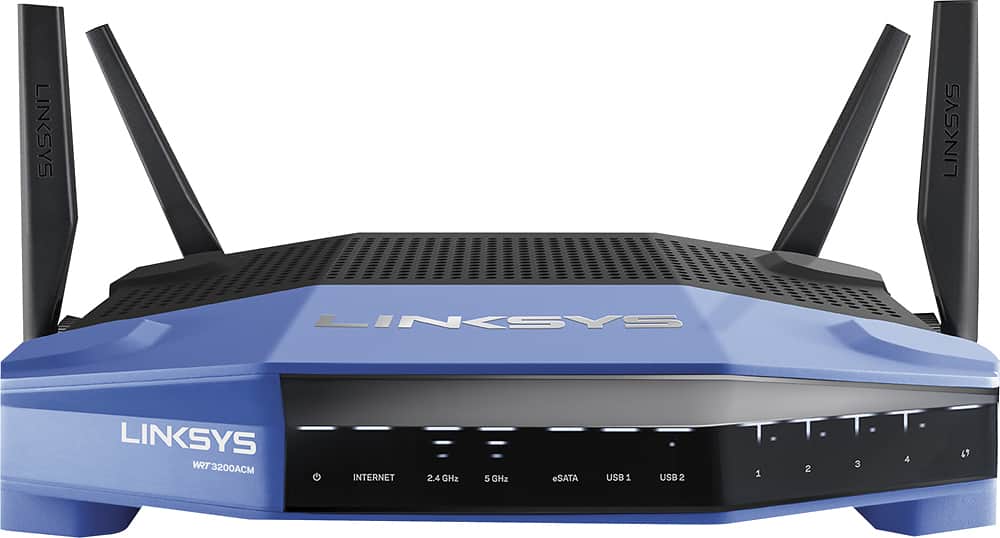
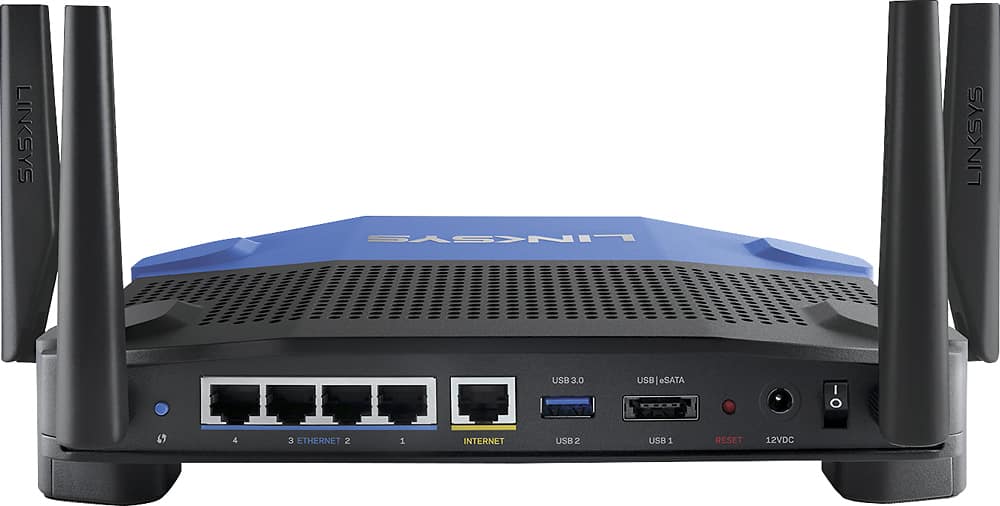
|Posted .This reviewer received promo considerations or sweepstakes entry for writing a review.I've had the opportunity to use a couple of the new Linksys devices recently to varying degrees of enjoyment, I have to say, this one is one of the best. Build Quality: To start with, this device is physically one of the best built routers I've ever laid my hands on. Immediately upon picking it up out of the box you can feel the heft to it, there is no feel of flimsy plastic or rattling. The antennas attach with solid metal connections and look/feel very substantial. The only downside to the physicality of the device is that the power brick is comically large. If it requires a brick this large then they should have made it so that it has a power cord running to the brick rather than a brick this size connecting directly to the plug, it is just too large. Capabilities: It has a significant amount of processing power and RAM for a router, which is nice to see, though at this price point I'm disappointed that it is not tri-band as so many are in the upper-tier devices. Aside from that, however, it does have USB 3.0 and eSATA for external connectivity which is nice and not terribly common (at least as far as the eSATA). It has your standard 4 ethernet ports + 1 WAN port, I can wish for more, but that's a rarity in most home routers. Setup: I was disappointed to find that it did not initially start with any of the open source firmware pre-installed. Instead it has the same look and feel of all of the current Linksys offerings, which is to say, heavily pushing the Linksys Smart WiFi account based setup. This is unfortunate as I feel it is an unneeded extra step in configuring a home based device, and has some odd requirements that you need to massage to get around (such as requiring a internet connection off the bat unless you click through 2 extra windows to force a local login). I have also, in the past, run into stability issues with the Linksys Smart WiFi firmware, though I have not yet with this, which is an improvement. The firmware contains all of the basics you would expect, including DHCP reservations, port forwarding. It also has the capability to function as an OpenVPN server which is nice. To the point of the open source firmware... Both DD-WRT and OpenWRT have builds already available for it depending on your preference.. All-in-all it appears to be on the right track of a very nice device, with the true power being in the installation of the DD-WRT and OpenWRT firmware to really unlock much of its potential. My gripes are nit-picky and there do not appear to be any real blaring issues with the device. Overall I'm happy with it. Positives: Open Source VPN Server (in default firmware) 160MHz channel bonding for futureproofing Wireless AC Quick bootup time Negatives: Ads in the router gui Linksys Smart WiFi Giant power brick
I would recommend this to a friend - Pros mentioned:Range
Great router for spread out streaming devices
|Posted .This reviewer received promo considerations or sweepstakes entry for writing a review.I love this router. I pay for internet so I'd like it accessible. I'm in a 1600 sqft bi-level house with the router in the basement and most streaming upstairs. I needed to use extenders with my old Linksys router but with this one I was able to ditch the extenders. It more than doubled my wireless download speed. Upload speeds slightly increased. Netflix works great even with two TVs. No issues with smart phones connecting through out the house. Played multiplayer games on XBox 360 wirelessly without any lag. I really don't have anything bad to say about the router.
I would recommend this to a friend - Pros mentioned:Setup
WRT On Steroids
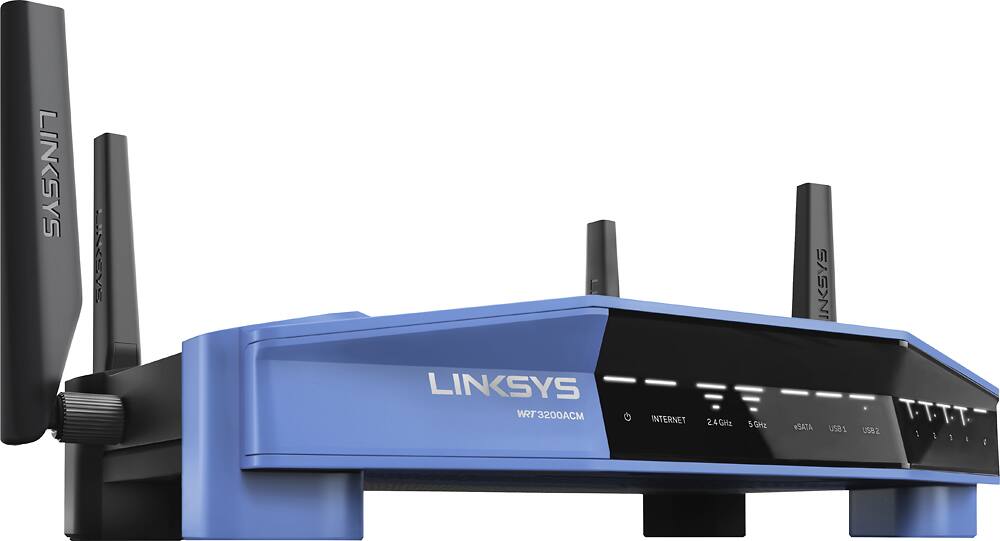
|Posted .This reviewer received promo considerations or sweepstakes entry for writing a review.My very first router was a Linksys WRT wireless G router. It was sweet technology back in the day. I also had the Linksys cable modem and switch. These babies worked great, were stackable, and looked super cool. As wireless tech evolved I eventually moved onto the EA series of Linksys routers which were a design departure for Linksys. When the Linksys WRT3200ACM arrived on my doorstep there lay a flashback to the familiar blue WRT design. As I eagerly unboxed this baby I was first taken by the WRT's transformation from the plastic build of the past products to a solid metal design. Here was a WRT router on steroids and with sleek modern lines. I was somewhat surprised that the router didn't come fully assembled. You have to attach the antennas. I actually had some difficulty getting one of them to attach as it seemed the threads were a bit off. I eventually got it. I quickly hook it up to the internet and jump on an iPad to connect. Setup and configuration was a breeze using the Smart Setup Wizard. During setup you are prompted to setup an account which you can use to access your router from anywhere. I love this feature. You can also access the router configuration using a really nice IOS or android app. My 2,000 square foot house was previously a commercial space which was renovated into a home with construction that is superior to your average home. Thicker walls pose problems. I have had wireless connection issues in the past so so I was eager to explore the advanced capabilities of the 3200ACM. I also have about 18 wireless devices in the home so I was hopeful that MU-MIMO would prove beneficial in providing solid connections to all devices on my network. I was not disappointed. On previous routers one had a sense of devices competing for bandwidth. Not now. MU-MIMO in combination with triple stream technology and a 1.8ghz processor provided a wider and more solid wireless home network with increased speeds. I found that I had reduced dead zones within my home where connections previously lagged. I was truly impressed. While streaming music or video I could now skip through both easily with no buffering. I am looking forward to adding network storage using the USB/Sata port as well as tweaking the multitude of built in configuration settings. Then there are of course all the open source WRT firmware possibilities. I should mention that I've experienced no notable issues.
I would recommend this to a friend Too expensive
||Posted .This reviewer received promo considerations or sweepstakes entry for writing a review.Too expensive for the item. Better product bought some where else
No, I would not recommend this to a friend- Pros mentioned:Range, Setup
Excellent product
|Posted .This reviewer received promo considerations or sweepstakes entry for writing a review.I've recently had issues with my FiOS router so getting this product to test out was perfect for me. Set up was very easy, even on the dreaded FiOS modem and results were very impressive. I was able to get a strong signal on both bands that went throughout the entire house and even to the very back of my backyard. That's approximately 75 feet longer than the range of the previous router. Overall, great router, good range, easy set up
I would recommend this to a friend - Pros mentioned:Range
Excellent Router! Reminds me of the old WRT54G!
|Posted .This reviewer received promo considerations or sweepstakes entry for writing a review.This router is great and no doubt another reboot of the infamous Linksys WRT54G. I loved that model so much that I had two of them, running dd-wrt and working together to blanket my house in Wireless-G. But that was 2007, and Wireless-G just doesn't cut it anymore. At quick glance, this router looks like the classic version, blue bezel, black body but with modern, sleek contoured edges and four antennas instead of two. It has four gigabit ethernet ports and supports today's newest features such as MU-MIMO and Tri-Stream technology allowing you to stream up to 2.6Gbps of data. In my week or so of using it I've had no issues whatsover, in fact, I notice I am having less issues than with my older router. Little network hiccups that I used to have seem to be gone. Might have to do with the screaming fast 1.8Ghz dual core processor. I don't have traditional cable, so the whole family is constantly streaming media all over the house and this thing has been up to the task. Range seems adequate and it pairs nicely with my Linksys range extender, giving me a little bit of extra wifi coverage in the front yard. Of course, the classic WRT became so popular due to it's ability to run custom firmware, giving you full control over not only every configuration feature but access to new and improved features over the stock firmware. There's a reason the two most popular custom firmwares dd-wrt and Openwrt have 'WRT' in their name. I did have the opportunity to put dd-wrt on this router but it was a little too soon. I had a lot of wireless instability but I installed the firmware only four days after it was released. It was easy enough to put back to stock firmware by downloading it from the Linksys support website. Don't think my experience is a reason not to buy this router. Linksys has done their part, releasing the source, now it is up to the custom firmware community to write firmware that works, which will happen sooner than later. Bottom line: Get this router if you are someone who is a fan of open source and tinkering with things. It might not be ready at the time of my review but I have no doubt within the next few weeks the custom firmwares will get the bugs worked out and this thing will be ready to rock and roll!
I would recommend this to a friend disappointing range - way over-priced
||Posted .This reviewer received promo considerations or sweepstakes entry for writing a review.works great 40-50" away, further than that and through walls, it struggles.
No, I would not recommend this to a friendBrand response from Linksys Staff
Posted .Hi, Techuser,
The WRT3200ACM is capable of delivering a range farther than that. It's possible that interference in your area is affecting the router's wireless performance. We can try setting a fixed channel on both networks to help improve its range.
Please email us your contact information at LinksysCares@linksys.com so that our Escalation Engineers can contact you and help you achieve the unit's full potential. Indicate the link to this review for our reference.
Regards,
Kristine
Linksys Support
Awesome
||Posted .This reviewer received promo considerations or sweepstakes entry for writing a review.Had alot of problems with this router, finally had to buy linksys ea9500 as a replacement. I would not recommend to anyone except you know alot about I.T. it requires slot of customization and the linksys representatives are useless.
I would recommend this to a friendBrand response from Linksys Staff
Posted .Hi, Afalade,
We're sorry to hear your experience with the router. We understand you are now enjoying your internet connection with the EA9500 model but allow us to look into the details of your case so we can look into the opportunities that would help us improve our service. Do not hesitate to email us the reference number at LinksysCares@linksys.com with your phone number and the link to this post for our reference.
Regards,
Irish
Linksys Support
- Pros mentioned:Ease of use, Range
Good router for the price
|Posted .This reviewer received promo considerations or sweepstakes entry for writing a review.First of all, the router was fairly easy to set up. Overall it took me about 15 minutest to set up. I would recommend that you place the router where you have enough open space and not try to squeeze it in to an area where the device is not noticeable. I found that this made a difference with download speed. I have a 3200 sq ft home and most of the house had good quality reception. There were some of the farther rooms on the second floor where download speeds really dropped. Overall, I was pleased with the set up time and the range of this router.
I would recommend this to a friend ok router not impress
||Posted .This reviewer received promo considerations or sweepstakes entry for writing a review.constant drops signal needs to reboot and loose ip config list
No, I would not recommend this to a friendBrand response from Linksys Staff
Posted .Hi, Ed561nola,
Manually flashing its updated firmware could help in stabilizing the connectivity of the devices to the network. Please email us at LinksysCares@linksys.com with your phone number and the link to this post so that our Escalation Engineers can walk you through the process.
Regards,
Irish
Linksys Support
- Pros mentioned:Ease of useCons mentioned:Connectivity
easy set up, good support
Posted .This reviewer received promo considerations or sweepstakes entry for writing a review.This was very easy to set up and I love the smart wifi app - I can see which devices are connected and easily block one as needed, even from my phone. Comes in handy when the kids aren't supposed to be online. After almost a year I had trouble with it dropping connection multiple times each day, requiring reset. One call to support walked me through rolling back the recent firmware update and all is well again.
I would recommend this to a friend - Pros mentioned:Range
Amazing Wi-Fi for all your devices
|Posted .This reviewer received promo considerations or sweepstakes entry for writing a review.This router is a powerhouse for all of your Wi-Fi connected devices. The multi-bands and the amazing CPU make running all of your connected devices seamless with no noticeable lag or any other issues associated with older routers. Setup out of the box is simple while at the same time providing many options that more advanced users would be more than happy with. Upon digging into the more advanced settings you can change pretty much anything and everything including the ability to change the software to an open-source option of your choice. About the only complaint I have with this router is with the plug itself. I have quite a few devices plugged into one area and plug space is at a premium. The plug end on this device is quite large taking up to 2 spots on older power strips, it is a problem easily solved either with better power strips or rearranging items on the strip, but it is a nuisance. I wish manufacturers would at least put the brick portion further along the cord rather than building into the plug end itself. Other than one (minor) complaint I have had no other complaints/issues with this router and would thoroughly suggest this to anyone that is looking for an outstanding Wi-Fi router capable of supporting your ever expanding connected home. Pros: +Easy setup +Local, web, and app based monitoriing and management +Outstanding range +Easy guest and parental control setup Cons: -Large power brick on plug
I would recommend this to a friend - Pros mentioned:Setup
Easy Setup, Long Range
|Posted .This reviewer received promo considerations or sweepstakes entry for writing a review.This router is easy to setup with the small list of instructions provided and provided more than enough coverage in my 2600 square foot house. It is wall-mountable, which is a big plus for me, and all ports are labeled well. Setup was completed in just under 5 minutes, although my modem and everything else was already prepared since this was a replacement for my old modem. I would recommend this to friends and family, especially those who have trouble with long sets of instructions.
I would recommend this to a friend Best router in its class, hands down!
|Posted .This reviewer received promo considerations or sweepstakes entry for writing a review.So you think you already "maxed out" the connection from your provider? You may be surprised, as I was. It must be made clear at this point though, if you have a starter package from your ISP (5-10mbps) you are already most likely "maxed out" and won't see benefits from upgrading. But you could STILL benefit. More on that in a little while, Prior to this product, I was pulling, on average 42Mbps down, and 12Mbps up. I just thought "well, that's the limitation of the ISP. Nobody probably gets the advertised speed". How wrong I was! Packaging/Build: The WRT AC3200 arrived safely to my humble abode very well packaged (as can be expected from best buy). Upon opening the external box, waiting inside was the product box for the WRT AC3200. Inside the attention grabbing and well designed outer retail display box - the hardware was well protected. The unit and the 4 antennas (antenni?) both are seated in a recessed foam layer, to protect from any drops/rough handling that may occur in transit. Below the foam is a box that contains the ac adapter, and the CD with documentation. Unless godzilla steps on it - I don't see any way that the product could arrive damaged. So, no worries there. Aesthetics: It is obvious that when designing the WRT AC3200, Linksys decided to pay homage to their router-line of yesterday. At least with the color scheme. However, linksys upgraded the design to bring it to the 21st century. The sharp lines and angles would make the WRT AC3200 feel at home in a stealth fighter - at area 51 !! There are your standard indicator lights on the front, which are less intrusive/annoying than most competing brands. My personal setup has the router in the bedroom. The wife and I are VERY light sleepers, and the indicator lights do not bother us. Therefore, they most likely won't bother you. But if they do, guess what? You can completely disable them if you want to! No more do you have to utilise the "duct-tape method!!!" Anyway... The setup is very simple and straight-forward. I could totally see your "average joe" setting it up with no problems. But, in case you do run into a roadblock, the WRT AC3200 comes with very easy to follow documentation. And even then, there is a telephone support line offered just in case one is totally lost. The support provided is what one can always expect from Linksys. My personal setup: Prior to the WRT AC3200 coming into my life, I had a router/modem combo from an ISP that (without mentioning any names) rhymes with palm-last. At one time the 802.11 N speeds where totally acceptable. But like any other techie, I wanted MORE POWER! To connect the WRT AC3200, I simply used the included (nicely sized) ethernet cable to go from the ISP provided router/modem gateway to the WRT AC3200. After a few seconds, the indicator light showing an internet connection became steady - indicating that the WRT AC3200 is now "ready to go" - to begin configuration. Easy-Peezy. Setting up: Before going any further in the (very easy) setup process, you will need to acquire the pre-configured wifi network name and password (which you will be able to later customize). This information is located in two places. Under the device on a sticker, as well as on a sticker in the included "easy setup guide" card. Once you have this info, you are ready to begin the setup process. You are going to want to connect to one of the two (2.4ghz or 5ghz) pre-configured networks. Or you can connect your laptop to the device via ethernet using one of the included LAN ports. Once this is done, you simply open a web browser; and you will be redirected to the very user-friendly linksys setup wizard. You will be given the opportunity to change the names and passwords of both of the networks, set a security/encryption type, and set a password for the router itself (highly recommended to keep your nosey neighbor out of your router settings). Once done with the easy setup wizard, and you have no need for an advanced setup ----- you are done! For those than want to tinker a bit more, all of your usual features are included (mac filtering, DMZ, port forwarding/triggering, dyndns etc). And for those (like myself) who are known around the office as "The guy to go to when you break your computer", something very special about the WRT AC3200 is that it supports open-source firmware (OpenwWRT and DD-WRT) right out of the box! Normally, one would have to wait months for a new device to support these open firmwares. Not with the linksys WRT AC3200! Performance: On the local wifi network - my devices now communicate with each-other at the maximum bandwidth that my devices support (867Mbps). Some newer devices support even faster local/LAN speeds. And the linksys WRT AC3200 will support those too! This blazing fast local speed comes in handy if you like to transfer very large files between local devices. This is especially great if you utilize the included USB 3.0 port or esata port with a SSD. Pretty much turning the AC 3200 into a NAS in its own right. To give an example, it literally took two seconds to transfer a 4gb media file from my laptop to my media server! One of the reasons that the WRT AC3200 is able to do this, is because it implements something called "tri-stream 160". Basically, doubling the bandwidth on the 5ghz range. To better describe this feature, think of your old router as having 5ghz data channels with the width of a drinking straw. Such a small "width" greatly inhibits data bandwidth and speed. With the WRT AC3200, and with "Tri-Stream 160" those data channels are now the width of a fire-hose: TIMES 3! Very impressive, I know. You are only restricted by what your devices support (some may not have wireless AC capabilities, etc). But how about internet speeds? As mentioned above, I was averaging 42mbps down with my standard run of the mill ISP setup in which I pay for 100Mbps down/20Mbps Up with the "company that rhymes with palm-last". Now? That is increased to a steady and stable 130Mbps down and 25Mbps up! You must be thinking "I bet he has to sit in the same room as the router to get those blazing speeds?!?!? Nope. Actually, I am currently on my patio, on the other side of the house! With my old equipment, the 5ghz network wouldn't even extend onto the patio. Now I have a full and strong signal anywhere in my house, and parts of my yard (Don't ask ha ha)!!! My old router would get a bit "wonky" and unstable after being on a week or so. Apparently, it would overheat and spazz-out, randomly dropping connections. This would mean that I would either have to reboot it, or in extreme cases, unplug it and let it cool down for awhile. There are NO such problems with the WRT AC3200! In fact, I have stress-tested it with everything I can throw at it, and it keeps on trucking! The included 1.8ghz dual-core processor handles any task effortlessly. To me, that is the most impressive thing about the device. At any one-time, with my usage, there are 12-15 devices connected simultaneously. Which brings us to the next point. How many of us have been in a situation where we are, for example, trying to download a large file for work - but "little johnny" is also downloading a large media file? Our once rather snappy connection is now crippled because little johnny is using all of the bandwidth. Traditional routers generally assign one datastream for all devices to compete for. In bandwidth intensive environments, or even with the scenario above, that can be VERY bad. Linksys has thought of that exact scenerio when developing the WRT AC3200. The device sports a technology called "MU-MIMO" (Multi-User MIMO) which basically gives each connected device its very own dedicated data-stream. Why is that important? Now little johnny, little suzy, and even your dog spot (if he's so technologically inclined) can all be downloading large media files - and you can happily download your work file with no degredation in speed or performance!! Like I said above, I have tried everything I could think of to try and "outsmart" the MU-MIMO feature - to have it degrade the performance even 1% - and I was unable to do so! If you have devices that you want to permenantly give top priority to like a voip system, media server, or other device - you can do so in the control panel. But, I personally don't see a reason to do so, since the device automagically does this right out of the gate for you. Connectivity: The WRT AC3200 has many connectivity options. Included are 4 (four) gigabit ethernet LAN ports. Those ports will allow you to "hardwire" selected devices directly to the WRT AC3200, giving you an up to 10x faster ethernet connection than with your previous router. However, with the WRT AC3200 basically giving you the same connection speed via WIFI as you would get via ethernet, I really only see the LAN ports getting limited use. Some scenarios where I could see using a hardwired LAN port would be if you are running a web-server, or if your device (desktop PC for instance) didn't have a wireless card. Other than that, I really see no benefit of forgoing the wireless connection. Also included are 2 USB ports. One USB 2.0 port, and one USB 3.0 which also doubles as an esata. I simply have a thumb-drive connected to the 3.0 port to act as a cloud backup for my device(s). You can setup an FTP server or web-dav directly from within the linksys control panel if you so desire. All in all, the WRT AC3200 is your best bet in its price range. The WRT AC3200 is hands down the ABSOLUTE BEST wireless router I have literally EVER owned.
I would recommend this to a friendBrand response from Linksys Staff
Posted .Hi, MemphisTechieRN,
Thanks for sharing your detailed product review and we're glad to hear that the WRT3200ACM router is doing an excellent job! Allow us to share your wonderful experience with our Development Team. If you have questions about the product, feel free to email us at LinksysCares@linksys.com, anytime.
Regards,
Jay
Linksys Support
- Cons mentioned:Firmware
Performs good, after firmware upgrade
|Posted .This reviewer received promo considerations or sweepstakes entry for writing a review.I was waiting to write the review of the Linksys WRT AC3200, because I want to be fair and consistent of the performance, setup, signal reliability. First at all, if you are a novice user, I highly recommend to setup the unit using the Ethernet connection, you might find yourself in trouble when you are configuring security, because you will lose the internet connectivity. The setup is not as easy, it took me 3 hours to fully understand the best way to configure the unit for my needs, and I also checked in cisco blogs, because the manual that comes with the unit is not too clear, neither have a step by step procedure. However, I still think the unit is pretty good, but you have to do a little more research first, I couldn’t find the manual very helpful, and you have to have in consideration that the actual setup should be done using the online utility, nor the cd that comes with it. However, the interface to configure is really simple. Before you start to use it, I highly recommend to perform the firmware upgrade. I noticed that it fixes a lot of connectivity issues, for example, the firmware that comes with the unit didn’t allow me to have a stable connection with my mac, from time to time the connectivity was lost, and in order to regain it I needed to reboot the router, but after the firmware was upgraded, the connection now is solid. I have other wireless units at home like my Samsung TV, Sony TV, 2 bluray units, 2 iphones, 1 Samsung galaxy, a WiiU, laptop, etc all of them in different locations in my 2 story home, and haven’t had any issues since the last firmware upgrade. I like the fact that supports true wireless router with 802.11 b and g support, WPA, WPA2 and the older WEP, it also has a built-in firewall, MAC address filtering, and supports access policies. It works well for my use, wired performance is really good, and wifi, offers consistent wireless performance 2.4 for far devices and 5 for the nearest ones, automatically, I also like the aesthetics design.
I would recommend this to a friend - Pros mentioned:Speed
Great unit once setup.
|Posted .This reviewer received promo considerations or sweepstakes entry for writing a review.Let me start this by saying that I do not know much about how the internet works or wifi or whatnot. I discovered this in my 90 minute attempt to get this router to work in my home. I clearly didn't do my homework for the setup, as I had no idea what it meant by "connect to modem". What modem? Where? My home is setup with DSL, the internet cable comes straight from the wall, and it connects directly to the box provided from the internet company (that freezes frequently and has a very weak output, hence this Linksys). No modem. I went on the assumption that the provided router was also a modem (several threads alluded to that), but no such luck. I struggled for over an hour, connecting this cable to that to the Linksys and back. Finally, after a trip to the store and a few bucks spent, I was able to connect this beauty. To say this guy is powerful would be a huge understatement. Not only am I able to connect in the corners of my home that were once touch-and-go, but I can connect outside, up the driveway, at the barn. Amazing. It isn't any connection, it's incredibly quick. No lag time, no waiting, immediate responses from all of our devices (TVs, laptops, tablets, phones), all at the same time. Our 5+ devices no longer bog down the system. It is a slightly larger unit than I had expected (think granola bar box size), but it should still fit nicely on a desk or behind some books on a shelf. It does get fairly warm, but with proper ventilation I haven't noticed any excessive heat. The antennas (all FOUR!) move in every direction to provide the best coverage for your particular home. All in all this unit is a godsend for the connected family. It is miles better than the standard units, but it is more difficult to get going (at least for the non-internet savvy). That being said, be sure to do some homework and make sure that it is compatible with your current setup. There are directions included for each type of internet provider, but those aren't specific to each home.
I would recommend this to a friendBrand response from Linksys Staff
Posted .Hi, KF08,
Thanks for sharing your experience. Yes, we agree that it is best to know your current network setup prior to installing the router to avoid any possible hassles or setback. As for the router's operating temperature, it runs from 32 to 104°F (0 to 40°C), and it's always recommended that the router is located in a well-ventilated area to avoid possible overheating.
Should you have questions about the product, feel free to email us at LinksysCares@linksys.com, anytime.
Regards,
Jay
Linksys Support
Did not work
||Posted .This reviewer received promo considerations or sweepstakes entry for writing a review.Not at bst buy nnnnnnnnnnnnnnnnmnmmnmmmnmmmnmmmmmmm
No, I would not recommend this to a friendBrand response from Linksys Staff
Posted .Hi, None,
We'd like to have a better understanding of your experience with the router so we can get you over to our Escalation Engineers for assistance. Email us about it at LinksysCares@linksys.com with your phone number and the link to this post for our reference.
Regards,
Irish
Linksys Support
- Pros mentioned:Ease of use, Performance
Awesome router for all
|Posted .This reviewer received promo considerations or sweepstakes entry for writing a review.I have used a few different Linksys routers but this is one of the easier to use. It replaced another Linksys router in my home and now everything is working better then ever. The common user interface helps new and existing owners quickly set up everything. If you are looking for a cheap router for one of two devices, this is a bit too much router for you. If you have more then four or five devices, buy this and know that they will all work happily together.
I would recommend this to a friend