Customer Ratings & Reviews
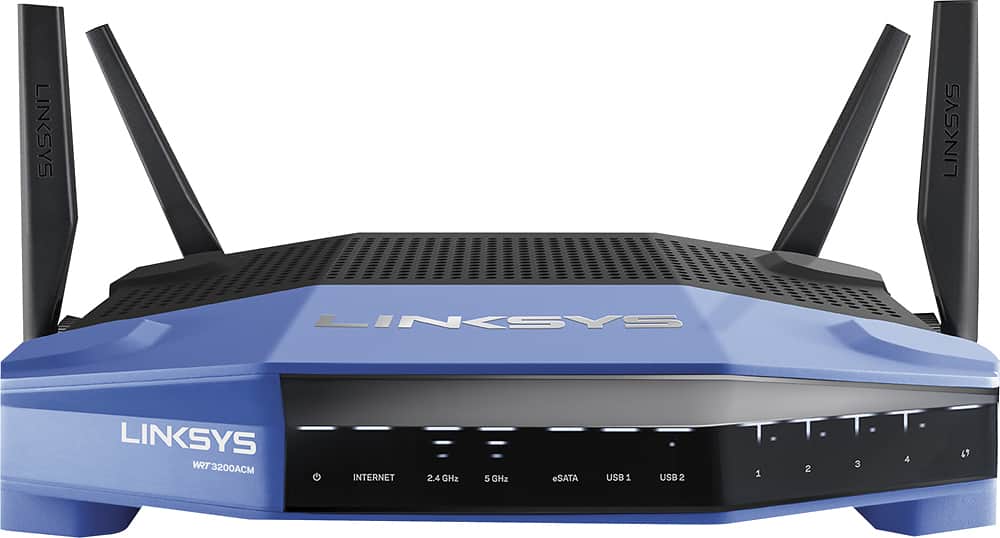
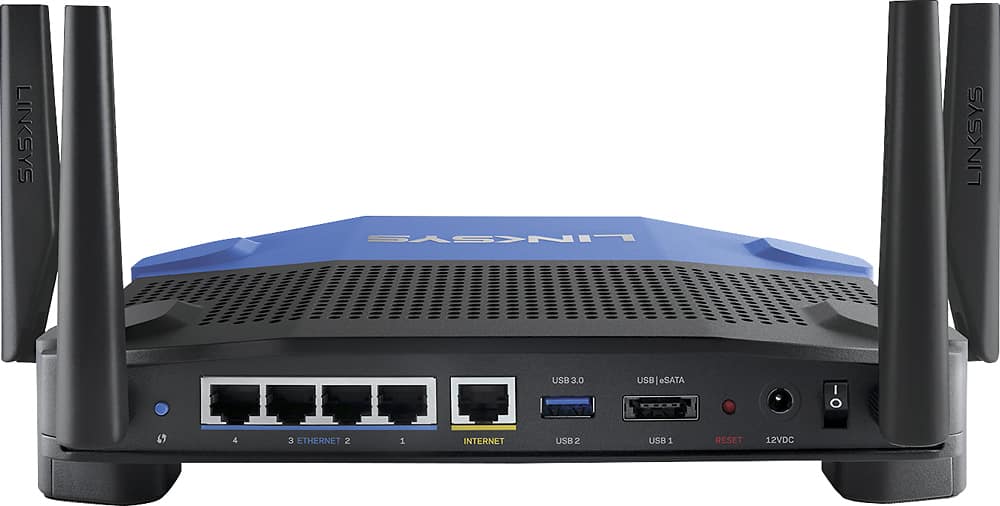
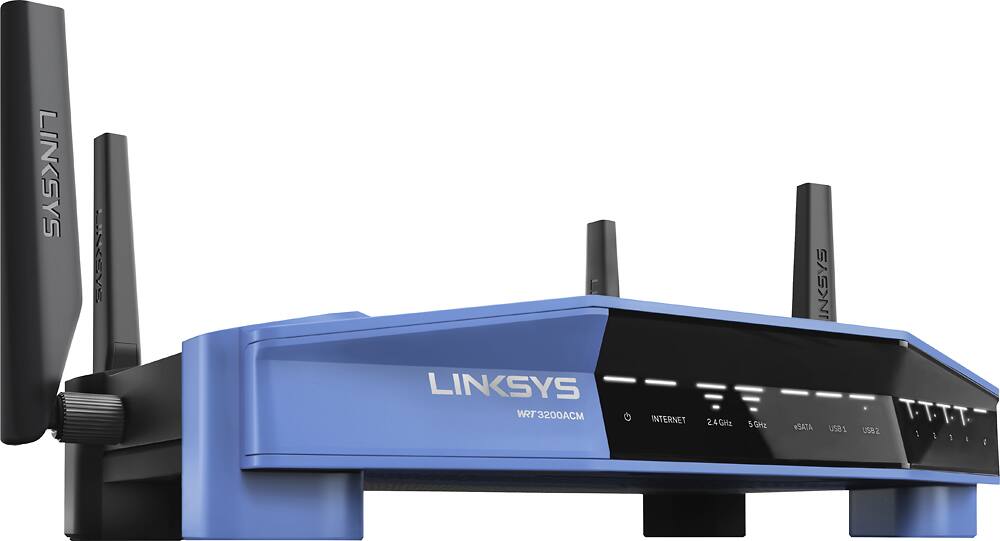



- Model:
- WRT3200ACM
- SKU:
- 5601000
Rating by feature
- Value
Rating 4.3 out of 5 stars
- Quality
Rating 4.6 out of 5 stars
- Ease of Use
Rating 4.5 out of 5 stars
Customers are saying
Customers love the WRT AC3200 Dual-Band WiFi 5 Router's ease of use, range, and performance, with many praising the simple setup and strong signal. Positive feedback also highlights excellent coverage and improved streaming capabilities. While some users noted the router's size and experienced occasional connectivity or firmware issues, the overwhelmingly positive reviews focus on its strong performance and user-friendliness. A few users mentioned needing firmware updates.
This summary was generated by AI based on customer reviews.
- Pros mentioned:Performance

Noticeable upgrade from AC1750-class router
|Posted .This reviewer received promo considerations or sweepstakes entry for writing a review.As somewhat of an early adopter, I find it common that each "bigger and better" product tends to be more incremental improvements, with only major improvements every now and then. I replaced an existing AC1750-class router that generally worked well in a 2100 sqft two-story house with the Linksys WRT3200ACM and was expecting more of an incremental improvement. I was surprised to find that both the 2.4 and 5 GHz coverage was noticeably stronger and farther. It had also been quite some time since I had worked with a Linksys admin interface and I was very happy with what I found. Besides the web admin interface which exposed all the controls I was looking for, there is a companion mobile app that also provides quick heads-up information on most items that one cares about. The mobile app is cloud integrated as well, so that information is available even when not connected to the router's network directly. From a hardware perspective, there are multiple Gigabit Ethernet ports and USB/eSATA ports, which makes media and print sharing easier, although I did not test those features out already having a network-connected printer and file server. The big bonus for this router is its touted support for DD-WRT open source firmware. This should allow for continued firmware updates in the future from the community, often with features not available in the "stock/original" firmware. This router sells for roughly the same price I paid for my AC1750-class router a few years ago and I highly recommend it whether it's your first 802.11ac router or if upgrading from something like an AC1750 (or lower) class router, simply for the enhanced coverage and solid performance.
I would recommend this to a friend Not compatible
||Posted .This reviewer received promo considerations or sweepstakes entry for writing a review.I read reviews and they stated this was a good unit. What I found was that I kept getting kicked off bc of intermittent service. When this happened I had to reboot and have new password info. I went and got Zume and it is ten times better.
No, I would not recommend this to a friendBrand response from Linksys Staff
Posted .Hi, Noncomputerguru,
If your WRT3200ACM Router is properly configured and running on its latest firmware version, you should not experience any connectivity issues. If you still have the unit, we'd be more than happy to have one of our Escalation Engineers take care of your case to ensure that your router is working at its best. Please send us your contact details and the link to this review at LinksysCares@linksys.com.
Regards,
Jay
Linksys Support
- Pros mentioned:Range, Speed
Fast, Very good range, Easy Initial Setup
|Posted .This reviewer received promo considerations or sweepstakes entry for writing a review.This router took me less than 4 minutes to get initially set up from un-boxing to having a working wireless network. The router has excellent range, and is fast compared to my previous set-up. The web based configuration is very easy to work with, and very full featured. I love that it also has an app interface, but wish they would still let me use the web interface from my tablet rather than forcing me into the app.
I would recommend this to a friend Great product and great support
|Posted .This reviewer received promo considerations or sweepstakes entry for writing a review.Linksys - WRT AC3200 MU-MIMO Wi-Fi Router, which uses a 1.8Ghz processor, Tri-band technology, and a suite of features that places it at the top of the next generation of home and small business routers. I use a non-standard setup, because my interest is in using the router as another wireless access point on my existing network. Before I disconnected my previous very fast router, I analyzed the existing network and recorded signal strength. I intentionally place these routers (newest and previous) in the worst possible locations . . . with four intervening walls, and a fair distance away. Substituting this newest Lynksys router improved my signal by several dB, seems to have reduced the background noise and kept my total bandwidth very close to the maximum delivered by my provider. I suspect we have approached the theoretical limit of speed and quality from our local internet providers WHEN we replace those included rental ISP routers with one of these superior routers. Because I was a bit off my game today, I was having trouble getting into the router’s administration screens to customize my router. Seemed a good time to try out the Linksys Support team. Wow. Very impressive. The person (Stephanie) I got on the phone was unusually helpful and patient. As long as I had such a willing assistant, I invited her to follow my setup procedure for setting up bridge mode and by the time I had finished I felt confident I had made all of the right decisions. Thanks Stephanie. Very nice product with comparable service.
I would recommend this to a friendBad
||Posted .This reviewer received promo considerations or sweepstakes entry for writing a review.I read somewhere online that this thing has a chip malfunction that cant be fixed trough firmware updates. I experienced issues since day one from set up to daily use. Do not bother buying.
No, I would not recommend this to a friendBrand response from Linksys Staff
Posted .Hi Edwin,
This is not the behavior that we expected from your WRT3200ACM router. We’d like to have one of our Escalation Engineers look into your router's settings and provide better recommendations to improve your Wi-Fi experience. Email us the details at LinksysCares@linksys.com with your contact information and the link to this review for reference.
Regards,
Carl
Linksys Support
- Pros mentioned:Speed
Easy, Blazing, Customizable!
|Posted .This reviewer received promo considerations or sweepstakes entry for writing a review.This router has it all. I received it at no cost for an honest review and here is my assessment. I ran speed tests and there was basically ZERO speed drop with wireless vs wired. If you do go wired though, it has 4 gigabit ports. This is tri-band and now they've raised the bandwidth stream to 160mhz which in theory, would give you 2.6gbps. I am probably an average heavy internet user as I have a lot of devices connected at home but in today's day and age, it seems most people do. I set up a local network with a 2tb hard drive connected to the USB 3.0 port and immediately started streaming an 18gb movie with NO lag. While this is customizable (open source) and allows for modification with OpenWRT, it also has its own very user friendly interface that Linksys has been using for a while now. I set it up in a few minutes and had no issues connecting. In my opinion, a few of the highlights of this router are its customization, the bandwidth increase and the blazing 1.8ghtz dual core processor. This router was made to work hard and it will. IT should handle homes very easily and large numbers of users without lag. As a bonus, Linksys added a eSATA/USB 2.0 port which if you use eSATA, it can do speeds of 6gbps vs 5gbps of USB 3.0. Really very close for both. I do highly recommend this router and at the price point of $200-250, you're definitely getting your money's worth.
I would recommend this to a friend Unit would not keep speeds over 100Mb/s
||Posted . Owned for 1 week when reviewed.This reviewer received promo considerations or sweepstakes entry for writing a review.Unit would not keep speeds over 100Mb/s And after a week of use started to have a sweet smell coming from the vents. Returned for the Netgear AX12 6000.
No, I would not recommend this to a friendBrand response from Linksys Staff
Posted .Hi Ruunic,
With an updated firmware, the experiences you have had with the router is not what we'd expected of. We could have tapped our Escalation Engineers to check your network and work with you for a fix before returning it. Should you have any Linksys products in the future and need help, just email us directly at LinksysCares@linksys.com and we'll be eager to assist you.
Regards,
Carl
Linksys Support
- Pros mentioned:PerformanceCons mentioned:Firmware
Score 4.7/5.0 due to stability and performance
Posted .This reviewer received promo considerations or sweepstakes entry for writing a review.My Setup: The Linksys EA6400 is currently the primary router I use to cover my 1250 sq. ft. home. Using the Wi-Fi generated, I am able to cover approximately 83% of my household to support my 13+ Wi-Fi devices and 10 wired devices (My family constantly streams movies and or play music videos and online games). From my last count, my family has 8 active devices connected at the internet at all times. Through the use of my dual band wireless-n adapter, I am able to connect at 54 to 72 mbps to my router, which is approximately 85 ft. away and blocked by 4 walls. However, if I run the same test and place the PC in the same room as the router, I am able to get 300 mbps on both the 2.4 GHz and 5.8 GHz setting. Therefore, I know the 4 walls significantly dampen the Wi-Fi strength. Previously, I tried upgrading to the WRT1900AC (version 1) router but I ran into Wi-Fi disconnection and VPN issues with Microsoft Communicator. After contacting and working with Linksys tier 2 support, we were unable to resolve the problem. Unfortunately, I had to return the router because I work from home and VPN is a must for me. Therefore, I used the EA6400 for its stability and good Wi-Fi signal. WRT3200ACM router: When I unpacked the Linksys WRT3200ACM router from the retail box, I noticed that it had the fresh smell of a recently produced factory router. On the outside, it looked very similar to the WRT1900AC router in both design and color. However, the weight was slightly lighter but still had enough to feel solid when I held it. The real difference between the WRT3200ACM and WRT1900AC router was in the hardware. The 3 key features I like the most are: 1. 1.8 GHz dual-core CPU (Was fast enough to route data thru the router) 2. Mu-mimo (Each Wi-Fi clients was able to receive data at max speed) 3. Tri-stream 160 (Future proof when Wi-Fi clients with 160 MHz arrive) As for open source ready, I prefer to stay with the Linksys firmware without going to DD-WRT or OPENWRT.ORG if possible. Third party firmware is sufficient for those who like to tinker with every settings and such. However, I prefer to set it and forget it. WRT3200ACM setup and performance: To setup the WRT3200ACM router, I bypass the Smart Wi-Fi Wizard and use the Manual option instead. The Smart Wi-Fi Administration screens look the same as the EA6400 router so I was familiar with using it. Within 20 minutes, I was done setting it up. To go live, I rebooted the Arris SB6141 cable modem followed by the WRT3200 ACM. Three minutes later, I had a router up and running with internet access. During my set-up, I ran into 2 minor issues: 1. The “Apply” button didn’t work all the time. I had to click multiple times to save the settings. If it didn’t save, I had to logout, login, and try again. If that didn’t work, I rebooted the router and tried again. Eventually, the settings were able to save. 2. When I switched between SSID1 on 2.4 GHz to SSID2 on 5.8 GHz or vice-versa, the devices on the Network Map did not update immediately. I had to logout and log back in to see the correct SSID on each of the channels. I noticed that when a device is offline, it didn’t fall off from the Network Map either. I am not sure if this is a bug or not. Aside from these 2 issues, the WRT3200ACM router has been running reliably for the last 8 days. Wi-Fi coverage on both channels were stable and the coverage was excellent for my household. No VPN issues with Microsoft Communicator were present. When I would occasionally check on the router, I noticed that the temperature of the router was between luke-warm to warm. No heating issues were present but I had my laptop cooler on standby if needed. In terms of performance, I had full bars all over my household. I was able to reach 270 mbps on my dual band wireless-n adapter. On my son’s dual band wireless-ac adapter, he was able to consistently get 650 mbps despite the obstacles (2 walls and 50 feet). I currently have the 100 MB/10 MB package with Spectrum Internet. However, I discovered that my actual speed was 118 MB/12 MB through a speed test. Using my son’s I-Pad, I was able to get a Wi-Fi signal approximately 175 feet from outside the house. In regards to the tri-stream 160, I think Linksys missed the opportunity to corner the market with their own 160 MHz wireless-ac adapter when they released the WRT3200ACM. The wireless-ac adapter running at 80 MHz was unable to connect to the router using a 160 MHz ac frequency. Overall, performance on this router is excellent. Conclusion: On a scale of 1 to 5, I would give the Linksys WRT3200ACM a score of 4.7. This is a high end router and the hardware features reflect that. The signal strength is fantastic. The look, feel, and design of the hardware are top-notch. Performance is up to par if not better than my EA6400 router which I used for 2 years. Wi-Fi coverage is excellent. However, the firmware (version 1.0.5.176416) needs some polishing. I hope the next firmware update will fix the 2 minor issues mentioned above. My family and I are immensely satisfied with the WRT3200ACM router.
I would recommend this to a friendBrand response from Linksys Staff
Posted .Hi, LunT,
We appreciate your taking the time to write this product review, and we're glad to hear that the WRT3200ACM router is providing you an Excellent Wi-Fi coverage. We're curious on your feedback pertaining to “Apply” button which didn’t work all the time as well as on switching between SSID1 on 2.4 GHz to SSID2 on 5 GHz or vice-versa. We would be more than happy if you will reach out to us so we can tap one of our Escalation Engineers to look into this matter. Shoot us an email at LinksysCares@linksys.com with your contact details and the link to this review for reference.
Regards,
Jay
Linksys Support
Doesn’t last I got less than three months
||Posted . Owned for 3 months when reviewed.This reviewer received promo considerations or sweepstakes entry for writing a review.Doesn’t last I got less than three months. Customer service sucks, they hung up on me at least three time and didn’t call back for 2-3 hrs later
No, I would not recommend this to a friendWorked for 3 weeks and then went offline.
||Posted .This reviewer received promo considerations or sweepstakes entry for writing a review.Made in China hardware!!! Worked for 3 weeks and then went down. Decided not to do an exchange, but get a refund and buy a different router that has performed perfectly.
No, I would not recommend this to a friendBrand response from Linksys Staff
Posted .Hi, buyer,
If you still have the router and are willing, we can have our Escalation Engineers check the device and help you optimize the settings to improve its functionality. Just send us an email at LinksysCares@linksys.com along with your contact details and a link to this review for easy reference.
Regards,
Rosalyn
Linksys Support
- Pros mentioned:Range, Speed
Easy Setup, Super Fast Router
|Posted .This reviewer received promo considerations or sweepstakes entry for writing a review.The speed of this router is super fast. I was able to run multiple devices at once without any issue. This includes having someone who works from home full time. The range was good also, I went to the farthest end of my house and the speed was still good. I haven't used a linksys product in years but now I am happy with the onw that I have.
I would recommend this to a friend Superb router for extending your wireless network.
|Posted .This reviewer received promo considerations or sweepstakes entry for writing a review.I've used several Linksys products in the past, so it was no surprise to me that this router would be an excellent addition to my home. I have a two-story house that also has a basement (upper story, main floor, and basement). My cable modem and a separate router is in the basement, while most of my wireless devices are on upper floor. My house has ethernet set up from the basement all the way to the upper floor. I've set this router up in bridge-mode so that It would rely on the same gateway and IP-address range that my primary router (in the basement) uses. As a result, I utilize the Linksys router as my primary Wi-Fi connection on the upper story. Had I used this in the basement, I wouldn't have been utilizing its wireless capabilities to its full potential. Compared to the previous router I was using upstairs, this WRT-AC3200 delivers better signal strength and improved bandwidth to all my devices. Additionally, the Linksys Smart Wi-Fi app allows you to change settings and re-configure your router from anywhere. However, in bridged mode, you may not be able to use certain additional features like OpenVPN or the eSATA integration for network access to an external drive. Nonetheless, this router has provided excellent connectivity and bandwidth for my wireless home.
I would recommend this to a friendunit was returned to bestbuy.
||Posted .This reviewer received promo considerations or sweepstakes entry for writing a review.the WiFi cuts out all the time. Linksys support uninstall and reinstall the software 4 times. They finally told to return it to best buy for replacement. The software needs update.
No, I would not recommend this to a friendBrand response from Linksys Staff
Posted .Hi, Andy,
This is definitely not the router's expected behavior as it should provide a stable and reliable connection once it's set up. If you have replaced it with the same model and the issue still persists, please don't hesitate to get in touch with us at LinksysCares@linksys.com anytime.
We'll get you over to our Escalation Engineers and make sure that the unit will work as expected. Indicate your case number or contact information with the link to this review so we can also check the details of your case.
Regards,
Kristine
Linksys Support
A Powerful router for all your internet needs
|Posted .This reviewer received promo considerations or sweepstakes entry for writing a review.Setup on the router was a breeze. Plug it in, install the 4 antennas, connect your Ethernet cables, then power it on. No need for installing a disc or program, I didn't even have to go to the web based set up page. It went there on its own when I opened a browser. It then went right into the Linksys Smart set up, and let me know there was an available important update with the option of having future updates installed automatically which was (recommended). I immediately noticed my PC had a working wired connection already. After the update was complete it went into the Wi-fi settings where you can name your network and choose a password. After updating the wireless settings you then choose a log in password to access the routers settings. The whole set up was very simple, couldn't have been easier. The layout for the web based routers user interface is very clean and easy to understand and navigate. There are simple toggles for your basic settings as well as more advanced settings like DMZ, port forwarding, etc. for the advanced user that needs to get in there and tweak the settings to your hearts consent. After I was all set up and had a Wi-fi connection I did some speed and connection comparisons with my previous router which is a Netgear WNDR4300. Here are the results I got: Netgear WNDR4300 Tests: Laptop wired: 180.29 Down | 12.15 Up Laptop wireless: 2.4ghz = 96.22 Down | 12.14 Up 5ghz = 162.98 Down | 12.07 Up upload failed several times after losing connection. Note: Several times my 5ghz connection would drop completely on my laptop and not even show up on the available networks while using the Netgear WNDR4300. Galaxy S7 right next to router: 2.4ghz = 87.65 Down | 12.22 Up 5ghz = 17.76 Down | 12.32 Up (connection erratic, inconsistent speeds. It would start off fast, then at about 54mbps, then drop to 15-20) Galaxy S7 One room away: 2.4ghz = 64.22 Down | 12.09 Up 5ghz = 2.27 Down | 12.37 Up Linksys WRT AC3200 Tests: Laptop wired: 180.38 Down | 12.11 Up Laptop wireless: 2.4ghz = 84.60 Down | 12.13 Up 5ghz = 181.44 Down | 12.13 Up Galaxy S7 right next to router: 2.4ghz = 40.59 Down | 12.87 Up 5ghz = 108.92 Down | 12.97 Up (connection strong, consistent speeds.) Galaxy S7 One room away: 2.4ghz = 64.22 Down | 12.09 Up 5ghz = 16.13 Down | 12.65 Up The 5ghz connection was probably the biggest improvement overall. The connection was much more reliable and did not drop out like it did several times on the Netgear while connected to my laptop and my Galaxy S7. The Linksys router handled every test and task I gave it and passed with flying colors. If you are in need of a great router that will blanket your house or office with a solid reliable connection this is a great choice. With its simple (or advanced if needed) user interface, reliable connection, and blazing fast speeds you cant go wrong here. Great Powerful Router for your home or office.
I would recommend this to a friend- Pros mentioned:Range, Setup, Speed
Great Router
Posted .This reviewer received promo considerations or sweepstakes entry for writing a review.I could not get into Smart Wi-Fi to assist with setup so support helped me and it went easy then. It is definitely much faster then my previous router. I have 5 computers and a smart tv on the router as well as two cell phones. Even with all of these using the router, I could not tell any lag time and the connection seemed to be just as fast as when it was just one computer. As far as distance, it seems to have really increased my range. I would say it has at least tripled the range. All I can say for this router is praise and really have no complaints as of yet. I received this router free for a fair and honest review. However, believe me, I would definitely purchase this router if I were needing one.
I would recommend this to a friend - Pros mentioned:Range, Speed
great and very fast router
Posted .This reviewer received promo considerations or sweepstakes entry for writing a review.the wrt2300acm is a great router is blazing fast and fixed all my problems i was having with my previous router. the only thing that i can complain about and kept it from getting 5 stars is the smart wifi app is glitchy it will not let me stop the internet on the devices around the house. it has such a great range also.
I would recommend this to a friend - Pros mentioned:Ease of use, Speed
Suberb Speed!!!!
Posted .This reviewer received promo considerations or sweepstakes entry for writing a review.I had wifi speed and signal issues for last one year. After replacing my old router with LinksysAC3200..now i get 125 mbps. Installation and configuration is very simple.The mobile app have all the functionalities to manage wify connections at home. I definitely recommend this router for anyone.
I would recommend this to a friend - Pros mentioned:Setup, Speed
Faster and Greater with Open Source
Posted .This reviewer received promo considerations or sweepstakes entry for writing a review.I had previously been using the WRT1900AC which I thought was pretty good and worked for most of my needs. I just moved into a three story house and had my router on the second floor and sometimes had difficulty with signal in the corners of the house. After setting up the WRT-AC3200 (which only took a matter of seconds) and tested my signal and speeds in those same problem corners. I was really surprised to have about a 3x increase in signal on average, with speed tests showing a 5x increase in speed. If you have a big house or just want to make sure you always have the best signal I would recommend this router. Easy Setup, Strong Signal, and a great open source platform.
I would recommend this to a friend - Pros mentioned:Performance
Software makes the Router Great
|Posted .This reviewer received promo considerations or sweepstakes entry for writing a review.So let's just go ahead and get it out of the way. This router can utilize much more Internet than what most people can actually feed it from their Internet Service Provider, but I want to say why this router will better utilize what internet you have such that all of your devices are best utilized. The router design wise looks awesome. It definitely looks like a high end piece of technology and while there are some high end routers on the market that are designed to blend in with normal household items this just looks awesome. The biggest thing that makes this router awesome is the support for MU-MIMO that allows it to distribute Internet to multiple devices simultaneously so regardless of if you have a lot or a little Internet Bandwidth this will help you make the most of what you have. Overall I have great performance all around with this router as it is great at distributing Internet to several devices in my home and Linksys' software between mobile apps and the built-in Router Settings for Windows Computers is fantastic.
I would recommend this to a friend I used to love Linksys but...
||Posted . Owned for 2 weeks when reviewed.This reviewer received promo considerations or sweepstakes entry for writing a review.I owned this router for 24 hours and it managed to brick itself with a firmware update. Returned it for the Asus RT-58U.
No, I would not recommend this to a friend