Customer Ratings & Reviews



- Model:
- WRT3200ACM
- SKU:
- 5601000
Rating by feature
- Value
Rating 4.3 out of 5 stars
- Quality
Rating 4.6 out of 5 stars
- Ease of Use
Rating 4.5 out of 5 stars
Customers are saying
Customers love the WRT AC3200 Dual-Band WiFi 5 Router's ease of use, range, and performance, with many praising the simple setup and strong signal. Positive feedback also highlights excellent coverage and improved streaming capabilities. While some users noted the router's size and experienced occasional connectivity or firmware issues, the overwhelmingly positive reviews focus on its strong performance and user-friendliness. A few users mentioned needing firmware updates.
This summary was generated by AI based on customer reviews.
- Pros mentioned:Performance, Speed
A worthy upgrade
Posted .This reviewer received promo considerations or sweepstakes entry for writing a review.This router is likely the best router I have ever purchased. I upgraded from a 1900 AC which was already pretty good, but had some limits on supporting as many wireless devices as we have. Not to mention, the only place it could go was in the basement. This new router has never dropped devices and I have measured up to 800mbps on the third floor of our house. Quite impressive. This is one powerful router with one of the best coverage areas I've seen with so little loss. Would highly recommend.
I would recommend this to a friend Returned to store
||Posted .This reviewer received promo considerations or sweepstakes entry for writing a review.Constantly lost WIFI connection. Required to turn it off and on to reboot several times per day
No, I would not recommend this to a friendBrand response from Linksys Staff
Posted .Hi, Robpal,
The router's wireless connection could've been affected by interference. If you are experiencing this through all of your wireless devices, then try setting a static wireless channel and reposition the antennas of the router. Also, make sure that you have a stable wired connection. Please email us at LinksysCares@linksys.com with your phone number and the link to this post so we can get you over to our Escalation Engineers for assistance.
Regards,
Irish
Linksys Support
Garbage
||Posted . Owned for more than 2 years when reviewed.This reviewer received promo considerations or sweepstakes entry for writing a review.SAVE YOUR MONEY, PLEASE DO YOU SPEND YOUR MONEY ON THIS WIFI ROUTER
No, I would not recommend this to a friend- Pros mentioned:SpeedCons mentioned:Connectivity
Works perfectly!
Posted .This reviewer received promo considerations or sweepstakes entry for writing a review.I was using an older Linksys router and was having a terrible problem with dropping connections. I had reset the router multiple times hoping that would fix the problem, but nothing worked. I was researching new routers and was just about ready to order a nice looking, mesh type of router (hoping for better coverage) when I received an email with the opportunity to receive a free sample from Linksys in exchange for my honest feedback. The email stated I was receiving a Max-Stream AC1900 router; however, I received this one instead, the WRT3200ACM. From previous experience with the Linksys Smart WiFi account, I had set my ISP modem/router to bridge mode and had to set my IP address and account info manually. At first it took a while to get the router to let me set it up manually (I might have missed a step), it kept trying to search for my internet connection and then stopped the setup when it couldn't connect. Once I reset everything and found the step to enter my settings manually it connected immediately. I immediately tested the devices we were having problems with on dropping and it worked perfectly! I have noticed a few drops on my PC, but only when connected on the 2.4G band (live in a city in a condo so lots of routers/devices in the area) and it reconnects immediately. Although our speed seems to be the same, I have noticed devices connect a lot faster to the internet when starting up streaming devices than they did with the old router. I prefer to keep the settings at defaults, but I feel that I could get even better performance with a few tweaks. I also love the ability to add a USB printer on the router and a separate hard drive for storage - the connections work flawlessly. I also set up the Android app to control the router remotely and have used it to turn on/off the guest account; it all works great. Glad I stayed with Linksys - great router so far!
I would recommend this to a friend Waste of money
||Posted .This reviewer received promo considerations or sweepstakes entry for writing a review.Did not improve my Internet at all AT&T hooked it up Very disappointed
No, I would not recommend this to a friendBrand response from Linksys Staff
Posted .Hi, Superman,
It is possible that the router just needs to be optimized to fully utilize its full functionality. Allow us to have our Escalation Engineers check if there's anything else that we can do to improve your experience. Send us an email at LinksysCares@linksys.com along with your contact information and a link to this review for our reference.
Regards,
Rosalyn
Linksys Support

Impressive router for typical to advanced user
|Posted .This reviewer received promo considerations or sweepstakes entry for writing a review.I’ll start with a brief background on my environment. Typical, split-entry, 1500 sq ft home, with the router located in a lower level utility room. Two adults, two teenagers and plenty of gaming/streaming. There are currently 17 devices on the network (easily identified in the Linksys management page!), including your typical devices (pc, laptop, smart phones…), streaming devices, and a couple of Nest devices. The initial setup was very easy, with a wizard that guides you through a configuration that many people will never have to change. An average user could invest 5-10 minutes or so in the wizard and, if you allow it to perform firmware updates automatically, never have to touch it again. Another cool thing about the setup wizard is that it can detect certain issues & give advice on how to resolve them. Case in point, the router did not detect an active internet connection when it first booted up. One of the first things the setup wizard did, was suggest I power cycle the modem. This resolved the issue and the wizard continued. Here are a few of the things that I really liked about the WRT3200: -5GHz Wifi speeds are much faster than my previous router, which is less than two years old. Everyone in the house commented on how much better the 5GHz connection is throughout the house -Integrated slots to enable wall mounting -The setup wizard forces you to select an admin password. Couldn’t tell you how many home routers I’ve run into that were still using the default password. -Automatically sets up a guest network that can’t access your private network. No more giving out the password for your private network to your kids’ friends. -Parental Controls are easy to set up and flexible. You can select a specific device and restrict internet usage based on time of day and day of week. For example, you could block internet access for your kids after 10pm on a school night. Or you could just block certain web sites. -Network Map gives you a visual overview of all devices connected to your network, with a separate tab for the guest network. From this map, you can select a device to view basic info (name, IP address, MAC address, etc..) and rename it to something meaningful. You can also select a device and enable Parental Controls from there. It will also report on the internet usage for each device, so when your Roku starts buffering, you can log in and discover that Johnny is hogging the bandwidth… :) -Media Prioritization allows you to prioritize specific devices/applications so Johnny can’t hog your Roku bandwidth when he decides to download a 5Gb update for his game... -Advanced users can administer dhcp reservation, static routes, static DNS, MAC filtering, port forwarding, etc... -It’s also supposed to support open-source firmware, such as DD-WRT, but I didn’t experiment with that on this particular router, yet... Although it’s a great device overall, there are a couple of things that some will consider a drawback: -Aesthetics won’t appeal to some. Definitely not a router that will look unobtrusive in a living area. -The Guest Network access is via a captive portal, which takes users to a webpage where they enter the network password in order to connect to the internet. I’m assuming this would have to be done every 24 hours, but I’m not certain. Some may prefer this method, but I definitely do not. Our guest network is most often used by friends and family. They’ll now have to remember/enter the password every time they come over. I would much prefer that Linksys allow you to disable the captive portal, so friends and family just have to enter the network password once, just like they would if connecting to your home network. This is by far my biggest complaint about this particular router. So, after all that, is it worth the extra money? If you live alone in a small apartment, and just want to surf the internet, probably not. If you have a larger family, with multiple users streaming/gaming/downloading/surfing, then it definitely offers features that you may find worth the cost.
I would recommend this to a friend- Pros mentioned:Speed
So far, excellent
|Posted .This reviewer received promo considerations or sweepstakes entry for writing a review.It was a relatively simple process to get the wireless router set up and working. There was one moment where I had to look at the "troubleshooting" area in the instructions, but that was it. It took about 10 minutes, including all of the wiring. So far, no complaints at all regarding its speed and stability. We don't do any high-end gaming, but we do plenty of video streaming, mainly using our Roku, Netflix, and Amazon. There have been no hiccups or droppages. Phones and computers work great with it, too. I'm very happy about that. A secondary plus has been the user interface, which gives me easy access to all the settings in an easy to understand way. Easy setup and maintenance counts for a lot with me.
I would recommend this to a friend not worth for the buck I spent
||Posted .This reviewer received promo considerations or sweepstakes entry for writing a review.The router is slow and not transmitting high enough for the bucks I spent.
No, I would not recommend this to a friendBrand response from Linksys Staff
Posted .Hi Chris,
We'd like to have our Second Level Technicians get in touch with you to assist with further troubleshooting and achieve the performance that you expect from the router.
Just send us your contact details at LinksysCares@linksys.com so that we can escalate your case. Don't forget to include the link to this post as a reference.
We hope to hear from you soon.
Regards,
Thaddeus
Linksys Support
- Pros mentioned:Ease of use
Linksys does it again!
|Posted .This reviewer received promo considerations or sweepstakes entry for writing a review.The set up of this router was relatively easy. All one has to do is plug in and follow the intuitive wizard which is very user friendly. Fortunately, I was replacing a Linksys router; therefore, I was able to maintain the same name with a few added letters. Finding the perfect position on the external antennas was a little tricky; however, everything has seemingly come together and gelled quite nicely. I commend Linksys for how user friendly and easy the set up is for this product. The biggest plus for me is I noticed the streaming of videos has no lag which makes me a happy camper! If you’re looking for a beast of a router that covers everything, then look no further Linksys is the answer!
I would recommend this to a friend Ok for small area
||Posted . Owned for 1 month when reviewed.This reviewer received promo considerations or sweepstakes entry for writing a review.Would work good for Camper or trailer coverage sucks
No, I would not recommend this to a friendBrand response from Linksys Staff
Posted .Hi Jwride,
It is very unusual since the Linksys WRT3200ACM was designed for large houses. It is possible that signal interference might be the cause of the limited Wi-Fi range. We suggest that you set a static wireless channel on the router to minimize interference and improve its range.
If you need further assistance with the router, we can have our Second Level Technicians contact you.
Just send us your contact details at LinksysCares@linksys.com so that we can escalate your case. Don't forget to include the link to this post as a reference.
We hope to hear from you soon.
Regards,
Thaddeus
Linksys Support
- Pros mentioned:Setup, Speed
Great Router
|Posted .This reviewer received promo considerations or sweepstakes entry for writing a review.This router has great connection and range. It was very easy to setup. My Internet browsing speeds have greatly improved. I highly recommend this for anyone looking for a really good router.
I would recommend this to a friend - Pros mentioned:SpeedCons mentioned:Connectivity
Fantastic Router But Falls Short Where It Matters
|Posted .This reviewer received promo considerations or sweepstakes entry for writing a review.Looks: The aesthetic is slick and doesn't taint the cabinet where I place it. Signal: The signal is fantastic. I have maximum wireless signal in my room where as the router I used before did not. In addition, there is also a great signal boost in one of the areas in my house. Before, the WiFi signal was very weak, but after switching, the signal is fantastic. Speed: The speed is fantastic as well. A speed test showed that I was using up the best that my ISP can provide. Using the 5Ghz band and 802.11ac proves to be a great case in gaming and watching HD movies for it did lag in the slightest. User Interface: The user interface for this router is great. It is simple and easy to follow. It is also not confusing to navigate and I will say that it is one of the best features of this router. CON: The biggest con of this router is that I believe I had gotten a faulty unit. My computer and other devices connected to the router's network will still be connected, but the Internet connection will drop. This will occur every so 4-6 hours. It is very inconvenient and the only way I found to fix it is to reboot the router when it happens. This is completely unacceptable. If this was not an issue, I would have gave this router a 5 star. This might just be specific to me, but it is important to let the consumers know of this issue.
No, I would not recommend this to a friendBrand response from Linksys Staff
Posted .Hi, Rick,
If you have a stable connection behind the modem, then the internet connection with the router should be the same. Please email us at LinksysCares@linksys.com as we'd like to get you to our Escalation Engineers to assist you in checking what has been causing this. Indicating your phone number and the link to this post for our reference would be appreciated.
Regards,
Irish
Linksys Support
- Pros mentioned:Range, Setup
I Love This Router
Posted .This reviewer received promo considerations or sweepstakes entry for writing a review.I've had this router in operation for a few weeks. Ever since I set it up the way I wanted it, which was super easy, it has been running without a hitch - no dropped connections or reboots required. I plugged in a 64GB USB 3.0 memory stick for remote backup of my critical files and I really appreciate the speed with which I can write files to it. Since this router has an eSATA port, I may invest in an SSD to expand the storage capabilities. I have paired this router with my Linksys CM3024 modem so I am hooked up and ready for whatever the near future brings. I have changed all of my 5GHz capable devices over the 5GHz band and I get excellent coverage and throughput throughout my house. (The 5GHz band in my neighborhood is nearly empty - score!) Setup was super easy and I had it up an running in just minutes. I customized a few settings in just a few minutes more and I haven't given this router much thought since. I set up a Smart WiFi account and checked out the ability to remotely manage the router. The Android app works great as it gives access to all of the router settings. I'll probably turn off remote management though as I don't really need it and it's just another small security step I like to take. Unlike all of the routers I have owned prior to this one, it has an On/Off switch in the back. It's kind of a minor thing but I like being able to just flip a switch rather than unplug/plug the power cord which usually requires a bit of fumbling around. Another thing I like is that it's physical orientation is flat rather than upright (like the Asus router I had) as this is less obtrusive where I have it located.
I would recommend this to a friend - Pros mentioned:Ease of use
Feature rich router, yet easy to setup.
|Posted .This reviewer received promo considerations or sweepstakes entry for writing a review.The Linksys WRT AC3200 router was a breeze to setup, and the router configuration process went very smoothly. This router has a ton of features! • Easy to configure DMZ for all you gamers. • Parental controls that vary by device, limiting hours of usage and access to inappropriate websites. • Amazing Wi-Fi coverage and signal strength. • Guest network • QoS works great and ensures you get bandwidth where you need it! As far as cons on this router I really don't have any! The design is great and all of the features make this router a no-brainer, I guess the one downside could be the higher cost but in my opinion it is totally worth it.
I would recommend this to a friend Awesome router for a large home
|Posted .This reviewer received promo considerations or sweepstakes entry for writing a review.I have, in the past, blamed my internet provider for slow connection speeds when, in fact, the bottleneck was the mediocre router (admittedly often provided by said ISP) used to distribute that connection to my various devices. Since that time, I have learned to invest a little extra to get a more capable piece of equipment. Until recently I have used Apple's airport time capsules- which are admittedly very easy to use and set up through the dedicated app- but these have been left behind, performance wise, over the past couple of years. This was followed by a Netgear Nighthawk X6 AC3200 tri-band router, which also is quite easy to use and has a dedicated ipad/iphone app to manage connections. However, given the dollars spent (north of $300 at the time), I was a bit disappointed with its range, and was facing the dilemma of turning to a whole-home system or getting a couple of range extenders once I moved into my new home, which is a little more spread out both horizontally and vertically. Enter the LinksysWRT 3200 ACM. This lists for a good bit less than I had spent on the Nighthawk less than a year ago, but seemed to have fairly similar features. The router setup is fairly easy using a web-based system, but there also exists a dedicated app for your various smart devices should you choose to use it. After setting this up, I went about testing connection speeds throughout my home by connecting each router in turn to my FIOS ethernet socket in my main floor office. When sitting in the same room as the router, both the Netgear and Linksys performed flawlessly, delivering the full connection speed (both up and download) provided by my ISP. Pings were quicker with the linksys (18 vs. 25 ms), interestingly. As I moved farther away and into different rooms on the same floor, the Netgear lost a little speed, dropping from a max 30-31 Mbps to 23-25 in one room, while the Linksys maintained maximum speeds- but this really wasn't a noticeable difference in actual use. Where things really got interesting is when I moved to the upper and lower levels of the house. The Netgear connection became noticeably weaker, particularly in our finished basement where I have a music studio, with download speeds at only 3.3 Mbps and uploads at 0.5. This was by far the worst area, as elsewhere speeds were between 10 and 20 Mbps. The Linksys, however, was a beast- and SMOKED the Netgear in this pseudo-controlled trial. It showed consistent speeds north of 28 Mbps throughout the home with the exception of the aforementioned studio where upoload/download speeds dropped to 21.8 and 25.7, respectively. More importantly, the improved connection strength was obvious when doing basic tasks such as web-surfing and streaming music. Needless to say, the Netgear was retired (despite being less than a year old) and the Linksys WRT 3200 ACM is my new workhorse. I currently have multiple computers, tablets, phones, a couple of Apple TVs, as well as smart TVs utilizing the wifi, and have yet to see so much as a streaming hiccup, regardless of where I'm located in the house. Couldn't be more impressed or happier with the results.
I would recommend this to a friend- Pros mentioned:Performance
Best Linksys router I came across so far.
|Posted .This reviewer received promo considerations or sweepstakes entry for writing a review.I have tried many Linksys high end products in the past in $300-400 range. None of them performed well. However, WRT AC3200 is a game changer. This is a mid level router priced fairly with high performance compared to previous generation Linksys routers. Pros: + Better UI web interface + Smart WiFi - access and control from anywhere + Numerous additional features such as parental controls, Open VPN etc. + Stable wireless signal and consistent throughput + Support open-wrt and dd-wrt Cons: - Couldn't find one yet. I would highly recommend WRT3200 ACM for home or small business. Fairly priced wireless router.
I would recommend this to a friend Feature Packed Router
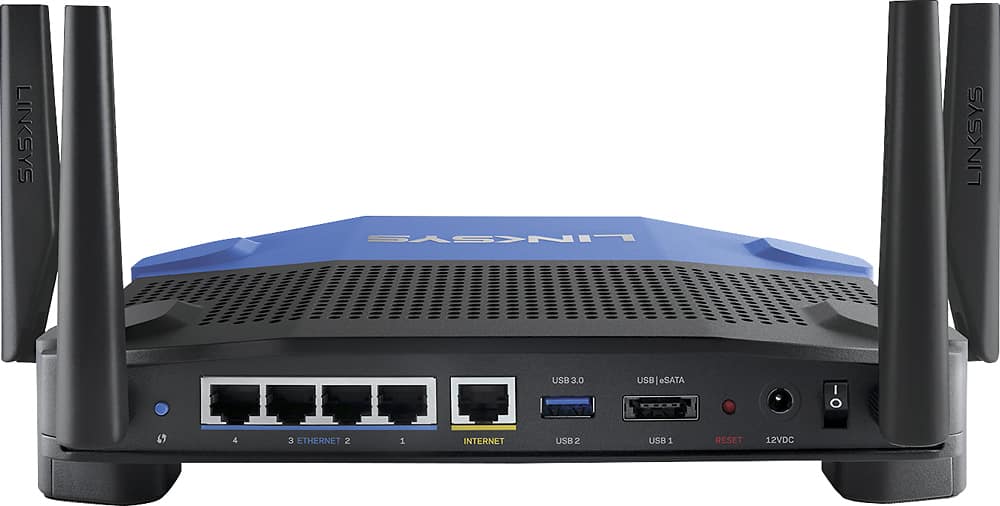
|Posted .This reviewer received promo considerations or sweepstakes entry for writing a review.This router has all of the features you would expect, and implements them well: browser and app access, device prioritization, parental controls, guest network. It also has expected ports and connectivity (4 ethernet, usb 3 and usb2/esata). Coverage has been excellent and I haven’t noticed any problems with several wifi and ethernet devices connected and being used at the same time. However, the best feature for me is that it supports open source firmware, which can expand the use and abilities of the router. There is also a bit of nostalgia in the look of the device, it reminds me of the first linksys routers.
I would recommend this to a friendAwesome Router
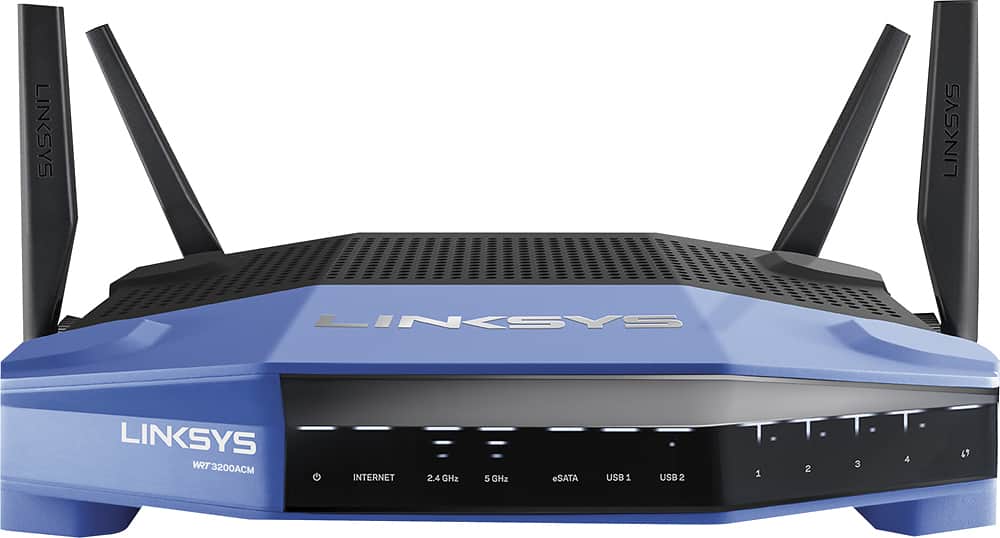
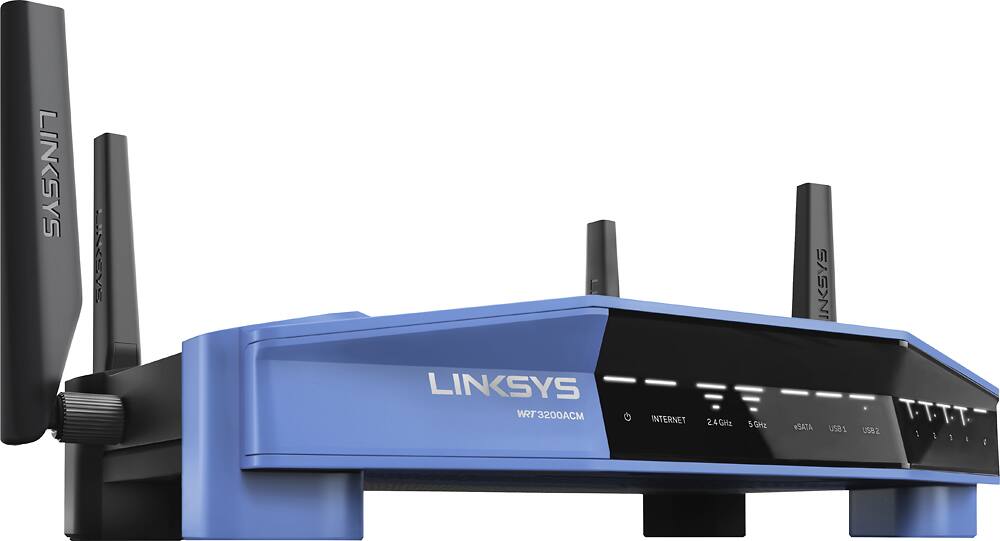
|Posted .This reviewer received promo considerations or sweepstakes entry for writing a review.I am loving this router. I'd read a few early reviews that stated the firmware was buggy, but I have not seen any issues like that. I actually had just recently purchased the Netgear Nighthawk X4S AC2600 router before this and and while it worked pretty well, I had some issues with my Centurylink Prism TV service freezing up every now and then while using it. I was never quite able to resolve that issue on the Netgear, but it doesn't seem to be a problem at all with this Linksys router and I really appreciate that. I really do like the design. It's a throwback to the extremely popular WRT54GL, which you can actually still buy today from Linksys believe it or not. It's not quite as big as my Nighthawk X4S, but I would not call it compact by any means. The lights on the front look really nice and they're not overwhelming. It has 4 antennas, 4 Gigabit Ethernet ports, a USB 3.0 port, and USB 2.0/eSATA port, and a WPS button. There's also a power switch on the router, which is a nice touch. I don't have any complaints about the WiFi performance. My house has a few computers, a 4K TV, game consoles, Apple TV, Chromecast, and phones connected to the network and I probably have 8-15 devices connected at any given time. This router has the latest and greatest 802.11ac Wave 2 WiFi with MU-MIMO and 160MHz channel width. That's not going to make a difference to most people right now because there really aren't any devices out yet to take advantage of it, but it's nice to have for the future and what I have right now works great. We do a lot of streaming and my TV service is brought in over the internet; both have been perfect over the past few days and I have struggled to get the TV service to perform well with my Nighthawk router. One of my favorite thing about this and other Linksys routers is the the Smart Wi-Fi status and configuration interface. I haven't used any router that does this better, including Google's OnHub. The Smart Wi-Fi lets register the router to an account and access it anywhere online or through the app. Both the browser and the app give you really easy access to a lot of useful features. My parents also have a Linksys router that has the Smart Wi-Fi interface and I'm able to manage their router and mine through the same account. Something specific to to this series is that it will actually let you replace the Smart Wi-Fi firmware on the router with a 3rd party open source firmware, which is what made the WRT54GL so popular. I haven't tried replacing the firmware, nor do I want to, but it can open up a world of functionality and features that may not be available on the stock firmware. For my purposes it's perfect, but the option is there. I don't think you can go wrong with this router, but if you wanted to save $50 or so you could get the WRT1900ACS, which has most of the same features, but doesn't have the 802.11ac Wave 2 WiFi.
I would recommend this to a friend- Pros mentioned:Setup
Still not there
|Posted .This reviewer received promo considerations or sweepstakes entry for writing a review.I really wanted to love this router. On paper it looks impressive. I compared this router to a Linksys EA9500 and it just couldn't keep up. I have a 3 level 4200 sf home. I took signal strength and quality measurements at different locations using Wifi Network Analyzer app on an LG4. Although better coverage than a few years ago, still disappointing results. The signal near it's limit, would waver in and out and was very inconsistent. The EA9500 consistently measured higher but marginally. In a large home you will still need AP's or at least Range Extenders. It does have some Pros: it's pretty, easy to set up, has an app for many functions.
I would recommend this to a friend - Pros mentioned:Ease of use
Excellent Range. Simple to Manage. OK speed.
|Posted .This reviewer received promo considerations or sweepstakes entry for writing a review.My first thought upon opening the router's box and removing the contents was one of simplicity and ease. The good feelings continued on as I plugged in all my network connections and powered on the WRT AC3200. It was a breeze to set up and all I needed was the included printed quick start guide. Build quality feels nice and it does not feel heavy when I hold the router in my hands but I do find the overall shape to be bulky. The Linksys settings screen has a simple to navigate and clean user interface. I had no trouble tweaking wireless options, checking for firmware updates or changing the router password. This router has the best range of all the routers I have ever used in my house. We have a 2200 Sq. Ft. house so it was important that signal coverage and wall penetration all around are excellent. I am getting 4 bars in the wireless indicator as opposed to 3 bars before. Link speeds are higher. Wireless connection speed is not as fast as my previous router. I have a 109 MBPS Internet connection and I am getting anywhere from 70-90 MBPS on average on the second floor with the Linksys via 802.11AC while my previous router's output was about 109 using 802.11AC as well. Every speed test seems to show slower or faster speeds while my network is under zero load other than the speed test. Establishing a wireless connection to the router is not as fast as I would like and sometimes it has trouble connecting. Wired connections like my Xbox One or OOMA seem more on par and first floor wireless speeds seemed fine. It comes down to wireless performance here as I am not getting speeds close to what I am supposed to and sometimes when I lose my wireless connection it isn't always quick to re-establish a connection. My hope is since this router came out this year (2016) there is still ample time to improve performance via Linksys firmware updates, WRT or DD-WRT patches. PROS: Easy Setup and Installation. Good Build Quality. Simple to navigate UI. OpenWRT and DD-WRT support. Smart Wi-Fi Mobile App. CONS: Below average medium-long range wireless speeds. Disconnects sometimes. Somewhat bulky design. Pricey.
No, I would not recommend this to a friendBrand response from Linksys Staff
Posted .Hi, NYY0420A,
In order to improve the wireless performance of the router, we can set fixed channels on both networks. This will help resolve issues of wireless interference on your network. Please email us your contact information at LinksysCares@linksys.com so that our Escalation Engineers can guide in optimizing its wireless settings and for you to have the fastest wireless experience. Include the link to this review for our reference.
Regards,
Kristine
Linksys Support