Customer Ratings & Reviews
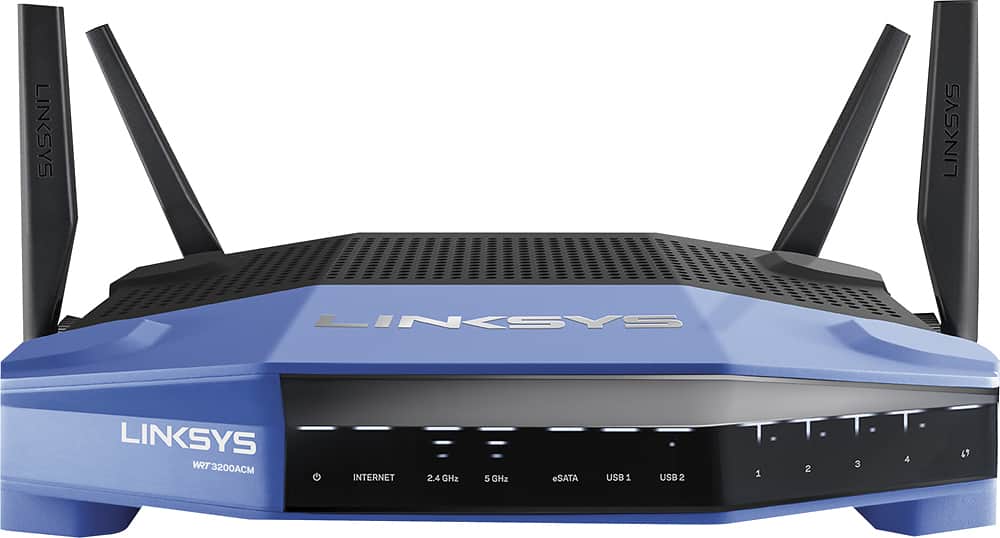
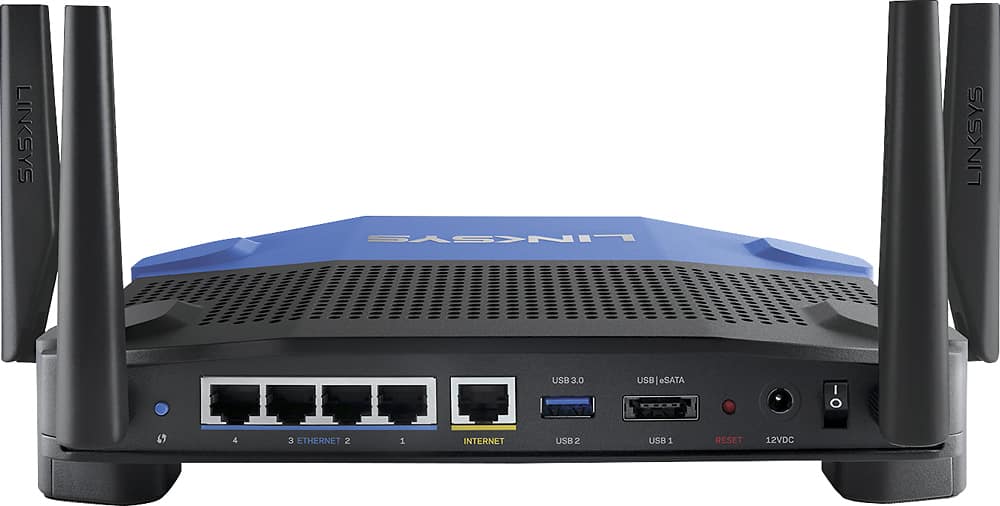
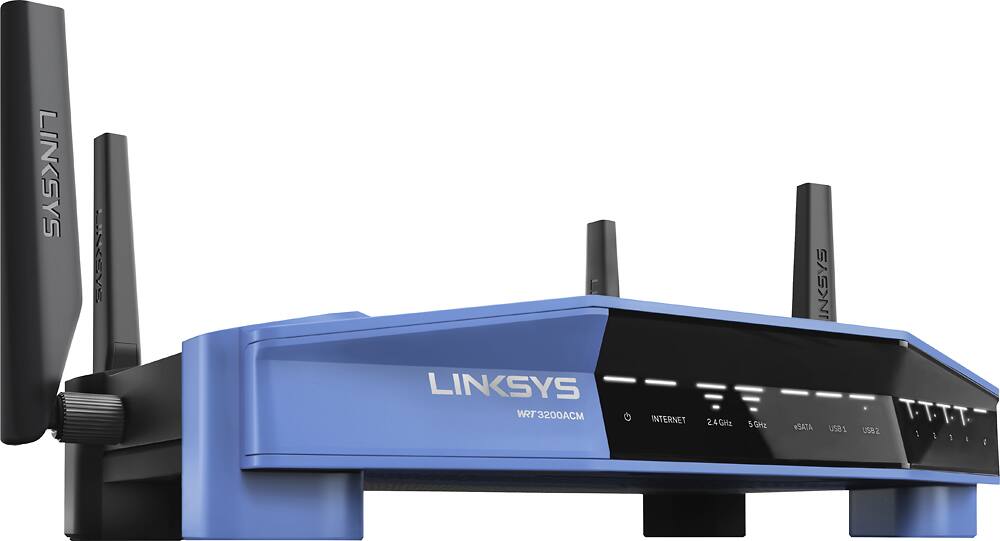



- Model:
- WRT3200ACM
- SKU:
- 5601000
Rating by feature
- Value
Rating 4.3 out of 5 stars
- Quality
Rating 4.6 out of 5 stars
- Ease of Use
Rating 4.5 out of 5 stars
Customers are saying
Customers love the WRT AC3200 Dual-Band WiFi 5 Router's ease of use, range, and performance, with many praising the simple setup and strong signal. Positive feedback also highlights excellent coverage and improved streaming capabilities. While some users noted the router's size and experienced occasional connectivity or firmware issues, the overwhelmingly positive reviews focus on its strong performance and user-friendliness. A few users mentioned needing firmware updates.
This summary was generated by AI based on customer reviews.
- Pros mentioned:Ease of use, Range
Fast and Easy
Posted .This reviewer received promo considerations or sweepstakes entry for writing a review.Fast an easy can be applied to all aspects of this wireless router. Instructions- fast and easy Set up- fast and easy Speed of connection- fast Range- great signal strength in entire 2600 sq ft home. Even front and back yard (fast and easy didn't work here) Looks- sleek and fast Can't go wrong, reliable connection that manages my familys 15-20 devices without a hitch
I would recommend this to a friend - Pros mentioned:Range, Speed
Great router, long range and fast!
Posted .This reviewer received promo considerations or sweepstakes entry for writing a review.I needed a single router to replace my aging Apple Extreme/Express combo. They were long in the tooth and didn't play nice with a recent investment in Play-Fi enabled speakers. The Linksys solved my issues with my speakers getting out of sync as well as a host of other improvements I've had Linksys routers before and always held the brand in high esteem. This router has lived up to those expectations. It has better range in our 2500sq ft two story home reaching all the rooms with sufficient speed to allow HD streaming. Devices that can operate on the AC band finally reach the 200Mbps that my cable company provides even at 20-40ft from the router. I'll be the first to admit that the styling is very industrial, but it also harks back to the original styling of the classic WRT54G. Who says retro styling is confined to automobiles? It is a pretty big device though, and although it can be wall mounted, it needs a lot of clearance if you want to hide it behind a piece of furniture. The router has an impressive display of lights to show status and activity, fortunately its easy to switch off the activity lights in the easy to use user interface. I thought it was a spectacular light show in the bedroom but the wife had different opinion!
I would recommend this to a friend 
Lots of features on this robust router
|Posted .This reviewer received promo considerations or sweepstakes entry for writing a review.The Linksys AC3200 router is a good choice for people who stream media and data using multiple devices over their home or business network. Of course it passes along the internet to connected devices, but it is overkill if that is its primary use since that speed is capped well under what this router is capable of. My unit had been running and connected for a couple days when I hooked up an external hard drive to it and streamed video simultaneously to a desktop, a laptop, 2 media devices on two tvs with one streaming Netflix, a smart phone, and a tablet to perform this simple test. My previous router (Netgear WNDR4500) would have choked or stuttered on Netflix and probably caused buffering on any of the other streams. There was no buffering on any device, no drop-outs, and Netflix streamed as usual. I'm not technically-minded enough to collate data but I can say by experience that this router performs. It might even offer a tad more internet speed, too. Pros: fully supports DD-WRT firmware if you choose to use it for home VPN or set up a wi-fi hotspot (for instance) MU-MIMO and fast 5GHz band for multiple simultaneous connections is a "smart" router where the user can access router settings for administration via an app eSATA port for centralizing a DVR drive (for instance) good (better than my other router) range with the router not centrally located, through a single story, 2000 sq ft area, and through walls. Cons: a little larger than my previous routers setup seemed a tad pokey but didn't fail, so it's a very small issue short power cord About the 5GHz band - I don't have a lot of competing traffic around here and I never used the band much before, but this pumped up 5GHz band on the AC3200 (along with the multi-user feature) seemed to make data transfer "pop". I noticed it when I began to wirelessly transfer quite a large file before realizing that I was (locally} streaming a 1080p movie AND downloading a Windows update AND taking a phone call with an Ooma (2.4GHz band). Before, at least one of these tasks would have obviously suffered but not this time. It seemed that even the internet streams were managed better and all without prioritizing devices in the router settings.
I would recommend this to a friend- Pros mentioned:Ease of use, Performance
Amazing, Superior to ASUS and Netgear
Posted .This reviewer received promo considerations or sweepstakes entry for writing a review.I build my own PCs, I'm a pretty heavy gamer on both console and PCs, I have several people in the home with a minimum of 3 devices, for years I had used Netgear, a brand that has lost all of my trust after dozens of returns trying many different products, I finally started trying ASUS, they were fine for a while until I realized the reviews and the fact that most of their products I've tried have poor quality control. I had to go back to return a known buggy product that would reset daily and I decided to pick up this Linksys product, my first. From the material to the presentation of opening the box, to the very nice web interface (why don't more products have modern web interfaces from this century like Linksys?) to the fact that the four antennas are a beast on this thing. Like holy wow, but this if you want a real router whose performance does not degrade when many devices are online, we have 25+ at any given time and when I throw a party, I easily setup guest mode and it can handle many many more! Also managing my setup via the smart wifi app is really nice. Seriously thank you Cisco/Linksys, I hope that more products are like this in the future, and you'll have me for life.
I would recommend this to a friend Best coverage so far from a single access point
|Posted .This reviewer received promo considerations or sweepstakes entry for writing a review.BLUF: Best 5GHz performance I've seen yet in terms of range and consistency of connection. I've used many wireless routers/access points over the years, with varying levels of success. I live in an old house in an old neighborhood, which presents a challenging environment for wireless systems. The old house has lath and plaster walls, which causes significant problems with coverage - the walls just eat the 5GHz signals. And because the neighborhood is old, homes are close together - I can see about a dozen wireless networks from my kitchen, for example - meaning there's a *ton* of interference in the 2.4GHz band, rendering it almost useless. The only real solution I've found has been to use a mesh setup or place multiple 5GHz access points to address the signal coverage and interference problems. With that said, the Linksys WRT3200ACM has come the closest of any router or access point I've tried so far to being able to provide full-house coverage in the 5GHz band. I have Time Warner's 50Mbps internet service (fastest available at the moment) and was able to achieve speed test results of 40Mbps or better everywhere in the house with this router on the 5GHz band. Other routers I've tried cannot even get enough 5GHz signal to the far corners of the house to connect, let alone push 40Mbps. I also noticed that the throughput performance improved over the duration of the speed testing in each location, indicating that the MU-MIMO beam-steering technology in this router does actually work as advertised. During tests with multiple Netflix streams, this router did not break a sweat and was able to feed four HD streams to separate iPads simultaneously. Like most routers sold today, it comes with a fairly-secure WiFi password and somewhat-unique SSID set, so you can safely pull it out of the box, plug it in and use it. A wonderful change from the old days of every router having an SSID of "Linksys" with no password. My only big complaint with this router is that Linksys seems to want to push you into using their "cloud-based" management service, rather than adjusting the settings locally - I have security concerns about exposing settings to the internet-facing side of any computing device. However, the remote management can be disabled and all settings can be adjusted from a web interface.
I would recommend this to a friendPlenty of reach and easy setup & management
|Posted .This reviewer received promo considerations or sweepstakes entry for writing a review.Very easy setup and update. The WRT3200 provides good signal strength throughout my 2,100 ft^2 split-level home. The power switch in back is handy for hard cycling, but there is not much room for my fat finger between the antenna and power cord. There are 4 RJ45 jacks for wired network connections and 2 USB ports (one eSATA and the other USB3). I really like the iPhone app for managing the unit. I can turn on parental controls whenever necessary from anywhere. I did not test the bridge or repeater functionality.
I would recommend this to a friendToo New for DD-WRT
|Posted .This reviewer received promo considerations or sweepstakes entry for writing a review.I originally got the Linksys WRT3200 ACM router to replace my aging ASUS RT-AC56U that’s currently serving as my main & VPN router. I decided to go with this unit because of the powerful processor 1.8 GHz processor for better VPN performance (800 Mhz on the ASUS). The other main reason that pushed me towards this unit is that it’s open source ready, which means I can easily flash the unit with 3rd party firmware like DD-WRT, Tomato or OpenWrt for even better features, customization and performance. I personally like to use DD-WRT firmware because of the constant update and support from the community. If you want the best performance you might want to check out Tomato or OpenWrt, although you do need to be more tech-savvy to get them to setup correctly. While I love all the specs of this new Linksys unit, here’s the bad thing about getting the latest and greatest. Since this unit had just been released and is so new. The DD-WRT firmware that I had tested so far is still very unstable. The latest version that I’ve tested (V3.0 build: 30796 beta) completely stripped me of my 2.4Ghz band (not showing up at all) and my 5Ghz band is giving me a DL speed of about 10Mbps(without going thru VPN) while my fiber connection at home runs at 150Mbps. So after some tinkering, I decided to flash the unit back to the one from Linksys (for now) and is using it as my primary router while I use the old ASUS as a dedicated VPN client. I can’t really say if I love this router right now due to the whole firmware issue. But once a stable release comes out, I’m pretty sure it will be a beast of a router with its specs.
I would recommend this to a friend- Pros mentioned:Setup
Average overall performance and features
|Posted .This reviewer received promo considerations or sweepstakes entry for writing a review.The packaging for this device was very nice. It looked like the box could take a beating but still not affect the router at all. First thing I noticed that was a nice touch is that they still have removable antenna for the WRT Model which is a nice touch. After assembly and powering it up, setup was really simple. The device ships with both wireless networks already enabled and the passwords printed in the start guide that was in the box. However being that this is a WRT router and designed to run OPEN source software I feel that it is really lacking in some features. if has 2 5ghz radios but you can not use those independently. You can only set one 5Ghz SSID unlike on the E9500 where you can run both 5g networks as two separate networks. By default the guest network is disabled. Upon enabling, secondary networks are visible. The implementation is questionable. Instead of using an encrypted WPA based connection it is open. Instead, you are immediately presented with a captive portal to allow access. Without digging too deeply it appears that access is granted by password and temporarily allowed by MAC address. If this is the case, that is a considerable security hole; at least the ip address is in a different range than the protected network. Overall it feels like Linksys / Belkin kind of skimped on real WRT features because they assume you are going to use open firmware on the device. But I feel as if they should have included features to make the user not want to use open software and to use theirs. I think they kind of missed the ball on what the WRT really is supposed to be that is why this product gets 3 stars.
No, I would not recommend this to a friend Basic plus options; Greate product, Great service
Posted .This reviewer received promo considerations or sweepstakes entry for writing a review.Bought this WRT3200AC because of the versatility. Wanted basic function and option for setting up VPN. Setting it up was simple. Connecting devices is simple. Signal is way stronger than previous routers. Had some questions and tried the online support - got an actual person to help out. They even called 2x to make sure it was answered and resolved. Glad I got this. It's the way products should be: runs as expected and support when needed. Couldn't be happier with it.
I would recommend this to a friend- Pros mentioned:Setup
Easy setup, great speed and range
|Posted .This reviewer received promo considerations or sweepstakes entry for writing a review.Out of the box, setup is really easy. Just screw on the antennas and plug it in; the router comes with a card with the wifi name and password. The setup wizard is really easy to use, and for a simple setup like mine, I was up and running in minutes. There was pretty good signal all throughout the house, data transfer rates were really fast. For a more advanced setup, I'd have to do a bit more testing with it. The wizard requires an internet connection and won't complete without one.
I would recommend this to a friend - Pros mentioned:Ease of use, Range
BEST Router ever!!!
Posted .This reviewer received promo considerations or sweepstakes entry for writing a review.BEST router ever!!! This router made my Apple Time Capsule unnecessary for network purposes. Extraordinary range & signal strength - even in an older house with unshielded wiring. The smartphone app is easy & intuitive to use. The security customization is great. LOVE LOVE LOVE the decision to buy this device.
I would recommend this to a friend - Pros mentioned:Ease of use, Performance, Speed
Powerful Router
Posted .This reviewer received promo considerations or sweepstakes entry for writing a review.I have used Linksys routers for a long time and I have never been disappointed. This one is no different. It is fast, provides great coverage area, and has a plethora of features that make my life a lot easier. Easy to set up and is very reliable. I will keep buying this brand as I know I can trust it.
I would recommend this to a friend - Pros mentioned:Ease of use, Range, Speed
Great router
Posted .This reviewer received promo considerations or sweepstakes entry for writing a review.Purchased router to replace router from cable company. Pretty impressed with equipment. Router set up was pretty quick on app. No need for website. Range was pretty decent which was main reason for purchase. Speeds were a lot higher than I was expecting which was a huge benefit that I wasn't expecting.
I would recommend this to a friend An Open Source Router that Supports Mu-MIMO
|Posted .This reviewer received promo considerations or sweepstakes entry for writing a review.Setup was quick and easy. It took me almost as long to screw in the 4 antenna, find a suitable spot for the WRT 3200 ACM and power it on as it did to set it up. It is approximately 8" x 10". The size of the base, combined with 4 antennas means it is about 50% larger than your average router, so consider this regarding your space availability. As for the range I was able to test, the WRT 3200 ACM had no issue going approximately 125 ft through a max of 2 interior walls. It also did a nice job covering my 1/4 acre backyard and supported as many devices as I could throw at it (3 phones, 4 computers, an Xbox One and an Xbox 360 all streaming HD YouTube videos simultaneously). The Smart Wi-Fi app allows you to control your network, even when away from home. The most useful feature of is that you can share your Wi-Fi password with guests via email or text straight from the app. If you have 4K TVs, the WRT 3200 ACM should easily handle multiple 4K streams, however, I did not have a means to test this. The WRT 3200 ACM features: Dual-Core 1.8 GHz processor for simultaneous, high -speed data processing Full, open-source ready firmware for use with OpenWrt and DD-WRT Supports Mu-MIMO, which allows fast connections to multiple devices at a time 256 MB flash and 512 MB RAM memory Smart Wi-Fi app to monitor and maintain your home Wi-Fi network from anywhere Dual 2.5 GHz and 5 GHz N600 and AC2600 Mbps bands Advanced beamforming technology focuses signal to devices for optimal performance eSATA and USB 3.0 ports to connect external storage to your network 4 x Gigabit Ethernet ports 4 x antennas Overall, this is an excellent router, especially if you have high data transfer requirements and a lot of devices.
I would recommend this to a friend- Pros mentioned:Range, Speed
I would recommend to anybody
Posted .This reviewer received promo considerations or sweepstakes entry for writing a review.People don't upgrade routers and think their internet is bad. I was one of those people. I went all out and picked up this router. My step brother has a Linksys and recommended this one. We got it and set up the dd-wrt out of box. Worked well but then I had a lot of dropping issues. Tried tweeking it all and couldn't come up with something stable. It is still in beta. I'm fairly new to tinkering. I flashed to stock and set it up. I had it drop again, then saw it needed and update. Installed and reset and I have not had a single issue since. Out of box this router is awesome and so is the interface. You can still do a lot of tinkering. I have 3 devices hardlined in and about 11 devices in my household over wifi. My house has a lot of walls (condo) and there is a lot of competing wifi signals and this handles it fine. This works better than my previous router and extender. I would highly recommend this to anybody who is looking to improve speed, range and device prioritization.
I would recommend this to a friend Good Overall, but could be better...
|Posted .This reviewer received promo considerations or sweepstakes entry for writing a review.I've been using this product for a couple weeks, and for the most part it works well. On the positive side, you get 4 networks (two 5g networks with one for guests and one for personal use, and two standard networks with one for guests and one for personal use), and it performs the same whether one device or multiple devices are connected to it (for better or for worse, as described later). I have not tested this with hardcore online multiplayer gaming, but I suspect that some of my concerns below would play into that. Distance from the router also did not appear to be an issue with receiving the signal (which was not the case with a previous Linksys router I used). The problem with the router is that it is a bit glitchy and inconsistent. When I've done wifi speed tests, the performance has mostly shown the full wifi speed available, but every now and then, the speed tests show that there is only a little over half of the speed available that should be available (I have 75mbps wifi, but sometimes this router randomly only allows about 40 to 45mbps). This seems to happen whether there is one device or several devices hooked to the router, although the router is supposed to be able to extend simultaneous wifi connections to several devices at consistent speeds without prioritizing or throttling wifi speeds per device the way most standard routers do. I must stress that this is not a constant issue (it goes days with no issues at all), but it is a very noticeable issue when it happens, so heavy gamers may want to be careful with this one. The initial set-up also seemed a bit overdone as compared to other Linksys and NetGear routers I have used, and I was a bit thrown off by the way the guest networks display as being "open" by default (it took me a while to realize they were still secured in spite of what the router is broadcasting). Overall, a solid router, but perhaps in need of a firmware update of some kind (none available for this as of the writing of this review), and in need of a simpler UI for installation and wifi network management (the UI here is a far cry from the simpler NetGear router UIs). I'd recommend this product, especially if heavy gaming is not an issue, but I'd recommend it somewhat hesitantly...
I would recommend this to a friendBrand response from Linksys Staff
Posted .Hi, RedOmen,
We appreciate your taking the time to share your product review. Allow us to share your feedback and recommendations with our Development for future product updates. As for the WRT3200ACM router's performance, it should provide you a consistent connection and faster speed despite numbers of devices connected simultaneously. We would be glad if you will reach out to us so we can tap one of our Escalation Engineers to look at this setback. Email us the details at LinksysCares@linksys.com with your contact information and the link to this post for reference.
Regards,
Jay
Linksys Support
Near perfect router
|Posted .This reviewer received promo considerations or sweepstakes entry for writing a review.I already have its big brother EA9500; and that made it easy to review by just comparing. This is a fantastic router; EA9500 had some firmware issues in the start which got sorted after few weeks. This router comes with a really easy to use; bang on firmware which does not create any issues at all. It does not have 5 Ghz band steering as it have just one radio for 5 Ghz; unlike EA9500 and I think that has made it much more bug free. Everything connected fine; no issues reported by any appliance (old or new). So its a router with no issues as suckh. I am using it with Open DNS and it is working fine. I could not test it with open source firmware which it flashes to support; that is a nice addon and probably a must for some people out there. EA9500 does not boost this claim. You have option to create guest network (both on 2.4 and 5 ghz) • You can assign high priority in media prioritization to up to 3 devices. • Plug in an external drive and can use that as network, FTP or DLNA server. In Network map there are options to set any band offline; or you can put devices offline by category Smart Wi-Fi app: I liked it; you can start your guest network using this; see what all devices are connected or set parental; control. Most of the stuff is doable from this app (tried Android). Device connected: Phones, tablet, wired windows 10 PC and wireless windows 7 laptop, Xbox, Canon printer, Nexus Player, Steam link and a LG smart TV. One TB HDD is connected to the router So if you need a very fast dual band device; capable of open source firmware; or just need something simpler yet powerful; get this.
I would recommend this to a friend- Pros mentioned:Setup
Best router I’ve owned yet!
Posted .This reviewer received promo considerations or sweepstakes entry for writing a review.Before I get started, I need to state that I received a free sample of the Linksys WRT3200ACM router from Linksys in exchange for my honest review. This router is an upgrade to my previous Linksys WRT1900AC router (which is also a very capable router). Overall, the WRT3200ACM maintains all the features of the prior model as well as offers considerable improvements in terms of communication range and data transfer speeds. The WRT3200ACM is a major performer; it is the best router that I’ve owned to date! SETUP: Setup of this router was straightforward and easy. I was up and running in less than 15-20 minutes. New users may need an extra couple of minutes to setup an account at Linksys’s Smartwifi website (optional), which allows management of the router via remote computer, smartphone, or tablet. I ended up leaving many of the routers many options set to “auto” or their default values and obtained very favorable results as you’ll see described below. SPEED/BANDWIDTH: As a baseline, internet speeds that I receive via my hardwired computer are 235 Mbps downstream and 12 Mbps upstream from my internet provider. Using an iPhone 7 to test Wi-Fi speeds on the 5 GHz band, I received the full bandwidth on the same floor as the WRT3200ACM router (i.e., 235 Mbps down; 12 Mbps up). One story away, I received 200-235 Mbps down, depending on horizontal distance from the router. Two stories away, I received 100-185, again depending on horizontal distance away. Upload speeds were only impacted at the furthest distances tested. This is a substantial improvement over the previous model – both in terms of range and speeds. The 2.4GHz band also seems noticeably faster, although I didn’t thoroughly benchmark its performance. The router’s range is very critical to my home, since I have the router installed in my basement of a 2 story home. PROCESSING POWER: This router touts an impressive 1.8 GHz dual-core CPU and doubled bandwidth on all streams (i.e., 160 MHz). We have a very large number of Wi-Fi devices connected in our home (iPads, iPhones, laptops, video game consoles, smart TVs, Apple TVs, etc.). In total, there are 35 devices connected to the WRT3200ACM router within my home. Also noteworthy, no lack of connectivity has been observed on any device, despite the large number of connected devices, irrespective of any activity (i.e., gaming, streaming video, etc.) that one or more devices are concurrently being used for. A network map feature of the router’s configuration page is a nice graphical view of all connected devices as well as allows management of individual device’s connection, which is also quite helpful in managing a large number of connected devices. PARENTAL CONTROLS: A capable Parental controls feature allows an administrator to disable Wi-Fi to specific devices, enable/disable internet access according to a schedule based on a 24-hour, 7-day cycle (30 minute blocks of time), as well as whitelist/blacklist certain websites. This function is also fully configurable within the Smartwifi smartphone application. OTHER FEATURES: The router is one of the first consumer-grade routers to support MU-MIMO technology, which allows several devices to simultaneously communicate with the router (as opposed to taking turns with data packets in a serial fashion); in order for this feature to operate, connected devices must also be MU-MIMO capable. Although only few consumer devices support this capability today, it is expected that more will become commonplace with time, suggesting that this router is “ready for tomorrow”. As an alternative to the plentiful options available within the browser-based configuration utility, this router is also open source ready for those who desire even more customization (can use open source distributions like OpenWRT and DD-WRT). While this is attractive sounding, I have not explored this feature so I cannot comment. A USB 3.0 port is present on the router, which allows connection of an external hard drive directly to the router, thereby creating a network drive which all systems within the network can access/share. This is a very convenient, cost-effective solution to NAS, however, I cannot comment on its performance as I have not connected an external drive to test yet. SUMMARY: The only criticism that I noticed towards the Linksys WRT3200ACM router is that the network map and/or device connection listing within the browser-based configuration utility would occasionally report connectivity of devices incorrectly – for example, iPads/iPhones were reported as connected to the router via hardwired connections (i.e., Ethernet cable), whereas they were connected wirelessly via Wi-Fi. This had no impact on the resultant quality of the connection to the iPhone/iPad, however. The combination of so much positive to say along with only little negative, I’d give this router a 9.5/10.
I would recommend this to a friend - Pros mentioned:Ease of use, Speed
Top Shelf Router
Posted .This reviewer received promo considerations or sweepstakes entry for writing a review.Linksys has always been my first choice in purchasing routers. I went out and bought this router after reading a lot of reviews in hopes of finding a flaw in some of the information provided. Let me tell you, this router is very user friendly, easy to setup, and very robust with ease of use in the abilities that other expensive OTS routers don't have. My internet speed went from a moderate 38 to 58 Mbps WiFi 5GHz speed from my old N router to a whopping 145 to 175 Mbps max on ac. Streaming Netflix, Hulu and other media is not a problem at all in my 2200 sq ft. I have 6 WiFi users in the house and it can handle probably another 6 more users if not more. The price could be better, maybe under $200 since you can get commercial routers to do the same and pay much less, but need some really good know how to make that happen. So with out getting technical at all; overall this router is worth buying under $200 in my opinion, but go ahead and make your own.
I would recommend this to a friend Powerful, flexible router
|Posted .This reviewer received promo considerations or sweepstakes entry for writing a review.The WRT3200ACM from Linksys has worked very reliably for me, and the hardware seems to be very powerful and well-made. The stock Linksys firmware works well, although it's not particularly feature-rich. However, Linksys has kept the WRT line friendly to powerful open source router firmware replacements such as OpenWrt and dd-wrt, which is very exciting. In practice, the WRT3200ACM was painless to set up, and anyone who's set up a router before should also find it easy. I noticed no "hiccups" with device connections, nor have I seen any stability issues that have required restarts. It's handling my mix of wireless and wired devices fine. The range easily matches that of the best routers that I've used in the past. The router is fairly large, though not as large as models like the Linksys EA9500. I am pleased that it has wall-mount "keyholes" on the feet, which does allow the flexibility in mounting it by not requiring desk space. Internally, the WRT3200ACM has a faster CPU than the EA9500 (1.8 GHz vs 1.4 GHz), though only 4 LAN ports to 8 on the EA95500. Overall, the WRT3200ACM has been a very capable performer out-of-the-box. But the fact that Linksys has embraced support for dd-wrt and OpenWrt is the real ace up its sleeve. If you're comfortable with networking configuration, this router is a powerful platform for running those alternate firmware images. However, if you're not comfortable with firmware updates and advanced network configuration, then this router is merely a solid performer and you may want to check out some alternatives.
I would recommend this to a friend