Customer Ratings & Reviews
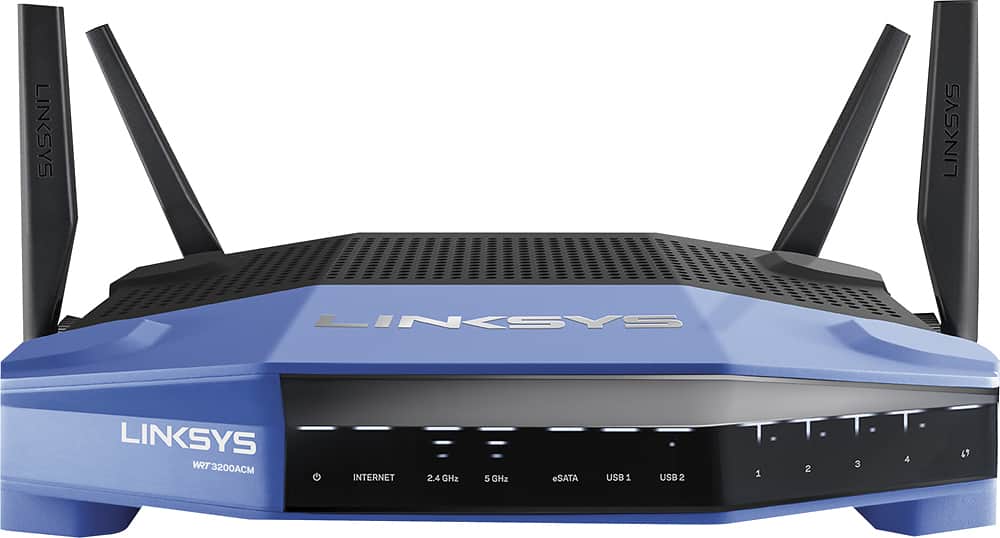
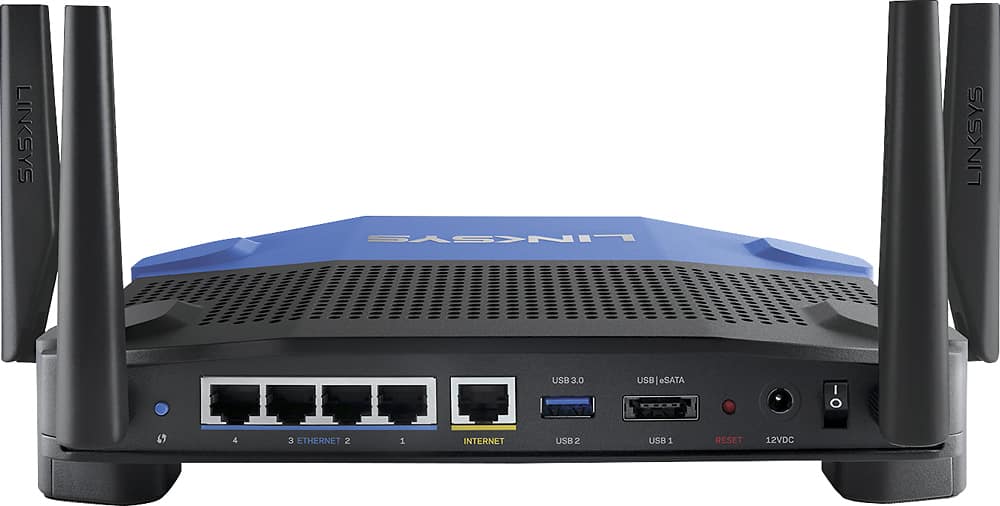
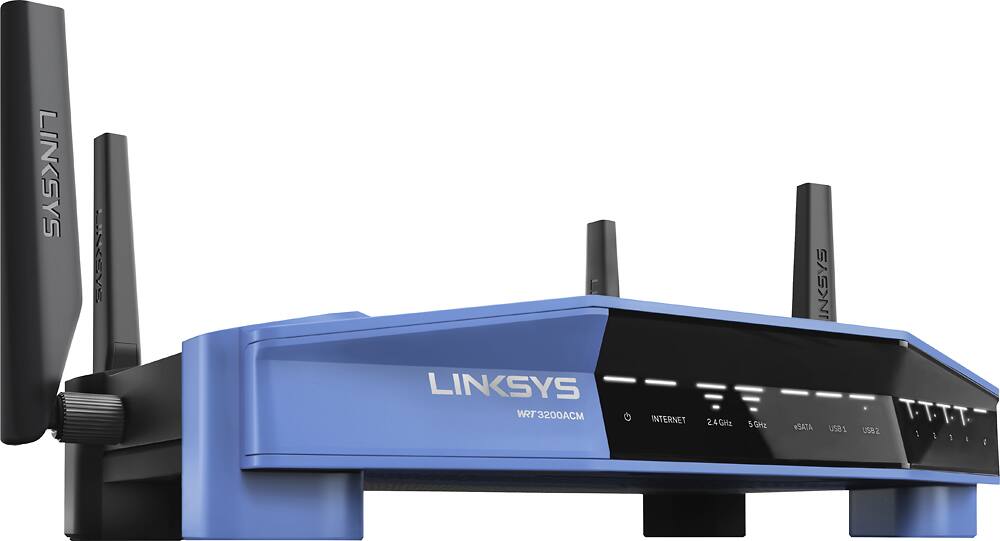



- Model:
- WRT3200ACM
- SKU:
- 5601000
Rating by feature
- Value
Rating 4.3 out of 5 stars
- Quality
Rating 4.6 out of 5 stars
- Ease of Use
Rating 4.5 out of 5 stars
Customers are saying
Customers love the WRT AC3200 Dual-Band WiFi 5 Router's ease of use, range, and performance, with many praising the simple setup and strong signal. Positive feedback also highlights excellent coverage and improved streaming capabilities. While some users noted the router's size and experienced occasional connectivity or firmware issues, the overwhelmingly positive reviews focus on its strong performance and user-friendliness. A few users mentioned needing firmware updates.
This summary was generated by AI based on customer reviews.
- Pros mentioned:Ease of use, Setup, Speed
Easy set up
Posted .This reviewer received promo considerations or sweepstakes entry for writing a review.Looking for a fast, low-cost MU-MIMO router then this is for you. Linksys makes set up easy with their wizard, even novices should have no problem setting up a secure basic network. I actually have a more complicated home network and used advanced options for set-up with no difficulty.
I would recommend this to a friend 
Very nice high end Router made for customization
|Posted .This reviewer received promo considerations or sweepstakes entry for writing a review.This review is for the Linksys firmware on the router, not any customizable WRT or other firmware, but I am looking forward to trying those out in the future. I set up and tried out as a WAP (Linksys calls this Bridge Mode), and as a Router. Both worked well. Linksys disables a lot of featues to keep it simple when it is used in non-router mode. That is where the customizable nature of WRT firmwares comes into play. If you want a router with the lastest features (MU-MIMO, 160 Mhz Channel Width/three stream mode to shuttle N and AC devices to different connections) AND the ability to do what you want through customizable options through WRT firmware, this router is definitely worth considering. Has a USB 3.0 port and a USB2.0/eSATA combo port. I hooked up a RAID BAY that has both USB 3.0 jack and eSATA jack (not at the same time :) and it worked well both ways with similar data throughput. The Wireless range on this compared favorably with the Linksys EA9500 router and a slightly older NETGEAR Nighthawk, so pretty good in my wifi challenging house. Cons: I don't have any Tri-band 160 capable devices to test it with, in fact, I don't know of any out period. Mu-MIMO is not that common in devices yet either. So you might be paying for stuff you won't be using in the immediate time frame, but it should be future proof for at least a few years. It is also pretty spendy for a AC3200-ish router if you don't need the customizing ability and the high end features/specs.
I would recommend this to a friend- Pros mentioned:Ease of use, Range, Speed
Great upgrade, awesome app
Posted .This reviewer received promo considerations or sweepstakes entry for writing a review.Upgraded from my Wireless N dual band and the speed I get from it is double over wifi. Not sure the range is farther but it is stronger if that makes sense. The Linksys app is amazingly easy to use to control access and content. I would highly recommend this.
I would recommend this to a friend - Pros mentioned:Setup
Great features!
|Posted .This reviewer received promo considerations or sweepstakes entry for writing a review.This router was very easy and simple to set up, I know for some people that is a important factor. One awesome feature this router had was the Smart wifi app, you get so much useful and cool information from it. Another awesome feature it had that I will not be using but I know some people may use was the parental controls, I messed around with it before turning it off and found it to be cool.
I would recommend this to a friend Good router
Posted .This reviewer received promo considerations or sweepstakes entry for writing a review.I picked this router up 11 months ago and have had no issues with it...that is until recently. Just the other week Linksys released a firmware update for this router that made it absolutely useless. Wifi won't let you connect. you have to be wired into it with a LAN cable to get internet connection. Can't revert it back to the old firmware nor does factory reset work. On the positive side, Linksys happily replaced the unit honoring their manufacturer warranty. Just know if they do warranty out the router you have to pay for a new one and they'll refund you once you mail the defective unit back. Also, they don't send the new unit with a prepaid postage lable *sadface*. But the lady on the phone was nice. And the shipping on the new unit was fast(within 3 days) When it worked it was a beast! It easily handled 3 Xbox ones, a desktop, multiple laptop's, a handful of tablets, 3 chromecasts, and about 10 smart phones without breaking a sweat or dropping any connections. This is a very good router, just sad that Linksys messed it up with a buggy firmware update. I believe Linksys is aware of the issue and is working on a fix. Until then if you buy one, turn off the auto firmware update when you set it up and you should be fine(my new one is working and I set it up without updating the firmware... hopefully it stays running)
I would recommend this to a friend- Pros mentioned:Performance, Setup, Speed
Love it
Posted .This reviewer received promo considerations or sweepstakes entry for writing a review.I have always been a Netgear guy but after a Nighthawk AC1900 recently went on the fritz, I decided to try this LinkSys router and am very glad I did. It was extremely easy to set up and get going and so far I am very happy with the speed and reliability.
I would recommend this to a friend - Pros mentioned:Speed
4 days of no restarts!
Posted .This reviewer received promo considerations or sweepstakes entry for writing a review.i was having some major issues with my 8 year old router so off to bestbuy to get a new one. Now everyone is happy and online. This unit has a 1 year warranty but you wont find that on the box. Also consider upgrading your wifi card because unless its top of the line you wont see the speeds this router can provide. Asus makes a that does 3100 check it out.
I would recommend this to a friend Great router, excellent coverage!
|Posted .This reviewer received promo considerations or sweepstakes entry for writing a review.Let me start by saying...this thing was a breeze to set up! The wizard that comes with it was great. Walked you through every step and I was up and running in no time! The router looks like a typical Linksys router. They haven't changed their design much over the years, but it looks good and sleek and works even better! Most of their routers I have owned in the past just had 2 antennas...this one comes with 4 so depending on where you aim them, it helps cover more area. We have the modem set up in the basement, so there are lots of little dead spots around the house and outside where the internet speeds are typically very slow compared to when you are close to the router. I can say for a fact that this router has increased our internet speeds in those areas. Using the speed test app on my phone we would typically get between 10-20 Mbps. When using this router. That increased to 30-40 Mbps. For me...that sells me on the product right there! Faster internet speeds where I want them. We also recently had a family gathering and there was about 15 people in the house all on their various phones and tablets and gadgets...and this thing held up perfectly. There was no slow down in speed or anything. I would highly recommend this product for anyone in the market for a new router. You wont be disappointed!
I would recommend this to a friendGreat Range
Posted .This reviewer received promo considerations or sweepstakes entry for writing a review.I received this WRT3200ACM from Linksys for free in exchange for my honest feedback so here we go! Opening this up, I at first thought that someone had pranked me and sent a old WRT54G (one of the earlier Linksys routers from back in the earlier days of this millennia but one I still have installed at the house for some older print servers!) But when I removed if from the box I found that the color is where the resemblance ends! Anxious to see how this would work in my rather "busy" network (usually 32 devices unless visitors show up,) I removed my Linksys EA6900 and stood this up in about 10 mins using the Linksys Smart WI-Fi application. Or I thought I had (more on that is a bit!) The initial setup takes you thru a "wizard" that would work for many and sets up your wireless, LAN and guest networks for you. If I hadn't been replacing an existing router, this would have been all I had to do (OK, who am I kidding? I am a network engineer with over 40 years experience in Large Fortune 100 companies and have some definite requirements of how MY network should be setup ;) so all told, it took about 30 mins to get it configured to MY specs! First Impression? WOW!!! I have 3 Linksys WUCM710s (801.11AC Wireless Bridges) and a AMPED Wireless RE1750A configured as a Wireless Bridge as well installed in various locations around the house that can provide signal strength indications. In the master bedroom, my signal strength went from a low 20% to 45%! Impressive! And this using the stock antennae and firmware (I did NOT test any firmware from OpenWRT nor did I install my higher gain Linksys WRT004ANT antennae) No matter where I went in my approx 3200 sq ft home with my Samsung Galaxy S7 Edge, did my speed test to the internet fail to provide throughput within 15% of my configured internet speed using either 2.4 or 5ghz radios(12mbps up and 100mbps down) I didn't get to test how well the WRT3200ACM worked on selecting the least used frequency for both radios (I see no 5ghz radios from the neighbors) but it did pick channel 11 on the 2.4ghz band (a lot of peer to peer radios from TVs, Refrigerators, remote controls, etc do exist in my neighborhood and even I have more than my fair share of these devices!) Next, I tested the INTRANET capabilities of this router to see how well it would work performing backups and connecting 2 Tivo Minis to the main Roamio and watching HD content. Ouch! My best backup of a 5GB iso file to the NAS was only 350mbps. DOH, I had set the 5ghz radio band to be in Mixed Mode instead of dedicated 802.11ac mode! When I made the switch, the same file connected to a PC behind the WUMC710 via Gig-E cable could now transfer that file at 750-800mbps reliably!! Even using the AMPED Wireless RE1750A (showing how other vendor's equipment can work with the WRT3200ACM) backups went faster than on my older EA6900 router! As I mentioned earlier, I had a Linksys EA6900 before installing this WRT3200ACM. I had a WD 1TB usb drive(as Media Server) connected via USB 2.0 that, when I moved the cable to the WRT3200ACM, was instantly recognized with no fuss! Encouraged by that, I decided to try hooking up a Fantom 1TB eSata drive. WOW! No issues getting that to work either! (I am amazed as earlier Linksys Routers where VERY picky on which external drives they would support.) This eSata drive is almost as fast as my Raid 0 NAS setup! Could have saved a lot of money had this router existed a few years ago!! I know I have gone on as others have about the good. Let me now tell a bit of the "not so good!" Issue 1. Although I have only had this for about a week, I had found that on two occasions the guest network turned itself on. Too intermittent to work with Linksys on but will keep an eye on it. Issue 2. As I mentioned earlier, compatibility with other Vendor's equipment was a great selling point although I did run into issues with 2 D-Link DRP1260 USB Print Servers. I had to change them to work as 802.11g ONLY devices(They were configured to work on D-Links SUPER G with Turbo Mode and worked will with the EA6500, EA6700 and EA6900) I will probably replace these with a Raspberry PI if they ever fail but there may be some others that I haven't yet discovered (It has only been a week!) Issue 3. And this should be more of "what is Linksys Thinking" when configuring Media Prioritization. I have a Cisco 8861 IP phone that I use for my home office using MRA so I like to make sure that my business phone has priority over someone watching Netflix, Amazon, Hulu, etc. Adding the phone is just a drag and drop on the Media Prioritization Screen. It is where you set "how much DEDICATED or Priority bandwidth should this device get?" that I have issues with. Rather than say "Reserve 1 Mbps for this device" you must determine your max downstream configuration from your ISP, Deduct what you want and then place that value as the Downstream Bandwidth. In my case 100mbps minus 1mpbs would be 99mbs or 99,000Kbps. Hmm, seems backward to me but this isn't unique to the WRT3200ACM, it is the same thing on the other EA6XXX routers and something a lot of people get confused with as well. In Summary: Although there aren't many devices yet that can take advantage of MU-MIMO, the extended range, throughput, ease of use with external hard drives, firewalling and NAT capabilities alone are first rate. This router will future-proof (at least 3 years which is like 30 years in IT) your investment as not only is Linksys seeing the future of MU-MIMO, so are others. If you don't like Linksys' firmware, you can always use an OpenWRT derivative! (Don't tell but Santa just bought another of these for a dear friend! They are on sale this week at Best Buy but, as I mentioned earlier, this review is based on a free sample so we will have to wait until after Christmas for my friend to write her own review!)
I would recommend this to a friendBrand response from Linksys Staff
Posted .Hi, Ltleary,
We appreciate your detailed review with this router. It looks like you are enjoying its performance. However, allow us to get you over to our Escalation Engineers to help you optimize the performance of the router. Please email us at LinksysCares@linksys.com with your phone number and the link to this post for our reference.
Regards,
Irish
Linksys Support
- Pros mentioned:Ease of use, Range, Speed
Very easy to install. Fast !
Posted .This reviewer received promo considerations or sweepstakes entry for writing a review.This was the fastest router rated by computer mags for the price. Super easy to install and manage using their web application from my phone anywhere. Much better range than my old unit and solved my Netflix streaming problems.
I would recommend this to a friend Wow! REALLY fast!
|Posted .This reviewer received promo considerations or sweepstakes entry for writing a review.I knew the Wi-Fi over my cable modem was slow and hoped this would help, but I was surprised that it was a 10X improvement. I checked my download speeds over Wi-Fi before I installed the Linksys - WRT AC3200 MU-MIMO Wi-Fi Router and found it to be about 18 Mbps. In fairness, the cable modem only supports 2.4 Ghz and the new router is dual band and supports 5 GHz as well. Still, I was shocked to see my new Wi-Fi download speed over the 5 GHz was 175-180 Mbps! Almost 10X the speed. Just by way of comparison, the 2.4 GHz now provides 30-40 Mbps — almost twice as fast. Installation was quick and easy. I had everything set up within 15 minutes, including logging onto the Linksys Web site to finish the set up. I found the site to be super clean and intuitive. After some basic set up, the Web site directed me to download their iOS app instead, which I thought was annoying for a second, but the app was also very clean and easy to log into. From the app, I can manage all of the settings for the router (like turning off the default guest access). Finally, I ran a more subjective test by checking out some 1080p (HD) YouTube videos. They ran super fast and clean! I’m looking forward to trying this new router with on-line games.
I would recommend this to a friend- Pros mentioned:Performance, SpeedCons mentioned:Size
Amazing router
Posted .This reviewer received promo considerations or sweepstakes entry for writing a review.The router is quite large but performs even larger. I have a strong connection throughout my entire house. I previously owned the apple express airport and was getting around 35 and with this router I am getting well over 100
I would recommend this to a friend - Pros mentioned:Ease of use, Range, Speed
Very Satisfied
Posted .This reviewer received promo considerations or sweepstakes entry for writing a review.Great Router. Easy to set up, great range, excellent speed. Linksys Smart Wi Fi app very easy to use. My ISP is a 200 mbps and this router delivers it all. No phone jack on this one if you are going to use the VOIP phone.
I would recommend this to a friend Great Wireless Router for Medium-sized Homes
|Posted .This reviewer received promo considerations or sweepstakes entry for writing a review.First, this router is very new and will continue to improve with (we hope) constant firmware updates. Upon testing this router in a 2600 sq. foot home with the router set-up in the far end of the house I was able to achieve strong 5Ghz WiFi signals on almost all of my devices. The 2.4Ghz signal was of course full strength throughout the house. Menu options when configuring this router are the same as most other current Linksys-Belkin routers with the option of flashing openwrt or dd-wrt firmware if you so desire. These aforementioned firmware flashes will give the user MUCH more customization options (make sure you know what you're doing if you choose this route of firmwares). LAN/WLAN throughput/signal strength was on-par with current 3200AC class routers. As with all WiFi routers, make sure you set up this router in a central location of your home for optimal WiFi coverage and strength. My only gripe with this router is not for the router itself, but for the slow firmware updates pushed out. I would recommend this router to anyone wanting to upgrade to a device that can handle multiple devices on Mu-MiMo technology (hopefully more firmware updates to arrive in the future).
I would recommend this to a friend- Pros mentioned:SetupCons mentioned:Connectivity
Great Product
Posted .This reviewer received promo considerations or sweepstakes entry for writing a review.Have owned this device for about a week now and couldn't be happier. I was having issues with the 2.4 GHz band being clogged by devices from nearby neighbors so the 5 GHz is a great option to have at my disposal (and it's quicker). Setup was easy and the software interface is very user friendly. I segment my devices so that most are on the 2.4 GHz band (they don't require as much speed) while any gaming devices or 4k TVs are on the 5 GHz band. Whereas I used to constantly be kicked off the internet, this no longer happens with the Linksys device. I did see some other reviews that mentioned the Linksys device having some inconsistent connectivity issues but, knock on wood, I haven't experienced any issues yet. Would definitely recommend this product.
I would recommend this to a friend Best wifi router I've used in 12 years!
|Posted .This reviewer received promo considerations or sweepstakes entry for writing a review.I've used wifi routers for years. My first one was a $30 refurb. I've had all sorts of sizes and speeds. I recently got this linksys and was amazed at how fast the setup was. I had it up and running all 15 of my family's devices in less than 15 minutes with my iPad. No computer needed! The optional mobile app makes router control even easier. Even put it to the test that scared my old wifi router... I turned on Netflix on my appletv, streamed YouTube on my iPad, and my daughter played a game online on the PS4 all at the same time.... zero lag! If you have a modern device-filled home, you should definitely consider this router. My only criticism of the modem is the 5Gh radio could use a wifi extender, as it doesn't reach as strongly downstairs or patio.
I would recommend this to a friend- Pros mentioned:Performance
Very fast and easy to setup
|Posted .This reviewer received promo considerations or sweepstakes entry for writing a review.Very happy. I replace my purpose built IPCOP router with this product and immediately saw a performance increase. I was able to set up all my internal routing as well as it has features that allow easy traffic prioritization for my ROKU, IP phone and more. it even has apps/Widgets for this and other functions on the homepage.
I would recommend this to a friend - Pros mentioned:Performance, Speed
Fantastic Router for all uses
Posted .This reviewer received promo considerations or sweepstakes entry for writing a review.*Disclaimer: I received this equipment from Linksys in exchange for an honest review* I previously had the WRT1900AC and was extremely pleased with that, so when I got the chance to review the 3200, I was excited. Needless to say, this thing has met and beat all my expectations and hopes. Its fast (very fast, I was able to get speeds upwards of 400 MBPS over Wi-Fi) and versatile. It is perfect for a family home with many users, gaming, 4K streaming, and whatever else you can think to throw at it. There are noticable performance differences over the 1900AC, which is hard to do, considering how fantastic the 1900 is. This is a fantastic router, I would buy it with my own money.
I would recommend this to a friend - Pros mentioned:Speed
Faster connection and easy setup
|Posted .This reviewer received promo considerations or sweepstakes entry for writing a review.I had a 5-year-old router with my high speed cable connection and replaced it with this. Instructions were simple and easy to follow. I have an extender from my old router and it works great. My internet connection is so much faster now. I am a 68-year-old woman, if I can set it up anybody can.
I would recommend this to a friend - Pros mentioned:Setup
Good choice
|Posted .This reviewer received promo considerations or sweepstakes entry for writing a review.Most users want to know the straight forward truth about a router...if it works. This indeed does work. Setup was easy. Router works well and seamlessly handles whatever my 2 teenage boys throws its way (connected phones, tablets, laptops,gaming systems) all while allowing me to stream via Netflix with no issues.
I would recommend this to a friend