Customer Ratings & Reviews
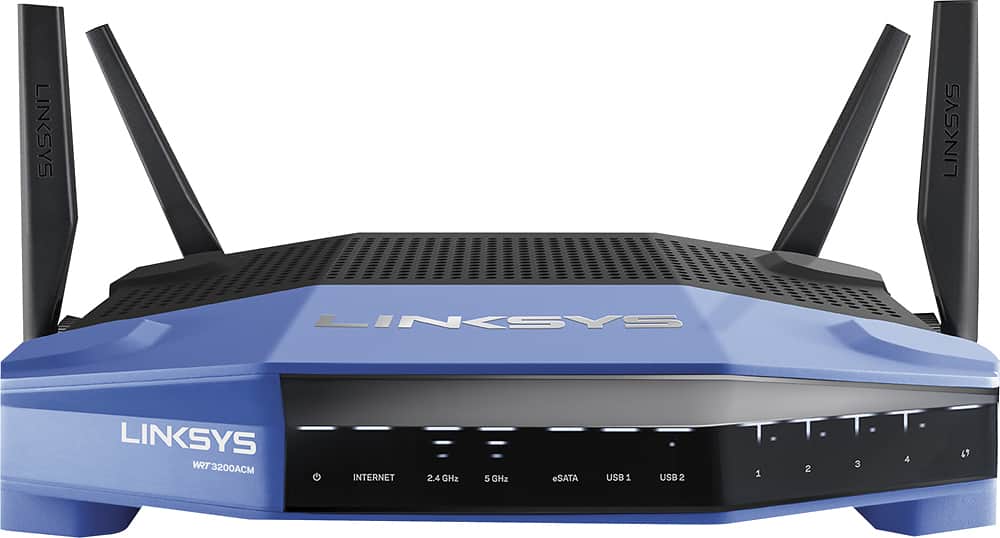
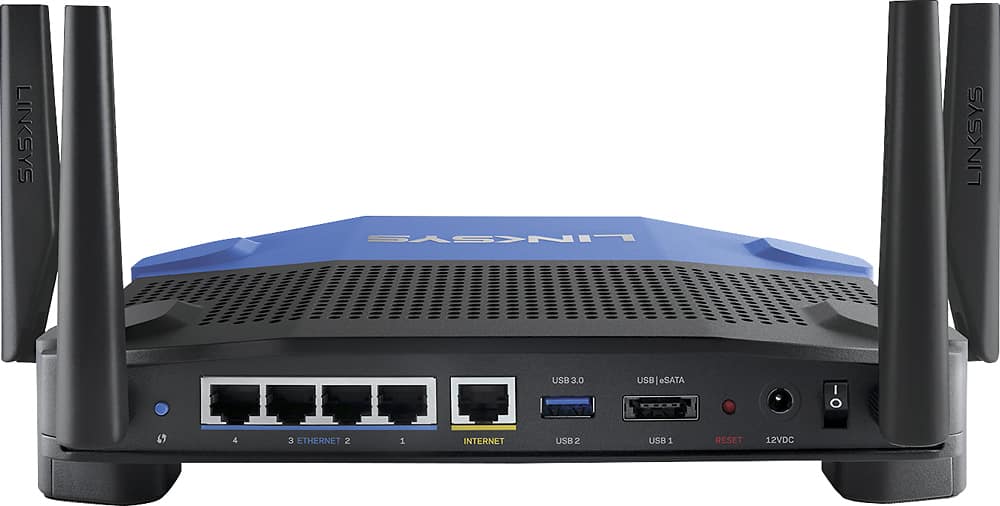
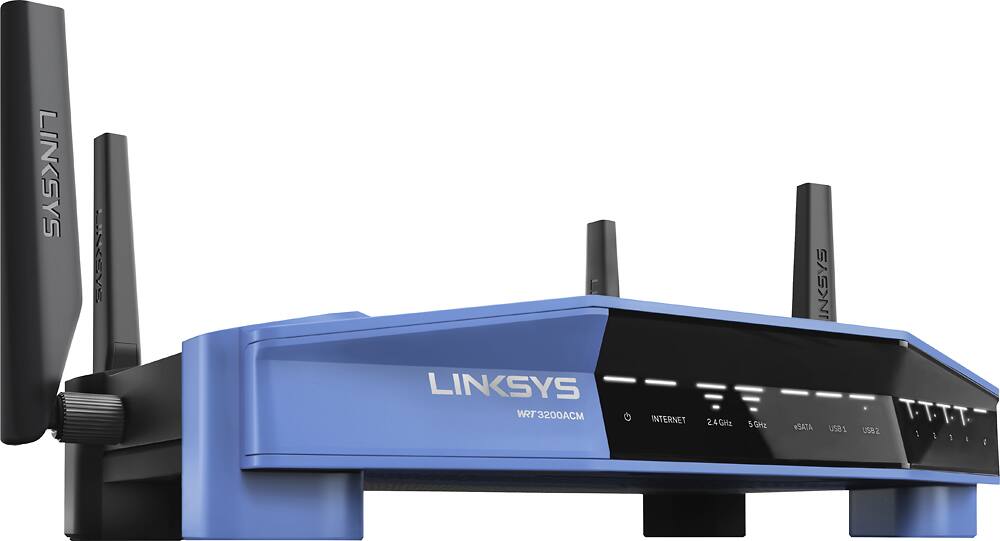



- Model:
- WRT3200ACM
- SKU:
- 5601000
Rating by feature
- Value
Rating 4.3 out of 5 stars
- Quality
Rating 4.6 out of 5 stars
- Ease of Use
Rating 4.5 out of 5 stars
Customers are saying
Customers love the WRT AC3200 Dual-Band WiFi 5 Router's ease of use, range, and performance, with many praising the simple setup and strong signal. Positive feedback also highlights excellent coverage and improved streaming capabilities. While some users noted the router's size and experienced occasional connectivity or firmware issues, the overwhelmingly positive reviews focus on its strong performance and user-friendliness. A few users mentioned needing firmware updates.
This summary was generated by AI based on customer reviews.
- Pros mentioned:Setup
Great router with all the bells and whistles
Posted .This reviewer received promo considerations or sweepstakes entry for writing a review.I upgraded to the Linksys WRT 3200ACM router from a 9 year old Apple Airport Extreme. Needless to say, it was a huge upgrade. The router has many extra features (network drive, FTP server, Media server, 5GHz channel and many others) that are easy to use with the provided interface. I especially like the Network Map application that allows you to graphically see everything that is connected to your network. Took about 10 minutes to get it set up and running and about 3 days of tweaking to get everything settled onto the network and all the features working (I bought a new external drive and had some difficulty getting it setup to work with my Windows PC, MacBook and TV). Overall, good connection speeds, easy setup, lots of configuration options.
I would recommend this to a friend - Pros mentioned:Ease of use, Range
Solved all my problems!
Posted .This reviewer received promo considerations or sweepstakes entry for writing a review.I purchased this to upgrade an aging router from a different manufacturer. This one is significantly faster, has better range, and is much easier to manage. The phone app is awesome and so is the router admin app.
I would recommend this to a friend - Pros mentioned:Range
Great Product! Well worth the money!
Posted .This reviewer received promo considerations or sweepstakes entry for writing a review.I can stream from 4 devices and play a game on another at the same time. It also has a pretty decent range from what I can tell. I live a couple hundred yards from the road and I can get signal at my mailbox.
I would recommend this to a friend Beware of Firmware updates that break router
Posted .This reviewer received promo considerations or sweepstakes entry for writing a review.1 week after my 1 year warranty expired, Linksys pushed out a firmware update to my router that caused wireless connections to drop connectivity after 3 - 6 hours of use. Wired connections were fine. The only way to get connectivity back for wireless devices was to reboot the router. Apparently this is a well known issue as a search on the internet showed that several people are experiencing this! The "fix" recommended by Linksys is to revert back to an earlier firmware version (1.0.6.181063), but even after doing that my router still drops wireless connections. Since my router is out of warranty (barely and they broke it!), my only option was to wait for them to come up with a new firmware version. So I am out of luck at this point. They did suggest to try setting the channel for the 2.4GHz network to 1, 6 9 or 11 instead of Auto with the channel width to 20 MHz, and for the 5GHz network to use channel 36 or 148, width to Auto. We will see if that does anything. Needless to say, I am not confident with Linksys at this point,. If you are considering purchasing this router, WAIT! Do some research and wait until they fix this issue. And then change the firmware update setting to MANUAL instead of AUTO!
No, I would not recommend this to a friendBrand response from Linksys Staff
Posted .Hello, Ranger,
We sincerely understand the experience you've had with the router, and we're here to make things right. Please reach out to us at LinksysCares@linksys.com with the link to this post and your case number (or your contact details), and our Escalation Engineers will take care of you from there.
Regards,
Klaudette
Linksys Support

Great router to help uVerse connection
|Posted .This reviewer received promo considerations or sweepstakes entry for writing a review.With 18Mbps as the "fastest" AT&T offers in my area, I love that this router seems to deliver that power to each of my many connected devices throughout the house as if nothing else is connected. There was some setup involved to setup the uVerse Gateway to bridge the connection, but there are plenty of How-To's online to do that. Highly recommend!
I would recommend this to a friend- Pros mentioned:Ease of use, Range
Excellent Router
Posted .This reviewer received promo considerations or sweepstakes entry for writing a review.This Router offers much better signal range over my previous router and is very easy to mess around with the settings. Plus if you get the Linksys app on your phone you can do everything from there!
I would recommend this to a friend - Pros mentioned:Ease of use, Performance
Great future proof router
Posted .This reviewer received promo considerations or sweepstakes entry for writing a review.Upgraded my router to this Linksys to ensure quality of service as standards evolve. Love the design which sits nice on top of a linksys switch. Also, the smart app makes managing the network a breeze.
I would recommend this to a friend - Pros mentioned:Range, Speed
Good, when it works
Posted .This reviewer received promo considerations or sweepstakes entry for writing a review.The speed and range are good. I can get 125 mps download two floors away (I get 240 on an ethernet). But almost every day I need to reset the router because the 5G stops working. I would not buy it again.
No, I would not recommend this to a friendBrand response from Linksys Staff
Posted .Hi,
This is an unusual behavior for the 5GHz signal. You can reset and configure the router again to try and fix this. Also, make sure that the firmware is up to date. Get in touch with us at LinksysCares@linksys.com and we'll have our Second Level Technicians assist you further with the device. Don't forget to include your contact details and the link to this post.
We hope to hear from you soon.
Regards,
Thaddeus
Linksys Support
- Pros mentioned:Speed
A Good Choice IF You Use DD-WRT.
Posted .This reviewer received promo considerations or sweepstakes entry for writing a review.I was looking at this router to replace my WRT1900AC V2. and was fortunate enough to receive a test version from Linksys. I had been experiencing drop outs and disconnects from my WRT1900AC router, and was a little concerned that this one would also have those issues. I have had this model going on 3 weeks, and so far no issues. In fact, the speed is slightly better, and with the addition of MU-MIMO you are pretty much future proofed for a little while. That is IF you have the hardware for it. To take advantage of that technology, you will need devices that support it. This router is for the tweaks and geeks. For those out there who don't know what DD-WRT is all about? Linksys has the EA9500 AC5400 router that should suffice.
I would recommend this to a friend Linksys WiFi
Posted .This reviewer received promo considerations or sweepstakes entry for writing a review.Linksys WiFi is a product you can rely on to provide excellent WiFi connection in your home or office.
I would recommend this to a friend- Pros mentioned:Ease of use
Linksys has converted me from Netgear!
Posted .This reviewer received promo considerations or sweepstakes entry for writing a review.Previously had a Netgear C6300 which had been a good router and modem combo but recently I moved to a new location and it wasn't cutting it with the wireless. Talked with one of the Best Buy sale agent on the floor and he recommended me to get this router with a new Arris modem. So far I haven't experienced any drops in my connection of my PC upstair and still getting my blazing fast speed throughout the house. Setup was super easy and I was able to get my internet up in like 10 minutes with it. I am so happy that I am now able to use the 5Ghz radio throughout the house with no problem. I know the price for the router is kind of steep but it is worth it in the long run.
I would recommend this to a friend - Pros mentioned:Speed
Great wifi router!
Posted .This reviewer received promo considerations or sweepstakes entry for writing a review.Before this I had very slow speeds because of distance from the router, but now I get full signal and full speed with no issues. Worth the money to get rid of the slow speed head aches!
I would recommend this to a friend - Pros mentioned:Speed
Works great!
Posted .This reviewer received promo considerations or sweepstakes entry for writing a review.My dad just purchased this a few days ago and as he had to go to bed for work, he asked me to set it up and then tell him all the info in the morning. I did and it was super easy to set up. We needed something that was faster than what we had and could support more items all at once. My parents and I all have iPhones and iPads plus the one Amazon Echo and the two dots and the two Apple TV's not to mention plenty of other stuff. The only downside was trying to remember all the things we had to re-add to the wifi. I would totally recommend this to someone else. You would have to be super tech illiterate to not be able to set this up. Go buy it!
I would recommend this to a friend Solid WiFi router
|Posted .This reviewer received promo considerations or sweepstakes entry for writing a review.This router has all the features normally found on routers of this caliber, so not much to mention there. I was looking to solve a coverage area, and although this router did cover the area better, it still didn't cover all of it. I might have been wishing too much. Overall, solid performer with good throughput.
I would recommend this to a friend- Pros mentioned:Ease of use
Great Wi-Fi router
Posted .This reviewer received promo considerations or sweepstakes entry for writing a review.This router is easy to set up and manage even for a novice. It has great coverage. We have it installed at the front of our home and I still have signal into the backyard.
I would recommend this to a friend - Pros mentioned:Ease of use, Speed
GREAT BUY!
Posted .This reviewer received promo considerations or sweepstakes entry for writing a review.Im loving this router! The set up is super easy, there's even an app! Absolute top notch router, would definitely recommend my computer speed has never been faster.
I would recommend this to a friend - Pros mentioned:Speed
Great router.
Posted .This reviewer received promo considerations or sweepstakes entry for writing a review.This router is fast and has great coverage. I have a 1400 square foot home and this router has no dead spots. For the price you can not go wrong with the WRT3200ACM.
I would recommend this to a friend - Pros mentioned:Ease of use, Speed
great router
Posted .This reviewer received promo considerations or sweepstakes entry for writing a review.I needed a high speed router for use with my new internet plan and was introduced to this one. I was able to set it up fairly easy and it is performing very well..
I would recommend this to a friend - Cons mentioned:Connectivity
Great router but not without some quirks
Posted .This reviewer received promo considerations or sweepstakes entry for writing a review.I bought this router when it was on sale for $180 and at that price its a beats. I really love the app on my phone, it is a clean look and it is nice to see what's connected. I had some difficulty connecting it at first cause I didn't read that you have to have internet to configure it. I've had to restart my router twice cause some device like my Roku could connect but there wasn't any internet connections. I am looking forward to installing an open firmware to see what its possible. The main drawback of the router is that it is too futureproof as the things that make it an awesome router isnt avialable on any of my devices yet.
I would recommend this to a friend Great features and easy setup
Posted .This reviewer received promo considerations or sweepstakes entry for writing a review.For the past few years I've relied on my ISP to furnish me with their Gateway device to serve as my modem and router. Previously, I had always used Linksys routers. Actually, the Arris gateway from my ISP was functioning adequately enough but I wanted to be sure I had the most up to date technology in my home network. So, I added the AC3200. I began to scour the web for an accurate set of instructions to put my ISP gateway into bridge mode, to allow me to supply my own router. It seems simple enough, but all of the directions I found on my ISP's web site related to this procedure, give you just enough rope to hang yourself with, and pretty much don't address any of the actual steps to complete it successfully. I finally found some helpful posts and was able to get everything working. Setting up the AC3200 was a breeze, and thinking back to my previous Linksys routers, they've all been easy to set up and user friendly besides. I was able to name both my 2.4 and 5.0 wireless networks the same as I had them when using my ISP's gateway, which made it extremely easy for all of my devices to just simply connect as usual. I have anywhere from 20 to 25 devices of all types connected at any given time on the 2.4, 5.0 and hardwired networks. I've had nothing but very smooth connections over all my devices. I haven't had any noticeable stutters when streaming and everything just seems to work with the least amount of user interaction (which is not to say that you can't if you want to, and I have). Before I switched, I had pretty good wireless connection speeds but thought that they could be better. I honestly expected a bump up in that department. What I got was about the same or a little lower than I had (around 25 to 30Mbps on average to my PC's). Since I pay for 150Mbps, I was a bit disappointed. Playing around with the antennas had a small affect on speed, but nothing worth noting. I attribute most of the lack of speed to the setup of my house (walls with HVAC ducts and returns, equipment older than 2 years old, etc.). My house is not an open floor plan. When using the Ethernet ports, they show my true connection speeds as up around 180Mbps (30 more than my internet package). After getting a new laptop that also has MU-MIMO technology, I now get the full 180Mbps over Wi-Fi. I've always had good experiences with Linksys products and this one is no exception. The downloadable android app is a really slick way to access your router settings from anywhere you happen to be, and gives you access to all the same details as you see with the web application. A really nice touch. Aside from my overblown expectations, I really like this router. It's extremely stable and directs network traffic well. File transfers from my NAS drive are smooth and streaming is clean and fast. I've actually ordered the 8-port 4008 Linksys switch to go with it. If you're looking for cutting edge ac technology that's easy to set up and gives you a secure stable home network to add any device you can think of, this is a great choice.
I would recommend this to a friendBrand response from Linksys Staff
Posted .Hi, Enem156,
It is good to hear that you are happy with your new router. As for its speed, the adapters of your devices could've affected it. However, you can try changing the router’s wireless channel to maximize its performance. Email us at LinksysCares@linksys.com with your phone number and the link to this post as our Escalation Engineers would be happy to walk you through the process.
Regards,
Irish
Linksys Support