Customer Ratings & Reviews

- Model:
- WRT32X
- SKU:
- 5882521
Rating by feature
- Value
Rating 3.9 out of 5 stars
- Quality
Rating 4.1 out of 5 stars
- Ease of Use
Rating 4.3 out of 5 stars
Customers are saying
Customers are pleased with the WRT32X AC3200 Dual-Band Wi-Fi Gaming Router's easy setup, strong performance, and wide range. Many appreciate its user-friendly interface and the ability to prioritize devices. While some experienced connectivity or firmware issues, the positive feedback on setup, performance, and range outweighs the negative. The router's design also receives praise.
This summary was generated by AI based on customer reviews.
- Pros mentioned:Performance, Setup

Gorgeous, fast, reliable
|Posted .This reviewer received promo considerations or sweepstakes entry for writing a review.Linksys has really stepped it up with the WRT32X, a dual-band gaming router that boasts the power to reduce lag time, to improve your online gaming, and to control and customize your connectivity. And for non-gamers, this device has the qualities to consider when in the market for a Wi-Fi router. The machine is well-designed and easy to setup (though I did need to reset the router once at the beginning to get it going). I was impressed by the no-nonsense menu; unlike other more complicated router setups, I can see minimal issues for even the most technological novice that needs a more reliable network. Navigation through the interface was very straightforward, even through some of the customization menus in the advanced settings - surprising for such a powerful machine. Straight to the point, though, gaming using this router was as good as advertised. Where it really shined was with a glut of connected devices running simultaneously on the single network: three smart TVs, one of which streaming 4K video; numerous portables; multiple tablets running video streaming apps; mobile phones; smart devices; etc. Through the technological jungle, my laptop gaming experience went literally without a hitch. Of note, I manually prioritized my laptop to the top of the queue during my testing; still, the 4K movie stream played lag-free in the living room. While my experience is unique, I have confidence this device would satisfy the needs of most serious gamers. Even though the WRT32X was built to prioritize gaming, I found that its exceptional performance under the stress of a barrage of devices makes this machine attractive to gamers and non-gamers alike, and especially in high data-traffic areas like dorms or apartments. A combination of sturdy, beautiful design and fast, reliable performance makes this an easy recommendation. Full disclosure, I received this product for my unbiased, honest review.
I would recommend this to a friend - Pros mentioned:Speed
Gamers gateway dream
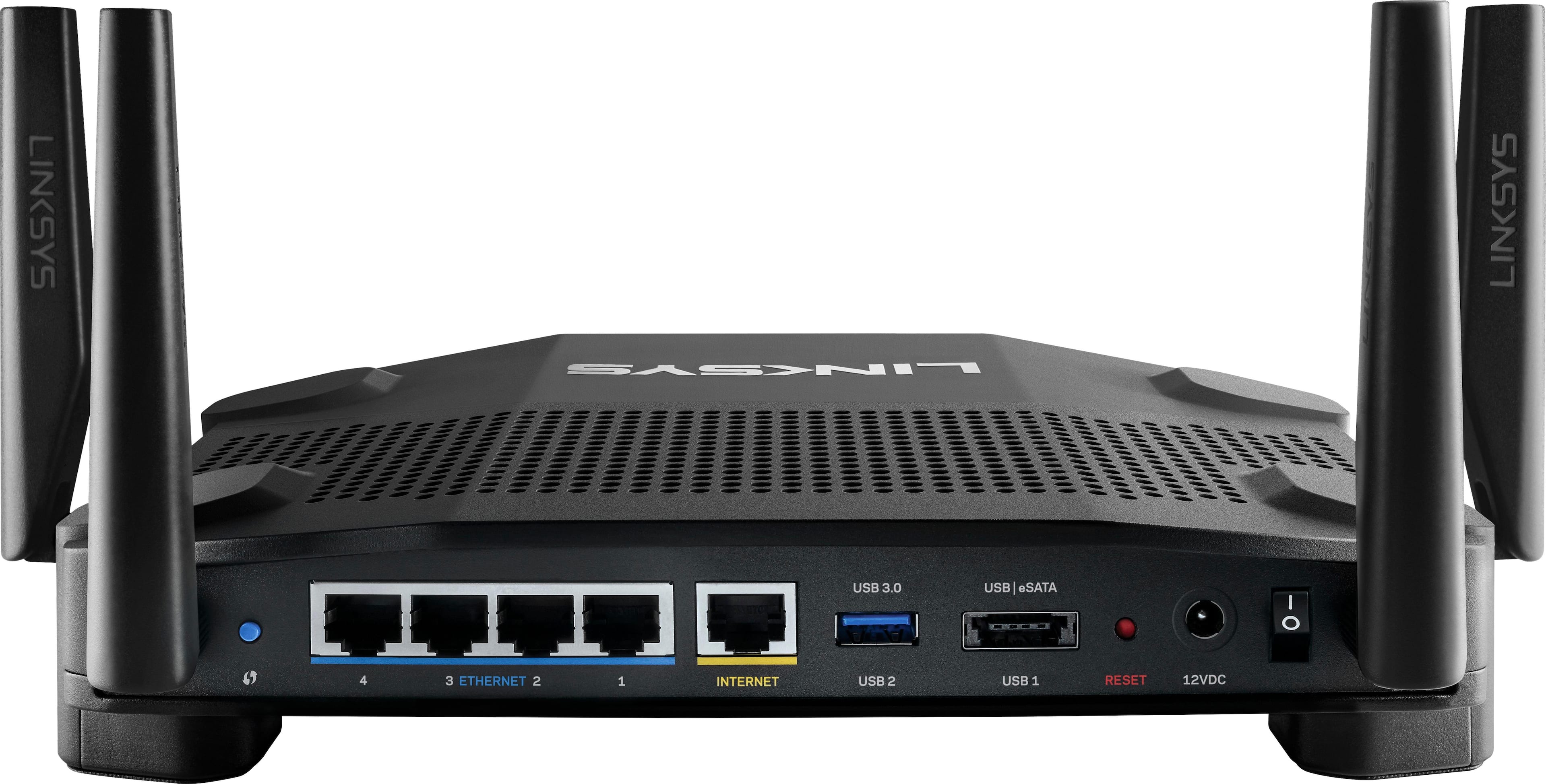
|Posted .This reviewer received promo considerations or sweepstakes entry for writing a review.Even before opening the box, just viewing the box is awesome. But once the box is opened and everything is set up its mindblowing. My current gaming router is "supposedly" a top end model. Then comes along this beast. This router can automatically prioritize the best pipeline for gaming traffic, and even if you are aren't using it for gaming, it still routes the best pipeline for what you need. The WRT32X is a dual-band, MU-MIMO router capable of delivering theoretical throughput of up to 600Mbps on its 2.4GHz 802.11n network and 2600Mbps on its 5GHz 802.11ac network. It has one gigabit WAN port and a four-port gigabit ethernet switch onboard. The WRT32X also has one USB 3.0 port and a combo USB 2.0/eSATA port for sharing storage over the network (with support for drives formatted with FAT, NTFS, or HFS+ file systems). It’s capable of running open-source firmware (e.g., OpenWRT and DD-WRT)
I would recommend this to a friend - Pros mentioned:Setup
Excellent gaming router from Linksys
|Posted .This reviewer received promo considerations or sweepstakes entry for writing a review.The Linksys - WRT32X AC3200 Dual-Band Wi-Fi Gaming Router is a great wireless router with device prioritization ensuring smooth gameplay and streaming on the devices that need it. Being in the gaming line of routers from Linksys it does have a rather large footprint if being set on a desk, and the plug is rather large and takes up room on your power strip depending on how it's set up. But other than that it is a great gaming router that handles multiple devices easily whether they are wired or wireless. Web based setup is easy and simple with a basic interface for people who only intend to do the bare minimum and a more advanced section for users who would like to go in more depth with their setup. With speed test built in, parental controls, and easy drag and drop device prioritization there are plenty of tools for all users regardless of your expertise level. -Be Advised- One thing I did find out is that if you hook up the router and connect it to your modem properly it will show that you have internet connection on the front of the router, but until you go through the web-based setup and agree to the user agreement, you will not be able to connect to the internet on your device. I contacted customer service and they confirmed that this is how it is supposed to work and it will not connect to the internet until you follow the step to set it up.
I would recommend this to a friend - Pros mentioned:Setup
Nice router with great prioritization of data
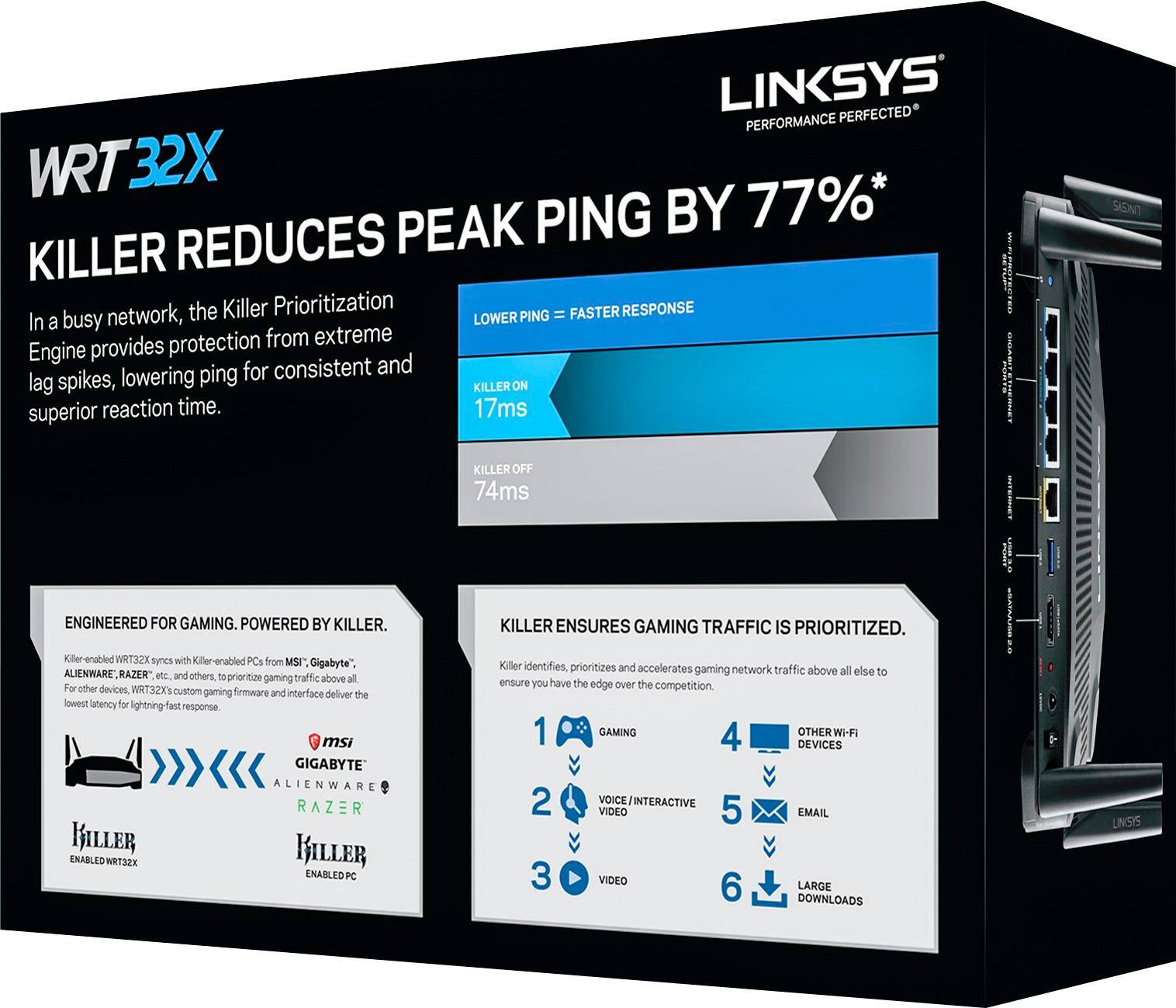
|Posted .This reviewer received promo considerations or sweepstakes entry for writing a review.This is a really nice router. Lets go through it step by step... Unboxing: This router is very nicely packaged. It is well protected in dense foam inside of the box. Even the lid of the box has a panel of foam to make sure everything stays in place. The antennae and power plug are underneath the router in the foam. Setting up: Very easy to do if you plug directly into the router. I didn't try setting it up over WiFi, as that has always been sketchy in my experience. The interface for setting everything up is beautiful for a router. Most look like they're using the same interface as the company introduced with the first model ever made in the 1990's. Not so with this one. It is downright pleasant to look at. There are also a good variety of options you can select, including blanking out the lights on front of the router if you find them distracting. Connections: There are the usual connections you'd expect. Internet in, 4 ethernet plugs, 2 USB ports. Setting up network-attached storage is fairly simple. I haven't messed around with any VPN options, as this is always a little too far into the weeds for me. Data prioritization: This is where the router really shines. I'm not a gamer, and don't have any hardware with the "killer" moniker. However, the rest of the prioritization chain makes a lot of sense. If you're making a video-call, that takes priority over everything else. Streaming video comes next. Below that is general web-browsing, then email, then bulk downloads. This is a perfect order, in my opinion. Obviously, I haven't had it running for long, but it seems like a very nice router. It's been all smooth sailing to this point.
I would recommend this to a friend Really ties the room together
|Posted .This reviewer received promo considerations or sweepstakes entry for writing a review.I'm a relatively new gamer and live in a household that streams, downloads, games, and browses - there is a lot of local and internet activity on a variety of devices. Even just for non-gamers, prioritization is enough of a reason to get this and use the truly useful and simplified control interface. Adding this router to an MSI NIC actually makes a difference. Without this router the hardware wasn't too much of an upgrade - not enough to make a difference to me and I regretted getting it but no more. Like I mentioned - it ties everything together! Setting it up is not much different than any other router, except for the blessedly absent need for an app. You can't access this router via the Smart app like some other LInksys routers, but that's a feature I ended up not using anyway with the non-Killer AC3200 and it seems like every other gadget I've used for the last two years needs an app. Awesome. I don't usually comment on packaging, but this is the slickest package I've ever seen and the all-black scheme of the unit is beautiful and definitely more to my taste than the blue/black scheme of their other routers. Not important, but it is something I appreciate.
I would recommend this to a friend- Pros mentioned:Ease of use, Speed
Easy to use router with cool options
|Posted .This reviewer received promo considerations or sweepstakes entry for writing a review.The new linksys gaming router is a super easy to use and really fast router. Like every linksys router I've used it's incredibly easy to set up. Plug it in, log into the modem and follow the quick set up instructions. You do NOT have to be tech savvy to set this up and optimize it for gaming. The thing that sets this apart from other routers is you can prioritize what devices get the speed. It's cool for gamers as you can prioritize your gaming PC to get the fastest speeds. The set up screen is very easy to use and understand. It shows you every device connected to your modem and you can simply drag and drop them in order of priority. I tried this and didn't see any derogatory speed loss while playing even with all my devices connected. I would be remiss not to mention how cool this looks. It would be an awesome addition to any gaming set up--you'll want to display it right next to your computer. Linksys is always easy to recommend because they make quality products. If you have a lot of devices connected to your modem and don't want to lose any speed while gaming this is the modem you need.
I would recommend this to a friend Slow
||Posted . Owned for 1.5 years when reviewed.This reviewer received promo considerations or sweepstakes entry for writing a review.Was overall disappointed. Thought was a gaming router. Not likely.
No, I would not recommend this to a friend- Pros mentioned:Range
Great Router For Gaming
|Posted .This reviewer received promo considerations or sweepstakes entry for writing a review.The Linksys - WRT32X AC3200 Dual-Band Wi-Fi Gaming Router is an amazing router if you're a big gamer. The Killer Prioritization Engine REALLY works as advertised and reduced my ping by over 50%. The packaging and presentation of the router was superb. It came in a nice box with slick packaging. An easy to setup guide and 4 antennas. I live in a 2 story house and this router easily was able to power my wireless Xbox one in the family room downstairs. The prioritization engine allows me to prioritize the devices I use the most and give me an uninterrupted speed that i've previously never gotten with other routers. We constantly play online games and the one game where I really noticed a difference was NBA 2k. Normally that game is unplayable online, but after installing the new router its smooth as silk. I actually feel like I have an unfair advantage at this point! But kudos to Linksys on making a fabulous router. I definitely recommend this to someone who is looking for an edge in the online gaming arena!
I would recommend this to a friend - Pros mentioned:Range, Speed
5-Star product; with one problem.
Posted .This reviewer received promo considerations or sweepstakes entry for writing a review.This is a great router. Super fast and super reliable. I don't think I've ever had a problem with it since I got it. The range on it is exceptional as well; I can still get WiFi at the gas station down the road from my house. There is only one problem: It is the only high-end router that Linksys makes that DOESN'T have app support. I was really excited to use the app, too. It's got a nice interface and is easy to use. Except I can't use it with this router. It would be a 5-star review of only that wasn't a problem.
I would recommend this to a friend - Pros mentioned:Performance, Speed
Good, but not smart
|Posted .This reviewer received promo considerations or sweepstakes entry for writing a review.Overall, the router is working well and has good stability and speed. However, unlike my previous Linksys router, this one is not "smart." That means you can't set it up or manage it through the app. Setup for this one was not especially difficult - it has fairly slick browser interface - but was less convenient than using the app. It did have a firmware update immediately available, which slowed the setup process down, but other than that, it went quickly. Performance has improved over my last router.
I would recommend this to a friend - Pros mentioned:Setup, Speed
Great Router
Posted .This reviewer received promo considerations or sweepstakes entry for writing a review.Easy to set up, blazing fast, and great for gaming. The priority settings work better than I expected. I play games while the family watches netflix / hulu and I never get lag with multiple streaming devices going at the same time. Best router I've owned so far.
I would recommend this to a friend - Pros mentioned:Ease of use, Speed
Fast, Powerful, Full of Features with Easy Set-Up
|Posted .This reviewer received promo considerations or sweepstakes entry for writing a review.The Linksys - WRT32X AC3200 Dual-Band Wi-Fi Gaming Router is a solid, full-featured router with all the latest tech and equipped for next-generation speeds. I love simple set-ups and this was the quickest router set up I have yet experienced. The software is easy to use, but useful for all levels of control. I don't have a Killer enabled device so can't speak to that. However, the prioritization process is simple and I like being able to rename each device. All-in-all this is a powerful, full-featured router at a reasonable price. Excellent for normal household use with added key features for gamers.
I would recommend this to a friend Really easy to setup and exceptional performance.
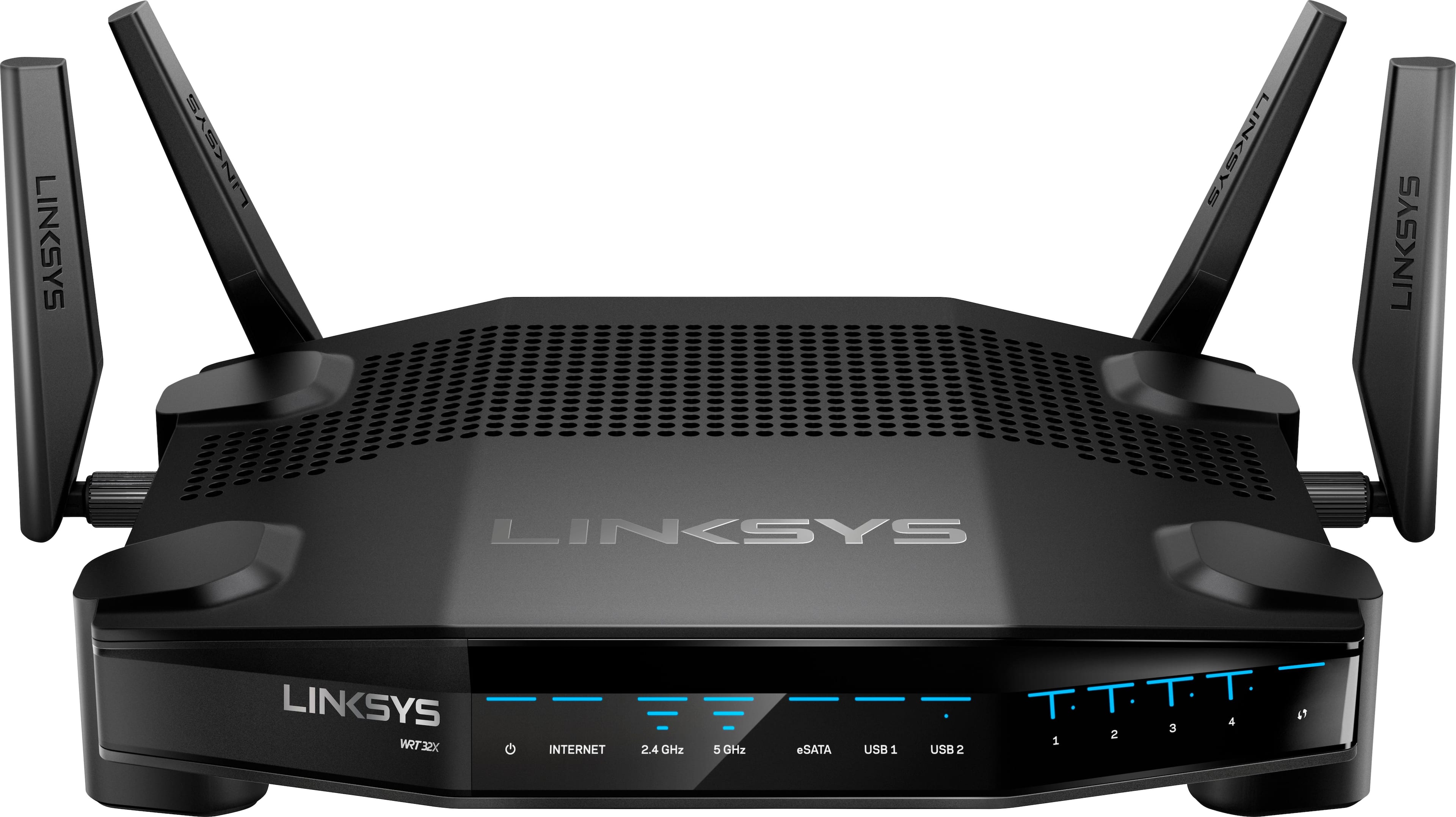
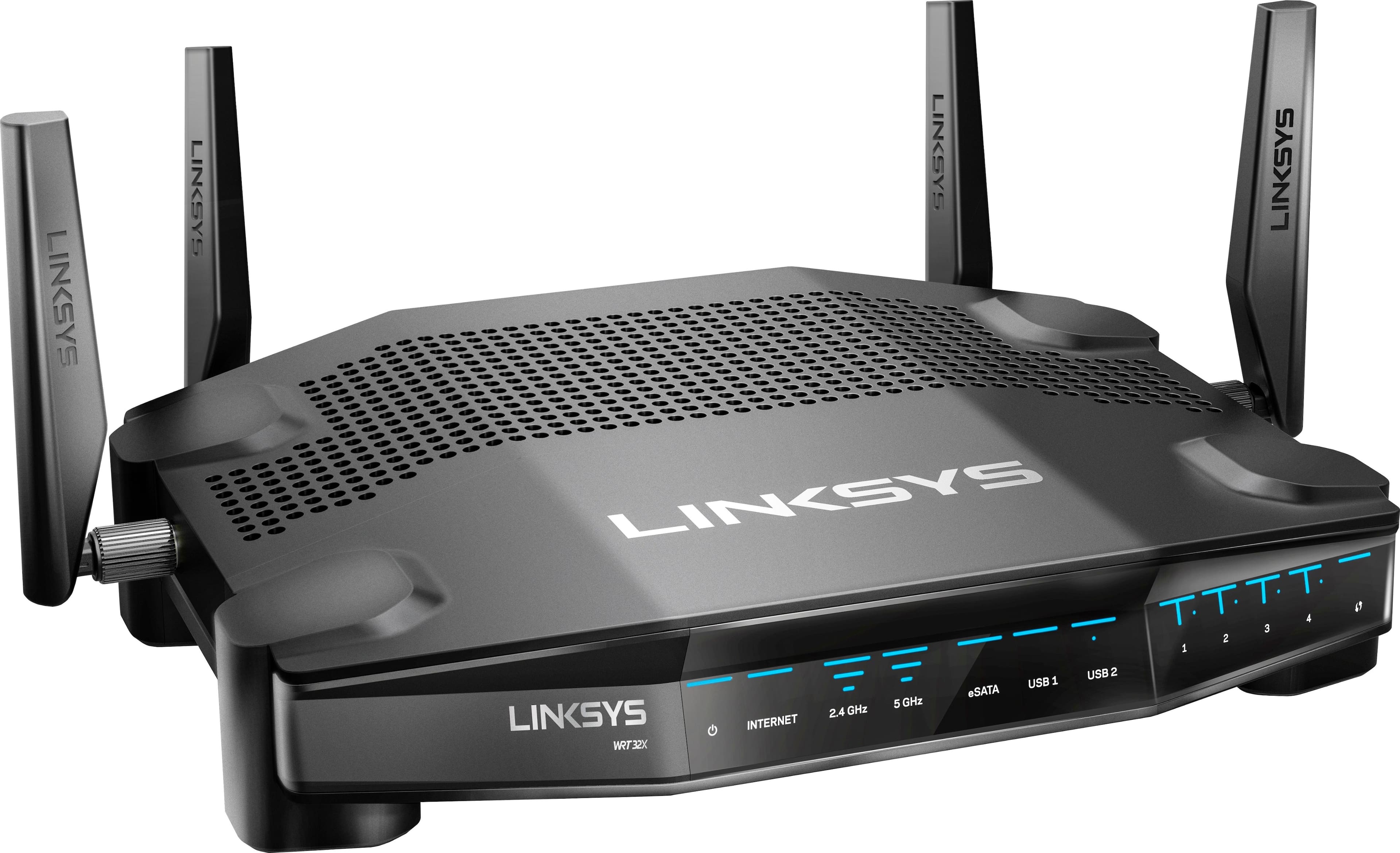
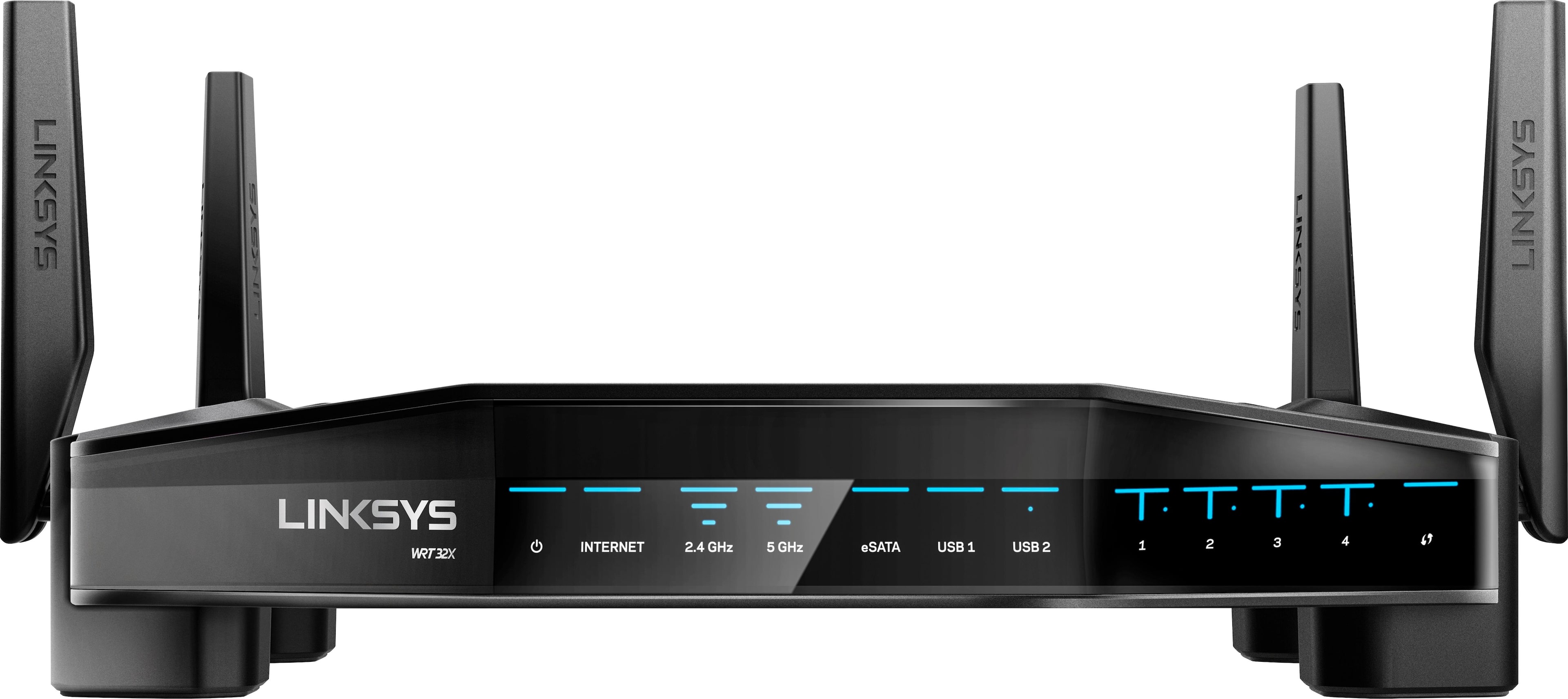
|Posted .This reviewer received promo considerations or sweepstakes entry for writing a review.Linksys WRT32X AC3200 Dual-Band Wi-Fi Router with Killer Prioritization Engine I’m setting up this router in an average one-story, 2800Sq Ft home. OK, so I’m not a gamer. But, I am a demanding internet user. I insist on the highest streaming speed. And, I’ve got quite a few wireless devices (20 including security cameras, vacuum!!, phones, computers, appliances, remotes, streaming devices, etc) all looking to share WiFi router access. I’m using Internet speed measuring software (on my phone, tablet and laptop) and some readily available network analysis software to see channel allocation and actual signal strength. A more complete evaluation should also include extensive file download measurements, but I’ll be able to see what this gaming router can do in my home. If it’s going to replace my existing setup, it had better be easy to manage and deliver maximum throughput to my devices. Out of the box, the router is a fairly compact (28 oz), rugged looking black electronic spider with 4 antenna sticking up or out as you prefer. (Sticking them all upwards seems to work well.) The blue light array indicates a variety of functions which are only useful to me when the array looks atypical after I get familiar with typical use. For those of you who find it meaningful, there are power, Internet, 5GHz, eSATA, USB(x2), LAN 1-4 connectivity, and WPS LEDs. The back of the router has a recessed RESET, WPS initiation button, a Gb Internet (WAN) port and a set of 4 Gb Lan ports. It has a USB 3.0 port and Combo eSATA/USB 2.0 port (Huh. That’s new to me). (Am I the only person who would prefer a white router (and cable/power supply), so it would be easier hide in the open?) This is an advanced MU-MIMO router that takes advantage of unused channels to allow for multiple simultaneous connections. The Killer Prioritization Engine allows YOU to set various devices for maximum performance, IF they have the corresponding chips. Typically these are in gaming computers/laptops/dedicated game machines but I could imagine more future devices having them. Hence, the reason why this router is identified as a Gaming Router. But, you give up nothing just using it for its MU-MIMO performance which is now useable by many modern wireless devices. The Gamer in your house can reach gaming nirvana without all the whining about your concurrent web browsing. Setup requires : Disconnect your old router. Connect your new WRT32X router to the carrier’s Internet modem/router. Enter the user name/password unique to your WRT32X router provided by Linksys. You can use a browser in your computer/tablet/phone to enter Linksys’ new setup software. On my MacBookPro, at this point Linksys began downloading an update to the router . . . unsuccessfully. (No need to learn about software updates; Linksys does this for you, overnight, without any input from you.) Didn’t matter; I was directed to move forward. I could enter my own Wireless network name and password at this time. I needed to be sure to close out of everything already connected to my test software and then relaunch. After a minute of fussing, I was collecting new email and reconnecting to my test software. I could manage a variety of settings easily in the new Linksys software, but I had no such need. You may want to create priorities for your devices that are eligible because they have the Priority chips. I ran my series of tests with the router at one corner of my home (service entrance for TWC@ 100MB/sec) with my various measuring devices at the opposite corner, with multiple intervening walls and all sorts electrical devices. I'm even surrounded by neighbors, all of them saturating the airwaves with their routers. My numbers, in my environment, won’t match your results. But the IMPROVEMENT from my several year old router/bridged extender setup was significant. Ping times were up to 20% faster. Continuous download speeds were more consistent and always faster. Signal strength was flat out higher; these are strong amplifiers. Very impressive. I was tempted to call the support folks just to quiz them, but it was all too easy without them. They may end up bored if my experience is typical. Yep, I’m pretty impressed with this Linksys WRT32X router, and I’m not a router aficionado. Now I can sit back with my online sports and movie streaming.
I would recommend this to a friend- Pros mentioned:Speed
Overpriced but outstanding Software Support
|Posted .This reviewer received promo considerations or sweepstakes entry for writing a review.So in terms of it being a gaming router I haven't particularly noticed any change at all on the wireless end compared to similar high end routers. Support for very high speeds, MU-MIMO. multiple USB ports for hard drives and printers it has it here. However in terms of "gaming" capability where you will find a difference is if you are a particularly hard-core PC Gamer. If you have a motherboard on your desktop that supports the killer wired network standard. Does it make a difference? Considering wired networking is already pretty awesome with just Gigabit Ethernet alone I couldn't tell the difference. Maybe to some high end enthusiasts, but to a typical core PC gamer I couldn't notice a major difference in latency, and the setup needed for such a thing is...inconvenient. That being said it is still a really awesome router. WRT Support is amazing, and the design is amazing. I just feel that it isn't exactly up front with the "gaming" capabilities. It's not on the wireless end, and you also have to have that particular style of wired networking on your desktop so if you're a console gamer this still isn't "aimed" at you, but I might still recommend it because it's still an awesome router. Wireless distance carries well, and while it won't replace a mesh network it does carry a solid amount of distance on both the 2.4 Ghz and 5 Ghz bands. Overall the router is good, but just set your expectations modestly.
I would recommend this to a friendBrand response from Linksys Staff
Posted .Hi, Lerotz,
We're more than glad to hear your thoughts towards the highs and lows of your WRT32X router. Although it is performing well, we can have one of our Escalation Engineers double check your setup so that the team can provide any necessary steps, and you can get the best out of the router's qualities. Just reach out anytime at LinksysCares@linksys.com, including the link to this post and your contact details.
Regards,
Klaudette
Linksys Support
- Pros mentioned:Performance
Great Router. Fast. Sleek. Interface King.
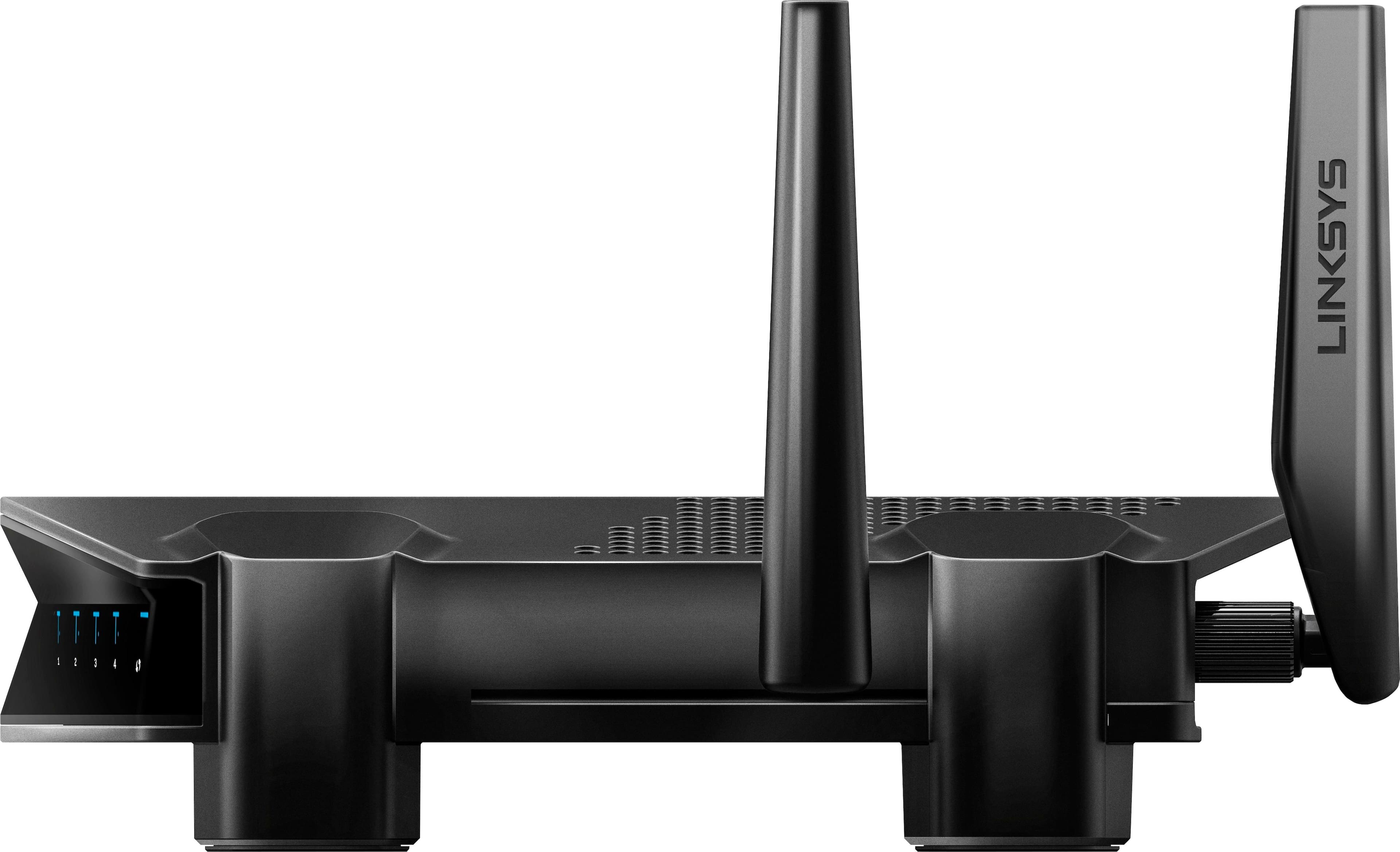
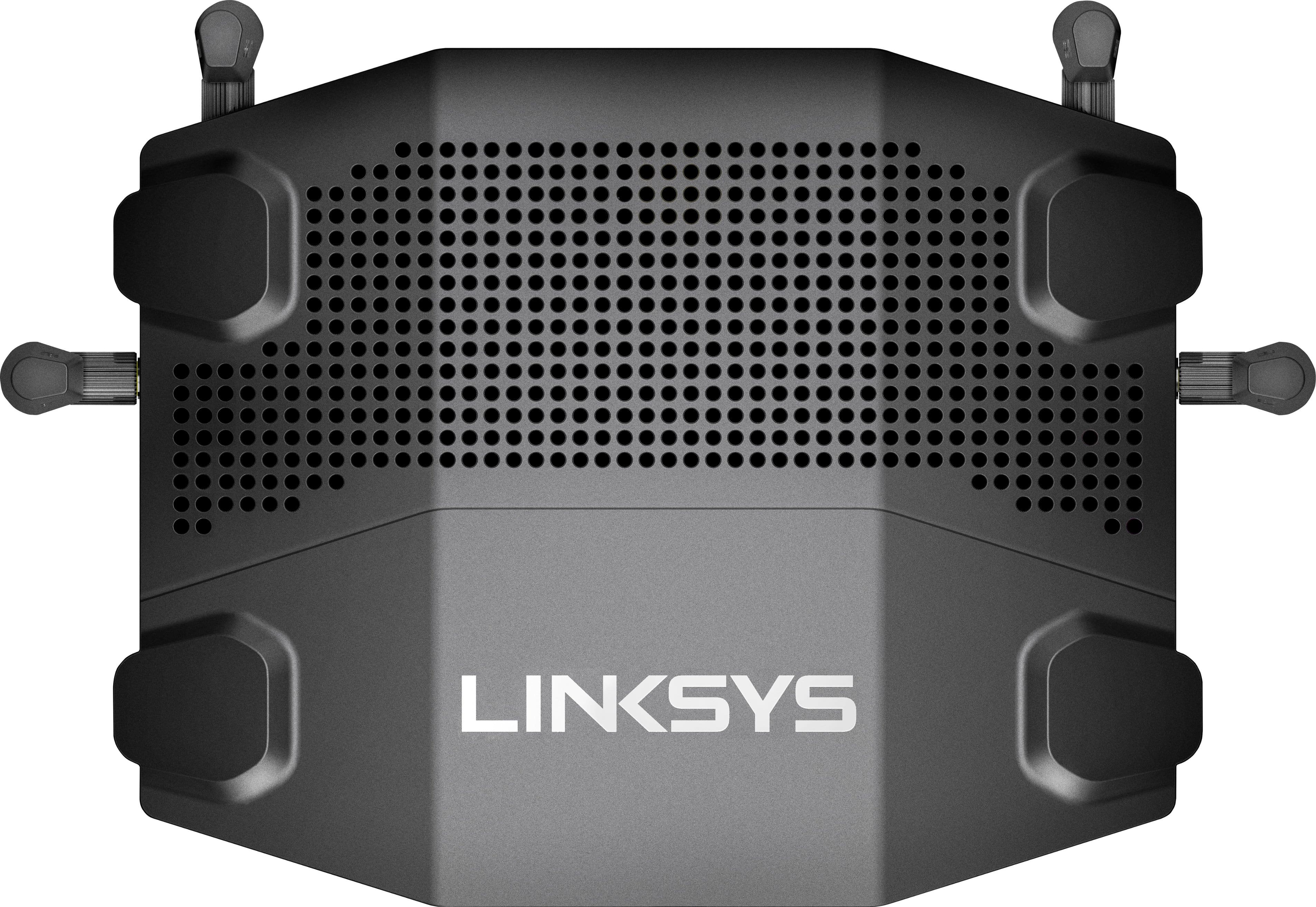
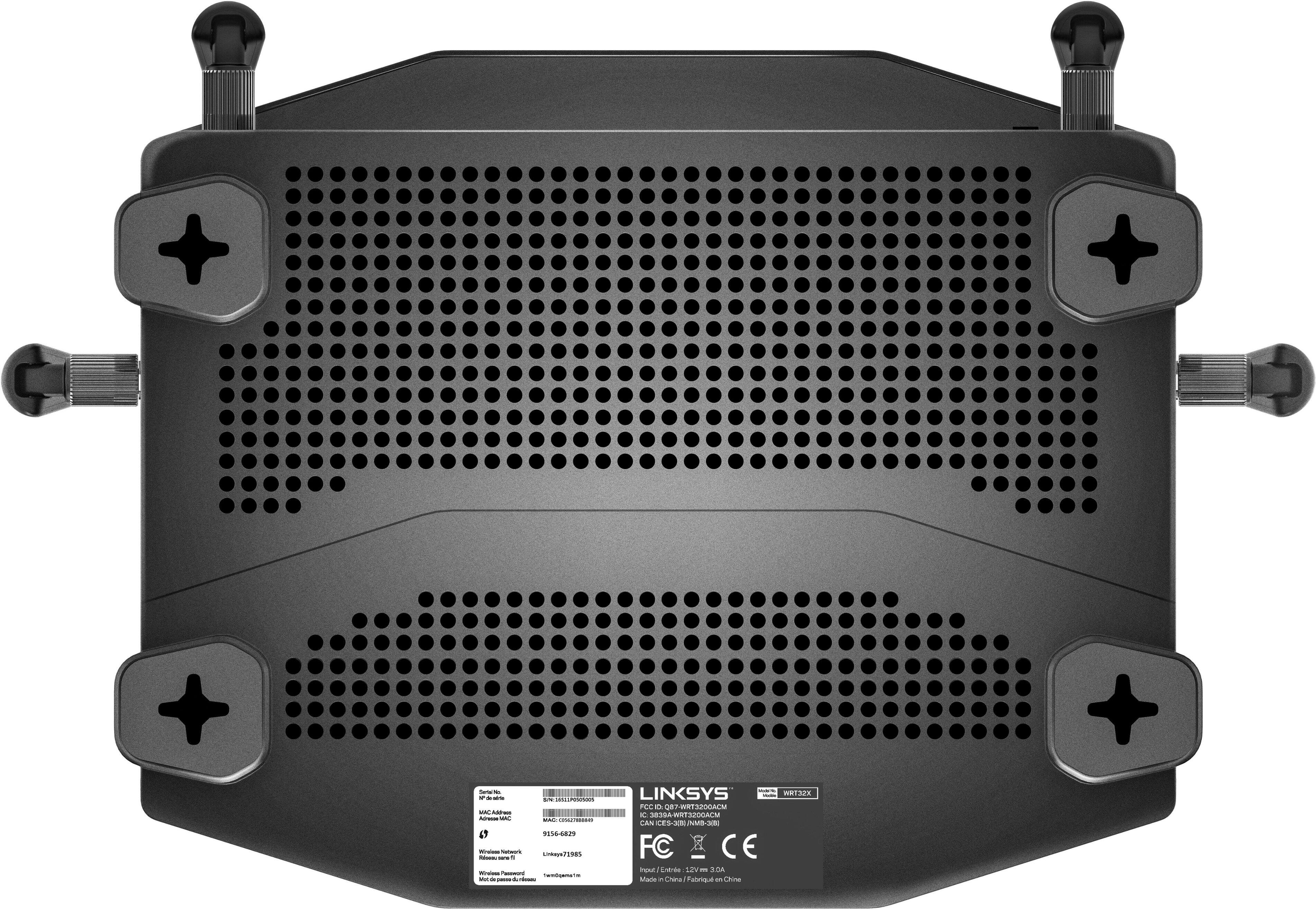
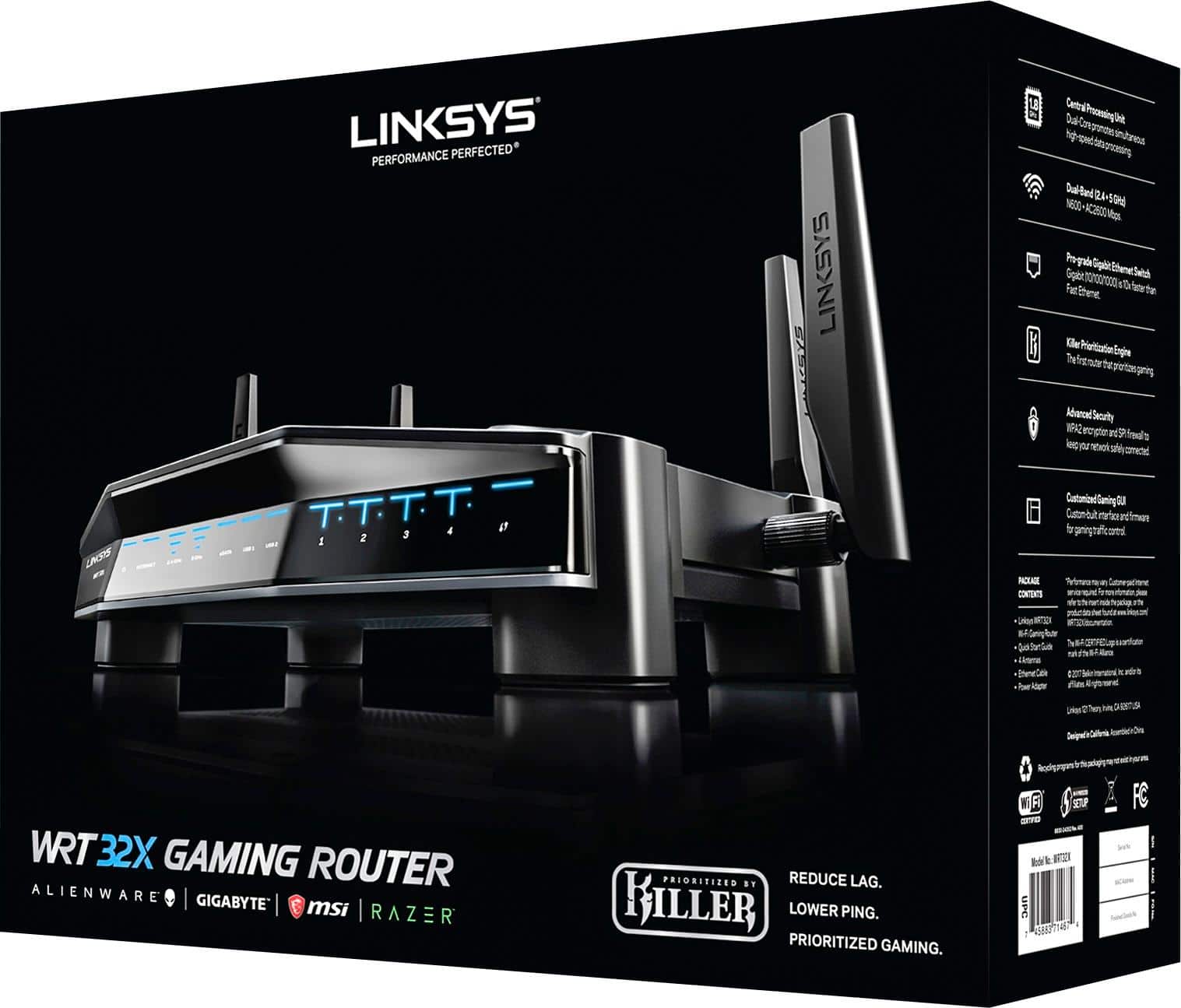
|Posted .This reviewer received promo considerations or sweepstakes entry for writing a review.This router is no doubt targeting the gaming audience; and, while that audience, most specifically those with Killer brand hardware, may see the greatest gains from its use, that does mean many without will not be pleased with its overall feature set. Included items are the router itself, its four antennas, a flat ethernet ribbon cable, a quick start guide and a power adapter. Everything is very nicely as well as meticulously packaged. There is nearly no possible manner in which anything could be damaged. Simply put, this is a nice-looking router. While there is a “slight” gaming feel to it, as one should expect as that is the target market, it is designed very well, with a sleek and muted look. No RBG here. It has a flat black color with nice blue status LEDs. Some may find them a little bright, but they can be disabled in the software. A nice feature. The main differentiator of this router is that it is the first to feature Rivet Network’s Killer Prioritization Engine (KPE), which allows the router to find PCs equipped with Killer Networking hardware. When the router finds a PC with the hardware, it can prioritize online gaming over other network activity. Those abilities aside, the router checks many of the feature and tech boxes you would expect from a higher-end and modern AC3200 router. A powerful chip, 4 ethernet ports, 1 WAN, 1 USB 3.0 port, a dual USB 2.0/ eSATA port and robust wireless protocols. OK, so, how is it? Well, to start, set-up was very easy. There is no app-based set-up, which has become quite common, rather, it is web-based. That said, it pretty much must be the nicest looking and easiest to navigate router interface I have ever used. There is a great feature set that is presented in a manner that allows the novice to feel comfortable and the expert to accomplish what they want. It is a nice change to see the stale interfaces updated. I hope more companies embrace this approach. As for performance, I can say that I am pleased. Bear in mind, I have no Killer hardware, so I had to manually prioritize my network activity. While I did not see any overly dramatic improvements, improvements were there. My pings were down, speeds were increased and I did see a decrease in video buffering and down scaling. Was everything perfect? No, but I feel that was more the limitations of my connection more than anything. Beyond sheer numbers, reception was strong in my albeit admittedly smaller living space and I had better connectivity that I did with my prior router. Overall, stable and great performance. It just worked. So, is this router worth considering? I think that depends on your connection, what you value, and your use case. If you have an absolutely blazing connection, you probably don’t have to worry about searching for network gains. That said, most of us are not so lucky, and having the ability to find performance gains where we can is a promising concept. Looking at it from that angle, regardless of your use case, it could be for you. I gained peace of mind knowing that when I wanted or needed something done, my machine was prioritized for that task. What is that worth to you? For people who game, have large networks, have taxed networks or those with bandwidth constraints, I feel this router is worth considering. For the casual user who checks e-mail and browses the web or for a person who is already happy with their wireless setup or has never given it a thought, they should probably pass.
I would recommend this to a friend - Pros mentioned:Setup, Speed
Prioritized Gaming!
|Posted .This reviewer received promo considerations or sweepstakes entry for writing a review.Sleek looking full featured wireless router. I have tried several routers in the past and this one is a beast! It has a sleek black finish to it which matches all my gaming and entertainment gear which is a plus. Easy to set up had it up and running in a matter of minutes. I noticed an improvement of speed going to my Xbox one that I have upstairs that runs on WiFi even while my wife is streaming Netflix downstairs off a Roku device. I can’t comment on the Killer Prioritization Engine because I don’t have any devices that support it but can imagine it being even better with an enabled device.
I would recommend this to a friend - Cons mentioned:Lag
Great router, easy to set up
Posted .This reviewer received promo considerations or sweepstakes entry for writing a review.I had a really bad problem with lag on my old router and for a while i just dealt with it, but after i bought this router my lag is mostly gone and only appears in small spikes instead of my usual lag-so-much-you-quit-the-game kinda lag. And the prioritization is a cool feature, i dont have any killer devices but just the normal prioritization option is useful too especially because i only have a 75 megabit plan and i share with my family. Overall a great router, now all i need is a little bit more range on it bc my house is too big for it and has many walls. But that’s just my problem
I would recommend this to a friend - Pros mentioned:Ease of use, Range
Awesome router
Posted .This reviewer received promo considerations or sweepstakes entry for writing a review.This router is fantastic and was easy to set up. Within 10 minutes I was up and running with the bands, network name, and channels that I wanted. When there are multiple users with web surfing, gaming, and streaming, there are no speed issues or other WiFi problems. I don’t have any Killer devices, so I can’t speak to that, but was one reason I purchased it to help with those Killer devices if I purchase one. The range is also very good with the powerful antennas to push the signal. I highly recommend to anyone that has multiple WiFi users or wants the customization of the router.
I would recommend this to a friend - Pros mentioned:Setup, Speed
Great choice for gamers
|Posted .This reviewer received promo considerations or sweepstakes entry for writing a review.Tend to get overwhelmed with the sheer number of options out there for routers and always wonder if I made the right choice when I buy one. This is one that will not leave you wondering if you made a good choice. It is lightening fast and handles my boys heavy gaming activity with ease. Simple to set up and forget about.
I would recommend this to a friend - Pros mentioned:Setup
Great gaming router
Posted .This reviewer received promo considerations or sweepstakes entry for writing a review.I upgraded to this router from an older linksys ac1200 router. I was getting about 35mbps down and 2mbps up to my xbox one and now I am getting about 50 mbps down and 7 mbps up. Setup was very easy. I also like the prioritization and the router dashboard that I can access from my phone. It allows me to see all devices connected to the network and set the 3 level prioritization for all of them as well. It also has a speed test feature on the dashboard. I would certainly recommend this router to a friend.
I would recommend this to a friend