Customer Ratings & Reviews





- Model:
- 960-001390
- |
- SKU:
- 5761912
Customer reviews
Rating 4.7 out of 5 stars with 2360 reviews
(2,360 customer reviews)Rating by feature
- Value4.4
Rating 4.4 out of 5 stars
- Quality4.7
Rating 4.7 out of 5 stars
- Ease of Use4.7
Rating 4.7 out of 5 stars
to a friend
Customers are saying
Customers are impressed with the webcam's image quality, ease of use, and simple setup. Many appreciate the wide field of view it offers. However, some users have expressed concerns regarding the software, focus, price, compatibility, and connectivity.
This summary was generated by AI based on customer reviews.
Rated 2 out of 5 stars
Disappointed
||Posted . Owned for 3 weeks when reviewed.This reviewer received promo considerations or sweepstakes entry for writing a review.I cannot figure out, correct, why it stops working every few minutes.
No, I would not recommend this to a friendRated 1 out of 5 stars
DOES NOT WORK WITH M1 Mac's
||Posted .This reviewer received promo considerations or sweepstakes entry for writing a review.DOES NOT WORK WITH M1 CHIPS FOR MAC! The webcam works in FaceTime but non of the software works to change the resolution to 4k. I spoke with Logitech support and they haven't released a build for it. Great idea, not possible to use it the way its intended. Displays 1080 60 out of the box
No, I would not recommend this to a friendBrand response from Logitech
Posted .Hello, thank you for sharing your experience with the 4K Pro webcam. I'm sorry that there is a delay in compatibility with the webcam when used on a Mac with the M1 chip. Thank you for reaching out to Logitech support for information on this topic. It is something Logitech is working on to resolve. I hope you are able to enjoy the other features that this webcam has to offer on your Mac set up. Thank you for being a Logitech customer. Kristi from Logitech
Rated 5 out of 5 stars
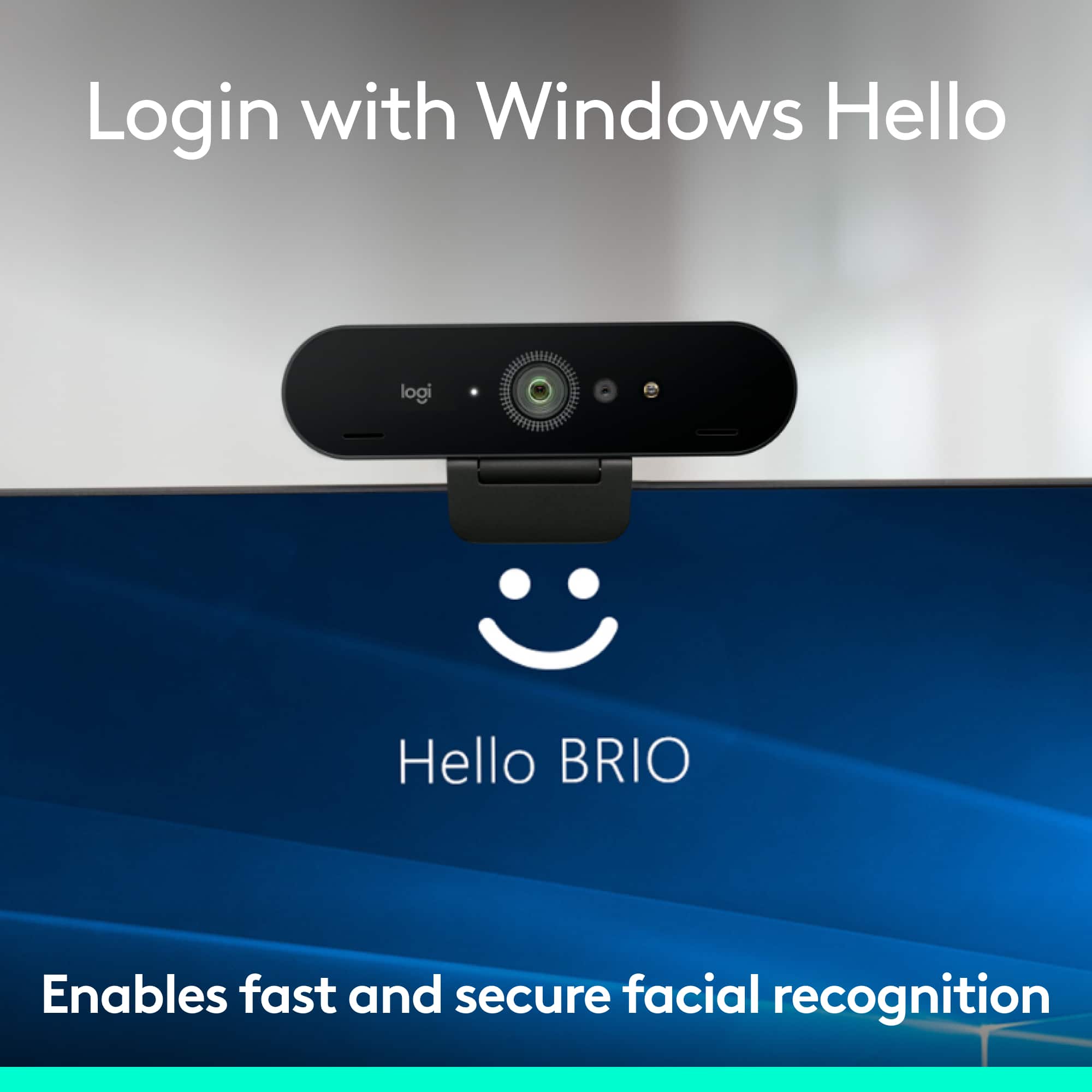
Windows Hello
||Posted .This reviewer received promo considerations or sweepstakes entry for writing a review.Windows Hello is the best way to log into a Windows PC. Works great with this camera.
I would recommend this to a friendRated 2 out of 5 stars
If you have a camera on computer don’t buy this
||Posted .This reviewer received promo considerations or sweepstakes entry for writing a review.I thought quality would have been better than PC camera but is wasn’t. So I wasted my money. Would be great if no PC camera is available though.
No, I would not recommend this to a friendRated 2 out of 5 stars
Eh, wouldn’t buy this again
||Posted . Owned for 1 month when reviewed.This reviewer received promo considerations or sweepstakes entry for writing a review.Not very good. I am going to try to return this product.
No, I would not recommend this to a friendRated 5 out of 5 stars
Smile you're on Camera
||Posted .This reviewer received promo considerations or sweepstakes entry for writing a review.Perfect enhancement that allows me to post and record with ease
I would recommend this to a friendRated 5 out of 5 stars
It’s awesome
||Posted .This reviewer received promo considerations or sweepstakes entry for writing a review.This is pretty cool Logitech is always been good choice
I would recommend this to a friendRated 1 out of 5 stars
Horrible quality for the price
||Posted .This reviewer received promo considerations or sweepstakes entry for writing a review.The quality of this camera is awful. So bad in fact I returned my first one thinking it was defective. The picture is really grainy and I have to sit far back from my monitor for my face to be clear. A firmware update helps a little bit when you first set it up but it's really not worthy of a $200 pricetag, you're better off getting the c922 pro stream.
No, I would not recommend this to a friendRated 1 out of 5 stars
Good quality, sadly audio/video sync issues
||Posted .This reviewer received promo considerations or sweepstakes entry for writing a review.I purchased the brio to improve the video quality of my Youtube live streams, unfortunately there were unsolvable audio/video sync issues. I use Wirecast Studio for the live streams and it just did not sync. The c920 does sync perfectly though.
No, I would not recommend this to a friendBrand response from Logitech
Posted .Hello, we are sorry to hear about your issues with the Brio audio/video. We hope that the C920 has suited you well. If you ever have any questions or concerns please visit us for support at support.logitech.com
Rated 1 out of 5 stars
Awful Audio Performance
||Posted .This reviewer received promo considerations or sweepstakes entry for writing a review.The mic mutes in the middle of the recording with no notice. I have been on the phone with logitech and nothing they do will make it work. Now after reading reviews I see that it is a common complaint. You would think that with a company as large as this they would take care of this software issue. It makes the unit worthless as a web cam. Expensive paper weight.
No, I would not recommend this to a friendRated 1 out of 5 stars
DO NOT BUY - Mic fails constantly.
||Posted . Owned for 7 months when reviewed.This reviewer received promo considerations or sweepstakes entry for writing a review.This webcam only works intermittently. It constantly cuts out the mic while in the middle of a zoom meeting and you have to unplug it and plug it back in to get it to work.
No, I would not recommend this to a friendBrand response from Logitech
Posted .That sounds like an issue and we truly apologize for the inconveniences caused. We'd recommend to get in touch with the Logi Support Team in this case and the team will definitely walk you through all the available options, next steps, and best possible solution.
Rated 1 out of 5 stars
Is it a good camera? Bad clarity of image
||Posted . Owned for 1 month when reviewed.This reviewer received promo considerations or sweepstakes entry for writing a review.Downloaded 3 separate programs on laptop to try and adjust image on this camera… non work and all are difficult to decipjer…. Supposedly good camera but i get fizzy image every time!
No, I would not recommend this to a friendBrand response from Logitech
Posted .Hello Kimgnow, we are so sorry to hear that the 4K Pro webcam is not meeting your expectations. At Logitech, it is our goal to ensure you are completely satisfied with your Logitech purchase. We take pride in the products and services we offer, and want our customers to enjoy them just as much as we do. At the end of this messaged, I attached our FAQ's to get your webcam working to the best of its ability. We look forward to hearing from you soon with an updated review. Again, we apologize for any inconvenience we may have caused. Thank you and have a great day. -Ricky from Logitech. https://support.logi.com/hc/en-us/articles/4402711287831-FAQ-4K-Pro-Webcam
Rated 1 out of 5 stars
Focus issue.
||Posted . Owned for 1 year when reviewed.This reviewer received promo considerations or sweepstakes entry for writing a review.Used it for busines meeting. Webex and MS Teams. Horrible focus. Blurred video quality most of the time. I prefer my c920 most of the time.
No, I would not recommend this to a friendBrand response from Logitech
Posted .Thanks for your valuable feedback and inputs. We regret to know that the product did not meet your expectations. We'll make sure to share it with the right team so they can look into it.
Rated 1 out of 5 stars
Waste of money
||Posted . Owned for 11 months when reviewed.This reviewer received promo considerations or sweepstakes entry for writing a review.Ive had it for one year and it no longer works. I used it with my macbook air and the cable that connects behind the camera never fit tightly. Now its just loose and doesn’t connect at all to my zoom calls. Waste of money.
No, I would not recommend this to a friendBrand response from Logitech
Posted .Thank you for your feedback! For support, please refer to: https://support.logi.com/hc/en-us/articles/4402711286295-Getting-Started-4K-Pro-Webcam - Will, Logitech.
Rated 1 out of 5 stars
Died shortly after purchase
||Posted . Owned for 1 month when reviewed.This reviewer received promo considerations or sweepstakes entry for writing a review.Haven’t even had a month and half and camera stopped working. Switched USB ports and different computers and won’t work. Plugged other devices in ports and they work fine. Expensive piece of garbage.
No, I would not recommend this to a friendBrand response from Logitech
Posted .Hello, I am so sorry to hear the webcam stopped working for you only after a month. This device does come with a 1 year warranty, so we can get that replaced for you. Here is the link in order to file a claim: https://support.logi.com/hc/en-us/articles/4402711294871-Warranty-4K-Pro-Webcam. I hope this helps! Thank you for taking the time to write this review, we appreciate the feedback.
-Danielle from Logitech
Rated 1 out of 5 stars
DO NOT BUY! - Windows Hello Broken
||Posted .This reviewer received promo considerations or sweepstakes entry for writing a review.Windows hello has been broken since a windows update a number of months ago. Logitech has done nothing to fix this other then blame Microsoft, as this is they key selling point for the device (at least to me) I highly advise against buying it.
No, I would not recommend this to a friendRated 1 out of 5 stars
another fail
||Posted . Owned for 1 month when reviewed.This reviewer received promo considerations or sweepstakes entry for writing a review.i have 5 cameras and this is the most expensive...noise canceling..the sound is horrible..the picture quality is terrible...if you move it it shuts off..piece of crap
No, I would not recommend this to a friendBrand response from Logitech
Posted .Hello josh,
I am sorry that the 4K Pro Webcam is not working as you expected. I recommend downloading Logitech capture or G HUB and syncing your camera to update the firmware and access advanced settings. Logitech appreciates your product review. - Leo from Logitech
Rated 1 out of 5 stars
Garbage - Super Grainy with lighting
||Posted . Owned for 4 months when reviewed.This reviewer received promo considerations or sweepstakes entry for writing a review.Garbage. Picture is grainy and also flickery. I have tried adding lights and more and nothing fixes the terrible picture. Lots of complaints online about the same problem.
No, I would not recommend this to a friendBrand response from Logitech
Posted .Hi Busyboypro,
I am sorry that you are not enjoying your Logitech 4k camera. This type of issue with external webcams is often caused by the computer's OS not downloading the latest device drivers properly. For the same reason, I recommend you download Logitech G HUB to update your Logitech webcam with the latest drivers. In addition, this free software will allow you to synchronize your Logitech Litra light with your Logitech camera, allowing you to adjust the camera settings and light settings jointly for better professional-quality video capture. I hope you find this information helpful so you can enjoy your Logitech 4k PRO webcam as intended.
- Leo from Logitech.
Rated 1 out of 5 stars
Not worth the $$
||Posted . Owned for 3 weeks when reviewed.This reviewer received promo considerations or sweepstakes entry for writing a review.Not a great product!!! For the price it really doesn’t provide what you would expect.
No, I would not recommend this to a friendBrand response from Logitech
Posted .Thank you so much for your valuable feedback. We'll definitely make sure that this is communicated with the relevant team for them to check it out.
Rated 1 out of 5 stars
Hot garbage for the price
||Posted . Owned for 6 months when reviewed.This reviewer received promo considerations or sweepstakes entry for writing a review.Very bad quality for the price. Decade old smart phone has better picture quality
No, I would not recommend this to a friendBrand response from Logitech
Posted .We understand your displeasure and we will forward it along to the right team so they can look into it. Thanks for bringing this to our attention.