Customer Ratings & Reviews
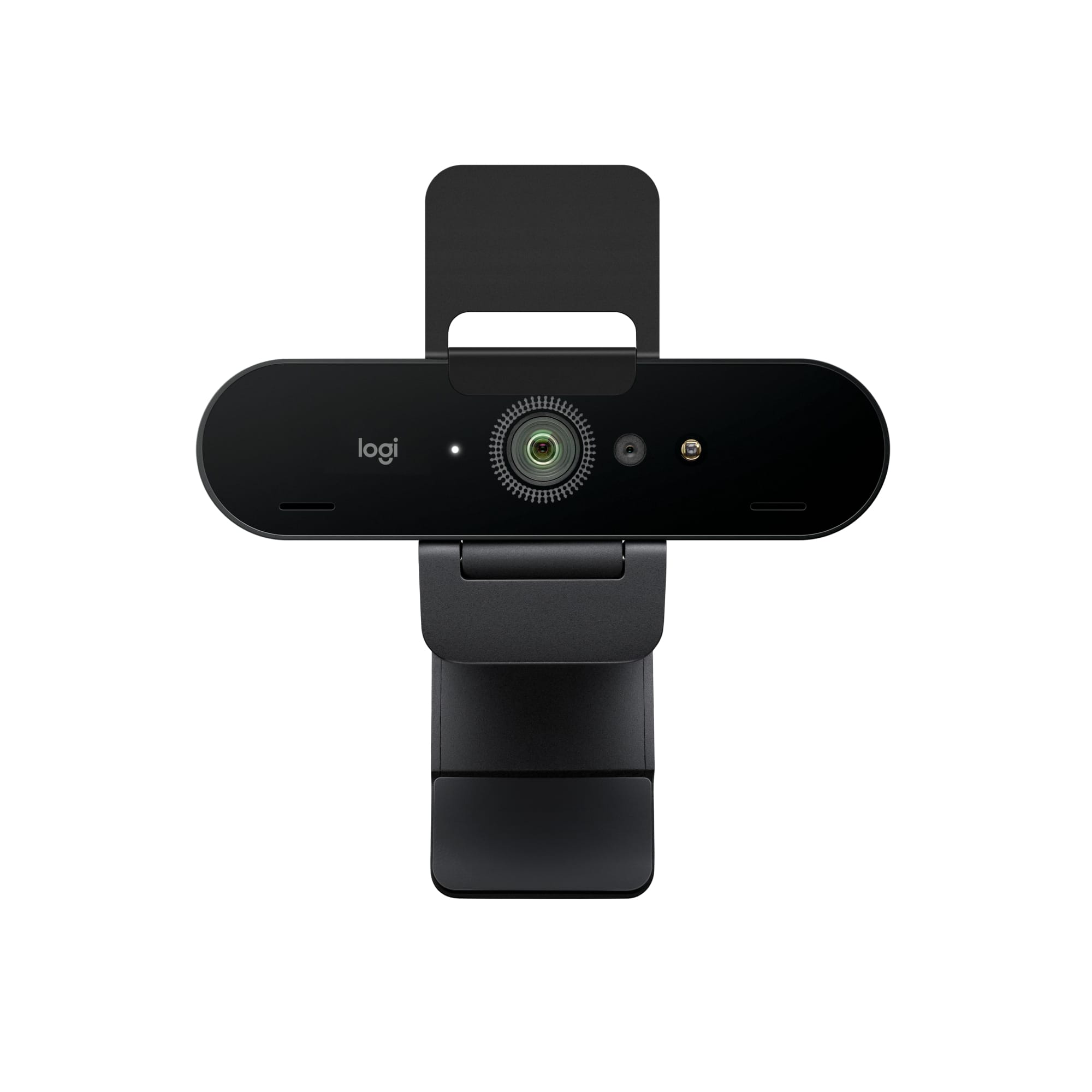





- Model:
- 960-001390
- |
- SKU:
- 5761912
Customer reviews
Rating 4.7 out of 5 stars with 2360 reviews
(2,360 customer reviews)Rating by feature
- Value4.4
Rating 4.4 out of 5 stars
- Quality4.7
Rating 4.7 out of 5 stars
- Ease of Use4.7
Rating 4.7 out of 5 stars
to a friend
Customers are saying
Customers are impressed with the webcam's image quality, ease of use, and simple setup. Many appreciate the wide field of view it offers. However, some users have expressed concerns regarding the software, focus, price, compatibility, and connectivity.
This summary was generated by AI based on customer reviews.
Rated 1 out of 5 stars
Nope
||Posted . Owned for 2 weeks when reviewed.This reviewer received promo considerations or sweepstakes entry for writing a review.50 character review?! In that case, do not purchase
No, I would not recommend this to a friendBrand response from Logitech
Posted .Hey! We sincerely regret if our product provided you with a inferior experience. We understand your displeasure and apologize for any issues that arise.
Rated 1 out of 5 stars
Not good for people of color
||Posted . Owned for 2 weeks when reviewed.This reviewer received promo considerations or sweepstakes entry for writing a review.The color was not good and the image quality was poor for people.of color, making the shoot out of focus and had to watch
No, I would not recommend this to a friendBrand response from Logitech
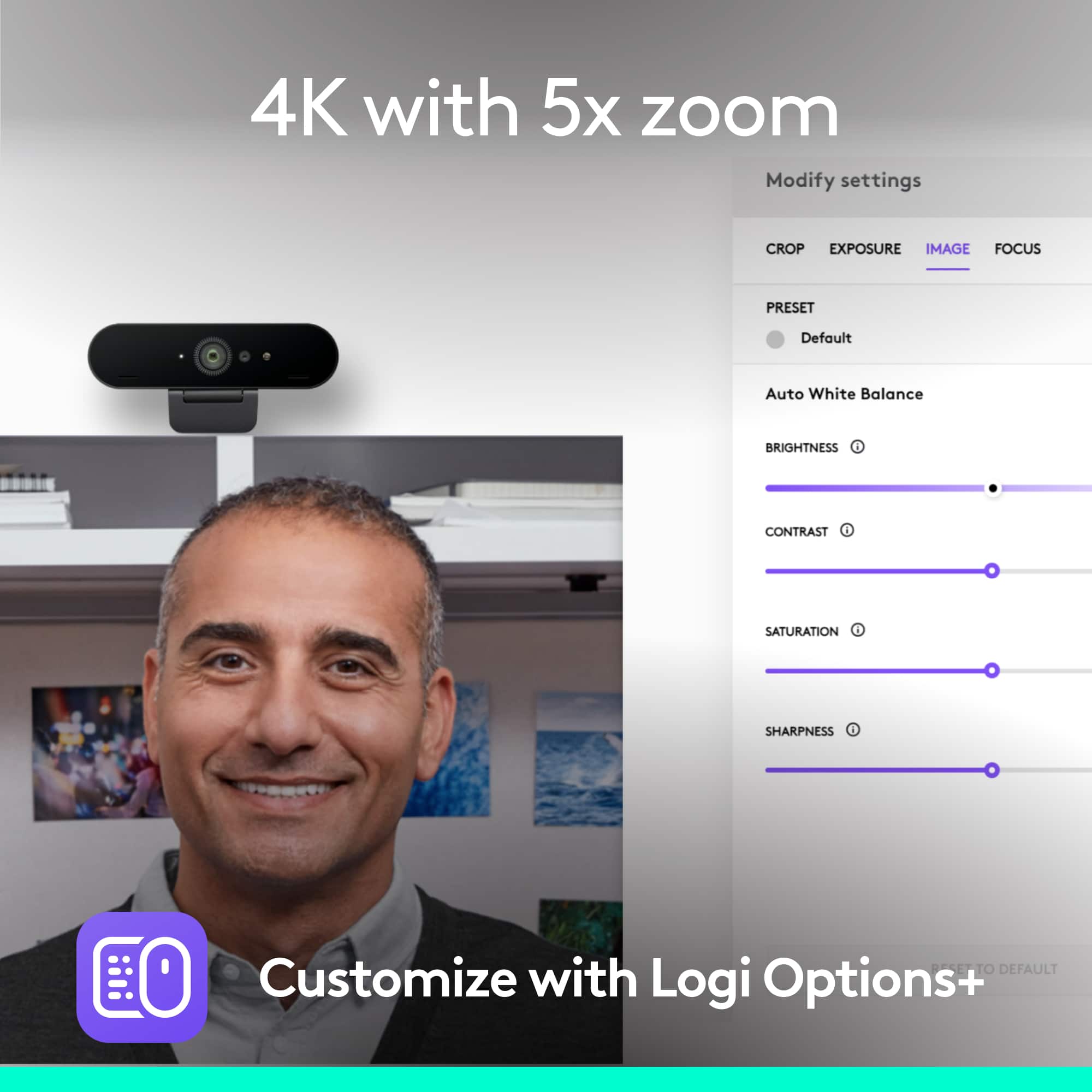
Posted .Hey there TCLTV, I'm sorry to hear that you had some issues with your 4k pro webcam. I would recommend downloading our Logitech Capture Software, which should give you more options like manual focus, tilt and pan, etc. to help you customize your camera further. -Weston from Logitech
Rated 1 out of 5 stars
Dont be fooled it displays 1080p
||Posted . Owned for 1 month when reviewed.This reviewer received promo considerations or sweepstakes entry for writing a review.No diffrent from any other webcam my cell phone is better quality
No, I would not recommend this to a friendBrand response from Logitech
Posted .Logitech 4K Pro offers Multiple resolutions i.e., 4K/30fps: up to 4096 x 2160 pixels, 1080p/30 or 60 fps: up to 1920 x 1080 pixels and 720p/30, 60, or 90 fps: up to 1280 x 720 pixels. We recommend that you contact Logitech support for any assistance as they're well equipped to assist you with the necessary steps and also will let you know any available options.
Rated 1 out of 5 stars
Low quality image
||Posted .This reviewer received promo considerations or sweepstakes entry for writing a review.Don’t get this camera, if you planning to stream on twitch , low quality even though it says 4k
No, I would not recommend this to a friendBrand response from Logitech
Posted .Hello IVAN,
I am sorry that the 4K PRO webcam did not meet your expectations. Try connecting it to a USB 3.0 port or faster. I hope you find this information useful. Logitech appreciates your product review. - Leo from Logitech
Rated 1 out of 5 stars
4k!? Get Real!!
||Posted . Owned for 3 weeks when reviewed.This reviewer received promo considerations or sweepstakes entry for writing a review.This camera does not look like 4k. It looks horrible
No, I would not recommend this to a friendBrand response from Logitech
Posted .Sorry about the experience, there maybe image issues. Please reach out to our Logi Support team for further assistance.
Rated 1 out of 5 stars
Worked good the first time and then died.
||Posted .This reviewer received promo considerations or sweepstakes entry for writing a review.Worked good the first time and then died. Haven't been able to get it to work or turn on since the first time.
No, I would not recommend this to a friendBrand response from Logitech
Posted .Hello, we are sorry to hear that you are having issues with your 4K Pro Webcam . You may reach us for support by opening a Technical Support ticket here: https://support.logi.com/hc/en-us/requests/new?ticket_form_id=360000621393
Rated 1 out of 5 stars
1994 webcam quality
||Posted . Owned for 3 months when reviewed.This reviewer received promo considerations or sweepstakes entry for writing a review.All my reviews contain inappropriate language even just this apparently
No, I would not recommend this to a friendRated 1 out of 5 stars
way over priced
||Posted .This reviewer received promo considerations or sweepstakes entry for writing a review.this product is way over priced, you should find a better deal else where
No, I would not recommend this to a friendRated 1 out of 5 stars
No good I I want to return
||Posted . Owned for 3 weeks when reviewed.This reviewer received promo considerations or sweepstakes entry for writing a review.No nonononono No good I I want to returnnonononono
No, I would not recommend this to a friendBrand response from Logitech
Posted .We're sorry to hear that you wish to return the webcam. If there are any issues with the product, you can surely contact Logi support and the team will come up with the best possible solution.
Rated 1 out of 5 stars
):
||Posted . Owned for 1 month when reviewed.This reviewer received promo considerations or sweepstakes entry for writing a review.Got it for a friend but nobody joined his streams.
No, I would not recommend this to a friendBrand response from Logitech
Posted .We value your input. Thank you for sharing your thoughts!
Rated 1 out of 5 stars
Barely made it 1.5 years
||Posted .This reviewer received promo considerations or sweepstakes entry for writing a review.Has been very flaky / difficult to use, dead now. Difficult to mount.
No, I would not recommend this to a friendBrand response from Logitech
Posted .Hi! Sorry to see you weren't completely satisfied with the 4K Pro Webcam. You can always contact someone from the Logitech Tech support department for more assistance. But Ii you have any questions, check out the Logitech support page at https://prosupport.logi.com/hc/en-us/articles/360040085833. I hope that helps.
Rated 1 out of 5 stars
Return
||Posted . Owned for 1 year when reviewed.This reviewer received promo considerations or sweepstakes entry for writing a review.Return product. Not needed or wanted at this time
No, I would not recommend this to a friendBrand response from Logitech
Posted .We're sorry to hear that you had to return the product. Hope you find the best suitable Logitech webcam in the future! 😃
Rated 1 out of 5 stars
No 4K
||Posted . Owned for less than 1 week when reviewed.This reviewer received promo considerations or sweepstakes entry for writing a review.Avoid this camera. It wont run in 4K mode. And in 1080p it looks like 480. Way too much for this poor of a camera.
No, I would not recommend this to a friendRated 1 out of 5 stars
Junk
||Posted .This reviewer received promo considerations or sweepstakes entry for writing a review.Junk Junk junk junk junk junk junk junk junk junk junk
No, I would not recommend this to a friendBrand response from Logitech
Posted .Hello Junk,
I am sorry that the 4K Pro webcam did not meet your expectations. Although the 4K Pro webcam is one of the highest user reviews rated webcams in the market, Logitech understands that everyone has different needs, and that is why Logitech offers a wide range of webcams to choose from. Feel free to check other Logitech webcams to find a perfect fit for your needs. Logitech appreciates your product review. - Leo from Logitech
Rated 1 out of 5 stars
Never again
||Posted . Owned for 3 weeks when reviewed.This reviewer received promo considerations or sweepstakes entry for writing a review.The person who came to my house did not know how to do the job I paid for.
No, I would not recommend this to a friendBrand response from Logitech
Posted .Hi Donald, I'm sorry to hear that your experience with an installer was not ideal. I hope you reached out to the retailer about this issue. I hope that you are enjoying the 4k Pro webcam from Logitech that was purchased. If you have questions about the webcam please visit support.logi.com for info about the webcam or assistance. Thank you for being a Logitech customer. Kristi from Logitech
Rated 1 out of 5 stars
Bad item
||Posted . Owned for 1 month when reviewed.This reviewer received promo considerations or sweepstakes entry for writing a review.Garbage, horrible mic that constantly failed to connect
No, I would not recommend this to a friendBrand response from Logitech
Posted .Hello monitor,
I am sorry to hear you are having an issue using your Logitech PRO 4K webcam. The camera should be connected to the computer directly and not the monitor. Also, go into the application settings you are trying to use with the camera and choose the PRO webcam as your video capture device. And you can download Logitech Capture to access the advanced camera settings. Logitech appreciates your product review. - Leo from Logitech
Rated 1 out of 5 stars
Only for direct face viewing.
||Posted . Owned for 3 weeks when reviewed.This reviewer received promo considerations or sweepstakes entry for writing a review.What kind of stupidity is this... it doesn't rotate?
No, I would not recommend this to a friendBrand response from Logitech
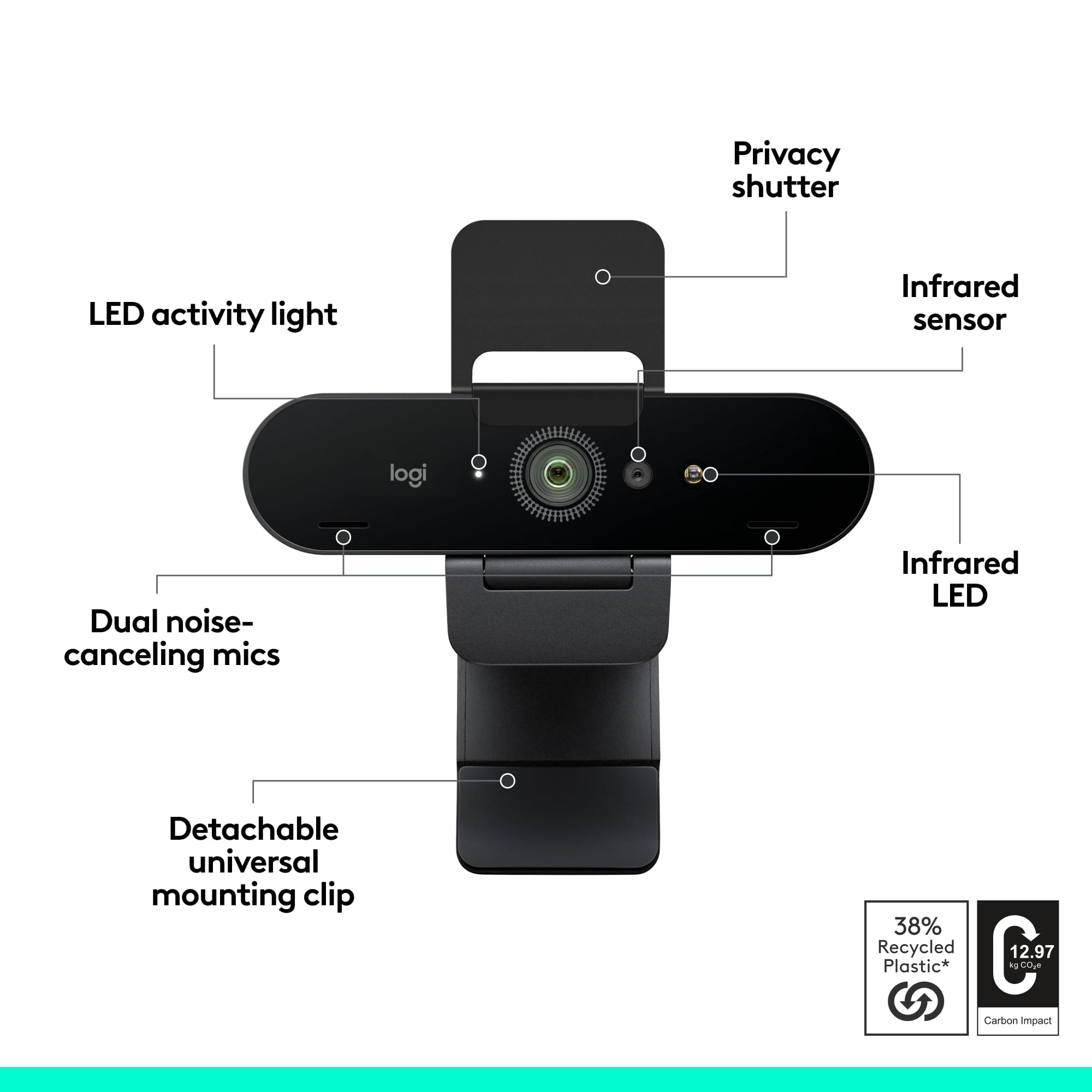
Posted .Hello Nick. Thank you for taking the time to share your experience with the 4K Pro Webcam. The webcam features a removable mount that reveals a standard tripod mount underneath. With the clip, the webcam is locked in a forward position, but if you take that off, you can put it on any tripod and have full range of motion.
-Charlton at Logitech
Rated 1 out of 5 stars
Blurry
||Posted . Owned for 1 month when reviewed.This reviewer received promo considerations or sweepstakes entry for writing a review.Blurry and and works terribly. It doesn't work well
No, I would not recommend this to a friendBrand response from Logitech
Posted .Hello. I'm sorry to hear that you're not happy with your 4K webcam. There are a couple things that could be causing this issue: 1. If you have not yet, please download and install Logitech Capture on your computer. It will make sure your firmware is up to date and also give you a lot of customization options for your webcam. 2. If you have the USB plugged into a USB hub, please plug it directly into the computer. 4K is a lot of data being transmitted and every additional connection will degrade the quality of your image. If this is still not helping, please contact our support team at support.logi.com
-Charlton at Logitech
Rated 1 out of 5 stars
THIS IS NOT 4K
||Posted . Owned for 2 weeks when reviewed.This reviewer received promo considerations or sweepstakes entry for writing a review.This is NOT a 4K camera. Resolution is only 1920x1080.
No, I would not recommend this to a friendBrand response from Logitech
Posted .Hi Steverogalinski,
What you might be experiencing is only what your monitor can handle. You'd need a monitor that can handle 4K output, otherwise it will resort to the next highest capability, being 1080p.
Hope this helps,
-Logitech
Rated 1 out of 5 stars
Product failed in short time
||Posted . Owned for 3 months when reviewed.This reviewer received promo considerations or sweepstakes entry for writing a review.Didn’t last but two months. Worked for a morning meeting, was unresponsive for an afternoon meeting. Hasn’t worked since. Complete waste of money.
No, I would not recommend this to a friendBrand response from Logitech
Posted .Hello, Radar! I'm sorry to hear about your experience with the 4K Pro webcam! I would recommend reaching out to our support team here https://support.logi.com/hc/en-us/requests/new?ticket_form_id=360000621393 to file a warranty claim. The 4K Pro has a 1-year limited hardware warranty. Thank you for the feedback on your webcam! I will be passing this along. - Maggie from Logitech