Customer Ratings & Reviews



- Model:
- 920-013278
- SKU:
- 6589604
Rating by feature
- Value
Rating 4.5 out of 5 stars
- Quality
Rating 4.5 out of 5 stars
- Ease of Use
Rating 4.6 out of 5 stars
Customers are saying
Customers praise the product's excellent keyboard quality, ease of use, and robust protection. They also appreciate its flexible kickstand, good fit, and thoughtful design. However, some customers have noted that the product adds a significant amount of weight.
This summary was generated by AI based on customer reviews.
- Pros mentioned:Keyboard quality, Protection

Great Case for the iPad Air 13"
|Posted .This reviewer received promo considerations or sweepstakes entry for writing a review.TL;DR: 1. SETUP: It was simple 2. USE: It’s straightforward and easy to use 3. USABILITY: The case protects agains minor drops and the keyboard works well on a flat surface 4. OVERALL: It works and functions well to protect the iPad with or without the keyboard attached The two keyboard cases I was looking at were the Logitech Combo Touch and the Apple Magic Keyboard. I’ve used them both before on various other iPads. The things I most like about both of them are they have trackpads and their keys are the same, which mirror my MacBook Pro. The reasons I typically go for the Logitech are: 1. It’s very stable on a flat surface or your lap 1. But the keyboard isn’t as rigid and as it flexes, it automatically clicks the keys and will make errors 2. It has an outer protective case you can use if you remove the keyboard and for accidental drops The reasons I like the Apple Magic Keyboard are: 1. You can add a case to it for customization 1. But that comes as added bulk 2. The keyboard is a little more rigid and stable on not flat surfaces 1. But the portion holding the iPad up isn’t as stable, but the base of the keyboard is From my experiences with on-the-go usage, the Logitech will protect better than the Apple. For either, but specifically the Logitech, set up was simple. You don’t need to, but I downloaded the app to get realtime updates for the keyboard. Just put the case on with the keyboard and you’re ready to go. There is a spot for an Apple Pencil…and it works great. I would say it’s stable 99% of the time. It doesn’t have a physical dock you can snap it into, but uses the magnetic portion of the iPad. It may have only fallen off once…so it’s something to think about, but nothing of real concern. Usage is great. It helps make it feel like a MacBook when needed and an iPad when wanted. The stand it great. It is stable and works on a variety of surfaces, from your lap to the desk. If I need the keyboard to flex less [typically when I’m working off my lap, I put a notebook under it for safety…although that’s only when it starts to flex (if if starts)]. Overall. I really like this case and have them for 2 of my iPads. The feeling is nice, but sort of soft plasticky. I would like to see a different material. It’s okay, but doesn’t feel overly premium. It’s still worth it and easy to clean. I find myself using the entire case, as I figure I’d mostly just use the case with the stand, but I really like using it with the keyboard. Get one…you’ll enjoy it.
I would recommend this to a friendBrand response from Logitech
Posted .Thank you for your detailed review of the Logitech Combo Touch for iPad Air 13-inch (M4 chip) Keyboard Case! We appreciate your insights into the product's features and your comparison with the Apple Magic Keyboard. We'll continue to work on improving our product offerings to address potential limitations and cater to diverse user preferences.
- Pros mentioned:Keyboard quality
Our iPad is protected, fun and more functional
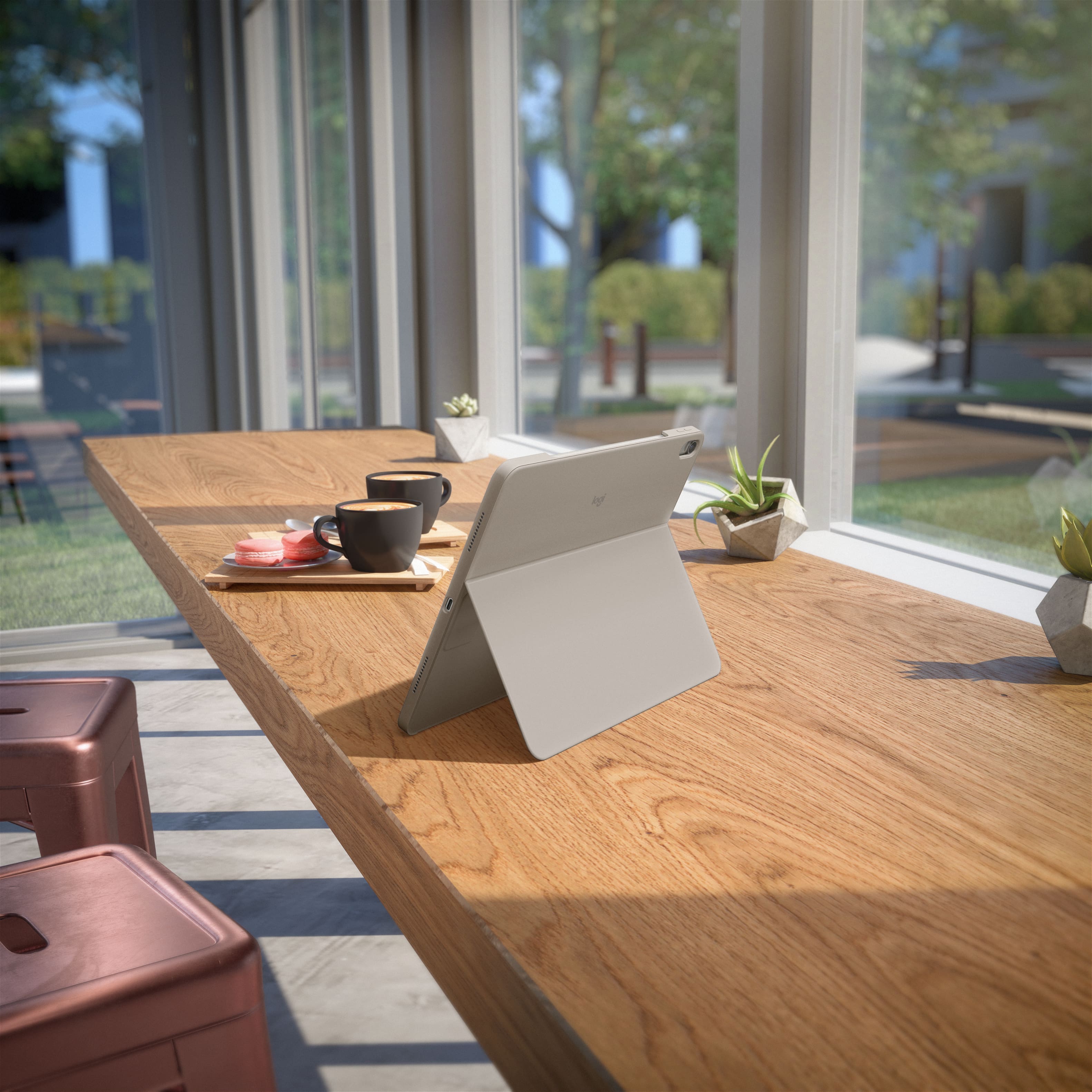
|Posted .This reviewer received promo considerations or sweepstakes entry for writing a review.At our house we got an iPad Air that we share and we try to keep it protected with a case but now with the Logitech Combo Touch, it works much better. The Logitech combo touch makes our iPad Air not only look better; it has made us more confident on carrying it around the house. Both the color and its high quality feel make the iPad look better. The case is sturdy yet lightweight; we are no longer worried about getting scratches on it any longer. And the detachable keyboard makes it easier to use when typing or even using the trackpad. We really like the backlit keyboard, not only is it thin, it is comfortable, soft and quiet. And the large multi touch trackpad is easy to use and it performs great. We can swipe, pinch and other functions and it works. Something else to like is its connectivity, it does not need a Bluetooth connection or for it to be wired. The case when on the iPad it connects right away, and connecting the keyboard is just putting it together to the case and their magnets keeps them both together. The kickstand on the case is very useful, it makes it easy to watch videos, reading content and even sketching or typing a document. It is best to use the kickstand on a flat sturdy surface with or without the keyboard. Overall the Logitech Combo Touch for iPad Air is a great idea to keep it protected from scratches as well as having a backlit keyboard that we can type on even in a low light room. It has made typing much easier and faster. The kickstand makes it much easier to read or even watch videos on it and when it is put away, it stays put due to its magnet.
I would recommend this to a friendBrand response from Logitech
Posted .Thank you for your amazing review of the Logitech Combo Touch for iPad Air 13-inch (M4 chip) Keyboard Case! We're thrilled to hear that it's not only protecting your iPad but also enhancing its functionality. Your positive feedback means a lot to us as we continue to create exceptional products that elevate your iPad experience.
- Pros mentioned:Fit, Keyboard quality
Well built case/keyboard combo for your iPad Air
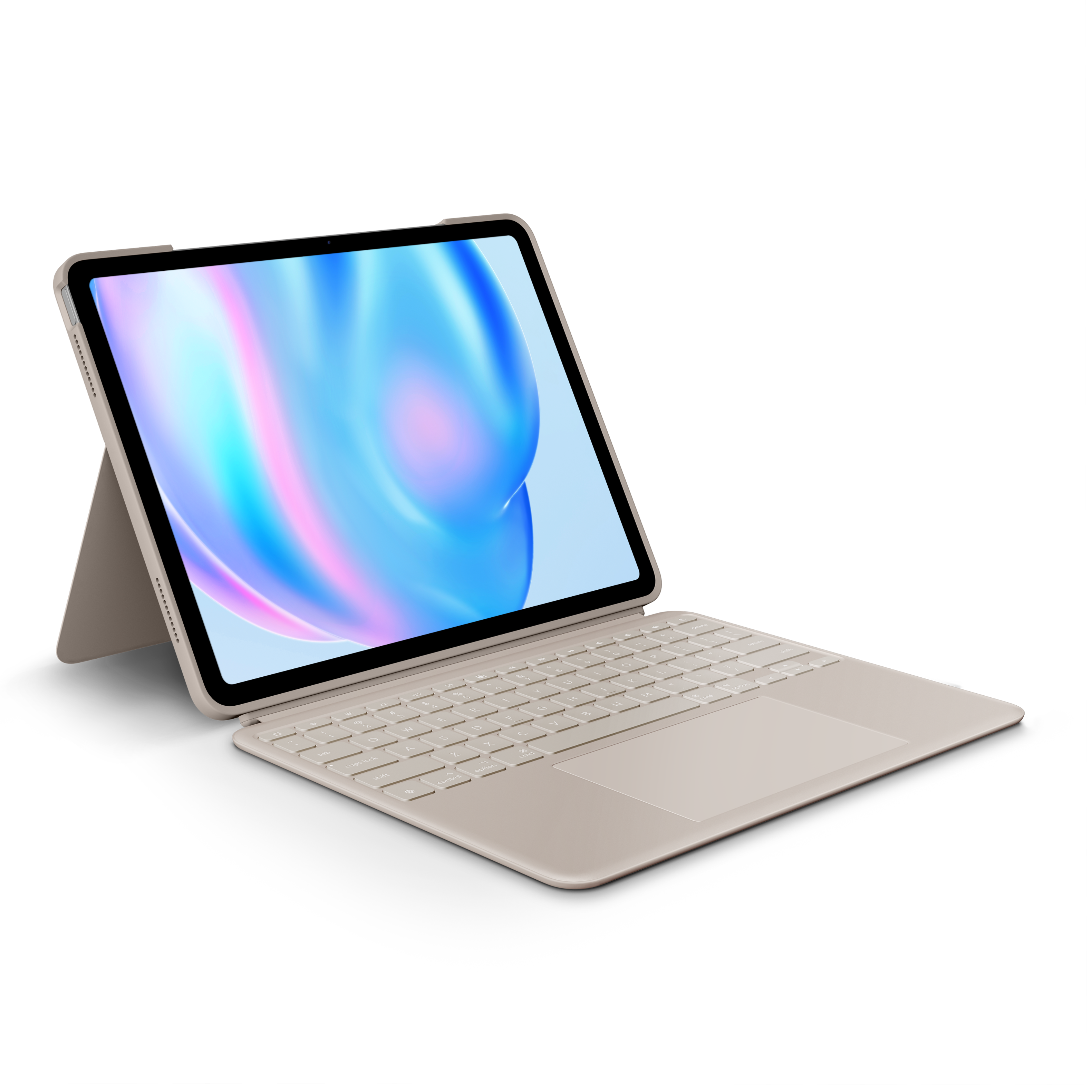
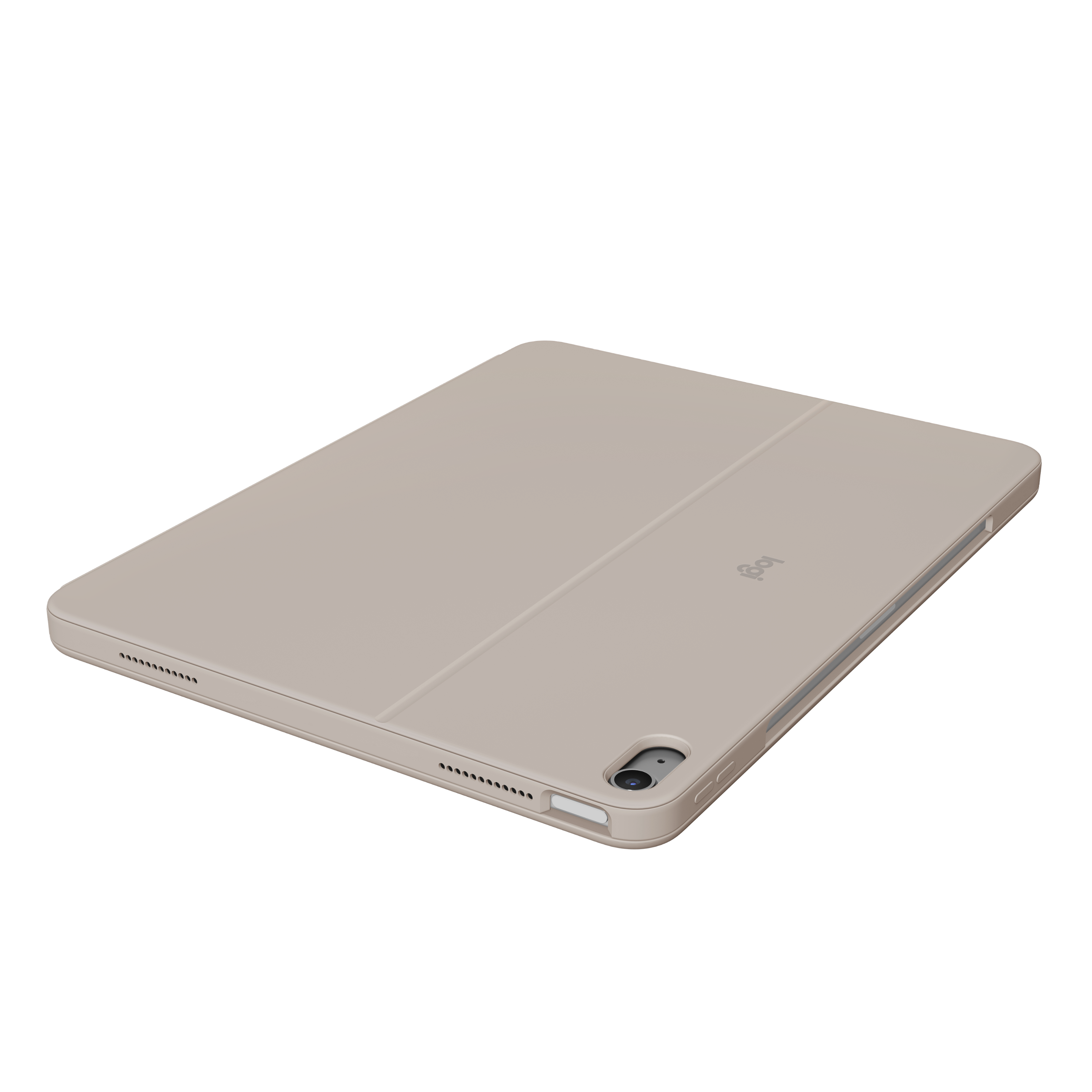
|Posted .This reviewer received promo considerations or sweepstakes entry for writing a review.Build Quality: This case is solid and should be durable enough that it provides all around adequate protection for the 13” iPad Air. The fit is snug and very secure. The openings allow for quick and easy access to the Touch ID button. The cutouts for the charging port and the speakers are precise and do not obscure access or sound. The integrated stand is angled well and provides me with a comfortable viewing angle. Keyboard: The detachable keyboard is very responsive and the keys have a nice feel. The backlight is variable which is convenient for me. There are a variety of media keys along the top of the keyboard that provides quick access to media, volume, and brightness controls along with other some other quick control options. Trackpad: The trackpad is large and responsive and well positioned for me does not interfere when I am typing. App: You will be required to download and install the Logitech Control app which will install any necessary firmware updates. Like other options with detachable keyboards, storage of the keyboard when not in use while using the iPad for other tasks is a little cumbersome, but if you are looking for an iPad case with keyboard then I can definitely recommend this one.
I would recommend this to a friendBrand response from Logitech
Posted .We're thrilled to hear that the Logitech Combo Touch Keyboard Case has exceeded your expectations! Its durable construction, responsive keyboard, and versatile features make it a fantastic choice for your iPad Air. Thank you for your positive feedback.
- Pros mentioned:Keyboard quality
A Realistic and Enjoyable Laptop Experience
|Posted .This reviewer received promo considerations or sweepstakes entry for writing a review.The Logitech Combo Touch for the 13” iPad Air may be the overall best keyboard case available today. Certainly, for my own use, it checks almost every feature box I want in a keyboard folio, and it exceeds my expectations. In sum, it brings a realistic, though imperfect, laptop experience to the iPad. I’ll detail the Combo Touch’s highlights and my experience with the case below, but I’ll start with my biggest semi-disappointment because it could be a disqualifier for some users. An adjustable kickstand supports the iPad screen rather than a self-supporting hinge seen on Apple’s Magic Keyboard. A self-supporting hinge would destroy the Combo Touch’s multiuse nature, but the lack of one means, from a practical perspective, that the keyboard requires a hard surface for support. Laps need not apply. I easily overlooked this, but if you want something you can work on placed on your lap this Logitech case isn’t for you. The Combo Touch works out of the box, no special app or software is necessary. However, firmware update are installed with an app which is available in Apple’s App Store. The app doesn’t seem to offer any additional functionality so I deleted it and will reinstall later if new firmware is released. All of the keyboard and trackpad settings are found in iOS 18’s settings including speed of the trackpad, opting in to gestures, and scroll direction. VERSITILITY Much of the Combo Touch’s genius, as its name suggests, is its ability to be either a back case or a keyboard folio on the fly. I haven’t seen any thing else like it. The case and keyboard are packed as two separate parts which can be attached or disconnected from each other as desired. For example, attach the keyboard and use your iPad like a laptop. When you are done and want to chill on the sofa and browse your favorite web site, effortlessly pull off the keyboard and use the iPad like a tablet without having to hold the weight of keyboard. The adaptability here is fantastic but it could be even better if Logitech had designed the case to work in either landscape or horizontally. As it is the screen must be horizontal. KEYBOARD, TRACKPAD AND MY TYPING EXPERIENCE The keyboard uses the iPad Air’s smart connector for both power and data transfer. This eliminates the need for cables or Bluetooth, a huge convenience, especially when traveling. It’s width almost mirrors a MacBook Pro’s keyboard. Almost. Nearly all the keys are full size except for backslash and tilde. Unless you are a coder or type Spanish language documents this shouldn’t be an issue. In addition to the standard keys there is also a top row of iPad shortcut and media control keys, similar to what you’d find on an Apple laptop. Unique keys here are Home, Siri, Screen Shot, and Do Not Disturb. As a touch typer my typing experience is pleasant, better than a mid-level Windows laptop but not as good as a scissor keyboard on an Apple laptop. The keys are generously sized and convex so the finger naturally finds the center and the feedback is snappy and tactile. What I don’t “love” is the shallow travel. It’s certainly usable but it’s not as deep as my MacBook Pro’s keyboard. That’s a personal preference though. Whatever shortcomings the keyboard has, I enjoy typing on it and as a tablet accessory it is impressive. It’s a true workhorse, not a gimmick accessory that performs only marginally better than an on-screen keyboard. Like any good laptop keyboard, at least in my mind, this one is backlit. Brightness is user adjustable via buttons on the laptop and brightness levels are excellent for dim to total dark areas. Beneath the keys sits a massive 6” diagonal mechanical multi-touch trackpad – slightly bigger than my MacBook Pro’s trackpad. Like the keyboard, it performs better than a budget PC laptop, but obviously can’t compete with the glass haptic trackpad on Apple laptops. All the iPad’s screen gestures work on the trackpad, if trackpad gestures are enabled. Moving across the trackpad is smooth and accurate and absolutely gives the iPad a laptop feel and utility, especially with Office apps that beg for a trackpad or mouse. Since the trackpad is mechanical and not sealed there are visible gaps at the edge where the trackpad meets the case, especially if physically clicking. Expect dust to get in these crevices, maybe a few crumbs too, so frequent dry wipe down here is advised. From a design perspective I enjoy how Logitech placed the keyboard close to the screen allowing for larger palm rests than its competitors. It’s a small touch, ignored in similar keyboard cases, that adds comfort when typing for long periods. In sum, Logitech’s thoughtful keyboard design offers the user a realistic laptop experience including auto-sleep when the case is closed. CASE The other half of the Combo Touch is its case, which for this review included the stand-along back case and the reverse side of the keyboard which is its cover. The cover is a durable polycarbonate that has a silky, but not slippery feel. The back may also be polycarbonate, but whatever the base material, it’s wrapped in a thin vinyl that also feels good, though I have doubts about its long-term robustness. The area around the keyboard’s keys is this same vinyl-like material. The sides are rubber-like, flexible enough to install the iPad without a struggle but not so much that the iPad can pop out without assistance. All the iPad’s ports and side buttons are covered except for the USB-C and magnet/charge area for the Apple Pencil. The iPad’s buttons work smoothly and promptly. Fit is excellent even with a glass screen protector installed. A stand on back stabilizes the iPad’s screen in “laptop mode,” and can be set to a desired viewing angle – it’s not “one size fits most.” Stability is rock solid no matter what kind of work or play you are doing on your iPad Air. I tried, but failed, to make the screen wobble when writing and editing documents, watching TV, playing games, or drawing with the Apple Pencil. If there is a weak point it’s that the point where the stand meets the case’s back is already creasing, just days old. I include a picture. It could just be aesthetic; I can’t say for sure. It does make me wonder if it will withstand constant flipping up and down that a road warrior will do. Only time will tell. A couple other negatives: first, opening the case is awkward thanks to Logitech being “forced” to design the case around the iPad’s Apple Pencil charge area and the smart connector’s placement. The result is when you open the case the keyboard is backwards so it must be flipped around. I can’t fault either Apple or Logitech here because I’ve been wanting the Pencil to latch to the horizontal edge for a long time and I would not want this space blocked. The only way to get around how any keyboard folio opens is to go to a hinged case and then you lose the versatility the Combo Touch offers. My other quibble with the case is that it’s impossible to fold the keyboard to the back of the case to handhold. When attempted, the keyboard instantly falls off and has to be set aside. It’s not a huge bother – I’d rather not hold dead weight anyway. But I can also see situations like on a plane, hotel, etc., where I remove the keyboard and then forget it. So, it’s something I have to be mindful of when using this way in these circumstances. The way the Combo Touch works in this way might be a reason to not get it for a kid. Finally, since this is a “laptop” like experience a word on weight. The entire Combo Touch package weighs as much as the iPad itself, effectively doubling its travel weight, but to me that is only relevant compared to what a comparable laptop weighs. My shipping scale broke so I can only judge by perception here, but to my hand my 13” iPad Air inside the Combo Touch feels ½ pound or so lighter than my 14” M3 MacBook Pro. This is why I look forward to taking the iPad Air and Combo Touch with me on short trips. All aspects considered, Logthe positives of this case vastly outweigh the negatives to me. It’s a winner.
I would recommend this to a friendBrand response from Logitech
Posted .Thank you for your detailed review of the Logitech Combo Touch for iPad Air 13-inch (M4 chip) Keyboard Case! We appreciate your insights into the product's features and your comparison with other options. We'll continue to work on improving our product offerings to address potential limitations and cater to diverse user preferences.
- Pros mentioned:Keyboard quality, ProtectionCons mentioned:Weight
Decent protection, but not worth the price
||Posted . Owned for 2 weeks when reviewed.This reviewer received promo considerations or sweepstakes entry for writing a review.The Logitech Combo Touch offers good protection and the detachable keyboard is a nice idea, but overall the experience is just average for the high price. The keyboard works well for typing and the trackpad is responsive, but the case is quite heavy and makes the iPad feel bulky. Using it on your lap is not very comfortable compared to other keyboard cases. The kickstand design works on a desk but is limited in tighter spaces. For this price, I expected a slimmer and more portable design. It’s functional and well-built, but not as convenient as it should be. There are cheaper alternatives that offer similar performance.
I would recommend this to a friendBrand response from Logitech
Posted .Thanks for your feedback! We’re glad you like the Logitech - Combo Touch iPad Air 13-inch, and we appreciate your input to help us get even better.

- Pros mentioned:Keyboard quality
Full size keyboard, slim, light weight protection
|Posted .This reviewer received promo considerations or sweepstakes entry for writing a review.I lug around a bulky 17-inch laptop daily for work. But I also love my Apple iPads. So when the new iPad Air 13-inch became available, I had to check it out. So now I knew I would need to also look for a keyboard and case. Logitech has been my go to in this market. The Logitech 13-inch case fit like a glove. Openings in all the right spots. It shines with a full size keyboard and super large track pad. Great large open spaces on the left and right of the track pad for my hands to rest while typing. I type a lot. The tactile fell of the full size keys are wonderful to. They are back lit so dimming the lights to concentrate on typing helps prevent eye strain. As expected, the ability to separate the keyboard when I either am viewing videos or laying the pad flat for drawing with the pencil or crayon, is 5 stars on its own. The keyboard can then be reunited with the case thanks to super strong magnets. Really outstanding in all Logitech cases. The COMBO TOUCH case has the typical slot for storing the apple pencil or crayon. The top row of the keyboard sports an array of keys for one touch operation of muting, up and down volume control, brightness, screen grab, separate keyboard back lighting keys, forward - reverse - pause, and even a sleep mode key. So , what's not to like. The skin of the case is smooth and easy to wipe clean with a rag and water. I am still debating if I like this or am more of a fan of Logitech earlier fabric like cover. I'll live with it a while before I'll know for sure. So you decide. Spend a few bucks and get a case that not only protects your iPad Air but gives you the full size keyboard you deserve for your pearls of wisdom on the written page. For me, its everything i want and need to compliment my creativity.
I would recommend this to a friendBrand response from Logitech
Posted .Thank you for your amazing review of the Logitech Combo Touch for iPad Air 13-inch (M4 chip) Keyboard Case! We're thrilled to hear that it's the perfect companion for your iPad and has transformed your productivity. Your positive feedback means a lot to us as we continue to create exceptional products that elevate your iPad experience.
- Pros mentioned:Fit, Protection
Works but...
||Posted . Owned for 2 weeks when reviewed.This reviewer received promo considerations or sweepstakes entry for writing a review.I had a simlar unit from Zagg for my old Airpad and had purchased the same for my knew 13" but despite being billed as fitting my iPad it didn't, so I purchased this instead. It does hold my iPad properly and protects it but the stand is less convenient and when the screen does not function when detached. I guess that's the downside of not having to charge it. Overall, serves the purpose but not great.
No, I would not recommend this to a friendBrand response from Logitech
Posted .Thank you for sharing your review. We are glad the Combo Touch protects your iPad properly, though we regret to hear that the stand is less convenient than your previous unit and that the screen does not function when detached. Your feedback regarding the kickstand and power constraints is extremely valuable and will be forwarded to our tablet accessory design team. If you need any help with your case, please email socialcare@logitech.com.
- Pros mentioned:Design, Keyboard quality
Bulletproof
||Posted .This reviewer received promo considerations or sweepstakes entry for writing a review.Ok, I needed to come on here and make a review about his awesome keyboard. First, it’s innovatively cool. The keyboard detaches and is powered by the iPad and never have to worry about charging it. It’s easy to type on. ALSO I SPILLED A QUARTER OF A BLACK COFFEE STARBUCKS CUP ON IT, and it still works perfect. I had to quickly disconnect it, tilt it upside down and watch coffee pour out of it. Blow dried it with the hotel blow dryer, and never once did it stop working. It’s been 3 months since that happened and all the keys feel and work the same. I would buy this product again if it broke for some reason. I just wish best buy would allow to buy a protection plan for it because I was not offered one when I purchased it.
I would recommend this to a friendBrand response from Logitech
Posted .Thanks for taking a moment to share your experience. We’re so glad the product is working well for you. Your support means a lot and helps us keep improving.
- Pros mentioned:Keyboard qualityCons mentioned:Weight
Great Magic Keyboard alternative
||Posted . Owned for 1 week when reviewed.This reviewer received promo considerations or sweepstakes entry for writing a review.I was hesitant to buy this because I just spent a lot on my new 13 inch iPad Air and didn't want to lessen my experience with a bad keyboard. But the price difference between this one and the Apple Magic Keyboard convinced me to take a chance. Well I have no regrets. It's very intuitive and easy to use. Fits it magnetically connects with ease. I didn't have to install anything or do anything really. It doesn't need to be charged as it uses the iPads power. The track pad is very responsive. I haven't used an Apple Pencil or Logitech Crayon so I can't comment on that. But I can type on this just as well as when using a MacBook. My only cooling and it's minute is the kickstand. It takes up room so when I use it on a TV tray it barely fits. I also don't like that it has to have a flat surface to stay upright. For instance it'll be very difficult to type with the iPad on your lap. we have a 9th gen iPad that we use a Zagg keyboard on, and although this keyboard is much better, that one has a hook that keeps the iPad in place, so it allows a user to easily use on their lap, even to pick up and carry around while staying in place. This stand issue is true of the Magic Keyboard as well so to me it's not a knock as they are similar. It is a bit heavy and when you open it, the strong magnet can make it difficult as well as the weight of the iPad. That took me a bit to get used to. It's also a bit on the heavy side but to me it feels secure and safe so I welcome it. If you're on the fence or debating between this keyboard and the Apple Magic Keyboard, I think this is a great alternative that makes no compromises
I would recommend this to a friendBrand response from Logitech
Posted .Hi there, Thanks for the fantastic review of the Logitech Combo Touch for iPad Air 13"! We appreciate you sharing your experience, especially highlighting the ease of use, magnetic connection, and responsive trackpad. We'll definitely consider your feedback about the kickstand for future design improvements.
- Pros mentioned:Keyboard quality, Protection
Great value, Great quality
||Posted . Owned for 1 week when reviewed.This reviewer received promo considerations or sweepstakes entry for writing a review.Works amazing at a much more affordable price compared to the apple magic keyboard. I like that you can detach the keyboard and the ipad is still protected because of the case and use it normally. or Place it up on its stand and use it like a ultra portable laptop. Also there is a space open in the case that allows for the apple pencil to attach magnetically and charge.
I would recommend this to a friendBrand response from Logitech
Posted .Thank you for your positive review of the Logitech - Combo Touch for iPad! We're glad you're enjoying its affordability, versatility, and the convenient Apple Pencil integration. We appreciate your feedback and hope you continue to enjoy using it.
- Pros mentioned:Design, Protection
A Great product!
||Posted . Owned for 2 months when reviewed.This reviewer received promo considerations or sweepstakes entry for writing a review.I bought one of these for my wife for school and she’s absolutely loved it so when I got an IPad I had to come grab one for my self this case turns my IPad into a laptop and protect it sleek design and beautiful neutral color it works amazingly and I would recommend if you’re looking to turn utilize your device to its full potential.
I would recommend this to a friendBrand response from Logitech
Posted .Thanks for the great review! We’re thrilled our product is meeting your expectations. Your support helps us continue to innovate and improve.
- Pros mentioned:Keyboard quality, Protection
Best cover & keyboard combo
||Posted . Owned for 2 months when reviewed.This reviewer received promo considerations or sweepstakes entry for writing a review.This is probably the best keyboard & cover combo for the ipad air 13 right now. I bought the apple Magic Keyboard and it works great if you never need to lay use your ipad for notes. This can still provide you protection and then attach to the keyboard. Only negative is that i wish it came in different colors.
I would recommend this to a friendBrand response from Logitech
Posted .Thanks for your review! We're glad to know our product meets your expectations. We'll share your feedback about the color options with the team for future consideration. Your support helps us stay focused.
- Pros mentioned:Ease of use, Keyboard quality, Protection
So Easy to Use and Makes My iPad Look Great!
||Posted . Owned for 2 weeks when reviewed.This reviewer received promo considerations or sweepstakes entry for writing a review.The Logitech Combo Touch is amazing! It's super easy to use and makes my iPad look really fancy. I didn’t have to set up any apps—it just works automatically! The keyboard and trackpad are super smooth, and the case feels really protective. Definitely a must-have if you want to level up your iPad Air.
I would recommend this to a friendBrand response from Logitech
Posted .We're thrilled to hear that you're loving the Logitech Combo Touch for your iPad Air! Its seamless setup, smooth functionality, and stylish design make it a perfect companion for your device. Thank you for your positive feedback.
- Pros mentioned:Keyboard quality, Protection
Great case
||Posted . Owned for 2 weeks when reviewed.This reviewer received promo considerations or sweepstakes entry for writing a review.Very sturdy case with detachable keyboard! This case protects my iPad superbly.
I would recommend this to a friendBrand response from Logitech
Posted .Thanks for the kind words! We’re proud to know our product is making a difference. Your feedback keeps us moving forward.
- Pros mentioned:Ease of use, Keyboard quality
Money well spent
||Posted . Owned for 1 month when reviewed.This reviewer received promo considerations or sweepstakes entry for writing a review.Was very hesitant too spend this much on a keyboard and case combo for my daughter. Well I am pleased to say it was money well spent. She uses this with her iPad daily for class. She no longer has to carry a laptop and the iPad more compact so less to worry about her having while walking. The keyboard is amazing and the overall quality is top notch. Highly recommend this purchase and I will purchase another one for my other daughter to use as well.
I would recommend this to a friendBrand response from Logitech
Posted .We're thrilled to hear that you and your daughter are enjoying the keyboard case. We designed it with both functionality and portability in mind, so it's fantastic to know that it's helping her stay organized and productive in her studies.
- Pros mentioned:Keyboard qualityCons mentioned:Weight
Keyboard lights up!!!
||Posted .This reviewer received promo considerations or sweepstakes entry for writing a review.This is a great keyboard. My teenager loves that it lights up. It protects the sides of his 13” iPad. It integrates well with the iPad and feels really nice. We initially purchased the Magic Keyboard, but returned it without opening it up bc in the store, it just felt heavy.
I would recommend this to a friendBrand response from Logitech
Posted .We're thrilled to hear the Combo Touch is working well with your son's iPad and that you find it efficient and nice! We're so glad it's meeting your needs and providing great value. Thank you for sharing your positive feedback!
- Pros mentioned:Design, Keyboard quality
Excellent Keypad
||Posted . Owned for 2 weeks when reviewed.This reviewer received promo considerations or sweepstakes entry for writing a review.This is a very nice keyboard for the iPad I chose it because it was a bit cheaper and it works great. Also very sleek for the iPad.
I would recommend this to a friendBrand response from Logitech
Posted .Thank you for your kind words about the Combo Touch! We're glad to hear you're enjoying the sleek design and how well it complements your iPad. We appreciate your feedback and are always striving to improve.
- Pros mentioned:Ease of use, Keyboard quality, Protection
Great alternative to apple magic keyboard
||Posted . Owned for 1 week when reviewed.This reviewer received promo considerations or sweepstakes entry for writing a review.Sturdy and offers good protection around the edges of the iPad, but still sleek and easy to use. The detachable keyboard is a great feature too!
I would recommend this to a friendBrand response from Logitech
Posted .Thank you for your kind words about the Logitech - Combo Touch for iPad! We're glad you appreciate its sturdy design, protective features, and the convenience of the detachable keyboard. We hope you continue to enjoy using it!
- Pros mentioned:Ease of use, Protection
Expanding Functionality of Your Device
||Posted . Owned for 2 weeks when reviewed.This reviewer received promo considerations or sweepstakes entry for writing a review.This lightweight item turns your Apple iPad into a laptop. When folded over, it protects your device. It is extremely useful for traveling across campus for a group project or for a business trip anywhere.
I would recommend this to a friendBrand response from Logitech
Posted .We’re so happy to hear that our product is working well for you. Your review helps us understand what we’re doing right and where we can grow. Thank you for being part of the Logitech community and for taking the time to share your thoughts.
- Pros mentioned:Ease of use, Keyboard quality
Good value
||Posted . Owned for 2 months when reviewed.This reviewer received promo considerations or sweepstakes entry for writing a review.Easy to use, Keyboard ⌨️ helpful.. and the kickstand for screen is very convenient
I would recommend this to a friendBrand response from Logitech
Posted .We're thrilled to hear that you're enjoying the Combo Touch for your iPad Air (M2). We strive to create products that enhance your iPad experience, and we're glad that the detachable keyboard, trackpad, and adjustable kickstand are making your daily use more convenient and productive.