Customer Ratings & Reviews
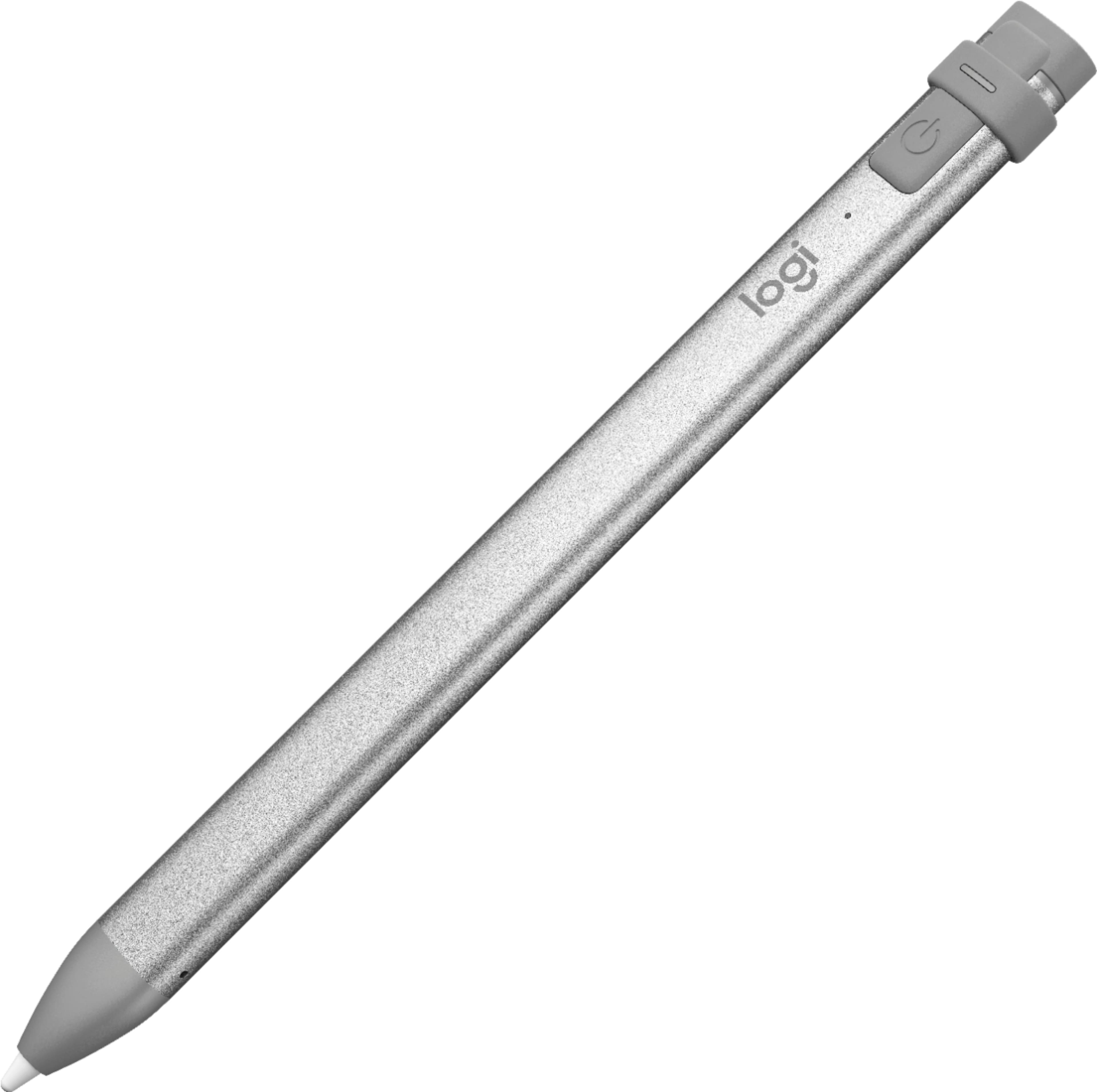


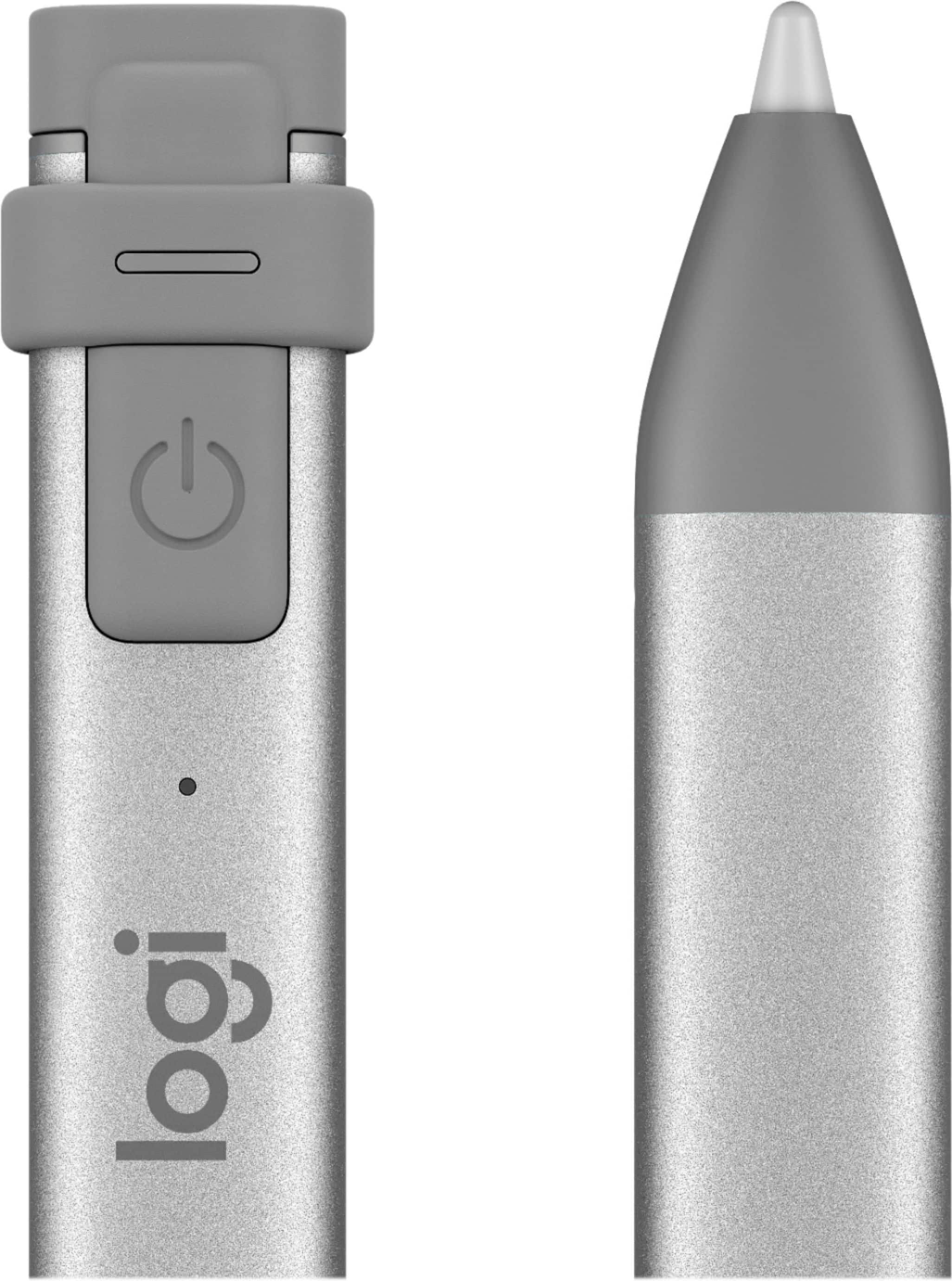


- Model:
- 914-000051
- SKU:
- 6452837
Rating by feature
- Value
Rating 4.5 out of 5 stars
- Quality
Rating 4.6 out of 5 stars
- Ease of Use
Rating 4.5 out of 5 stars
Customers are saying
Customers commend the Crayon Digital Pencil for its ease of use, affordable price, and reliable performance, making it a great value for iPad users. Many appreciate its compatibility with various iPad models and find the battery life satisfactory. However, some users find the pencil's shape awkward, and a few note the limited pressure sensitivity. Additionally, a small number of users wish it had a magnetic attachment feature.
This summary was generated by AI based on customer reviews.
Wpuj
||Posted . Owned for 3 weeks when reviewed.This reviewer received promo considerations or sweepstakes entry for writing a review.It doesn’t work, It doesn’t work, It doesn’t work,
No, I would not recommend this to a friendAngel
||Posted . Owned for 1 year when reviewed.This reviewer received promo considerations or sweepstakes entry for writing a review.I wouldn’t recommend this to anyone it hasn’t worked since I bought it
No, I would not recommend this to a friendBrand response from Logitech
Posted .Hello Angel, I am so sorry to hear this crayon did not work for you. Please make sure it is charged. If that does not work, it does come with a 1 year warranty through Logitech so we can get that replaced for you. Here is the link in order to file a claim: https://support.logi.com/hc/en-us/articles/360025081573-Warranty-Logitech-Crayon. I hope this helps!
-Danielle from Logitech
Bad Purchase
||Posted . Owned for less than 1 week when reviewed.This reviewer received promo considerations or sweepstakes entry for writing a review.It arrived, today, non-working! How can I give any more of a review! It does not work, that simple.
No, I would not recommend this to a friendBrand response from Logitech
Posted .Hello, I am sorry to hear about the Crayon not functioning. You may have received a defective unit. Fortunately, it has a warranty through Logitech. If you would like to file a claim for a new one, please visit the support page for this item on Logitech.com. I hope this helps! Thank you for taking the time to write this review, we appreciate the feedback.
Doesn’t Work
||Posted . Owned for 4 months when reviewed.This reviewer received promo considerations or sweepstakes entry for writing a review.Power light illuminates for 2 seconds then nothing. Pen never worked
No, I would not recommend this to a friendBrand response from Logitech
Posted .Hi, sorry to see your Crayon battery isn't lasting as long as it should. It boasts a use time of up to 7.5 hours of writing time on single charge. But you do have a 3-year Limited hardware warranty that you can use to get a replacement sent to you. If you have any questions, check out the Logitech support page at https://support.logi.com/hc/en-us/articles/360024157634. Hope that helps!
Did not work
||Posted . Owned for 1 month when reviewed.This reviewer received promo considerations or sweepstakes entry for writing a review.Just followed the instructions but it did not work on my ipad air.
No, I would not recommend this to a friendBrand response from Logitech
Posted .Hello, TechMom! I'm sorry to hear that the Crayon is not working on your iPad Air. Make sure you have iPad Air 3rd Generation or newer. If you have an iPad Air 3rd Generation or newer and you're still having issues, I would recommend reaching out to our support team here https://support.logi.com/hc/en-us/requests/new?ticket_form_id=360000621393 to file a warranty claim. The Crayon has a 1-year limited hardware warranty. Thank you so much for the feedback! I will be passing this along. - Maggie from Logitech
The worst product ever for an iPad
||Posted .This reviewer received promo considerations or sweepstakes entry for writing a review.it is incomparable to the Apple Pencil, this is not worth 20 $ not more than 50% of the Apple Pencil’ s price.
No, I would not recommend this to a friendIpad woes
||Posted . Owned for 1 month when reviewed.This reviewer received promo considerations or sweepstakes entry for writing a review.I thought this would work with my Ipad air but it didn't! Not sure why so I just returned it.
No, I would not recommend this to a friendBrand response from Logitech
Posted .Hi Queen! Sorry to read you're having difficulty with your Logitech Crayon. You may be having compatibility issues if your device is not iPad Air (3rd gen) Model Numbers: A2152, A2123, A2153, A2154. Also your iPad must be updated to iOS 12.2 and above. If you've done all that and still encounter issues, head over to support.logi.com for more tips. Hope that helps!
Marsh2
||Posted . Owned for 1 week when reviewed.This reviewer received promo considerations or sweepstakes entry for writing a review.The information on the package was not helpful and would not Connect to my table.
I would recommend this to a friendBrand response from Logitech
Posted .Hello, I am so sorry to hear you were not able to get the crayon connect to your iPad. Here is the set up guide to help you further: https://www.logitech.com/assets/65523/5/logitech-crayon.pdf. I hope this helps! Thank you for taking the time to write this review, we appreciate the feedback.
Don't do it!
||Posted . Owned for 11 months when reviewed.This reviewer received promo considerations or sweepstakes entry for writing a review.It's awful, do not buy! Buyer beware!!! I was totally disappointed by this item.
No, I would not recommend this to a friendBrand response from Logitech
Posted .Hello MouseMan,
I am sorry that you are not pleased with the Logitech Crayon, I would like to help. I have attached a link to the “Getting Started” support page for the Crayon where we can further assist. If you are experiencing issues with the Crayon, the Firmware may need to be updated. There is a downloads tab on the link below where you can run the Crayon Update Software. I apologize for this inconvenience. Please visit the Logitech support website for further assistance.
Best regards,
John at Logitech
https://support.logi.com/hc/en-us/articles/360024701454--Downloads-Logitech-Crayon
Stopped working- only 3 weeks after purchase.
||Posted . Owned for 2 weeks when reviewed.This reviewer received promo considerations or sweepstakes entry for writing a review.Item stopped working just 3 weeks after purchase. Waste of money, do not buy.
No, I would not recommend this to a friendBrand response from Logitech
Posted .Hi EEdwards23, thank you for your feedback on the Crayon. This should not be the case, as it is backed with a 3-year limited hardware warranty. For support, Please refer to: https://support.logi.com/hc/en-us/articles/360024157634--Getting-Started-Logitech-Crayon - Will, Logitech.
Read before you buy
||Posted .This reviewer received promo considerations or sweepstakes entry for writing a review.Don’t know the capabilities of this device as it’s made to work with one and only one model iPad
No, I would not recommend this to a friendBrand response from Logitech
Posted .Hi, sorry to see you're having some compatibility issues with your Logitech Crayon! It is now compatible with: iPad Pro® 12.9-inch (3rd gen)
Model Numbers: A1876, A2014, A1895, A1983
iPad Pro 11-inch
Model Numbers: A1980, A2013, A1934, A1979
iPad® (7th gen)
iPad (6th gen)
Model Numbers: A1893, A1954
iPad Air® (3rd gen)
Model Numbers: A2152, A2123, A2153, A2154
iPad mini® (5th gen)
Model Numbers: A2133, A2124, A2126, A2125
*All iPad models must be updated to iOS 12.2 and above
Nice product when it works.
||Posted . Owned for 1 week when reviewed.This reviewer received promo considerations or sweepstakes entry for writing a review.It took four tries to find one that actually worked!
No, I would not recommend this to a friendBrand response from Logitech
Posted .Hi Hunter,
Thank you for your feedback. It is greatly appreciated. Sorry for any inconvenience. If you ever need assistance, please contact Logitech Support on the website.
LaShonda from Logitech
Can’t get it to work
||Posted . Owned for 1 month when reviewed.This reviewer received promo considerations or sweepstakes entry for writing a review.Have not been able to get it to work. Tried it is probably operator error.
No, I would not recommend this to a friendBrand response from Logitech
Posted .Hi Jpep, don't worry it happens to the best of us. For support, please refer to: https://support.logi.com/hc/en-us/articles/360024157634 - Will, Logitech.
Cheaper alternative to apple pencil
||Posted .This reviewer received promo considerations or sweepstakes entry for writing a review.It works most of the time I have a problem when I test my hand On the iPad at some points.
I would recommend this to a friendehhh
||Posted . Owned for 1 week when reviewed.This reviewer received promo considerations or sweepstakes entry for writing a review.not very good battery does not last long but it is orange
No, I would not recommend this to a friendBrand response from Logitech
Posted .Hello, sorry to hear that you are unsatisfied with your Crayon Digital Pencil. We are always looking for ways to improve our products, so we appreciate your review. Your Crayon takes 30 minutes to fully charge Crayon from 0% to 100%.
We recommend that you charge Crayon daily. A full charge can support up to 7.5 hours of active use. Green means the battery is sufficient and above 10%.
Red means the battery is less than 10%. Blinking red without battery check means the battery life is critical, it needs charging immediately. I hope this information was helpful.
If you ever have additional feedback or questions regarding Logitech products, feel free to visit https://support.logi.com/hc/en-us Thanks, -Logitech
No battery life
||Posted . Owned for 3 weeks when reviewed.This reviewer received promo considerations or sweepstakes entry for writing a review.Battery life is not long enough to finish a small project.
No, I would not recommend this to a friendBrand response from Logitech
Posted .Hello, the battery life should be around 7.5 hours of active writing time. If it is not meeting that please let us replace that for you! This device does come with a 1 year warranty through Logitech, here is the link to file a claim: https://support.logi.com/hc/en-us/articles/360025081573-Warranty-Logitech-CRAYON. Thank you for taking the time to write this review, we appreciate the feedback.
Nope
||Posted . Owned for 1 month when reviewed.This reviewer received promo considerations or sweepstakes entry for writing a review.Returned Didn’t meet what I thought it was Not worth it
No, I would not recommend this to a friendBrand response from Logitech
Posted .Hello customer, I'm sorry to hear that the Crayon wasn't everything you were expecting. If you had any issues with it, I recommend you visit our support site for troubleshooting tips and tricks as well as direct assistance with any issues. Again, I apologize for any inconvenience this may have caused you.
- Pros mentioned:Battery life

Wonderful accessory for the 6th Generation iPad
|Posted .This reviewer received promo considerations or sweepstakes entry for writing a review.Shaped like a carpenter’s pencil, this CRAYON fits perfectly in my fingers allowing for the wrist movement needed to create great sketches and renderings. The CRAYON can replicate the markings of crayons, pen & ink, water coloring, markers, sharpie, etc. freely and easily because the CRAYON works at all angles and interacts well with the functions of the iPad. The CRAYON works only with the 2018 iPad Generation 6. As of now, it does not work with iPad pro. However, with the 2018 Generation 6 iPad it is a must to have. I love the shape. My father was a known craftsman builder and I have been writing with pencils this shape since before grade school. The action and results of the CRAYON is much like another window based stand-alone sketching pad and pencil that I have often used in the past. I also like the fact that this product is free and simple, and not attached to anything. It’s powered by a battery charge, but otherwise it simply works just like an actual pen or pencil. Using the apple technology of the iPad pencil (which I also regularly use) the CRAYON is unlike the Pencil in that no pairing is necessary. Instead of pairing the CRAYON to the iPad, you simply turn it on. With the Generation 6 iPad, the connection and response time is immediate. It is very simple to charge, and it is very well designed with all necessary working and charging parts contained within itself. This aspect of the design is another plus in that there is nothing to keep up with but the CRAYON itself. I have not had the opportunity to use the CRAYON for seven straight hours in one charging, but the specifications state this to be a feature. I have used the CRAYON several times throughout the day and have not had any issues with it not retaining the charge. It also seems to have a rapid charge and I do charge it daily. I recommend this product and feel it a great choice for someone in business who sketches a lot, and the best choice for K-12 users.
I would recommend this to a friend Did not work for my iPad
||Posted .This reviewer received promo considerations or sweepstakes entry for writing a review.Make sure you have the correct iPad before purchasing
No, I would not recommend this to a friend- Cons mentioned:Pressure sensitivity
Great for me as a student. Not so great 4 artists
|Posted .This reviewer received promo considerations or sweepstakes entry for writing a review.First impression is I like the style vs the Apple pencil. I use 3 sided and carpenter pencils and the flat design works for me. For others it may not. I charged the crayon with my Pixel charger and the lightning to USB cable. I wish there was an indicator that said it was fully charged. The scant instructions were of no help. I Googled it and saw that it charges rather rapidly so I figured I was good. The crayon paired up and was ready to go. It works great and there didn't seem to be any lag. The only difference I could see between the Apple pencil and the crayon was the Logitech isn't pressure sensitive and it doesn't have any variation when you're drawing a line. For me using it as a pen, it's great. If you're wanting to draw with it, I'd suggest to pony up the extra few bucks and get the Apple pencil. Two things to mention. I've read that the crayon is only good for the 6th generation iPad and not the pro models. Second there is a firmware update from August 29th on the Logitech website. I haven't installed it and the site doesn't state what the update does so maybe it adds features that currently don't work with my crayon. Overall it's great for me, but should I want to use it with apps and pressure sensitivity, I'll have to purchase an Apple pencil too.
I would recommend this to a friend