Customer Ratings & Reviews
- Model:
- 920-009166
- |
- SKU:
- 10841010
Customer reviews
Rating 4.6 out of 5 stars with 2007 reviews
(2,007 customer reviews)Rating by feature
- Value4.4
Rating 4.4 out of 5 stars
- Quality4.7
Rating 4.7 out of 5 stars
- Ease of Use4.6
Rating 4.6 out of 5 stars
to a friend
Rated 1 out of 5 stars
Don’t buy doesn’t last long
||Posted . Owned for 1 month when reviewed.This reviewer received promo considerations or sweepstakes entry for writing a review.I would give 0 stars if I could. The keyboard stopped working after 4 weeks and the Best Buy site unavailable for a return
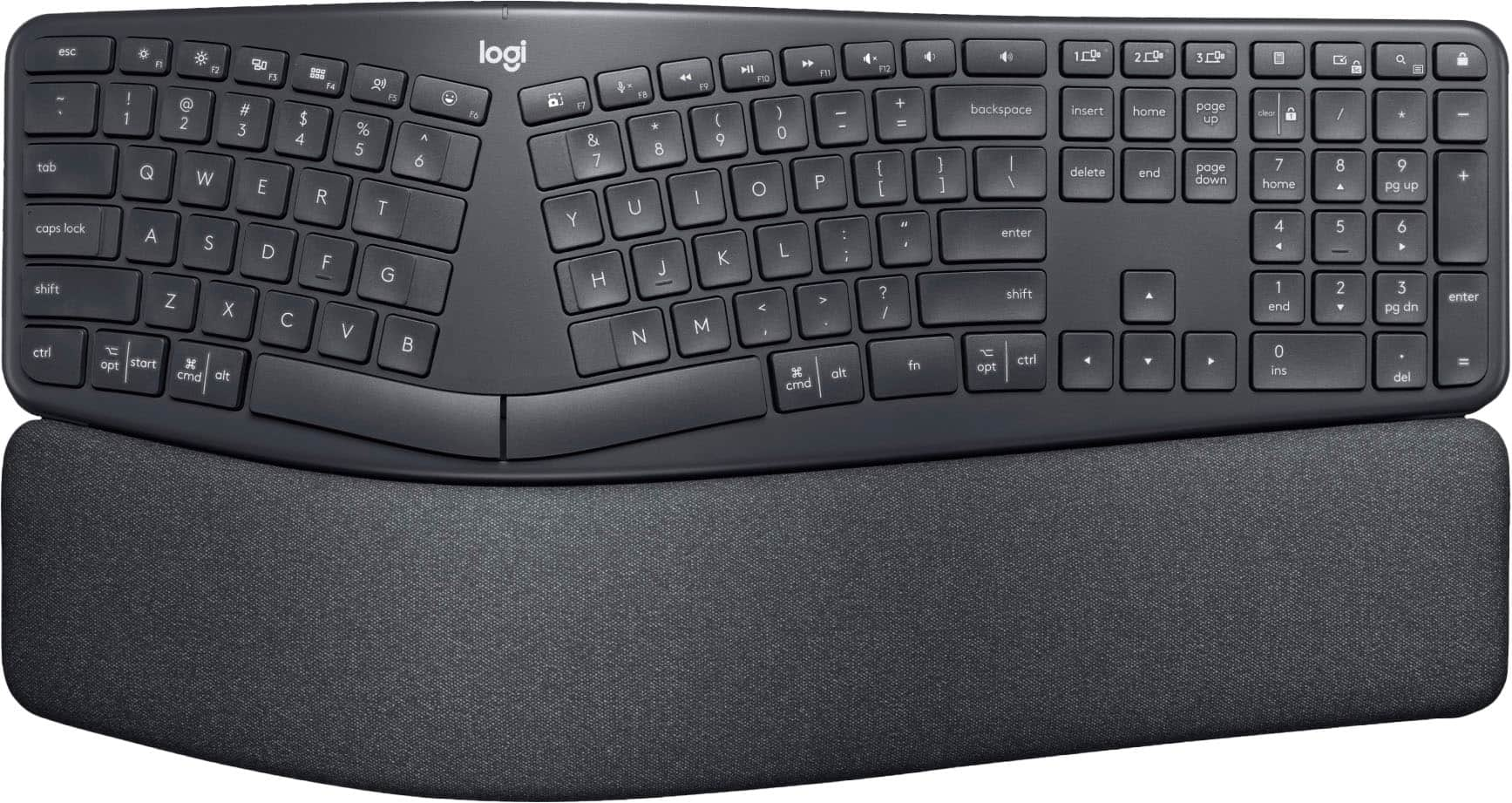
This review is from Logitech - ERGO K860 Ergonomic Full-size Wireless Scissor Keyboard for Windows and Mac with Palm Rest - Black
No, I would not recommend this to a friendBrand response from Logitech
Posted .We appreciate your feedback and are truly sorry to hear that the keyboard stopped working after only four weeks. To address this issue, we recommend reaching out to our social care team via email at socialcare@logitech.com with your
- Name:
- Email Address:
- Country:
- Product Name:
- Brief description of issue:
Rated 2 out of 5 stars
Not the best
||Posted . Owned for 11 months when reviewed.This reviewer received promo considerations or sweepstakes entry for writing a review.Overall fair keyboard. After use of only a few months, the adjustable tilt function to raise the keyboard completely snapped off. Should have gone with the Microsoft keyboard. Not happy
This review is from Logitech - ERGO K860 Ergonomic Full-size Wireless Scissor Keyboard for Windows and Mac with Palm Rest - Black
No, I would not recommend this to a friendBrand response from Logitech
Posted .Hi, thank you for sharing your experience with the ERGO K860. I'm sorry to hear that the adjustable tilt snapped off. Currently, Logitech does not sell replacement tilt legs, but in the future that might be something that is available. I hope you enjoyed the comfort of the keys and the split design that the K860 had to offer. I hope you are able to find something that works for you and your set up. Thank you for being a Logitech customer. Kristi from Logitech.
Rated 5 out of 5 stars
very comfortable, good keyboard feel
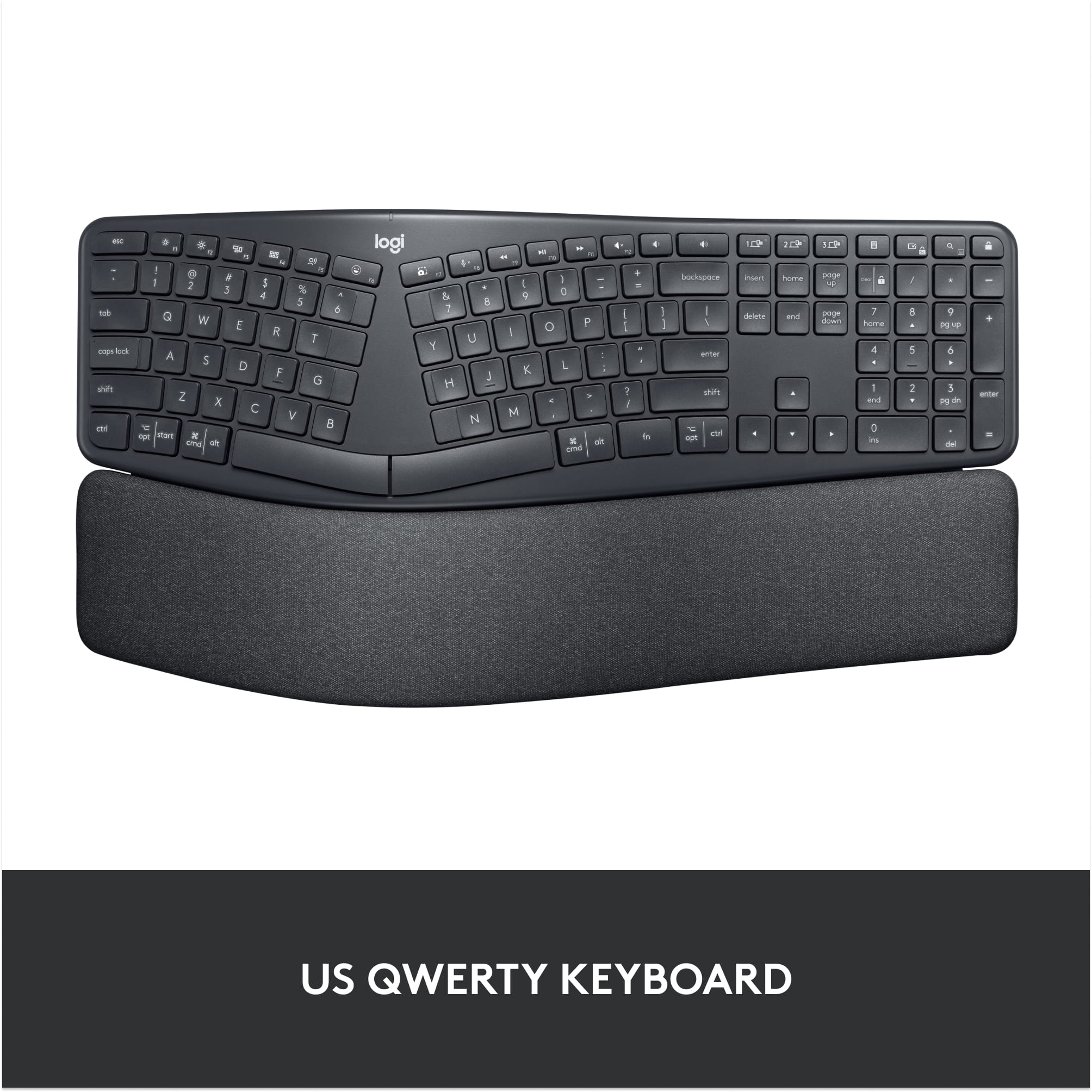
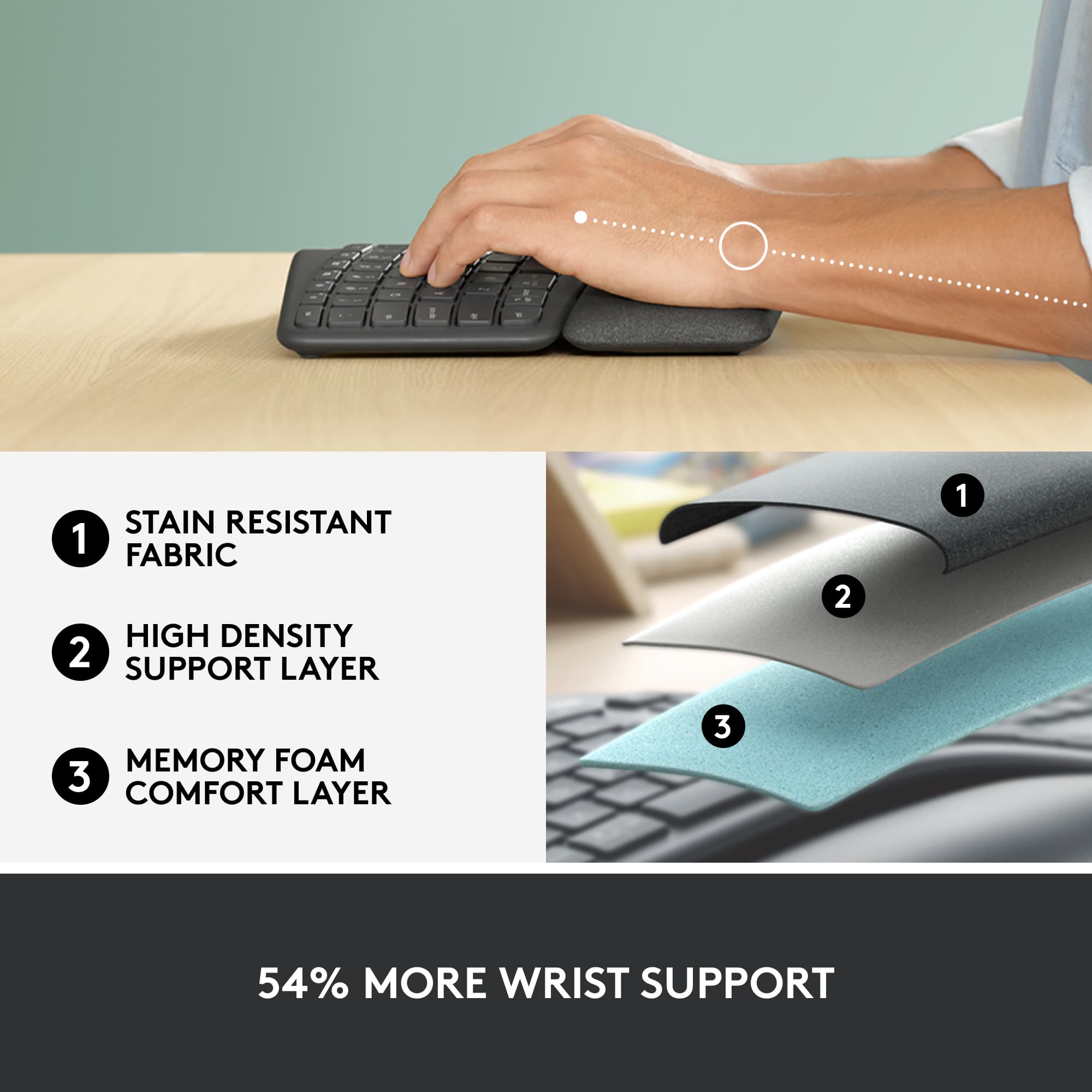
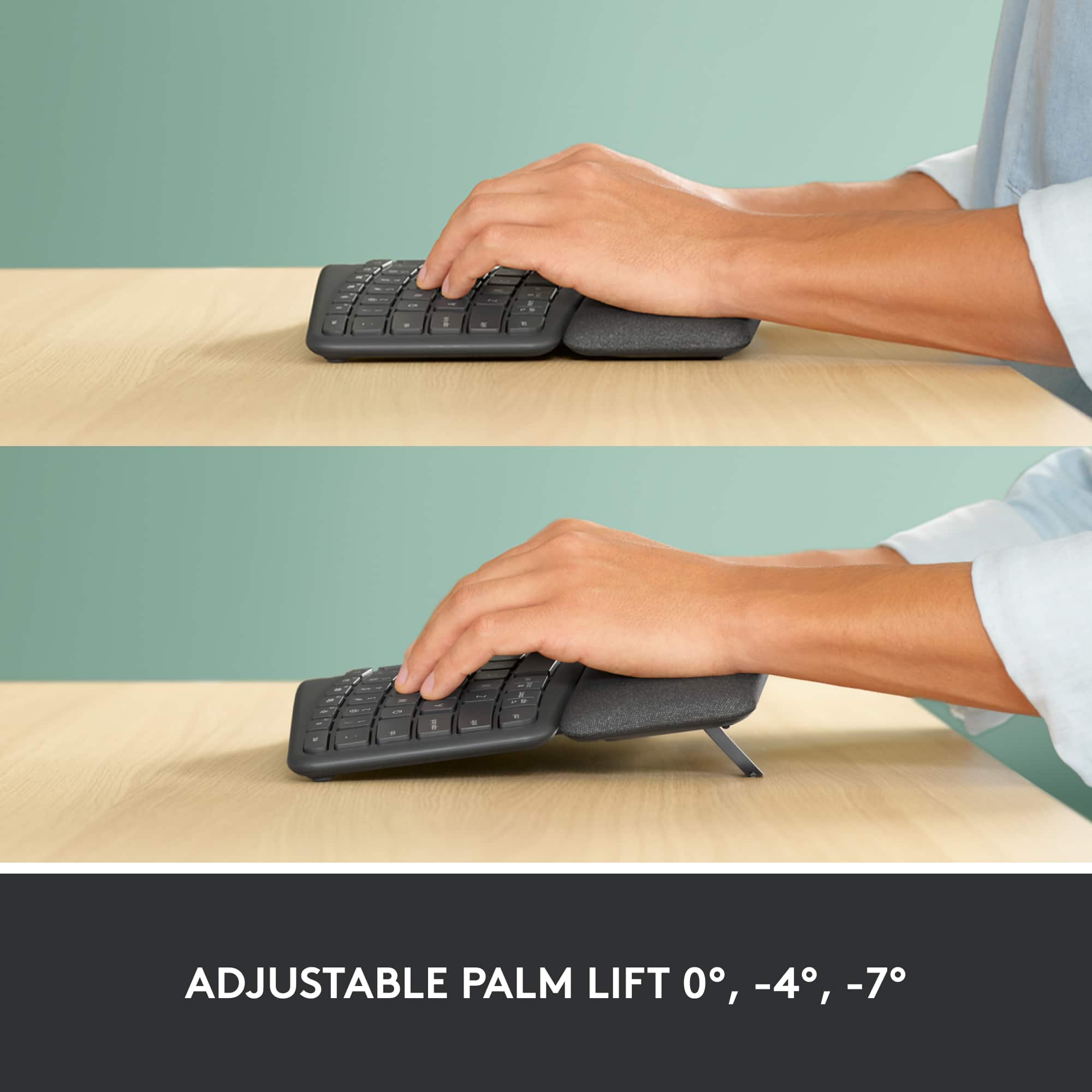
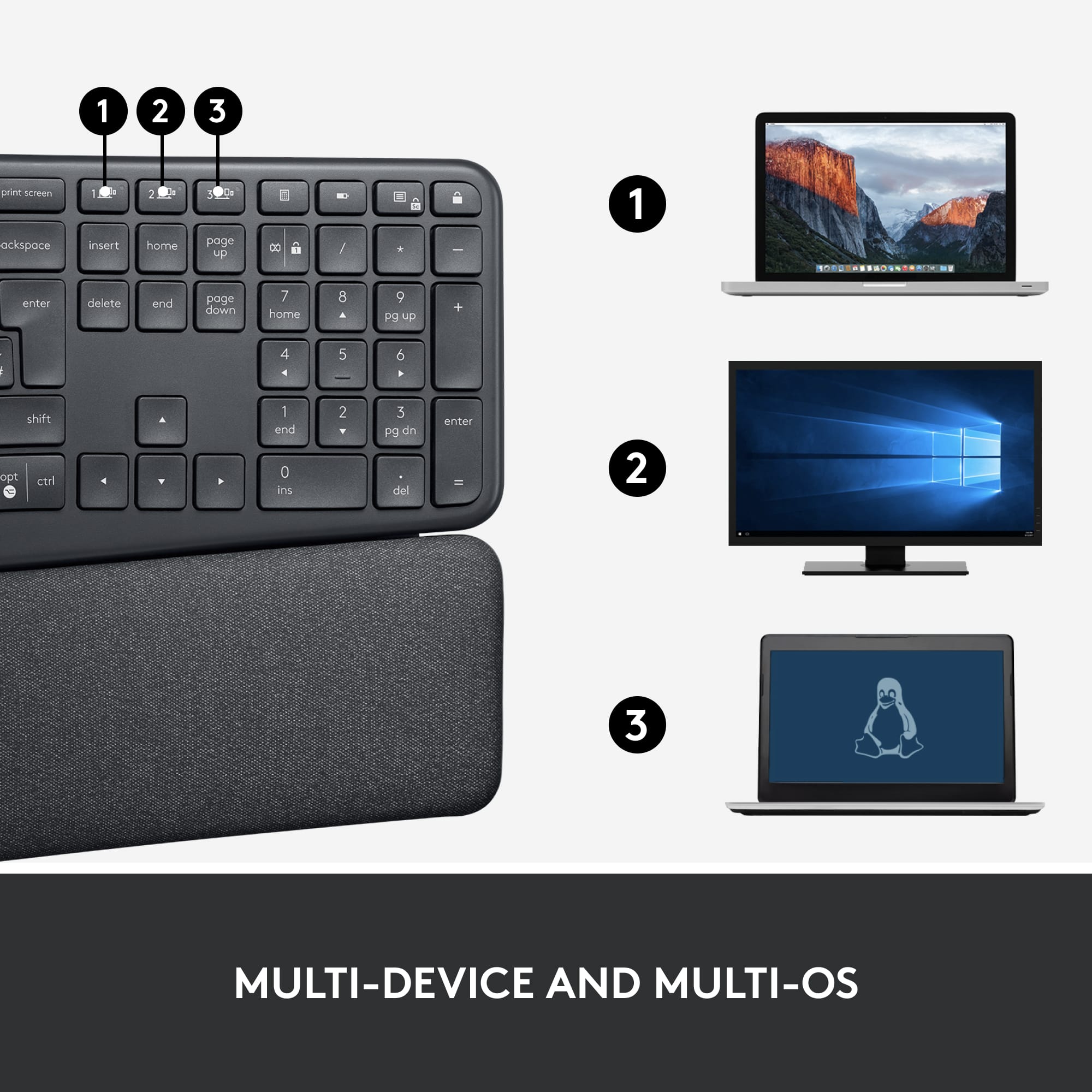
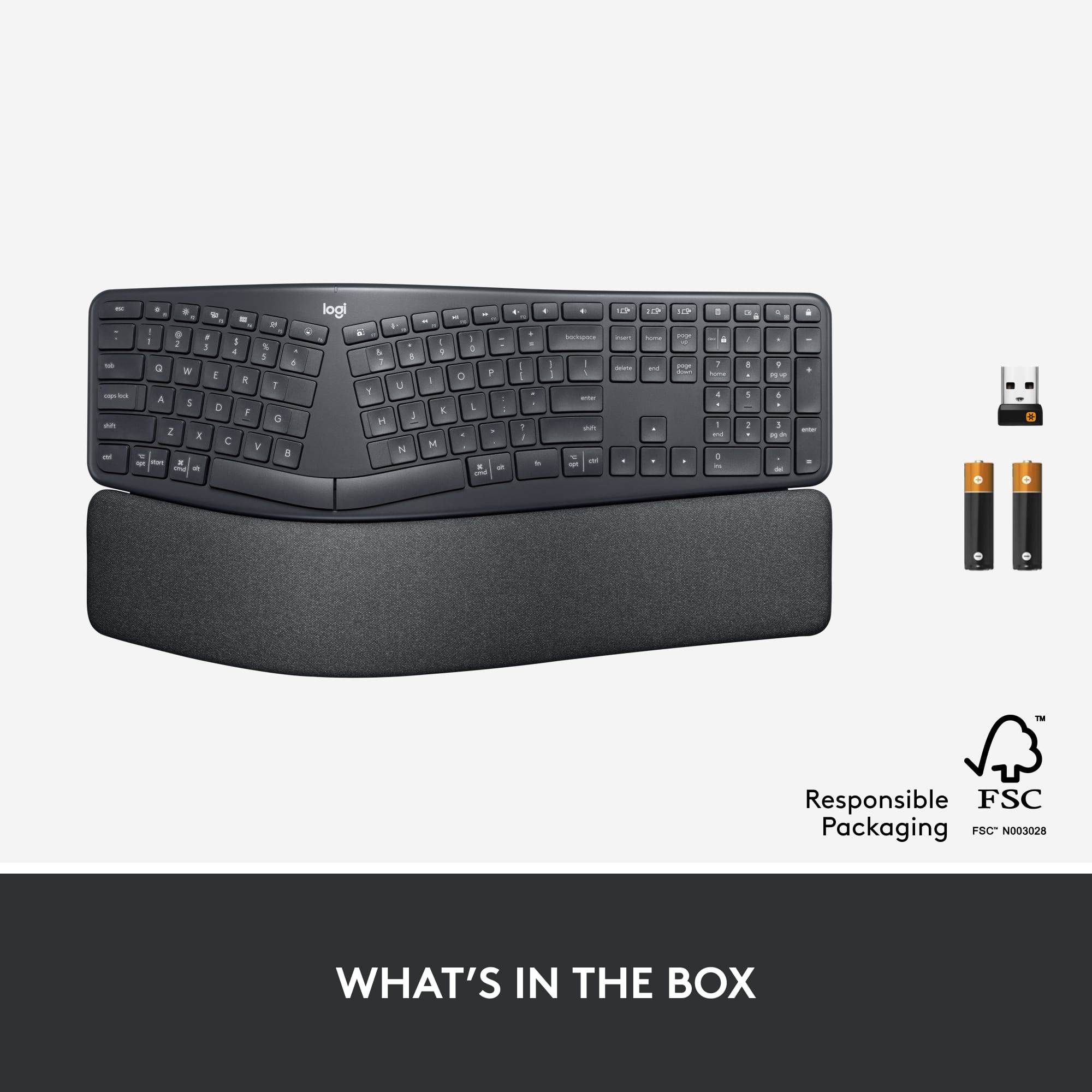
|Posted .This reviewer received promo considerations or sweepstakes entry for writing a review.In my experience, ergonomic keyboards are an acquired taste. They’re only of value as far as ergonomics goes if you are a touch-typist who learned to type (or “keyboard,” as it’s called now as we’re well beyond the age of traditional typewriters) on a regular keyboard. Few people likely learn to type on an ergonomic keyboard. I certainly didn’t. These keyboards are not of much value, ergonomically-speaking, if you’re a hunt-and-peck typist. Their value comes in a better placement of your full hands as you type. They do take some getting used to, in my experience, because while they are better contoured to your hands’ shapes, they’re not the same as a standard keyboard. I have used them on and off over the years, but I’ve always found myself going back to a standard keyboard, usually because there are many more options in terms of features, key type, and so forth to be had in standard keyboards. One of my all-time favorite keyboards, the IBM “clickey-key” keyboards of the ‘80s and’90s, was never available in an ergonomic version, and I’d still be using one if I could get one with a USB interface and a Windows key. Having said all of the above, I am typing this review on a Logitech ERGO K860 Ergonomic keyboard, and I’m enjoying it. I might actually keep this one for a while. The feel of the keys is excellent in terms of both their responsiveness and the feel of the key surfaces, which are little more matte in texture. Ergonomic keyboards have a wrist-rest, and the one on this keyboard is one of the best I’ve used. It is firm, but it has a textured surface not unlike the keys. Conventional keyboards typically have an adjustable height where the front edge (the function key edge) can be left flat or raised. I almost always use them raised, but this isn’t best for your wrists. This Logitech keyboard’s REAR edge (the spacebar edge) height can be adjusted instead, and there are two height settings in addition to flat. The idea is that a raised wrist-rest is more comfortable and healthier for your wrist, and I have to agree. I’ve tried this board in all three settings (flat, raised part way, raised all the way), and I prefer the middle setting. The keyboard is completely wireless. It connects to a computer either with a USB dongle or Bluetooth, and the keyboard can be paired with up to three devices simultaneously. A switch allows selection of which connection is active. I’m using it with my desktop computer, so I’m using the USB connection. The keyboard requires two AAA batteries, which are included, and the instructions claim that they will last for two years. Software can be downloaded from the Logitech site to allow use of all of the keyboard’s features, which include extensive key customization. Overall, if you’re at all inclined to use an ergonomic keyboard, I highly recomment that you give the Logitech ERGO K860 a try. I think you will like it.
This review is from Logitech - ERGO K860 Ergonomic Full-size Wireless Scissor Keyboard for Windows and Mac with Palm Rest - Black
I would recommend this to a friendRated 1 out of 5 stars
Don’t buy Open box product
||Posted . Owned for 3 weeks when reviewed.This reviewer received promo considerations or sweepstakes entry for writing a review.The associate talked me into purchasing the open box item at the store. It was $20 cheaper. Ensured me they check for quality and tested it to ensure it worked. I tried it at work and had my IT guy try to install it too and no luck. Wouldn’t work. Tried it at home on a different computer and still no luck.
This review is from Logitech - ERGO K860 Ergonomic Full-size Wireless Scissor Keyboard for Windows and Mac with Palm Rest - Black
No, I would not recommend this to a friendRated 2 out of 5 stars
For a logitech keyabord, I'm not impressed
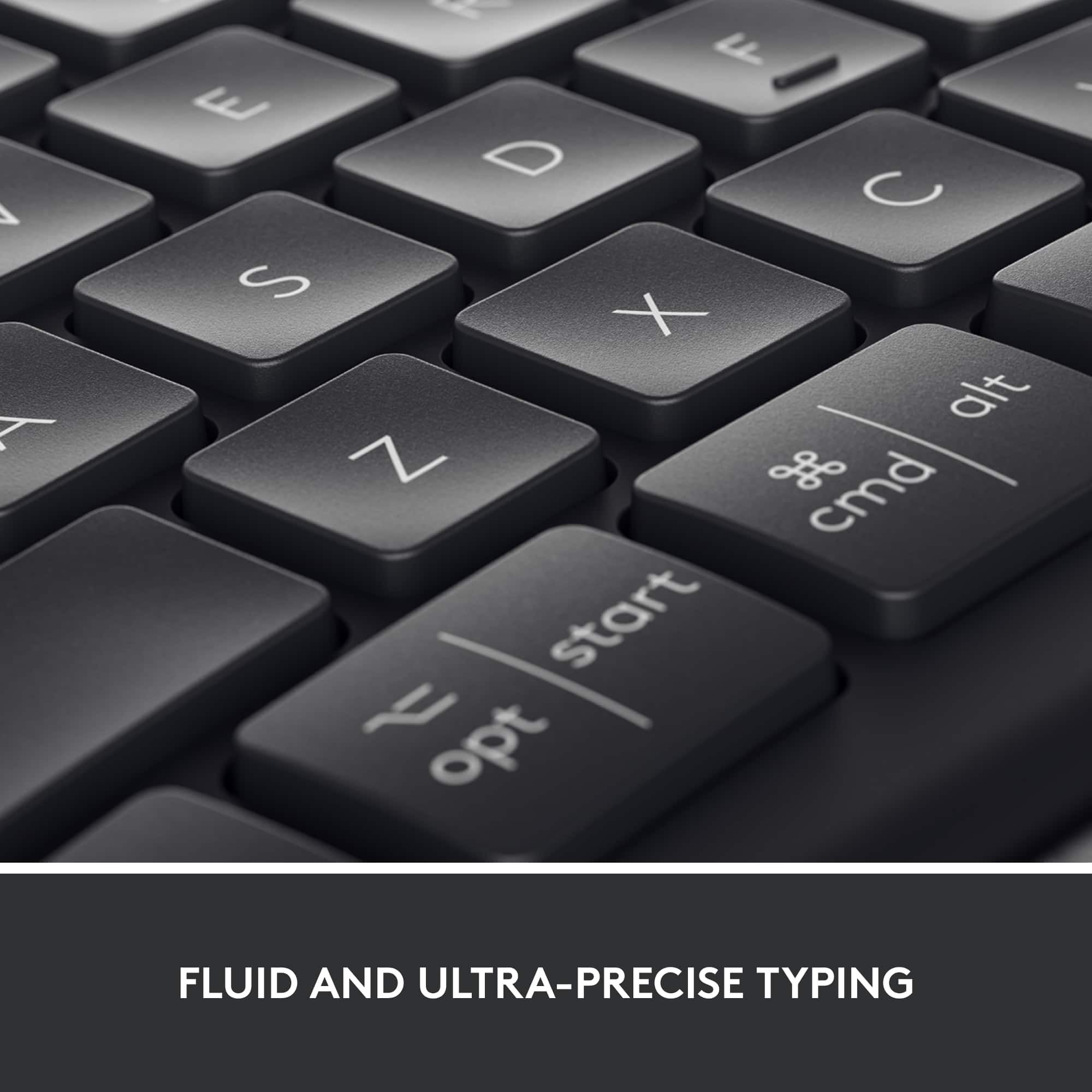
||Posted . Owned for 4 months when reviewed.This reviewer received promo considerations or sweepstakes entry for writing a review.One of the shift keys sticks. Feels cheap considering what this costs. Probably the worst price to value of any Logitech keyboard I've ever purchased
This review is from Logitech - ERGO K860 Ergonomic Full-size Wireless Scissor Keyboard for Windows and Mac with Palm Rest - Black
No, I would not recommend this to a friendBrand response from Logitech
Posted .Hi beersy,
This issue sounds like you got a defective product. Although unlikely, this can happen. That is why Logitech offers 1-Year Limited Hardware Warranty for the K860. Feel free to reach out to the Logitech support team for personalized assistance: https://support.logi.com/hc/en-us/requests/new?ticket_form_id=360000621393&mID=13405. Logitech appreciates your product insight.
- Leo from Logitech
Rated 1 out of 5 stars
Letters easily wear off
||Posted . Owned for 6 months when reviewed.This reviewer received promo considerations or sweepstakes entry for writing a review.I purchased this on June 7, 2021. (making it about 7 months old) The numbers and letters of the keys are already wearing off. Logitech says that the warranty is for 1 year but after writing to them they say that it's out of warranty. (WHAT???) So they will not fix or replace it and I don't know why. Terrible company.
This review is from Logitech - ERGO K860 Ergonomic Full-size Wireless Scissor Keyboard for Windows and Mac with Palm Rest - Black
No, I would not recommend this to a friendBrand response from Logitech
Posted .Hello macster, Very sorry to hear about the issue you're having with the K860 and the keys wearing off after just 7 months of use. In regards to the warranty, it is a limited 1 year warranty. I would send a picture of your receipt along with pictures of the worn out keycaps for your K860. Here's a link that explains Logitech's warranty policies and procedures:  https://support.logi.com/hc/en-us/articles/360023361413-Warranty-FAQ-AMR-AP#valid. Also, there are 3rd party companies where you can purchase replacement keycaps for your K860 (a simple Google search will give you a list). Hope that you found this useful and that all is going better. Thank you for being a Logitech customer. - Richard from Logitech
Rated 2 out of 5 stars
Wasn’t comfortable for me
||Posted . Owned for 2 months when reviewed.This reviewer received promo considerations or sweepstakes entry for writing a review.My left palm did not rest comfortable with this keyboard. I kept wanting to move my left hand back into position when typing. I return It and picked up a basic ergo that’s corded from Microsoft.
This review is from Logitech - ERGO K860 Ergonomic Full-size Wireless Scissor Keyboard for Windows and Mac with Palm Rest - Black
No, I would not recommend this to a friendBrand response from Logitech
Posted .Hello, I am sorry to hear the keyboard did not work out for you. Thank you for taking the time to write this review, we appreciate the feedback.
Rated 1 out of 5 stars
Logitech fix your problems!
||Posted . Owned for 3 weeks when reviewed.This reviewer received promo considerations or sweepstakes entry for writing a review.The keyboard loses connection and stops working 25% of the time. And it is a royal pain in the butt to get it working again. I it is connected to a high end HP laptop directly into one of the USB ports on the laptop and yes it does the same thing on all of the ports. There is nothing else using a USB except one Logitech Mouse.
This review is from Logitech - ERGO K860 Ergonomic Full-size Wireless Scissor Keyboard for Windows and Mac with Palm Rest - Black
No, I would not recommend this to a friendBrand response from Logitech
Posted .That's disappointing and we are sorry to hear that. We'd recommend you to get in touch with the Logi support team and check for other troubleshooting or warranty options in this case.
Rated 2 out of 5 stars
Frequently looses bluetooth connection to laptop
||Posted . Owned for 3 weeks when reviewed.This reviewer received promo considerations or sweepstakes entry for writing a review.When it works it is great. However, it frequently drops the bluetooth connection and sometimes cannot be reconnected without cold booting the computer.
This review is from Logitech - ERGO K860 Ergonomic Full-size Wireless Scissor Keyboard for Windows and Mac with Palm Rest - Black
No, I would not recommend this to a friendBrand response from Logitech
Posted .Hi Photographer, thank you for your feedback! For support, please refer to: https://support.logi.com/hc/en-us/articles/360041797553 - Will, Logitech.
Rated 5 out of 5 stars
A well thought out ergonomic keyboard
|Posted .This reviewer received promo considerations or sweepstakes entry for writing a review.This is my first foray using an ergonomic keyboard; in this case, the Logitech ERGO K860 model. I’ve worked in the I.T. industry for a long time and up to this point I’ve never used one. It’s tough gauging how well this keyboard will protect my hands and wrists since I haven’t had it very long, but it is comfortable to use. The K860 can be used with up to three (3) devices at the same time using Bluetooth. It includes a USB receiver which can be used on one device, if so desired. This and other ergonomic keyboards are different enough from ‘Standard’ keyboards that my hands don’t naturally fall to the correct keys. This isn’t a complaint, just an acknowledgement that it’ll probably take me a while to get accustomed to using it. This K860 has an adjustable palm lift that permits you to extend tilt legs that elevate the wrist-side of the keyboard for comfort. There are two different lift sizes, one small and one large. The large size lifts it pretty high, yet I prefer it better than the smaller or flat option. While playing around, I had it connected to my Dell desktop and my Samsung laptop concurrently and was able to easily toggle between the two of them with the press of a button. I also have a mouse that can toggle between two devices in the same manner. Easy-peasy! It does, however, require you to press a button on the keyboard, then the mouse, to have them synced to the same device. The keyboard has a number of handy function buttons, like controlling display brightness, volume, play/pause, fast forward/reverse, and plenty more. You get a lot with this keyboard including customizable function keys. This is a full-size keyboard that includes a numeric keypad on the right side. As someone who had to have carpal tunnel surgery a number of years back, I can’t stress enough the importance of protecting your hands and wrists during computer use. I even have a palm-rest for when using my mouse. My initial assessment of the K860 is that it’s a well thought out affordable keyboard. It is now my go-to keyboard for all desktop-related work.
This review is from Logitech - ERGO K860 Ergonomic Full-size Wireless Scissor Keyboard for Windows and Mac with Palm Rest - Black
I would recommend this to a friendRated 4 out of 5 stars
Solid comfortable keyboard
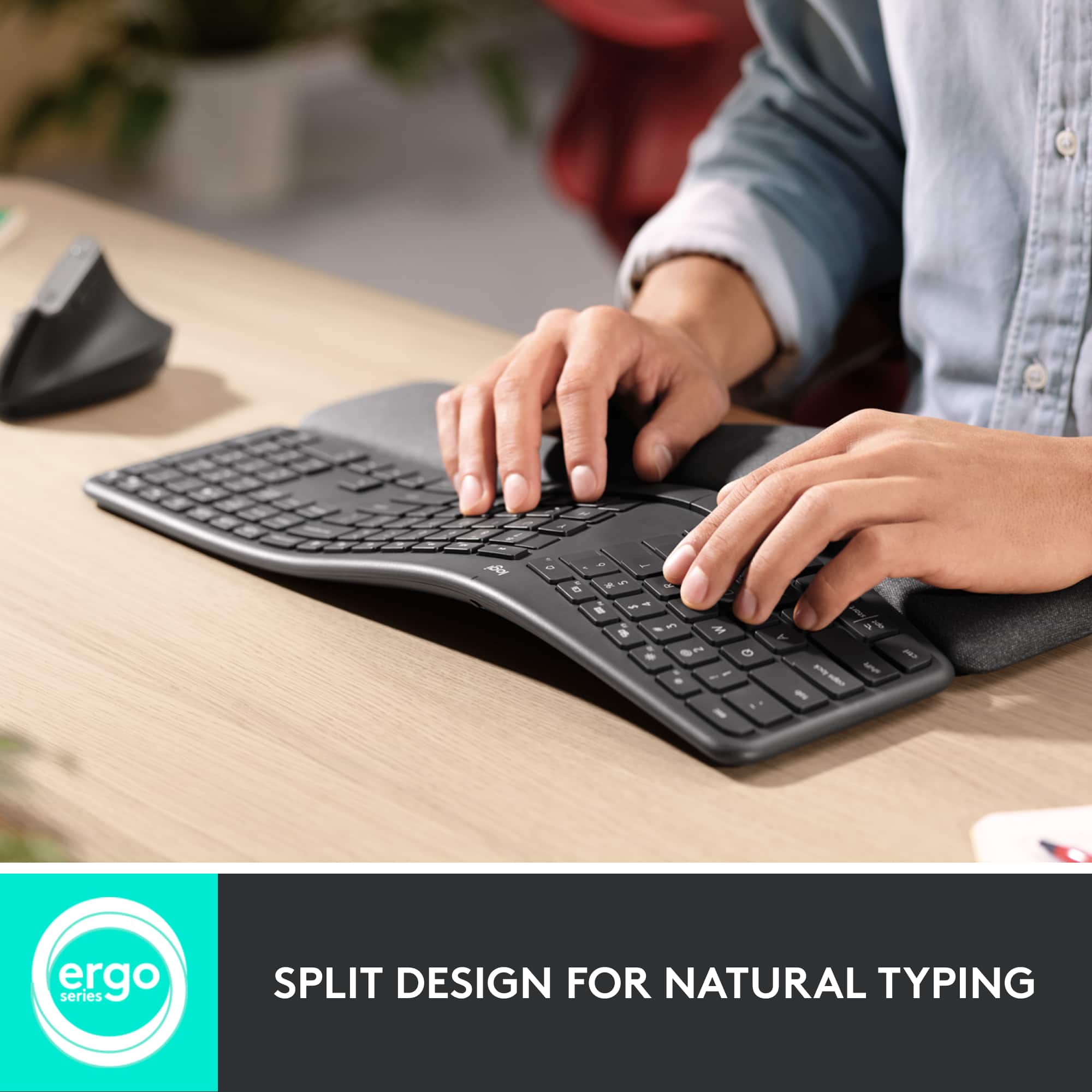
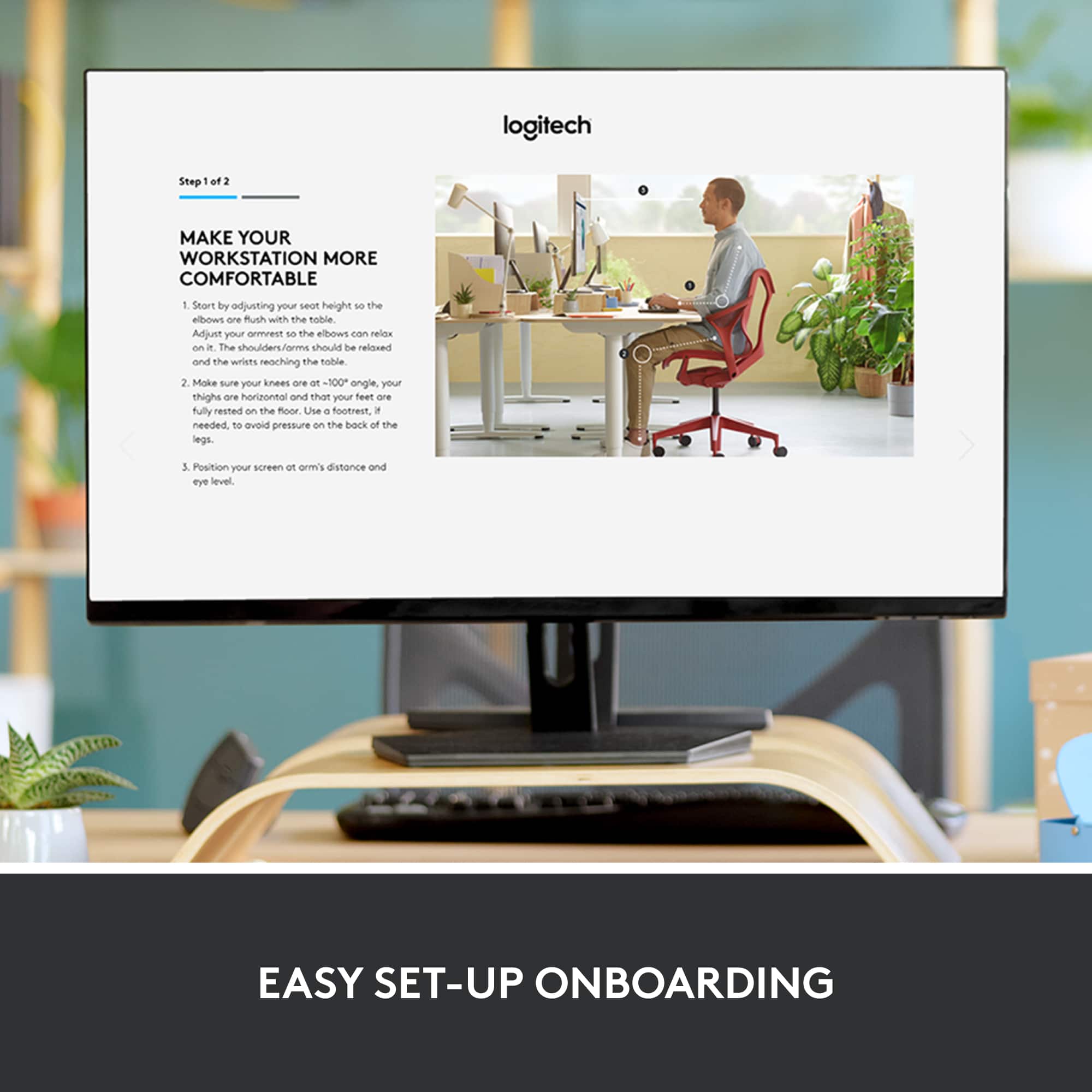
|Posted .This reviewer received promo considerations or sweepstakes entry for writing a review.The Logitech ERGO K860 is my first split keyboard and, after some time getting used to the new hand position, I am definitely glad I made the jump. I don’t have hand and arm pains after long typing sessions (80% of my job is writing), and I’m much more relaxed while typing. As this was my first keyboard of this style, I noticed a reduction in typing speed at first and lots more errors, but I attribute that to my old ways rather than the keyboard. If you are new to the split keyboard, give yourself some time to acclimate. It does and will get better! That aside, the K860 has a very comfortable wrist rest that helps position your hands more naturally than a standard keyboard. The center is noticeably elevated which allows your hands to fall more naturally and reduce stress points. Aside from the ergonomics, there are some nice added features on the K860 and a couple of things I’d like to see changed (although they are personal preferences). This unit has the ability to connect to your devices with a USB dongle or via Bluetooth which is nice if, like me, open USB ports are at a premium. There is also the ability to connect to three different devices and easily switch between them with quick access buttons along the top row. Setting up a device is simple and straight forward. The only included instructions are printed on the inner flap of the box with directions to a website for further information. I’d suggest snapping a picture of the box just in case you need to change things later down the road. The function keys are set to use the alt functions (like music control, screen brightness, volume, etc.) by default but can be easily changed to meet your preferences. Just one of those things I had to find out the hard way because of the lack of included documentation. Besides there being no instructions, I had a couple of other small issues I came across that others might be interested in. First, the K860 is a large piece of hardware. Not only front to back, but also in height because of the raised center. This presented some issues with my pull-out keyboard drawer mounted under my desk. I had to do some slight modifications to make it fit and it has to sit a little lower and off-centered than I’d prefer so it will clear the mounting bracket for my slide. The wrist rest is integrated into the keyboard and is not removeable to aid in placement. There is a small gap where the keyboard and rest meet which I can foresee being a magnet for dust, crumbs, etc., that may be difficult to clean out since you can’t take the rest off. Probably my biggest beef is the lack of back-lighting. I’m pretty sure this was left out as a battery saving measure, but with an advertised 2-year battery life, I would have preferred the trade-off of having to swap batteries a bit more often. I knocked one star off for the dearth of instructions, non-removable wrist rest and lack of back-lighting. Otherwise, the K860 is a nice addition to my work space and has already made me decide I can’t go back to a regular keyboard again.
This review is from Logitech - ERGO K860 Ergonomic Full-size Wireless Scissor Keyboard for Windows and Mac with Palm Rest - Black
I would recommend this to a friendRated 5 out of 5 stars
Carpal Tunnel Relief
||Posted . Owned for 1 month when reviewed.This reviewer received promo considerations or sweepstakes entry for writing a review.So far my hands no longer hurt. It's been a month.
This review is from Logitech - ERGO K860 Ergonomic Full-size Wireless Scissor Keyboard for Windows and Mac with Palm Rest - Black
I would recommend this to a friendRated 5 out of 5 stars
Absolutely My New Favorite Keyboard!
|Posted .This reviewer received promo considerations or sweepstakes entry for writing a review.From packaging to most importantly, ease and comfort of use, this keyboard is awesome. It may not seem to be a big deal to some people but when a company puts thought into the packaging for their product, it gives me a good feeling about what's inside. This is one of those times where I was not at all disappointed. The packaging is appealing to look at with its dark coloring and Logitech's blue/green model number font. Inside, the box is built to ensure the keyboard is secure and will not move around. The build quality of this keyboard is very evident. It has a solid feel and the keys themselves also feel like there was great care when determining how to best design them. The ergonomic split down the middle is just a touch wider than a competitor's model and I find this one to be much more comfortable while typing. My arms fall more naturally to how this is laid out. The keys are well placed and it took only minutes to feel like I've been using it for a long time. With three height settings (0-4-7 degrees) for your wrists to be raised to, you are bound to find the right setting that will be just right for you. Although I use it mostly while sitting, I was able to raise it when I used my standing desk and it was just as comfortable. The padding for where your palms fall is very comfortable and, after a full day's worth of work, my wrists and forearms were not achy like with some other keyboards I have used. It comes with the necessary batteries which I'm sure will last for quite some time. Also, there are two ways to connect the keyboard to your system; you can pair it using Bluetooth or via the included USB unifying receiver. I am using this with my MacBook Pro and all of the function keys worked as if it were from the manufacturer. I am highly recommending this for any user but most especially those of you that want a lot more comfort while using a wireless keyboard.
This review is from Logitech - ERGO K860 Ergonomic Full-size Wireless Scissor Keyboard for Windows and Mac with Palm Rest - Black
I would recommend this to a friendRated 5 out of 5 stars
Wrist saver
|Posted .This reviewer received promo considerations or sweepstakes entry for writing a review.Like many people, my occupation has me working at a desk. I am frequently typing reports, emails, or procedures. Although my job doesn't always require the heaviest usage of a keyboard, it is fairly moderate. Thinking ahead, in regards to my health, I got this keyboard to hopefully prevent possible carpal tunnel. In the week that I have had this keyboard, I feel that it has helped with my comfort. The curve of the keyboard definitely takes a minute to get use to, but after only a couple days I was back to my normal typing speed. The keyboard is very easy to set up. My desktop requires using the USB receiver and it immediately connected when plugged in. I like that the USB receiver allows you to connect a couple other Bluetooth devices, to help reduce the number of occupied USB ports. (While this isn't a concern with my desktop, I can see where this would be very beneficial on a laptop or other device with limited usb ports.) The quality of the keyboard itself is sound. The key strokes are smooth, without any keys sticking. The feature to create specific fn shortcuts is a nice addition as well. I'm very impressed with the quality of the wrist pad, especially the fact that it cleans easily. Overall, this keyboard is great, and I would recommend investing in one to anyone who finds themselves working at a desk for the majority of their day.
This review is from Logitech - ERGO K860 Ergonomic Full-size Wireless Scissor Keyboard for Windows and Mac with Palm Rest - Black
I would recommend this to a friendRated 1 out of 5 stars
One of the key failed after 13 months
||Posted . Owned for 1 year when reviewed.This reviewer received promo considerations or sweepstakes entry for writing a review.After 13 months of normal use one of the key fail to detect the key-press occasionally. It is very annoying. Tried all troubleshooting options and it seems keyboard issue. This is expensive keyboard and such failure with keypress detection is not good.
This review is from Logitech - ERGO K860 Ergonomic Full-size Wireless Scissor Keyboard for Windows and Mac with Palm Rest - Black
No, I would not recommend this to a friendBrand response from Logitech
Posted .That's unfortunate! In order to help us assist you effectively, please provide your information to our support team by emailing socialcare@logitech.com. Name – Email address – Country – Product name – Brief description of the issue –
Rated 2 out of 5 stars
I tried to love it
||Posted . Owned for 7 months when reviewed.This reviewer received promo considerations or sweepstakes entry for writing a review.i really wanted to love this keyboard. I bought this as its ergonomic but I wasn’t able to get used to the split keys
This review is from Logitech - ERGO K860 Ergonomic Full-size Wireless Scissor Keyboard for Windows and Mac with Palm Rest - Black
No, I would not recommend this to a friendBrand response from Logitech
Posted .Hi ZeeR, we're sorry to see you're having some difficulty with getting used to the ergo format of the ERGO K860 Keyboard. It is indeed a keyboard that takes awhile to get used too. But once you do, you're wrists will thank you by hopefully not feeling strained from typing all day. If you're looking for something that is also good for long sessions, check out the K350 Keyboard! Hope that helps. -N from Logitech
Rated 2 out of 5 stars
disappointed
||Posted . Owned for 1 week when reviewed.This reviewer received promo considerations or sweepstakes entry for writing a review.The keys continually get stuck while typing and causes it to automatically enter a bunch of the same letterssssssssssssss.
This review is from Logitech - ERGO K860 Ergonomic Full-size Wireless Scissor Keyboard for Windows and Mac with Palm Rest - Black
No, I would not recommend this to a friendBrand response from Logitech
Posted .Hi Roxy, I'm sorry that the keys on your K860 are sticky. This is not uncommon for brand new keyboards to be a little sticky in the beginning. It is recommend to use compressed air under the keys that are sticky to loosen them up. I hope that you are otherwise enjoying the comfort and feel of the keyboard overall. Thanks for being a Logitech customer. Kristi from Logitech.
Rated 5 out of 5 stars
I'm a believer!
|Posted .This reviewer received promo considerations or sweepstakes entry for writing a review.This feels like an extremely well built keyboard. It weighs a lot more than I expected and feels very solid. I haven’t used an ergonomic keyboard prior to this mainly because I am not a 100% touch typist. I am somewhere between touch typing and hunt and peck, so I wasn’t sure how it would work out for me. However, within the first 10 minutes of using this keyboard, I became very comfortable with it. Comfort is the key word here. The first thing I noticed is that if forced me into a much better typing posture. Instead of my typical hunched over typing position, this keyboard made me raise my shoulders and sit a bit more upright. The padding in front of the keyboard kept my wrists well supported and…well…comfortable. Before long, I noticed that I was looking at the keyboard less and less and was more focused on the screen. They keys themselves are very responsive and very quiet compared to my current keyboard. Connecting the keyboard was very easy. It includes a Logitech’s USB Unifying receiver that was instantly discovered by my PC. You can also connect via Bluetooth as well. Once connected it prompted me to install the Logitech software that would allow me to configure function key shortcuts. This keyboard is not backlit, but I rarely use my PC in a dark room the way I might with a Laptop which does require backlit keys. Overall I am very impressed with the quality and usefulness of this keyboard. I admit I was skeptical at first, but after using it now for a few days, I can’t see myself going back to a traditional keyboard.
This review is from Logitech - ERGO K860 Ergonomic Full-size Wireless Scissor Keyboard for Windows and Mac with Palm Rest - Black
I would recommend this to a friendRated 2 out of 5 stars
Key board
||Posted . Owned for 2 months when reviewed.This reviewer received promo considerations or sweepstakes entry for writing a review.Was not happy not comfortable enough was uncomfortable using it
This review is from Logitech - ERGO K860 Ergonomic Full-size Wireless Scissor Keyboard for Windows and Mac with Palm Rest - Black
No, I would not recommend this to a friendRated 4 out of 5 stars
Ergo Keyboard
||Posted . Owned for 1 month when reviewed.This reviewer received promo considerations or sweepstakes entry for writing a review.Great keyboard. Hard to clean due to the material of the palm rest
This review is from Logitech - ERGO K860 Ergonomic Full-size Wireless Scissor Keyboard for Windows and Mac with Palm Rest - Black
I would recommend this to a friend