Customer Ratings & Reviews





- Model:
- 920-009166
- SKU:
- 11233076
Rating by feature
- Value
Rating 4.4 out of 5 stars
- Quality
Rating 4.7 out of 5 stars
- Ease of Use
Rating 4.6 out of 5 stars
Customers are saying
Customers are enthusiastic about the product's ergonomics, wrist support, and ease of use. Many appreciate the key feel, Bluetooth connectivity, overall performance, battery life, and quiet operation. However, some find the product a bit pricey and large.
This summary was generated by AI based on customer reviews.
- Pros mentioned:Ease of use, Ergonomics, Wrist support

Comfortable and Sleek
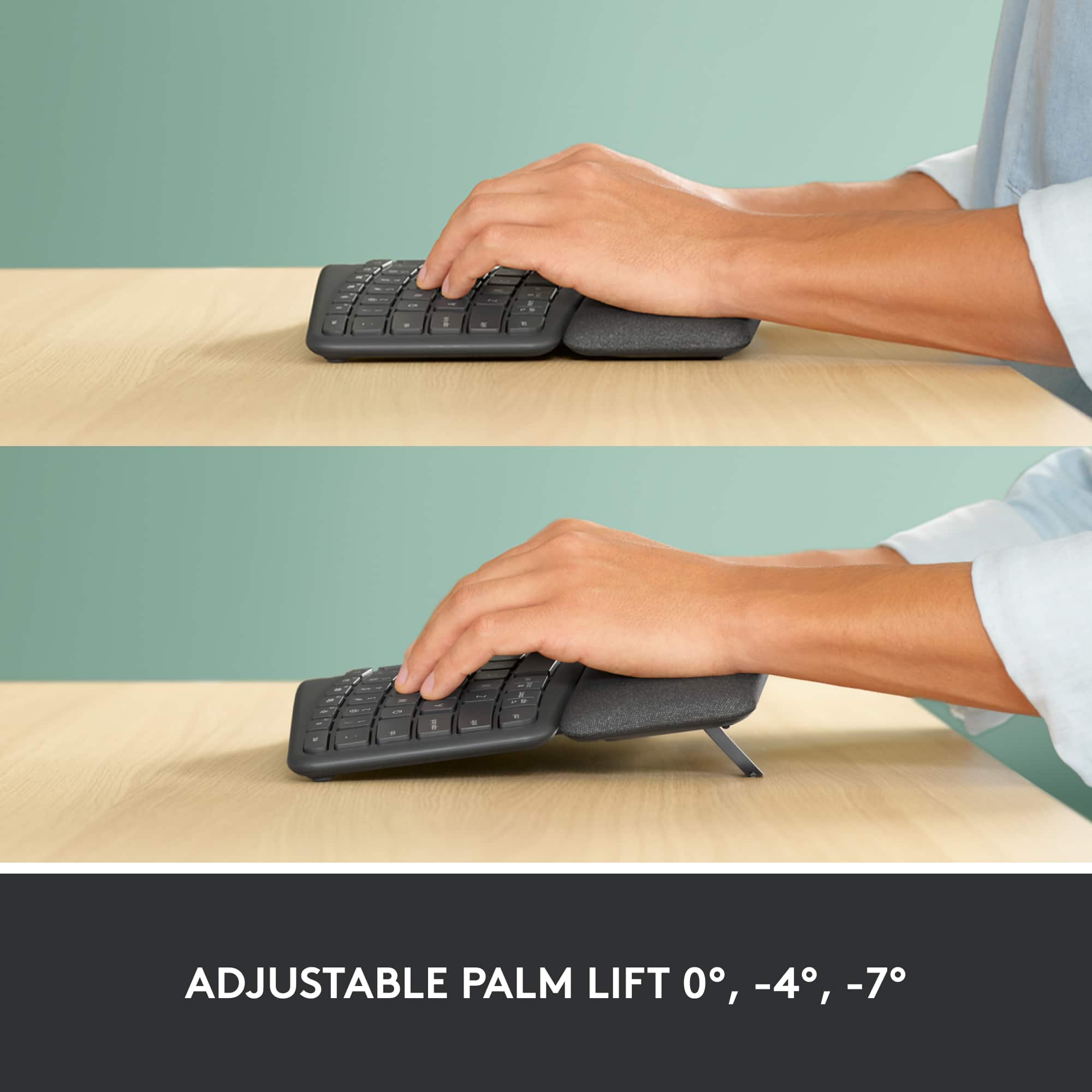
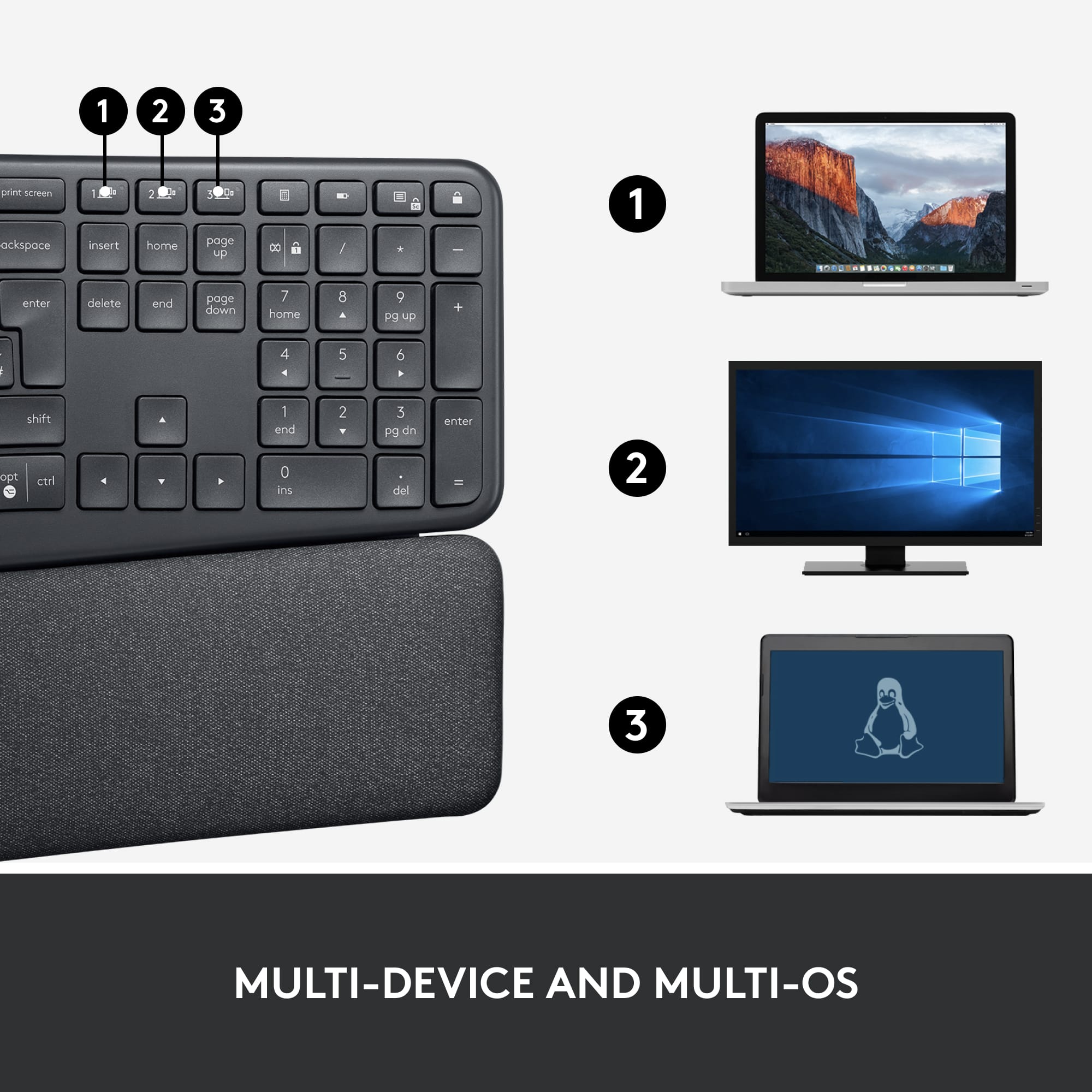
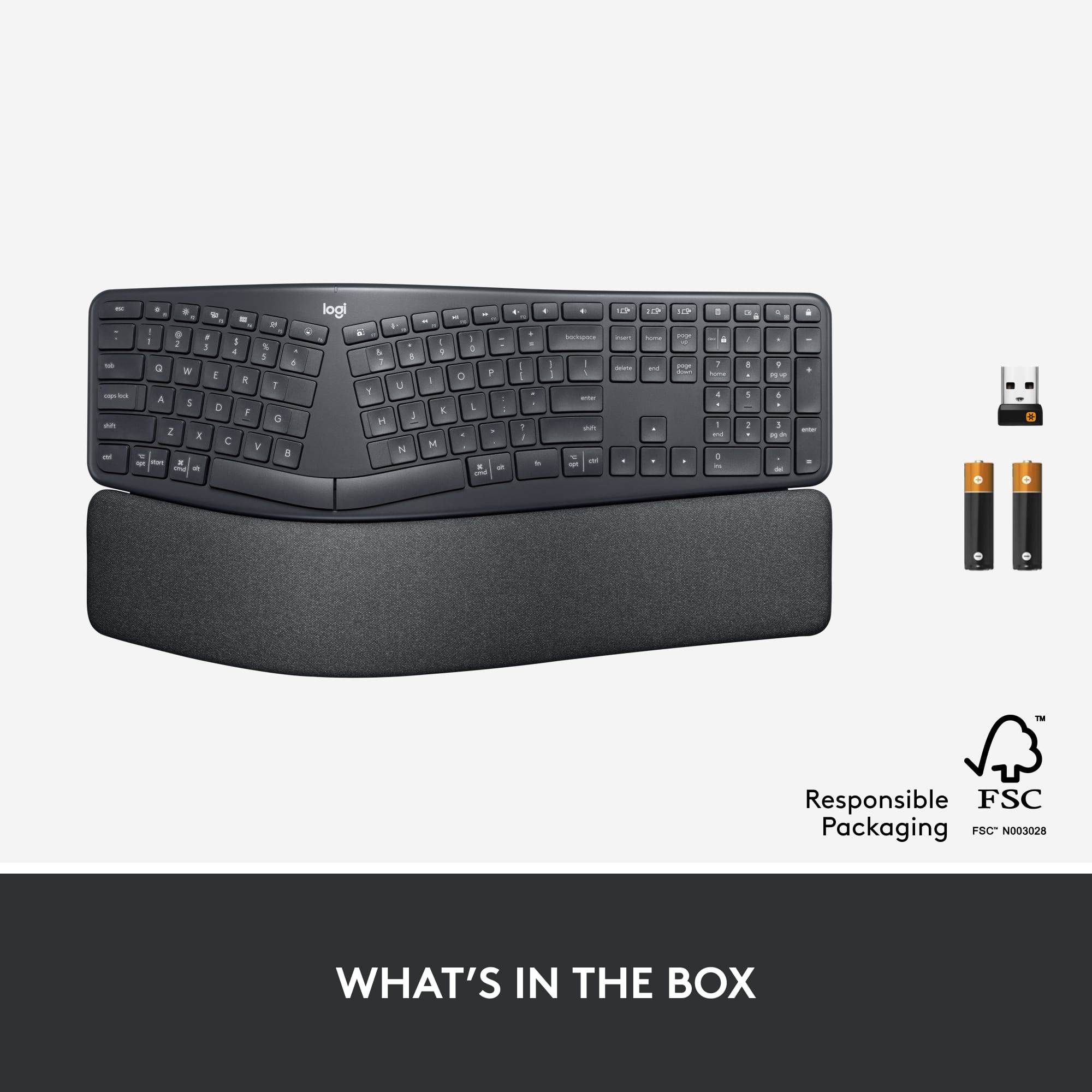
|Posted .This reviewer received promo considerations or sweepstakes entry for writing a review.I type all day long and I Highly Recommend this product. The first thing that stood out to me about this Logitech ergonomic keyboard were the sleek keys and how quiet they are. I was pleasantly surprised at how comfortable this keyboard actually is. I thought it would take me some time to get used to the split board aspect, but it felt natural from the get go so I got used to it within minutes. As someone who sits in front of a computer 40 hours a week, getting an ergonomic keyboard is a no-brainer. It’s just the tool I need to relieve some strain from my wrists. COMFORT FEATURES: The pillowed wrist rest is super soft and gives my wrists the support they need to type with proper posture. I decided to use the kick-stands to place the keyboard at a 7 degree inclination (available at 4 and 0 as well) giving my palms/wrists the lift they need to type naturally and comfortably. SET UP & MULTI-DEVICE USE: Set up was extremely quick. The USB dongle worked instantly on desktop. This keyboard has 3 quick keys to switch to different devices including smartphones. Being able to use the keyboard for my mobile device (via Bluetooth) saves me time as well as continues to minimize strain from mobile typing which is a big part of my day job. Instead of having to email myself the text, I can simply switch devices with the press of a button and type directly on my mobile or tablet devices. QUALITY: Not only does this keyboard FEEL like a quality product, my experience thus far is that it IS a quality product. I will be using it at least 5 days a week for the foreseeable future, so working with a quality tool is simply a good idea. PACKAGING & STYLE: The box it comes in gives a great first impression - gotta love good packaging. The box is nice and it comes with some reading material to get you better acquainted with the keyboard. Usually when one thinks of ergonomic or split keyboards they’re this space-age, clunky device. Not this one! It’s performance does not compromise style. Looks good, feels good, all around a great product. NICE EXTRAS: Batteries are included and there’s even a neat little space for storing the USB dongle next to the batteries of the keyboard for easy transport. OVERALL TAKEAWAY: As I mentioned above, I highly recommend the Logitech ERGO K860. It is an understatement to say that I am happy with this product. I’m a big proponent of investing in products that help me work comfortably and I’ve found that in this keyboard. Typing naturally and comfortably honestly helps me focus on my tasks rather than get distracted from wrist strain. This is one of the best ergonomic keyboards out there so if you’re in the market for one, look no further. This just might be the tool for you.
I would recommend this to a friend - Pros mentioned:Bluetooth, Ergonomics, Wrist support
Great Keyboard
|Posted .This reviewer received promo considerations or sweepstakes entry for writing a review.I'm going to start by first admitting that I have had the opportunity over the years to use multiple Logitech products and I have never been dissapointed. This keyboard is no different. This is a quality keyboard. The packaging is attractive and effective. In the box you have the keyboard, the usual quick start guide, USB adapter and batteries. A note on the batteries: they are listed to last 2 years and while I can't vouch, I have no reason to doubt the claim based on my previous experience with Logitech equipment. The keyboard comes with a USB option and a Bluetooth option. I connected to my AIO desktop via Bluetooth and it took just seconds. It can be connected to up to 3 devices via BT and easily switched by selecting one of three key options to toggle back and forth between the devices. If you don't have a BT option, you can use the USB option. In the battery compartment, there is a convenient slot to hold the USB adapter. As for the keyboard itself, the wrist pad is an great inclusion, but note, it is relatively large and does take up more real estate on your desk than most others. If you have the room, this is well worth the trade. The keys are sooth and quiet. It also has the option to program the F keys. I tested it (even though I probably won't use it) and it was easy to do and I could see how it could be a nice feature for some users. As several other reviewers have mentioned, if you are not used to using the split keyboard then there is a learning curve. This is NOT a knock or negative on the keyboard, just a clinical fact. That said, after a little practice it's a really nice KB all around. The only reason I gave it 4 stars instead of 5 is because it did not include a back-light option. I guess they purposefully excluded that for the sake of battery life, but as a night-owl, I do some of my best work well after dark and would have appreciated that at least as an option. Oh well, not a deal breaker. In all, a great keyboard from a consistently good company. I would eagerly recommend to a friend. Well done Logitech. **PLEASE NOTE** This product was provided to me at no cost in exchange for an honest and unbiased review. This review is exactly that: Honest and unbiased. The price played no role in the tone or honesty of this review.
I would recommend this to a friend Excellent item
||Posted .This reviewer received promo considerations or sweepstakes entry for writing a review.Excellent product. It helps with my tendon pain (wrist and thumb)
I would recommend this to a friend- Pros mentioned:Ease of use
Best keyboard for wfh
||Posted . Owned for 2 weeks when reviewed.This reviewer received promo considerations or sweepstakes entry for writing a review.I work from home and decided to invest in a keyboard that will prevent from having issues with my hands and wrists in the future. Very comfortable and key save up to 3 computers for easy switching.
I would recommend this to a friend - Pros mentioned:Ergonomics
Worth it
||Posted . Owned for 3 weeks when reviewed.This reviewer received promo considerations or sweepstakes entry for writing a review.Excellent keyboard, great feel to the keys, and very comfortable. I love using it with my macbook.
I would recommend this to a friend - Pros mentioned:Bluetooth, Key feel, Wrist support
I don't want to take my fingers off it!
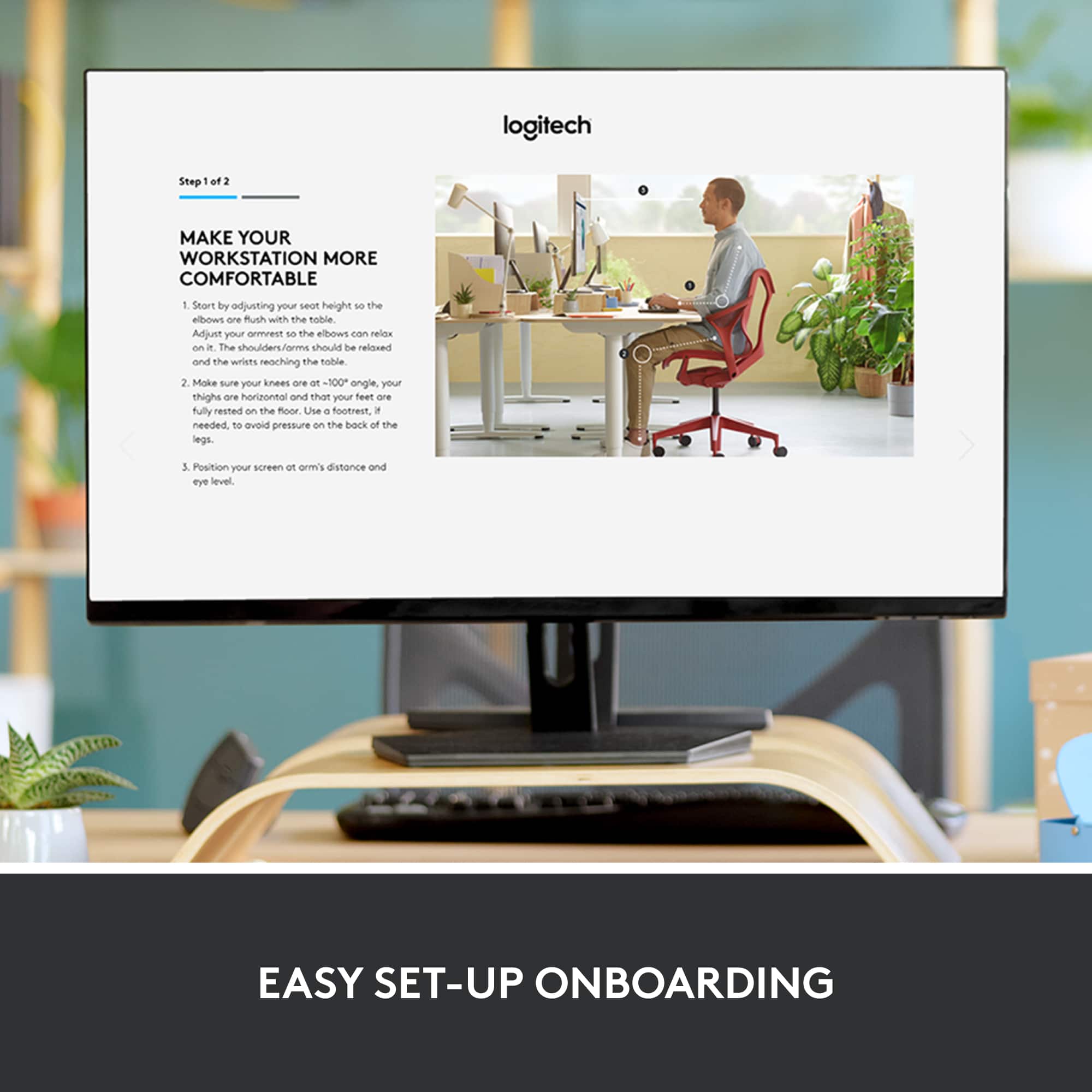
|Posted .This reviewer received promo considerations or sweepstakes entry for writing a review.I’ve been using Logitech products for several years. I have an MX Mouse that I absolutely adore. I’d been thinking about using a split keyboard as I often spend hours at my desk typing various things (mainly e-mail and reports). While it certainly takes some getting used to, after using the keyboard for a few days, I really don’t want to move my hands. The wrist rest is incredibly comfortable and gives my hands a lot of support. They feel much more natural than with a standard keyboard. I didn’t realize what I was missing until I went down this route! They keyboard is a good size and weight. The keys create the right level of resistance and travel. They feel very comfortable to use. I don’t find myself accidentally typing anything I don’t want, nor do I find myself with tired fingers at the end of the day. The only difficulty I really have is finding the “Y” and “B” keys with my fingers. Apparently, I taught myself incorrectly when I learned to touch type many years ago. This keyboard is forcing me to learn the standard approach. I can’t blame Logitech for my own poor education. Curiously, the hardest phrase for me to write now is ‘Natural typing position’. If you can get that right on this keyboard, thank your instructor! The K860 connects via Bluetooth or with the included dongle. You can also connect with up to 3 devices such as a laptop, phone, or TV. The downloadable software allows you to customize the function keys on your Windows or Mac machine. By default, the custom functions are in play (like many laptops these days). You can change that easily with the fn-lock button, a nice addition instead of having to go through the software. The keyboard is missing a ‘Pause’ key, but it adds keys for calculator and ‘right click’ menu context. Personally, I use those way more than I use pause in my office work. It will sit comfortably on your lap or on your desk, depending on what your natural typing position is. The only thing I would take points off for was Logitech’s decision not to include backlit keys, rechargeable batteries, or Flow on this model. Mechanically and from a design perspective, this keyboard shares a pedigree with Logitech’s ‘MX’ series of premium devices. It also shares a price point, coming in slightly above the MX Keys keyboard that includes the above. Moving to this from the K800 backlit keyboard would have been a much easier choice if I hadn’t had to give up that functionality. Ultimately, that takes a star off the review for what’s otherwise an excellent unit.
I would recommend this to a friend - Pros mentioned:Ergonomics, Key feel, Wrist support
"An ounce of prevention"
|Posted .This reviewer received promo considerations or sweepstakes entry for writing a review.Logitech ERGO K860 Ergonomic Split Keyboard An Occupational Safety and Health brochure offers a simple description of desirable features for comfortable keyboards. Ultimately it’s about the most natural work positions. Are your forearms bent at too severe an angle while your wrists bend upwards to strike the keys? Are you holding your elbows out and away from your body to reach all the keys? Do your hands naturally lay on the keys, or are you rotating your hands at the wrist, creating tension in the process? Anything that pulls you away from a neutral wrist posture is likely to increase the chance of injury. PERFORMANCE: Logitech’s ERGO K860 keyboard, when placed at the right height for me, provides a very natural position for my hands. Keys initially appear to be slightly to the outside (lateral) of where I expect them to be, and I’m learning to “bring them back” to the where I expect them. The split keyboard definitely lets me straighten my wrist so it’s aligned with my forearm. The built-in palm rest further contributes to a natural position by taking strain off the wrists. It’s also feels nice under the wrist. For “hunt and peck” typists it’s important to be able to find the keys, and the Logitech makes it very easy, visually. And, of course, key press force is also a feature that the Logitech gets right. It takes very little pressure to actuate the keys and I had no missed letters. Even though this a wireless connection, it’s a very reliable and instantaneous link. I sensed no lag at all. The keyboard also is loaded with direct access keys and works as easily with Mac and MS Operating systems. LOGITECH’s UNIFYING RECEIVER is a very small USB wireless receiver that communicates with as many as 6 Logitech wireless devices. Setup for me, because I already own a Logitech mouse, was little more than turning on the keyboard, restarting the Logitech options software, and allowing access to my keystrokes in the Mac system software. I’ve been successfully using their Unifying receiver with various Logitech mice and keyboards for years. I usually plug it into a dock, especially now that recent computers offer only USB-C ports. I’ve never had a problem. Although each Logitech wireless device includes a Unifying receiver in the box, you only need one for up to 6 devices. Simply store the extra receivers in case you lose one. Setup is very easy. SUMMARY: The Logitech ERGO K860 should be thought of as “an ounce of prevention”. The problem with trying to cure an injury by finding a corrective keyboard is that you’ve probably waited too long. If you spend any significant amount of time at your computer, you need to prioritize comfort. A keyboard that allows you to have a natural, relaxed position at all times will keep you out of the doctor’s office. You ought to give the Logitech a try. It works for me.
I would recommend this to a friend - Pros mentioned:Ergonomics, Wrist support
A very different keyboard worth trying
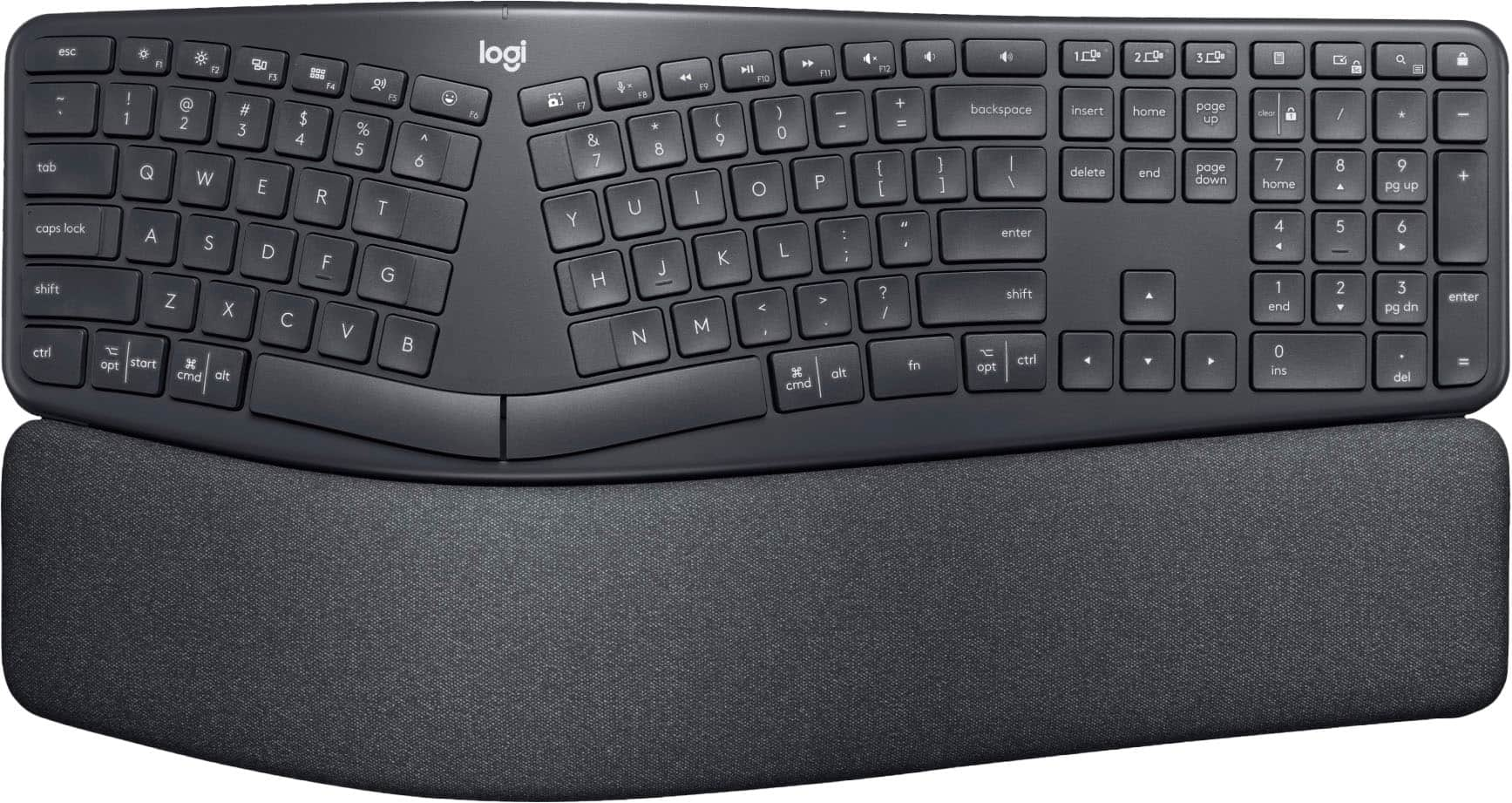
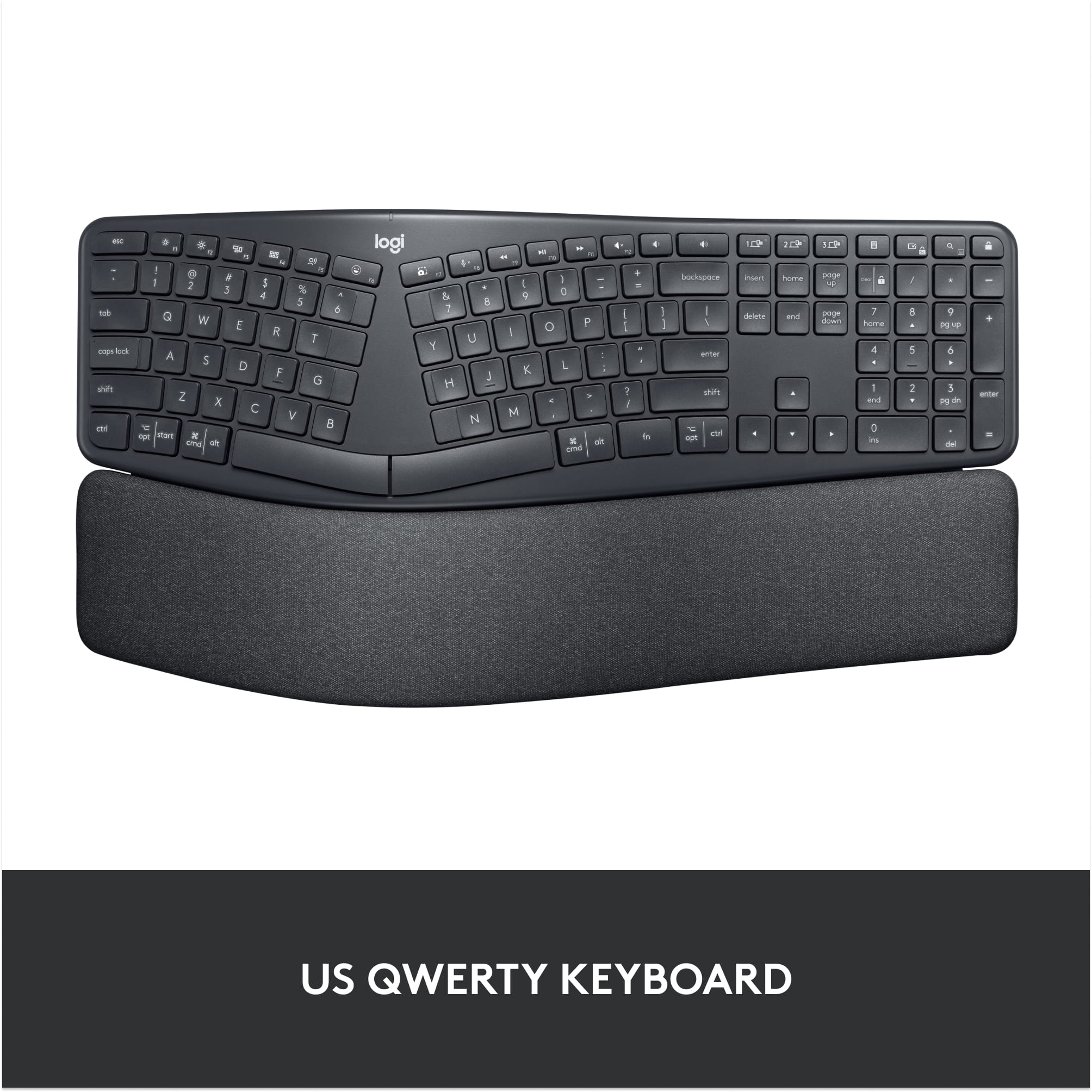
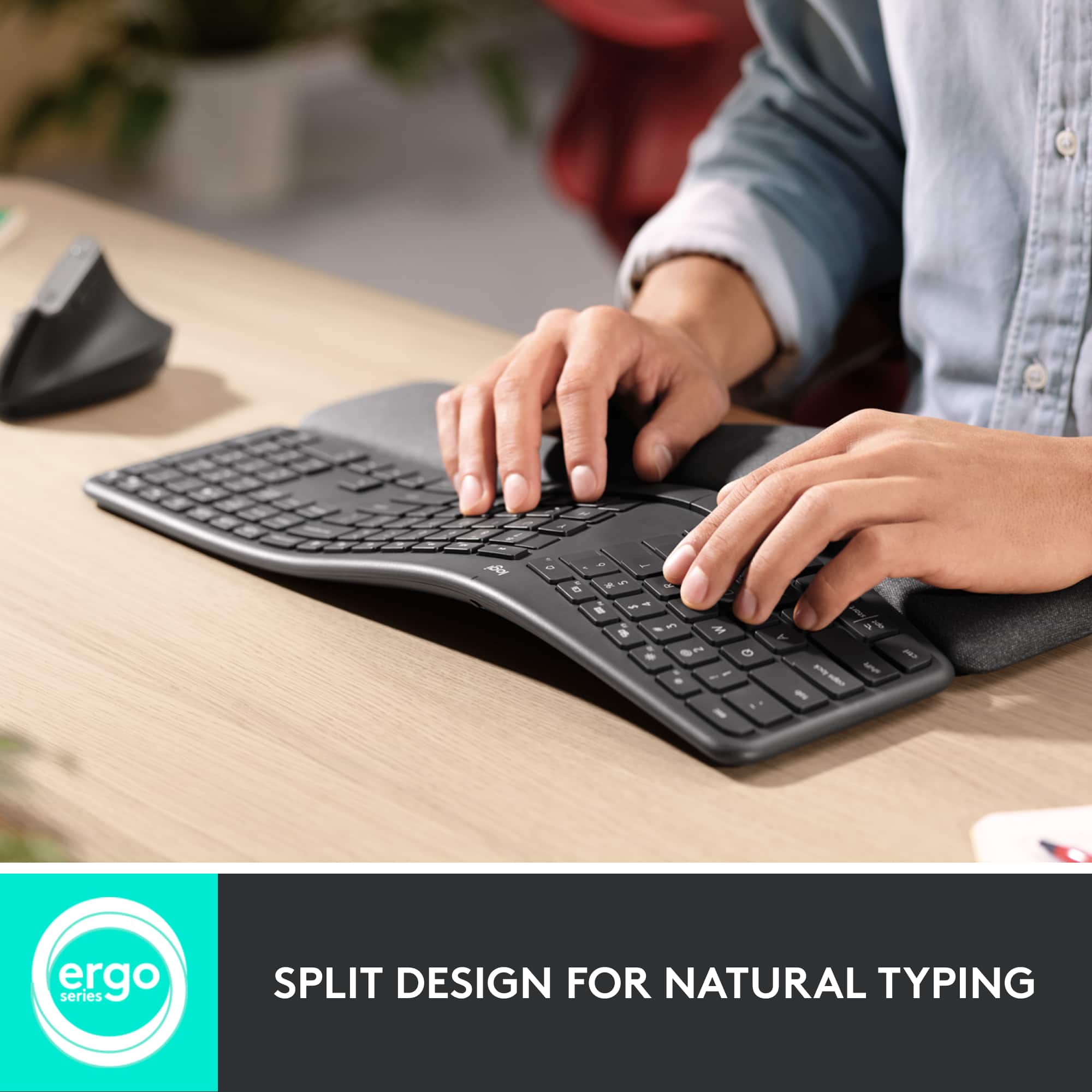
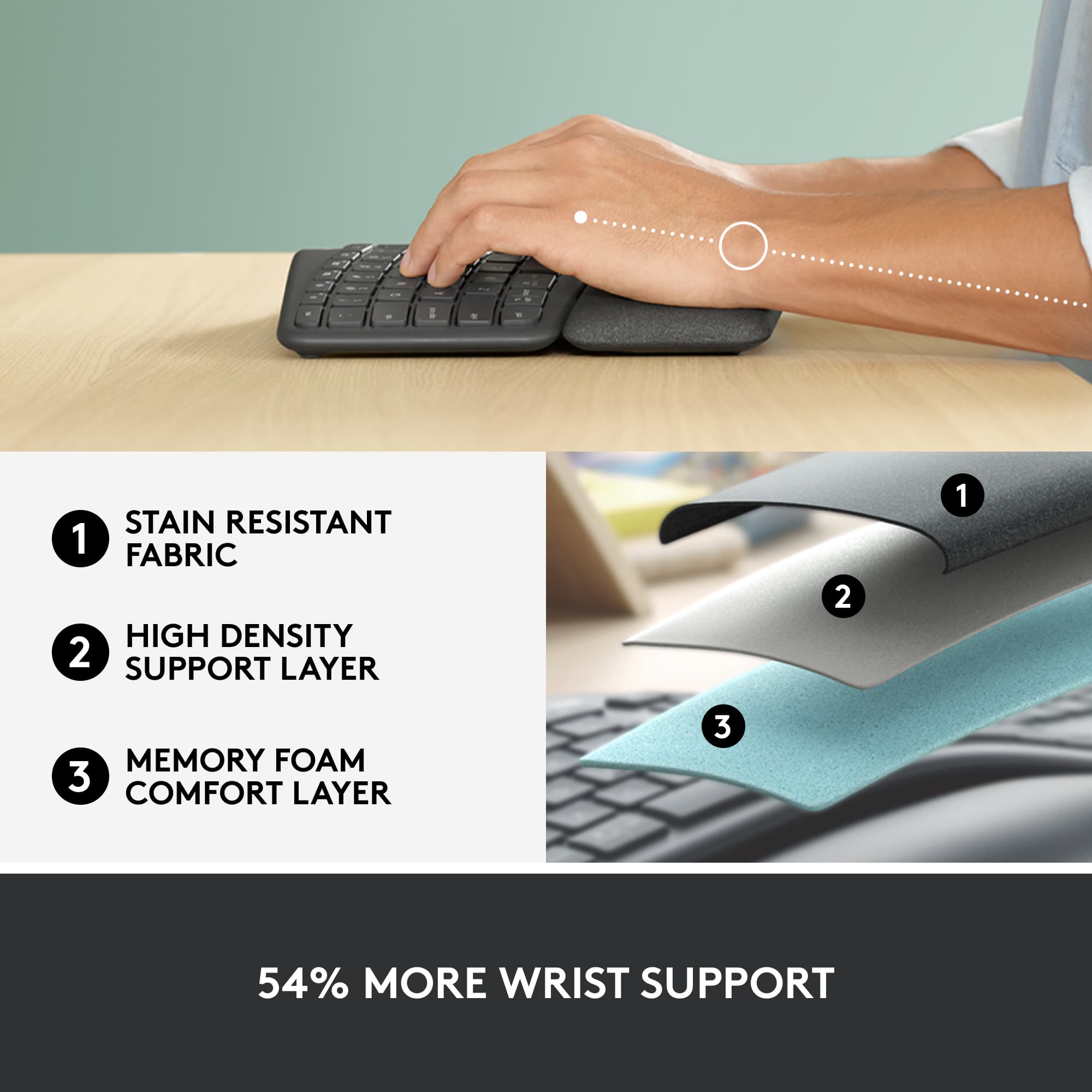
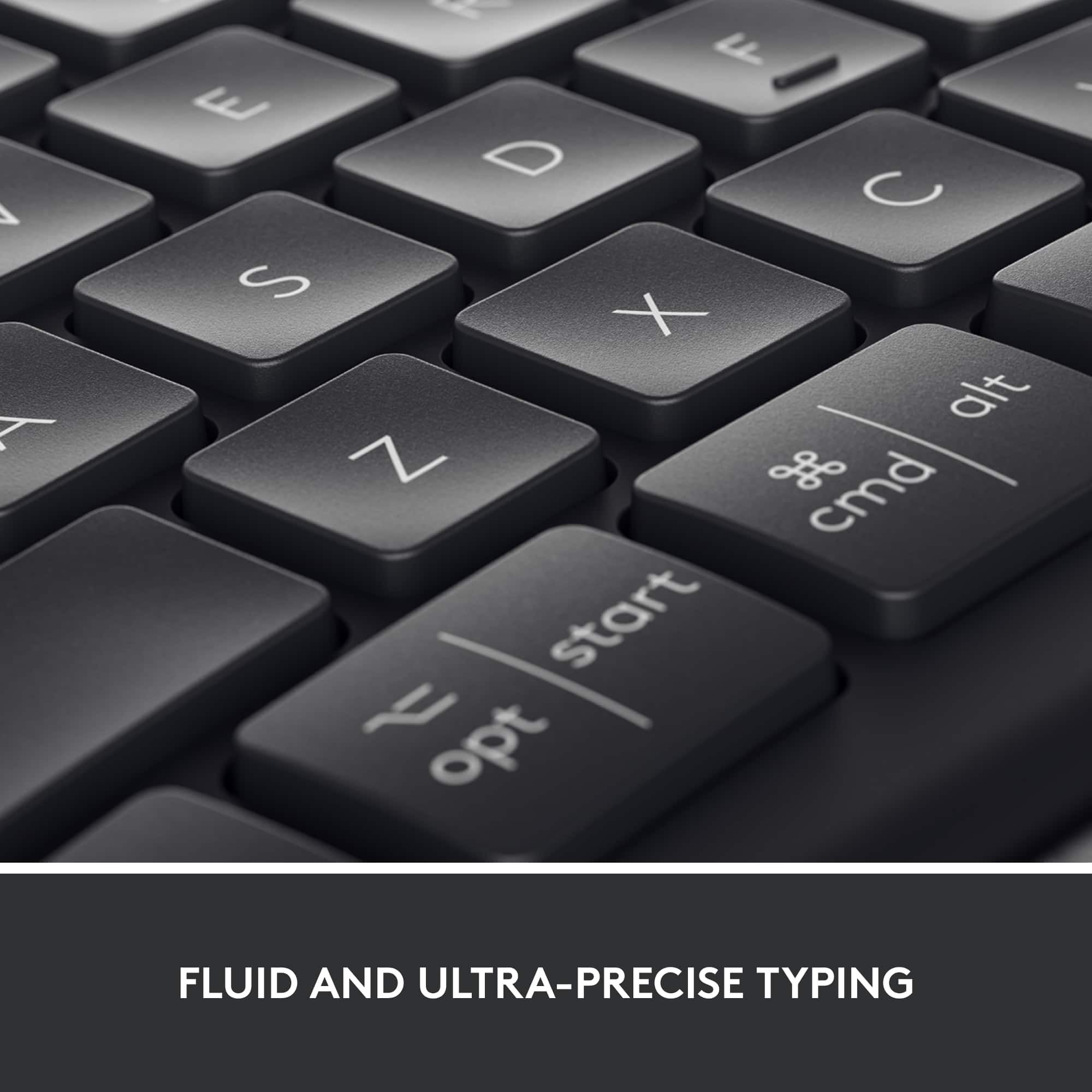
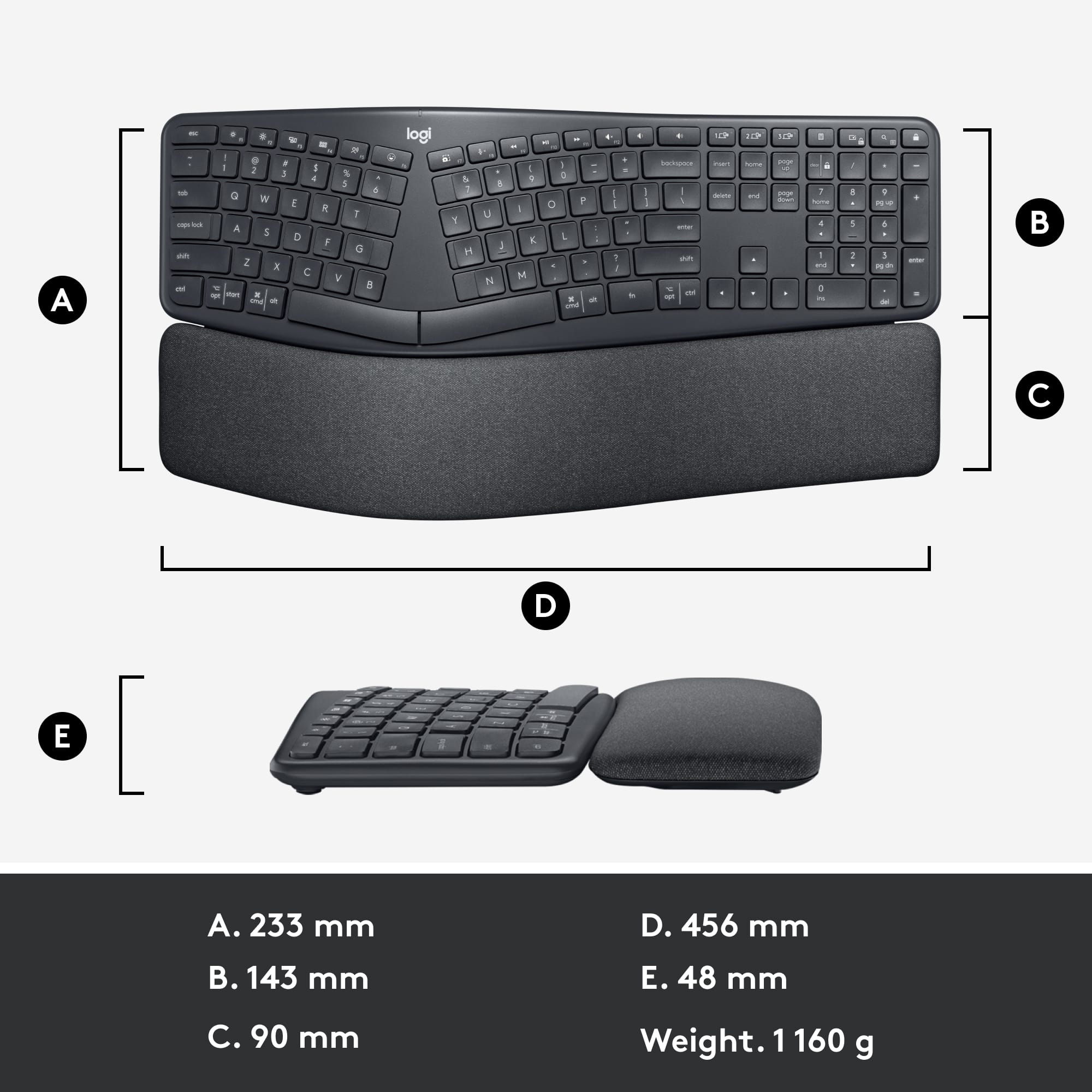
|Posted .This reviewer received promo considerations or sweepstakes entry for writing a review.The Logitech ERGO K860 Ergonomic Split Keyboard is a higher-end keyboard option that has a split, raised, keyboard and wrist area designed to reduce stress on your wrists and hands. Some may question the need to invest in a keyboard that costs nearly $130.00 as I thought, but after using it for a time now, my opinion is changing. The K860 is roughly the size of most standard keyboards with some extra room for a larger wrist rest area. It uses two AAA batteries and connects via either a USB dongle or Bluetooth. I chose Bluetooth and so far the connection has been more stable than other devices I’ve tried in the past. The keyboard is built solid with no creeks or plasticy type noises, and the keys give just enough to tactile feedback, but are quiet with no clicks or other distracting noises. The large wrist area is fabric covered and two risers you can flip out under it allow you to raise the bottom area higher – handy if you use a standing desk where the keyboard may sit a little lower than it does when you are sitting. There are unfortunately, no risers on the upper side of the keyboard. My job involves a lot of typing. I type all day, and then type even more later for personal use, so it’s safe to say that on some days, I’m using a keyboard for hours. Over time I developed issues with my wrists and hands like many in this position, and even though I’ve used other brand’s “ergo” type keyboards, they only helped a little, and I still have to resort to using wrist braces many days now to help reduce the discomfort. The K860 however, takes things a couple of more steps beyond a typical ergo type keyboard. It doesn’t just curve the keyboard a nominal amount – it splits it in half, adds some space in-between each side, curves it a bit more on each side, and on top of that, raises the center of the keyboard and then slopes it as you near each side, plus again, adds a larger than normal, cloth covered wrist rest. A lot to say. Combine all of these, and to me, the reduction in stress on my wrists and hands is much more noticeable than on other keyboards. At first use, it’s enough of a change to warp your brain a bit; my typing speed was reduced by half as my head had to re-adjust to this new typing orientation. It took about 4 solid days before my brain got used to it, and now I’m (almost) back to normal typing speeds. Best of all, I’ve experimented with not wearing my wrist supports and typing is a lot less painful than before; I feel over time, I may no longer need them. I would like to see the K860 drop in price some, still. I would like to see risers on the top-underside of the keyboard for those who need them, and I would like to see a removeable wrist support cover as over time, I can see hand oils getting this one dirty and it will be had to clean being cloth. The included software has a few bugs in it which prevented me from opening an account so adjust keys, etc., so I’d like to see that worked out. So it’s not perfect. But overall I am impressed with the K860, the exact way the keys have been placed, and the comfort it offers compared to other boards out there. I’m including a couple of photos that actually come from Logitech, because my desk is so messy I can’t get a good angle shot of just how this keyboard is shaped and curved – their photo shows it well. I also am using their shot of how if using a stand-up desk, you can rise the lower area of the keyboard for a greater slope. Give it a try and give yourself a few days to adjust. If you don’t agree, return it, but I think many may like this one.
I would recommend this to a friend - Pros mentioned:Wrist support
Advanced ergonomics
|Posted .This reviewer received promo considerations or sweepstakes entry for writing a review.This is Logitech's only split ergonomic keyboard. It's also the first ergonomic keyboard that can simultaneously be paired to multiple devices, is wireless and supports multiple operating systems. This keyboard is a great complement to the MX Vertical mouse, which I'm also using. The layout uses 'island' keys that feel similar to a laptop keyboard: The keys are slightly separated, with a limited travel compared to mechanical keys. With the divided keyboard, each side is tilted left/right for a more natural resting positions of the hands. The media and desktop shortcut keys are fully functional on both macOS and Windows 10. The integrated wrist rest is nicely padded while maintaining the keyboard's contour. As a quirk, a phone can slide nicely under the curve on the keyboard. Battery: It uses 2xAAA alkaline batteries. Logitech claims two years battery life. This might be true. I'm also using another Logitech (with mechanical keys) and it's been over a year with the same batteries. On the plus side of using AAA batteries, there is no planned obsolescence here: Change the standard batteries and works like new again. Connectivity: It can either use the Logitech unifying USB receiver, or it supports Bluetooth 5.0 LE. Note that if using an older computer that does not support Low Energy mode, the keyboard might not work with Bluetooth, but works with the USB receiver. The Unifying receiver can connect to up to 6 devices (On the same receiver). I cannot reinforce enough how reliable the connection is with the unifying receiver, and one receiver works with both keyboard and mouse. The keyboard has three buttons to switch devices it connects to, or if using a compatible Logitech mouse, enable Flow to seamlessly switch between devices. This keyboard supports flow when used with the Logitech MX Vertical mouse, and it works between macOS and Windows 10. It took me about a week to adapt to this keyboard, coming from a mechanical keyboard. There are no lift tabs on the back of the keyboard, instead they are on the front so it can lean backwards when using it on a standing desk. As potential cons to consider, as per one's preferences: - No option to recharge batteries. - No wired USB: Wireless only. - No backlight keys. - No mechanical keys: From personal experience, it took me longer to get used to the shorter travel than to the split keyboard. - Keycaps are not removable.
I would recommend this to a friend - Pros mentioned:Bluetooth, Ergonomics, Wrist support
Solid and elegant ergonomic keyboard
|Posted .This reviewer received promo considerations or sweepstakes entry for writing a review.I had been using Microsoft ergonomic keyboard for several years now, which I like but it was definitely need to be replaced soon. But my Microsoft keyboard is huge and is not wireless. Ergo from Logitech looks like a piece of art. It has a very simple design and very attractive looking. The first thing I notice is, how good looking the keyboard is. The connection can be done via Bluetooth or USB. This is the first non Apple keyboard that I have that connects using Bluetooth. I do appreciate that this keyboard comes with both options. The connection was a breeze and very quick. As soon as you click the available Bluetooth devices from the list, the keyboard connects right away with your computer. I am using Windows 10. I have not tried this with my MacBook Air. But the instruction says that the keyboard can be used for either Apple or Windows PC. So, I have MacBook Air for awhile and I am very pleased with their keyboard. It’s flat and very precise. Logitech has similar keys to Apple keyboard. And the good news is it’s also very precise. The keyboard also comes with resting wrist for more natural typing. I have been using it for a week. I am a very fast typer. But somehow I still have to often look at the right side of the keyboard because I keep pushing the key next to the one that I am supposed to push. I am pretty sure eventually I will be able to type without looking at the key anymore. I am just wondering why after a week, I am still having to look at those keys. Another thing that I like about this keyboard is that it forces you to sit “more straight up”. I used to slouch so low using the previous keyboard but I can’t do it as much with this keyboard. And I do love how soft the material used for resting the wrist. WIll this help if you have issue with your wrist? Based on my experience, so far the keyboard is working as it should be. I have not had any issue with my wrist from typing too much. And I type a lot. Another feature that I like about this keyboard is that it can be paired with up to 3 different devices. Right now, I am typing this review on my iPad using the keyboard. Again pairing the keyboard with the ipad is very quick and easy. I think I am going to love this keyboard.
I would recommend this to a friend - Pros mentioned:Key feel, Wrist support
Perfect daily work keyboard
||Posted . Owned for 1 year when reviewed.This reviewer received promo considerations or sweepstakes entry for writing a review.I bought this keyboard along with the MX Vertical mouse and have been using both every day for work. This keyboard has been flawless. Absolutely no complaints. The split layout felt a little different at first but it only took a few days to adjust. Now I can't imagine going back. My typing feels more natural and my wrists stay comfortable even after long hours. The built-in wrist rest is soft but supportive and makes a huge difference during extended typing sessions. The keys have a nice feel to them — quiet but responsive. It connects easily and stays connected whether I'm on Windows or Mac. Battery life is fantastic and I love not having to worry about recharging all the time. It looks great on my desk and helps me keep a healthy posture while working. If you're looking for a keyboard that's comfortable, reliable, and built for real-world use, this is a no-brainer. Five stars without hesitation.
I would recommend this to a friendBrand response from Logitech
Posted .Thanks so much for your thoughtful review — it’s wonderful to hear how seamlessly the keyboard has fit into your workflow and enhanced your comfort throughout long days. We’re thrilled that the layout and wrist rest are making a real difference for you, and it’s great that both functionality and design are hitting the mark. Here's to many more productive and comfortable hours ahead!

- Pros mentioned:Bluetooth, Key feel, Wrist support
Well Made Bluetooth Ergonomic Keyboard
|Posted .This reviewer received promo considerations or sweepstakes entry for writing a review.The Logitech k860 is a wireless ergonomic keyboard that, so far in my use of it, dosent disappoint. First of all, you have the option of using it via Bluetooth or USB. The USB is just a small module that is a receiver for your computer. If you use the Bluetooth feature there is no need for the USB receiver. The keyboard allows you to connect it to 3 different computers. Setup over Bluetooth for me was as simple as you can get on my Windows 10 desktop. Simply remove the tab in the battery compartment of the keyboard, go to Bluetooth devices in settings on windows. Turn Bluetooth on and select ERGO K860. A pin will display in Windows. Press the corresponding keys on the keyboard and your done! The keyboard comes with a builtin (non-detachable) palm rest. It's soft and comfortable. It has legs under the palm rest that can be flipped out to change the angle of the keyboard for people who may use it from a standing position. The feel of the keys are good. I'm typing this on the K860 and haven't felt any fatigue as of yet which points out that the curvature of the keyboard is correct. This type of keyboard is a must for those who type for long periods of time as I do on occasion. The K860 also has an on/off switch so I can turn off the keyboard to prevent unnecessary battery drain. It has all of the keys you would expect for a full size keyboard and the shortcut (function) keys are mapped properly in Windows 10. Overall I'm impressed. Well done Logitech!
I would recommend this to a friend - Pros mentioned:Ergonomics, Wrist supportCons mentioned:Price
Much better than a standard keyboard
|Posted .This reviewer received promo considerations or sweepstakes entry for writing a review.I must first admit, the ergonomic design was something to get used to. I am not a “techie”per se, just an everyday working mom so I didn’t see how it was going to a step up from a standard keyboard until after I used it for the first time. Also, if you don't like fooling with the instructions, they are right there on the box with a picture diagram when you open it. HUGE WIN HERE. Here are a few other features I found out about this keyboard: Pros -You can connect it via standard usb or even bluetooth —really simple setup -Is both Mac and Windows compatible -the center keys have this unique setup that somehow helps your finger placement while typing -sturdy keyboard feel -soft wrist pad Cons -It may take some getting used to coming form a standard keyboard -The power on switch is a bit easy to miss -though it’s worth it, some may find it a bit pricy After using it a few days now I feel like I’m spoiled with it now and can no longer go back to a regular keyboard. It is also reassuring to have learned that the ergonomic design is more useful and even healthier for people like me who are typing for a significant amount of time regularly.
I would recommend this to a friend - Pros mentioned:Ergonomics, Wrist support
Great Ergo Keyboard at a Good Price
||Posted . Owned for 2 weeks when reviewed.This reviewer received promo considerations or sweepstakes entry for writing a review.I purchased the Logitech ERGO K860 from Best Buy, and it has been a great addition to my workspace. The ergonomic, split design immediately made typing feel more natural, and after long workdays I’ve noticed significantly less wrist and forearm strain. The built-in palm rest is comfortable and supportive, and the scissor keys are quiet, responsive, and accurate. I also appreciate that it’s a full-size keyboard, so I didn’t have to sacrifice productivity. Wireless performance has been reliable, and it works seamlessly with both Windows and Mac. Best Buy made it easy to find and purchase this keyboard at a competitive price, and it’s delivered exactly what I was looking for. If you spend a lot of time typing and want a comfortable, well-built ergonomic keyboard, this one is definitely worth it.
I would recommend this to a friendBrand response from Logitech
Posted .Thank you for sharing your insightful feedback! We're delighted to hear our product delivers on both performance and usability. Your input helps us continuously enhance our offerings. We appreciate you being a Logitech customer!
Disappointed
||Posted . Owned for 2 months when reviewed.This reviewer received promo considerations or sweepstakes entry for writing a review.Keyboard portion worked as expected, however not even two months before one of the front supports broke during normal home office use. Two weeks past return window of course. Disappointed.
No, I would not recommend this to a friendBrand response from Logitech
Posted .Hello, PowerUser75! I'm sorry to hear about your experience with the K860 keyboard. I would recommend reaching out to our support team here https://support.logi.com/hc/en-us/requests/new?ticket_form_id=360000621393 to file a warranty claim. The K860 has a 1-year limited hardware warranty. Thank you for the feedback on the front supports! I will be passing this along. - Maggie from Logitech
- Pros mentioned:ErgonomicsCons mentioned:Size
Good Ergonomic Keyboard, still traditional design
|Posted .This reviewer received promo considerations or sweepstakes entry for writing a review.The keyboard Keyboard Ergo K860 first impression has to do with its latest version of connectivities and flexibility with customizable function, with support for up to 3 multiple PC/Notebooks connectivity for ergonomic purpose. Following review consist of usage for four days with MacBook Pro 13” (iOS Sierra), 15” (Catalina) and Windows Notebook Windows 10; and describe only remarkable aspect leaving out standard or universally common aspect. Setting up with Notebooks is straight forward, and most of functions seems to work as per specification (didn’t use all but only mostly used during writing experience, running number, and browsing, switching devices). The main strength of the keyboard is the Ergonomic aspect designed in the one piece of keyboard . Typing experience is good although feels bit different in a sense its bouncing up as type doesn’t feel as pressing. But what is is sure it is effortless to press the key. Then everything in between relies on the natural position of the hand and arm driven by the stylish direction of left and right side keys. In this sense is not very different from traditional design, but excelled by underneath mechanical aspect I assume. Now personal thought, what looks redundant is the numpad. This is because from design and ergonomic view, while typing, right hand need to move all the way to right side; then return back to typing position. On the other hand as the numbers are part on the top row above characters, feels to create un productivity contrary to the claim in Logitech product site. Now another benefit of the keyboard to mention or to confirm the product claim, is multi OS. It works seamlessly as switching from IOS to Windows without hassle. This is achieved upon setup connectivity, pressing a button which allows switch around as need. (Ie from iOS to Windows, then from Windows to iOS). The physical aspect looks slim and nice. But this is only from the distance. Once front of the display, it looks bulky and taking quite a space of the desk unless user using large one. Now, the keyboard design itself for ergonomics usage, it doesn’t look very different to Microsoft Ergonomic Keyboard at glance. Compared to it, Logitech ERGO K860 is bit heavier (40.92oz) vs Microsoft (35.98 oz including cable). Then the obvious, one is totally wireless while second one is wired while the price difference MSRP $129.99 vs $59.99. But the gap being justified most probably to the range of connectivity offered in Ergo K860, its worthless something to value. What look to come short: 1. Keyboard Backlight: in the night hard to notice the keyboard unless the hand is fully used and not need to look at it. 2. Receiver is only USB A type, not type C (probably left out as assume it will use Bluetooth in devices without USB A type connection, but is my assumption) 3. Bulky aspect. Although its bulkiness might be due to the palm rest, feels need some more research such that take less space of the desk) 4. Battery is not rechargeable. Probably this depend on point of view, but the keyboard use AAA batteries, and for those doesn’t like replacing it mostly wishful function. Attached with review compilation of photo that include comparison of size with apple keyboard, display size 24”, unpacking, battery and two level of hight. Then second screenshot of comparing specification between Logitech ERGO K860 and Microsoft Ergonomic Keyboard. Odd aspect but just detail. At Logitech product site under section for 2-Year Battery Life, it mention “…when it is time to recharge, the battery indicator light glow red” (https://www.logitech.com/en-us/product/k860-split-ergonomic-keyboard/page/ergok860-features). But I couldn't find rechargeable cable or doesn’t come with the package. Maybe typo on the site.
I would recommend this to a friend - Pros mentioned:Wrist support
Comfort typing for all day use
|Posted .This reviewer received promo considerations or sweepstakes entry for writing a review.When ergonomic keyboards first came out some twenty plus years ago, I bought one of the first models. I believe it was in 1998. Have things changed and have come a long way since then. Most of the Ergo keyboards split your keys, but the Logitech Ergo K860 actually raises on the inside of your hands next to your pointer fingers that tapers away to your pinkies. This is very comfortable position and a more natural feel. The keys are shaped so your fingers naturally fall into the center. The space bar is split so either thumb can connect with it. It also has a built in 10-Key which is a nice added feature. There is a function lock button that helps you to easily switch between function keys and media keys. The attached adjustable pillowed wrist support lifts in the back to make a more comfortable experience for when you are standing. There are two connection methods, Bluetooth or usb receiver. The receiver will actually connect multiple devices so you can free up a usb slot if needed. The connection instructions are easy to follow and there is actually easy connect for up to three devices. I have only had it for about a week, but I do notice that I have less fatigue than my regular keyboard. I do notice I make more mistakes when I have to switch back and forth between the Logitech Ergo K860 and my laptop keyboard. The laptop keys are really close together and the Logitech Ergo K860 fits my hands better.
I would recommend this to a friend Game-Changer for Long Workdays
||Posted . Owned for 3 weeks when reviewed.This reviewer received promo considerations or sweepstakes entry for writing a review.The Logitech ERGO K860 has been one of the best keyboard upgrades I’ve made. The split, curved design feels natural and significantly reduces wrist strain, especially during long workdays. The built-in palm rest is comfortable and supportive without being too soft or too firm. Typing feels smooth and quiet thanks to the scissor switches, and the key layout is easy to adjust to after a short learning curve. I also appreciate the ability to connect to multiple devices and switch between them seamlessly, which is perfect for working across a laptop and desktop. Build quality is solid, battery life is excellent, and it works flawlessly with both Windows and Mac. If you spend hours typing every day and want something ergonomic without sacrificing performance, this keyboard is absolutely worth it. Highly recommend.
I would recommend this to a friendBrand response from Logitech
Posted .Thank you so much for your wonderful feedback on the Logitech - ERGO K860 Ergonomic Full-size Wireless Scissor Keyboard! We’re thrilled to know it’s meeting your expectations. Your support means a lot to us.
- Pros mentioned:Ergonomics, Key feelCons mentioned:Size
Best Wireless ergonomic keyboard with quirk’s
||Posted . Owned for 3 weeks when reviewed.This reviewer received promo considerations or sweepstakes entry for writing a review.If you are trying to find a wireless ergonomic keyboard I do not think there is any better option out there . Pros : - Good ergonomic design - nicely spaced keys - Good tactile keys ( not mechanical level) - battery life is great - Cons - not rechargeable - little bulky takes a lot of space so not for minimalist - palm rest is little hard and not detachable - gap between palm rest and keyboard collects a lot of dust.
I would recommend this to a friend - Pros mentioned:Ergonomics, Key feel, Wrist support
Ergo Keyboard, programmable
|Posted .This reviewer received promo considerations or sweepstakes entry for writing a review.The Logitech Ergo K860 is a nice keyboard. The programmable keys are a must have. The keys feel natural and its takes a few moments to get use to. The build in hand rest is soft water resistant. The water beads up and runs off. I am left handed, my wrist keeps sliding off the hand rest. It is easy to program the keys following the online instructions. There is a two level height adjustment in the front. The raises the front and the board slopes toward the rear. Putting it in the highest level stopped my wrist from sliding off. It also gives better fit for typing. The new hookup system allows for more than 1 device to use the same dongle. This keyboard is not back lit. If you are not a touch typist I would not recommend this keyboard, I would recommend it, if you are used to typing on an ERGO split keyboard, and upgrading.
I would recommend this to a friend