Customer Ratings & Reviews




- Model:
- 920-009166
- SKU:
- 11521564
Rating by feature
- Value
Rating 4.4 out of 5 stars
- Quality
Rating 4.7 out of 5 stars
- Ease of Use
Rating 4.6 out of 5 stars
- Pros mentioned:Ergonomics

Nice ergonomics but slight difficulty w/ setup
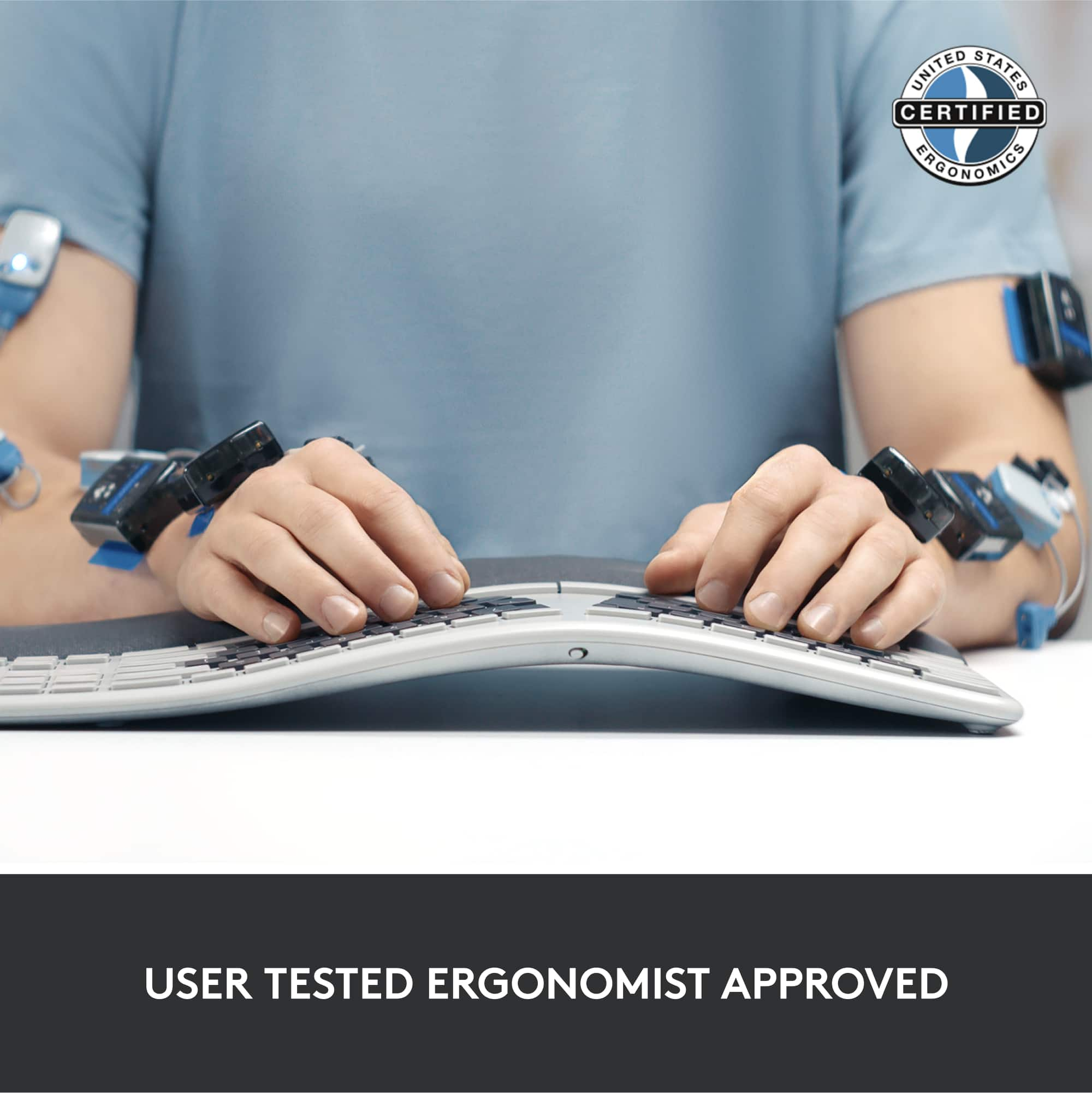
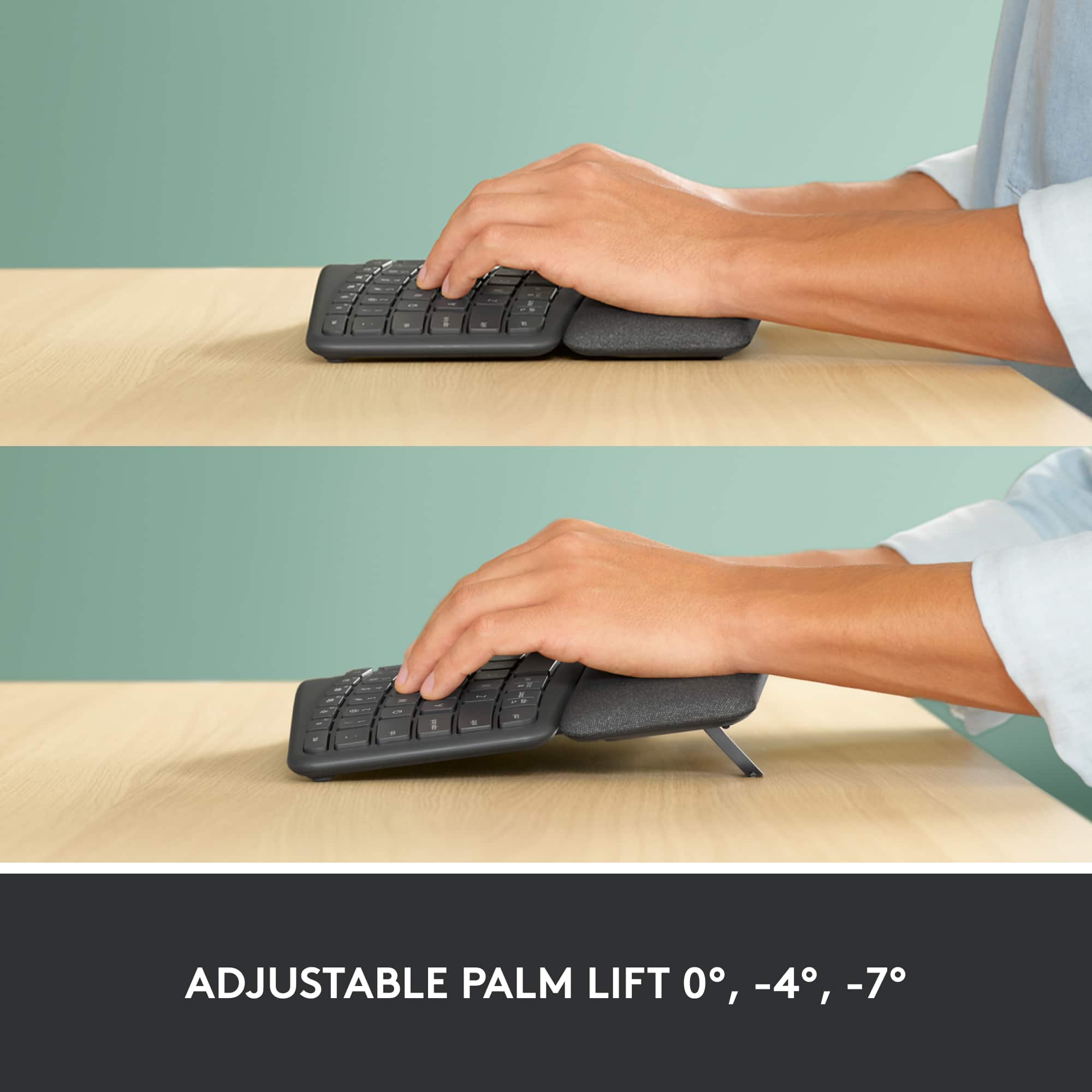
|Posted .This reviewer received promo considerations or sweepstakes entry for writing a review.Years of poor ergonomics at work and poor posture have left me with a lot of related problems. So, being able to have an ergonomic keyboard is very important to my health and well being. I type a lot at work, though not as much at home (but still enough to warrant improved ergonomics). I first setup this keyboard at home with my Mac mini. Unfortunately, I had a lot of issues getting it paired with my Mac. I first tried bluetooth pairing and finally got it to work after several attempts; but, the connection kept on dropping out. So, I then tried the unifying receiver and, again, had issues with setup, despite following the sparse directions included. Regardless, the setup at home was to just test it out - the main place I had planned to use the keyboard was at work, on a Windows PC. When I brought it to work, my only option was using the unifying receiver as my work desktop does not have bluetooth built-in. As soon as I plugged the unifying receiver in, the keyboard was recognized, drivers automatically installed and then done. I could start right away using it. After having used it now for a couple of weeks, I can say that the ergonomics feel good, though I'm still getting used to the layout. I have quite a bit more typos than I'm used to (I've been a touch-typist since high school), but the typos get less and less the more I use it. The key caps are a nice height (perfect height possibly?) and don't require too much force to press down. I've found that the best typing position for me, whether I'm sitting or standing (I have an up/down desk at work) is with the front "feet" in the middle position. Things may work differently for you, so try it out in all 3 positions before deciding.
I would recommend this to a friend - Pros mentioned:Ergonomics
Best Ergonomic Keyboard Available
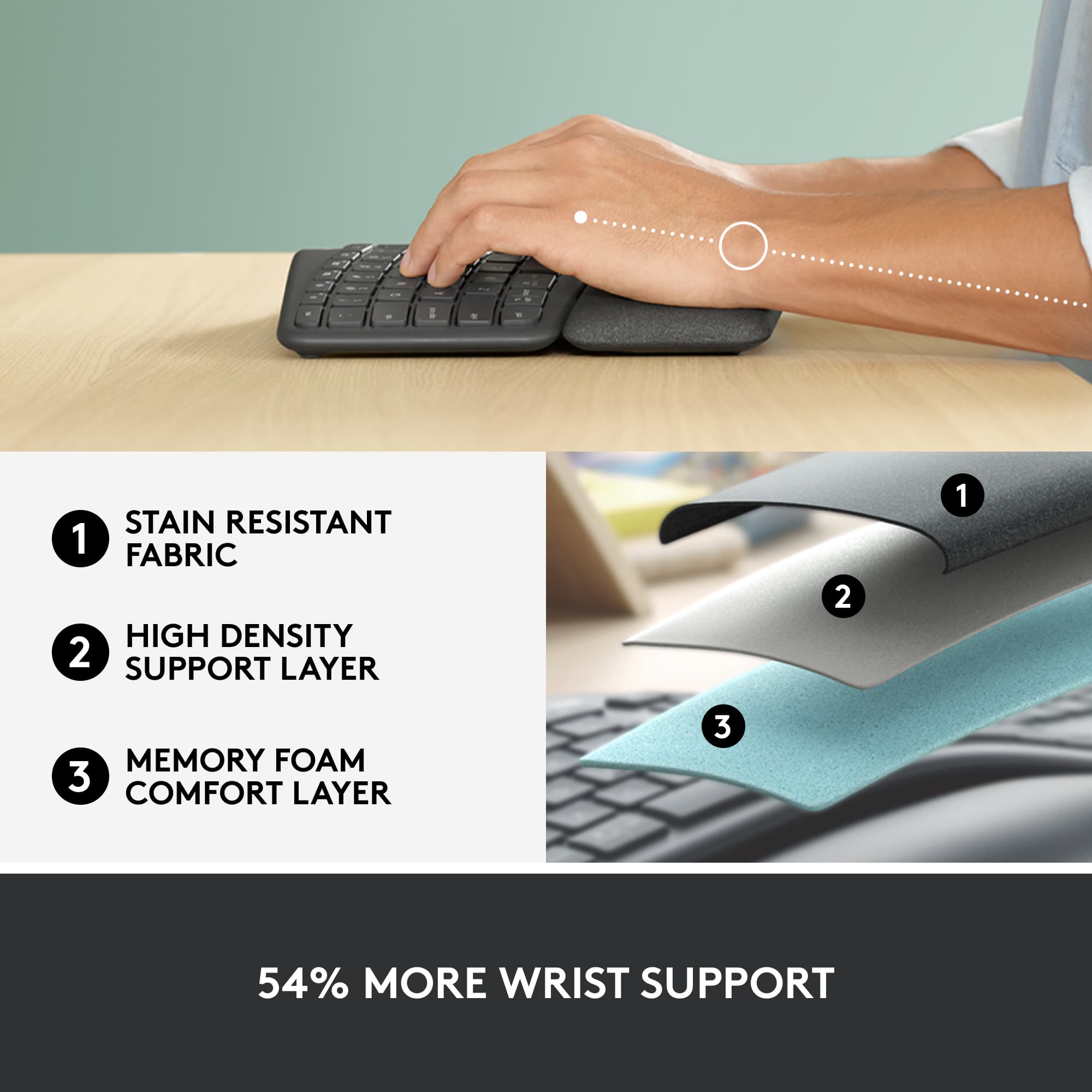
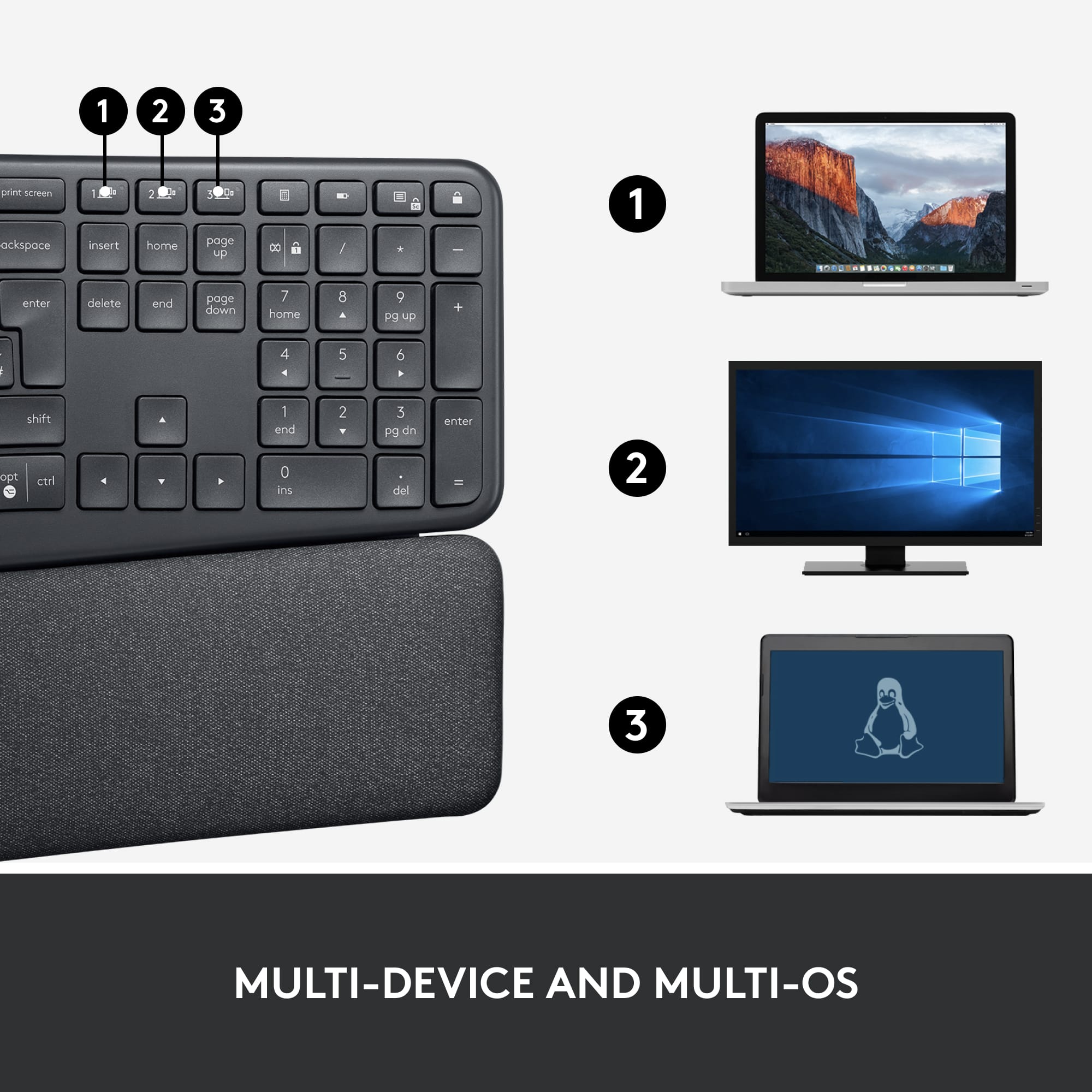
Posted .This reviewer received promo considerations or sweepstakes entry for writing a review.I am a big fan of the quality and design of Logitech products and this did not disappoint! I have been using this keyboard for 3 years and it still works like new. The curve is gentle and feels natural and has reduced pain in wrists / hands from other straight keyboards. Definitely recommend for anyone typing long term. Pros: + Curve and spacing is natural and feels good + Built in Wristpad is good quality and feels nice + Device switching functionality works well. Cons: - Dust and debris builds up in between keyboard and wrist pad, so make sure to clean it.
I would recommend this to a friend - Pros mentioned:Wrist support
ERGO Not Ackward
|Posted .This reviewer received promo considerations or sweepstakes entry for writing a review.I have arthritis so working behind the keys can be uncomfortable after a while. The Logitech - ERGO K860 Ergonomic Split Bluetooth Keyboard is the first customizable keyboard that actually brings relief. I had never been comfortable with other Ergonomic keyboards. The felt ackward, not quite right if you know what I mean. The wrist support is adjustable to the point where the usual stress brought on by long sessions is quelled. The cupped keys are comfortable and secure. The keys are quiet and the cupped keys make the gentle wave easier to adapt to. Set up was as easy as all other Logi products, and the quality is superior. I noticed no lag whatsoever and the downloadable software give the user opportunity to customize the board. Try the Logitech - ERGO K860 Ergonomic Split Bluetooth Keyboard the newest and best ERGO keyboard on the market. Cheers!
I would recommend this to a friend Didn't work
||Posted . Owned for 1 year when reviewed.This reviewer received promo considerations or sweepstakes entry for writing a review.Purchased this, but it didn't come on, so I returned it.
No, I would not recommend this to a friendBrand response from Logitech
Posted .We regret to hear that you had to return the mouse. We apologize for any inconvenience caused and will certainly take this as feedback and will pass it to the right team.
- Pros mentioned:Ease of use
Flawless keyboard for my needs
Posted .This reviewer received promo considerations or sweepstakes entry for writing a review.Highly recommend this keyboard -- it's the best I've ever owned. I wanted something ergonomic, aesthetically pleasing, and able to seamlessly connect between multiple devices. This thing hits all those marks and more. I had the Microsoft Ergonomic Sculpt keyboard and enjoyed it, but now that I work from home I wanted to be able to easily switch between my Mac and PCs. Logitech nails this functionality -- it takes 1 second to switch. I also have the added benefit of connecting my iPad Pro as the third device option, which is great. The most surprising part is how comfortable it is. I enjoyed the Microsoft Sculpt, but the Ergo K860 is far more comfortable to use. It certainly isn't cheap, but it's worth it. If it's prohibitively expensive, I recommend trying to get a refurbished version.
I would recommend this to a friend - Pros mentioned:Key feel
Great Keyboard, Questionable Wrist Rest
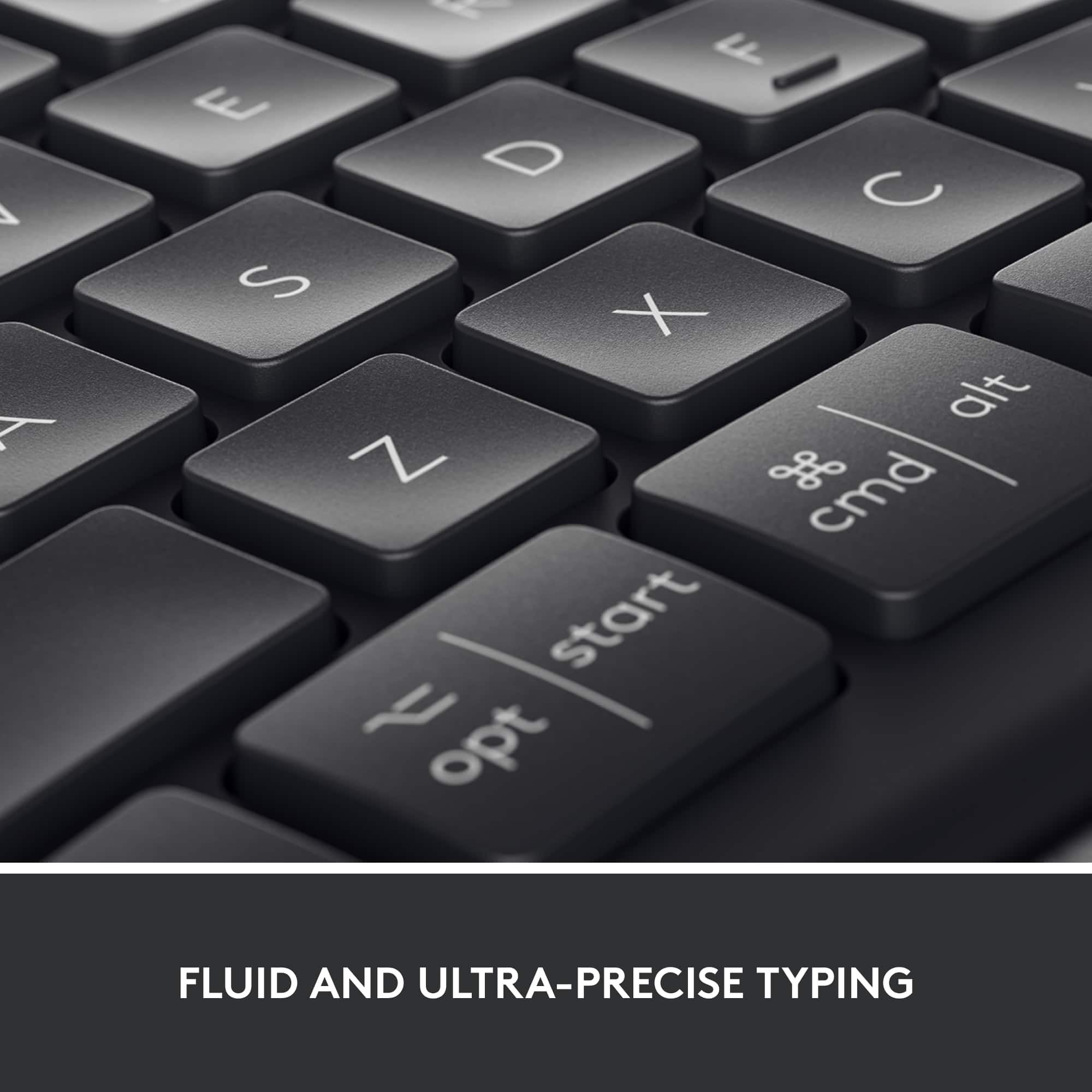
|Posted .This reviewer received promo considerations or sweepstakes entry for writing a review.The feel of the keyboard keys is very Logitech. That is, the keys feel very solid with a satisfying resistance before they register the keypress. The inverted-T arrow keys and classic home/end/page up/page down keys are in exactly the right spot. The dual Windows/Mac keycaps are a great design touch and it took no time at all to get used to. The keyboard paired easily with Windows 10 and Mac OS Catalina using Bluetooth. Logitech's Craft keyboard had a tendency to almost-daily lose its Bluetooth connection with Windows 10, but so far this hasn't happened with this one. Switching back and forth between the two operating systems has been seamless. One unfortunate design issue with this keyboard is the wrist rest. The left half of the keyboard's keys angle toward the corner, as do most ergonomic keyboards'. However, due to the size of the wrist rest, this forces my left wrist to rest half-on the pad and half-off. So, you're digging your wrist into the side of pad instead of having the pad provide support. Luckily, the pad is mostly comfortable.
I would recommend this to a friend - Pros mentioned:Ergonomics
Pleasantly surprised!
Posted .This reviewer received promo considerations or sweepstakes entry for writing a review.I was skeptical of this keyboard at first, but once I realized how great an ergonomic mouse was I had to try. Took some getting used to with the Y and B being split since I’m a fast there and have gotten used to either hand hitting those keys, but after a couple weeks using this at work I can definitely say I won’t be going back to a flat keyboard. Absolutely recommend!
I would recommend this to a friend - Pros mentioned:Wrist support
A definite, must have!!
Posted .This reviewer received promo considerations or sweepstakes entry for writing a review.This ergonomic keyboard is AMAZING, It helps so much with my wrists and it my carpal tunnel. It has felt so good to be able to work and get things done without having to take breaks and massage my hands. I love the shape an the fact that it is cordless makes it so convenient. I had trouble finding a keyboard that would stay connected to my apple products. Well, this is the one. I also have to say thank you tot he Best Buy associate that helped me find it.
I would recommend this to a friendBrand response from Logitech
Posted .Hello, DDZuniga! I'm happy to hear that you're enjoying your K860 keyboard! Feel free to reach out to our support team here https://support.logi.com/hc/en-us/requests/new?ticket_form_id=360000621393 if you ever need any assistance or if something happens in the 1-year limited hardware warranty. Thank you for the review and for shopping Logitech! - Maggie from Logitech
- Pros mentioned:Ergonomics
Perfect Fit
|Posted .This reviewer received promo considerations or sweepstakes entry for writing a review.This is a very comfortable keyboard. I used this both sitting at a desk and also had the keyboard rested on my lap and found on my lap the keyboard stayed in place due to its curved design. There are so many features on this keyboard, too many to mention. I chose to use the wireless adapter over Bluetooth which connected and worked perfect. I think the whole design is great innovation at best.You can't really get much more into a keyboard with all these features as this particular board has. My only disappointment is that it is not backlit which I can understand would slightly decrease battery life which I'd be willing to compensate for. This is my go-to keyboard now!
I would recommend this to a friend - Pros mentioned:Ergonomics, Wrist support
Too expensive for the life you get out of it
Posted .This reviewer received promo considerations or sweepstakes entry for writing a review.Was great and comfortable. Unfortunately the keyboard just randomly got corrupted and now types random letters and numbers. No spillage, Misuse or crumbs in keyboard to cause this issue. Completely random and unable to fix issue. Secondly, the pad is comfortable but it will stain from your natural oils from your skin. You will end up with dark spots that look gross. Might want to look at another keyboard with longer life at this price point.
No, I would not recommend this to a friendBrand response from Logitech
Posted .Thank you for sharing your experience with the ERGO K860. We are sorry to hear that the keyboard became corrupted and started typing randomly, and that the palm rest stained from natural skin oils. We understand your disappointment, especially considering the price point and that you found it comfortable initially.

- Pros mentioned:Ergonomics
Great Keyboard
Posted .This reviewer received promo considerations or sweepstakes entry for writing a review.Very comfortable to use & quiet keys when typing. Was in perfect condition.
I would recommend this to a friend - Pros mentioned:Key feel
BESTEST KEYBOARD EVARRR
Posted .This reviewer received promo considerations or sweepstakes entry for writing a review.this has got to be the best keyboard ive ever used and ive been through a lot. i was using the microsoft ergos first wired, then the wireless ergo that has the detached 10-key then the surface. this one beats all of them by far. one person wrote a review that stated that the keys on the left are shifted just a bit and hes right. it takes just a little while to get used to but once you do this thing is f amazing. job well done logi!!
I would recommend this to a friend Touch Typist Dream
Posted .This reviewer received promo considerations or sweepstakes entry for writing a review.The new Logitech wireless keyboard is very good. However it is not so outstanding in regards to the price we’re asked to pay for it. Having said that, if you don’t mind making a long term investment, and you are a touch typist, this is well worth having. Compared to the regular keyboards, time is saved because you are not pressing all the way down on each key to type each letter. For typing documents, etc., it is ideal (again for the touch typist). If you are entering numbers at the same time, not using the numeric keypad, but using your touch typing positioned keys, then it may take a little getting used to. The major problem I have is with the number 6. With a regular keyboard (using the touch typist method) it was easy to cross over with your right index finger; however, with this keyboard having the keys spaced out, crossing over to the 6 is a little difficult. You may even have to look several times. The Function Keys are also a little challenging. With the Function lock key locked you’re OK; but, when you want to use the same (function) keys to i.e., lower or raise the volume etc, you’ll have to periodically unlock and lock the (Function) lock key; if you forget, you’ll get some unwanted results. The keyboard pairs seamlessly; and, if you’re also using a (Logitech) wireless mouse, that will pair easily as well (basically turning the mouse off, then on). Overall, I don’t think you’ll be sorry in making the switch. You will type faster and obviously get more work done in less time without getting the fatigue in your wrist or fingers. I would recommend getting the keyboard and maybe practicing with a “Mavis Beacon” touch typing DVD.
I would recommend this to a friendLasts for 5 years from everyday use & comfy
Posted .This reviewer received promo considerations or sweepstakes entry for writing a review.I’ve owned this exact keyboard since 4/19/2020 and it broke down today. So it almost last 5 years! I work in IT, which is also a hobby of mine, and have used it every day in & out of work, even traveled with it a few times during Covid. I am impressed and really do like this board. So I plan to buy one & also buy the warranty to save myself some money next time. TLDR: lifespan is almost 5 years from everyday use. Buy the warranty.
I would recommend this to a friendBrand response from Logitech
Posted .Thank you for sharing your experience with the ERGO K860! We appreciate your feedback and are glad it served you well for nearly five years of daily use. We understand the importance of durability and reliability, and your feedback will be valuable as we continue to improve our products.
- Pros mentioned:Wrist support
Best keyboard for wrist pain
Posted .This reviewer received promo considerations or sweepstakes entry for writing a review.If you're at the computer for many hours in the day and have wrist pain from typing, this keyboard is the best out there. There are some cheaper options but this one has the best and highest wrist support. I particularly like the little feet that can be raised in THE FRONT of the keyboard, not the back.
I would recommend this to a friend - Pros mentioned:Key feel
Ergo Keyboard
Posted .This reviewer received promo considerations or sweepstakes entry for writing a review.one of the best ergonomic keyboards I have had, and I have been using them for over 20 years. Very comfortable, and good key feel. Excellent choice if purchasing an ergonomic keyboard.
I would recommend this to a friend - Pros mentioned:Ergonomics
All around great Keyboard!
Posted .This reviewer received promo considerations or sweepstakes entry for writing a review.Great Keyboard; very slim and sleek; no connection issues or latency lag when typing given that it's a wireless The ergonomic pad and design is perfect because it's not too soft nor too rigid; the pad also seems easy to clean and wipe down if it gets dirty. would highly recommend
I would recommend this to a friend - Pros mentioned:Ergonomics
Best keyboard ever!!
Posted .This reviewer received promo considerations or sweepstakes entry for writing a review.This is by far the best keyboard I’ve ever ever owned. It is so comfortable and it is pleasant to work on all day long.
I would recommend this to a friendBrand response from Logitech
Posted .That's great to hear! We're glad the ERGO K860 is exceeding your expectations. Thanks for your positive feedback.
- Pros mentioned:Ergonomics
great keyboard
Posted .This reviewer received promo considerations or sweepstakes entry for writing a review.Works super well with my macbook air and is a pleasing design. I have one for home and getting another one for work. It's hard to type on anything else. I always know with logitech that I am getting a quality product.
I would recommend this to a friend - Pros mentioned:Ease of use
Ergo K860 is a great keyboard
|Posted .This reviewer received promo considerations or sweepstakes entry for writing a review.I loved how easy it was to pair to two different computers. Keys are fluid and the natural typing position allows me to work for hours without strain. The combination let’s me work as expected as well. Highly recommend this keyboard to anyone with wrist or hand issues.
I would recommend this to a friend