Customer Ratings & Reviews





- Model:
- 920-009166
- SKU:
- 6395346
Rating by feature
- Value
Rating 4.4 out of 5 stars
- Quality
Rating 4.7 out of 5 stars
- Ease of Use
Rating 4.6 out of 5 stars
Customers are saying
Customers are delighted by the ERGO K860 keyboard's ergonomic design, comfortable wrist rest, and ease of use. Many appreciate its Bluetooth connectivity, pleasant key feel, and quiet operation, along with the surprisingly long battery life. While some find the keyboard a bit expensive and large, the overall positive feedback highlights its strengths.
This summary was generated by AI based on customer reviews.
Juice not worth the squeeze
||Posted . Owned for 3 months when reviewed.This reviewer received promo considerations or sweepstakes entry for writing a review.Don't waste your money. The less expensive Logitech keyboard was much more user friendly. A personal emergency kept me from returning it to BestBuy, or I would have exchanged it.
No, I would not recommend this to a friendBrand response from Logitech
Posted .Hello Peace,
I am sorry that the K860 Ergo keyboard did not meet your expectations. Logitech appreciates your product review. - Leo from Logitech
Awkward. Not up to Logitech par
||Posted . Owned for 1 month when reviewed.This reviewer received promo considerations or sweepstakes entry for writing a review.Love Logitech products. They are high quality and last. But this one is not designed well. The space bar is awkward with sharp edges that your fingers get caught on. Save your money and find another alternative.
No, I would not recommend this to a friendBrand response from Logitech
Posted .Hello, I am so sorry to hear you are not satisfied with the keyboard. Another ergonomic option would be the K350. Here is the link to it just incase you would like to check it out: https://www.logitech.com/en-us/products/keyboards/k350-wave-ergonomic.920-001996.html?crid=27. I hope this helps! Thank you for taking the time to write this review, we appreciate the feedback.
Ergo-No!
||Posted . Owned for 1 month when reviewed.This reviewer received promo considerations or sweepstakes entry for writing a review.Terrible, the device stopped working 4 days after the return policy ended.
No, I would not recommend this to a friendBrand response from Logitech
Posted .In order to help you effectively, please provide your information to our support team by emailing socialcare@logitech.com. Name – Email address – Country – Product name – Brief description of the issue –
Logitech Ergonomic Full Size Keyboard
||Posted . Owned for 2 weeks when reviewed.This reviewer received promo considerations or sweepstakes entry for writing a review.I had to return this keyboard because it was made incorrectly. It had the legs to raise the keyboard in the front instead of in the back.
No, I would not recommend this to a friendBrand response from Logitech
Posted .Hey there Whitey. That's actually how the keyboard is designed. The legs in the front rather than the back take strain off the wrists for a more ergonomic and healthy feel for the keyboard. -Weston from Logitech
Not worth it
||Posted .This reviewer received promo considerations or sweepstakes entry for writing a review.Not ready for primetime. Multi computer support not reliable. Bluetooth connection keeps dropping. Did not expect this from Logitech.
No, I would not recommend this to a friendBrand response from Logitech
Posted .Hello Rsp123,
Thank you for choosing Logitech, and for taking the time to write this review of the K860 keyboard. I apologize for the inconvenience you are experiencing; I would like to help. I have attached a link to the “getting started” support page for the K860, here you will find user guides and software downloads. If you have not already done so, I recommend downloading the Logitech “Options” software for customization and for best experience. Please contact Logitech support if you would like any further assistance.
Best regards,
John at Logitech
https://support.logi.com/hc/en-us/articles/360041797553-Getting-Started-ERGO-K860
Would not recommend
||Posted . Owned for 3 weeks when reviewed.This reviewer received promo considerations or sweepstakes entry for writing a review.I really dislike this and prefer the Microsoft one
No, I would not recommend this to a friendBrand response from Logitech
Posted .We sincerely regret if our product provided you with a inferior experience. We understand your displeasure and apologize for any issues that arise. We value your input, therefore we will forward it along to the appropriate team so they can look into it.
- Pros mentioned:Ergonomics

More comfortable keyboard
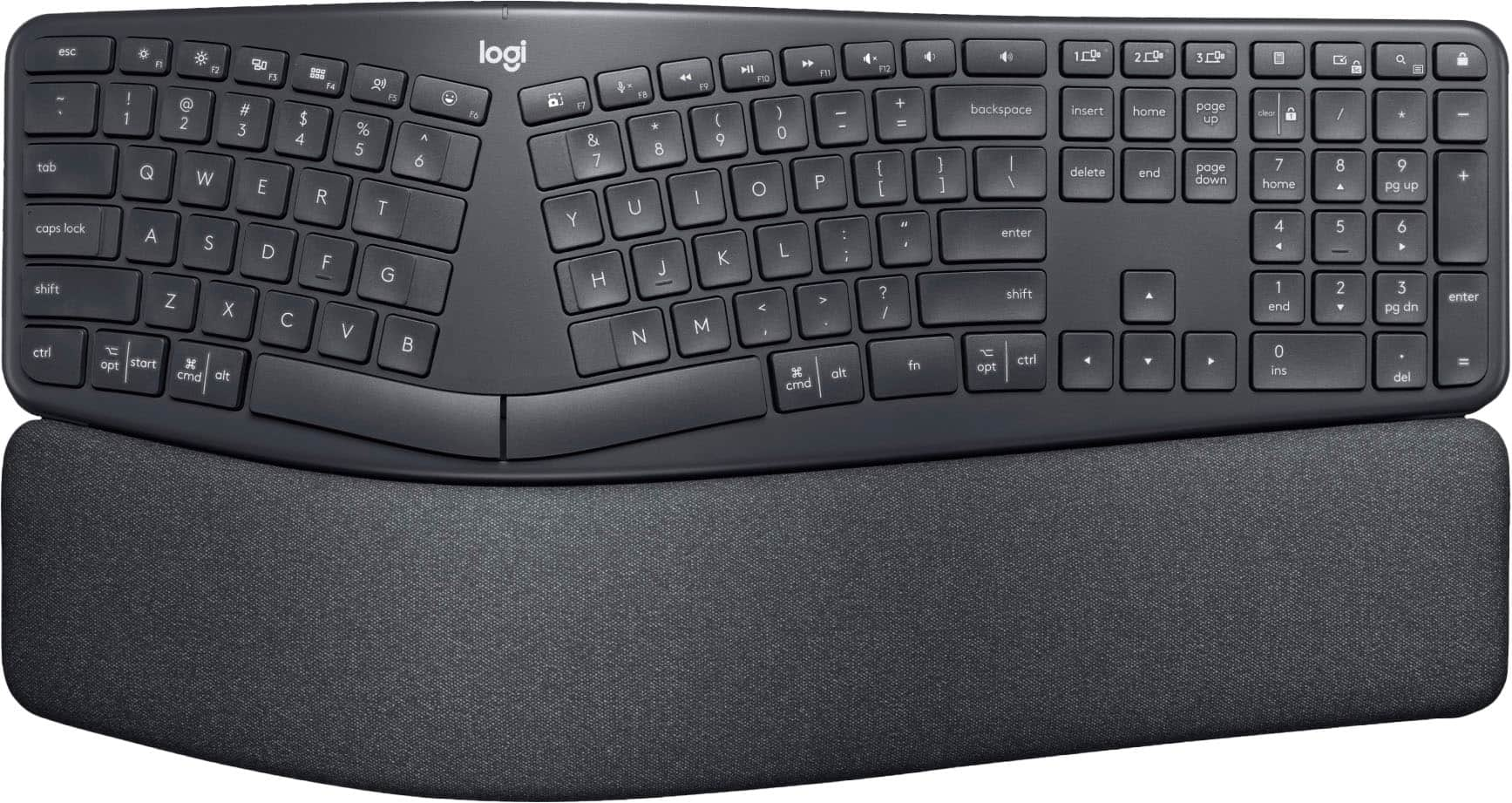
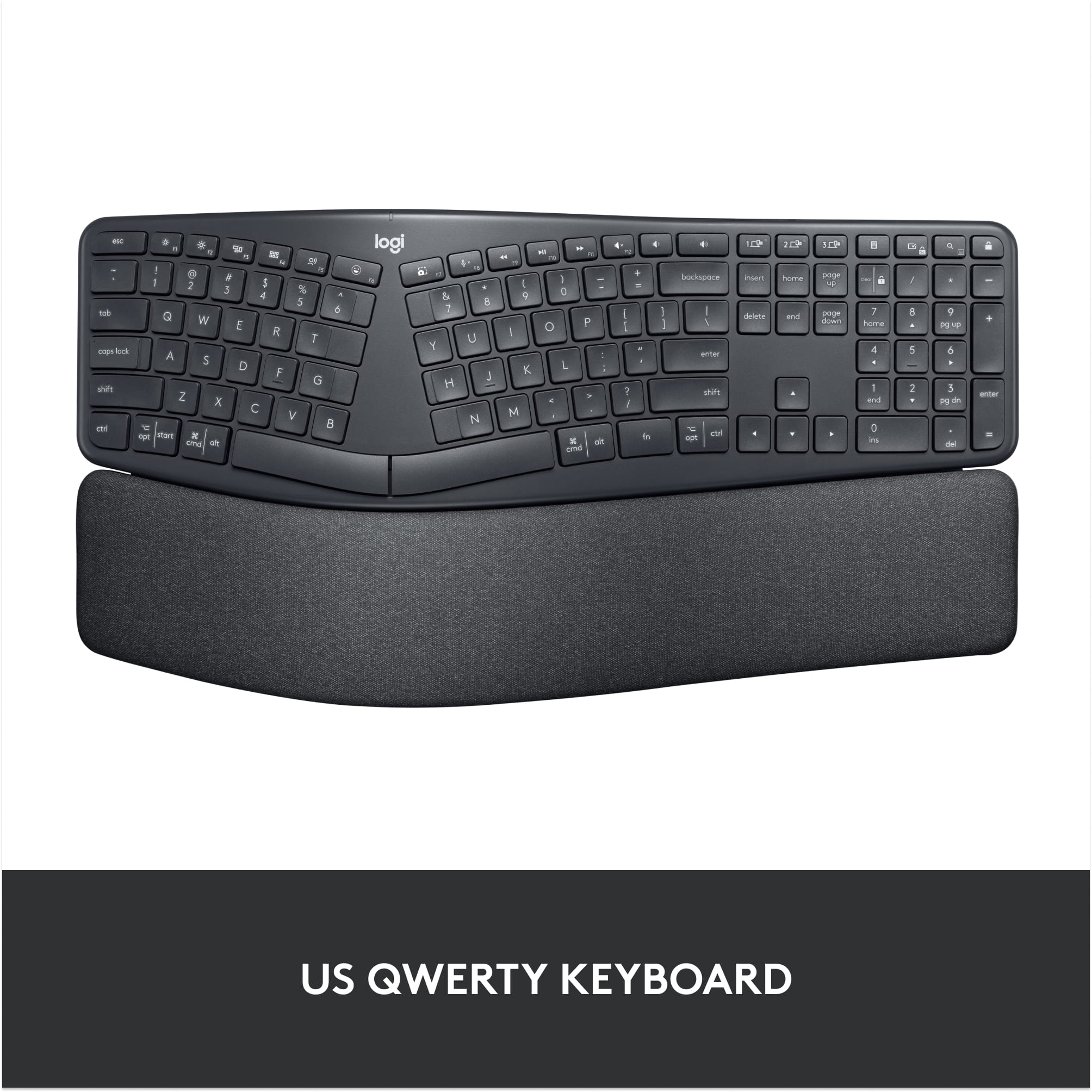
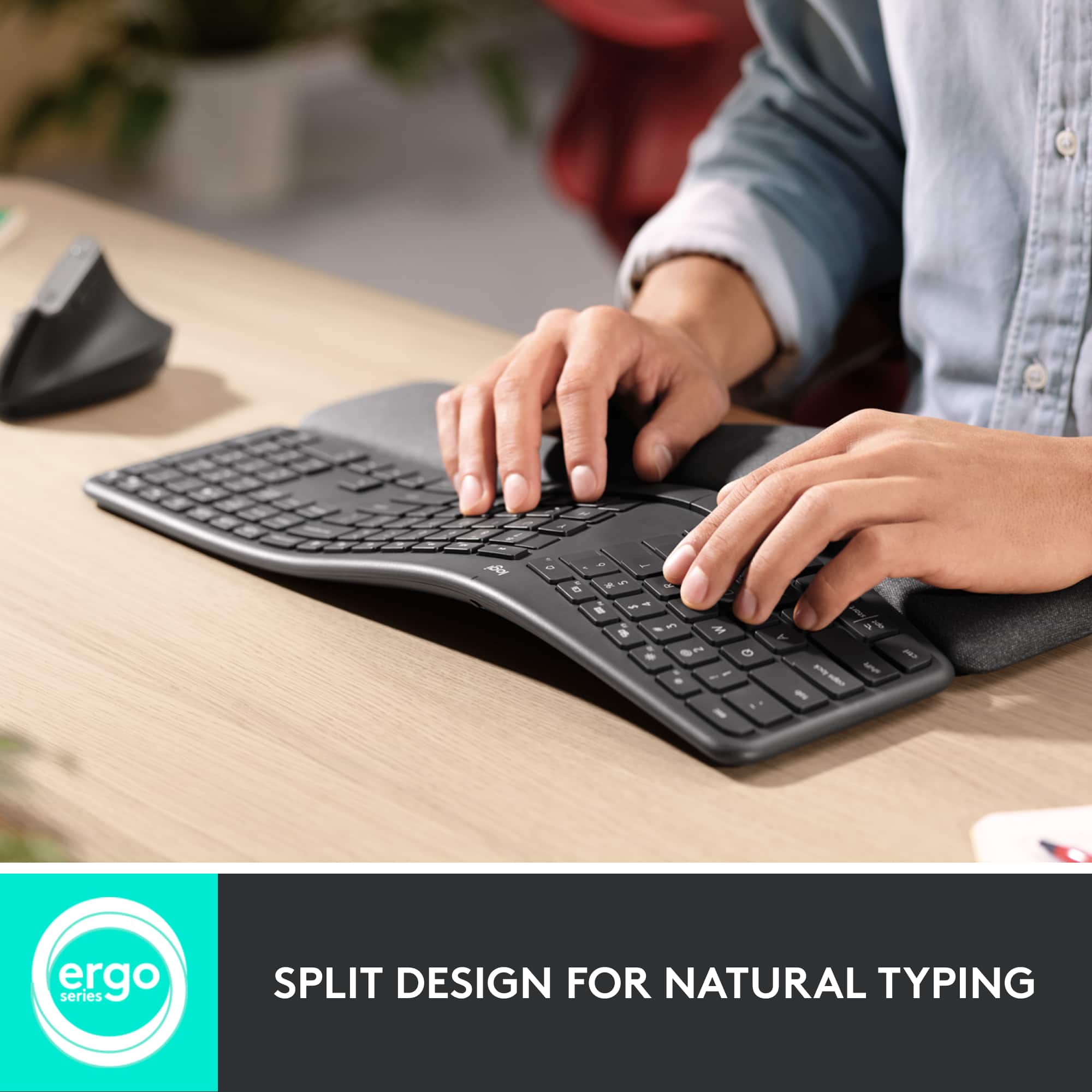
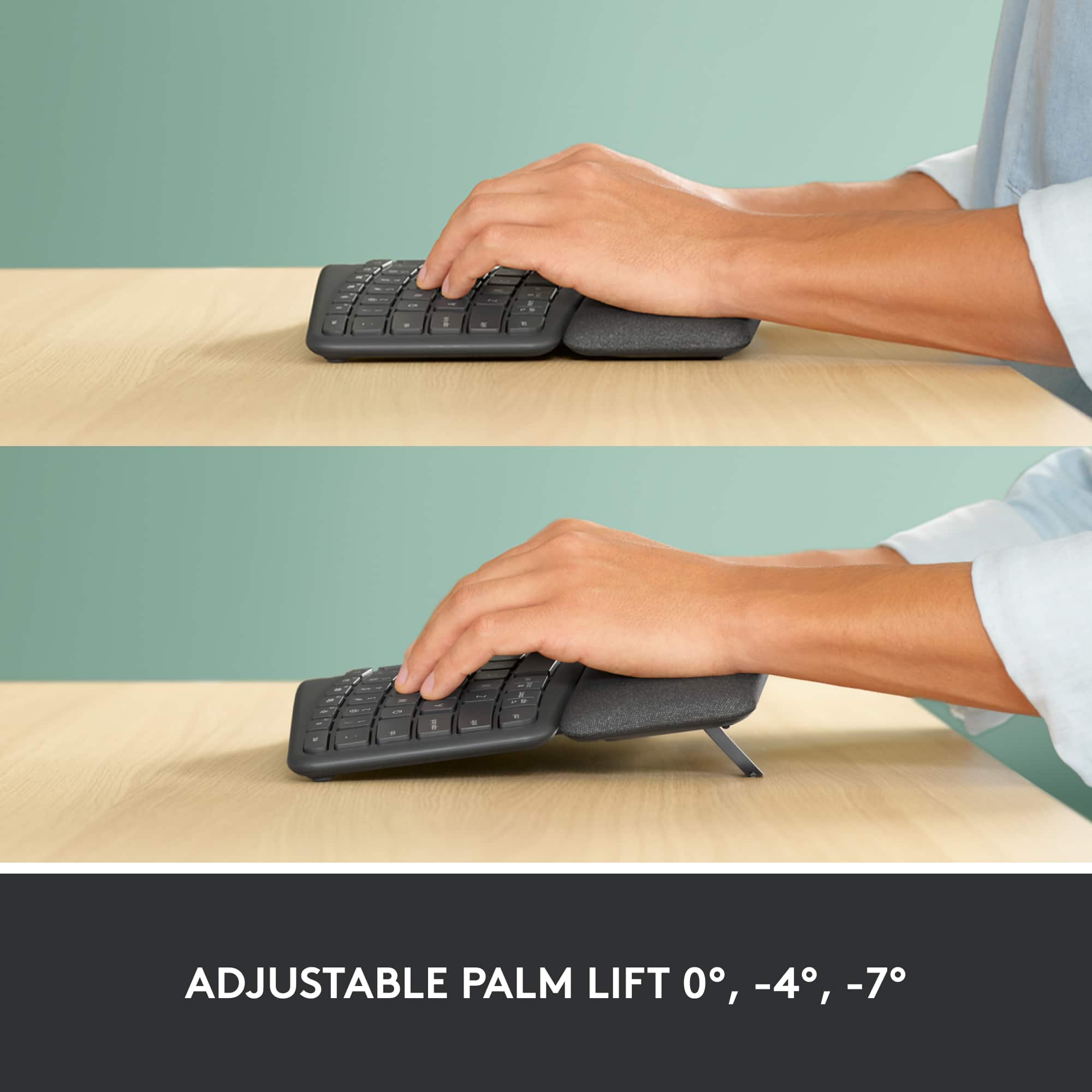
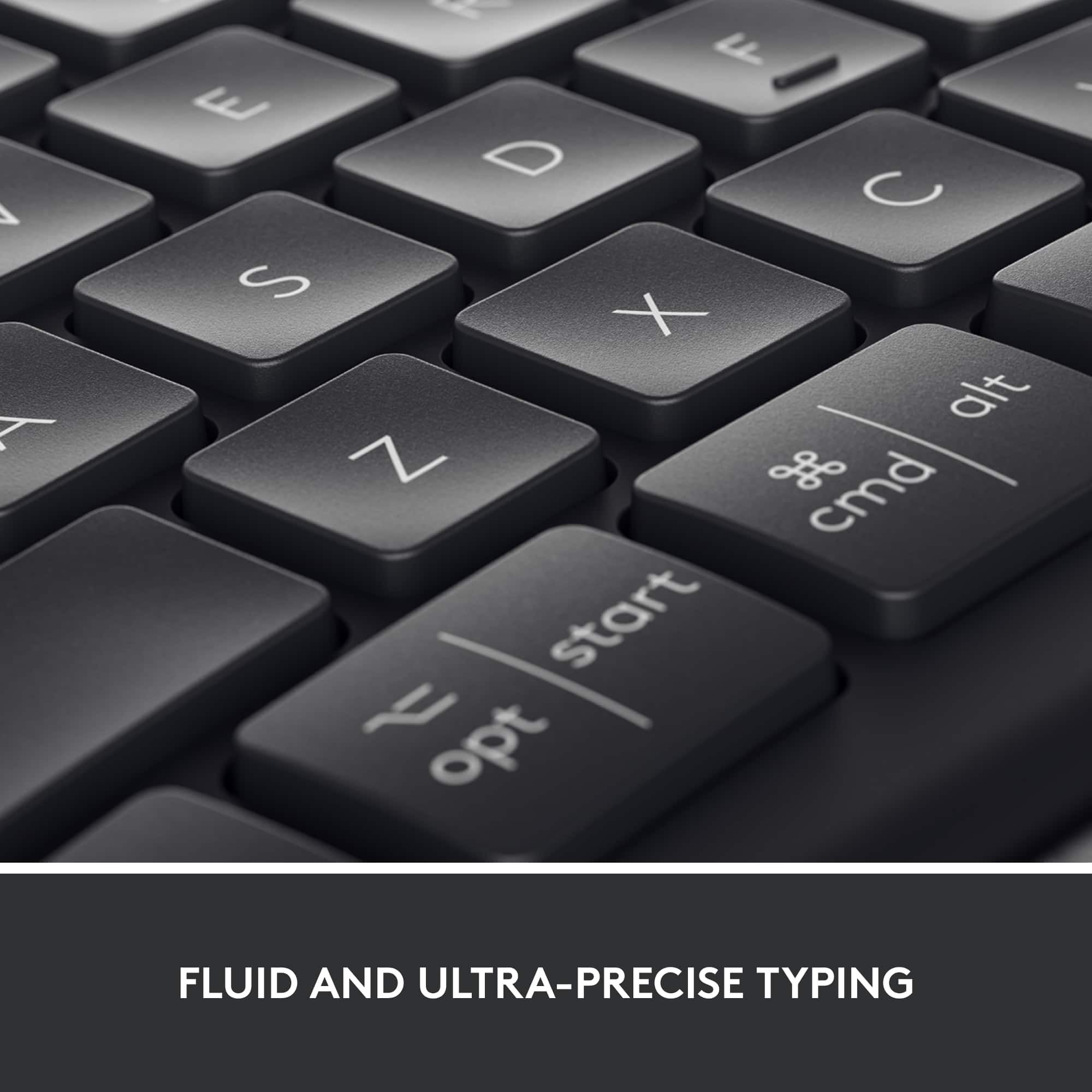
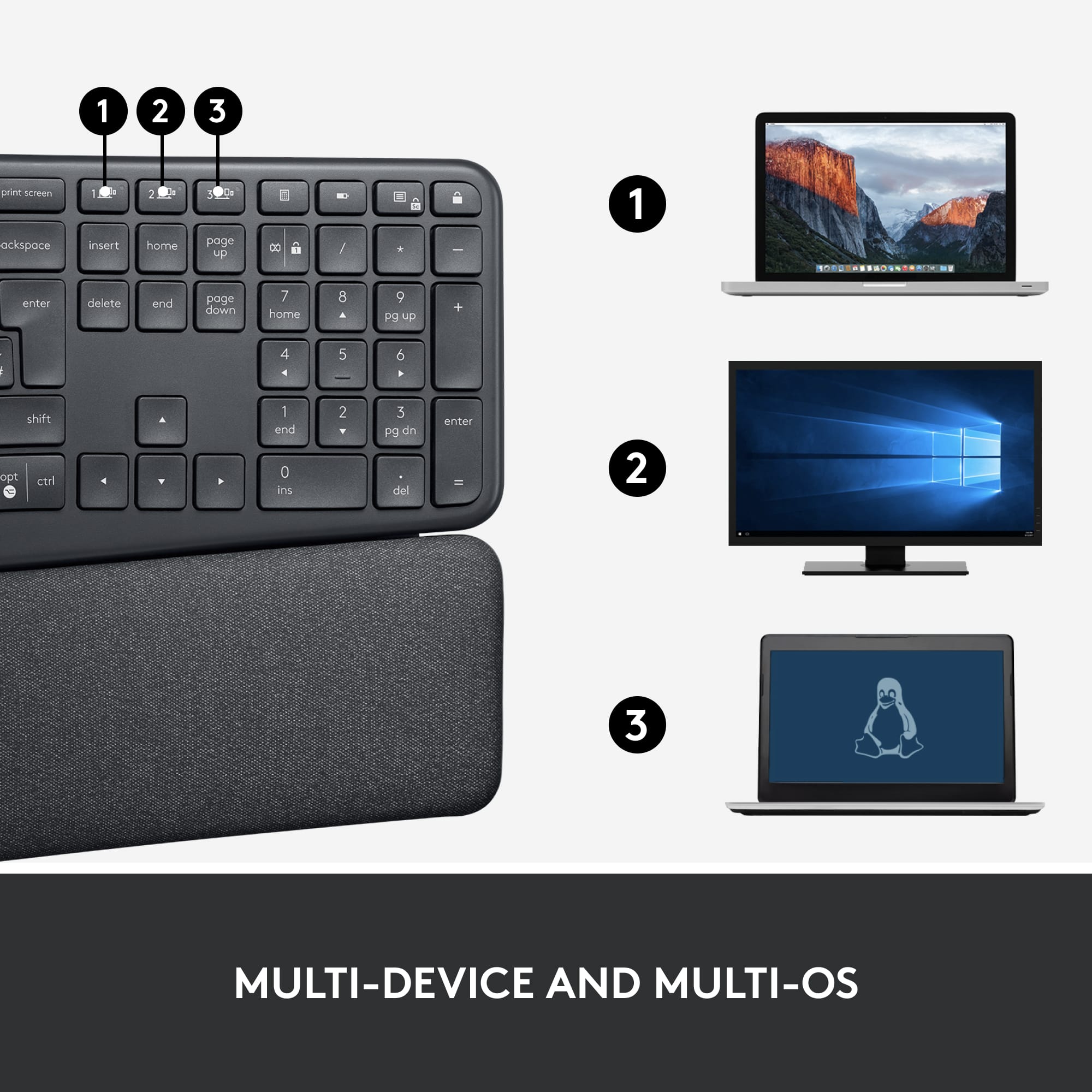
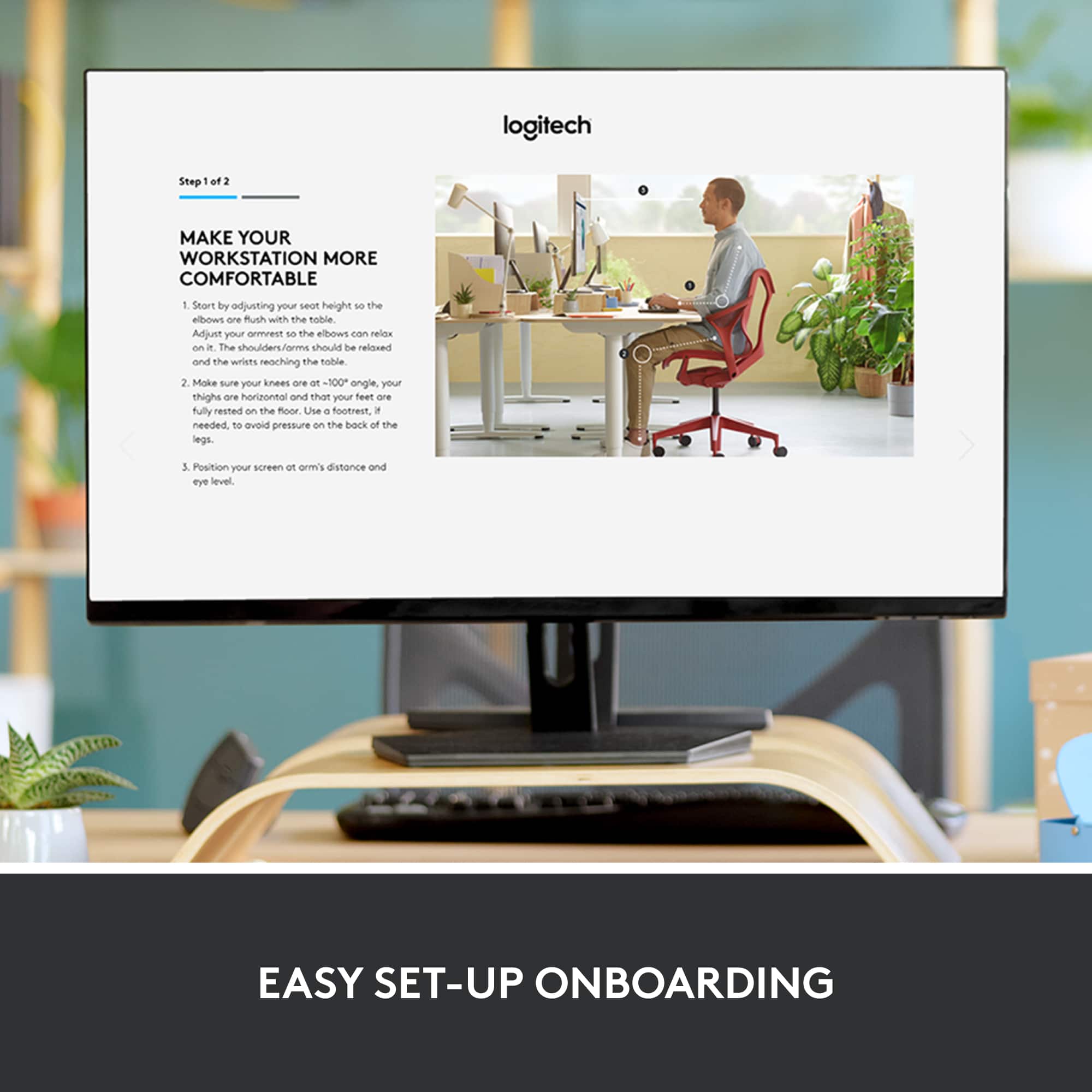
|Posted .This reviewer received promo considerations or sweepstakes entry for writing a review.This keyboard by Logitech is more comfortable than you might expect from its appearance. It looks distinctly different from the average keyboard, not rectangular nor flat. The keys are split and angled in such a way as to allow the user to have their hands in a more natural position, which reduces strain on hands, wrists, shoulders and even the back, since the upper body can be more relaxed and use better posture while typing. When you're on the computer a lot, you get used to using the keyboard and ignore that it's not a natural position, which often leads to problems like carpal tunnel syndrome, or just pain or discomfort if you're sitting in that position for a while. There is an adjustment period as you learn to use this keyboard, but it's worth it to try out. And you don't have to already have a problem to want an ergonomic setup. Logitech also has an ergonomic vertical mouse that goes perfectly with this. The wrist rest is built in, rather than a separate piece. It's soft to the touch but still firm for support. I've used one that's memory foam, and this one is actually more comfortable over time. Instead of feet at the back, this device has 2 sets under the front, which gives you the option of to adjust the height of the front of the keyboard, for additional wrist support if needed. I had it in my lap for a while but it's meant to be on a surface. Because it's wireless, you can sit farther back from the screen It comes with a USB receiver for connecting with a computer, but it can be stored in the battery compartment if Bluetooth connectivity is utilized instead. It connects easily with either one, and then it prompts you to install software. This contains information about programming the function keys, unless the user chooses to keep them as the traditional F keys. It also guides you through some of the other features, and how to switch devices. It can connect with up to three different devices. It has the usual keyboard layout with the numeric keypad on the right. It's compatible with multiple operating systems, including Windows, iOS, and android. It is wireless, with no option to connect with a cable, and it not rechargeable. It takes AAA batteries, and one could use rechargeable batteries, but this device claims that battery life is very long anyway. I've only been using this a few days, so I can't tell if that will be a problem later on. There is an on/off switch, would can conserve battery life. I had no problems with this keyboard. I had to adjust to the angle on the keys, and would hit some keys wrong, but once I adjusted to it, I was able to type with my normal speed and accuracy. Each day the adjustment period is shorter-day three was brief. Now I want one for my office, because that one is harder to use when this one feels so much better to use. It's light enough to take with you, but is a little too big to be portable. It takes up a bit more space on the desk, but it's more room for your arms while using the keyboard in a more natural position. I recommend this for anyone who spends time using a keyboard.
I would recommend this to a friend Nope
||Posted . Owned for 3 weeks when reviewed.This reviewer received promo considerations or sweepstakes entry for writing a review.This made my wrist hurt more. Too padded and didn’t help!
No, I would not recommend this to a friendBrand response from Logitech
Posted .This is surely not what we intend to deliver. Your feedback is valuable. Hence, we'll share it with our team for them to review. Thanks so much!
Left ALT Key quit working after 15 months.
||Posted . Owned for 1 year when reviewed.This reviewer received promo considerations or sweepstakes entry for writing a review.Purchased 15 months ago and the left ALT key already stopped working.
No, I would not recommend this to a friendBrand response from Logitech
Posted .Sounds like an issue. We recommend you to clean the button with compressed air and check if that helps. Also, if buttons or keys respond incorrectly in a particular program, verify if the problem is specific to the software by testing in other programs.
Keyboard Bad
||Posted . Owned for 1 month when reviewed.This reviewer received promo considerations or sweepstakes entry for writing a review.Very uncomfortable. I just couldn’t type like I usually do. Bought it because I thought it would be good for my wrists.
No, I would not recommend this to a friendBrand response from Logitech
Posted .Hey there, I'm sorry to hear that you had some issues with the K860. We really appreciate your feedback, and I'll be sure to pass it along. Regardless, I hope you consider Logitech again in the future. -Weston from Logitech
Do Not Buy
||Posted . Owned for 1 month when reviewed.This reviewer received promo considerations or sweepstakes entry for writing a review.I hate it. IF I hadn't thrown the box away I would have returned it. The keys are level with the board making it easy to mis-type;
No, I would not recommend this to a friendBrand response from Logitech
Posted .Hi Balz, we're sorry to see you're unsatisfied with the ERGO K860 Wireless Keyboard. The design and split keyboard do take some getting used too. However, if you would like to exchange it for a different keyboard, please contact your local Best Buy to see how they can assist you further. Hope that helps. -N from Logitech
- Pros mentioned:Key feel, Wrist support
Comfortable and ergonomic
|Posted .This reviewer received promo considerations or sweepstakes entry for writing a review.I picked this keyboard up for my workplace. I do a lot of typing on a daily basis, whether it is creating reports or typing up emails. Before the K860, I was using a Comfort Wave K350. It's also made by Logitech. The K860 is definitely on a different level when it comes to keyboards. It has an Apple-Esque feel when it comes to the keys, which are flat and not as tall as other keyboards. The keyboard itself is split into two sections, and there is a pretty big arch in the middle of the that allows the hands to rest on a slight angle to either side. There is an ergonomic palm and wrist rest that is higher than the keyboard, allowing the user to rest set their hands on the keyboard and not have to keep them lifted slightly to type. Interestingly enough, the only tilt legs that the keyboard has are under the wrist section of the keyboard, allowing for a very aggressive tilt forward. There are no tilt legs under the front of the keyboard, so the keyboard cannot be tilted up at the front. I've always typed on keyboards that are tilted slightly up at the front, so this is a different kind of setup for me. I'm sure that the tilt leg setup is a part of the ergonomist approved specs, which the K860 has. Additionally, being able to tilt the backside of the keyboard higher created an amazing experience typing while standing. I occasionally stand to type, particularly after I've gotten tired of sitting all day, and I've found that the K860 provides a very comfortable platform to type from while standing. It takes some getting used to the curved form and layout of the keys. I had no problem typing 75 words a minute on the K350 and other lesser keyboards, but I'm not quite there yet on the K860. The more I type, however, the easier it gets. I've noticed that my fingers do not get quite as tired when typing long documents over several hours when using the K860. While the keyboard is customizable, I was unable to try that out since the Logitech Options software requires administrative privileges to install on a workplace PC. Not a big deal for me, as I felt like the keyboard performed like I needed it to. In conclusion, this is a very nice keyboard. The keys feel great and they are quiet. Even after some pretty extended use, they don't feel like they are sticking or getting harder to press. The wrist rest is comfortable without being overbearing. I have noticed a difference in how my wrists, arms, and fingers feel after using the keyboard for extended periods of time. I recommend the K860 for a power user who does a lot of typing and also likes to be able to customize wrist height for max comfort.
I would recommend this to a friend Does not work with Apple
||Posted . Owned for 3 weeks when reviewed.This reviewer received promo considerations or sweepstakes entry for writing a review.Does not work will with my iMac When you shut the computer down the keypad Does not work with Appledoes not automatically think Bluetooth
No, I would not recommend this to a friendBrand response from Logitech
Posted .Hi Irish, thank you for your feedback! The K860 is compatible with macOS® 10.13 or later. For support, please refer to: https://support.logi.com/hc/en-us/articles/360041797553 - Will, Logitech.
- Pros mentioned:Ergonomics
The most comfortable way to type
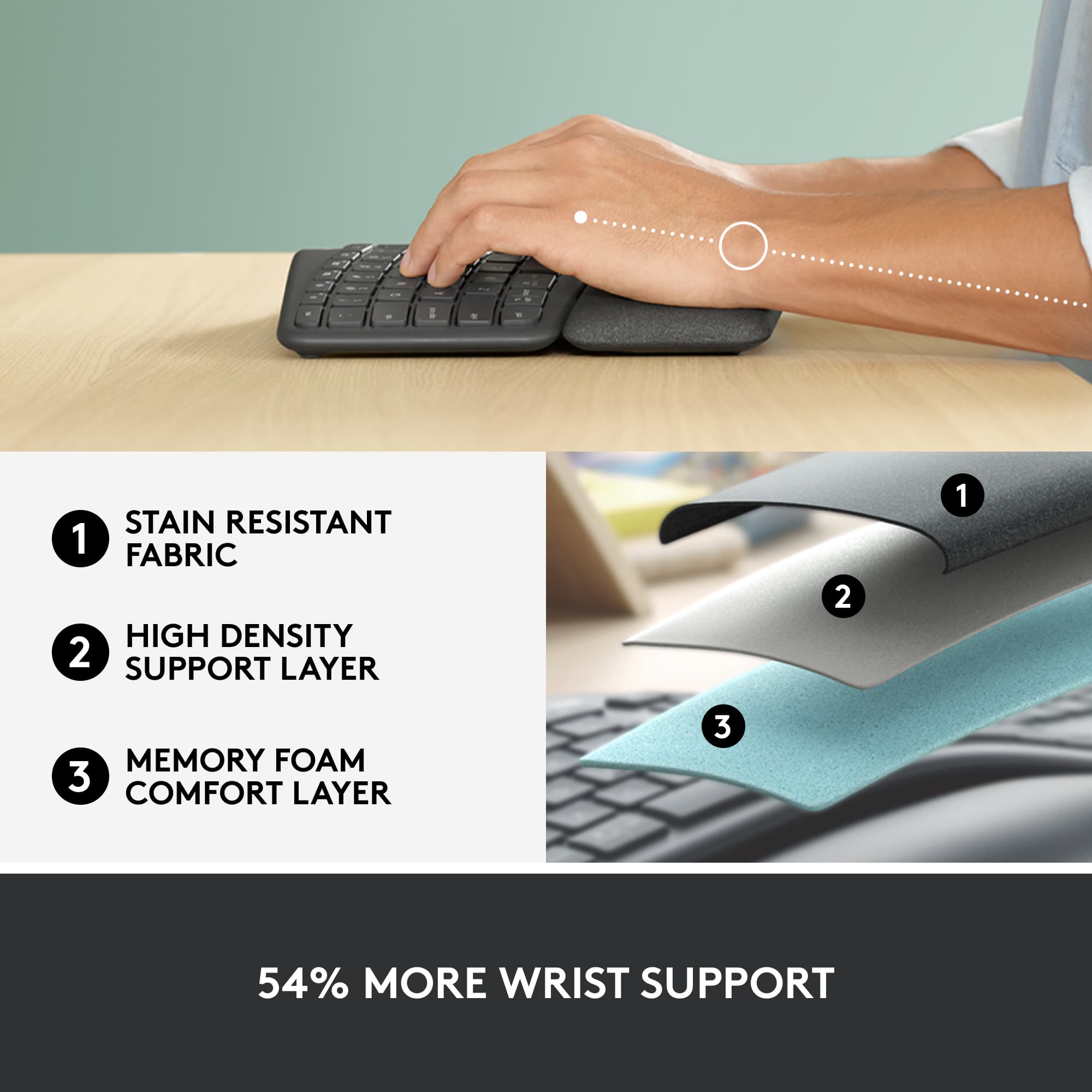
|Posted .This reviewer received promo considerations or sweepstakes entry for writing a review.I have a lot of Logitech keyboards. In fact, this is my third in about a year. Each one fills a slightly different niche for me, and the Ergo K860 is no exception. The one thing that was missing in all the other keyboards was the ergonomic split key setup that is the main feature of the K860. I’ve been using the Microsoft natural keyboard since it first came out, and I’ve always loved it, but I haven’t been willing to pay the price to get their wireless version (the Sculpt). The Logitech K860 comes at a more reasonable price, so I decided to give it a shot. The first thing I noticed was the inclusion of a large wrist rest. At first I considered this a negative and was disappointed that it wasn’t removable. However, as soon as I started using it, it became apparent that the wrist rest is an integral part of the ergonomics of this keyboard. The keyboard itself is raised in the middle, putting the keys at just the right angle for typing. The wrist rest is very comfortable and holds the wrists up at a comfortable level and prevents the hands from being cocked up uncomfortably when the wrists are resting on the desktop. Now that I’ve used it, the wrist rest is wonderful! It’s made of several layers of foam and covered in a fabric that is easy to clean. Connecting the keyboard was easy. I use both bluetooth connections as well as the Logitech unifying receiver, and both connections were a breeze. It was simple to add this keyboard to the USB receiver that I was already using, and I also connected it via bluetooth, without any issues. Like most Logitech keyboards of late, this one supports 3 different devices, and allows switching between them with just the push of a button. I love this feature and use it extensively on all my keyboards. These days, that’s a requirement, given the multitude of devices that most of us have, from computers to cell phones to tablets. I’ve seen people online complaining about not being able to get used to this key layout. Since I’ve been using a split key layout for years, this was no problem for me, but I do recognize the secret to getting used to it: don’t look at your fingers while typing. This keyboard is best for touch typists. I remember being thrown off when I looked at my fingers while I was learning, but this is no longer a problem at all. Typing on an ergonomic keyboard like this one is so much more comfortable than using a traditional “straight” keyboard layout. As for the keys themselves, there isn’t a lot of key travel, but it’s just enough to allow for comfortable, fast typing. I’m a big fan of the MX Keys keyboard, but this one is just a bit “clickier” than that one, and that makes for faster, more accurate typing, so I think this one is an improvement in that area. It is an all-plastic construction, so it doesn’t have the solid, quality feel that the MX Keys has, but it is very well built, and I think it will last as long as I need it. It features the key layout of a full keyboard, including the 10-key number pad. One way that the MS Sculpt keyboard may have the edge is that its 10-key number pad is separate, but I don’t think that’s a big deal. For pure comfort, I don't think the K860 can be beat. After typing the entire review up to this point using the K860, I switched to the MX Keys, and I can tell you that, while I love the MX Keys for other reasons, the overall typing experience is just more comfortable on the K860. If you have the desk space to devote to the size of the K860, you’ll be glad you did. This keyboard is a joy to use, and for extended typing sessions, I think fatigue will not be an issue. One thing to be aware of is that this is not a backlit keyboard. For my normal working environment, I don’t consider this a big deal, but some might. The backlight on the MX Keys is the best I’ve seen, and senses your hand to turn on automatically. The K860 does not have a backlight, but that is probably one of the reasons why it can last for 2 years on a pair of regular AAA batteries. That’s the other thing that some may not like--it doesn’t have rechargeable batteries. I consider that a positive, in that I won’t have to get rid of it while it’s still useful just because I can’t find a proprietary battery. With all the keyboards I now own, I can take my pick of which to use, but I think the K860 will be my keyboard of choice. With all the options at my fingertips, I don’t think I can go wrong!
I would recommend this to a friend - Pros mentioned:Wrist support
Another Logi product I didn't know I needed.
|Posted .This reviewer received promo considerations or sweepstakes entry for writing a review.Remember those massive ergonomic keyboards from Microsoft from 15 years ago? Yeah, I do too. And it's what I think of when I hear "ergonomic keyboard." But this isn't that. I've reviewed a number of Logitech products--the MX Master mice, accessory keyboards for iPads, and the Craft Keyboard with the dial at the top. I'm a big, big fan of their products, even the less expensive wireless mouse/keyboard combos which are standard fare around our office for new hires. Currently on my radar is the MX Keys and the MX Master 3, but I just haven't gotten to the point where I'm ready to pull the trigger on $200 worth of accessories when I already have so many keyboards and mice. So, in spite of my preconceived notion about what it would be, I was eager to check out the Logi Ergo (because who uses full words anymore, anyway?), and much like the MX Vertical, I was more surprised than anything else about how good of an experience it truly was. For those used to ergonomic keyboards, this is probably a walk in the park--but for folks like me who prefer slim, chiclet-style keys and minimalist designs when it comes to keyboards, I found myself very quickly adapting to the comfort that an ergonomic keyboard provides. From a design perspective, although reminiscent of the old Microsoft ergonomic keyboards that took up a third of your desk space, the Ergo is no bigger than it needs to be. It has all the multimedia keys you could need, a fantastic wrist rest that looks like cloth but is far easier to clean (while still being very soft to the touch), and offers a relatively small form factor (it's certainly bigger than my Apple Magic Keyboard, but it doesn't look take up my entire desk. Also nice is the onboard AAA batteries, which is a nice change compared to many of Logitech's other recent rechargeable products, which I find need to be recharged far too often. For users of low profile keyboards who are used to height adjustment on the underside of the top of the keyboard, the Ergo will be a bit of a different take--as the height adjustment here is under the wrist rest (offering three different heights/angles), and I found that the middle height was ideal for me while sitting. And speaking of sitting, the keyboard also conforms well to those using standing desks because of those height/angle adjusters, so you should be able to find a setting that is just right for you based on your desk configuration. The battery compartment also contains storage for the wireless dongle, and the keyboard offers bluetooth connectivity as well; it supports connections for up to 3 different devices. With the MX Vertical mouse, there was an adjustment period where I had to get used to using a mouse in a different way--but that wasn't the case with the Ergo; I found myself very quickly adapting to the spit keyboard design, as if this was how I should have been using a keyboard all along…good job, Logitech engineers. Also worth noting is the Ergo's full integration with the Logitech Options software, which remains one of my favorite pieces of software because of the flexibility and customization that it offers for all of Logitech's most recent products. The media keys along the top row of the keyboard can all be remapped to your heart's desire within the software. Additionally, a physical function lock key along the top row removes the need to launch the software for this more basic function (if you are a big user of function-key keyboard shortcuts), and a dedicated print screen button can also be remapped based on your operating system to make the most use of it. The Ergo retails for $130, which is even a bit more pricey than the MX Keys (which I've heard on good authority is a fantastic keyboard)--but given the Ergo is targeted toward an entirely different user base, you may find the price well worth the comfort. Personally, while I don’t see myself switching full time to the Ergo, I am surprised both by the relative slimness of the keyboard in spite of its larger footprint, as well as how comfortable it is to use. And, if you have health initiatives at your place of employment or doctor-recommended ergonomic accessories for your job, the cost of the device may not be an issue for you at all. It's a great overall ergonomic keyboard with plenty of customization available through the Logitech Options software.
I would recommend this to a friend looks pretty
||Posted . Owned for 2 months when reviewed.This reviewer received promo considerations or sweepstakes entry for writing a review.i type a lot for work, it lasted about 3 months, junk
No, I would not recommend this to a friendBrand response from Logitech
Posted .We regret to hear about your unpleasant experience. This is not the experience we want you to have. We'd recommend to get in touch with Logi support team and check for troubleshooting or warranty options in this case.
doesn’t have a right click button
||Posted . Owned for 2 weeks when reviewed.This reviewer received promo considerations or sweepstakes entry for writing a review.the keyboard doesn’t have a right click button and makes it difficult to use
No, I would not recommend this to a friend- Pros mentioned:Ease of use, Wrist support
Ergonomic Heaven
|Posted .This reviewer received promo considerations or sweepstakes entry for writing a review.When I was diagnosed with carpel tunnel in the 90s, I got my first split keyboard which I used until it died of old age. Since then, I've tried others that were just not comfortable. Add to that, the use of a laptop and the smaller keyboards and that lovely carpel tunnel decided to make a return in a big way. Hence, trying this keyboard. I feel as if I've gone back to the 90s. My wrists and arms are positioned naturally so there is no strain as there is with a regular keyboard. While I've only had this for a week, I didn't end the week holding my right arm not wanting to move due to the pain. While the problem is not going away overnight, I can tell there is already a significant improvement. As I said, the positioning is natural and the touch of the keys is light. The attached wrist rest actually helps rather than just taking up space. If you've never used a split keyboard before, it will take a bit of getting used to but once you do, you'll be just as fast as on a regular keyboard, I actually type faster. The size is a bit bigger than a standard keyboard but not enough for it to be a problem unless you were tight on space to begin with. The USB connection makes it easy to use it with either the desktop or my laptop. My daughter tried the Bluetooth connection and had no problems. If you are a keyboader, some of the keys will feel off, particularly the number/character keys until you get used to them. It is just that darn 6 that throws me off every time. However, I end up using the keypad more so don't find it a problem. Overall, even if you don't have a medical condition, I think you will find using this keyboard will help relieve shoulder tension due to the natural positioning. For people who do have medical issues, this is a great help with them. I'm looking forward to growing old together with my new keyboard.
I would recommend this to a friend - Pros mentioned:Key feel
A Safe and Comfortable Keyboard
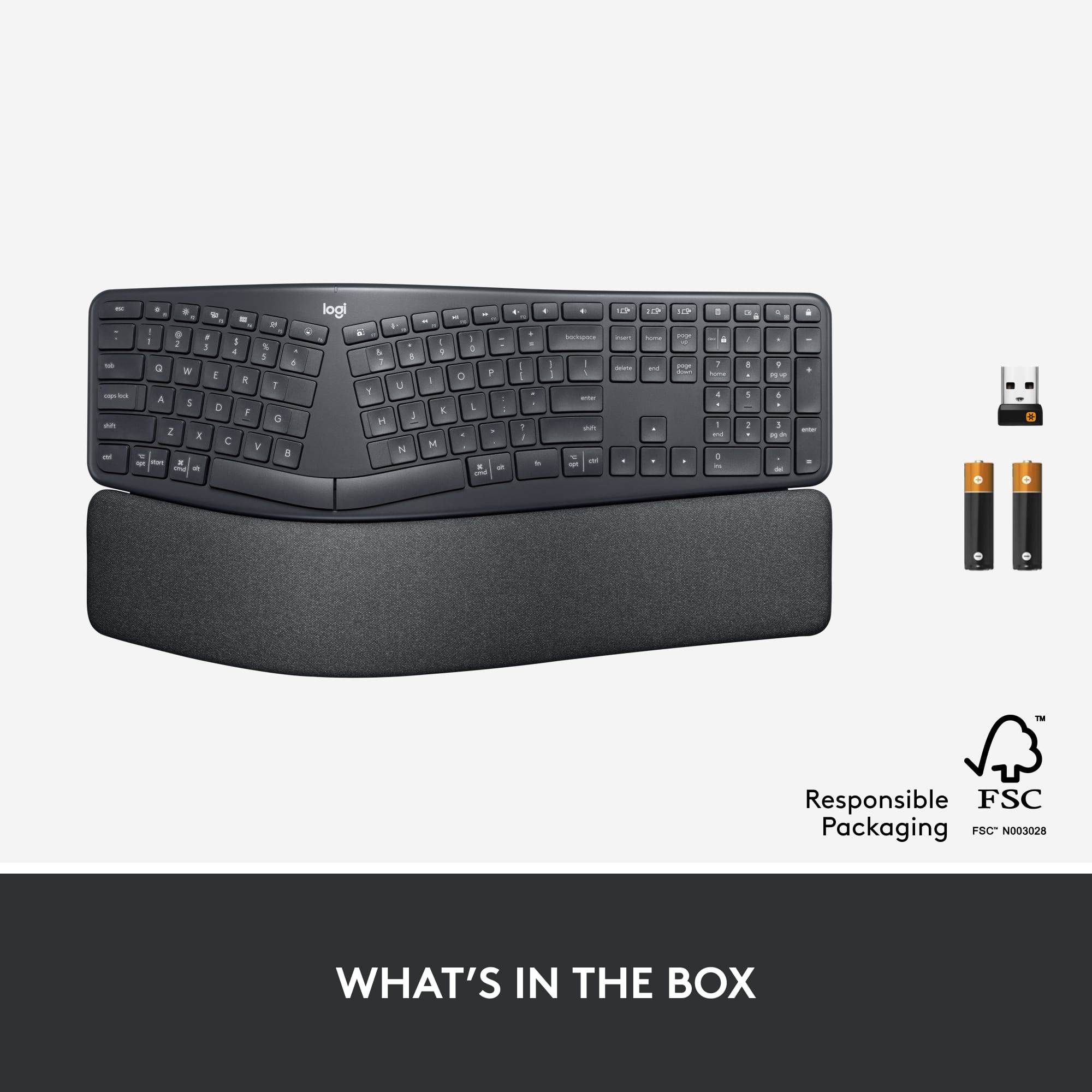
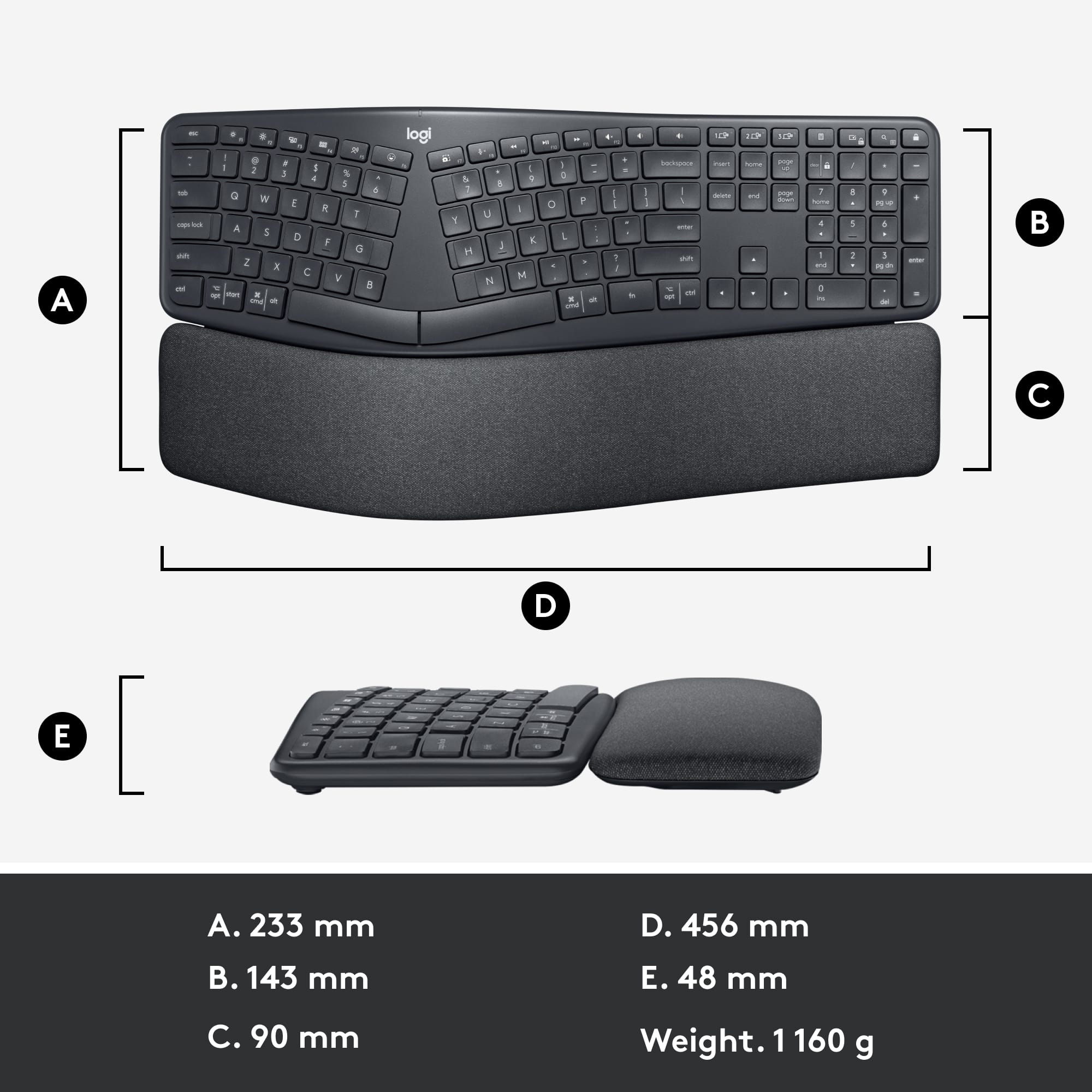
|Posted .This reviewer received promo considerations or sweepstakes entry for writing a review.I’ve used a Microsoft ergonomic split keyboard for as long as I can remember, so I’m very familiar with typing on this type of hardware and was anxious to try out this new model from Logitech. They’ve come up with a winner. The Ergo K860 takes up less real estate on my desk than my older one. Almost two inches less wide, and an inch less high, and It does this without making the keys smaller or closer together. The keys are scooped for accuracy and work very smoothly and quietly. My older keyboard was attached with a USB cable. This one is wireless, either with Bluetooth, if your computer is equipped, or with a USB dongle if it’s not. It uses two triple A batteries for power, and your first set is included. What was different to me, and what I was not used to, is that the keyboard is tilted the opposite of my old one. My old keyboard was slanted where the top was higher. This Logitech is slanted where your wrists are slightly above the keys. (It’s adjustable with three positions, the first where it’s basically flat on the desk, next slightly raised and the third even higher). This way your wrists are on the ‘pillowed’ wrist rest, which would reduce wrist bending as you type. I’m getting used to it now, and it does feel more comfortable and I can see where it’s more ergonomically designed. Finally, I really like the customizable function keys. I just use the free “Logitech Options” app that was already on my computer which previously was giving me control of my mouse. The app found my keyboard immediately and now gives me all kinds of keyboard customization choices. I have one of my keys configured to turn off my computer with just one push. This saves the ridiculous ‘three click’ method, normally needed to shut down a Windows computer. Bottom line, I’m really happy with this new keyboard from Logitech.
I would recommend this to a friend Missing component
||Posted . Owned for less than 1 week when reviewed.This reviewer received promo considerations or sweepstakes entry for writing a review.The USB Bluetooth transmitter is not in the back of the keyboard when I open it.
No, I would not recommend this to a friendBrand response from Logitech
Posted .Hello Well,
I am sorry that you purchased a K860 with a missing component. I recommend you contact Best Buy customer service for an exchange. I will record your product review and pass it on. Logitech appreciates your product review. - Leo from Logitech