Customer Ratings & Reviews




- Model:
- 920-009166
- SKU:
- 6395346
Rating by feature
- Value
Rating 4.4 out of 5 stars
- Quality
Rating 4.7 out of 5 stars
- Ease of Use
Rating 4.6 out of 5 stars
Customers are saying
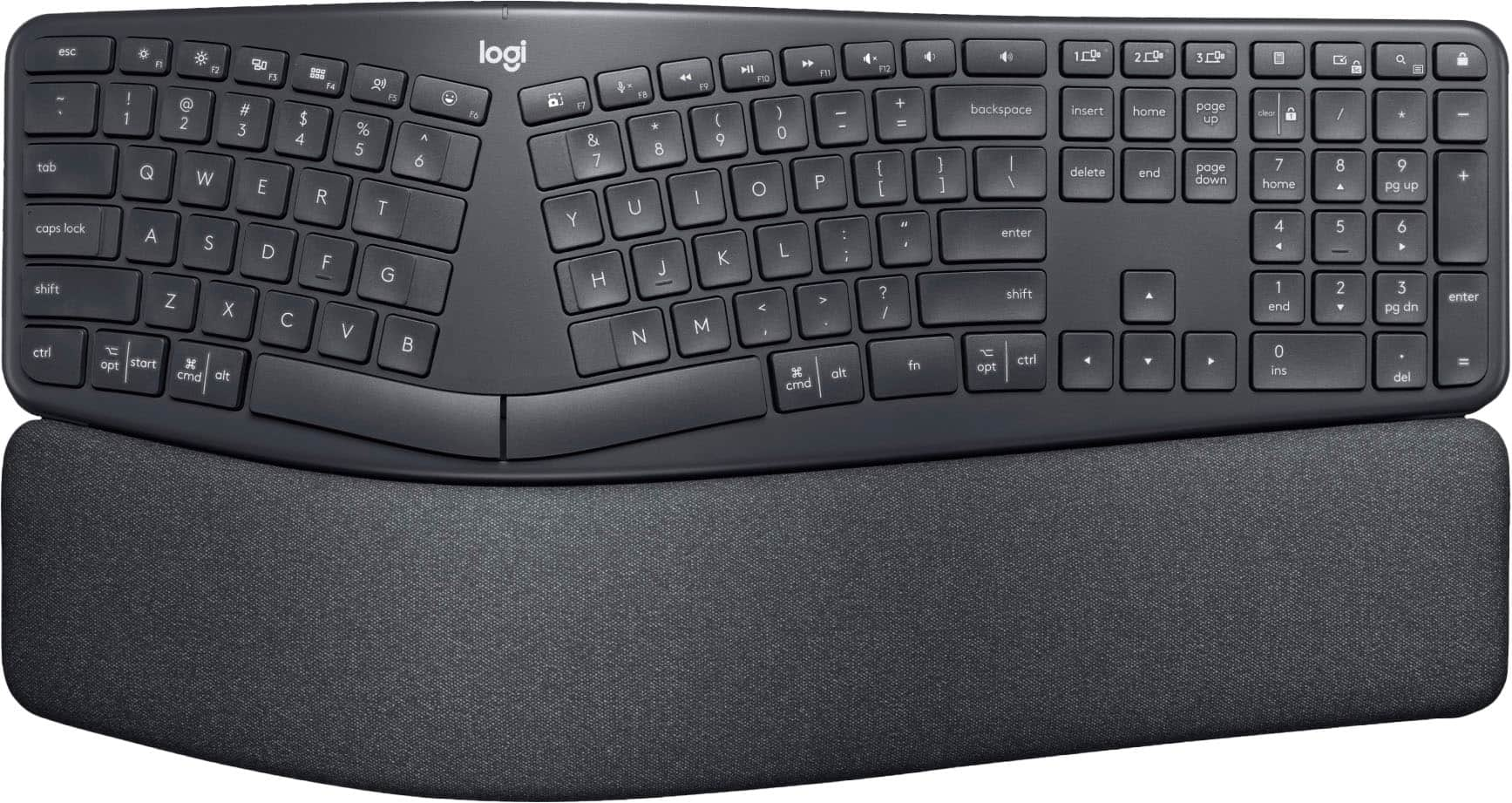
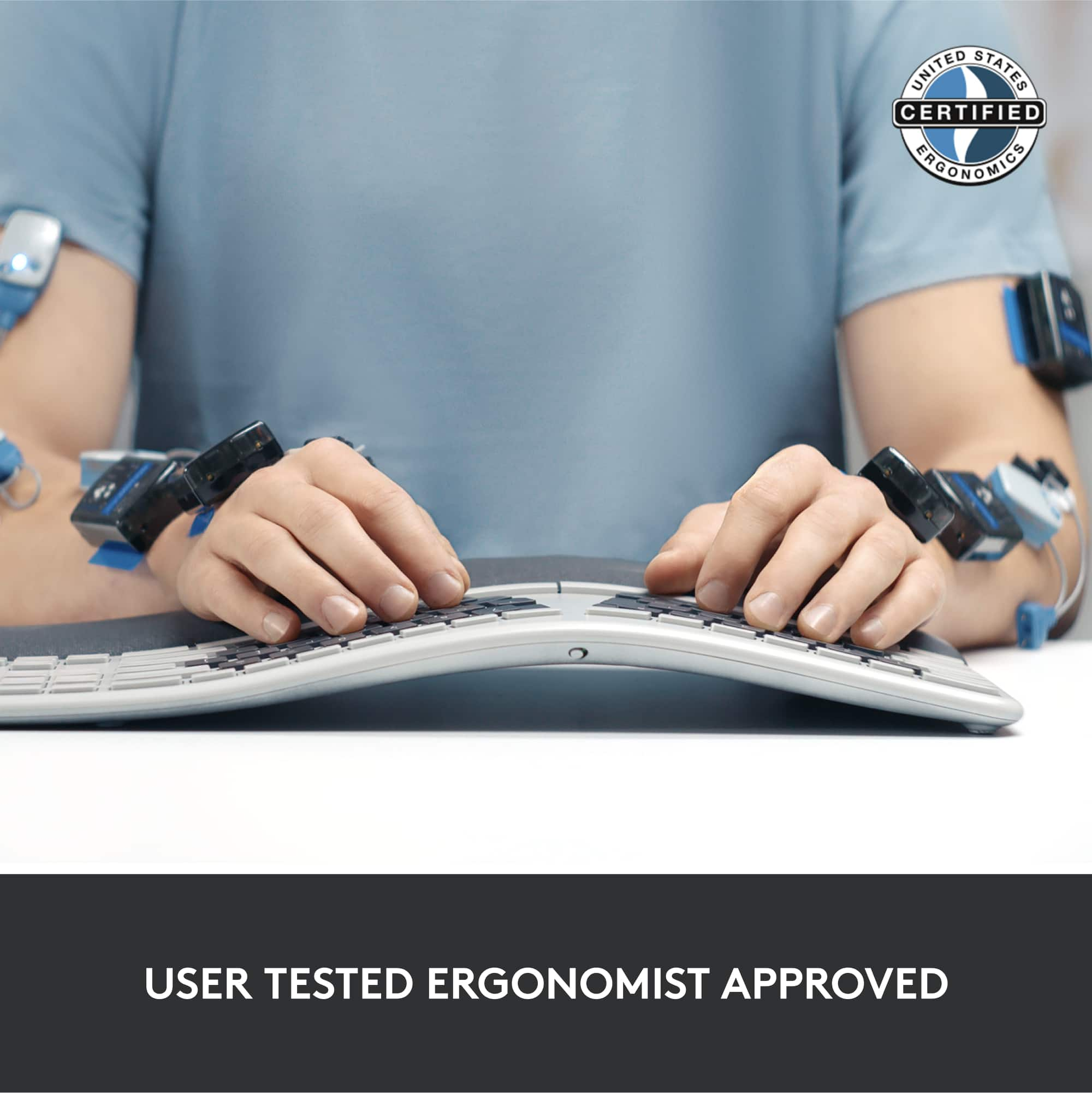
Customers are delighted by the ERGO K860 keyboard's ergonomic design, comfortable wrist rest, and ease of use. Many appreciate its Bluetooth connectivity, pleasant key feel, and quiet operation, along with the surprisingly long battery life. While some find the keyboard a bit expensive and large, the overall positive feedback highlights its strengths.
This summary was generated by AI based on customer reviews.
New way of TYPING
||Posted . Owned for 1 week when reviewed.This reviewer received promo considerations or sweepstakes entry for writing a review.Typing on his keyboard is very different. It takes time to get use to
No, I would not recommend this to a friendBrand response from Logitech
Posted .Hello Hollywoodjohnnyp,
I am sorry that it is taking you longer than expected to get used to the K860 Ergo. You are right, it is a different keyboard layout, and it takes a while to get used to, but the benefits of its ergonomy that promotes proper posture and typing form outweigh the required learning curve. Logitech appreciates your product review. - Leo from Logitech
- Pros mentioned:Ease of useCons mentioned:Size

Quality Ergo Keyboard
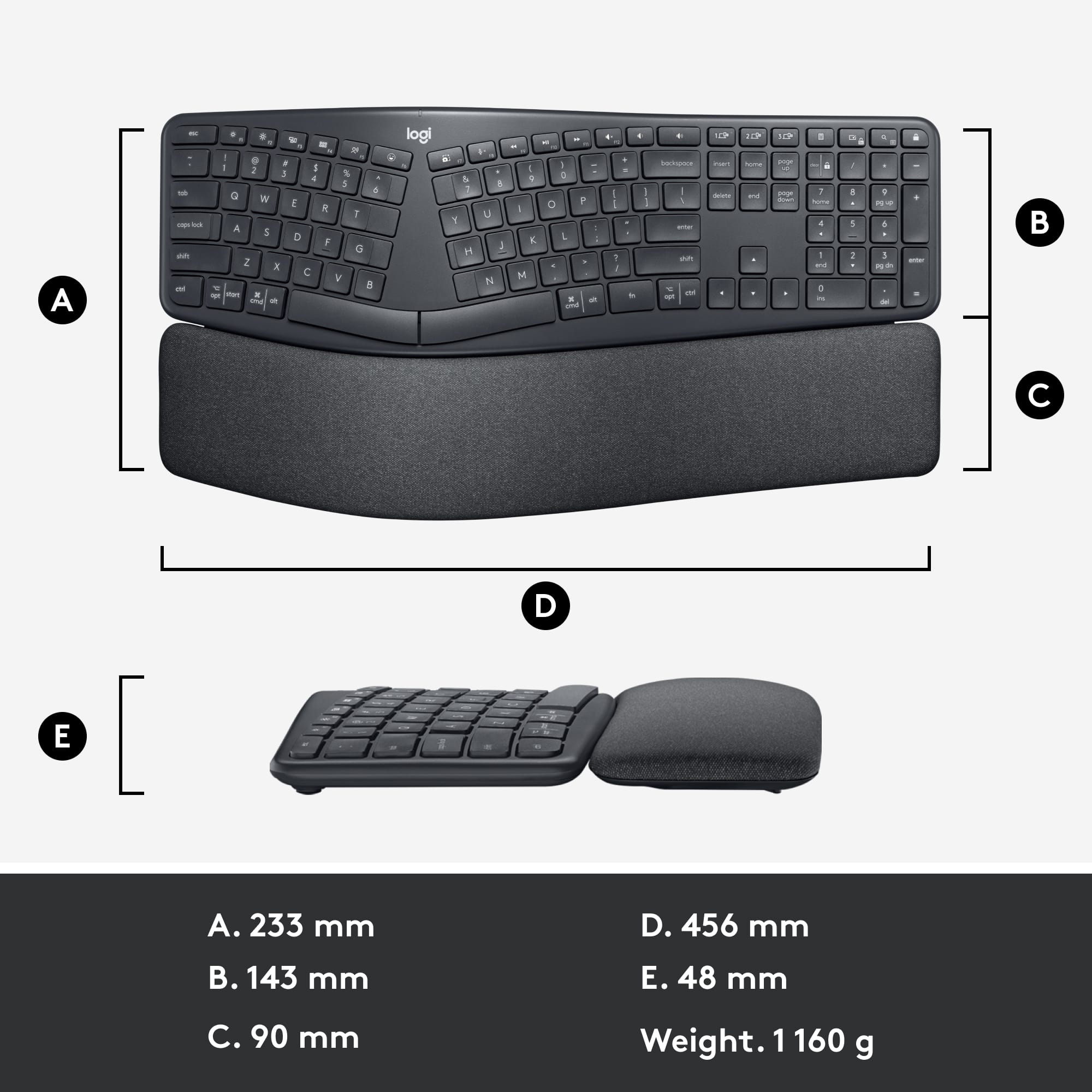
|Posted .This reviewer received promo considerations or sweepstakes entry for writing a review.I frequently work from home with some time spent in the office. Both my workspaces have docks for my laptop to plug into so that I can use a regular keyboard and multiple monitors. I decided that, since I spend most of my typing time doing my work, I would try the Logitech ERGO K860 Ergonomic Split Keyboard at home with my work laptop. The keyboard is quick and simple to use. You can connect the unit via USB or Bluetooth. I chose to use the BT connection because (a) my computer didn’t have a lot of USB ports, and (b) then I am not dependent on a USB dongle if/when I switch computers. I had no issues with setup. You can download the recommended software, but you won’t need it just to operate the product. The keyboard, however, is rather large and for this reason, is not portable from location to location. You could use it from room to room if you so choose. Because of its size, I found it difficult to use. The wrist rest is not adjustable or removeable. I felt like it was up too high for me. It could have been my set up; my keyboard tray to too low for my comfort, so I use the keyboard on the desk and use the tray to hold the laptop. I wish it had been somewhat adjustable so that I could have lowered the curve. It is not hard to get used to, but I did have more spelling errors at first. My left hand acclimated quickly to the new setup, but my right hand didn’t settle on the keyboard as easily. My wrists elevated at an odd angle didn’t help. I didn’t experience any pain, just awkwardness. I would have liked to try it with the wrist rest removed entirely. The keyboard also took a considerable amount of space up on my desk; more than the standard keyboard did. My desk is rather small and real estate is limited. For something to require so much extra space, I had to do a bit of rearranging. If you have a larger desk, or a very tidy desk (which mine is neither of those things) then you may not have that issue. Just be aware that it’s larger than the average keyboard. Logitech makes good products, so I have no qualms about recommending the product. I’m just not sure it is the right product for me. Your mileage may vary.
I would recommend this to a friend - Pros mentioned:Bluetooth, Wrist support
Fantastic Ergonomic Keyboard
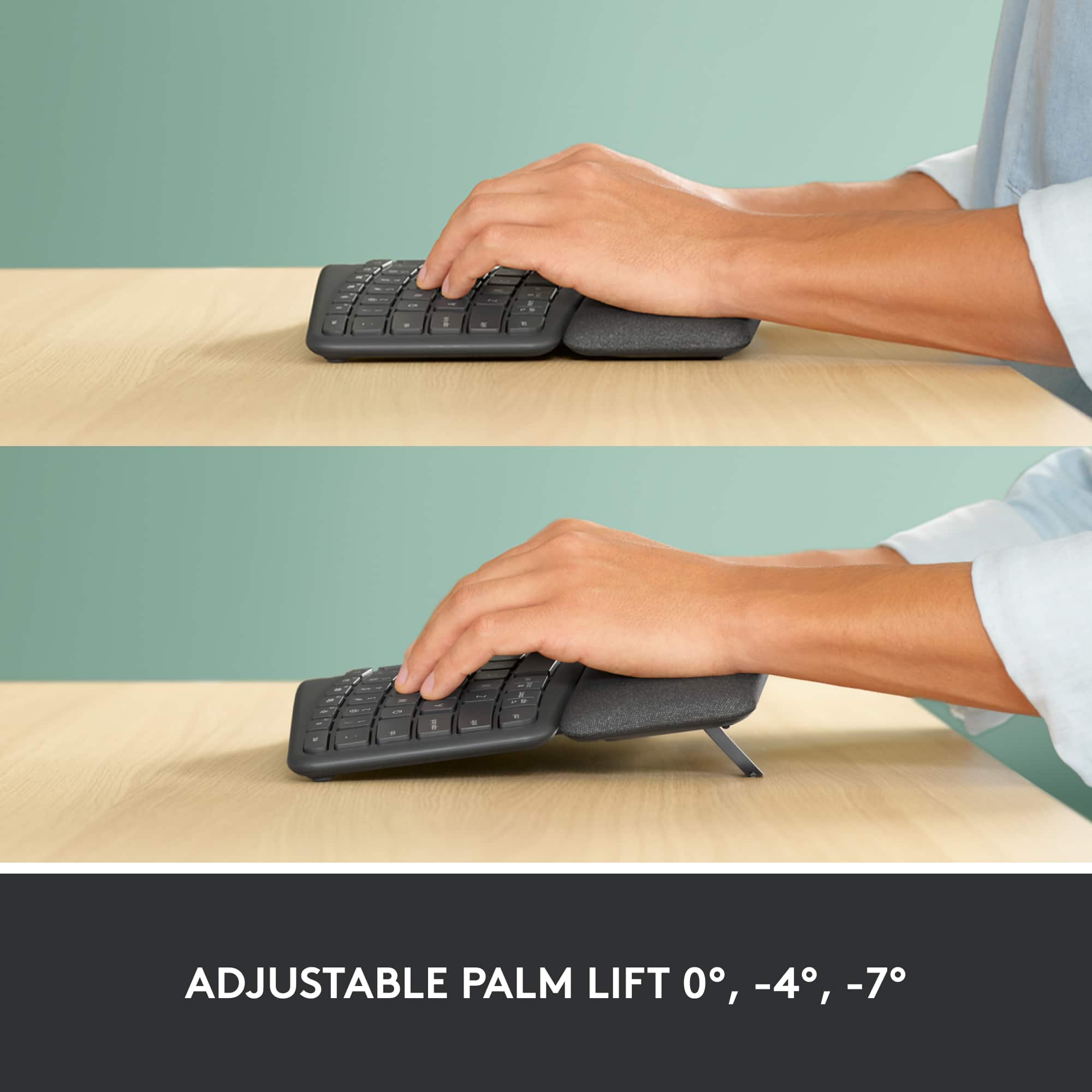
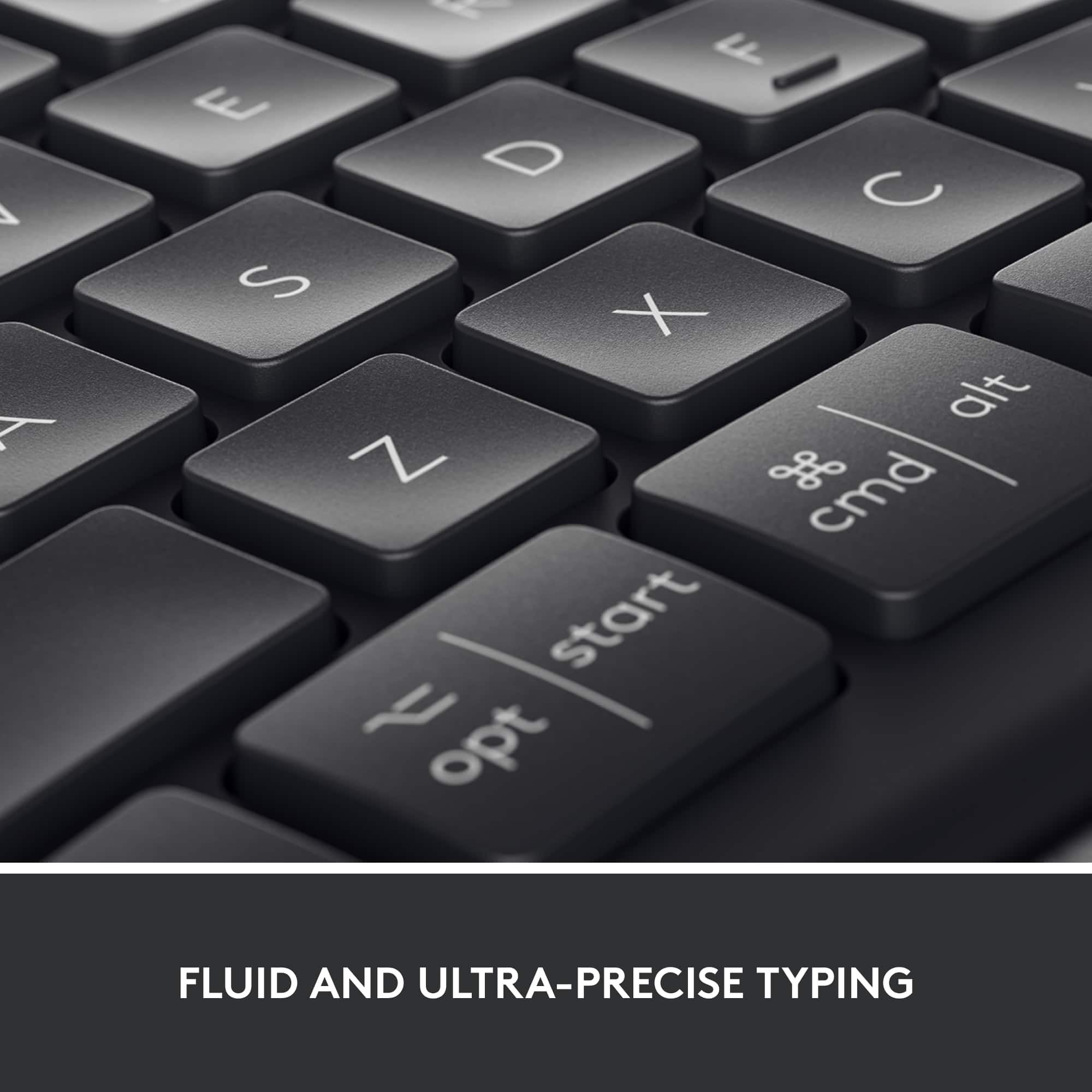
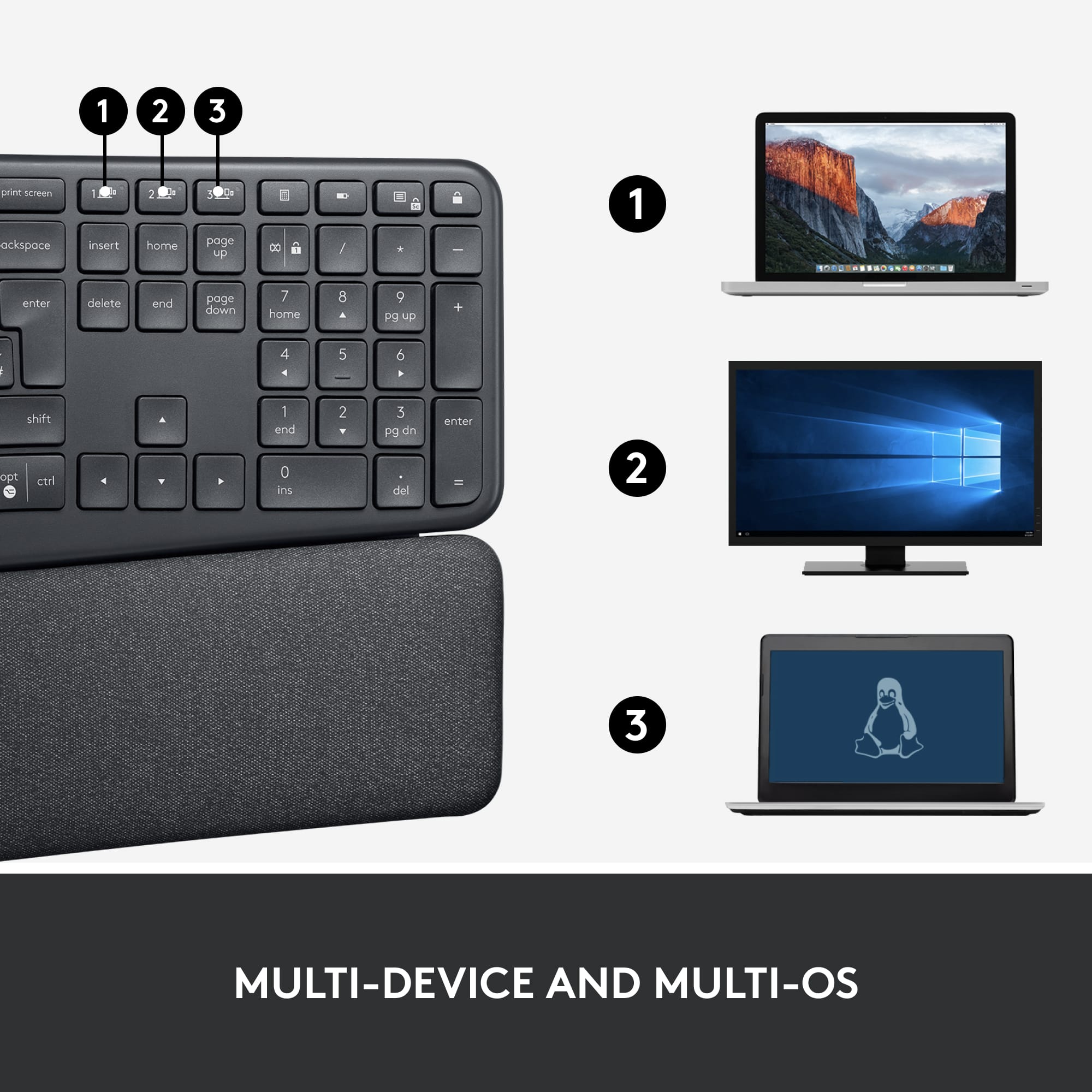
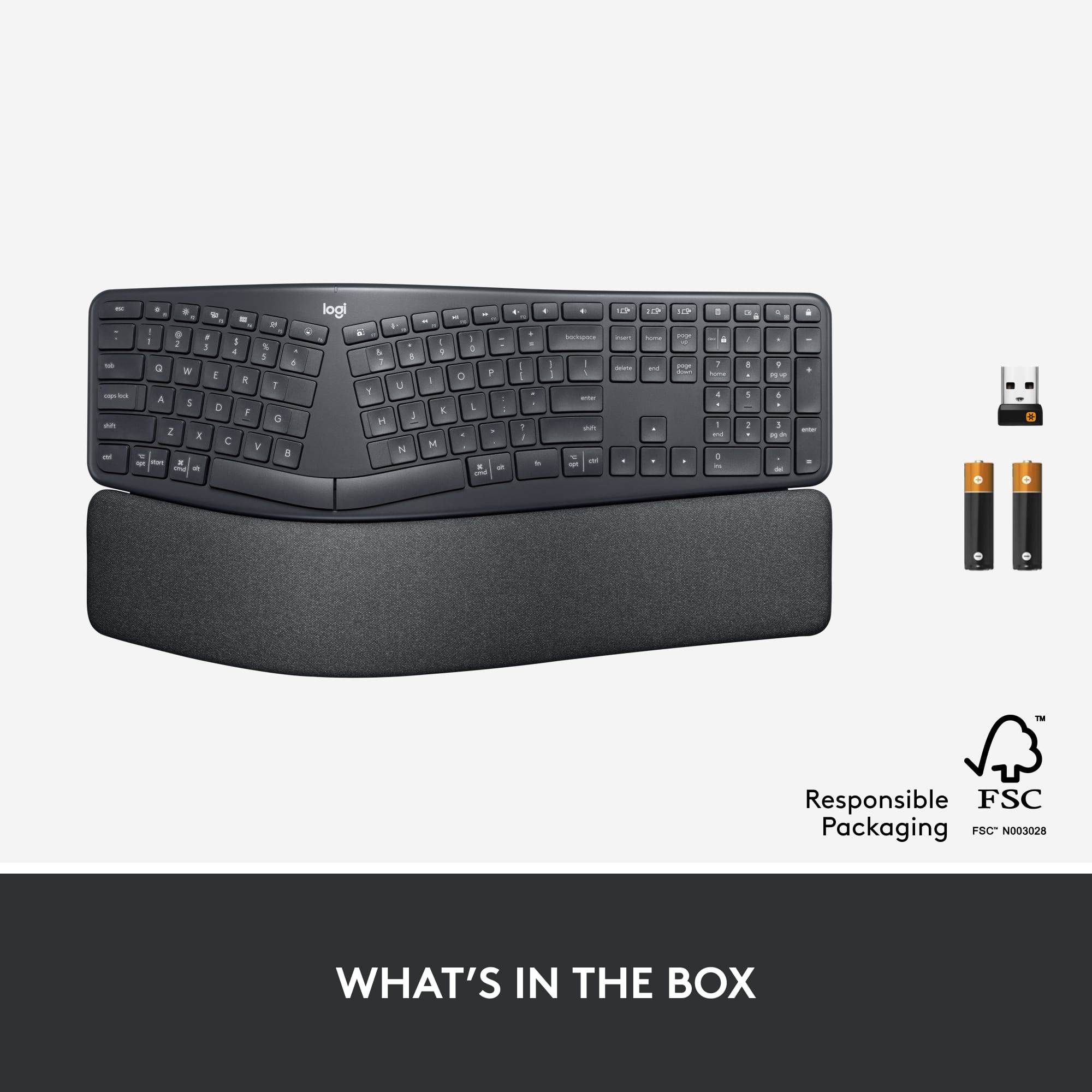
|Posted .This reviewer received promo considerations or sweepstakes entry for writing a review.Setup was almost instantaneous using a Bluetooth connection - but the keyboard includes a tiny USB receiver in case you won't be using Bluetooth. Keyboard can be toggled between three different connected devices. Keys are reactive and fairly quiet - the typing sensation is similar to what you experience on a laptop. There is a numeric keypad on the right of the keyboard (that you hand extends to straight-on, not at an angle). The keyboard is split and curved/sloped and fits the natural shape and position and angles of your hands when typing - at least for my hands, the fit is incredibly comfortable. Extending from the bottom of the keyboard is a padded wrist support that is curved in the same form as the keyboard itself. For added comfort, the wrist rest can be raised from flat (0°) to tilt the keyboard away from you for further comfort when you are sitting - some keyboards allow you to raise the top of the keyboard (which can add strain on your wrists) - this keyboard allows you to lower the top of the keyboard (-4° or -7°) so that you can use it with almost no bend in your wrists whatsoever. With Logitech's software, you can personalize the function keys, if that's something you might like, but I know I will never install that software or need that kind of fancy functionality. This might be the most comfortable keyboard I have ever used.
I would recommend this to a friend Poor durability
||Posted . Owned for 1 year when reviewed.This reviewer received promo considerations or sweepstakes entry for writing a review.Starts to miss keypresses just after the warranty expires.
No, I would not recommend this to a friendBrand response from Logitech
Posted .Hello Alex,
Thank you for choosing Logitech and for taking the time to share your experience. I am sorry that you have experienced difficulties with your K860 keyboard over time; I would like to help. If you have not already done so, please download and launch the Logitech "Options" software for customization and best performance. If you are still experiencing issues you may want to reestablish the connection. The K860 keyboard can pair via Bluetooth or USB on channels 1, 2 or 3. If you are using the USB connection, you can run the "Unifying" software to reestablish a connection and can also check for updates. If you have not already done so, please check your computer for system and driver updates. If you are still experiencing issues, please run the "Firmware Update Tool". I have attached a link to the K860's "Getting Started" guide for your reference, where you will find product guides, software downloads, and further support. Please also restart your computer. Please visit the Logitech website for further support.
Best regards,
John at Logitech
https://support.logi.com/hc/en-us/articles/360041797553-Getting-Started-ERGO-K860-Split-Ergonomic-Keyboard
- Pros mentioned:Bluetooth, Wrist support
Easy to get used to and SO comfortable!
|Posted .This reviewer received promo considerations or sweepstakes entry for writing a review.Review for Logitech - ERGO K860 Ergonomic Split Bluetooth or USB Keyboard - Black I’ve never used an ergo keyboard like this one, so I thought I would have to spend some time adapting to it, but it took almost nothing! Your hands land very naturally and if you are a good touch typist (I am…) it just feels so natural. Connecting via Bluetooth was simple and fast. I really like the easy way you can connect it to up to three devices. I don’t think I’d use it to “type” on my phone, but it’s great for my Mac and my iPad, with room to grow. The wrist rest is soft, yet water resistant, so I’m trusting it will look better longer than cloth wrist rests I’ve used. The keys are perfectly sculpted to match you finger tips and the three different height settings make the keyboard easy to customize to your favorite position, whether sitting or standing.
I would recommend this to a friend - Pros mentioned:Wrist support
Super Comfortable, No More Wrist Issues
Posted .This reviewer received promo considerations or sweepstakes entry for writing a review.I used to have tendonitis in my wrists from typing so much for work and school because I didn't do it ergonomically. Due to these issues, I purchased a keyboard tray and decided to try this keyboard for the first time. I have been using this keyboard for over a year and a half now, and I no longer have any issues with my wrists. It is extremely comfortable, and there is built-in wrist support. Another feature that I love is that the keyboard can connect to three different devices. I like that feature because I have multiple computers that I use. Once you set it up with your devices, you just hit the number that corresponds with the device you had set it up with, and it connects to that device instantly. This makes it super easy to switch between devices. I absolutely love this keyboard.
I would recommend this to a friendBrand response from Logitech
Posted .We're thrilled to hear that the Logitech ERGO K860 Ergonomic Full-size Wireless Keyboard has made such a positive impact on your wrist health and productivity! Your feedback about the comfort, multi-device connectivity, and ergonomic design is invaluable. Thank you for choosing Logitech!
- Pros mentioned:Key feel
Very well thought out Bluetooth and USB Keyboard
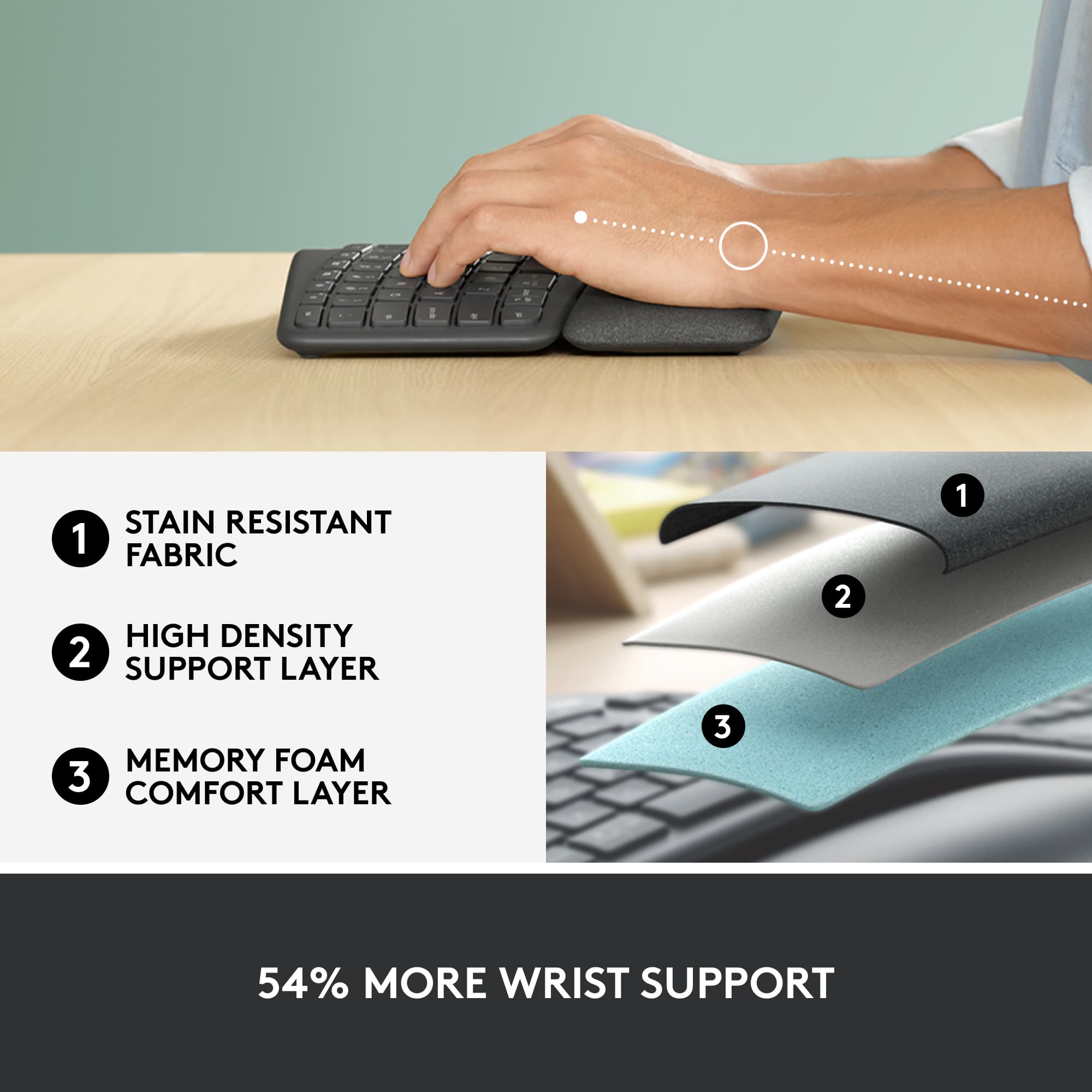
|Posted .This reviewer received promo considerations or sweepstakes entry for writing a review.The Logitech ERGO K860 is a well thought out and designed Bluetooth or USB wireless keyboard. Design The keys have a great feel and travel distance. It's not too noisy as you type. The key layout is good. Specifically, I'm glad it has a standard, full sized, inverted "T" arrow key layout as well as the standard, full-sized, layout for <insert>, <delete>, <home>, <end>, <page up>, and <page down>. There is storage in the battery compartment for the USB transceiver. The wrist rest is not removable but I like it so I don't mind that. It has three layers, one of which is memory foam. It also has three levels of height adjustment for the wrist rest side of the keyboard. No legs down, 7 degree legs down, or 4 degree legs down. There is a power switch in the middle of the back edge. Ergonomic Feel I do really like the feel of this keyboard. It's been a number of years since I used an ergonomic keyboard. The last one had a plastic wrist rest and it was impossible to adjust it so the wrist rest actually helped since the height adjustments were in the back instead of the front. With it in the front like on the ERGO K860 and a very comfortable wrist rest (three layers including some memory foam) it's not only usable but comfortable to use. I use a computer all day at work and it has been very comfortable for me to use. Software You can also use the free Logitech Options software to re-configure a number of keys to make them launch applications or perform other Windows functions on the PC. The function keys and a few others are customization. For instance, there's a <Lock> key but this can also be configured to shutdown Windows, put it to sleep, close a window, or copy something to the clipboard. There are more options than that and some keys will let you launch any program if you want. There's also a dedicated function lock toggle button on the keyboard. That's handy because sometimes I like things like media control and brightness to be readily available but other times I just want the function keys. Wireless This keyboard comes with a Logitech Unifying Remote USB transceiver. With that this keyboard will work with basically any computing device you have. Since it's a Unifying Remote, you can also pair other Logitech input devices with it, up to 6. I paired my Logitech mouse (not all support this, it needs to support the unifying remote and most that do come with one as well) with it so I can use one USB dongle for both the keyboard and the mouse. This keyboard also supports Bluetooth 5. I've tested the Bluetooth on a new Windows 10 laptop and a pretty new Android phone with Android 9 on it too. It works great with both of them. I've used it with the USB dongle on a few different devices, like another Windows laptop and a Chromebook for instance. I never noticed problems with the wireless or the reliability of the typed characters making it to the device. Not only that but the keyboard will pair with up to three devices at a time. There is a button on the keyboard to switch between each of the three devices with the press of a button. So you could do three Bluetooth, two Bluetooth and one USB, or whatever. I'm pretty sure that if you have two Unifying USB Remotes you could pair it to both at the same time and switch between them too. Battery Life Two years. That's TWO YEARS on two AA batteries! That's ridicules!!! It comes with two alkaline batteries. Cons The only negatives I can think of would be: 1. The break in the function keys is between F6 & F7 but I've never seen an ergonomic keyboard that has it between F4 & F5 and F8 & F9 like it should be. Most people probably don't care about this. It's rare that I do. 2. The keys are not back-lit but it's not a "gaming" keyboard and most laptops do have that if you really need it. Like I mentioned earlier, it's been a long time since I used an ergonomic keyboard. While my last experience wasn't bad this is much better! Excellent ergonomics, excellent features, and excellent design!
I would recommend this to a friend - Pros mentioned:Bluetooth, Ergonomics
Ergo Keyboard (Connects 3 Devices Simultaneously)
Posted .This reviewer received promo considerations or sweepstakes entry for writing a review.I love this wireless keyboard so much that I have two of them, one at work and one at home. It allows you to connect three different devices to it. I just connect two at the moment. The same with Logitech's wireless mouse. I have Model M720. It enables me to toggle between two different computers. Plus, it's ergonomic.
I would recommend this to a friend - Pros mentioned:Wrist support
The Perfect Ergo Keyboard
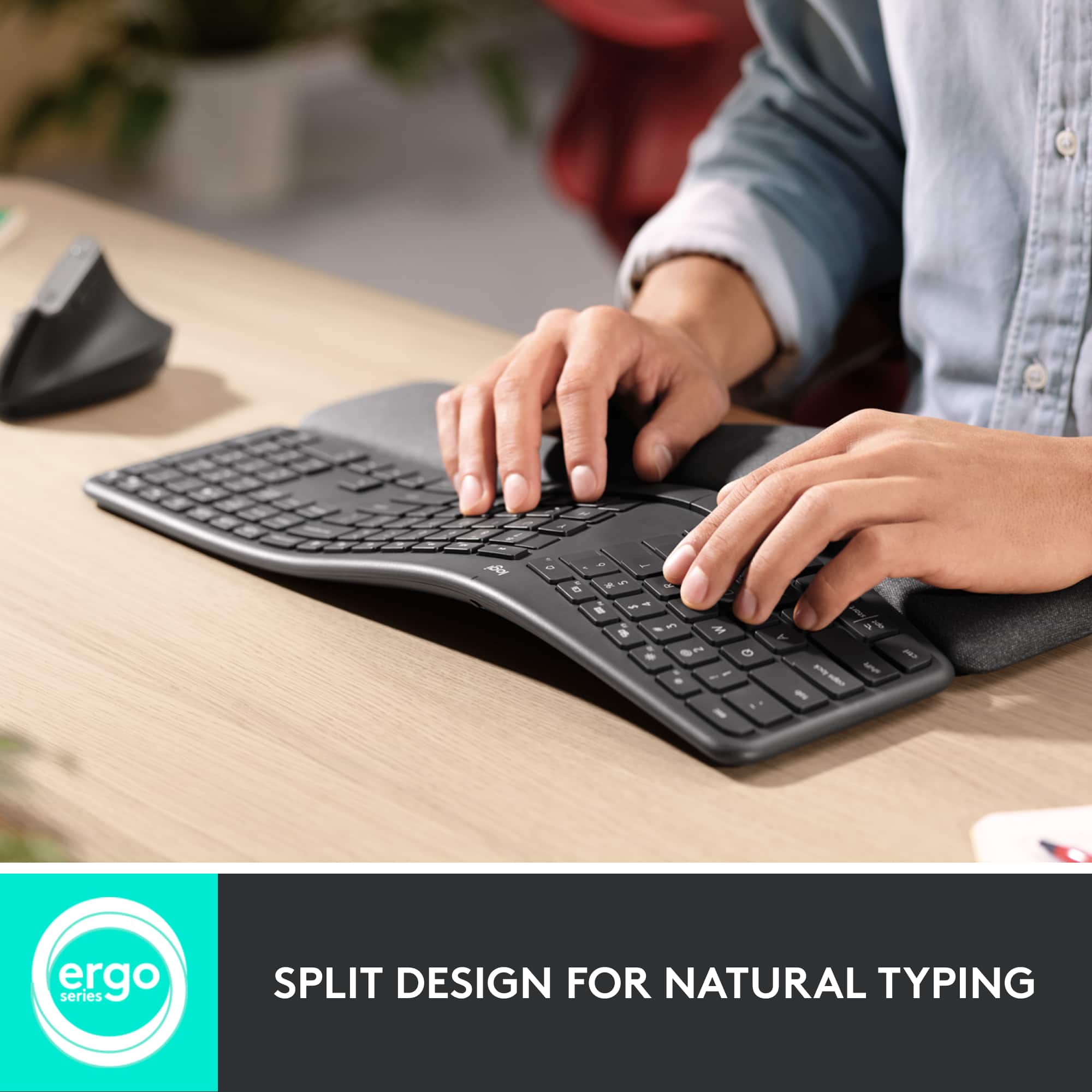
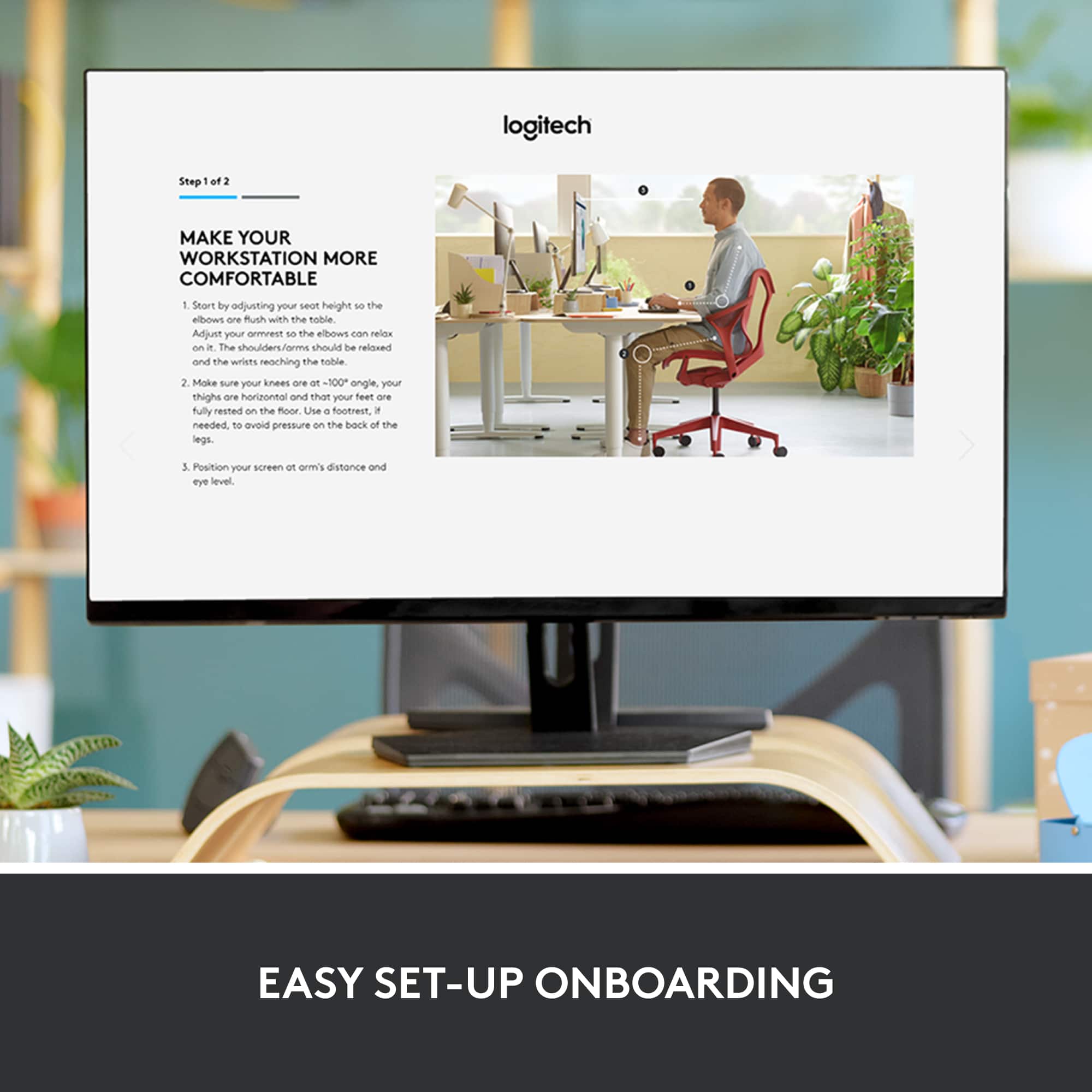
|Posted .This reviewer received promo considerations or sweepstakes entry for writing a review.As ergonomic keyboards go, this is a Cadillac. From the beautiful design and feel, to the ease of setup and use, it's hard to find anything not to love. Setting up the Logitech K860 could not be easier. Whether you choose to connect via USB or Bluetooth, you'll be connected to your device quickly. I connected to two different computers using each method (just to test out the setup times), and each setup took right about three minutes. There is a dedicated website for complete setup instructions for those who require additional help. although setup is rather intuitive. Now, if you've never used an ergonomic keyboard before, there is a bit of an adjustment. Those coming from a standard traditional keyboard to an ergo will likely find it feels a bit awkward. This is not specific to Logitech or the K860, but all brands and models. Give yourself a few minutes to adjust, type a few practice sentences, and I think you'll find using an ergo keyboard far more comfortable and natural feeling. Logitech adds to this with the K860s design and feature set. The split keyboard allows your wrists to remain straight, instead of flexing outward as on a traditional keyboard. The pillowed wrist support is soft and comfortable, allowing your wrists to rest easily and relax while typing. Additionally, there are legs under the palm rest which allow you to adjust the tilt angle to 0, -4, or -7 degrees. The keyboard / keyframe is not only a split design, but curves as well. which helps to provide a more natural feeling when typing. All of these features not only help to provide a more comfortable typing experience for your wrists, hands, and fingers, but they reduce the strain on your arms and shoulders as well. Through Logitech's website users can also customize the keyboard with specific shortcuts, allowing for increased efficiency. The keys have a nice easy feel, with a soft "click" produced with each keystroke. This keyboard is compatible with Windows 7 (USB only), Windows 8 and 10 or later, MacOS 10.13 or later, and Linux. I personally connected to my Dell all-in-one running Windows 10, my Mac running 10.13.6, and my Samsung Galaxy Tab S4 in Dex mode. Connectivity has never been an issue. I have not experienced any problems with the keyboard disconnecting or lagging. As I mentioned earlier, it's hard to find anything not to love about this Logitech K860. It is a solid, well-built, thoughtfully designed keyboard that should check most, if not all of the boxes for most users. If you are looking to transition from a standard, more traditional keyboard, or maybe looking to upgrade to a newer, more sleek ergo - I highly recommend this Logitech K860.
I would recommend this to a friend - Pros mentioned:Ergonomics, Wrist support
Great Ergo Keyboard
|Posted .This reviewer received promo considerations or sweepstakes entry for writing a review.Installation is quick and easy with supplied USB dongle. Ergo design is not extreme and quite ergonomic :) Keys are low and doesn't require high finger strokes. Buttons are firm to press, maybe the only little complaint is that they are a tad too firm. Silent keystrokes, not clicky. Nice extra function buttons, especially the one key lock button. Separate volume, play, and home buttons are nice. Wrist rest is nicely cushioned. Would be nice if it had a built in PIV card reader, BUT Overall a very nice keyboard, that I actually enjoy using.
I would recommend this to a friend - Pros mentioned:Ergonomics
Wrist reliever
Posted .This reviewer received promo considerations or sweepstakes entry for writing a review.Does wonders for my carpal tunnel issues and wrist strain. The dual sides and nice rest in front is perfect so my wrists don’t feel tight and sore.
I would recommend this to a friendBrand response from Logitech
Posted .Thanks for taking a moment to share your experience. We’re so glad the Logitech ERGO K860 Wireless Keyboard is working well for you. Your support means a lot and helps us keep improving.

- Pros mentioned:Ease of use, Ergonomics
Very comfortable
|Posted .This reviewer received promo considerations or sweepstakes entry for writing a review.I love the way this keyboard eases the strain on my wrists while typing. With a traditional board, my hands often get numb after typing for some time. That is not a problem with this ergonomically designed board. It is so easy to set up- simply plug the USB attachment into the computer and turn on the keyboard. No wires. I used it at home then took it to work where I do most of my typing. Attached in seconds. Nothing to download. Looks good too!
I would recommend this to a friend - Pros mentioned:Ergonomics
Goodbye Microsoft Sculpt (for good)
Posted .This reviewer received promo considerations or sweepstakes entry for writing a review.I've been a user of the Microsoft Sculpt for about the last 7 years or so and it has served me well for the most part, but there were always a few things I didn't like about the Sculpt. For starters, it comes with a mouse and keyboard and the mouse would always give me issues after a year or less. Then there's the connectivity issues and the separate number pad which just feels weird. Also, the Sculpt requires so many different batteries. One battery for the number pad (a flat watch type battery), two batteries for the keyboard, and two batteries for the mouse. So annoying. Needless to say these little annoyances added up and it was time for me to find another ergonomic keyboard. I recently had a Sculpt mouse crap out on me (the scroll wheel went haywire) and I got so annoyed I bought an MX Master 3 Logi mouse to replace it and I LOVE IT. So naturally, I wanted a logi keyboard to match the awesome mouse. This keyboard feels great and I love that it's one piece and the strategic location of many of the keys. It's sick. I wish it had a backlight and USB-C charging like the MX Keys (was also thinking of getting this keyboard, but it's not ergo), but I get that the battery life would suffer if they added a backlight. Hopefully Logi will improve upon this one in the future but for now it's an awesome alternative to the Sculpt which is just tired and old. Definitely get this keyboard if you're looking for an awesome split ergo keyboard!
I would recommend this to a friend - Pros mentioned:Ergonomics
Great wireless ergonomic keyboard!
Posted .This reviewer received promo considerations or sweepstakes entry for writing a review.This is a great wireless ergonomic keyboard! In contrast to other options available, this keyboard is both lightweight and takes up a smaller footprint on your desk one might think. It's overall size does free up some desk space without sacrificing the functionality or hand positioning on the keyboard. The one con I would say about this keyboard is that it does not have Bluetooth connectivity and requires the use of a USB-A port for its receiver. There are options out there that do have Bluetooth connectivity option, just be aware that this model does not have that and does require the utilization of a USB-A port for operation.
I would recommend this to a friendBrand response from Logitech
Posted .The Logitech ERGO K860 is a great choice for those seeking a compact and ergonomic keyboard. Its lightweight design and small footprint make it ideal for users with limited desk space.
- Pros mentioned:Ergonomics, Wrist support
Comfortable for extended periods of use
Posted .This reviewer received promo considerations or sweepstakes entry for writing a review.Beautiful elegant piece of hardware. Works well for extended periods of use. I am happy that it has the extra height provided in the palm rest for more comfort, especially when using with a standing desk.
I would recommend this to a friend Great Keyboard
Posted .This reviewer received promo considerations or sweepstakes entry for writing a review.I have an MX Keys keyboard at home for personal use, and this one for office use. Coupled with the MX Vertical mouse, this is a fantastic buy for comfort during longer computing sessions. I am a fast typer (~ 110 wpm) and the keyboard definitely services my needs very well. In fact, the divide between the left and right sides of the keyboard actually helped me slightly improve my typing technique - the physical separation encouraging proper hand usage when touch typing. Although I would have liked the option to see a backlit keyboard, I completely understand and respect why they didn't do it. This is a keyboard that works incredibly well in traditional office environments, where rooms are well-lit, rendering backlit capabilities unused. Alongside that, the backlit functionality would require battery charging which is inconvenient throughout the work day. Having two AA's with up to two years in battery life is a great way to circumvent inconveniences and allow me to focus on my work. As I mentioned earlier, I have an MX Keys paired with an MX Master at home, and now this MX Ergo K860 paired with an MX Vertical for the office. The MX lineup is fantastic, and I don't think you can go wrong with it. Try it out for yourself.
I would recommend this to a friend- Pros mentioned:Wrist support
Very comfortable typing position
|Posted .This reviewer received promo considerations or sweepstakes entry for writing a review.I have been working to create a large database lately. I spend several hours at a time entering data. My usual computer activities are not keyboard intensive so this is a change for me. Having the attached wrist/palm rest has made a world of difference in my ability to type for long stretches. I adjust the keyboard angle between the three positions periodically and the change seems to help me stay at my task. It takes a few minutes to get used to the split keyboard arrangement but other than the occasional mis-key it's been an easy transition. The typing position seems much more natural for my wrists than the conventional straight keyboard. I have had no wrist stiffness or pain using this keyboard for long sessions. At times I use a keyboard with a tablet. Usually I am not at a table or desk when using the tablet and try to use the keyboard in my lap. My conventional straight keyboard is pretty difficult to hold and use in my lap. This keyboard, because of the attached wrist\palm support, is stable and works great in my lap. This keyboard works well with either Bluetooth or the included wireless USB adapter. The F keys are customizable through downloaded software and there are three keys corresponding to connection to three different devices.
I would recommend this to a friend - Pros mentioned:Ergonomics
Nice ergonomics but slight difficulty w/ setup
|Posted .This reviewer received promo considerations or sweepstakes entry for writing a review.Years of poor ergonomics at work and poor posture have left me with a lot of related problems. So, being able to have an ergonomic keyboard is very important to my health and well being. I type a lot at work, though not as much at home (but still enough to warrant improved ergonomics). I first setup this keyboard at home with my Mac mini. Unfortunately, I had a lot of issues getting it paired with my Mac. I first tried bluetooth pairing and finally got it to work after several attempts; but, the connection kept on dropping out. So, I then tried the unifying receiver and, again, had issues with setup, despite following the sparse directions included. Regardless, the setup at home was to just test it out - the main place I had planned to use the keyboard was at work, on a Windows PC. When I brought it to work, my only option was using the unifying receiver as my work desktop does not have bluetooth built-in. As soon as I plugged the unifying receiver in, the keyboard was recognized, drivers automatically installed and then done. I could start right away using it. After having used it now for a couple of weeks, I can say that the ergonomics feel good, though I'm still getting used to the layout. I have quite a bit more typos than I'm used to (I've been a touch-typist since high school), but the typos get less and less the more I use it. The key caps are a nice height (perfect height possibly?) and don't require too much force to press down. I've found that the best typing position for me, whether I'm sitting or standing (I have an up/down desk at work) is with the front "feet" in the middle position. Things may work differently for you, so try it out in all 3 positions before deciding.
I would recommend this to a friend - Pros mentioned:Ergonomics
Best Ergonomic Keyboard Available
Posted .This reviewer received promo considerations or sweepstakes entry for writing a review.I am a big fan of the quality and design of Logitech products and this did not disappoint! I have been using this keyboard for 3 years and it still works like new. The curve is gentle and feels natural and has reduced pain in wrists / hands from other straight keyboards. Definitely recommend for anyone typing long term. Pros: + Curve and spacing is natural and feels good + Built in Wristpad is good quality and feels nice + Device switching functionality works well. Cons: - Dust and debris builds up in between keyboard and wrist pad, so make sure to clean it.
I would recommend this to a friend - Pros mentioned:Wrist support
ERGO Not Ackward
|Posted .This reviewer received promo considerations or sweepstakes entry for writing a review.I have arthritis so working behind the keys can be uncomfortable after a while. The Logitech - ERGO K860 Ergonomic Split Bluetooth Keyboard is the first customizable keyboard that actually brings relief. I had never been comfortable with other Ergonomic keyboards. The felt ackward, not quite right if you know what I mean. The wrist support is adjustable to the point where the usual stress brought on by long sessions is quelled. The cupped keys are comfortable and secure. The keys are quiet and the cupped keys make the gentle wave easier to adapt to. Set up was as easy as all other Logi products, and the quality is superior. I noticed no lag whatsoever and the downloadable software give the user opportunity to customize the board. Try the Logitech - ERGO K860 Ergonomic Split Bluetooth Keyboard the newest and best ERGO keyboard on the market. Cheers!
I would recommend this to a friend