Customer Ratings & Reviews


- Model:
- 910-005868
- SKU:
- 6440329
Rating by feature
- Value
Rating 4.6 out of 5 stars
- Quality
Rating 4.7 out of 5 stars
- Ease of Use
Rating 4.7 out of 5 stars
Customers are saying
Customers often highlight the ergonomic design and ease of use of the ERGO M575 Wireless Trackball Mouse, with many praising its comfort and responsiveness. The Bluetooth connectivity and long battery life are also frequently cited as positive aspects. While some users mention needing less desk space, the overall feedback points to a positive user experience.
This summary was generated by AI based on customer reviews.
- Pros mentioned:Battery life, Ease of use, Ergonomic design

Nice update to a good trackball
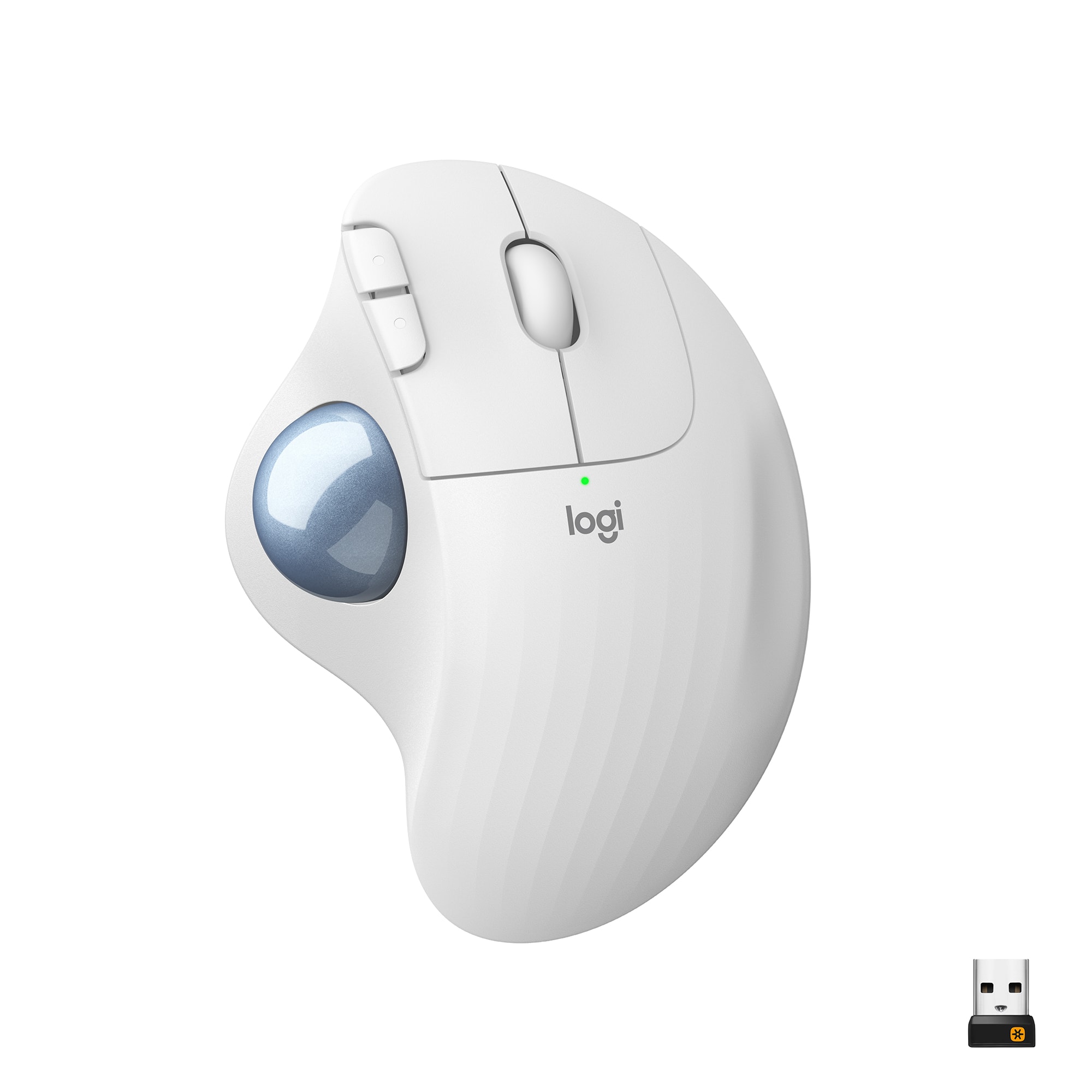
|Posted .This reviewer received promo considerations or sweepstakes entry for writing a review.The Logitech M575 trackball is a refresh of the M570, and takes its place as their new "standard" trackball. It makes minor design tweaks (all good), is supported by the modern "Logi Options" software for customization, and still retains the comfort and smooth performance of its predecessor. While it lacks some of the fancy features of Logitech's MX Master line, it's priced well for what you get. (In the interest of full disclosure, Logitech provided me with an Ergo M575 in exchange for writing this review but all opinions here are my own. I also own its immediate predecessor, an M570 that I purchased and used while working remotely during the COVID-19 pandemic.) After beginning to develop recurring thumb tendonitis in my mouse-using hand, I decided to experiment with a trackball instead of a standard computer mouse. Logitech is my go-to brand for mice, and so I purchased an M570 to use as an alternate to my MX Master 3 mouse. While there's a much smaller market selection for trackballs, the M570 was still priced reasonably and I expected Logitech quality. I was very pleased with the M570. It had a good quality feeling, and operated very smoothly. I liked that it was powered by a standard AA battery so that I would not have to worry about internal battery longevity. I found it very easy to adapt to trackball usage, and for some work I actually preferred it. It did not single-handedly cure my tendonitis issues, but I've been able to drastically decrease how frequently it flares up by switching back and forth between my mouse and trackball after a few days of use for each. (Of course, your mileage may vary and this is certainly not a medical opinion, just my anecdotal experience.) However, the M570 had one glaring downside - it was not supported by the Logi Options software that I already had installed, which could manage customization settings for all of the Logitech non-gaming peripherals I had used in the last couple of years. This meant giving up customization (for button actions and scrolling speeds), or installing extra software. Not a fatal flaw, but just an annoyance made all the more obvious by how well Logitech's ecosystem otherwise works together. I was quite happy to see that the Logitech Ergo M575 fixes this - it's now definitely supported by Logi Options! Beyond that, the M575 has some tweaks to the design of its shell, in the form of some subtle facets that break up the completely smooth curve of the M570. This better matches the design language Logitech uses for most of the rest of their modern mouse lineup. Coupled with a slightly different surface texture, it also means the M575 feels better in hand. Beyond that, the colors are tweaked a bit - again, they match the rest of the Logitech product line a bit more closely (though to be honest I slightly prefer the color of the old ball to the new). In operation, the new one is every bit as smooth and pleasant as the old, and the connection with Logitech's standard 2.4 GHz receiver is just as rock solid as ever. Plus, it still retains the simple AA battery for power! There really are few downsides. I do wish Logitech had added support for the M570 to Logi Options rather than requiring a new purchase. And, of course, neither the M570 or M575 are designed for left-handed use, but they don't pretend to be. (And I say that sympathetically as a southpaw for most fine-motor tasks - I've just adapted to right-handed computer use.) It doesn't sport the features of the MX Master line, such as on-the-fly switching between multiple computers, but Logitech makes the MX Master Ergo as a step-up if you're interested. (I'm personally not tempted until they have an MX Ergo with the new mag-wheel from the MX Master 3…) In summary, the M570 was already a good trackball, and I consider the Ergo M575 a home-run update. It updates both the design and software compatibility without ruining the things that made the M570 good. If you are trackball-curious this is a great model to try without breaking the bank.
I would recommend this to a friend it's ok
||Posted . Owned for 1 month when reviewed.This reviewer received promo considerations or sweepstakes entry for writing a review.it's ok....................................................just ok.
No, I would not recommend this to a friendPerfect Mouse.
||Posted . Owned for 1 month when reviewed.This reviewer received promo considerations or sweepstakes entry for writing a review.The mouse works really well. Had one several years ago that still works as new. Just make sure you clean the ball and the connectors inside the ball housing regularly.
I would recommend this to a friendWorks for some
||Posted . Owned for 3 weeks when reviewed.This reviewer received promo considerations or sweepstakes entry for writing a review.I wish the whole mouse moved. It was too hard to learn how to use the ball. My job is too fast paced to handle the learning curve. Will be returning.
No, I would not recommend this to a friendBrand response from Logitech
Posted .We regret to know that the product did not meet your expectations. We'll make sure to share it with the right team so they can look into it.
Logitech ERGO M575 trackball mouse.
||Posted . Owned for 1 month when reviewed.This reviewer received promo considerations or sweepstakes entry for writing a review.This is the finest “trackball” mouse that I have ever used. This is the 3rd or 4th replacement mouse that I’ve purchased and used.
I would recommend this to a friendBest Mouse - Highly Recommend
||Posted . Owned for 1 month when reviewed.This reviewer received promo considerations or sweepstakes entry for writing a review.I’m in love with this mouse. I will never use a traditional mouse again. I no longer have pain and numbing in my hand and wrist.
I would recommend this to a friendVery smooth pointing device
||Posted . Owned for 1 month when reviewed.This reviewer received promo considerations or sweepstakes entry for writing a review.I much prefer Track balls over mice because they take up less desk space and the pointer does not move unless I move it. This one works very nicely.
I would recommend this to a friendVery good mouse
||Posted . Owned for 8 months when reviewed.This reviewer received promo considerations or sweepstakes entry for writing a review.Good mouse, have been using this type and brand for years and it is my favorite. One thing I did not like was that if you are over-harsh with it, the left and right click can break and it is not easy to fix, meaning you will have to buy a new one.
I would recommend this to a friend- Pros mentioned:Battery life, Bluetooth, Ergonomic design
Logitech continues it's reign as mouse GOAT
|Posted .This reviewer received promo considerations or sweepstakes entry for writing a review.I've popped my Trackball cherry, and it was worth it!! I'm being 100% honest when I say this is my first trackball mouse. Always wanted to try one and see if it really helps. To start with this one probably compares to smoking a cuban cigar as your first ever cigar, or driving a new Mercedes as your first car. Everything about this mouse is worth your hard-earned dinero. Many of you out there might be thinking , meh, what's the big deal, tried one trackball mouse, you've tried em all. Seriously, I'm a novice with them so be nice. It's super comfortable in your hand, and the trackball moves extremely smooth. Bonus, the ball is very easy to remove and wipe clean. Only thing I can think negatively on is the overall size, might be too large for kids, or a petite adult. It boasts a 24 month battery life. Obviously it's too early to tell , but they note on the box that's dependent upon individual use and computing conditions. I have owned many mice in my day as I'm sure you all have, and Logitech have always served me well. This is no exception to that rule. The Ergo M575 can connect via Bluetooth and USB, both of which connect quick and get you up and running without hiccups. So far I've used it on my PC, and my MacBook Pro. It works great with both, although much easier to customize with the PC, which can be said for many computer accessories. The program allows you to customize mouse speed, as well as the functions of all the different buttons (scroll wheel, and back/forward buttons). Here are all the different options as far as I can tell: Forward / Back / Next track / Advanced click / Calculator / Close window / Copy / Cut / Double click / Email / Gesture button / Input language / Keystroke assignment / Launch application / Left click / Lock / Maximize window / Media player / Middle button / Minimize window / Modifier keys / Mute / My Computer / My Documents / My Home / My Music / My Pictures / My Videos / New browser tab / Net track-fast forward / Open title / Open folder / Open web page / Paste / Play-Pause / Previous track / Rewind / Redo / Right click / Scroll left / Scroll right / Search / Show-hide desktop / Shut down / Sign out / Sleep / Switch operations / Switch screens / Task view / Trackball sensitivity / Undo / Volume up or down / Zoom in or out / Zoom reset / None I mean, look at that, it's insane. It can do everything besides make your coffee. I use the calculator a lot at work as I work so I've been utilizing that. You can change them for using programs like Photoshop or media intensive programs and find the combo right for you. Overall, I'm hard pressed to find any cons at all (again, y'all trackball aficionados might find some cons, and if you do, let me know how I'm coming up empty-handed) even the size I mentioned isn't that big a deal. My profession requires many hours on the computer every day. The amount of wrist life I'm probably gaining by using this mouse is worth it alone. Hat's off Logitech, well played.
I would recommend this to a friend Trackball
||Posted . Owned for 1 year when reviewed.This reviewer received promo considerations or sweepstakes entry for writing a review.I love trackballs and this sadly the only good reliable trackball in town. the rest are all aftermarket or no names.
I would recommend this to a friendGreat mouse
||Posted . Owned for 1 month when reviewed.This reviewer received promo considerations or sweepstakes entry for writing a review.Really nice - took a little getting used to but I like it a lot. I don’t have to move mouse it stays put and rolls fast. Good product.
I would recommend this to a friendGood, if you like this style
||Posted . Owned for 1 month when reviewed.This reviewer received promo considerations or sweepstakes entry for writing a review.I have used the earlier version of this mouse and this model is just as good, if you like this style of mouse.
I would recommend this to a friendSimply Great
||Posted . Owned for 1 week when reviewed.This reviewer received promo considerations or sweepstakes entry for writing a review.This mouse is one of the best trackballs that I have used, Smooth as butter. The track pads on the bottom are smooth. I give this 2 thumbs up!!!
I would recommend this to a friendGreat mouse but not as smooth as possible
||Posted . Owned for 1 month when reviewed.This reviewer received promo considerations or sweepstakes entry for writing a review.Great quality mouse. Only issue is the ball is not smooth and gets tough sometimes. These do require a break in period so will wait for that to end and see if its smoothed out.
I would recommend this to a friendSuch an Upgrade
||Posted . Owned for 3 weeks when reviewed.This reviewer received promo considerations or sweepstakes entry for writing a review.Fast Connection! I love this new update to the mouse from Logitech! I love that it’s white! It goes awesome with my new decor.
I would recommend this to a friendGreat purchase
||Posted . Owned for 3 weeks when reviewed.This reviewer received promo considerations or sweepstakes entry for writing a review.I have always loved the roller ball mouse. This one has great maneuverability and control. And I really like the color scheme.
I would recommend this to a friendWon't Stay Connected?
||Posted . Owned for 1 year when reviewed.This reviewer received promo considerations or sweepstakes entry for writing a review.The mouse works well, but too often is not "found" by the computer. Every troubleshoot offer has been utilized but the problem persists.
No, I would not recommend this to a friendBrand response from Logitech
Posted .We sincerely regret any inconvenience you may have experienced and want to assure you that your feedback is of great significance to us. If you haven't already, we'd recommend you to please contact Logitech Support team as they'll help you find a more suitable resolution at the earliest.
Decent SMouse`
||Posted . Owned for 3 weeks when reviewed.This reviewer received promo considerations or sweepstakes entry for writing a review.If you drop this mouse on hard floor the traek ball goes flying Sometimes the battery cover also pops off and the battery goes flying I have used this tyupe of mouse for 5 years Logiech should be amble to remedy this issue
I would recommend this to a friendBOB SMITH
||Posted .This reviewer received promo considerations or sweepstakes entry for writing a review.IF YOU LIKE LOGITECH TRACKBALL MOUSE, THEN DON'T BUY THIS ONE. I GAVE THIS ONE TO MY GRANDSON TO USE ON HIS GAME SYSTEMS THE LARGER MOUSE WITH THE RED TRACKBALL IS GREAT BUT THIS ONE IS TOO SMALL FOR MOST ADULTS HANDS
No, I would not recommend this to a friendBrand response from Logitech
Posted .Hello, I am so sorry if there was any confusion about the size of this mouse. I hope you were able to find something else that suited your needs! Thank you for taking the time to write this review, we appreciate the feedback.
- Pros mentioned:Battery life, Ergonomic design, Size
Ergonomically Comfortable
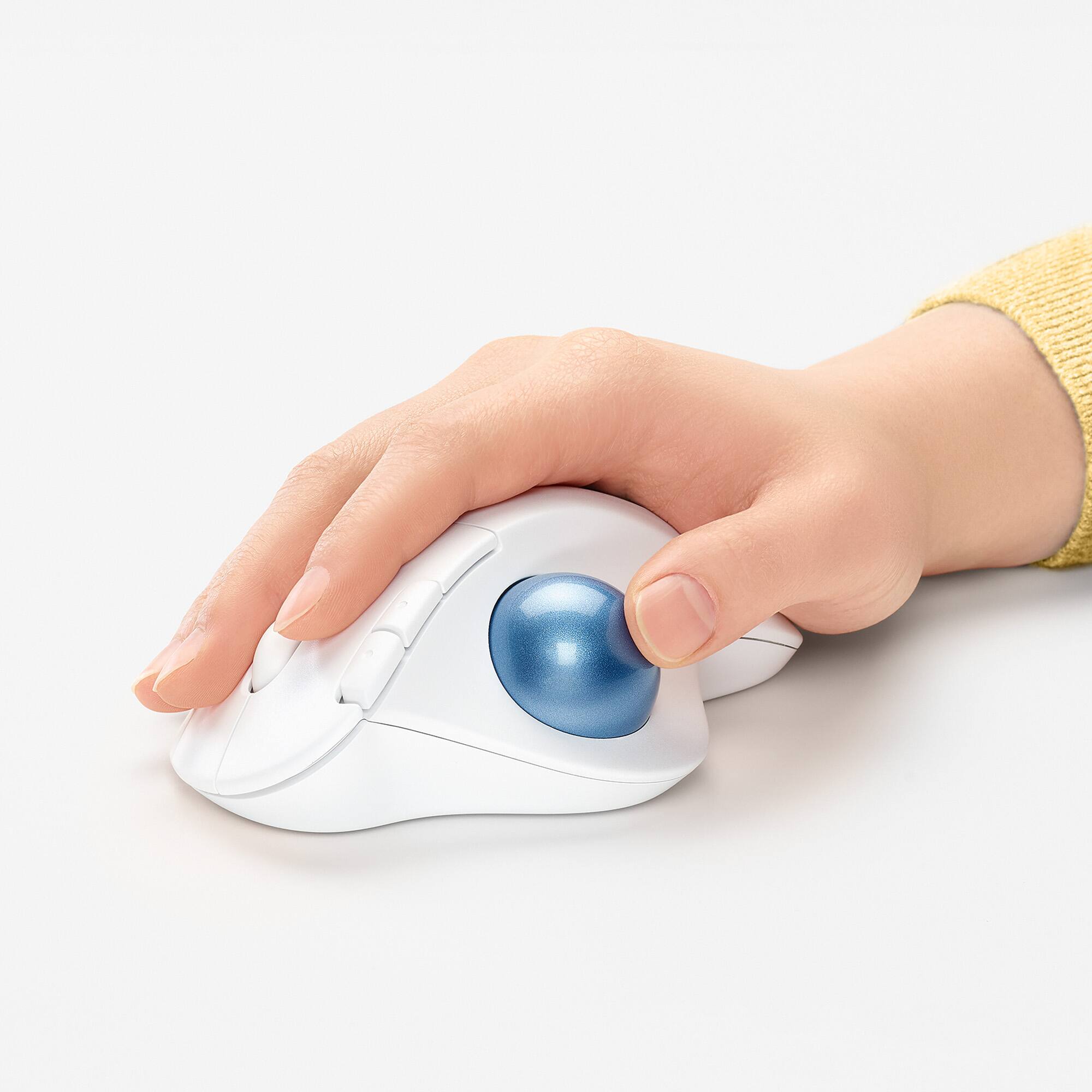
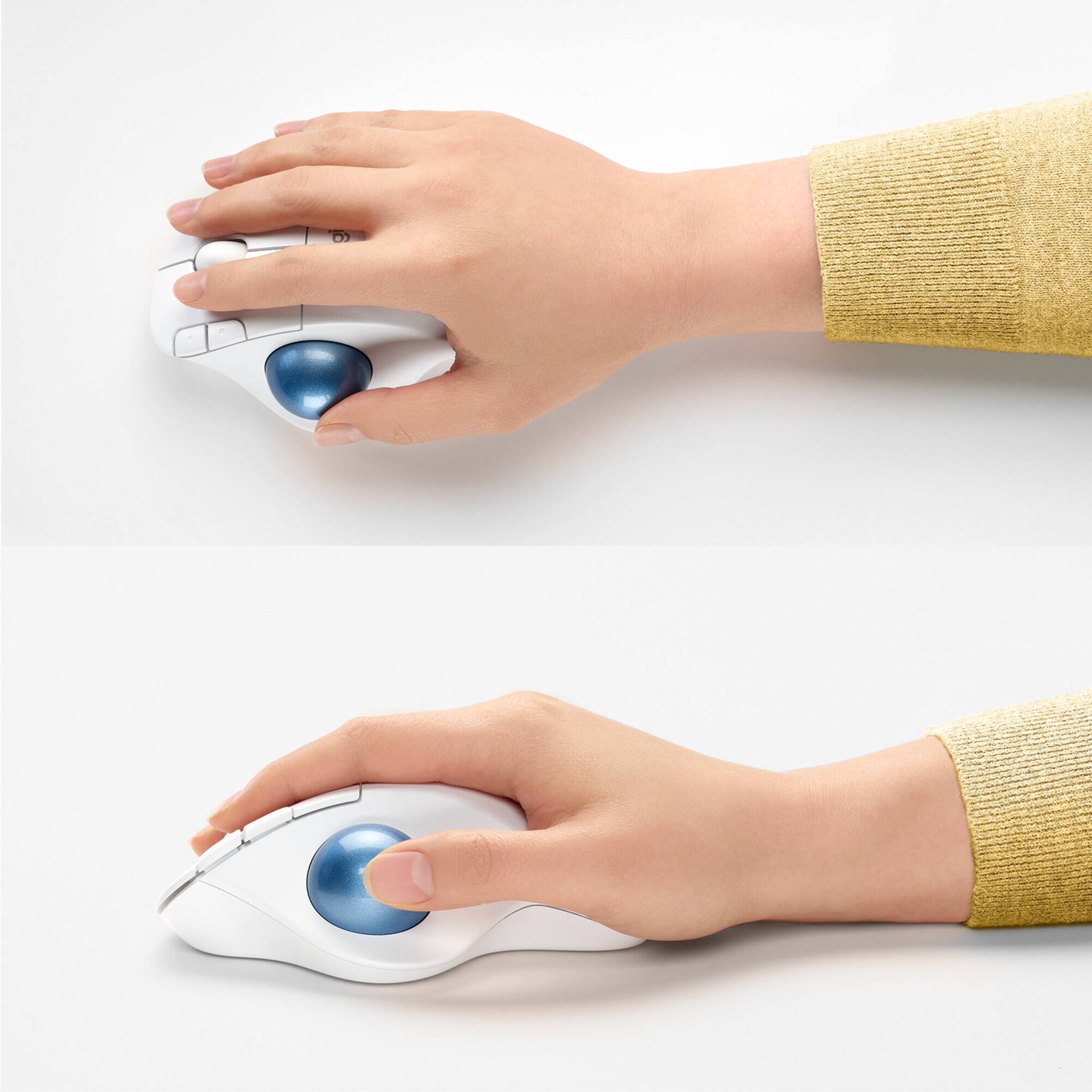
|Posted .This reviewer received promo considerations or sweepstakes entry for writing a review.The Logitech - ERGO M575 Wireless Trackball Mouse is the latest model that follows after the M570. It offers an improved design and additional features at a similar or better price point. I have been using and loving Logitech products for many years now and never miss an opportunity to try their new models. Connecting to my desktop PC practically only took seconds, since I already had the tiny USB receiver and the Logitech Unifying Software installed for the older K800 wireless keyboard and M325 mouse designed for Web scrolling. Once connected it did want to download and install additional Logitech Options Software that allows you to adjust a few settings such as tracking speed, buttons functions, etc. I didn’t like it that it insisted on creating an on-line Logitech account, but if you do go that route, it looks like it would save your settings to their cloud, which could be good if you move and use the trackball on multiple systems. I did already have a Logitech Support account, but unfortunately that is not the same as the user account you would need to backup your settings. Next test was connecting via Bluetooth to my “work from home laptop”, which is where I’ll be using the ERGO M575 the most to alleviate some wrist, neck and shoulder discomfort, once I find the optimal sitting and hand position. The literature says the AA battery could last for up to two years, when connecting with Bluetooth low energy technology - that’s impressive - time will tell. The built quality is solid, size is just right not taking up too much desk space and it fits perfectly in medium-sized hands. If you haven’t used a trackball before, it will take some getting used to. I’ve used other trackballs before, but the ball was on top, middle of the mouse, so it took me a few days to get used to the thumb operated ERGO M575 trackball. It does offer very precise cursor movements and 3 customizable buttons, along with a precision scroll wheel. All-in-all, another quality Logitech product.
I would recommend this to a friend