Customer Ratings & Reviews


![ESC F1 F2 F3 F4 F5 F6 F7 F8 F9 F10 F11 F12 PRTSC SCRLK PAUSE INS A-1! 2 3 # 4 $ 5 % 6 A 7 & 8 . 9 ( 0 ) - I - + INS HOME PG UP NUM I TAB Q W E R T Y U I O P [ ( ] ) I I DEL END PG DN 7 HOME 8 9 PG UP CAPS A S D F G H J K L ; : a ENTER 4 5 6 SHIFT Z X C V B N M < > / ? SHIFT T 1 END 2 3 PG DN ENTER CTRL ALT ALT FN CTRL 0 INS DEL](https://pisces.bbystatic.com/image2/BestBuy_US/images/products/6397/6397081_sd.jpg)

- Model:
- 920-009322
- SKU:
- 6397081
to a friend
Customers are saying
Customers are positive about the G513 Carbon keyboard's build quality, comfortable wrist rest, and satisfying key feel. The USB passthrough and customizable RGB lighting are also frequently praised features. However, some users express frustration with the accompanying software, citing difficulties with its usability and occasional bugs. Overall, the positive feedback on the keyboard's core features outweighs the negative comments regarding the software.
This summary was generated by AI based on customer reviews.
- Pros mentioned:Key feel, Keyboard quality, Rgb lighting

Cleanly Designed RGB Keyboard
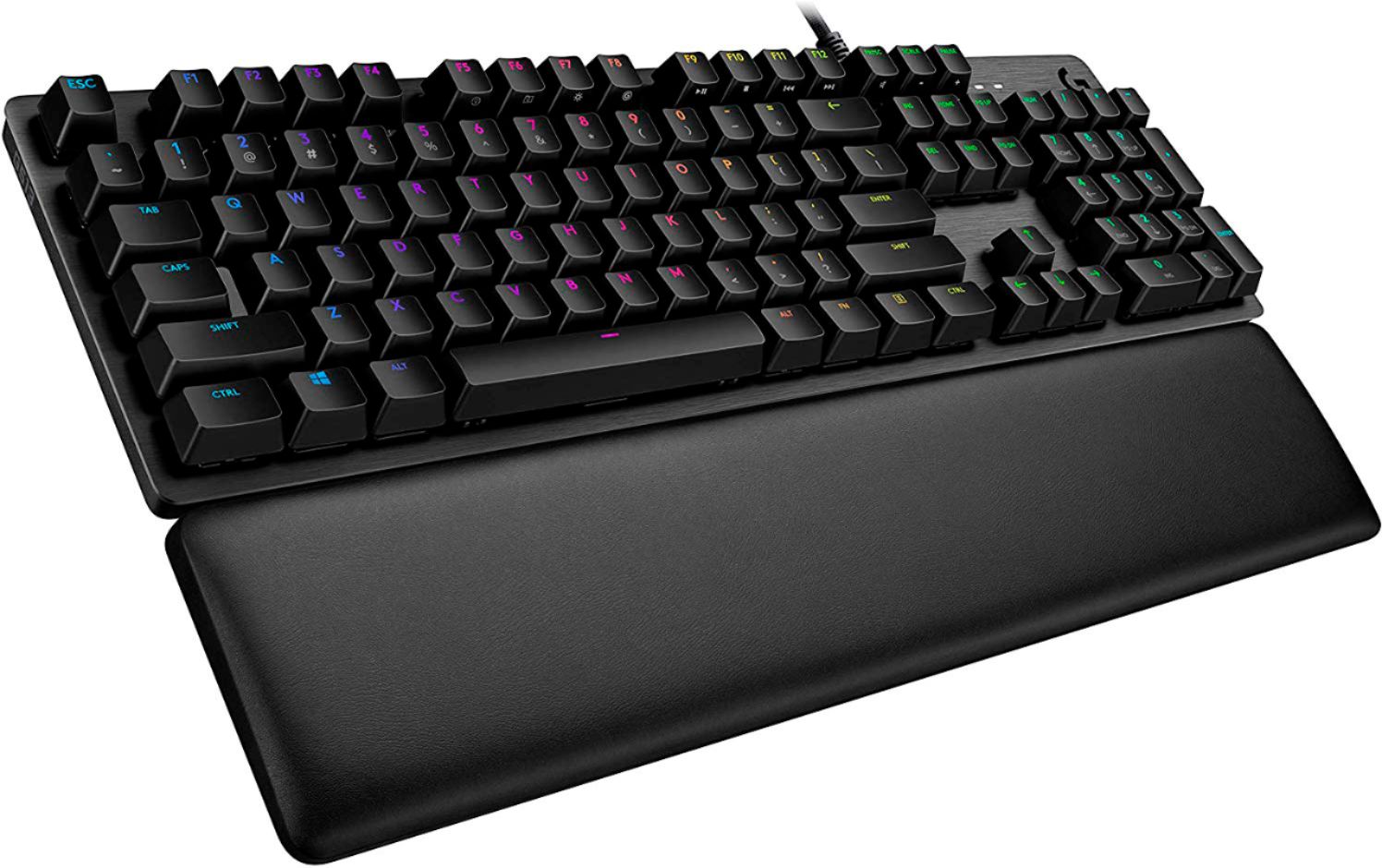
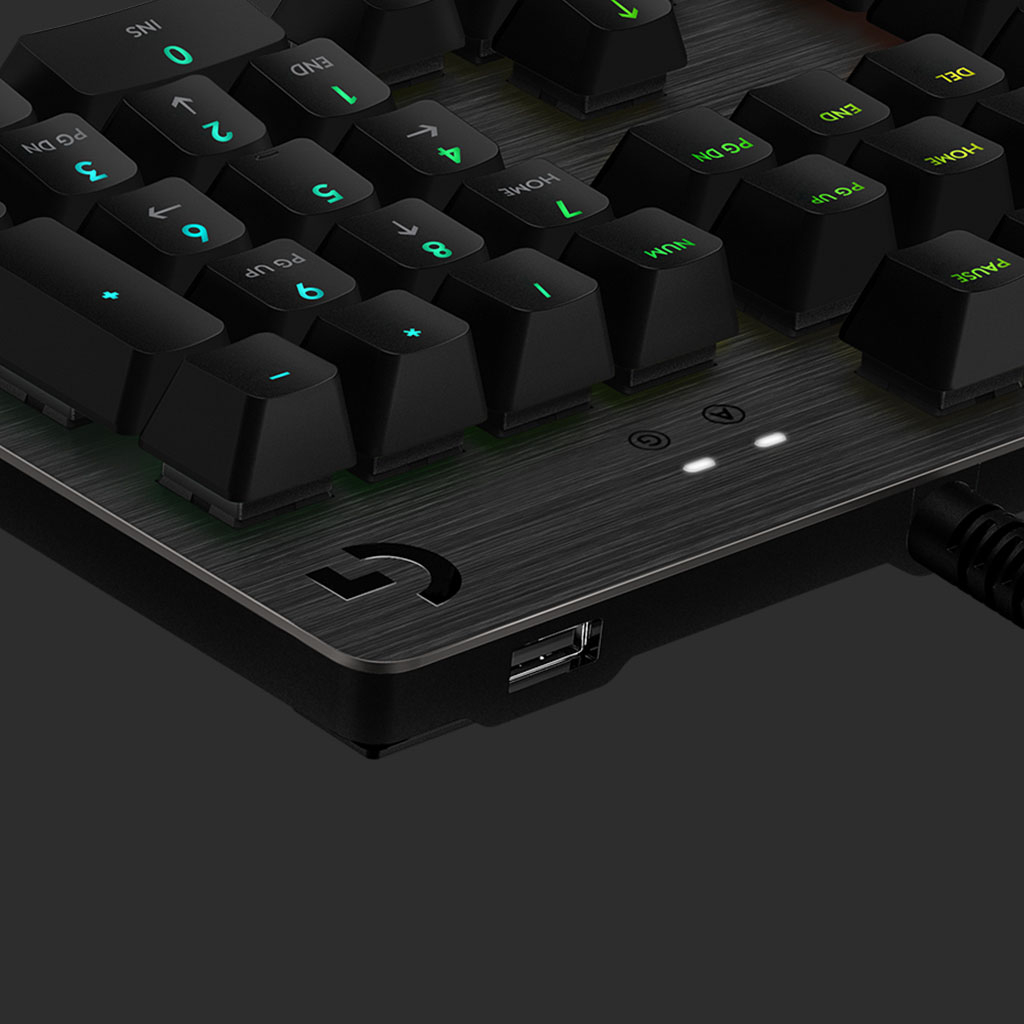
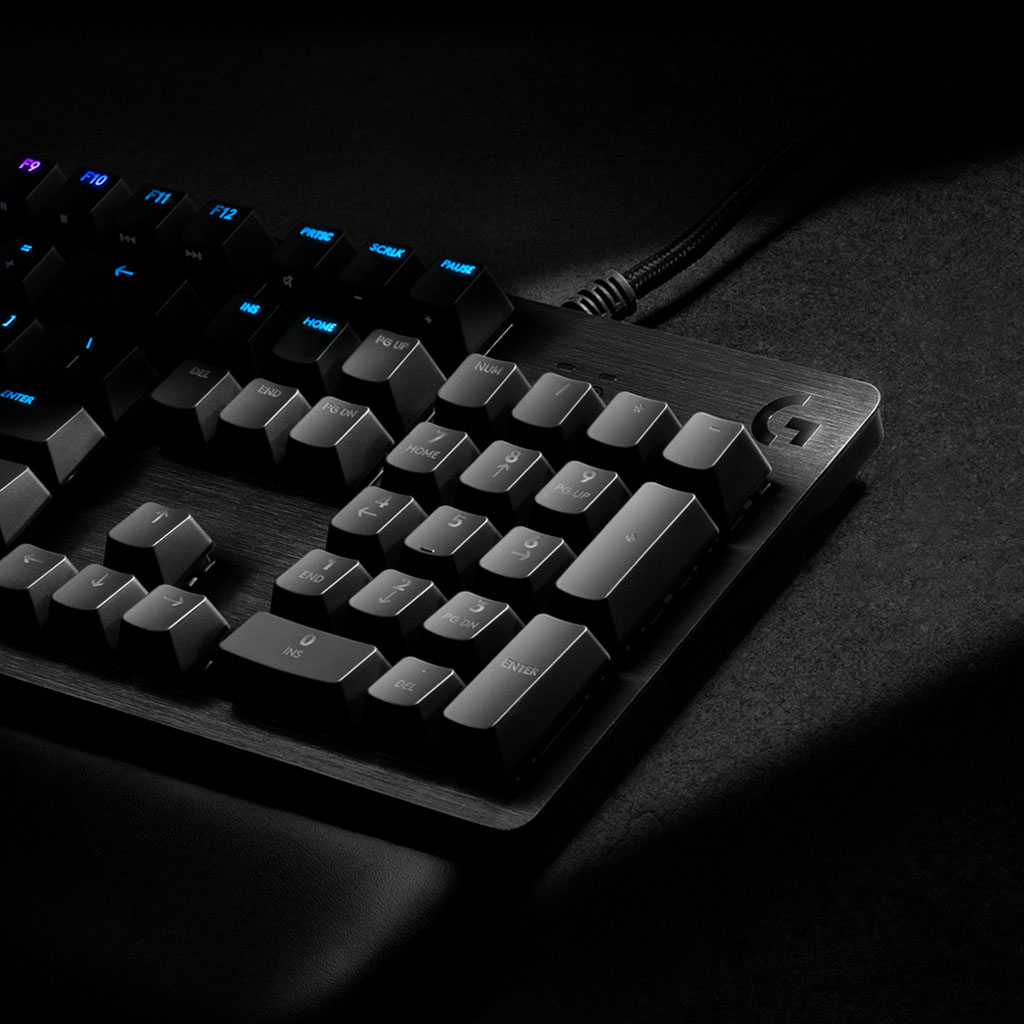
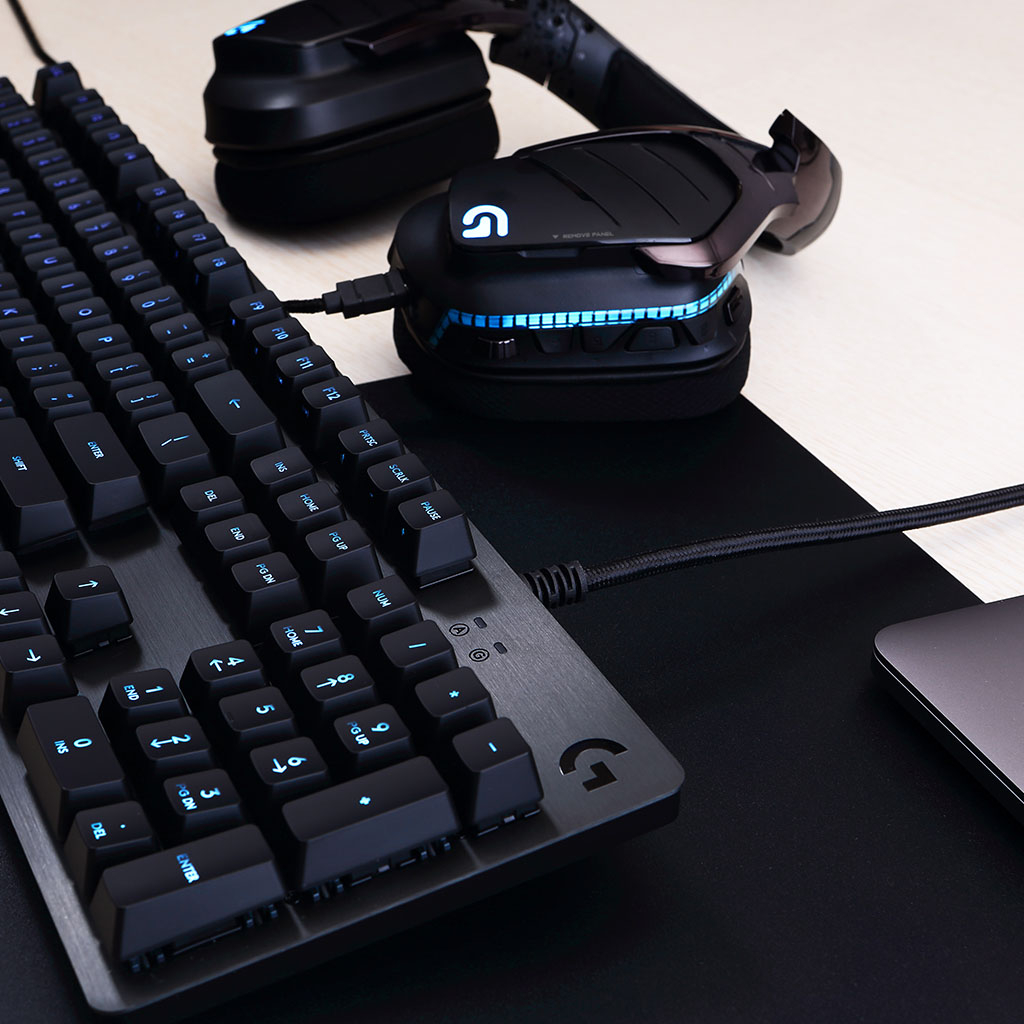
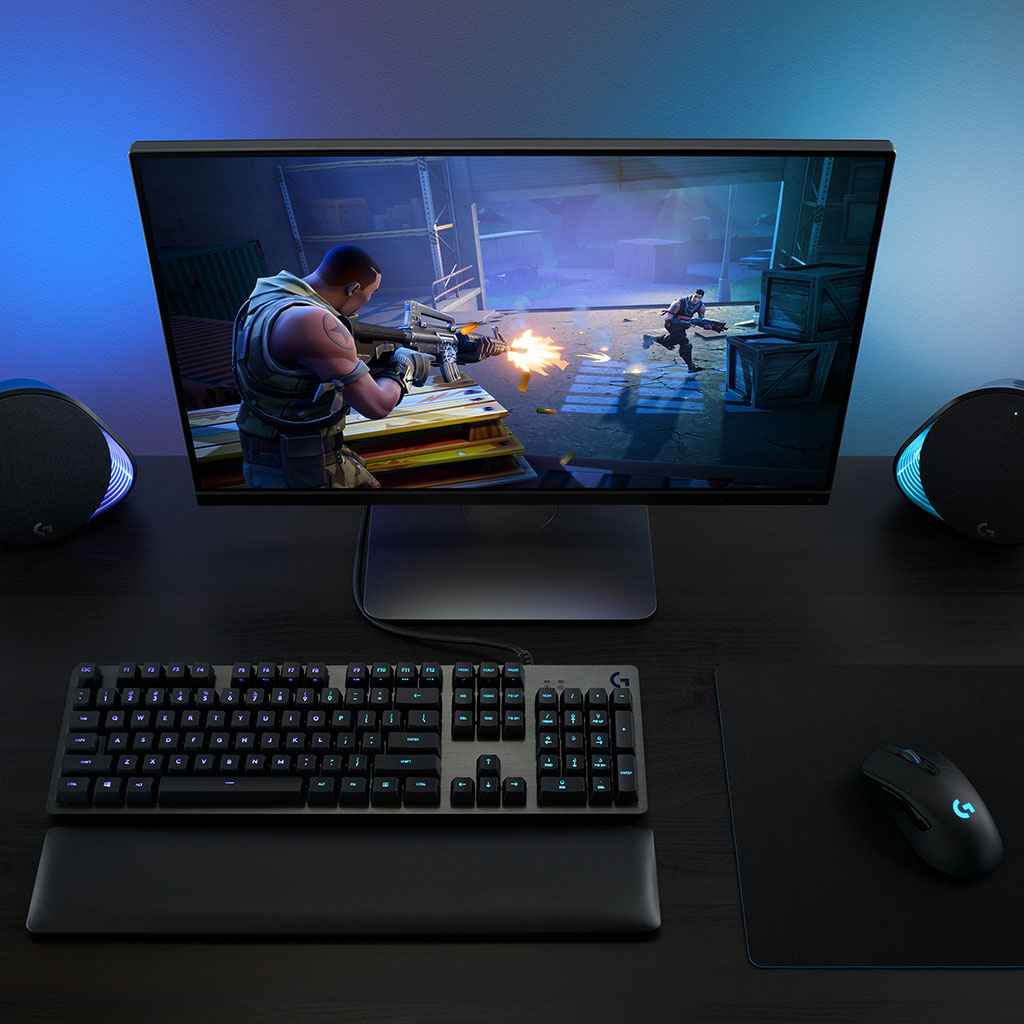
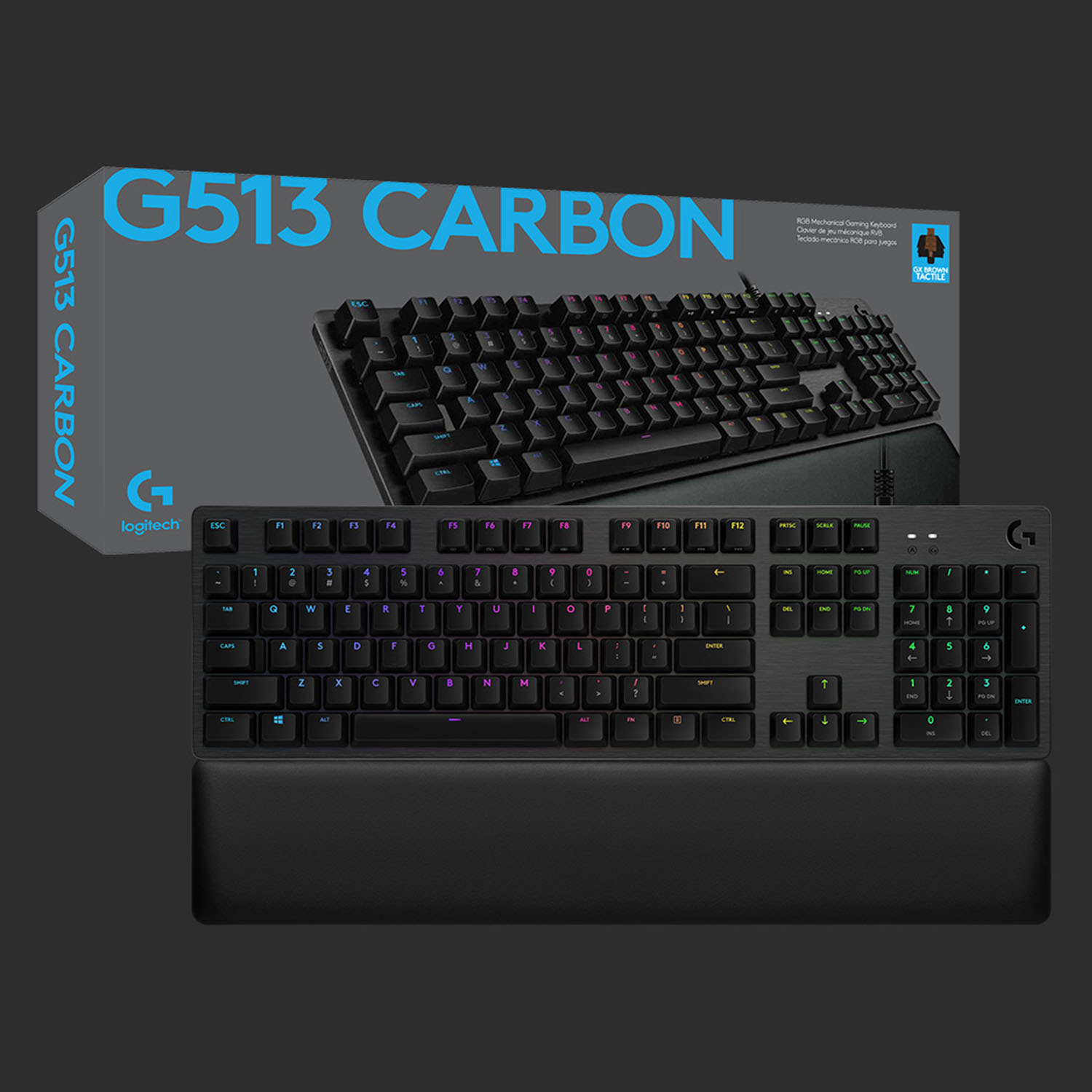
|Posted .This reviewer received promo considerations or sweepstakes entry for writing a review.The Logitech G513 Lightsync RGB Carbon Keyboard with GX Brown (Tactile) switches is a recent update to Logitech’s G513 featuring the older Romer G switches. The keyboard is a 10-key layout with no additional macro-specific keys. It features a detached palm rest, a aluminum top frame, RGB lighting, and pass-through USB 2.0. New Switches! The new GX switches are a departure from the old Romer G’s. First thing you might notice is the position of the letters on the keys. On the new G513 the letters are positioned higher on the key vs. the outgoing model that had the letters centered in the key. This is due to the GX keys not aligning the LED with the center of the switch – its justified above. This has no real bearing – to me anyways – but this does help you identify which version of the keyboard you are looking at. The GX Brown is the replacement for the Romer G Tactile. The naming of the new switch invokes the naming scheme of Cherry – the biggest name in mechanical keyboard switches. The move is halfway significant just based on the specs of the switch. The outgoing Romer G’s had a 45 cN actuation force, 1.5mm actuation distance, and 3.2mm of total travel. All together this was a light, and shallow switch that sat somewhere between the mechanical and membrane style keyboard switches. The new GX Brown has a 50 cN actuation force, 2mm actuation distance, and 4mm of total key travel. For comparison the Cherry MX Browns have a 55 cN actuation force (where you feel the bump), a 2mm actuation distance, and 4mm of key travel. By the specs alone the GX Brown is nearly identical to the MX Brown, only with a bit lighter actuation. For me the outgoing Romer G Tactile switches always felt too shallow, and a bit on the mushy side. I’ve used Logitech membrane boards for over a decade (I daily the MK710 kit at work), and used a GSkill Ripjaws KM 780 with MX Browns at home. I tried out a Romer G board (may have even been the old 513) and I just didn’t care for the way the keys felt. I realize now what the problem was – too soft, too shallow, and a squishy tactile feedback that was reminiscent of a membrane board. That’s why I opted for the KM780 at the time – it just felt better. The new GX switches are a definite improvement over the Romer G’s. They are softer on the actuation force, which has taken a bit to get used to coming from the MX’s, but overall the feeling is great. It’s a hard toss up between the GX’s and the MX’s for me, so now its down to design/other features. Design As I mentioned before the layout is a 10-key with no additional macro buttons. Macro buttons can be assigned via the Logitech G Hub software to F1-F4. F5-F12 (and PRTSC, SCRLK, and PAUSE) are all dual function keys that can be toggled while holding down the FN key. Likewise, you can also invert the toggle of the keys in the G Hub software. The top layer of the board is made of 0.059” (1.5mm) thick aluminum and is finished in a dark grey (maybe anodized). This gives the board a clean and sturdy build quality that is befitting of a board in this price range. The keys are nicely spaced and have a classic layout. Overall the design is clean and compact without feeling crowded. The RGB on the switches is excellent. Default is a rainbow wave that rolls across the board. I have multiple Lightsync devices – G Pro Wireless Mouse, and Powerplay mousepad that I can sync my lighting with. For now, I’m enjoying the wave, but I ‘ll probably since them up. I know RGB is in everything these days and is often too much. However, I love it in my keyboards because I need backlit keys and I hate to look at solid color backlights. The USB passthrough on the board is perfect for non-storage related peripherals since its stuck at 2.0 speeds. It can charge devices as well, but again limited to the power delivery of 2.0. What I believe Logitech intended this port to be used with is a USB headset or wired mouse. Mouse is straightforward, but the headset usage gets a couple other design features to utilize. The palmrest and underside of the keyboard have a slot passing straight up to allow a cord to go underneath the keyboard. Next to this channel is a small U-shaped channel that you run into before getting to the USB port. This works as a little strain-relief section and takes the strain off both the port and your cable connector. It’s a nice design consideration. Along with the keyboard and palmrest, a collection of keycaps and keycap puller are included. The extra keys feature an angled concave surface as compared to the standard smooth concave keys. These keys are directed towards the gaming crowd that might want a different feel for some of their keys. The extra keys are: 1, 2, 3, 4, 5, Q, W, E, R, A, S, D. The keys on the board are easy to remove with the puller and the new keys slide on fairly easily. The first time they require a bit more force to fit onto the switch, but they loosen up a bit after a time or 2. Also there is one feature of the board that seems to have no function. There’s a small (1/4-20 threaded?) hole along the top edge of the board. You can’t see it while using the board, but its just over the back edge between the F8 and F9 keys. I did some digging and apparently that was for Logitech’s Bridge SDK platform that never came to market. This is the general assumption from the keyboard community, and without an official response from Logitech to be found that’s what I’m going with. Small Gripes I only had a few small issues with the board. First is the location of the media buttons. I adjust the volume up and down all the time, and I routinely need to use function keys for my work. So, no matter how I set the FN key mode (normal or inverse) I still will need to hit the FN + “X” combos unless I assign custom functions to all the keys through the G Hub software. It works fine, but just seems like a lot of extra hoops. I wish there was a way to couple the palm rest to the keyboard body. Rubber padded feet work great on keeping keyboards in place until the get dusty. I don’t want my keyboard and palm rest floating away from each other in the middle of things. I’ll figure out something – maybe a deskmat will be effective. Overall The updated G513 is a real winner design-wise. The new GX switches are a large improvement over the Romers and put it on even footing with the MX’s. The look/feel of this keyboard is certainly top-notch. The palmrest is comforting to use for long periods of time, and good key spacing keeps down any awkward reaches. I do miss having dedication volume control buttons, but that’s not the end of the world, just something to get used to.
I would recommend this to a friend - Pros mentioned:Keyboard quality, Rgb lighting, Usb passthrough
Great Mechanical Keyboard - Tactile switches
|Posted .This reviewer received promo considerations or sweepstakes entry for writing a review.I have always enjoyed using my friends mechanical keyboards but had not gotten my own until this G513. I’m so glad I finally chose to upgrade. I do a lot of typing, a decent amount of gaming and an excessive amount of video and photography editing and I have only had this keyboard for a few days but I can already say it’s definitely going to help me with all of those things. The switches - I really like that this keyboard responds well to my touch and when I am typing for extended periods of time, (like right now!) my fingers don’t get as tired and my keystrokes seem to be more accurate and smooth. You don’t have to understand HOW they work to enjoy the benefits. If you’re into knowing what type of switch it is or want to debate for hours about which one is better, that’s cool, but personally I don’t bother to get into all of those details. For those that do, the keyboard I got came with Romer G tactile switches. They have a good “bump” when I push them and respond well. I believe this keyboard has the option to get other switches as well if you know what you prefer. When gaming, I have always enjoyed a good mechanical keyboard over others. This keyboard is no exception, I felt like every press was doing exactly what I want, how I want, when I want. G Hub - The keyboard really shines when you download the free software, G hub, from Logitech and start to customize your gear. I haven’t had nearly enough time to fully dive into all this program can do, but from playing around with it some so far I was able to quickly set up lighting layouts for games, editing software, and desktop use. The software will detect games or you can add manually games and applications and then you can adjust what the keyboard lights and buttons do for that specific app or game. The nice part is when you open that program, the keyboard automatically switches to that layout. You don’t have to go in and change it every time you are in a different program or game. So, like I said, I do play a decent amount of games, but I do a lot of work with editing software. Editing has a lot of hotkeys and shortcuts, with this keyboard I can customize the colors of the keys to reflect those uses. I change my navigation buttons, my favorite hot keys and a few others to colors that stand out and I can even set macros or commands to the F keys to replace complicated multi button sequences to one keystroke. It’s extremely handy. And if I’m going back and forth between, say Photoshop and lightroom, the keyboard will change instantly as I switch programs. That’s obviously a great example of using the lighting as a tool, but there are also tons of options to use them as simply a visually pleasing setup. I have not messed with it myself yet but there seems to be a way to take almost complete creative control of the lighting in the animation tab and going to “custom animation”. There are a ton of custom settings and controls to make up whatever you want. Palm-rest - One other thing important to note is that this keyboard comes with a really nice memory foam palm-rest. It’s not like this is the palm-rest to defeat all palm-rests but it is a really nice and comfortable one. It’ll be interesting to see if it holds up to time but I don’t see any reason it won’t right now. It’s made well, just like the keyboard. Nothing that came in the box feels cheap or like it will break soon. I think it’s safe to say this keyboard will last me a very long time. Just a few last thoughts - This keyboard really only gets unique if you use the software that comes with it. Even if you don’t want to do major customization, it’s needed to set profiles and other options. Plus if you buy multiple Logitech gear items then you can use the software to control them all from one app. There’s no reason not to get the software, it’s free and small, but if you’re wanting to use this right out of the box, keep in mind a slight bit of setting up will be needed on your end. Also of note, it comes with a couple of commonly used button replacements which is really nice to have just in case. One thing on the con side for me personally is that the lights do not illuminate the secondary function of the keys. So for example, along the number row, the ! under the 1 is not visible in a dark room. Most of those keys are probably not a big deal because they are in your memory but where it does get annoying is in the FN keys. That is different on almost every keyboard. So now, for example, when I’m in a very low lit room editing, I can’t see which key is volume up/down/mute when holding the FN key. It would be nice if pressing shift or FN would switch all the lights to the key’s secondary options but it is not the case with this specific keyboard. If you’re going to be using it primarily in well lit rooms or you have a really good memory and don’t care about that, then you’re going to be very happy with this. If you’re like me, you will still like the keyboard a lot but will have to memorize where those keys are or have a light on (which defeats the purpose of a back-lit keyboard.) Really though, other than that one little picky detail, I haven’t noticed anything about this keyboard that I did not like or any problems with it. The pass through USB is handy too to drop a usb stick or mouse in and not have to fiddle around the PC looking for an available USB slot. Overall, I really like this keyboard and I think Logitech has made another reliable and useful product. I’m excited to continue to customize to my personal needs and get even more out of this keyboard.
I would recommend this to a friend - Pros mentioned:Keyboard quality, Rgb lighting, Usb passthrough
Surprisingly expensive. Surprisingly amazing.
|Posted .This reviewer received promo considerations or sweepstakes entry for writing a review.Right out of the box, the G513 is impressive to look at. It has a beautiful dark, aluminum-magnesium brushed finish that feels cool to the touch. The keyboard is a bit on the heavy side being a little over 2 lbs. It has small edges around the key cluster, allowing Logitech to call it “minimalist”, even though this is still a full-size keyboard. It is very well built and it seems that it can stand a drop or two (hopefully not on your foot!). To ensure this does not happen, the keyboard has several rubber pads that help it stay firm. Underneath, there is some cable routing for wired headphones and such. It has a sturdy 6ft long dual-USB braided cable. This double-sided cable allows for a built-in USB passthrough on the keyboard’s upper side. While possibly convenient, sadly, this is a 2.0 USB -even when connected to a 3.1 USB output. The standard size keys are made of smooth plastic. They can be a bit slippery, however, they are spaced comfortably. Also, Logitech provided a set of 12 concave keycaps that can replace typical gaming keys such as the WASD as well as a keycap puller tool. This is very welcome as I have sometimes trouble to find these keys or tend to miss during intense gaming. Maybe this is just a pet-peeve, but I would’ve liked to have dedicated media and volume buttons or controls. Still, these can be found under the FN keys. The keys feature Logitech’s new Gromer G Linear Mechanical Switches (tactile and clicky are also available). Linear means that to register a press, the key must be pressed down completely. There is no “bump” to tell you when activated, which some may or may not like. I find these very similar to my other keyboard’s Cherry MX Red switches, which I like so much. I found that, while the travel is quite deep, keystrokes register fast and accurately -even when I am spamming keystrokes. As far as regular typing, gaming mechanical keyboards have never been ideal to me, and this is no exception (although slightly better than others). I must say that of all mechanical switches I have tried, these are the quietest. The G513 offers fully customizable RGB lighting. The illumination is very clear and vivid and does not “bleed” all over the chassis. The lights can be customized via “Lightsync” technology which enables games, music apps, etc. to control the effects. The keyboard can also be fully customized per-key via the Logitech G Hub App. I found it useful to light up my most used keys when gaming at night. Now, included is a wrist rest that I can argue is the best I’ve experienced in a long time. It is made of high-quality soft leatherette and memory foam. According to Logitech, it is sweat-water proof and easy to clean. While it is not attached to the keyboard (magnetically or otherwise), it stays in place because of the rubber feet underneath. I can honestly say that it is extremely comfortable and the perfect size allowing my palms to fully rest on top while typing. Is it worth the high price tag? That is a slightly tough question. To be honest, I'd give it a 4.5 if I could. While the G513 lacks dedicated macro or media keys, the RGB features are kind of gimmicky, and it is not the best for every-day typing, the G513’s design, quality, features, keycap options, feel, gaming performance and exceptional wrist rest makes it very worthy in my opinion.
I would recommend this to a friend - Pros mentioned:Key feel, Keyboard quality, Rgb lighting
Everything I want in a keyboard! Love it!!
|Posted .This reviewer received promo considerations or sweepstakes entry for writing a review.Verdict: I love this keyboard! It looks amazing (aluminum alloy finish and the lighted keys), it types wonderfully (great feel and feedback), and it performs out of this world (programmable keys and speed). First impressions. The box was surprisingly heavy! They keyboard was well packed and looked impressive when opening the box. The contents of the box are the keyboard, the memory foam pad, extra keys, instructions, and a sticker. The keyboard itself is very heavy, giving the impression of top components. The memory foam pad is also a little heavy, adding to the weight of the overall system. My first impressions were very favorable. Design: Everything about this keyboard hints to quality. The brushed aluminum alloy is beautiful and will contribute to durability. The GX Brown Tactile keys type like a dream (subject to preference; there are three options). The connection cables are reinforced with braided fabric. Both the keyboard and the memory foam pad have anti-slip rubber feet. The memory foam pad is very comfy and adds a nice touch to the system. The RGB lighting color customization is epic, with easy to use software to manage. Typing. You really don’t know how good a keyboard can be until you have a good one. Typing feel, feedback, and comfort have never really been factors for me before. I previously bought cheap keyboards for home, and used whatever keyboard I got I work. But typing on an “elite” keyboard has highlighted what I was missing. It makes typing so much more enjoyable: the action of the keys is smooth with fantastic tactile and audible feedback. I feel like I type faster and with greater precision. Additionally, the lighted keys are incredible practical for typing in dim light. My biggest gripe with regular keyboard is not being able to see the keys in the dark when trying to find something specific, so the lighted keys are a really nice feature. Performance. The keys move fast and with little resistance. The keyboard performed well in first person shooter games. Absolutely nothing to complain about. Moreover, the keyboard software allows any user to setup macros or key customization for every game (and even every player in every game), which makes it a power multiplier for gamers. Things I love. - Lighted keys with millions of colors and endless customization… wow! - The lighted keys turn off when the screen saver comes on. - USB pass-through is really nice to plug a gaming mouse or to charge your phone. - The memory foam is not connected to the keyboard which means that you can reposition it where it is most comfortable for you. - Brilliant typing! Easy, fast, smooth, and accurate. - Fast and accurate performance will support any games you play. - Logitech software to customize every aspect of the keyboard. - Cable management slots under the keyboard… nice touch! Things I don’t love. - Dedicated programmable keys would have been nice, but using the function key to access the built-in media keys is fine. You can also reprogram the F keys to be dedicated media keys. - I would have preferred a wireless keyboard perhaps, but I am loving the convenience of physical connectors: I don’t have to worry about the keyboard running out of batteries, specially in the middle of a game! Additionally, the connection cable is very long so it should accommodate most setups. Overall, the Logitech G513 Lightsync RGB Mechanical Gaming keyboard is a phenomenal keyboard. The few things I didn’t love are easily remediated, or actually turned into strengths. I highly recommend this keyboard for gamers and other power users who want a great keyboard.
I would recommend this to a friend - Pros mentioned:Keyboard quality, Rgb lighting, Wrist rest
Game On Dude
|Posted .This reviewer received promo considerations or sweepstakes entry for writing a review.The Logitech G513 Gaming Keyboard is full of features in a modern, sleek form-factor. The keyboard comes with tactile, linear, or clicky switches. Have tried all the different keyboard switches and recommend the tactile switches for gaming. It feels very sturdy with an aircraft-grade aluminum case. A favorite feature of the keyboard is the detached memory foam palm rest. Another big plus is the keyboard’s weight, it is sturdy and will not be slip-sliding around the deck in the heat of the battle. G513 feels very premium and substantial. Hands feel especially comfortable, even in prolonged gaming sessions. The possibilities are limitless with the Logitech GHUB software and the RGB with LIGHTSYNC Technology. LIGHTSYNC allows game-driven lighting effects and full spectrum per-key lighting control. One wish list item; Would be fun if it worked with ROG Aura. Another nice touch are the included gaming keys. They have raised edges which cup your finger in the keys to prevent slippage. The keys are very ergonomic and comfortable. Would have given five stars but there are a few minor drawbacks. First, there is no num lock light, even though there is a gaming mode and CAPS light, might be a nice touch if you could light up the Logo. Another, slightly less issue is the integrated USB port is 2.0 – USB 3.0 would be welcomed. Overall, the 513 is an exceptionally well-rounded gaming keyboard with brilliant features Designed for the Win!
I would recommend this to a friend - Pros mentioned:Rgb lighting, Usb passthrough, Wrist rest
Good keyboard, but a bit on the pricey side.
|Posted .This reviewer received promo considerations or sweepstakes entry for writing a review.The Logitech G513, It’s a pretty good keyboard. A bit jaded on this one. The key’s, GX Brown are responsive, but in my time with this keyboard they kind of feel a bit mushy, almost as though it’s not a true mechanical but instead a membrane. It could be that I’m not used to the Brown’s. I did have another brand based around Kalih’s that was a Mac keyboard. They’re surprisingly a bit loud which I wouldn’t have expected given browns are supposed to be some of the lower noise switches. The RGB on the keyboard is good. At it’s brightest which is in my photos don’t seem all that bright. They’re quite responsive with the color changes and the effects are cool. I am a bit sad that since the first version of GHub I used when I got my other keyboard, the G813 had a ton of different effects but now there’s like 10 in total, before there was around 25 or so. I can say I certainly prefer my G813. I’ve grown accustomed to the shallower key caps. The full size key caps aren’t bad, but I don’t like the taller keys as much anymore. I like the USB Passthrough and especially the wrist rest. The wrist rest is very comfortable and has a heft and quality feel to it. I don’t expect it to wear down any time soon. I hope they offer it separately as I’d be very interested in buy one, or even a couple for home and work. One thing I miss is the separate media keys. Instead they’re integrated in to the FN key’s. The only big con I can think of is the price. If I had to choose between the 813 and 513, I’d spend the extra money and go with the 813. I think the 513 is bit overpriced as it’s not offering a lot over other models in Logitech’s line. I could see these new for around $99 but that’s just my opinion.
I would recommend this to a friend - Pros mentioned:Keyboard quality, Rgb lighting
Great for office use
||Posted . Owned for 1 week when reviewed.This reviewer received promo considerations or sweepstakes entry for writing a review.I bought this keyboard for my office to replace the cheap standard issue Dell keyboard I had, and it's been great so far. Key presses are firm, but not too loud for the office environment. You can also adjust the lighting option so that it's not doing the whole RGB spectrum all the time (I set it to just glow blue, so it still looks nice but it's not as obnoxious). It's heavy and feels well constructed.
I would recommend this to a friend - Pros mentioned:Keyboard quality, Rgb lighting, Usb passthrough
Excellent gaming keyboard
|Posted .This reviewer received promo considerations or sweepstakes entry for writing a review.And all around keyboard, Even if you don’t use this keyboard for gaming. I’ve been spending some time with my new logitech carbon wired keyboard, and if you’re like me reading this review, I am not an expert on these types of keyboards, but that’s OK, This review is more for casual PC gamers or just PC users. For me it was just literally plug and play, I just hooked it up to my PC and started typing away without needing to download any kind of software. The quality of the keyboard is top notch, it’s got some surprising weight to it. Not only does it look good but the keys Feel good and the lights are just awesome on it. This particular keyboard has “clicky” keys meaning they make some noise to them, the only issue that might come from this is if you are typing or gaming at night, it will bother other nearby people, But I believe other models fix these kinds of issues, it’s personal preference really. You can connect your mouse straight onto the keyboard with its included USB port, Not sure how many other keyboards do this but it comes in handy. The included Palm rest is made of high quality Materials and perfect for this keyboard, I like how it’s not too soft and not too hard. Overall I would definitely recommend this keyboard either for gaming or just for typing.
I would recommend this to a friend - Pros mentioned:Keyboard quality, Rgb lighting, Wrist rest
Classic keys. Great feel, weight, and looks
|Posted .This reviewer received promo considerations or sweepstakes entry for writing a review.I love this keyboard. I have had multiple gaming and mechanical keyboards over the years. This G513 is sleek and compact, while still being weighty and sturdy. The RGB lighting is what you would expect from Logitech. It's bright, works well, and is very customizable with the Logitech G software. I love these more standard keycaps, as I tend to not like the flatter laptop-style keys as much. General typing and gaming has felt perfect to me, and it looks great on my desk. The included wrist rest is comfortable and well made. The only thing I wish this keyboard had was dedicated media keys or a volume wheel like some of their other models. The only reason I did not subtract a star for the lack of media controls, is the fact you can inverse the F key function in the logitech G software, making the Fn+F media functions work without hitting Function first. So it's not perfect, but it's something I can live with given how great the rest of the keyboard is.
I would recommend this to a friend - Pros mentioned:Keyboard quality, Rgb lighting, Usb passthrough
Gaming Keyboard Excellence
|Posted .This reviewer received promo considerations or sweepstakes entry for writing a review.The Logitech G513 with tactile mechanical switches is a great all around keyboard. It is very well built and has a great premium feel thanks to the brushed aluminum deck. It's a rigid and stable typing platform. The tactile switches have great travel and a satisfying feel without being overly 'clicky'. If you like loud keyboards this probably isn't it. That said, I use it for both gaming and productivity tasks and it is great at both. There is a pass-through USB port on the backside as well which is nice if you are using a wired mouse or possibly a USB headset. The lighting effects are assignable through the gaming software and can be synced to a Logitech RGB mouse. Overall RGB effects are good and the LED output is bright and vivid. Overall, the Logitech G513 with tactile switches is a top-of-the-line keyboard that can satisfy most gamers and serve a dual function with productivity tasks. Keep the G513 on your short list of choices.
I would recommend this to a friend