Customer Ratings & Reviews
- Model:
- 910-005638
- SKU:
- 11230356
Rating by feature
- Value
Rating 4.5 out of 5 stars
- Quality
Rating 4.7 out of 5 stars
- Ease of Use
Rating 4.8 out of 5 stars
If you're into the lights, go for it
||Posted . Owned for less than 1 week when reviewed.This reviewer received promo considerations or sweepstakes entry for writing a review.I liked this mouse for the most part. It was a bit expensive and felt less comfortable than my previous mouse. (g503)
I would recommend this to a friendA good mouse within the first month of purchase
||Posted . Owned for 1 month when reviewed.This reviewer received promo considerations or sweepstakes entry for writing a review.It was probably just me but after getting and using it for a month, I started to experience a click delay in FPS games. The click delay meaning my weapon won't fire. Overall I'd say decent mouse if you are switching from a 100 gram mouse to a slightly lighter one but if you want a good mouse that won't break like mine then you shouldn't cheap out and buy the G Pro.
No, I would not recommend this to a friendBrand response from Logitech
Posted .Hello panicxpop, we are sorry to hear that the G703 mouse did not work properly for you. At Logitech, it is our goal to ensure you are completely satisfied with your Logitech purchase. We take pride in the products and services we offer, and want our customers to enjoy them just as much as we do. From what I'm reading, it sounds like a hardware issue. Luckily, the mouse comes with a 2 year limited hardware warranty. Please fill out a warranty claim ticket on our support page (I attached a link at the end of this message) and one of our support specialists will reach out to get this issue solved. We apologize for any inconvenience we may have caused. Thanks for being part of the Logitech family, have a great day. -Ricky | Logitech. https://support.logi.com/hc/en-us/articles/360036533653-Warranty-G703
Not "If" It Fails, But "When"
||Posted .This reviewer received promo considerations or sweepstakes entry for writing a review.Mouse won't hold a click less than two months into ownership. Had the same issue with a G403. Garbage quality control. Pinching pennies at the expense of the customer. Everything else is great. Very ergonomic. Takes a little getting used to, as your thumb may accidentally hit the side buttons until you learn to grip it correctly. Heavier than a G403, but if you remove the weight cover on the bottom, it will cause less friction and the mouse will "feel" lighter. Would be a 5/5 rating if it weren't for the trash switches and I've seen enough people complain that I believe they put garbage switches intentionally so that the mice will fail in two years and people will just come back and buy another instead of learning to replace the switches themselves.
No, I would not recommend this to a friendBrand response from Logitech
Posted .Hello, I am sorry to hear about the click issues you are experiencing with the mouse. This mouse does come with a 2 year warranty so we can get that replaced for you! Here is the link in order to file a claim: https://support.logi.com/hc/en-us/articles/360036533653-Warranty-G703. I hope this helps! Have a great day! -Danielle from Logitech
- Pros mentioned:Comfort, WeightCons mentioned:Scroll wheel
Comfortable to use, very responsive
Posted .This reviewer received promo considerations or sweepstakes entry for writing a review.Having used Logitech M510's for the past 10 years, it was time for a new mouse. It's an adjustment going to a right handed mouse but this one is great. Compared to the G Pro, I appreciate the extra weight and height. PROS: +Lightweight, but includes an optional weight for those used to heavier mice +Comfortable to use, added height at the back for control +Rubberized grippy sides +Extremely fast response, smooth motion +Rechargeable via USB cable CONS: -Still uses Micro USB instead of type C -Scroll wheel not as firm as G Pro -Full price is excessive, though these often go on sale
I would recommend this to a friend Doesn't work with G Hub
||Posted . Owned for 8 months when reviewed.This reviewer received promo considerations or sweepstakes entry for writing a review.Logitech g hub doesn't detect this device at all, but other than that it's solid.
No, I would not recommend this to a friendShort battery life.
||Posted . Owned for 2 weeks when reviewed.This reviewer received promo considerations or sweepstakes entry for writing a review.Battery life is too short. Other than that, mouse works great for web browsing.
No, I would not recommend this to a friendPalm grip
||Posted .This reviewer received promo considerations or sweepstakes entry for writing a review.Kind of big and bulky , Palm grip not so good for first person shooter.
No, I would not recommend this to a friendBest Gaming mouse
||Posted .This reviewer received promo considerations or sweepstakes entry for writing a review.Bit expensive but good to have for a gaming device who are passion
I would recommend this to a friendreview
||Posted . Owned for 3 weeks when reviewed.This reviewer received promo considerations or sweepstakes entry for writing a review.good product I would recommend it to family and friends kids and adults
I would recommend this to a friendRandom Signal Drops
||Posted . Owned for 3 months when reviewed.This reviewer received promo considerations or sweepstakes entry for writing a review.Signal randomly drops out. Other than that it’s a decent mouse
No, I would not recommend this to a friendBrand response from Logitech
Posted .Hi Koardil, I'm sorry that the signal on the G703 randomly drops out. Sometimes changing the location of the USB receiver can help with signal drops. Please continue to enjoy the mouse and all the features it offers. Thanks for being a Logitech customer. Kristi from Logitech
Big Mouse
||Posted . Owned for 1 month when reviewed.This reviewer received promo considerations or sweepstakes entry for writing a review.Too big for little kids hands, returned for that exact reason.
No, I would not recommend this to a friendNot the worst mouse I've ever purchased
||Posted . Owned for 5 months when reviewed.This reviewer received promo considerations or sweepstakes entry for writing a review.But it's the worst wireless one. They didn't have the (wired) g403 in store and I needed a mouse so I figured I'd buy the wireless version since I haven't tried a wireless mouse in a few years. This confirms my stance to never, ever buy a wireless mouse for gaming. The dongle quit working after a few weeks so now I'm using the wired cable connection and it gets into fits where it drops connection every other minute. I got this on sale and still regret it. Stay away - get the g403 hero, it's far superior.
No, I would not recommend this to a friendBrand response from Logitech
Posted .We regret to hear about your unpleasant experience. This is not the experience we want you to have. We'd recommend you to get in touch with Logi Support Team for further assistance regarding the connection issue. However, thanks for the feedback. We'll surely take this feedback and make sure to share it with the right team.
Bad switches
||Posted . Owned for 11 months when reviewed.This reviewer received promo considerations or sweepstakes entry for writing a review.I love this mouse but I can’t give it anything above one star. I have to get a new one every year at max. Usually it doesn’t last that long. There’s something wrong with the design of the switches in the left and right click. The switches just don’t last. I use this mouse about 4-6 hours per day. I take care of my hardware because who wants to keep paying for new ones? Thankfully I get the warranty every time. Sometimes I get lucky and it lasts longer than six months. Not recommend
No, I would not recommend this to a friendBrand response from Logitech
Posted .Hi Shaun, Very sorry to hear about the clicking issues you're having with the G703 Wireless Gaming Mouse. Fortunately, this mouse does come with a 2-year limited hardware warranty (https://support.logi.com/hc/en-us/articles/360036533653-Warranty-G703). Not only that, but there are other gaming mice that Logitech offers that you may find more suitable for you. Here's a link: https://www.logitechg.com/en-us/products/gaming-mice.html. Hope that you found this helpful and that all is going well. Thank you for choosing Logitech. - Richard from Logitech
G703 Wireless
||Posted .This reviewer received promo considerations or sweepstakes entry for writing a review.Works well wirelessly, but is uncomfortably bulky for me.
No, I would not recommend this to a friendBrand response from Logitech
Posted .Hi Mike, Very sorry to hear how uncomfortable you're finding the G703 to be. If this is a matter of size, Logitech G has several other options that could work for you that are smaller. You can find them here: https://www.logitechg.com/en-us/products/gaming-mice.html. Hope that you found this helpful and that all is going well. Thank you for choosing Logitech. - Richard from Logitech
Double Click Issue/No Click Issue
||Posted . Owned for 10 months when reviewed.This reviewer received promo considerations or sweepstakes entry for writing a review.In the last 4 years, I have owned 3 Logitech mice, and all 3 have developed the phantom double click issue that appears to be very common. This G703 developed it after 3 months, and now won't properly register clicks at all (about half don't register). I have used nothing but Logitech peripherals previously, but it's obvious that it's time to move to another brand.
No, I would not recommend this to a friendBrand response from Logitech
Posted .Hi Afinita, thank you for your feedback! The G703 is backed by a 2-year limited hardware warranty. For support, please refer to: https://support.logi.com/hc/en-us/articles/360036533733-Getting-Started-G703 - Will, Logitech G.
Mouse
||Posted . Owned for 1 month when reviewed.This reviewer received promo considerations or sweepstakes entry for writing a review.Instructions for set up suck. Haven't even been able to use it yet due to not being able to figure out the instructions.
No, I would not recommend this to a friendBrand response from Logitech
Posted .We truly regret to hear about your unpleasant experience and this is surely not what we want to deliver. We'd recommend you to contact the Logitech support team for a more suitable resolution. We value your input, therefore we will forward it along to the appropriate team so they can look into it.
- Pros mentioned:Battery life, WeightCons mentioned:Scroll wheel

Extremely Lightweight with Excellent Performance
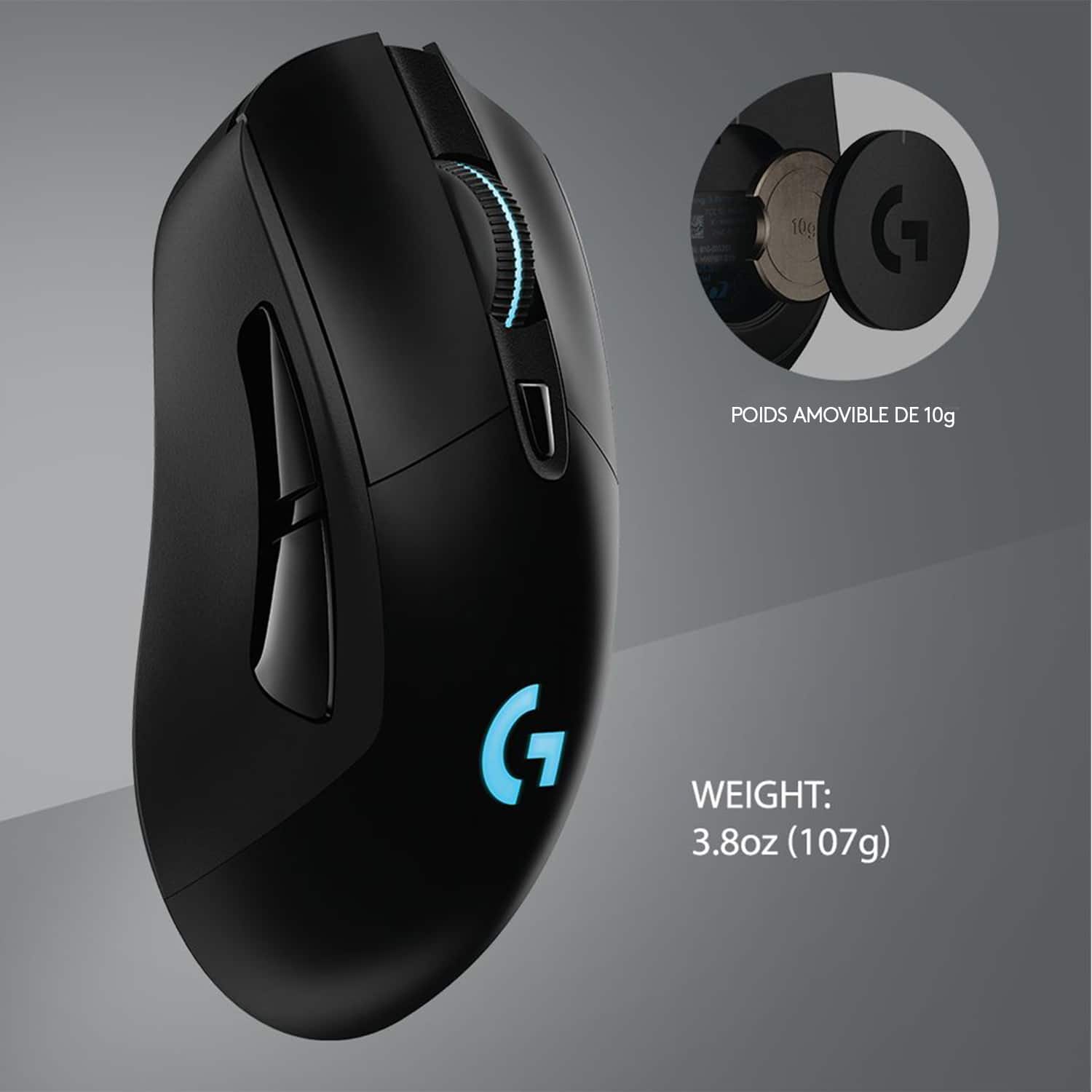
|Posted .This reviewer received promo considerations or sweepstakes entry for writing a review.Logitech has hit another home run with the Logitech G703 Lightspeed wireless mouse, from its incredibly light weight to its tracking to its battery life, this is a great mouse for gamers who hate wired mice. The device tracks perfectly with a gaming mousepad or just a desktop surface (not as well on a cloth mouse pad, see details under “Cons” below). There was no noticeable lag at all as you might expect with a wireless device. It feels excellent in your hand, and let my son also try it (he has a different way of gripping the mouse) and he said the same thing – an excellent feel with no need to keep adjusting and no fatigue from contorting your hand to fit the mouse. The rubber grips on each side of the mouse also keep you in solid contact when your hands sweat in the heat of the battle. It is also extremely lightweight, coming in at a mere 107 grams (per the manufacturer’s website). You can easily remove the weight in the bottom of the mouse if you like a lighter feel, as well. Battery life, which is always an issue in any wireless device, seems to be no real problem here. After 4 solid hours of gaming it dropped a mere 3% battery life. You can turn it off manually when not in use, or the device will put itself to sleep after a period of non-use. This comes in handy when I (too often) forget to shut it off. Proof that it actually sleeps & not just does a low-power standby – it didn’t drop a single percentage point overnight when not in use. I was able to pick right back up the next evening. The contact switches for the left & right mouse buttons are light to use, but not too light where you accidentally click them. Logitech says they’re good for 50 million clicks, so it’s likely these won’t wear out before someone new comes along. The Logitech G-Hub app (drivers & configuration) allow you to control the sensitivity of the mouse, as well as RGB colors and several other settings. Cons: There are 2 buttons on the left side of the mouse, making this mainly a right-handed only mouse, so not everyone will be happy with the mouse (talking to the lefties out there). I wasn’t thrilled with the scroll wheel which didn’t feel as accurate as the G502. To check battery life, you have to launch the G-Hub app or turn the mouse off & then back on, which will give you a red/yellow/green light to indicate battery life. Would have liked to see something more obvious that you could look down & see when you’re mid-game. Nothing like a battery dying mid-game. And while I had great results with the mouse’s movement & tracking on a gaming mousepad and a desktop surface, the feet felt like they dragged a bit on a cloth mousepad. But if you’re seriously gaming you’re likely using a hard pad. And lastly I would have liked to see a place to store the USB receiver when traveling. As of now, there is no place to store it, so if you’re on-the-move make sure you leave the receiver in the laptop or in a secured place. Overall: This is a great mouse that feels amazing in your hand, is lightweight, and doesn’t fatigue your hand during long gaming sessions. A very nice job by Logitech.
I would recommend this to a friend Guess I will try something else.
||Posted . Owned for 1 month when reviewed.This reviewer received promo considerations or sweepstakes entry for writing a review.Double Click/ghost click issues within 30 days of purchase. I have been satisfied with other G series mice I have used/deployed but this one seems to have a design flaw. Was very happy with it until it started causing me to click when I didn't want to.
No, I would not recommend this to a friendBrand response from Logitech
Posted .We apologize for the double-clicking or ghost clicking issues you've encountered with the Logitech G703 LIGHTSPEED Wireless Optical Gaming Mouse. To address this issue, we recommend reaching out to our social care team via email at socialcare@logitech.com with your
- Name:
- Email Address:
- Country:
- Product Name:
- Brief description of issue:
- Pros mentioned:WeightCons mentioned:Lag, Software
Amazing mouse, confusing software
|Posted .This reviewer received promo considerations or sweepstakes entry for writing a review.The G703 is an amazing mouse, that utilizes Logitech’s outstanding technologies. Their lightspeed wireless technology combined with the HERO 16k sensor makes for a very smooth experience while gaming. Straight out of the box, one of the first things you will notice about the mouse are the light and clicky buttons. Another thing about this mouse is the weight. It is only 95 grams, and while it is not the lightest mouse in the market, it feels very light and easy to move. (The mouse also comes with an optional 10-gram weight) The mouse also has rubber grips on the sides, which feel very durable. The sides are sloped so that the mouse is easy to hold and pick up. One downside of the hardware is the size. If you use a palm grip, the back end of the mouse feels short and feels like the mouse should be supporting your whole palm. However, for fingertip and claw grip styles, this mouse is very comfortable. Now, performance. Although wireless, I cannot detect any latency while playing games, or during casual use. This definitely shows the proficiency of Logitech’s lightspeed technology. The mouse is very smooth and very responsive. The maximum DPI (which can be adjusted in the software) is 16000 and the minimum is 100. Out of the box, the default DPI settings are 400, 800, 1600, and 3200. Different settings can be adjusted in the software. Speaking of the software, it is the most confusing and upsetting part of the mouse experience. When looking for the software, Logitech brings you to a page with many different software’s for different mice (the right software for the mouse is Logitech G Hub, not Logitech gaming software) This was the most upsetting part of the process. After downloading the software, you should make an account to save your settings. In the end, this is a great mouse, however Logitech could definitely improve on the software end of the mouse.
I would recommend this to a friend Uncomfortable for me
||Posted . Owned for less than 1 week when reviewed.This reviewer received promo considerations or sweepstakes entry for writing a review.There is nothing wrong with it.. but the grip is too awkward. Maybe I was just used to my old mouse? I returned the item and went with the wireless G502. It’s more expensive but much more comfortable.
No, I would not recommend this to a friendBrand response from Logitech
Posted .Hi Aarbo77,
Thank you for your feedback. Sorry for any inconvenience. I glad you were able to find a comfortable mouse! If you ever need assistance, please contact Logitech Support on the website. LaShonda from Logitech compatibility