Customer Ratings & Reviews

- Model:
- 981-000863
- SKU:
- 11021647
Rating by feature
- Value
Rating 4.5 out of 5 stars
- Quality
Rating 4.6 out of 5 stars
- Ease of Use
Rating 4.7 out of 5 stars
Logitech - G733
||Posted . Owned for 3 weeks when reviewed.This reviewer received promo considerations or sweepstakes entry for writing a review.best for me Logitech - G733 LIGHTSPEED Wireless DTS Headphone:X v2.0 Over-the-Ear Gaming Headset for PC and PlayStation - White
I would recommend this to a friendOn/off/on/off
||Posted . Owned for 7 months when reviewed.This reviewer received promo considerations or sweepstakes entry for writing a review.These headsets are not that great. Mine kept disconnecting. My desktop is two feet away where the dongle is plugged in. Kept it as a backup
No, I would not recommend this to a friendBrand response from Logitech
Posted .We're sorry to hear about your negative experience with the product. Could you try with a different USB charging cable or cradle and connect to a different power source and updating the device's firmware on GHub and check if that helps. If the issue persists, contact Logi G support and they will assist you further.
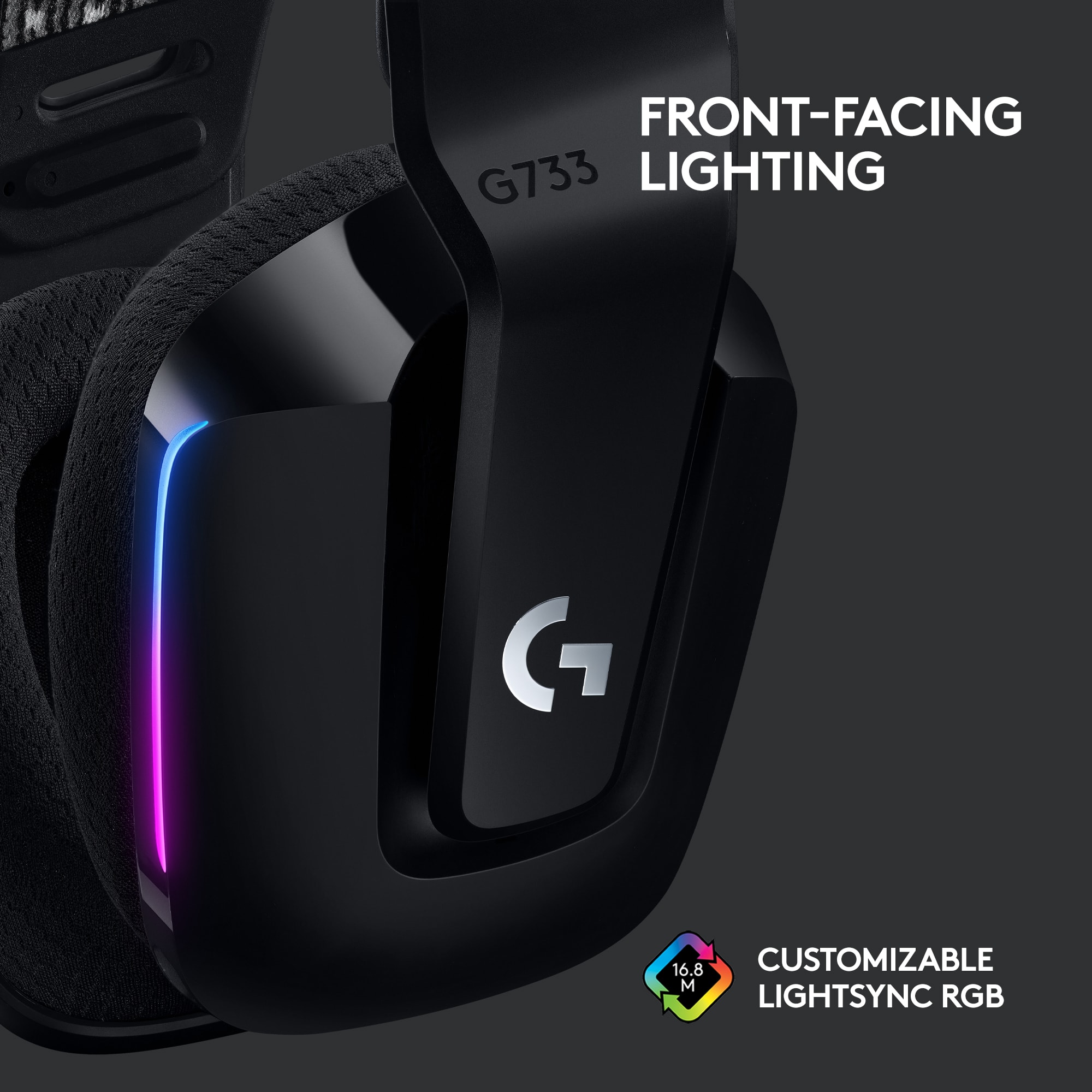
Turn off the RGB Please
||Posted . Owned for 1 month when reviewed.This reviewer received promo considerations or sweepstakes entry for writing a review.I wanted these to work. They were great. Could not turn off the RGB though. Had to return. Needed these for work. Wish Logitech would make more stuff for non gamers
No, I would not recommend this to a friendBrand response from Logitech
Posted .Hello James. Thank you for taking the time to write your review of the G733 headset. You can, in fact, turn off the RGB using our GHub software. It is a free download you can find here: https://www.logitechg.com/en-us/innovation/g-hub.html We have many headsets that are geared toward the office space (as opposed to the gaming market). H600, H800 and Zone Wireless are all wireless headsets for the office. https://www.bestbuy.com/site/searchpage.jsp?_dyncharset=UTF-8&id=pcat17071&iht=y&keys=keys&ks=960&list=n&qp=brand_facet%3DBrand~Logitech%5Eheadphoneconnectiontype_facet%3DConnection%20Type~Wireless%5Eheadphonefit_facet%3DHeadphone%20Fit~On-Ear&sc=Global&st=logitech%20headsets&type=page&usc=All%20Categories
-Charlton at Logitech
Not worth the money
||Posted . Owned for 2 months when reviewed.This reviewer received promo considerations or sweepstakes entry for writing a review.I like that its wireless but dies within about 4 hours. Can not check charge status... and i have to talk loud for people to hear me! I would return if i could. 40$ mic from amazon works much better!!
No, I would not recommend this to a friendBrand response from Logitech
Posted .Hello Tesla27, it sounds like you have a faulty headset. Luckily, the G733 headset comes with a 2-year limited hardware warranty. I'll post a link at the end of this message for you to check out. You'll be able to submit a claim ticket and a support specialist will reach out to you to get this issue resolved. We apologize for the inconvenience, have a great day. -Ricky | Logitech. https://support.logi.com/hc/en-us/articles/360053539893-Warranty-G733
Very small, dont get if you have a big head
||Posted .This reviewer received promo considerations or sweepstakes entry for writing a review.It seems overpriced to be honest, its very tight and uncomfortable. I wouldn't recommend it.
No, I would not recommend this to a friendBrand response from Logitech
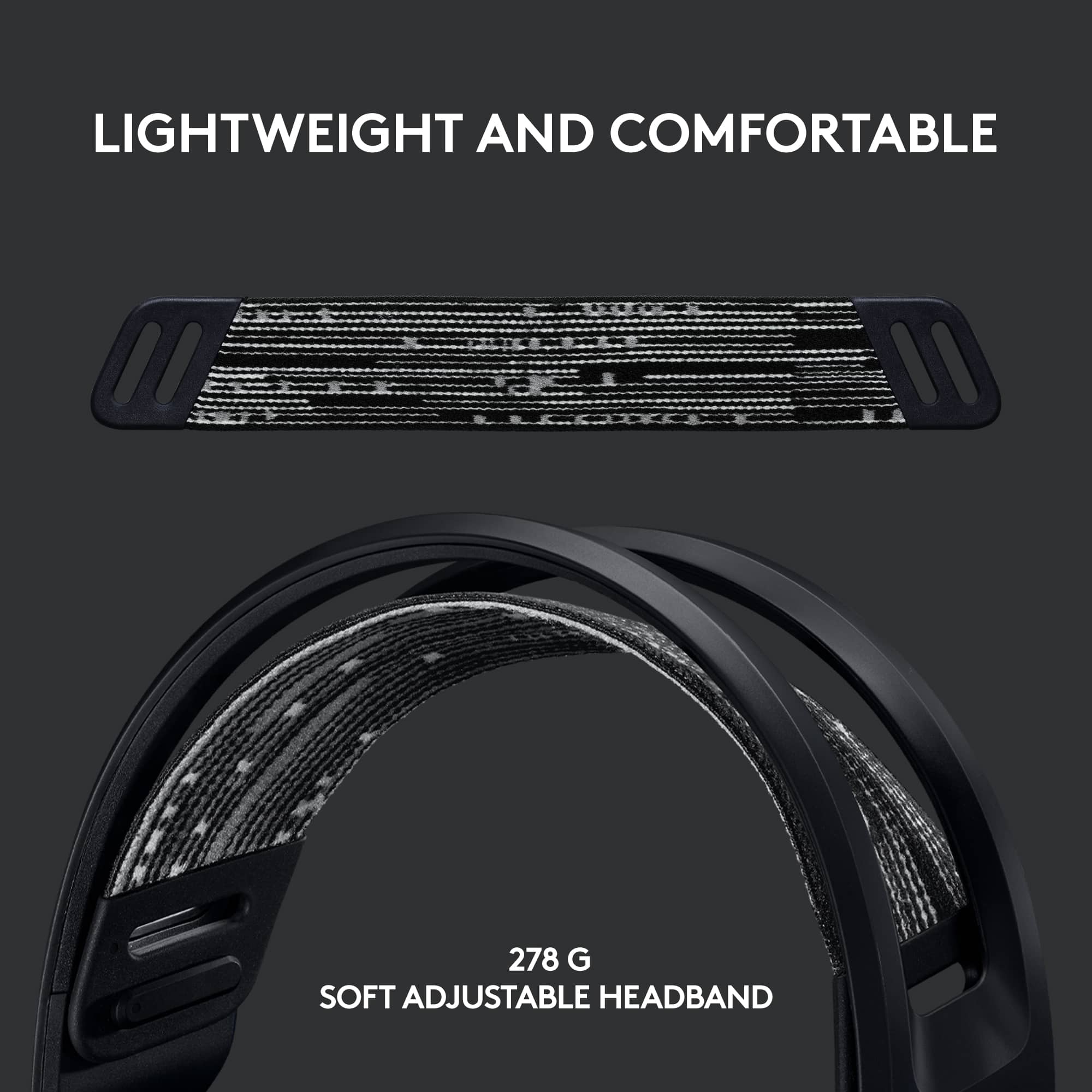
Posted .Hey there John, I'm sorry to hear that you had some issues with your G733. I would recommend adjusting the headband on the inside to it's maximum setting. In addition, I've used this headset for a while, and the headband will normally stretch out and become much more comfortable after only a few days use. I hope this helps! -Weston from Logitech
Very tinny
||Posted . Owned for 1 month when reviewed.This reviewer received promo considerations or sweepstakes entry for writing a review.Sound is no good. Everything sounds like talking through a tin can and the volume level is horrible.
No, I would not recommend this to a friendThere are better options
||Posted . Owned for 2 weeks when reviewed.This reviewer received promo considerations or sweepstakes entry for writing a review.I've owned this headset maybe a few weeks and I'm already completely over it. The microphone likes to cut out at the worst possible times while gaming. My first guess would be a faulty connection since the microphone is removeable. I can't even use it at this point. I'm a fan of Logitech, but definitely not this particular piece of hardware.
No, I would not recommend this to a friendBrand response from Logitech
Posted .That's truly unfortunate! We're sorry to hear about your negative experience with the product. Please get in touch with Logi G Support team for best possible solution in this case. Also, we will take this as feedback and make sure to share it with the right team.
Returned
||Posted . Owned for 3 weeks when reviewed.This reviewer received promo considerations or sweepstakes entry for writing a review.A bit lighter than the other gaming headsets I have tried but unable to get it to work with my work computer. My IT said it was not compatible. Returned.
I would recommend this to a friendBrand response from Logitech
Posted .Hello Chrismarie, we are so sorry to hear that the G733 headset did not work with your work computer. At Logitech, it is our goal to ensure you are completely satisfied with your Logitech purchase. We take pride in the products and services we offer, and want our customers to enjoy them just as much as we do. Unfortunately, not all work computers allow gaming headsets as a connection. We don't understand why and we apologize for the inconvenience. Thank you for your feedback. Have a great day. -Ricky from Logitech
Bad set
||Posted . Owned for 3 weeks when reviewed.This reviewer received promo considerations or sweepstakes entry for writing a review.Quality of Logitech headphones has gone down a lot sound of the 7.1 surround sound is just a bunch of hot garbage especially for this price!
No, I would not recommend this to a friendBrand response from Logitech
Posted .Hello there, I apologize for any issues you've been having with the headset. If you haven't already, I would recommend installing our GHub software, which should allow you to solve some of your issues by giving you the ability to tweak your audio quality as well as activate and use our Blue Voice software. I apologize for any inconvenience this may have caused you.
This mic is trash
||Posted . Owned for 6 months when reviewed.This reviewer received promo considerations or sweepstakes entry for writing a review.I’ve only had this piece of trash for 5 months and it just randomly breaks by giving no input unless I hit the left side of it. This product is straight up trash and will not last long at all
No, I would not recommend this to a friendBrand response from Logitech
Posted .For a quick resolution, please email the following information to socialcare@logitech.com. Our team is dedicated to assisting you. Full Name – Email address – Country – Product name – Brief description of the issue –
- Pros mentioned:Comfort, Sound quality

Solid Headphones
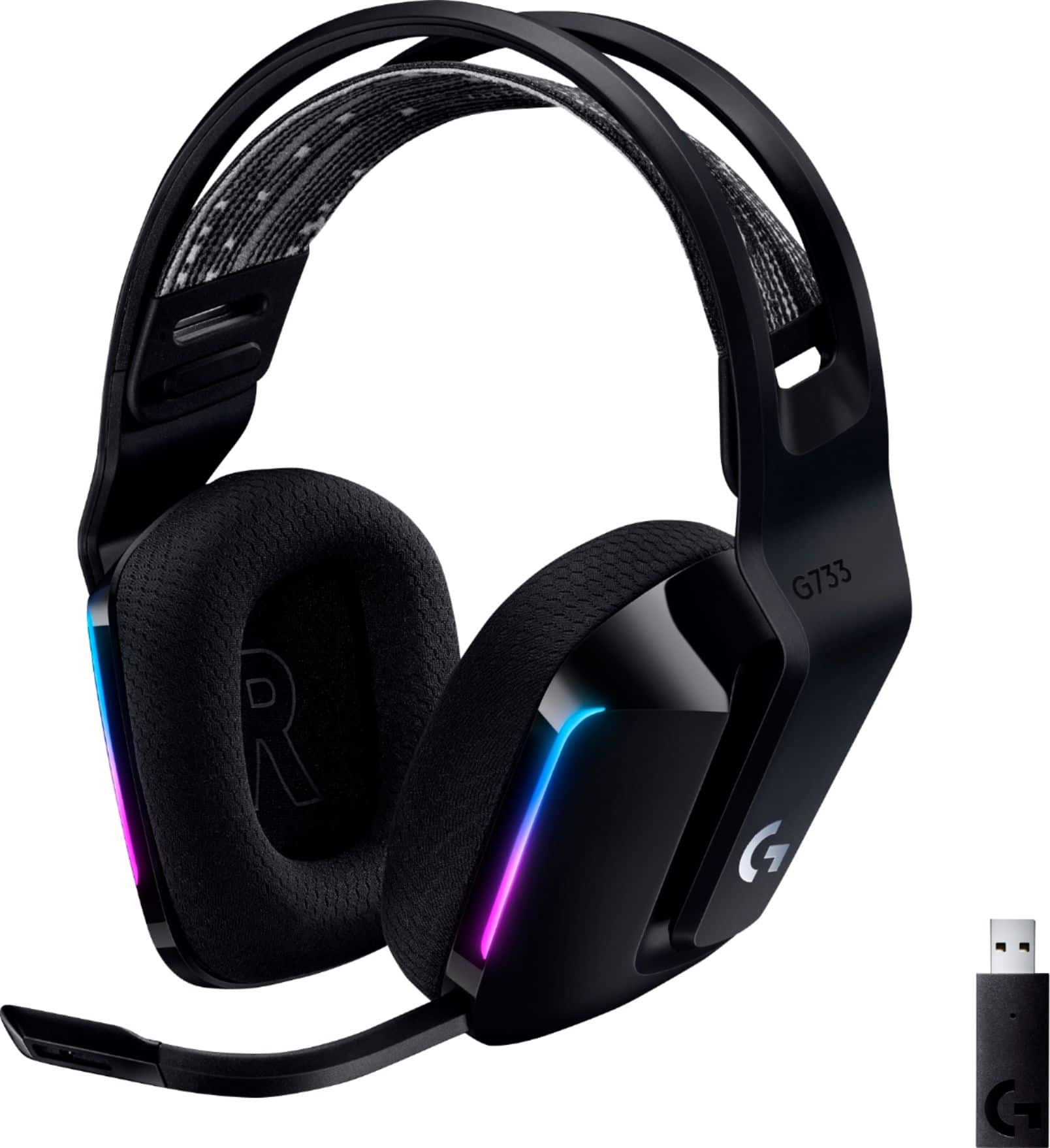
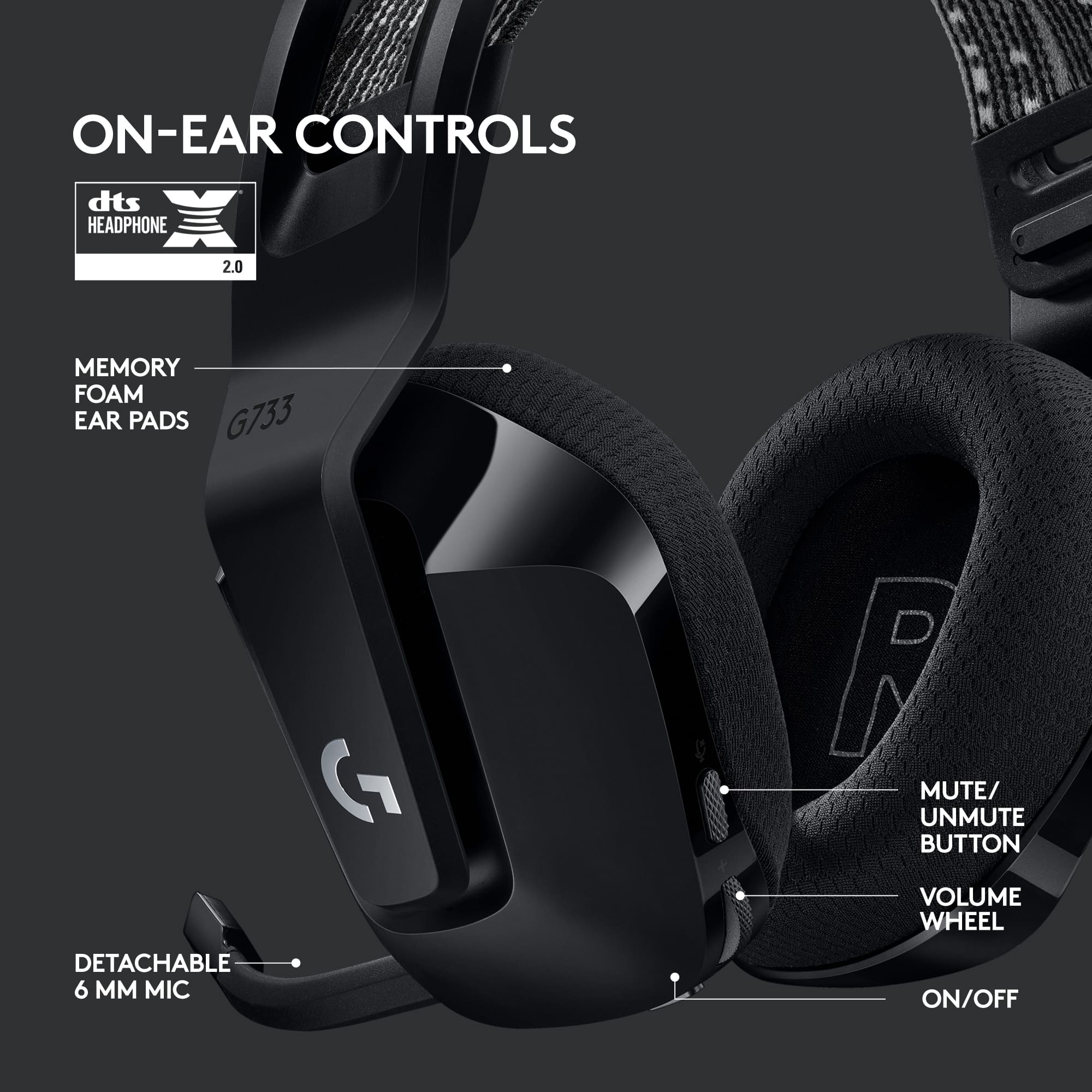
|Posted .This reviewer received promo considerations or sweepstakes entry for writing a review.One of the main things I look for with headphones is comfort. Sound quality diminishes if the fit is not snug. Battery life is nothing if I cannot wear it for a good amount of time. The G733 is very comfortable. It only has two settings—the vertical sliding cups and the headband which makes it so easy to adjust. So just slap it on and I’m always ready-to-go. Connectivity is easy and stable – I always liked the dongle for some reason, only because Bluetooth connectivity fails and I have to troubleshoot every time. This type of connection makes it easy. Transmission quality is seamless. On other headphones, I have an issue with screen transitions on different games, especially when the cut scenes load up on big games. This device keeps up with the transitions and there are no drop outs. Regarding sound quality, it is not impressive—meaning I get this from other units. However, it is not sloppy either. I would say, dependable is the word—and that’s all I need when I’m actually out gaming. The headphones themselves are built solid—they are plastic but they don’t feel flimsy. However, the cups cannot be opened sideways, which can be very useful when someone tries to talk to you (who is not gaming). But like I mentioned earlier, the headphones, once set are so easy to put on and take out—without messing up your adjustments. If in any case you need to mute, it just requires some getting used to—there are different sound cues when you press the mute button so you need to know what sound it makes when you are muted or when you are not. Maybe best part of this is the Logitech Hub—this is where you can integrate all your customizations and integrations with your other Logi devices. I do not go as far as tweaking my audio settings per game but the software is good with that and I am sure is a good-to-have for a lot of gamers. Back to dependability though, I also tried this on zoom meetings. It’s really very reliable and I asked for feedback from people I met with, and they say that it is clear, like I am beside them (not that it is noticeable but it was a solicited feedback I had to acquire). And I think this is what I mean by these headphones. The performance is consistent and these are very dependable. For whatever I use it with, I don’t want to miss that one word when someone asks me to run, or when someone mentions an important point in a meeting—because that can mean life or death on the battlefield, or being on top of my career. Either way, these headphones are reliable and I like it.
I would recommend this to a friend Too Expensive
||Posted .This reviewer received promo considerations or sweepstakes entry for writing a review.This headset costs Asus about $5 to make. It should not be price this high just because it has RGB.
No, I would not recommend this to a friendBrand response from Logitech
Posted .Thank you for sharing your perspective on the pricing of the headset. We understand your viewpoint regarding the cost in relation to manufacturing and features like RGB lighting. We aim to provide a balance of performance, features, and quality that we believe justifies the price point for our customers.

Great headphone!
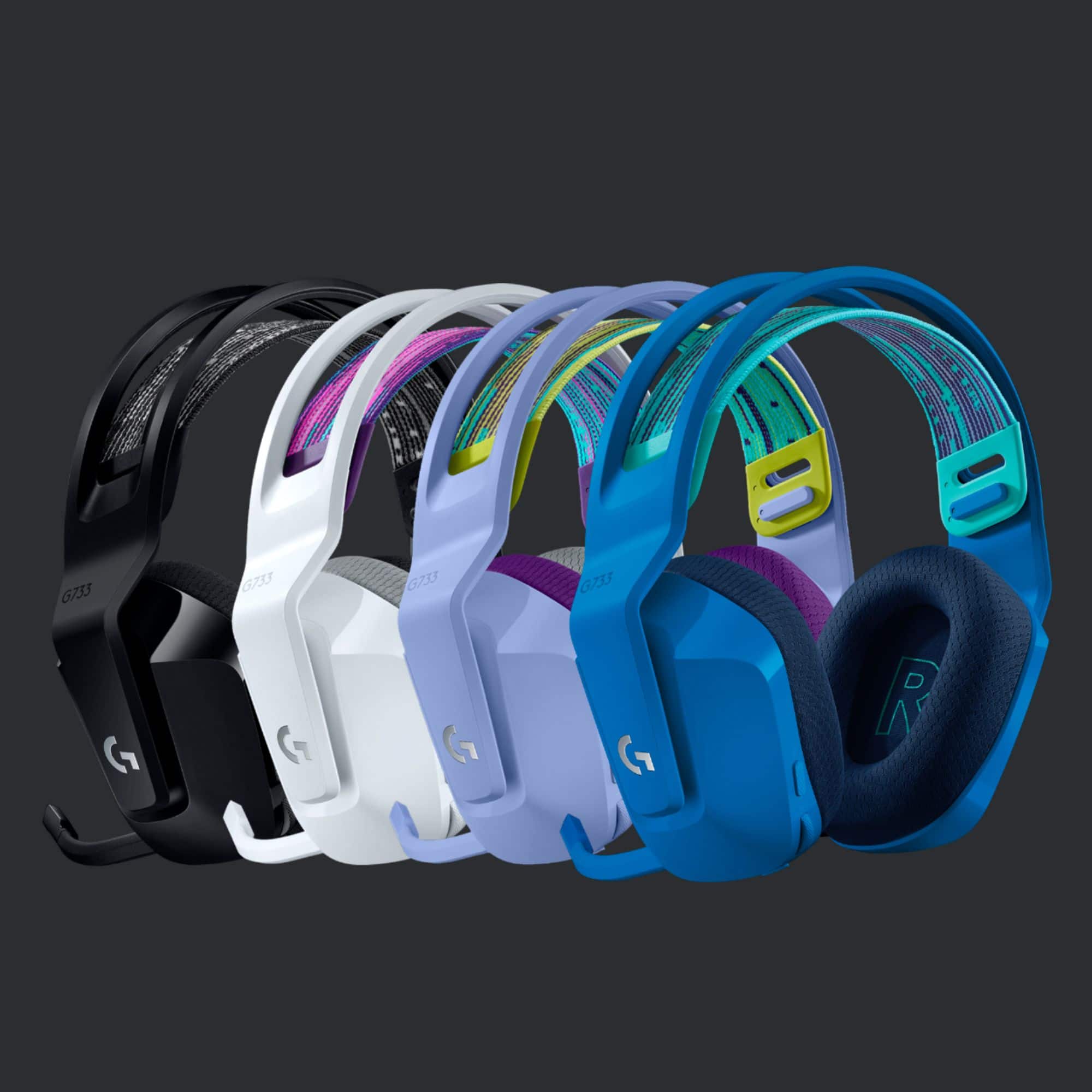
||Posted . Owned for 1 week when reviewed.This reviewer received promo considerations or sweepstakes entry for writing a review.Love the color of these! Only complaint is mic and charging port gets loose every awhile
I would recommend this to a friendHeadphones
||Posted . Owned for 2 weeks when reviewed.This reviewer received promo considerations or sweepstakes entry for writing a review.Got these dor my son for Christmas to go with his ps5 and he loves them.
I would recommend this to a friend- Pros mentioned:Comfort, Sound quality
Pretty Awesome
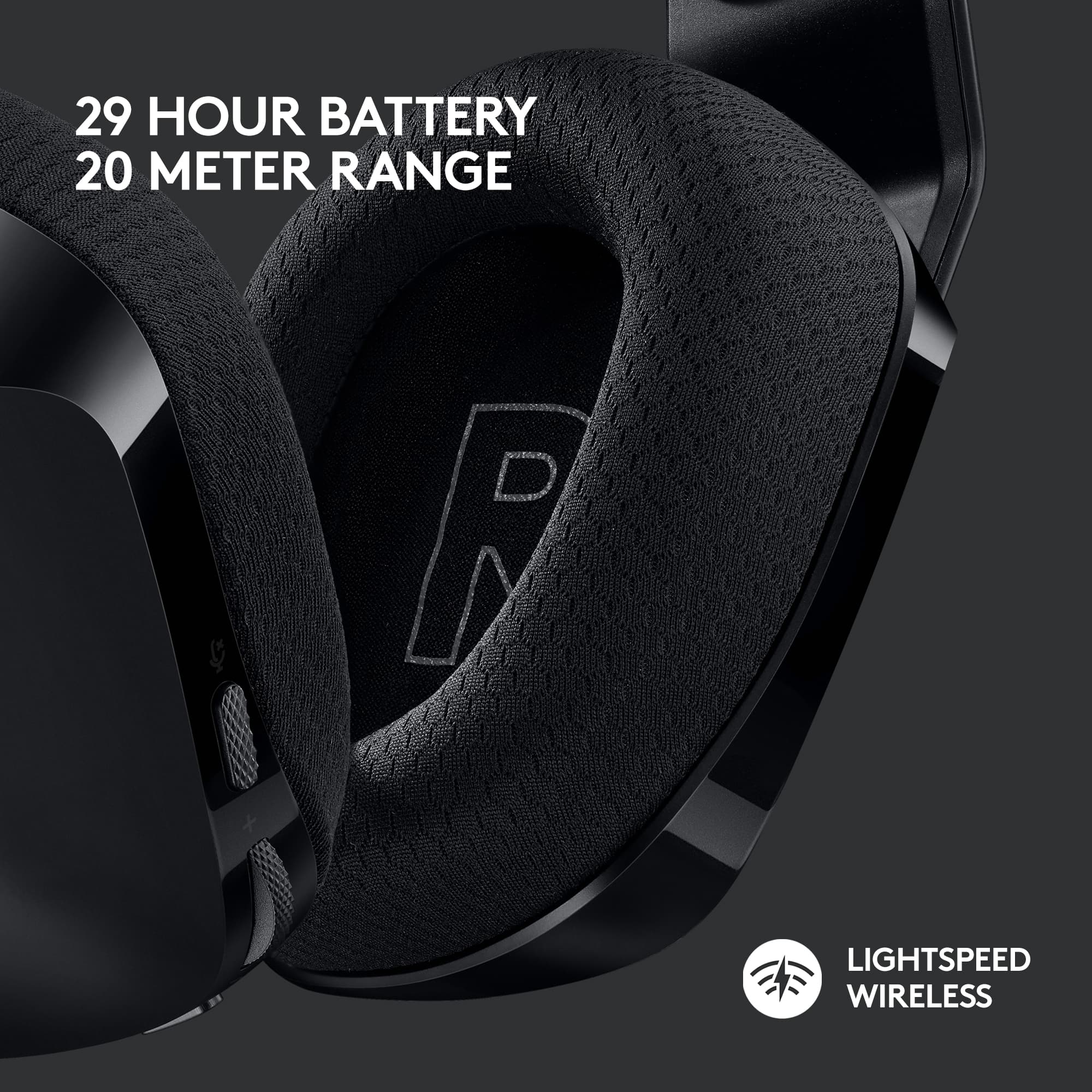
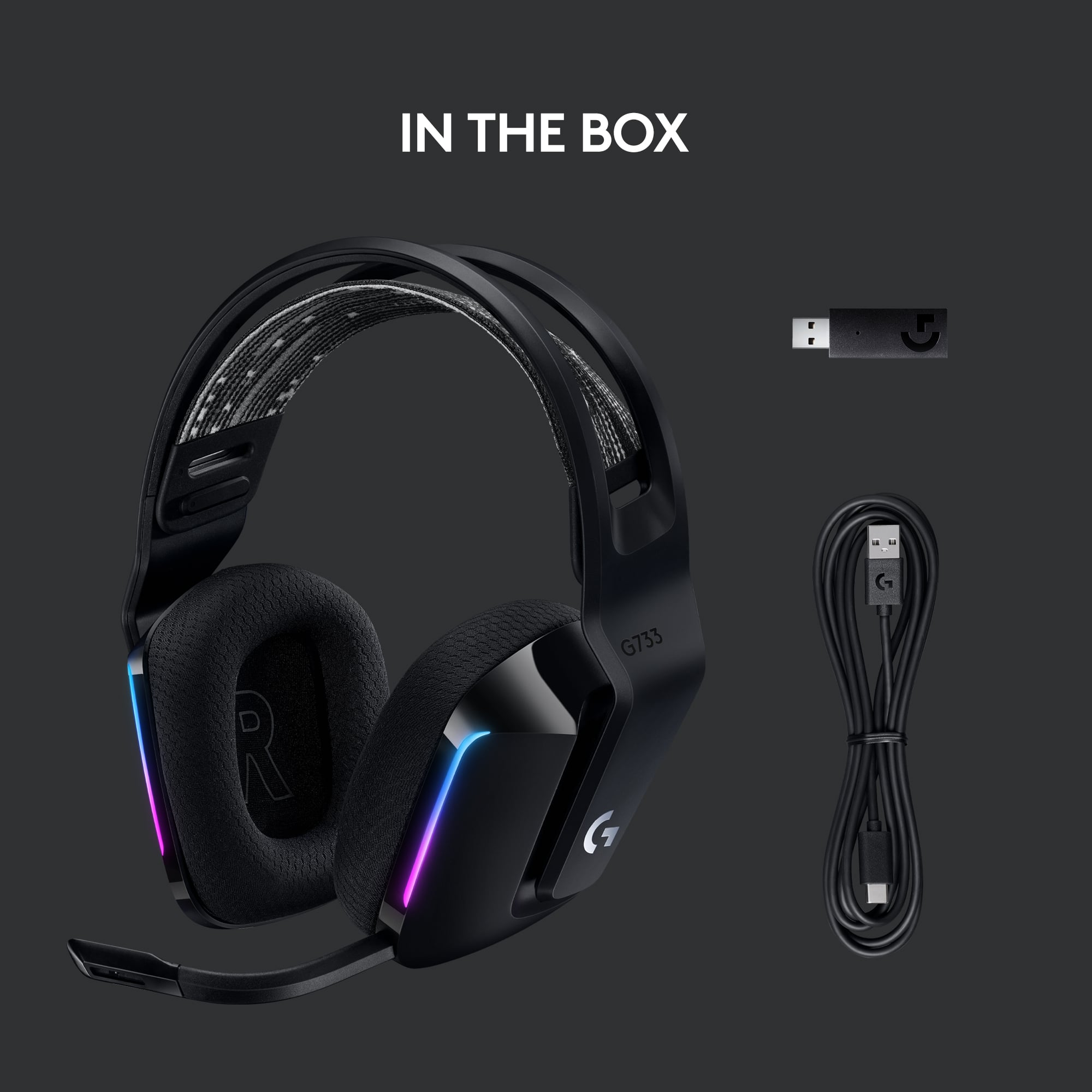
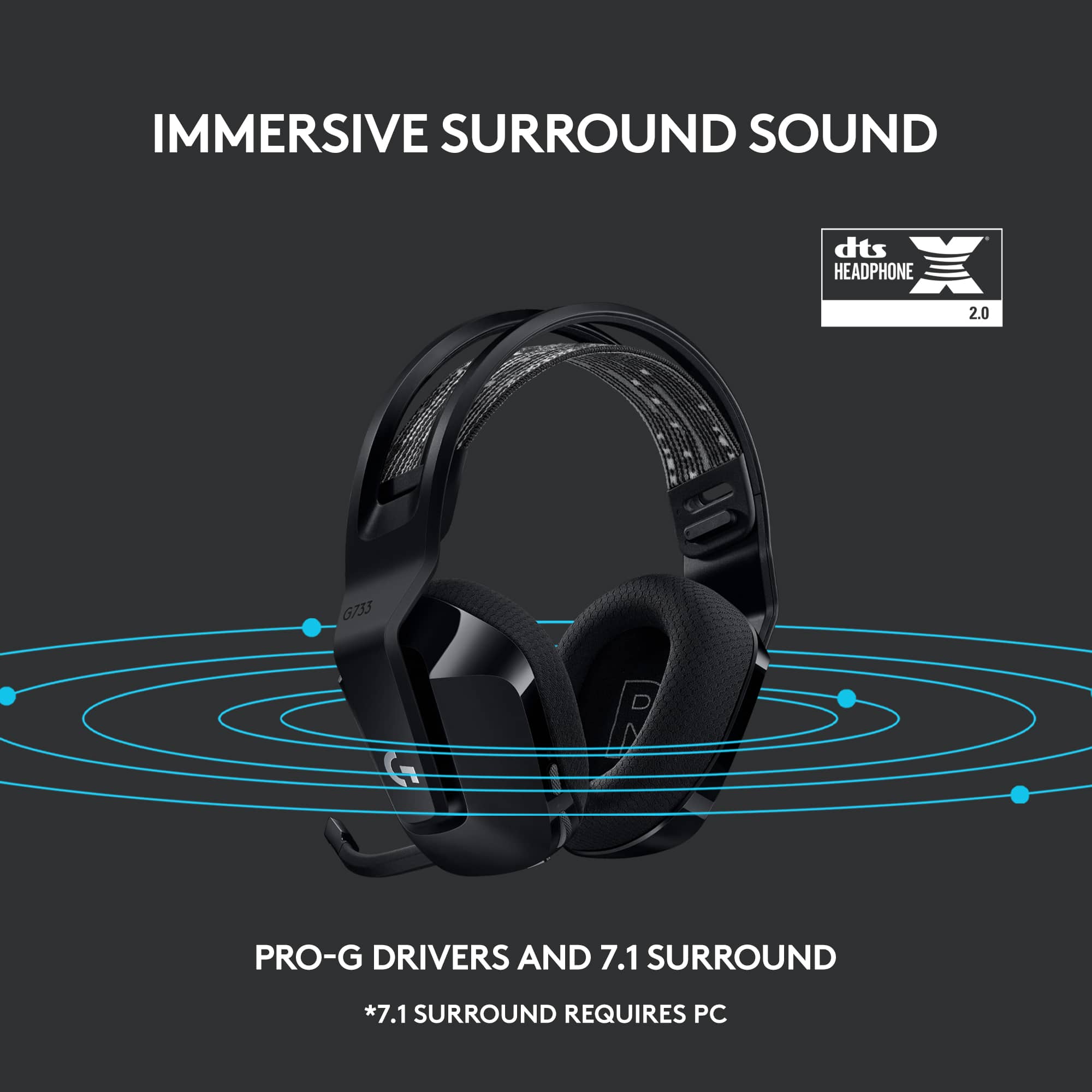
|Posted .This reviewer received promo considerations or sweepstakes entry for writing a review.Install doesn’t get any easier – just plug in USB dongle and turn on headphones - plug and play. Comes with around a 6ft long charging cable with USB-C adapter and , rather large, USB 3.0 dongle. Headphones arrived pretty much fully charged. States they will last for 29 hours – didn’t get a chance to test that as I can only fit in a couple of hours gaming every couple of days. The sound is amazing like a 4D experience. Feels like you are right in the middle of the game surrounded by sound. I didn’t experience any sound delay to the action on the screen. Also tried streaming Netflix and it sounded pretty good but need to work more on the user settings where you can adjust volume, tone, as well as EQ settings and/or use presets for sports, gaming, entertainment, etc. There are separate volume settings for back, left, right, etc. Its like a theater sound system on your ears. Very light and comfortable to wear and have several adjustments for comfort or look. Can more or less create your own color show using LED lighting. I just left the default kaleidoscope scheme. I like the fact that it has a detachable microphone since I really don’t use that much. Its nice to not have it in the way or have the added weight. Of course, it is a separate piece that could get lost. Negatives; My ears did get a bit hot after a couple of hours gaming. Overall, fully recommend for those looking for great sound/functionality on a budget.
I would recommend this to a friendBrand response from Logitech
Posted .Hi Mkcar1,
Thank you for your five-star review! It is greatly appreciated. Continue to enjoy your device. If you ever need assistance, please contact Logitech Support on the website.
LaShonda from Logitech
Wireless headset
||Posted . Owned for 1 week when reviewed.This reviewer received promo considerations or sweepstakes entry for writing a review.This headset fits well and looks cool. However it does not work with the Xbox series x. Audio out is fine but no audio in. Will be returning product
No, I would not recommend this to a friendBrand response from Logitech
Posted .Hey there, I'm sorry to hear that you had some issues with your G733 headset. Unfortunately you are correct, the G733 doesn't work with the Xbox Series X console. I apologize for any inconvenience this may have caused you.
Can you hear me now?
||Posted . Owned for 1 week when reviewed.This reviewer received promo considerations or sweepstakes entry for writing a review.Very Pleased with the performance and ease, Merry Christmas!
I would recommend this to a friendMeh
||Posted . Owned for 6 months when reviewed.This reviewer received promo considerations or sweepstakes entry for writing a review.They broke on one side so know I have to order a new one
No, I would not recommend this to a friendBrand response from Logitech
Posted .We're sorry to hear. Please reach out to Logi G support and the team will definitely see what best can be done. Also, we'll surely take this feedback and make sure to share it with the right team. Thanks for bringing it to our notice.
Son Loved Them
||Posted . Owned for 1 week when reviewed.This reviewer received promo considerations or sweepstakes entry for writing a review.My son loves them! They were the perfect Christmas gift!!
I would recommend this to a friendCool headset
||Posted . Owned for 1 week when reviewed.This reviewer received promo considerations or sweepstakes entry for writing a review.Very nice, cool looking and works great for gaming info
I would recommend this to a friend