Customer Ratings & Reviews
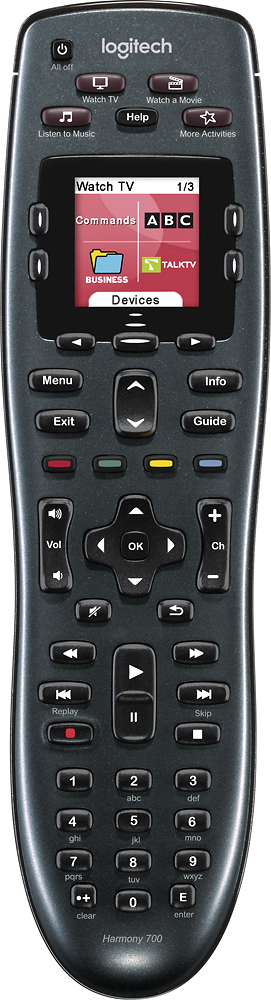
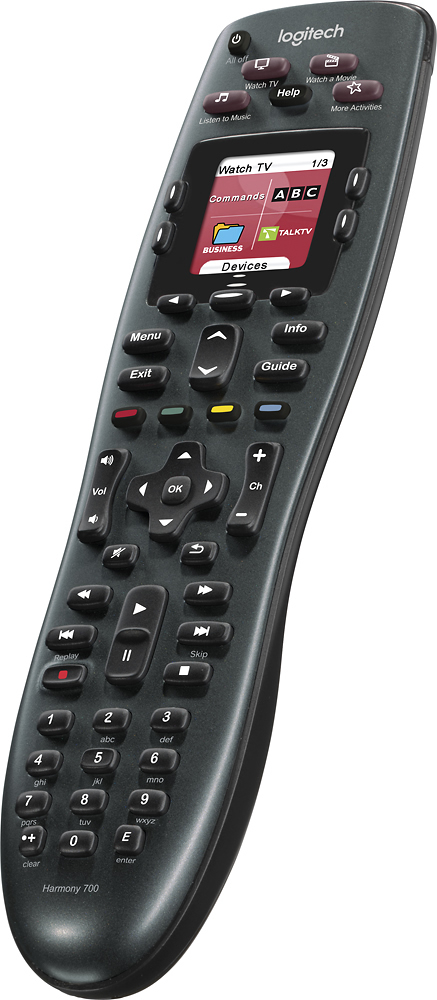
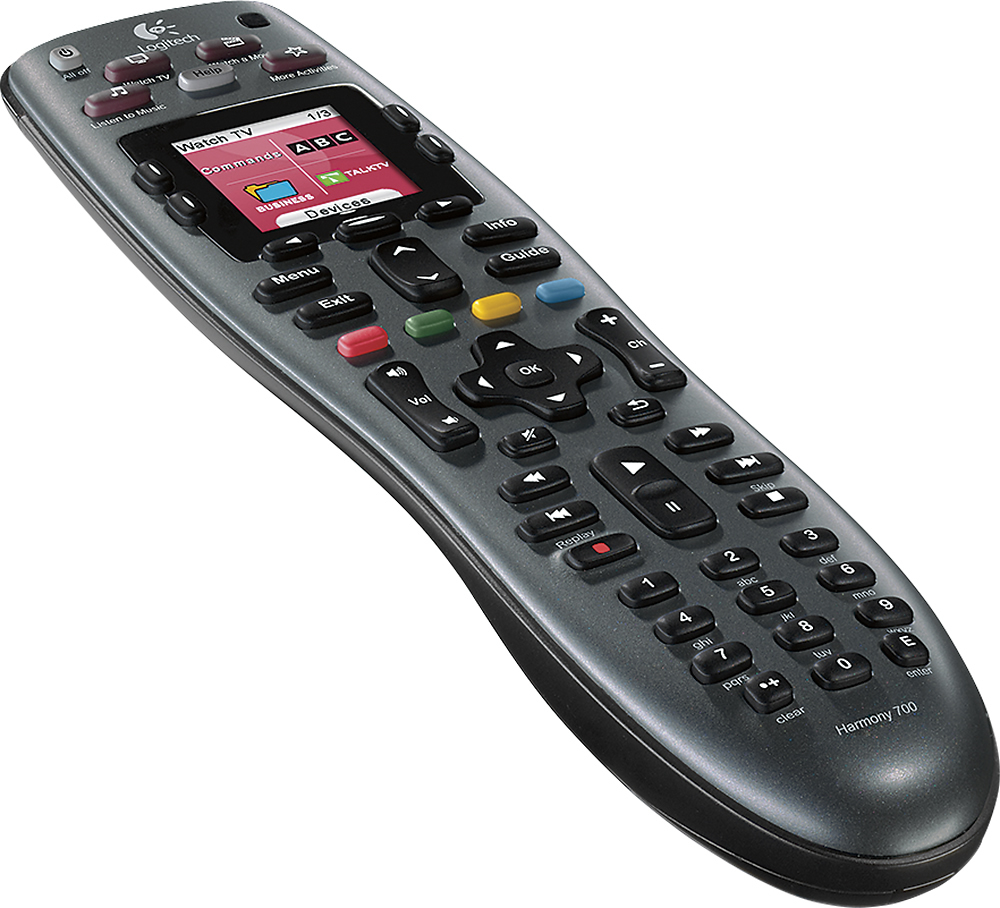
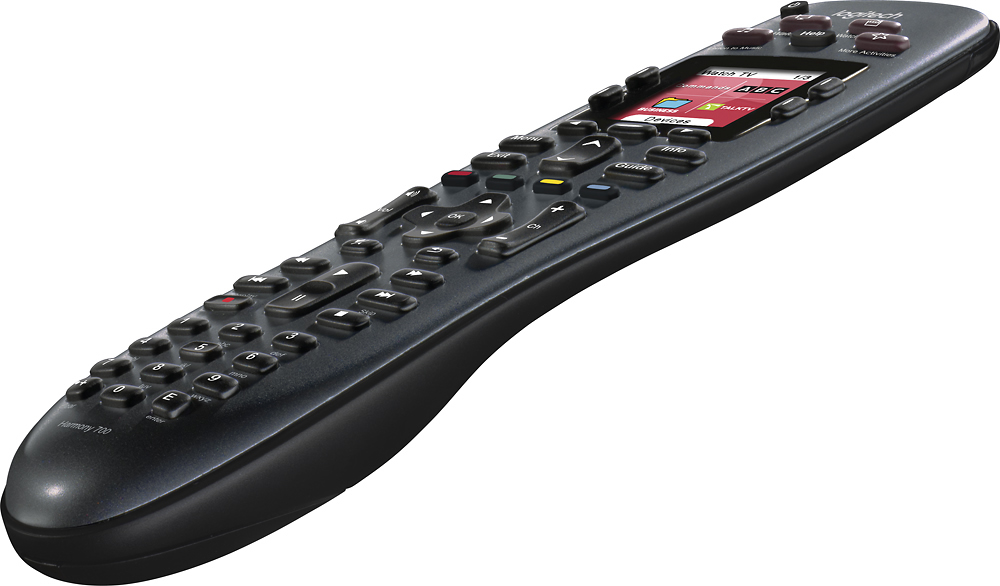
- Model:
- 915-000162
- |
- SKU:
- 9365402
Customer reviews
Rating 4.4 out of 5 stars with 1210 reviews
(1,210 customer reviews)Rating by feature
- Ease of Use4.4
Rating 4.4 out of 5 stars
Customers are saying
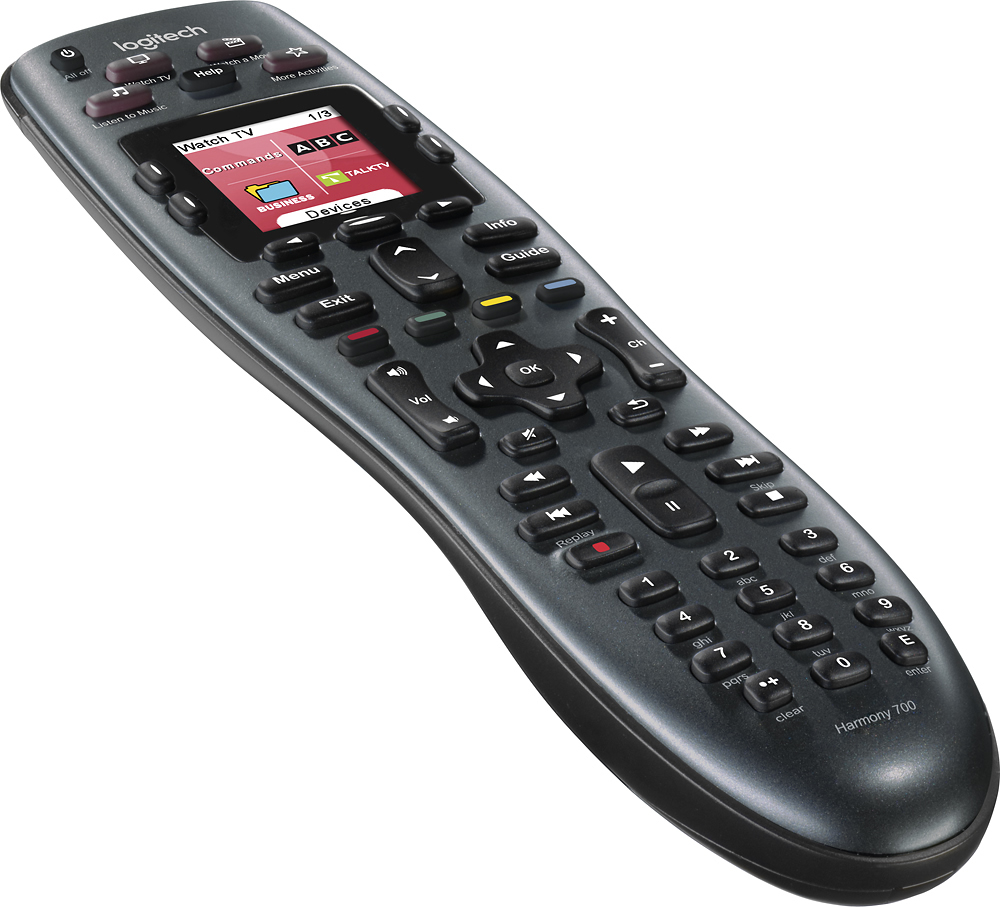
Customers are impressed with the Harmony 700's ease of use and excellent battery life. Many also appreciate the remote's setup simplicity and the ability to customize its functions. However, some users experienced issues with button quality and programming complexities, while others noted limitations in the remote's range.
This summary was generated by AI based on customer reviews.
- Pros mentioned:Compatibility, Ease of use
Rated 4 out of 5 stars
Good multicomponent remote
Posted .This reviewer received promo considerations or sweepstakes entry for writing a review.Harmony remotes are good if you have multiple components. Programming is done on your computer, so it is relatively simple and fast. I prefer the Harmony One, but this remote is suitable for many home entertainment systems.
I would recommend this to a friend Rated 1 out of 5 stars
not great
||Posted .This reviewer received promo considerations or sweepstakes entry for writing a review.this tv remote is just ok and there's better remotes out there.
No, I would not recommend this to a friend- Pros mentioned:Battery life, Ease of use
Rated 4 out of 5 stars
All in one remote
Posted .This reviewer received promo considerations or sweepstakes entry for writing a review.It does almost everything I wanted it to do. The remote will not turn on the Wii but that's fine because the Wii remote can turn it on and I need to use it to play games anyway. With exception to the Wii it turns everything on. I have a Samsun LED tv, TiVo, Yamaha receiver, LG Blue-ray player, DirectTV receiver. The only frustrating part was setting up the TiVo and DirectTV remote. The setup asks me to point the remotes at each other and press certain keys. It took several tries to get that worked out. I had to move the remote around until it got the signal. The set up took me about 1.5 hrs to finish. Half an hour was to look for the model number on all my devices and load the software. I do like the remote once everything is set up. The device comes with Sanyo rechargeable batteries and you can buy additional batteries and chargers at Costco. I have not had to charge it but it's only been a month. The one button watch mode is awesome. It turns on the devices that needs to turn on and selects the right input/output. My small complaint is that the functions on the button does not work while it's configuring your home theater system. You have to wait for it to finish. Normally not a problem unless the volume was turned up high when it was on last. You have to wait for the remote to finish before the functions on the buttons will work. I wish there was a way to reduce that configuration time. It's about 3-5 seconds too long. Custom hot key buttons are a plus. Instead of finding the function on the color screen I just program the hot key button on the functions I use the most. Well worth the money and hassle if you have someone that is not tech savvy or don't like to sit with 4 remotes in your lap. Once it's set up even a caveman can operate it. Will probably buy one for my in law next Christmas.
I would recommend this to a friend - Pros mentioned:Compatibility, Ease of use
Rated 5 out of 5 stars
Excellent Universal Remote upto 8 Devices
Posted .This reviewer received promo considerations or sweepstakes entry for writing a review.This is great universal remote to control upto 8 devices. Setup is easy and able to find all manufacturer and remotes to configure.
I would recommend this to a friend - Pros mentioned:Battery life
Rated 5 out of 5 stars
Best Universal Out There
Posted .This reviewer received promo considerations or sweepstakes entry for writing a review.The remote is great. My wife can't live without it. The best thing though is Logitech now has a function where you can import settings from your old remote to your new so the set up was easier than I ever expected. Download the software, login, plug in and it sees the new remote and asked you if you wish to copy over the settings. The battery on this being a removable rechargeable is a plus as well. One less thing to be plugged into the wall. Would like it to have a status of the battery charge on the remote but had it for over a month and it has not run out of the charge.
I would recommend this to a friend - Pros mentioned:Ease of use
Rated 5 out of 5 stars
Good replacement for Harmony One
Posted .This reviewer received promo considerations or sweepstakes entry for writing a review.My harmony one remote was dying.... the LCD screen was getting worse and worse. Luckily for me Logitech replaced it with the Harmony Ultimate remote. Great customer service from Logitech, unfortunately the remote is not what I had expected. once you get used to a remote for over 5 years, its hard to replace it. So i decided to try the Harmony 700... functionality very similar to the Harmony One and it is rechargeable. I have had it for a week and love it so far. The only downside is that there is no cradle to drop the remote in to charge.
I would recommend this to a friend - Pros mentioned:Battery life
Rated 4 out of 5 stars
Awesome remote
Posted .This reviewer received promo considerations or sweepstakes entry for writing a review.My wife and I bought this to move up from a Logitech 300. While the 650 and 600 both did everything we needed, this particular remote gave us a little more room to expand as our setup grows. The Logitech 300 was alright, but not up to what we needed in our setup. The rest of the HT setup is as follows (and yes, I know it's old) - Olevia 537h-B11 TV set (1 HDMI, 2 component, and 1 VGA inputs) Onkyo HT-R340 receiver, connected to TV via component video (and it lacks HDMI) Comcast/Motorola DCX3400, connected to receiver via component video and optical audio Sony DVD player, connected to receiver via component video and coax digital audio AppleTV (A4 version), connected to TV via HDMI and receiver via optical audio Nintendo Wii, connected to receiver via component video and analog audio (but only because the XBox 360 died...for the 7th time...and was out of warranty) What I like about it is the macro programmability. While it does have its drawbacks, it's overall an amazing experience to be able to press the "Watch TV" button and see the remote power up my TV, receiver, and DVR and make sure the inputs are set correctly. It's also great in the case of my AppleTV; since my Onkyo receiver has programmable digital inputs, I'm able to set two different input modes (with two different surround field modes) for one device on the receiver, and then use two different macros for the AppleTV (one for AirPlay and one for watching streaming media and media stored on my computer). Battery life with the included batteries is also great, and it uses standard NiMH AA batteries so when the included pair fail, it's nothing to get a replacement set. There are only five things I don't like about this remote. First, I don't like how sensitive to motion the backlight activation is; bump the arm of a couch or a coffee table and it lights up. Speaking of the lights, a brightness control would be nice; this thing puts off enough light where you can read a book. An on-screen battery indicator would also be nice. The setup is web-based using Microsoft Silverlight technology; it can be annoyingly slow at times, even with a fast internet connection and a Core i7-2600k overclocked to 4.2 GHz. Finally, and this may be a function of either the web-based software or the remote itself, but you can't pace the timing of macros out to your equipment; in my case, going from powering down the HT system after using the AppleTV for watching movies to turning the HT system back on to watch the DVR, which uses different inputs on the TV set itself (HDMI and component, respectively) often results in the TV being set to the wrong input due to the pace of the macro functionality. While part of it is the TV's boot time of around 15 seconds, the fact that macro pauses can't be programmed into power on sequences is a little inexcusable on Logitech's part. All in all, this is the best remote I've ever used. As long as I turn the TV back on to the mode it was in before switching from a component device to an HDMI device, I don't have any issues with it at all. If the macro pacing issue was addressable, I'd excuse the other flaws of this remote and give it 5 stars.
I would recommend this to a friend - Pros mentioned:Compatibility, Ease of use
Rated 5 out of 5 stars
Very easy setup, reliable
Posted .This reviewer received promo considerations or sweepstakes entry for writing a review.I read the other reviews and decided to purchase this remote to replace the 5 existing remotes that we had for our various audio/video components. I was a little worried because we have a 17 year-old TV, but when I started the setup process, it discovered our TV! I am fairly tech-savy, but I found the setup process extremely easy (I think anyone should be able to walk through the setup process). Just do your homework before you begin (get the make/model# of all of the components you want this remote to control). The setup process literally walks you through settting up each component. It is just that simple. When I finished, I gave the remote to my wife to use and she had no problems with it at all. It works perfectly. Now to get another one to control the 18 year-old TV and components located upstairs.
I would recommend this to a friend - Pros mentioned:Ease of use
Rated 4 out of 5 stars
Works great!
Posted .This reviewer received promo considerations or sweepstakes entry for writing a review.When the Remote came in, I got pretty excited as it said it handled 6 items. I was disapointed though when I realized I had forgotten to include the TV. So.. I have one unit that I have to keep the other remote at hand for. That said, Let me say that the remote works great once programmed. I give it a 4 for operation. Just remember, if you have more than three units, you may want to spend some time up front planning your program before setting up the remote. Setup itself is easy, it is the planning that takes the time. And as you add units, the programming can become rather complicated. Each unit you add becomes the first on your devices list and each program you set up becomes the first program on your program list. That means that if you create the program you are going to use first, when you finish programming, it is the last item on your list which could be several pages deep unless you plan ahead. I have to admit I have a pretty complicated setup. My 50' Wide Screen LCD Projection TV, the Cable company DVR, a Blue Ray Player, a Combination VCR/DVD Recorder/Player w/out a tuner, a DVD recorder with a Digital Tuner and a Western Digital Media player that accepts any USB disk drive (inclluding flash drives) wth anything from photos to full length movies on a single drive. Since all units are HDMI capable and I only have one HDMI input on my TV I also have to have a 5-way HDMI Switch. This setup also required adding a 3-way Digital signal splitter on the incoming cable line.(actually, I could use a 4-way, but I'll make do). There was also the logistics of connecting everything so it would function properly when in use. Now determining what units needed to be powered on and when just became a logistical programming nightmare. Here's a hint. Let's say you want to switch from watching TV from the Cable DVR to watch a DVD movie on the DVD player. You need the DVD player on so you can load the DVD, then you need to switch the output from the Cable box to the DVD player (this might be as simple as switching inputs on the TV) and finally you need to turn off the Cable box. This way, you always have inpput to the TV. You may also want to program a separate program for watching (not switching) the DVD player where you start with all components off. - This time your steps are: turn on the DVD Player, Make sure the correct input to the TV is selected and turn on the TV. In either case, you may want to remember to open the DVD tray to accept the DVD you are going to watch. Can you tell what step this would be? I'm pretty Tech Savvy (it is what I do for a living and is also mmy hobby) and after a month I still do not have everything programmed the way I would like it - It could take months of a little here and a little there. When programming, which is easy after you have everything planned out, you need to make cetrtain the functions for say the TV and the DVD/VCR Recorder and the cable box controls didn't collide when setting up a one-button program to turn on the Recorder, switch the HDMI output to the recorder, Turn on the Cable box which has an analog output going directly to the recorder in order to copy Recordings from the cable box to a DVD or VCR Tape, then turn on the TV so I could see what I was recording. That takes some real planning. Now if you just have a TV, a DVD player and a Cable box, and the TV has more than one HDMI input, you are good to go. Programming will be pretty straight forward and once programmed correctly, it works really great. There are a couple of things I'd like to see in future models though. 1. Allow drag and drop of each program during setup so they can be placed to the desired position in the display without having to plan it out completely before hand.. 2. Lock the volume control to whatever unit you program it to (TV, Stereo, etc) so that you can still control the volume after switching from say the cable to watching a DVD. So now that you have read my review, go get yours and take the time to set it up the way you want it. You won't be sorry.
I would recommend this to a friend - Pros mentioned:Compatibility, Ease of use
Rated 5 out of 5 stars
Amazed by how well it works
Posted .This reviewer received promo considerations or sweepstakes entry for writing a review.I have the typical home entertainment center. All different brands some very old and some really new. Vizio TV Sony Sterio Hitachi VCR - Yeah I still have one of those for the few tapes left PS3 Cable DVR box I was afraid that this would not have the ability to control the VCR but I was pleasantly surprised to find out that it does. Setup is super easy but takes a little time. And with the Activity buttons using this remote is a dream and super easy for me. My Girlfriend even called me one day to tell me she didn't need help figuring out how to get the TV to work as the remote helped her fix the problem. NOW THATS A BIG DEAL! I also picked up the PS3 box for this and it works amazing with the PS3 as well. Forget the Sony PS3 BT remote if you have a full entertainment setup. This remote is so smart is turns off the devices you do not need and turns on the ones you do
I would recommend this to a friend - Pros mentioned:Battery lifeCons mentioned:Programming
Rated 3 out of 5 stars
A funny remote in their lineup
Posted .This reviewer received promo considerations or sweepstakes entry for writing a review.For those not familiar, the Logitech Harmony lineup is an activity based remote. What that means is, once setup, you press, "Watch TV," and it will set up your entire entertainment system to watch TV. It can be programmed in one of two ways: You can program up to 6 devices using special software installed on your computer, or up to 8 devices using a special website provided by Logitech. For functions where there is not a physical #Hard# button on the front of the remote, the functionality can be placed on the buttons on either side of the remote's display. Set up properly, they're exceptionally easy to use. Unlike the more expensive Harmony One, this remote has four colored hard buttons for controlling your DVR and your Blu-Ray player. This is why myself, as well as almost everybody else I know, purchased one. The less expensive Harmony 650 as well as the Harmony 900 also have these buttons. Those four buttons take up a huge amount of your space on the screen if you don't have physical buttons. Additionally, this remote features rechargabe Ni-MH batteries, and charges through a standard #MicroUSB# cell phone charger port. The batteries will go several weeks on a charge, and although it lacks a battery gauge, when it goes to a low battery condition you still have multiple days of heavy usage if you feel like not recharging it immediately. This remote has a few, "Gotchas," though. Although it supports sequences #which is wonderful#, the programming almost always needs to be adjusted after the fact - the Logitech software does not properly program all of the buttons on a whole variety of devices and, often, the choices are a bit rediculous for the soft buttons as well - an Aspect button on a Media Center PC, for instance #for those who don't know, a Media Center PC changes its aspect through the Info button, so the Aspect button does nothing#. Besides the number of devices and programming that should be left to the professionals if you're not 100% sure about it; these #like all Harmony remotes# are limited in their ability to control a second zone of a receiver. You can sort of kluge it onto it, but it's not real support for it, and I wouldn't do it - get the MX-780 if you want that. Additionally, there's a durability issue. My family owns many of these #as well as other model Harmony remotes# Every one has required replacment at least once, if not far more often. I'd purchase the extended protection for this in a heartbeat on these if I were to buy another #and I'm not going to#. If I had to do it all again, I'd either go with a Harmony 900 or a URC MX-780. This remote is okay, and if you're on a budget it's probably the best one out there, but after the experience with these and the higher end remotes, the higher end models are worth far more than their higher price, and I'd scrape together the money to afford them if at all possible
No, I would not recommend this to a friend - Pros mentioned:Ease of use
Rated 4 out of 5 stars
Great solid remote
Posted .This reviewer received promo considerations or sweepstakes entry for writing a review.Great remote. Simple to program and understand. Very good price right now. Best value right now. The only complaint I have is that not all the hard buttons are backlighted. The activity buttons at the top are not backlighted. Strange! I like the remote and I bought two more for the grandfathers in the family.
I would recommend this to a friend - Pros mentioned:Compatibility, Ease of use
Rated 5 out of 5 stars
2nd Logitech remote... I swear by these
Posted .This reviewer received promo considerations or sweepstakes entry for writing a review.I bought this for our second AV set-up at our house. I currently have a 720 that we use for out living room, I bought this one with a new plasma for our family room (you get %10 off from best buy on this if you buy it as an accessory with a TV, paid $108). Logitech Harmony remotes are great, they get rid of all your other remotes, as well as elimate having to change inputs on the remote when you wanna go between different pieces of equiptment. Set-up is a breeze, just have all the model numbers to your gear in hand and away you go. You can customize the remote to pretty much do whatever you'd like. I'm running a Samsung Plasma, Sony reciever, Sony DVD, Sony VCR (Yeah still own some VHS... look horrible on a plasma), Wii, and a Direct TV reciever and everything runs flawless. I reprogramed the listen to music button to operate the wii input since we use that alot. I've only had this for abotu a week, so i gave it a 3 for duribility since i really havent had it long enough to rate this. Definately would recomend for anyone (just make sure you don't have more that 6 devices to control)
I would recommend this to a friend - Pros mentioned:Ease of use
Rated 5 out of 5 stars
I like it
Posted .This reviewer received promo considerations or sweepstakes entry for writing a review.I used to have the the Harmony One 900 until I was no longer able to update it. The Harmony 700 looks like the Harmony One, same ergonomic design and button placement. It only lacks the touch screen & RF feature the Harmony One had. Other than that it works just as well...I originally paid $119 for it but thanks to a price drop at Best Buy I was able to get credit for the purchase price of $49. Very fine remote.
I would recommend this to a friend - Pros mentioned:Battery life, Ease of use
Rated 5 out of 5 stars
Good value, easy to set up and use
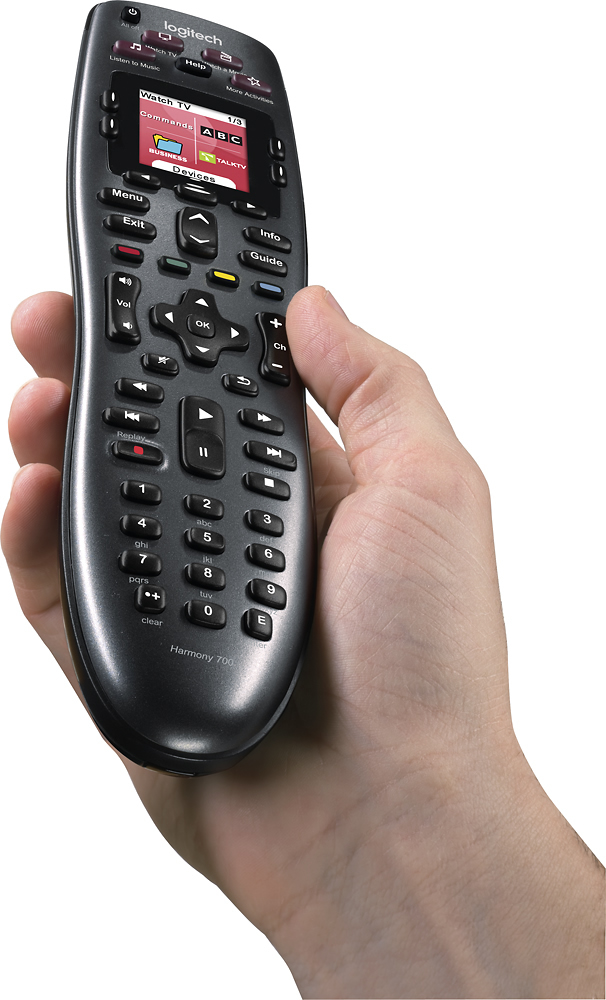
Posted .This reviewer received promo considerations or sweepstakes entry for writing a review.The harmony 700 is working very well having replaced 5 remote controllers for cable set top box, TV, DVD, VHS and Receiver. It took a little bit of careful effort to set up initially but the time spent was worth it and it now works perfectly. I was pleasantly surprised that a 14 year old uncommon model of VHS player that plays both NTSC and PAL was in their database. The Harmony has a very good balanced feel in the hand. I have not yet had the batteries go flat and charge them about once per week. The Harmony 700 feels durable - does not appear to attract dust or fingerprints. Overall very happy with this stylish looking product and would recommend it to anyone wanting to eliminate remote controller clutter. Only thing I would like to see is the Activities buttons illuminated.
I would recommend this to a friend - Pros mentioned:Ease of use
Rated 5 out of 5 stars
Amazing Remote
Posted .This reviewer received promo considerations or sweepstakes entry for writing a review.Awesome remote, it took the place of 4 remotes that I was having to use. I have a samsung HDTV, panasonic blue-ray player, yamaha RX-V465 a/v receiver, direct tv satelite box. After purchasing the remote I was a little worried about the set up, because the actual manual that came with the remote is only ten pages (in english), but found that once I was online with logitech's web site, It was so simple that even a dumb country boy like myself could do it, (only took about 45 minutes from start to finish) Controls everything just fine with the push of a single button. Although the remote does not control any function of the nintendo Wii, you can still set everything else up (tv,a/v receiver) through the set up procedure online to be turned on by the remote and set to the proper channel by simply pushing play game, and the only thing you have to do is turn the Wii on. Thanks logitech for making this remote so simple that those of us who are not tech savy in the least can set up and operate this remote.
I would recommend this to a friend - Pros mentioned:Ease of useCons mentioned:Button quality
Rated 5 out of 5 stars
Great Product
Posted .This reviewer received promo considerations or sweepstakes entry for writing a review.I moved to this remote from the Logitech Harmony One which is a higher model which I had owned for over two years. I feel this product is superior to the Harmony One based on use and durability. The set up was a breeze since it imported all my old setting from my last Logitech remote, the whole process took less than 5 minutes. A complete set up is still easy and only would have took around 20 minutes. I like the physical buttons much more than the touch screen which on the Harmony One which sometimes wouldn't register button presses or you would have to be extremely accurate. I would definitely recommend this remote.
I would recommend this to a friend - Pros mentioned:Ease of use
Rated 4 out of 5 stars
My easy button to use my multimedia system
Posted .This reviewer received promo considerations or sweepstakes entry for writing a review.As I added components to my LCD TV there were more and more remotes I needed. I only needed a couple of buttons on one but I had no other way to change the aspect or source. Adding a surround sound system was the last straw. I could never remember which channel I had connected the DVD player, etc! And my wife couldn't figure out how to play a DVD or even watch a TV program. The complications were driving me nuts! When I heard that there was a universal remote that could make it easy again I figured I had nothing to lose. I was skeptical but the BEST BUY salesman was patient with me and explained that it could do what it was advertised to do. I left it in the bag for a week or so out of fear, but I finally got it out of the wrapping and hooked it up to my PC and logged into the Logitech website. It was very clear and took me through the process step by step. I had my fingers crossed when I first pushed the "Watch TV" button but all three components turned on, switched to the right settings and I was watching TV! I pushed the "Watch DVD" and the player turned on, the cable box switched off, the TV source changed, the sound amp source changed and I was watching a DVD! It was Magic! I love this thing!
I would recommend this to a friend - Pros mentioned:Ease of use, Setup
Rated 4 out of 5 stars
Excellent universal remote
Posted .This reviewer received promo considerations or sweepstakes entry for writing a review.I'm very pleased with the ease of use and feel of this device. The fit and finish of this universal remote is quite excellent, and the set up was a relative breeze. My only criticism is that this version (there are several - both past and present Logitech Universal Remotes) does not have an indicator LED to let you know at a glance when command strings have been completely sent to your various devices. Without knowing this, there is a chance that you'll mistakenly point the remote away too soon from the intended receivers. This is only a minor criticism; I would definitely buy this again.
I would recommend this to a friend - Pros mentioned:Battery life, Ease of use
Rated 5 out of 5 stars
Great remote
Posted .This reviewer received promo considerations or sweepstakes entry for writing a review.I have an old Logitech remote that I have enjoyed for a few years. I got this one as a present for a friend and programmed it for him. Other than needing to know which input goes to what (not intuitively obvious for someone who didn't set his system up in the first place), it was easy to program and it works really well. I like the fact that when the AA rechargeable batteries that came with it reach the end of their useful life, you can simply buy the same type of rechargeable batteries anywhere. I also like the way it plugs in for charging vs the tray my old unit sits in: that gets tricky to use over time. I might get one of these for myself, its a really good unit.
I would recommend this to a friend