Customer Ratings & Reviews
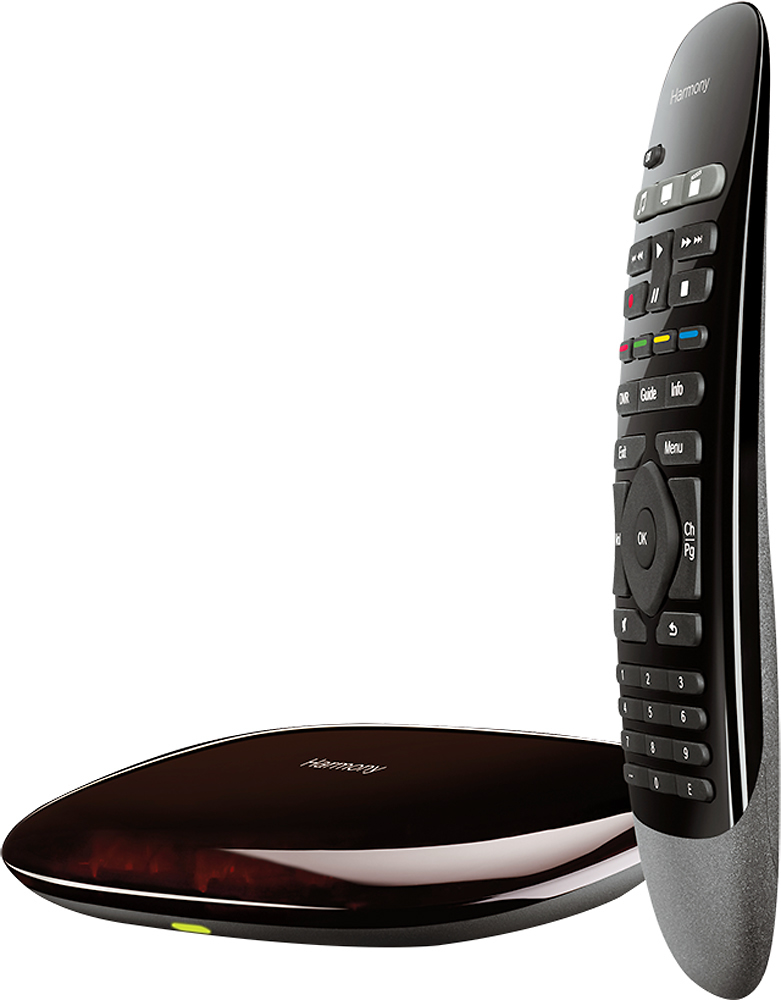
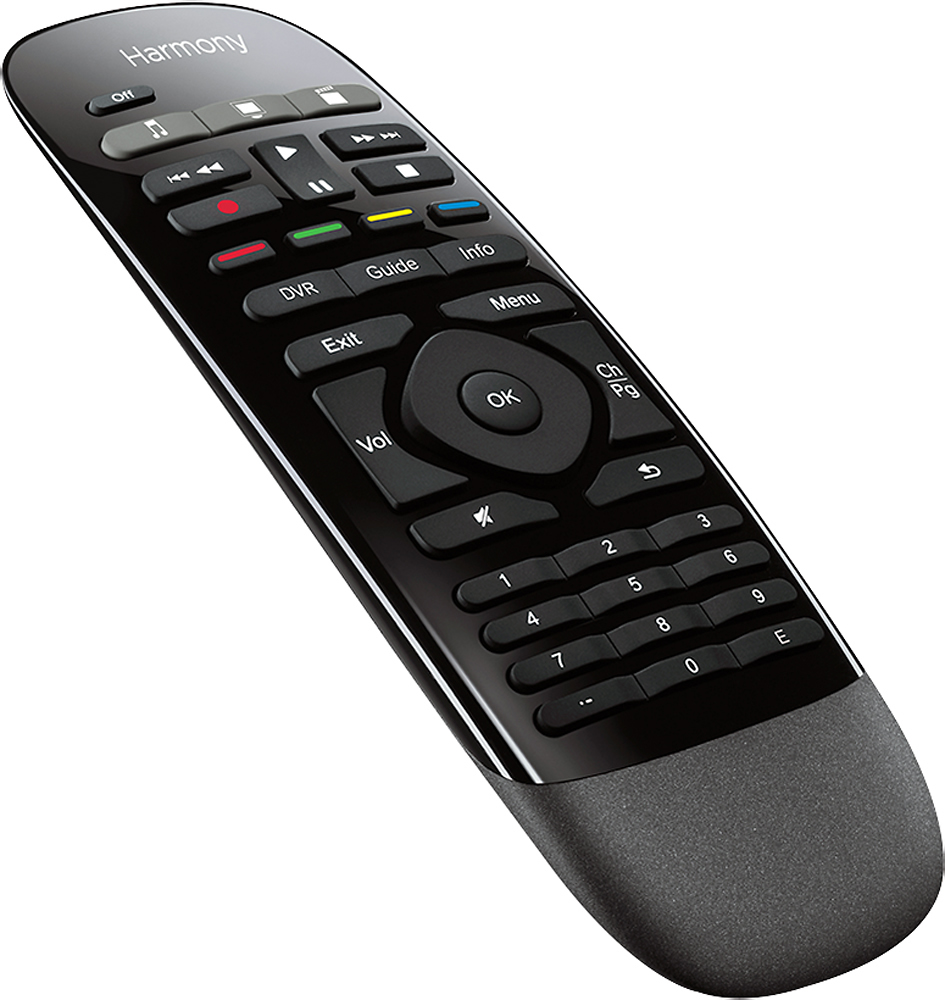
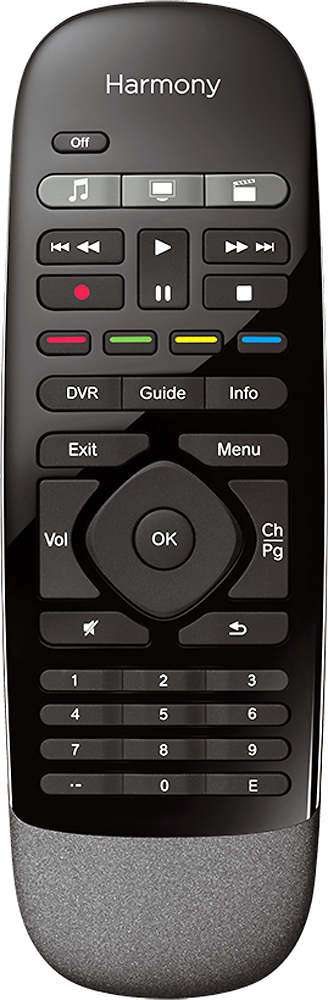
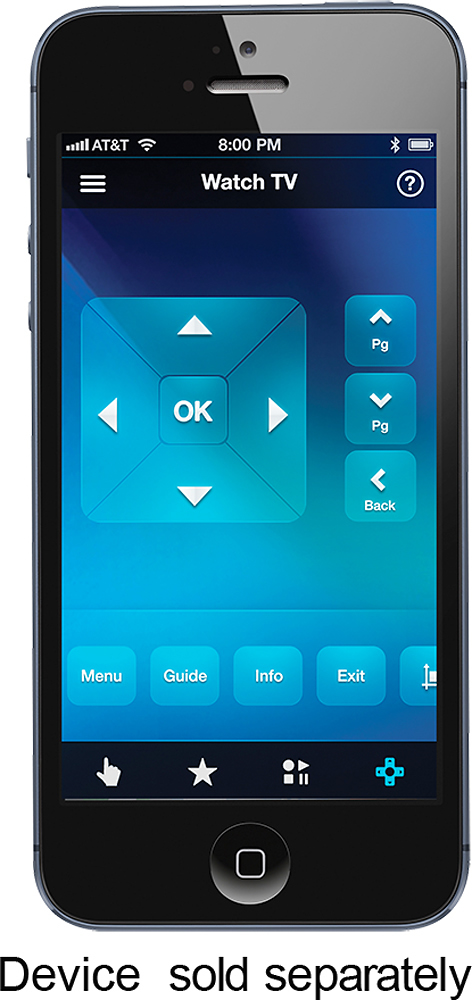


- Model:
- 915-000194
- |
- SKU:
- 8574049
Customer reviews
Rating 4.3 out of 5 stars with 3437 reviews
(3,437 customer reviews)Rating by feature
- Value4.3
Rating 4.3 out of 5 stars
- Quality4.4
Rating 4.4 out of 5 stars
- Ease of Use3.9
Rating 3.9 out of 5 stars
Customers are saying
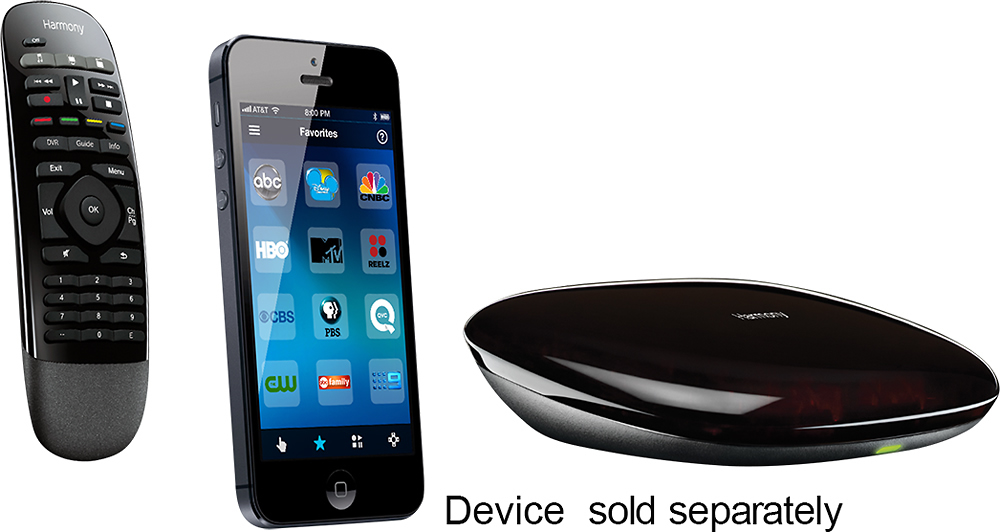
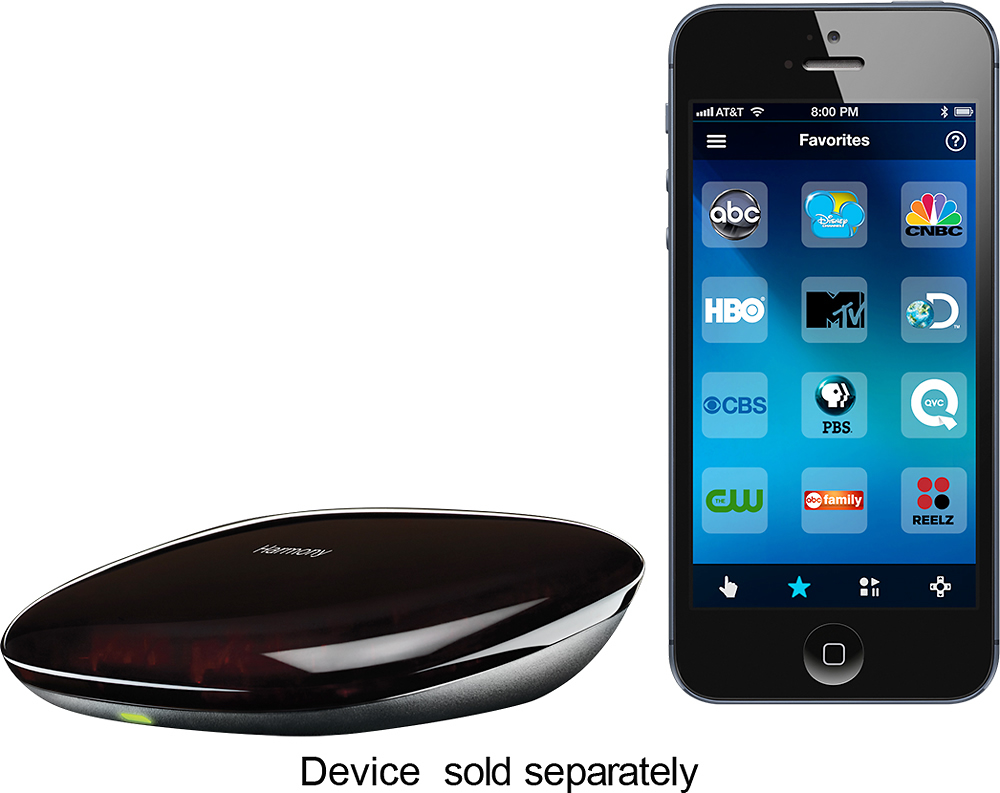
Customers love the Harmony Smart Control's ease of use, intuitive remote, and extensive compatibility with various devices. Many appreciate its straightforward setup and seamless Alexa integration, while some users mention challenges with battery life and occasional connectivity issues. The app's functionality is a point of contention for some customers.
This summary was generated by AI based on customer reviews.
- Pros mentioned:Ease of useCons mentioned:Connectivity
Rated 4 out of 5 stars
Perfect!
||Posted .This reviewer received promo considerations or sweepstakes entry for writing a review.Love it - far better than any previous Harmony remotes. Easy to set up so I can hit one button and everything needed to watch a movie comes on - or to watch TV or listen to music and the components that are not needed stay off. The only con is that when I lose the connection my iPhone app says WiFi Connection lost and it does not let me manually refresh so I can reconnect - it stays like that even after I know a connection is available.
I would recommend this to a friend - Pros mentioned:Ease of use
Rated 5 out of 5 stars
Excellent Smart Remote Control
||Posted .This reviewer received promo considerations or sweepstakes entry for writing a review.This remote has no issues controlling all of my home devices. If you are somewhat technically inclined, it's really great when paired with a mobile app such as IFTT and a Google Home or Amazon Echo for further home automation and customization.
I would recommend this to a friend Rated 5 out of 5 stars
Works just as descibed
||Posted .This reviewer received promo considerations or sweepstakes entry for writing a review.I have a very clean installation in our family room with the AV receiver, blu-ray, and other components housed inside a built-in with oak doors. My goal was a solution that allowed me to switch everything on and off easily without being forced to open the doors at each use. This unit performs that function perfectly. It was extremely easy to set up. It even detected my Roku and DirecTV DVR units without having to program for them. The larger "blaster" is able to transmit to everything inside the cabinet even though the receiver is on a different shelf. It works great. I did route the "mini blaster" out of the cabinet to an area where I can aim it somewhat inconspicuously at our Samsung television. I couldn't be more happy with the results.It controls every function that I need, and if I can't find the remote (three kids. It happens) I can use my iphone to perform all of the same functions. Love it.
I would recommend this to a friend- Pros mentioned:Ease of use
Rated 5 out of 5 stars
Great Remote
||Posted .This reviewer received promo considerations or sweepstakes entry for writing a review.Bought this to pair with my echo dot to have Alexa control my entertainment center. It works beyond what I expected. Now I can control my system with my smartphone, supplied remote or Alexa. Was simple to setup and easy to use. Great product.
I would recommend this to a friend - Pros mentioned:Ease of use
Rated 5 out of 5 stars
Perfect remote
||Posted .This reviewer received promo considerations or sweepstakes entry for writing a review.I bought this remote to control my home theater setup. I have a projector, receiver, set top box, game console, and fire tv stick hidden out of sight in a closet. With this product, I was able to set up a single button to start or stop each activity. For instance, I set up one button to turn on the projector/receiver/set top box to watch tv. I set up another button to switch on the projector/receiver/Xbox combo for gaming. The whole thing took about 30 mins to set up using my IPhone and a stable wi-fi connection. I just positioned the remote receiver near my equipment, then installed the Logitech app. The instructions on the app are very clear and walk you through the process. Once set up was complete I had two remotes. The physical remote that came in the box and/or my iPhone app, which also works as a remote from anywhere. If you leave the tv to answer the door, you can turn everything off with the app and leave the house without going back to the room. Great purchase, works flawlessly.
I would recommend this to a friend - Pros mentioned:Alexa integration, Ease of use
Rated 3 out of 5 stars
Decent with Alexa
||Posted .This reviewer received promo considerations or sweepstakes entry for writing a review.Depending on your tv, this might work better or worse. One problem is that if I turn off my tv with the remote that comes with the tv, the on/off state of the harmony hub is not synced anymore, so the on button on this remote might not turn on the tv or channel switcher might not work. You have to go into the app and manually turn it back on. This can get a little annoying. I'm assuming this could be avoided with some tvs if they have a dedicated on/off signal where as the insignia I have seems to only have a toggle. This works relatively well with alexa. I can say.. alexa, turn on the tv. or switch to nbc. Some channels don't work but it's probably because I haven't set them up... like FOX. So.. yeah, this takes a bit of set up, has a bit of a learning curve, and is bit of annoyance to the syncing issues. But it works well when it works. Also, I've also set up my ps4 and apple tv. In terms of controlling the ps4, it's not very good, but you can navigate (but sometimes not be able to select) I'd say buy this if you like tinkering but not if you want something that works well right out of the box.
No, I would not recommend this to a friend Rated 5 out of 5 stars
Never leave your seat
||Posted .This reviewer received promo considerations or sweepstakes entry for writing a review.Buying this device allows you to use your Voice Assistant to turn on devices. Basically Google/Alexa will talk to the Hub and the Hub will send out the command through a IR Blaster. Then boom, your TV, Receiver and PS4 Pro are on and ready.
I would recommend this to a friend- Pros mentioned:Ease of use
Rated 4 out of 5 stars
Great Universal remote
||Posted .This reviewer received promo considerations or sweepstakes entry for writing a review.Great remote. Love the way it turns everything to the right settonfs. Would have given 5 stars but sometimes it takes a few pushes of the buttons to get to the right input.
I would recommend this to a friend Rated 4 out of 5 stars
Be careful in your setup and it works fine
||Posted .This reviewer received promo considerations or sweepstakes entry for writing a review.I didn't use the iDevice app as the primary controller because other folks had a few too many problems with it with WiFi connectivity issues. The app is handy to correct synch issues, but is NOT needed to run the control system. So I set up the provided RF remote to be the primary controller using the hub. My hub is mounted above and behind the couch and has a full view of all the components 14 feet away. It works in 'look down, shoot down' mode. The mini-blasters won't work from that far away, but the main hub has enough IR power to work that far. In my case I didn't need any mini-blasters I programmed the hub from my PC. All my equipment model numbers were in the database with the MyHarmony program you download from Logitech. There are 41 programmable buttons on the remote that have 2 functions each ('long' and 'short' press) so you can program up to 82 functions for each 'activity.' If you know your equipment model numbers ahead of time and which activities you want to program it can be done, but it takes time to meticulously go through each button for each activity and confirm it will do what you want it to do when you're sitting on the couch. Take the time to go through each button and confirm what each long or short press does as it will save you lots of grief later. In my case at first power-up it didn't work quite right because it sequenced some power-up functions in a different order. I was able to re-arrange the power-up sequence and got everything to work. I did have an oddball piece of equipment and needed to 'train' the hub to accept an IR power command that wasn't programmed correctly into the database, however, it was easy to do using either the iDevice app or with the Hub connected to the computer. Once you get everything set up it has actually worked flawlessly. I can go from one activity to the next with a simple press of the button that used to take 4 remotes and a flowchart to figure out. I did print out a cheat sheet for what each button did for every different activity but I made it intuitive enough that I really never needed the cheat sheet. Try not to use the original remotes to do things otherwise it will screw up the 'synch' and the Smart remote will do things that seem goofy. You can re-synch using the iDevice app, but I recommend you leave the old remotes in the drawer and not use them to power-on any device or it can affect the synchronization in the hub. The hub doesn't really know the power-status for each device and if it thinks one device is on when you have turned it off with the original remote then the system will get wonky on you. So try not to use the original remote, if you can. So, yes, I'd recommend this, but only for those that will take the time to set it up. It is a bear, but well worth it in the long run if you have the patience. Also, I did get on the Harmony forum and told them about my issue with the manual programming (they had a power 'on' and power 'off' programmed for my preamp that was really a power 'toggle') so they actually amended their database to include that for any future users. Be patient, and it will work for you.
I would recommend this to a friendRated 5 out of 5 stars
Love it
||Posted .This reviewer received promo considerations or sweepstakes entry for writing a review.I have been using Harmony remotes since I saw the very first one at MacWorld eons ago. This is the best iteration I have used this far. The remote connects to the hub over RF so I do not need to hold the remote pointed at the devices while an activity is starting. The hub and IR repeater will send out all the IR commands. This makes it much more convenient. Especially for the kids. Also the hub is able to control my HUE lights. But only in a limited capacity and only after a beta FW update. Logitech's support has been really helpful with this though. One thing I unexpectedly appreciate is the small size of the remote. After using the Harmony's as the got bigger and bigger, the smaller size is very nice.
I would recommend this to a friend- Pros mentioned:Ease of use
Rated 5 out of 5 stars
Works great with all my devices
||Posted .This reviewer received promo considerations or sweepstakes entry for writing a review.And combined with Echo/Google Home, it's easy to control my entertainment system with my voice. I no longer have to hunt for the right input and turn on/off everything separately.
I would recommend this to a friend - Pros mentioned:Remote control
Rated 5 out of 5 stars
Alexa, change the channel
||Posted .This reviewer received promo considerations or sweepstakes entry for writing a review.Gave me access to using my home entertainment by voice. Take a bit of time to get it set up exactly the way you want it (favorite channel lists were a bugger), but once I had everything customized the way I wanted it, I love the setup.
I would recommend this to a friend - Pros mentioned:Ease of use
Rated 5 out of 5 stars
Turned my iPhone into universal remote.
||Posted .This reviewer received promo considerations or sweepstakes entry for writing a review.This product is easy to set up and works great. Controls all my entertainment center devices with a push of the button on my iPhone. Takes 15 minutes to set up and was very easy. Eliminates using any remotes and phone or tablet operates them for you.
I would recommend this to a friend - Pros mentioned:Ease of use, Remote control
Rated 4 out of 5 stars
Love it...
||Posted .This reviewer received promo considerations or sweepstakes entry for writing a review.Bought this to make my dad's life easier since he hates having so many remotes to control the TV, speakers, DVR, Apple TV, etc. Got the Amzn Echo to go with it for voice control options but it was a lot easier to just use the numerous iphones & ipads laying around the house to control everything, with the Harmony app. The device includes a remote but we never had to use it.
I would recommend this to a friend - Pros mentioned:Ease of use
Rated 5 out of 5 stars
Absolutely perfect for me
||Posted .This reviewer received promo considerations or sweepstakes entry for writing a review.Was looking for a remote that could handle my six devices, three of which are located inside my entertainment center and out of line of sight. This was the easiest thing in the world to set up. Particularly with my complicated situation. No complaints.
I would recommend this to a friend - Pros mentioned:Ease of use
Rated 5 out of 5 stars
universal remote
||Posted .This reviewer received promo considerations or sweepstakes entry for writing a review.We purchased this remote to use in our new home theater system. So far, we have not had any problems. It is very easy to use, and the app associated with the remote control is easily downloadable and user friendly. And I am pleased with this purchase.
I would recommend this to a friend Rated 4 out of 5 stars
Satisfied with purchase
||Posted .This reviewer received promo considerations or sweepstakes entry for writing a review.I previously had the 880 and this remote turns equipment on faster. It seems to turn things on more simultaneously (gives options to delay if you choose). I like using the remote more than the phone. I'd recommend it, but have the following small cons. The cons: I wish the remote had IR builit in since I have my equipment in a closet but my projector hangs from the ceiling. It comes with a secondary IR piece which I will have to mount outside of my closet. The app takes a few seconds to load. I wish it was faster. Overall the cons are not too significant and it meets my needs.
I would recommend this to a friend- Pros mentioned:CompatibilityCons mentioned:Response time
Rated 4 out of 5 stars
Great features, delay in signal
||Posted . Owned for 11 months when reviewed.This reviewer received promo considerations or sweepstakes entry for writing a review.Love the connection with every electronic device. It is nice that it interfaces with Alexa or Google Home for voice command. The one annoying thing for me, compared to just the remote, is the delay in pressing the button to command completed. Going through the hub is not too quick.
I would recommend this to a friend - Pros mentioned:Ease of useCons mentioned:Battery life
Rated 5 out of 5 stars
Nice remote
||Posted .This reviewer received promo considerations or sweepstakes entry for writing a review.This is a nice remote that can easily handle a small home theater. I have a TV, Apple TV and Bose sound system setup and doing flawlessly with the remote. The only minor bummer is no backlight on the remote but I understand that would come at the expense of battery life. Setup was easy via the Harmony app on my iPhone and only took a few minutes of time. If you have a fairly simple home theater setup then this remote deserves a look..
I would recommend this to a friend - Pros mentioned:Compatibility, Ease of use
Rated 4 out of 5 stars
Easy to setup if you have some tech savvyness
||Posted .This reviewer received promo considerations or sweepstakes entry for writing a review.Works pretty well with Google Home but not perfect at times. If you truly want it to automate all of your smart IoT devices I think you need some tech savvyness to understand how the hub connects and interacts with your device. You can make rules as simple as you'd like (turn on TV, turn off lights, etc.) or advanced (multiple rules like turning on TV + lights+ etc +etc)
I would recommend this to a friend