Customer Ratings & Reviews
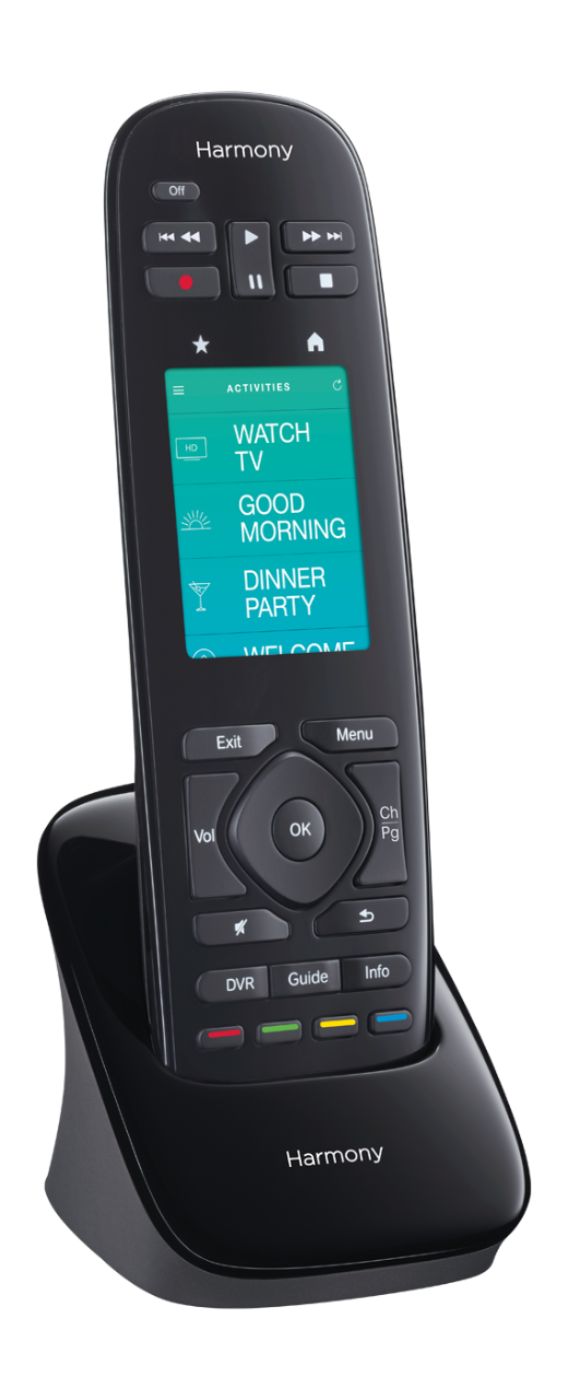

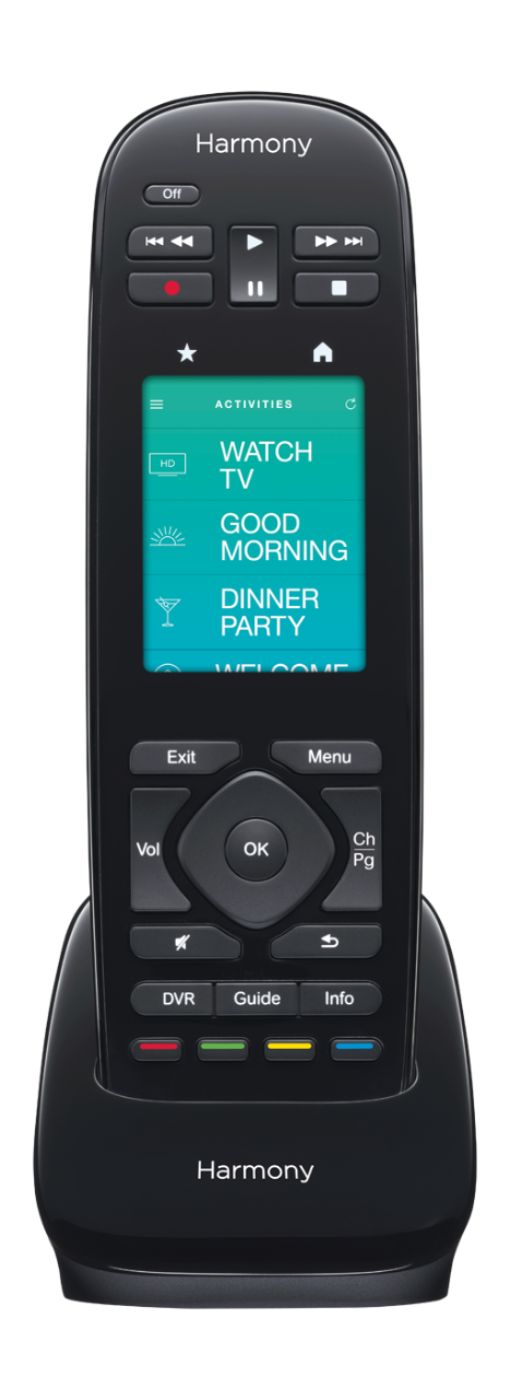
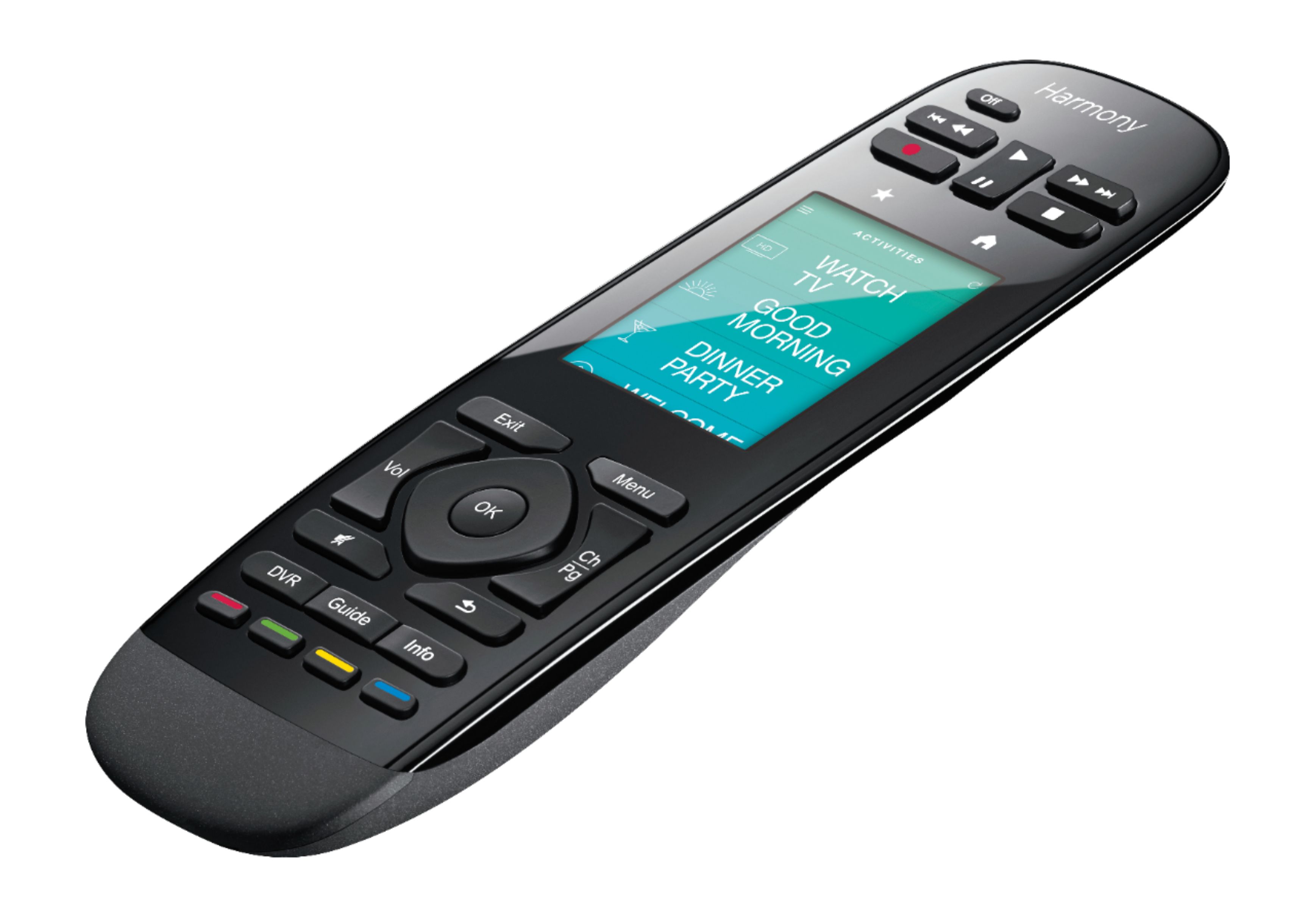
- Model:
- 915-000237
- |
- SKU:
- 8203175
Customer reviews
Rating 4.3 out of 5 stars with 1031 reviews
(1,031 customer reviews)Rating by feature
- Value3.8
Rating 3.8 out of 5 stars
- Quality4.0
Rating 4.0 out of 5 stars
- Ease of Use3.6
Rating 3.6 out of 5 stars
Customers are saying
Customers are impressed with the Harmony Ultimate Home's ease of use and compatibility with various devices, frequently praising its simple setup and ability to control a wide range of electronics. However, some users express concerns regarding the touchscreen interface and battery life, while others find the setup process somewhat challenging. The price point also receives mixed feedback.
This summary was generated by AI based on customer reviews.
- Cons mentioned:Response time
Rated 1 out of 5 stars
hub is a disaster
||Posted .This reviewer received promo considerations or sweepstakes entry for writing a review.every action must go through hub and slows down response time. TV,Receiver, and cable box are on but have to wait 15 sec or more before I can adjust volume or change channel.
No, I would not recommend this to a friend Rated 2 out of 5 stars
Doesn't work
||Posted .This reviewer received promo considerations or sweepstakes entry for writing a review.I bought this because it said it could be in a cabinet and it can but you have to keep an eye sensor out for it to receive signal. It also doesn't turn everything on like it's supposed to with one button.
No, I would not recommend this to a friendRated 2 out of 5 stars
Too confusing
||Posted .This reviewer received promo considerations or sweepstakes entry for writing a review.I paid quite a bit for this but have never used it. I couldn’t figure out how to get it running and neither could my son in law and he’s good at stuff like this. Waste of money.
No, I would not recommend this to a friendRated 2 out of 5 stars
GOOD IDEA
||Posted .This reviewer received promo considerations or sweepstakes entry for writing a review.This model has real issues. Each time I turn a system, I must also hit the help button for the remote to reach the devices and correct the unit that is not on.
No, I would not recommend this to a friend- Cons mentioned:Setup, Touch screen
Rated 2 out of 5 stars
Good but not great
Posted .This reviewer received promo considerations or sweepstakes entry for writing a review.I waited a couple of weeks before writing this review so it wouldn't all be about the install. I did have problems with the install and I have used Harmony products before so this wasn't inexperience. They want you to download either an iOS or Android app to do the install. Since I had both, I download both but started with the Android app. Setting up the equipment was not a problem but getting the information to download to the remote was a problem. I could see no where on the Android app or the remote to do this so I had to download the PC app and use the supplied USB cord for PC to remote connect. I don't know why they didn't use a standard mini USB for this as the opening on the remote only allows the cable they provided. One more cable to have to store and identify. The PC app let me download my equipment and channels to the remote. If you want channels that are not there by default, like SyFy they don't provide the icons in a gif file. After searching the internet I came up with a source in Australia who had all the channel icons. Seems like a catalog with all the icons in the PC package would be a given. The Android and iOS apps have the icons so why the PC one doesn't is a mystery. From the PC app I sync'd the remote and everything was downloaded. Now I have 3 devices that can control my A/V equipment: iPad (iOS), Samsung (Android) and the remote. It is not documented anywhere on how Sync works when you have 3 devices. I made a change on my Android (added) a station and did a Sync. I Sync'd the other two devices. This change did not show up on the iPad or the remote? After a short amount of use, both the iPad and the Samsung ran into communication problems and I had to go through the setup a 2nd time and now a 3rd time, but I've decided to just use the remote which means using the PC package. The iOS and Android apps don't look the same and need some work. BTW the instructions don't tell you about the PC package so you have to know enough to go up to their site and find it. In my opinion, the remote could be better designed. I use pause and fast forward with my DVR a lot and these keys are small and located at the top of the remote. I would prefer these at the bottom with larger keys. The buttons at the bottom (DVR, Guide, Info) could be moved to the top. The touch screen can be used for these functions, but I found that it isn't always responsive. You will be fast forwarding and when you want to stop, you tap the screen for play and it keeps going. Tap, Tap, Tap, and now you have to rewind. I know it is the touch screen because this doesn't happen with the keys. The HUB has two additional IR blasters and they recommend that you put the large main HUB in your cabinet, use one IR blaster for things outside the cabinet (ie. your TV) and the other IR blaster for a second cabinet. Unfortunately my equipment is in 3 bays so I would have liked a third blaster. So in summary I found setup buggy and a novice user will have problems if things don't go right. The documentation is poor and no where can I find an explanation on how Sync. is performed. For my style of use the remote could be better laid out. I'll keep the remote but be on the look out for something better.
No, I would not recommend this to a friend Rated 2 out of 5 stars
I like the older model better
||Posted .This reviewer received promo considerations or sweepstakes entry for writing a review.Awkward key set up , exit key too close to volume keys and VCR controls on top make it very challenging to hold and press keys
No, I would not recommend this to a friendRated 2 out of 5 stars
Not easy to use
||Posted .This reviewer received promo considerations or sweepstakes entry for writing a review.Great idea but controls are not intuitive, don’t respond predictably, too sensitive. Disappointing.
No, I would not recommend this to a friend- Pros mentioned:Ease of useCons mentioned:Battery life
Rated 4 out of 5 stars
Solid Remote
Posted .This reviewer received promo considerations or sweepstakes entry for writing a review.This remote has a slick design and fairly easy to setup. It can be confusing how to remove a device once added. The battery life only lasts 2-3 days before needing charged.
I would recommend this to a friend Rated 2 out of 5 stars
Very hard to program
||Posted .This reviewer received promo considerations or sweepstakes entry for writing a review.I have struggled greatly and still don't have it working the way I want.
No, I would not recommend this to a friendRated 2 out of 5 stars
Good when it works
||Posted .This reviewer received promo considerations or sweepstakes entry for writing a review.I have had many problems with the remote working correctly.
No, I would not recommend this to a friend- Pros mentioned:Compatibility, Ease of use
Rated 5 out of 5 stars
Super easy set up
Posted .This reviewer received promo considerations or sweepstakes entry for writing a review.I thought it would be harder to set up but it took 4 components and worked easily in converting all my remotes. Some work needs to be done first like setting up the app on your mobile device and/or PC. I choose the PC and it worked super easy. Have your model numbers of the devices handy to make it easier for yourself when asked to provide them for the initial set up. I didn't think the bose would be compatible but it was. The software easily identified the devices and downloaded to the remote. I have the HUB so perhaps this made it easier. Super excited that it worked so quickly. I'm sure I still have a learning curve ahead but so far so good.
I would recommend this to a friend Rated 1 out of 5 stars
App only setup didnt work
||Posted .This reviewer received promo considerations or sweepstakes entry for writing a review.Very frustrating experience trying to set this up. The Harmony app was horrible and not easy to navigate. It didn't allow me to even setup the remote even when it found it. Very disappointed and returned product.
No, I would not recommend this to a friend- Cons mentioned:Touch screen
Rated 2 out of 5 stars
logitech harmony user for 10 years
Posted .This reviewer received promo considerations or sweepstakes entry for writing a review.I have used and programmed every harmony from the 700 to the harmony ultimate home. Unfortunately for audio video people, Logitech discontinued their best remote the 900. the harmony ultimate home has great potential for anyone who loves their cell phone and wants a very basic remote that is relatively easy to program. as for me, I like a functional remote. a large touch screen is no replacement for functionality. previous remotes had better software for a more customized programming. previous models could control zone 2 and had more options for adding additional buttons. old software had really nice options for setting delays and creating more custom activities. I purchased this remote and unfortunately returned it. I prefer my still functioning harmony 900 with blutooth ps3 adapter over the new model. I will be exploring the URC product line in the future when my current remote needs to be replaced. I will end by saying, I think you will like this remote if your always on your cell phone. im just not that guy.
No, I would not recommend this to a friend Rated 1 out of 5 stars
Just Bad
||Posted .This reviewer received promo considerations or sweepstakes entry for writing a review.This remote is more trouble than it is worth. I spent hours setting this up and then have to do everything again because it constantly loses connection with devices.
No, I would not recommend this to a friendRated 1 out of 5 stars
does not work
||Posted .This reviewer received promo considerations or sweepstakes entry for writing a review.I have not be able to work. I was replacing my old harmony one. It still works but is showing sign of age. The New remote has not worked day one.
No, I would not recommend this to a friendRated 1 out of 5 stars
Doesn't do much
||Posted .This reviewer received promo considerations or sweepstakes entry for writing a review.Does not work. It can only do the sound. Still need all 5 of the other remotes. Geek squad set it up, but it doesn't work. Waste of money.
No, I would not recommend this to a friend- Pros mentioned:Ease of useCons mentioned:Touch screen
Rated 4 out of 5 stars
Well made, easiest to set up, but pricey
Posted .This reviewer received promo considerations or sweepstakes entry for writing a review.Full disclosure: I received a beta model free from Logitech. I have been buying Logitech harmony remotes for years. While some models have had, eh, durability issues, requiring replacements every few years when buttons got mushy, there really is no comparison on the market, for managing large numbers of devices and easy setup. This remote is no exception: it was very easy to set up, operates my Sony, LG, Apple, Nintendo, and Samsung devices flawlessly, and as a bonus, the remote feels very well made with firm responsive buttons and a beautiful touchscreen. The haptic feedback (buzzing when the touchscreen is tape) is a very nice addition. Switching from my old Harmony One to this was a breeze- I plugged the remote into my mac with USB, logged into my account, and transferred all the settings to the new remote in a minute. it has been working great ever since. Had this been brand new, I surely would have needed an hour to program all my devices, but even this is getting easier and easier as Logitech adds devices to their database. Just type in the model number, and you're all set. As far as the home automation goes, I easily connected it to my GE light switches and Lowes Iris CT100 thermostat, using a SmartThings hub. it was flawless, and now I can turn my lights on and off and change my temperature right on the remote. The only criticism I have is, $350 is a lot of money, especially if you a already have a Harmony. You're only adding the home automation features, and they will still require a Z-wave or Zigbee hub on their own. if this could actually REPLACE my Iris, Wink, or Smart Things hub, then it would be a huge value. Even so, think about how often you sit with a remote control in your hand. You want something well crafted, something aesthetically pleasing. yes, its a luxury, but a luxury you will use over and over and over.
I would recommend this to a friend - Pros mentioned:Ease of use
Rated 5 out of 5 stars
Excellent remote, relatively simple programming
Posted .This reviewer received promo considerations or sweepstakes entry for writing a review.I bought three of these to replace our aging Philips Pronto remotes scattered throughout our house. I liked the Philips Pronto because I controlled every aspect of programming. You do not with the Logitech Harmony. That said, I spent ten minutes setting up my account and selecting the devices that I wanted to control, and my first remote worked like a charm. I tweaked a few minor things using their "Customize this Activity" capability, and was able to have the remote do everything I needed it to do. While I initially feared that the simplicity of programming would not allow me to do what I wanted, I now love it. This is a great remote, and removes the need for programming skills to yield a working remote control for your home.
I would recommend this to a friend - Cons mentioned:Battery life
Rated 3 out of 5 stars
Disappointing
Posted .This reviewer received promo considerations or sweepstakes entry for writing a review.I purchased this remote when Logitech offered a $100 trade in allowance on an old Harmony remote. So, I traded in my old one and bought this one. If I'd known that day what I know now I would've kept the old remote. Not that this is a bad remote. It has some nice features. The Pros: Uses Bluetooth, wifi and IR frequencies to control devices. Works with a hub and if necessary, range extenders to reach components behind glass. You don't have to point it at the system. You can control your system from another room if you wish and it has an iPhone app that does everything as well. You can change setting right on the remote or using the app. No need to connect to your computer with a cable. The Cons: The fast forward and rewind buttons are dual purpose. I personally would rather have the extra buttons. The power button is a fraction of an inch above the rewind button. I can't tell you how many times we've accidentally turned off the system trying to rewind a program. The battery level indicator has 3 levels. Full, 75%, 25%, then off. I can turn off the TV before going to bed. The remote says 75% battery. When I wake up, It's at 25%. Very annoying. It's very glitchy and sometimes painfully slow transmitting commands. Those are the pros and cons of my remote. Hopefully, not everyone is having these issues. If I had it to do all over again, I would skip this remote.
No, I would not recommend this to a friend - Pros mentioned:Ease of use
Rated 5 out of 5 stars
Remote pulls together equipment for single system
Posted .This reviewer received promo considerations or sweepstakes entry for writing a review.I was having issues pulling together DefTech soundbar, Sony TV, DirecTV receiver , DVD player, Roku, Apple TV & Wii. I was also having issues with soundbar blocking TV's IR sensor and was about to return soundbar. This unit pulled all items together and let me put equipment in cabinet with only TV and soundbar exposed. This said, do your research before and learn how to setup equipment & activities before so you can present it "ready to go" to spouse as "the solution" (should this be the case). I setup "one button" activities for viewing TV, viewing DVDs, Viewing Netflix, Viewing Hulu, etc.; the software handles the input maze between units. The unit is pricey but definitely solved the problem. It has a learning curve similar to a smart phone. Look to Youtube for some good instructional setup videos and then go back to Logitech's site.
I would recommend this to a friend