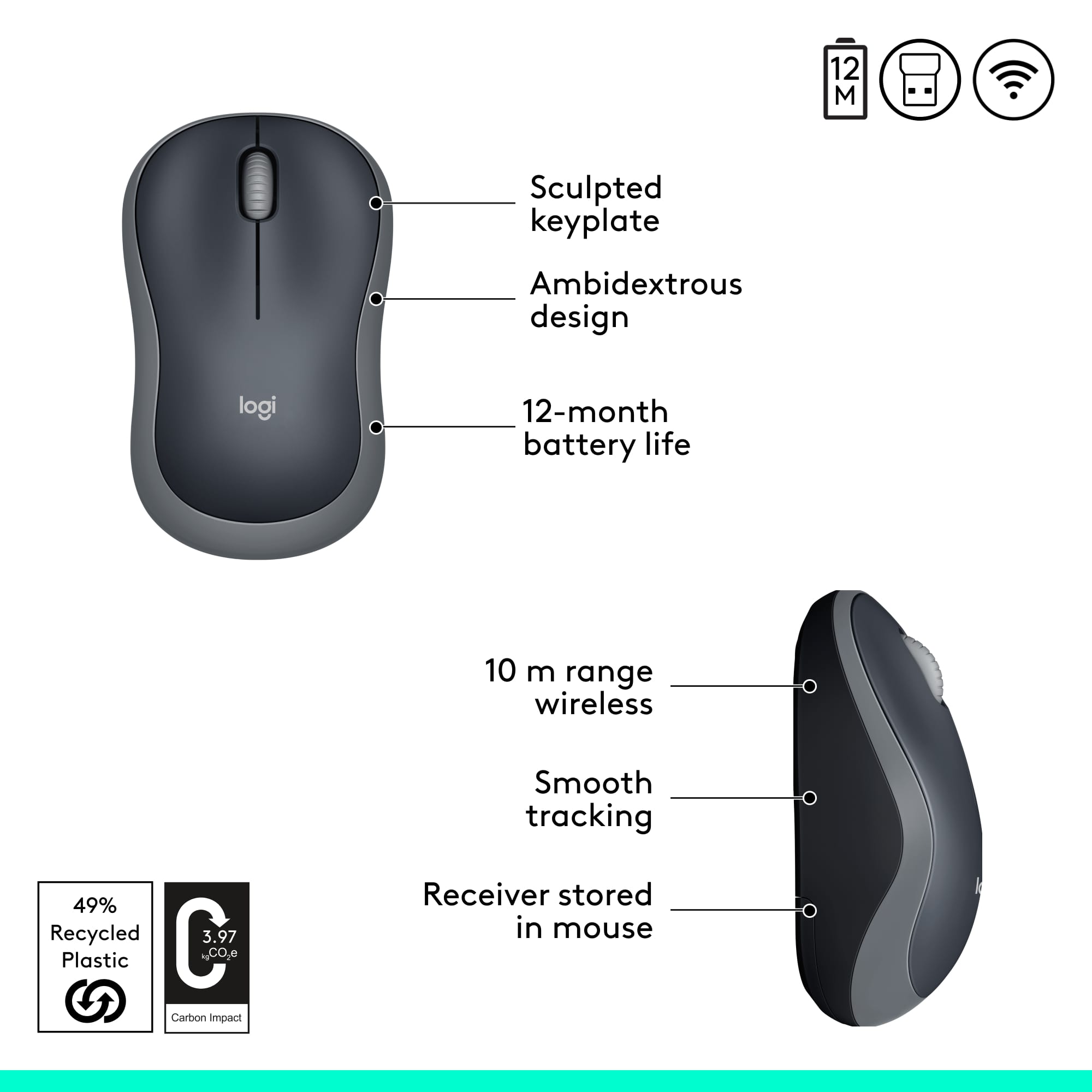
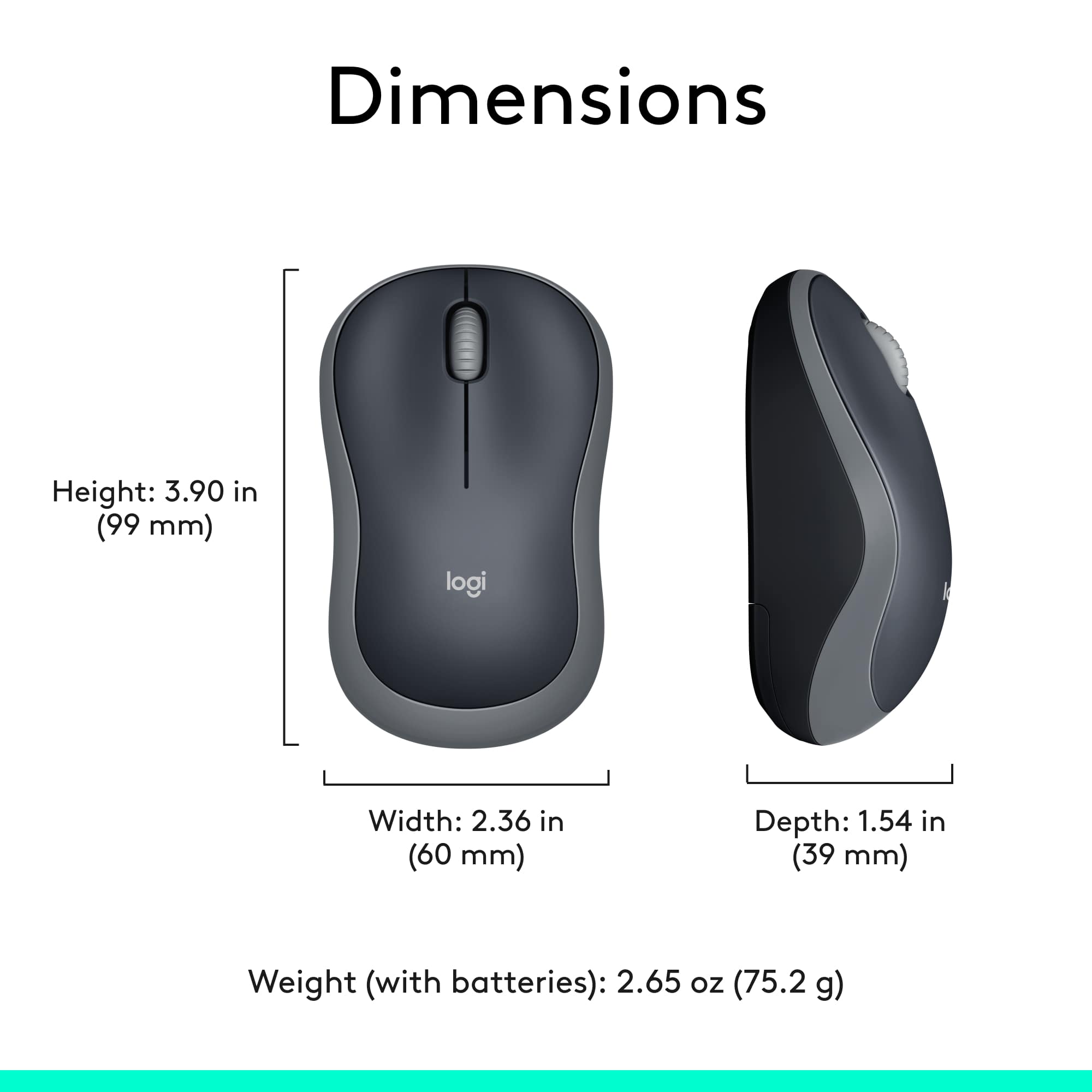
Customer Ratings & Reviews
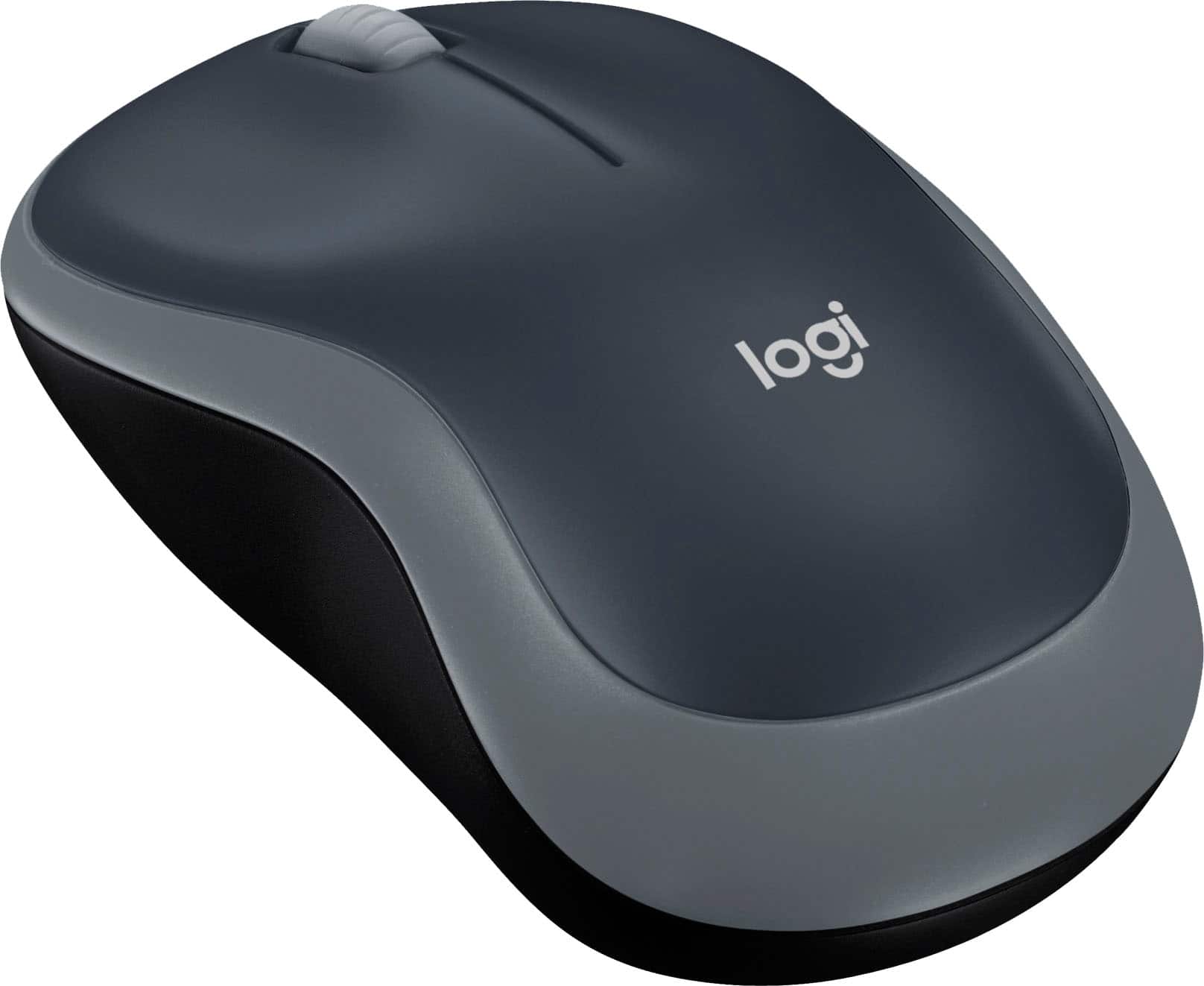
- Model:
- 910-002225
- |
- SKU:
- 8785498
Customer reviews
Rating 4.7 out of 5 stars with 1970 reviews
(1,970 customer reviews)Rating by feature
- Value4.7
Rating 4.7 out of 5 stars
- Quality4.6
Rating 4.6 out of 5 stars
- Ease of Use4.7
Rating 4.7 out of 5 stars
Customers are saying
Customers are impressed with the M185 Wireless Mouse's ease of use, low price, and compact size, finding it comfortable and convenient. Many appreciate its wireless functionality and generally positive battery life and performance. While some users noted minor issues with the scroll wheel and click sound, the overall feedback highlights a positive user experience.
This summary was generated by AI based on customer reviews.
Rated 2 out of 5 stars
You get what you pay for.
||Posted . Owned for 3 weeks when reviewed.This reviewer received promo considerations or sweepstakes entry for writing a review.You get what you pay for. After a week of using it, it’s not working properly.
No, I would not recommend this to a friendBrand response from Logitech
Posted .Hello, hawaiiangirl247! I'm sorry to hear about your experience with the M185 mouse. I would recommend reaching out to our support team here https://support.logi.com/hc/en-us/requests/new?ticket_form_id=360000621393 to file a warranty claim. The M185 has a 3-year limited hardware warranty. Thank you for the feedback! I will be passing this along. - Maggie from Logitech
Rated 2 out of 5 stars
Cheap and ok, others are better
||Posted . Owned for 6 months when reviewed.This reviewer received promo considerations or sweepstakes entry for writing a review.I got this understanding that it was just a cheap mouse but it still under performs.
No, I would not recommend this to a friendBrand response from Logitech
Posted .Hello Cday,
Thank you for choosing Logitech. I am sorry that you have not been impressed with your M185 Wireless Mouse. I have attached a link to the "Getting Started" support page where you will find product guides, software downloads and further support. Please feel welcome to visit the Logitech website for product support.
Best regards,
John at Logitech
https://support.logi.com/hc/en-us/articles/360024149554--Getting-Started-Wireless-Mouse-M185
Rated 2 out of 5 stars
Unhappy shopper!
||Posted . Owned for 3 weeks when reviewed.This reviewer received promo considerations or sweepstakes entry for writing a review.Cheaply made with no zoom capabilities which was not mentioned in the packaging or on line.
No, I would not recommend this to a friendBrand response from Logitech
Posted .Hey Bari!
I'm really sorry to hear you're having issues with your new M185 mouse! All Logitech mice have the capability to zoom in on webpages, Office applications, and pictures by holding the "CTRL" key on your PC and scrolling forward, or backward to zoom out, on center scroll wheel of the M185 mouse. If you have any further issues, you're welcome to reach out to us anytime on the M185 support page https://support.logi.com/hc/en-us/articles/360024149554
-Jonathan from Logitech
Rated 1 out of 5 stars
Not a good mouse
||Posted .This reviewer received promo considerations or sweepstakes entry for writing a review.Bought it and had to teturn it, it did not work. Disappointed.
No, I would not recommend this to a friendBrand response from Logitech
Posted .I am sorry to hear about the non functioning mouse. Thank you for taking the time to write this review, we appreciate the feedback.
- Pros mentioned:Wireless
Rated 1 out of 5 stars
Didn’t need it
||Posted . Owned for 4 months when reviewed.This reviewer received promo considerations or sweepstakes entry for writing a review.Thought I would want it with my new laptop. Haven’t had to use it.
No, I would not recommend this to a friend Rated 2 out of 5 stars
Very small
||Posted . Owned for 3 months when reviewed.This reviewer received promo considerations or sweepstakes entry for writing a review.Looks big in picture but very small when we got it.
No, I would not recommend this to a friendBrand response from Logitech
Posted .Hi Needitforschool,
Thank you for your feedback. It is greatly appreciated. Sorry for any inconvenience . If you ever need assistance, please contact Logitech Support on the website.
LaShonda from Logitech
Rated 1 out of 5 stars
Went out
||Posted . Owned for 1 month when reviewed.This reviewer received promo considerations or sweepstakes entry for writing a review.This wireless mouse went out in a week of me using it ..
No, I would not recommend this to a friendBrand response from Logitech
Posted .Hello, I am sorry to hear about the mouse not working any longer. Fortunately, it has a warranty through Logitech. If you would like to file a claim for a new one, please visit the support page for this item on Logitech.com. I hope this helps! Thank you for taking the time to write this review, we appreciate the feedback.
Rated 2 out of 5 stars
got what I paid for
||Posted . Owned for 3 weeks when reviewed.This reviewer received promo considerations or sweepstakes entry for writing a review.not excited about it. cannot adjust the speed of it. difficult to use.
No, I would not recommend this to a friendBrand response from Logitech
Posted .Hi Dakota,
Thank you for your feedback. Sorry for any inconvenience. If you need further assistance, please contact Logitech Support on the website. LaShonda from Logitech compatibility
Rated 1 out of 5 stars
Stopped working in a month
||Posted . Owned for more than 2 years when reviewed.This reviewer received promo considerations or sweepstakes entry for writing a review.I wanted an economical backup mouse for work but this one only worked for about a month. A coworker needed to borrow a mouse and I loaned her this mouse but it did not work. I put in fresh batteries and it still did not work. Spend the extra money one a better mouse and stay away from this one.
No, I would not recommend this to a friendBrand response from Logitech
Posted .Hello FLdogmom, I'm sorry to hear that you had some issues with your M185 mouse. There are a few ways to troubleshoot the issue, but it's hard to start without knowing more, so I would recommend visiting our support site where you can get direct assistance with any issue you might be having, as well as find warranty information, as the M185 has a 3 year limited hardware warranty. I apologize for any inconvenience this may have caused you, and hope we can solve your issue soon.
Rated 2 out of 5 stars
Not the best, or worst
||Posted .This reviewer received promo considerations or sweepstakes entry for writing a review.Needed a quick replacement, and this was a cheap alternative. It works...
I would recommend this to a friendBrand response from Logitech
Posted .Hello, i am glad to hear you are satisfied with the product. Thank you for being a Logitech customer and taking the time to write this review.
- Pros mentioned:Size
Rated 4 out of 5 stars
Decent, Affordable, Durable Mouse
|Posted .This reviewer received promo considerations or sweepstakes entry for writing a review.I learned a long time ago that I cannot trust cheap generic mice. Some of the generic ones would jump across my screen and drop my selection wherever they chose. Since then, any mice purchased have been Logitech. I also prefer full size mice. Since I work in IT, I'm using a mouse many hours a day and night. My hand would cramp up using a travel mouse all those hours. For the past several years, I've purchased no less than 6 Logitech M510 for home and office use because they are full size. I'm now starting to teach coding on a lab I've set up at my house and have been looking for an affordable full size name brand mouse for each system and the Logitech M190 fits the bill. The M190 is a full sized mouse with a matte finish throughout. It has all plastic surfaces with textures molded in, even the wheel is textured plastic. The M510, on the other hand, has rubber grips on the side that have worn down over the years. Some things to note. The M190 is rather light. The spec sheet claims 3.17 oz including battery while the M510 clocks in more than an ounce heavier at 4.55 oz including batteries. There are only 2 buttons and the mouse wheel. There are no additional buttons that can be re-programmed like the M510. Nor does the M190 have the tilt-wheel function. After working the M190 on my main desktop for a couple days, it's very comfortable and did not take long for me to adjust to it. The scooped contour of the left and right mouse buttons make it easy for my fingers to find the right placement. The textured grips on the sides makes it easy to grab and move. The wireless signal seems to be rock solid. I'm not noticing any lag in performance. My only complaints are the light weight and the lack of tilt wheel. The weight makes it feel a little cheap, but in my hand, there is no flex that indicates cheap construction. In fact, the M190 feels rather durable. The lack of tilt wheel is not a deal breaker as many times I'm on a virtual machine and the drivers to support the tilt wheel are not always installed. Overall, the M190 is a decent and affordable mouse. I may be picking up a few to replace the wired mice that came with my lab systems.
This review is from Logitech - M190 Wireless Optical Ambidextrous Mouse - Wireless - Charcoal
I would recommend this to a friend Rated 2 out of 5 stars
Good for a year
||Posted . Owned for more than 2 years when reviewed.This reviewer received promo considerations or sweepstakes entry for writing a review.The mouse worked fine for a year and then stopped working
No, I would not recommend this to a friendBrand response from Logitech
Posted .Hello, we are sorry to hear that your M185 stopped working for you. The M185 comes with a 3 year warranty. Please contact our Warranty team for support: https://support.logi.com/hc/en-my/requests/new?ticket_form_id=360000621393
Rated 1 out of 5 stars
second one that did not work when got home
||Posted . Owned for 3 weeks when reviewed.This reviewer received promo considerations or sweepstakes entry for writing a review.cannot get it to power on- it was on when I got home in sealed package which means has been on since packaged. I put new batteries in it before trying, nothing happens no light.
No, I would not recommend this to a friendBrand response from Logitech
Posted .Hello scrambler, Very sorry to hear that you're having difficulty powering on the M185 Wireless Mouse. Even if the mouse was switched on, it shouldn't have been powered because there should've been a plastic tab that protected the contacts for the battery. Because it uses an Optical Tracking sensor, you won't see a light. Be sure that the USB receiver is plugged into your computer, the battery tab is removed, and the switch is toggled on. Hopefully things have been squared away by now and you're now enjoying the M185. If not, here's a link to the quick start guide PDF:  https://www.logitech.com/assets/42356/m185-quick-start-guide.pdf. Hope that you find this useful and that all is going better. Thank you for being a Logitech customer. - Richard from Logitech
- Pros mentioned:Price, Size
Rated 5 out of 5 stars
Well worth the price... got it on sale.
Posted .This reviewer received promo considerations or sweepstakes entry for writing a review.This mouse fits our adult hands very well. Haven't had it long enough to report on longevity. Sale price was good. It is a basic, simple device.
This review is from Logitech - M190 Wireless Optical Ambidextrous Mouse - Wireless - Charcoal
I would recommend this to a friend Rated 2 out of 5 stars
Expensive
||Posted .This reviewer received promo considerations or sweepstakes entry for writing a review.Mouse quality is great but was expensive. Not worth money.
No, I would not recommend this to a friendRated 1 out of 5 stars
Mouse would not setup.
||Posted . Owned for 1 month when reviewed.This reviewer received promo considerations or sweepstakes entry for writing a review.It would not set up with my new laptop. I even tried replacing the battery that came with it. I plan to return it. I had this brand previously with no issues.
No, I would not recommend this to a friendRated 1 out of 5 stars
El cheapo.
||Posted .This reviewer received promo considerations or sweepstakes entry for writing a review.Was very disappointed in this product. After a week of use it periodically would stop working. Had to turn it off and then on again. In the next few days it happened more frequently. I returned it for an upgrade.
No, I would not recommend this to a friend- Pros mentioned:Ease of use, Size
Rated 5 out of 5 stars
Great mouse
Posted .This reviewer received promo considerations or sweepstakes entry for writing a review.This mouse is a great mouse. I had never used a wireless mouse, but I am very pleased with it. It was very easy to set up, basic plug and play. The size fits in my small hands perfectly, came with batteries already, and there's also a off/on button on the bottom. I would recommend this product!
I would recommend this to a friend Rated 1 out of 5 stars
Not happy with the item.
||Posted . Owned for 3 weeks when reviewed.This reviewer received promo considerations or sweepstakes entry for writing a review.Item intermittently stop working. Have to continuously adjust the battery. Only had the item for a few weeks.
No, I would not recommend this to a friendBrand response from Logitech
Posted .Hello Qutstm, Very sorry to hear about the issue you're having with the M185 Wireless Optical Mouse and it intermittently not working. If your mouse frequently stops working and you keep having to reconnect it with the USB receiver, try these suggestions: keep other electrical devices at least 8 inches (20 cm) away from the USB receiver, move the mouse closer to the USB receiver, or move the receiver to a different USB port on your computer preferably one that's front facing if you're using a desktop. Also, if you're USB receiver is plugged into a USB Hub or KVM switch that could be causing the issue---plug the receiver directly to your computer. If you're still having problems, then go to: support.logi.com/hc/en-us and connect with a live technician or leave an email and someone will get back to you immediately. Hope that this helped and that all is going well. Thank you for being a Logitech customer. - Richard from Logitech
Rated 1 out of 5 stars
Not working
||Posted . Owned for 3 weeks when reviewed.This reviewer received promo considerations or sweepstakes entry for writing a review.Has not worked from day one. Due to the covid19 emergency Have been unable to exchange or mail back. Due to my age high risk for covid19.
No, I would not recommend this to a friendBrand response from Logitech
Posted .Very sorry to hear about the issue your having with you M185 mouse not working. Have you tried another USB port to put your dongle on. Also, have you removed the sticker by the battery port that kept the battery? If you need further help, Logitech has a product support help line, 1-866-601-5644. Hope this has been of help.