Logitech - M185 Wireless Optical Ambidextrous Mouse - Wireless - Swift Gray
Customers are saying
Customers are positive about the mouse's ease of use, overall performance, and affordable price point. Users also frequently appreciate its convenient wireless design, ideal size, and reliable battery life. While most feedback is favorable, some customers have noted minor concerns regarding the device's lightweight feel, click noise, and the functionality of the scroll wheel and power switch.
Features
Compact mouse
With a comfortable and contoured shape, this ambidextrous wireless mouse feels great in either hand and is far superior to a touchpad.
Durable and reliable
Enjoy a line-by-line scroll wheel and up to 1 year of battery life with this USB wireless mouse, which comes with an AA battery and a smart sleep mode function. The Logitech wireless mouse comes with a 3-year warranty.¹
Universal compatibility
Your Logitech mouse works with your Windows PC, Mac, or laptop. That means no matter what type of computer you own today – or buy tomorrow – your mouse will be compatible.
Plug and play
Just plug in the tiny nano USB receiver and start working in seconds with a strong, reliable connection to your wireless computer mouse up to 33 feet.²
Better than touchpad
Get more done by adding M185 to your laptop. According to a recent study, laptop users who chose this mouse over a touchpad were 50% more productive and worked 30% faster.
Small and portable
The compact size and smooth cursor control make this mouse suitable for small to medium hands, tight workspaces or offices, and busy desktops.
More sustainable
The plastic parts in M185 include certified post consumer recycled plastic (49% for Charcoal/Grey).³
Product carbon footprint
The carbon footprint of this product is 3.97 kg CO2e.
¹Battery life may vary based on use and computing conditions
²Wireless range may vary based on environmental and computing conditions
³Excludes plastic in printed wiring assembly (PWA), receiver, and packaging
Specifications
- Lighting TypeNoneMaximum Sensitivity1000 dots per inchNumber of Buttons (Total)3Connection TypeWireless
Reviews
Rating 4.7 out of 5 stars with 1889 reviews
- Ease of use (737)
- Overall Performance (453)
- Price (323)
- Size (310)
- Wireless (252)
- Scroll Wheel (12)
- Lag (9)
- Sensitivity (6)
Customer Images
The vast majority of our reviews come from verified purchases. Reviews from customers may include My Best Buy members, employees, and Tech Insider Network members (as tagged). Select reviewers may receive discounted products, promotional considerations or entries into drawings for honest, helpful reviews.





Compare similar products

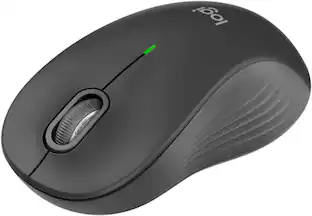
Logitech Wireless Mouse M185. A simple, reliable mouse with plug-and-play wireless. You get the reliability of a cord with wireless convenience and freedom—fast data transmission and virtually no delays or dropouts. You’ll enjoy the high quality and reliability that have made Logitech the global leader for mice—plus a three-year limited hardware warranty. The tiny nano receiver works right away without software and is small enough to leave in your USB port so you won’t lose it. And on top of that, this comfy, contoured mouse treats your hand right.
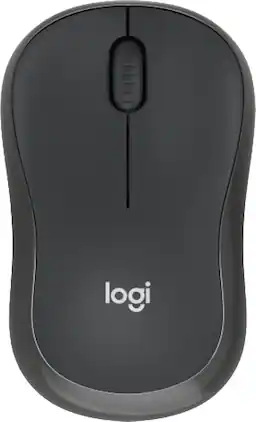
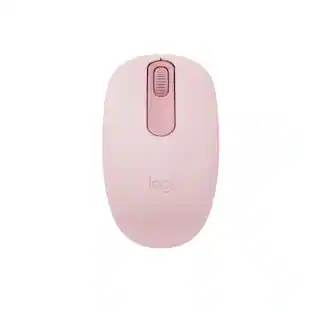
Meet the reliable Logitech M240 Silent Bluetooth Mouse that frees up your workspace. Pair and play with a fast, easy Bluetooth wireless connection; just seconds and you’re connected—no dongle or port required. Ultra quiet-mouse with 90% reduced click sound and same click feel eliminates noise and distractions for you and others around you. 18-month battery life with auto sleep, so you go longer between battery changes. Comfortable, travel-friendly slim mouse is small enough to toss in a bag; the ambidextrous design guides either your right or left hand into a natural position.
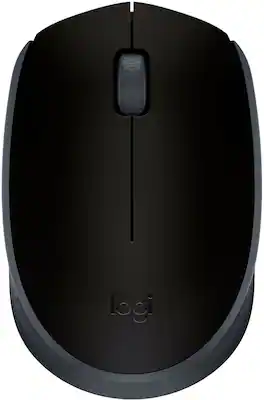
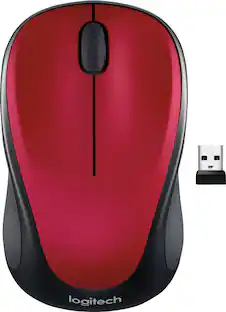
NOW IS WIRELESS. With Logitech M170 Wireless Mouse, choose the reliability of a cord with the convenience of wireless – and a 33-foot range – thanks to Logitech Advanced 2.4 GHz wireless technology. This affordable mouse works for up to 12 months on a single AA battery. Set up is simple – just plug the tiny wireless receiver into a USB slot. There's no hassle with pairing or software installation, and M170 is compatible with Windows, Mac and Chrome.

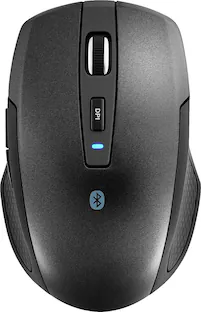
Eliminate the most common computer mouse issue—the cord. With the Best Buy Essentials Wireless Mouse with USB Receiver, you can navigate the web with speed and accuracy. Compatible with both Windows and Mac computers, simply insert the included nano receiver into one of your computer’s USB ports to wirelessly connect the mouse. It has just 3 buttons and an ambidextrous design for simple control. Optical technology detects when the mouse moves to deliver an accurate 1600 DPI response. We also included a AA battery, so you won’t have to worry about keeping the mouse powered until the LED indicator starts to blink. Let us improve your computer navigation by going wireless with this Best Buy-backed mouse.
| Pros for Logitech - M185 Wireless Optical Ambidextrous Mouse - Wireless - Swift Gray | |||
|---|---|---|---|
| Ease of use, Overall Performance, Price, Size, Wireless | Overall Performance, Connectivity, Ease of use, Size, Noise Level | Overall Performance, Size, Connectivity, Ease of Use, Ergonomics | Ease of use, Overall Performance, Price, Size, Wireless |
| Cons for Logitech - M185 Wireless Optical Ambidextrous Mouse - Wireless - Swift Gray | |||
| Scroll Wheel, Lag, Sensitivity | USB Port | Compatibility, Missing Part, Noise Level, Color Accuracy | Click Sound, Grip |
Specs
Customers often buy these together
Computer Keyboards


![The text on the image reads:
"esc FI In - ! 1 tab caps lock shift F2 2 Q A F3 # 3 W S Z F4 $ 4 E D X P F5 % 5 R F C F6 A 6 T G V logi ins F12 FM F0 HI F9 FB F7 + ( ) - = * - & 0 8 9 7 { ] P [ ] I O Y U : I K L ; H J ? > < / M 2 B ctrl alt cmd3 opt page page end down home up del 1 * I back clear 8 9 7 I pg up home / + 5 6 4 enter 2 3 1 dn Pg shift end 0 del ins enter ctrl fn start opt alt cmd3t"
The text is a list of keyboard shortcuts for various functions, such as esc, tab, caps lock, shift, and more. The shortcuts are organized in a way that makes it easy for users to remember and use them while typing.](https://pisces.bbystatic.com/image2/BestBuy_US/images/products/01258616-55c7-44c0-8173-e2f6983190ee.jpg;maxHeight=232;maxWidth=233?format=webp)

![Esc F1 F2 F3 F4 F5 F6 F7 F8 F9 F10 F11 F12 Print Screen Scroll Lock Pause Break 1 2 3 4 5 6 7 8 9 0 - + = Backspace Insert Home H Page Up A Num Look 1 I Tab Q W E R T Y U I o P { [ } ] I I Delete End IN Page Down 7 Home 8 9 Pg Up Caps A Lock A S D F G H J K L ; : DE g Enter 4 5 6 Shift Z X C V N M < > ? I Shift 1 End 2 3 Pp Dn Enter Ctrl Alt Alt Ctrl 0 Ins Del](https://pisces.bbystatic.com/image2/BestBuy_US/images/products/a588d446-5678-40ae-86b8-1f15e0026e66.jpg;maxHeight=232;maxWidth=233?format=webp)

![logi esc 1 F1 2 F2 3 F3 F4 F5 F6 F7 F8 x F9 NI F10 x F11 F12 ins del ~ ! 1 2 # 3 $ 4 % 5 ^ 6 & 7 8 ( 9 ) 0 e - + = backspace tab Q W E R T Y U I O P { [ } ] I / caps lock A S D F G H J - K L : ; " enter shift Z X C V B N M < > ? / shift ctrl fn L start opt H alt cmd alt cmd ctrl opt](https://pisces.bbystatic.com/image2/BestBuy_US/images/products/6478/6478163_sd.jpg;maxHeight=232;maxWidth=233?format=webp)
![g) FS F4 F3 esc F2 F1 A $ % # 6 ! 4 5 ~ 3 1 2 R T W E Q tab F G S D lock A caps V C X Z shift H command option control F6 & 7 Y H B logi 44 F9 FB F7 * ( ) 9 0 8 I O U K L J < N M 1.0% r FI3 FQ2 Fl F10 fn + delete - = - 3 I { / P [ ] A return : I ; shift ? > I control option command 2 10 300 3 F PS F1 page clear home up page 7 end down Q P F F8 = I 8 9 4 5 1 2 0 F9 * 1 + 6 3 enter](https://pisces.bbystatic.com/image2/BestBuy_US/images/products/6578/6578481_sd.jpg;maxHeight=232;maxWidth=233?format=webp)
![esc ~ ! 1 tab caps lock shift ctrl F2 Fl # 2 3 Q W A S Z start opt L F3 $ 4 E D X alt cmd3 ) FS F4 A % 5 6 R T F G V C logi 44 HI & F9 FID FB F7 F6 * ) - - & 0 8 9 7 O P U I Y K L H J > < N M 1 B PM + = { [ : I ; ? I alt cmd D 2 4 300 3 1 F12 . * page I insert home up clear backspace 8 9 + 7 page A pg up end down home } I delete ] / 6 4 5 4 enter 2 3 enter 1 dn Pg end shift = 0 del ins etrl fn opt](https://pisces.bbystatic.com/image2/BestBuy_US/images/products/6539/6539505_sd.jpg;maxHeight=232;maxWidth=233?format=webp)
Mouse Pads





More recommended items
 Laptop Docking Stations
 Cables and Adapters
More to consider
Logitech Signature M550 L Full Size Wireless Bluetooth Optical Ambidextrous Mouse with Silent Clicks
$23.99The price was $29.99Logitech Signature M650 L Full-size Wireless Optical Scroll Mouse with Silent Clicks
Top Deal$33.99The price was $39.99



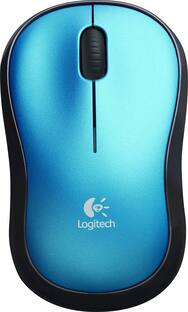
Explore tech essentials Sponsored
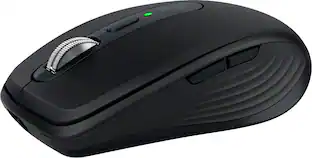
Logitech MX Anywhere 3S Wireless Bluetooth Optical Fast Scrolling Mouse with Programmable Buttons
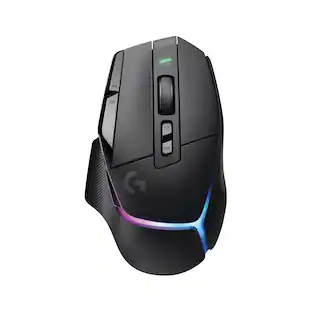
Top Deal$69.99The price was $89.99Logitech G502 X PLUS LIGHTSPEED Wireless Optical Gaming Mouse with HERO 44K Sensor
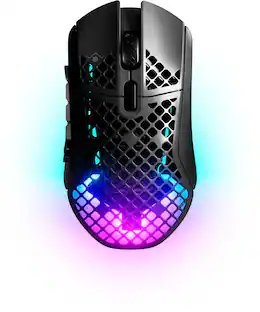
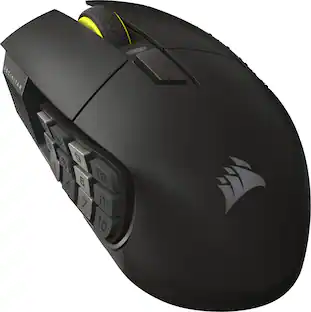
Top Deal$149.99The price was $159.99CORSAIR Scimitar Elite Wireless SE MOBA/MMO Optical Gaming Mouse with 16 Programmable Buttons
$99.99The price was $139.99



Discover related products
Acer USB C Docking Station With 2 HDMI, 9-IN-1 Docking Hub with USB A&C 3.0, SD/Micro SD, 100W Charging
$42.99The price was $47.99Acer USB C to HDMI Cable for Home Office 6.6FT (4K@60Hz), High-Speed Type C to HDMI 2.0 Braided Cord
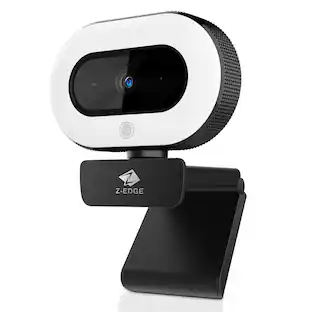
$12.99The price was $13.99Z Z-Edge 2K 2592x1944 Stream Webcam Auto Focus Web Camera for PC/Desktop/Laptop
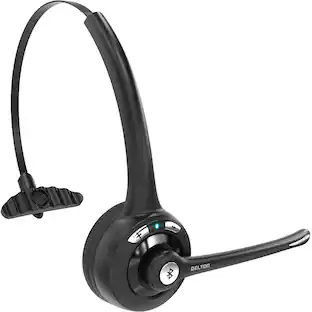
$24.99The price was $39.99Delton 10X Noise Isolating Bluetooth Over-the-Head Headset for Office & Remote Work (DBTHEAD10X)
$29.99The price was $32.82









Keep exploring
Logitech B100 Corded Mouse – Wired USB Mouse for Computers and laptops, for Right or Left Hand Use
$13.29The price was $20.06GravaStar Mercury X Pro Wireless 8K Hz Gaming Mouse with 32000 DPI and 49g Magnesium Alloy Frame
$139.95The price was $187.95