Customer Ratings & Reviews

- Model:
- 920-009437
- SKU:
- 11957485
Rating by feature
- Value
Rating 4.6 out of 5 stars
- Quality
Rating 4.6 out of 5 stars
- Ease of Use
Rating 4.7 out of 5 stars
to a friend
Keyboard
||Posted . Owned for 1 month when reviewed.This reviewer received promo considerations or sweepstakes entry for writing a review.Keyboard setting no what I was expecting Difficult to use
No, I would not recommend this to a friendBrand response from Logitech
Posted .Hey there, I'm sorry that you had some issues with your keyboard and mouse combo. If you have any specific issues, please contact us via our support site for assistance as well as warranty information. -Weston from Logitech
Me
||Posted . Owned for 1 month when reviewed.This reviewer received promo considerations or sweepstakes entry for writing a review.was not what I was looking for. It looke like it was missing a part to connect the mouse
No, I would not recommend this to a friendBrand response from Logitech
Posted .Hi Murphy, Very sorry to hear about your disappointment with the MK470 Slim Wireless Mouse and Keyboard Combo. In regards to the the missing USB receiver, you can find it by sliding the upper part of the keyboard to reveal the batteries and the receiver in it's storage spot. Here's a link that illustrates how to set up the MK470 https://www.logitech.com/en-us/products/combos/mk470-slim-wireless-keyboard-mouse.920-009443.html?crid=1759. Hope that you found this helpful and that all is going well. Thank you for being a Logitech customer. - Richard from Logitech
Components matter
||Posted . Owned for 3 weeks when reviewed.This reviewer received promo considerations or sweepstakes entry for writing a review.Really slow. Frequent dis-connects. Not especially ergonomic - especially the mouse
No, I would not recommend this to a friendBrand response from Logitech
Posted .Hello Teri,
I am sorry that you have experienced connectivity issues with your MK470 Slim Wireless Mouse and Keyboard Combo; I would like to help. I have attached a link to the support page for your MK470 combo, for your reference. If you have not already done so, I recommend downloading the Logitech "Options" software for customization. You may also want to run the "Connection Utility" software if you are still experiencing connectivity issues. "Connection Utility" is available on the support page in the "Downloads" section located at the top of the page. I hope these suggestions will resolve the issue that you have experienced. For further support please visit the Logitech website.
Best regards,
John at Logitech
https://support.logi.com/hc/en-us/articles/360026087934-Downloads-MK470-Slim-Wireless-Keyboard-and-Mouse-Combo
horrible keyboard, horrible mouse
||Posted . Owned for 1 year when reviewed.This reviewer received promo considerations or sweepstakes entry for writing a review.The wireless keyboard and mouse were crappy. After couple of months using it, I tossed it away and went back to using my wired external keyboard. I bought a separate wireless Logitech mouse that works so much better. Save your money and don't buy this crap.
No, I would not recommend this to a friendBrand response from Logitech
Posted .Hello, I am so sorry to hear you were not satisfied with this combo. I am glad to hear you were able to find another Logitech product to suit your needs. Thank you for being a Logitech customer and taking the time to write this review, we appreciate the feedback.
-Danielle from Logitech
High Hopes
||Posted .This reviewer received promo considerations or sweepstakes entry for writing a review.This one was open and turns out someone stole the toggle from it what a waste. Had one prior but it’s not working even after you change the battery so it’s great what works but it doesn’t last
I would recommend this to a friendKeep looking
||Posted . Owned for 1 month when reviewed.This reviewer received promo considerations or sweepstakes entry for writing a review.I thought this would be amazing but it's not I've already had a key I pop off and I have no clue IV how to put it back on and the keys constantly stick I wouldn't recommend this keyboard
No, I would not recommend this to a friendBrand response from Logitech
Posted .Hello Valencia,
I am sorry that the MK470 is not meeting your expectations. Feel free to contact Logitech's support team for a replacement if you think this is a manufacturer defect. I will record your product insight and pass it along. Logitech appreciates your product review. - Leo from Logitech
Ehhh
||Posted . Owned for 7 months when reviewed.This reviewer received promo considerations or sweepstakes entry for writing a review.Not thrilled about this keyboard….no light indicators….just not happy with purchase
No, I would not recommend this to a friendBrand response from Logitech
Posted .We understand your displeasure and apologize for any issues that arise. We value your input, therefore we will forward it along to the appropriate team so they can look into it.
Horrible
||Posted . Owned for 1 month when reviewed.This reviewer received promo considerations or sweepstakes entry for writing a review.Extreme delay in keyboard. Keys double enter, mouse shakes on screen.
No, I would not recommend this to a friendBrand response from Logitech
Posted .That's truly unfortunate and we're sorry about that. We'd recommend you to get in touch with Logi support team and check for best options in this case.
Yuck
||Posted . Owned for 3 weeks when reviewed.This reviewer received promo considerations or sweepstakes entry for writing a review.Bought this when my solar powered Logitech keyboard stopped working. Took it back that day. Too small and uncomfortable to work on all day.
No, I would not recommend this to a friendNot recommended
||Posted . Owned for 1 month when reviewed.This reviewer received promo considerations or sweepstakes entry for writing a review.It does not connect properly to the computer. and the mouse at times its very unresponsive
No, I would not recommend this to a friend
Great keyboard for laptop and/or everyday use
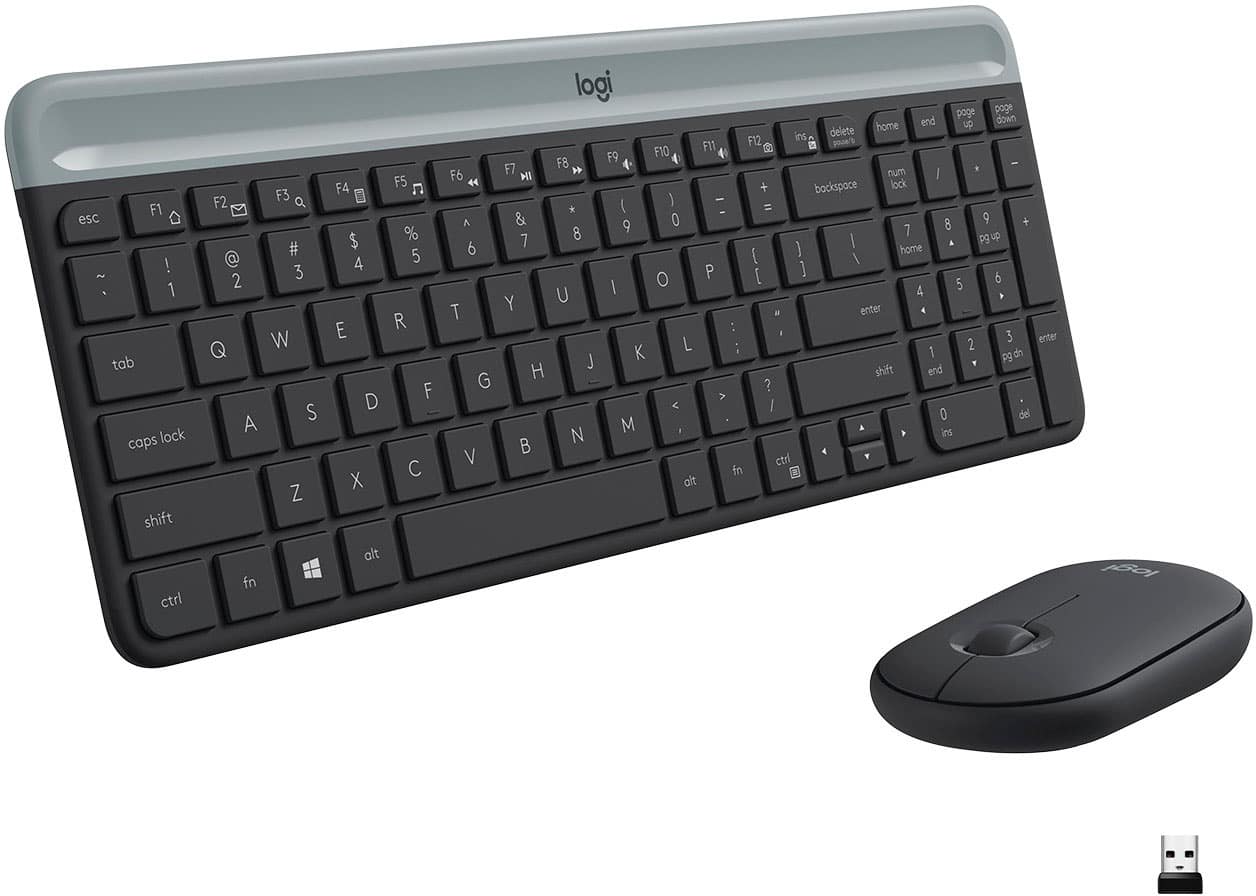
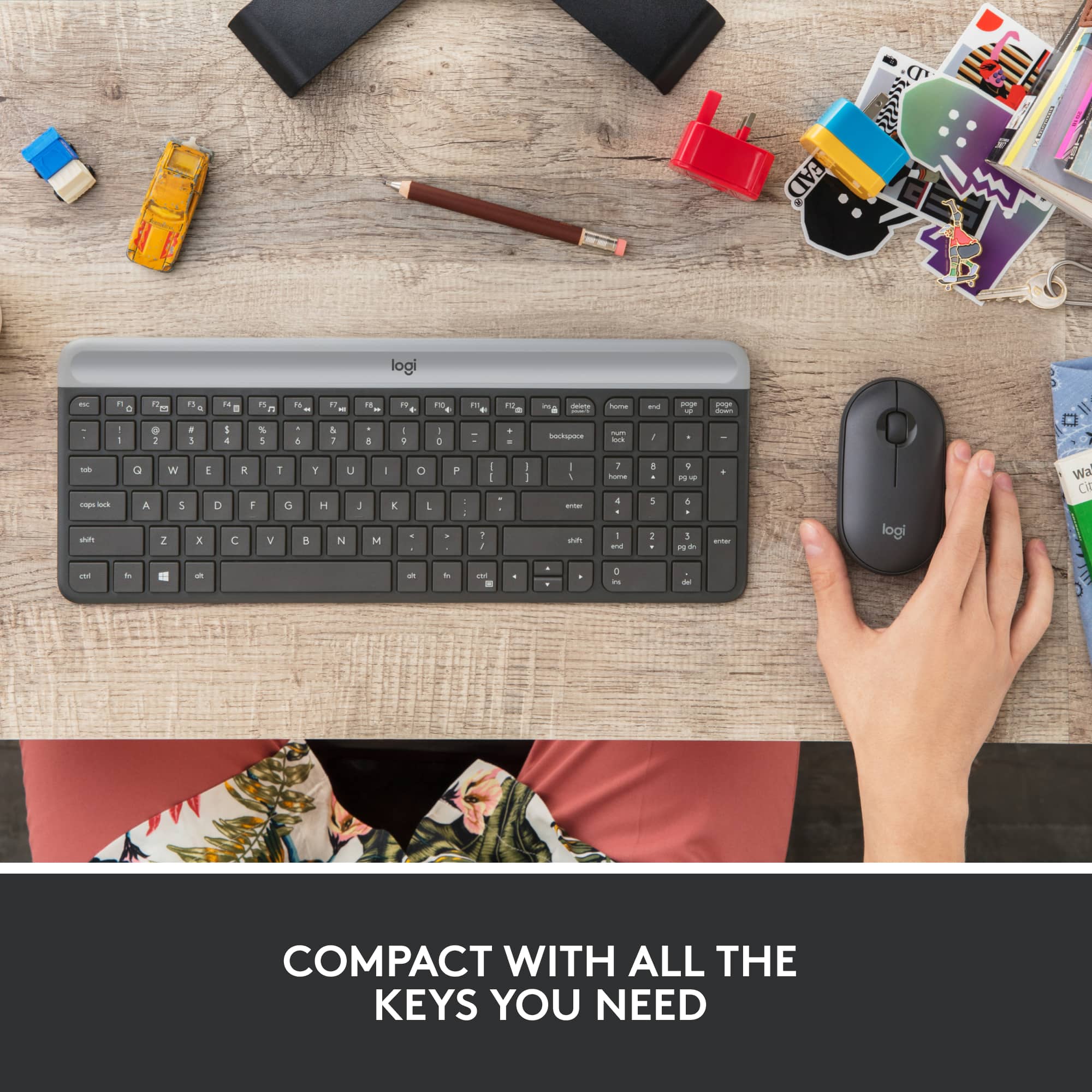
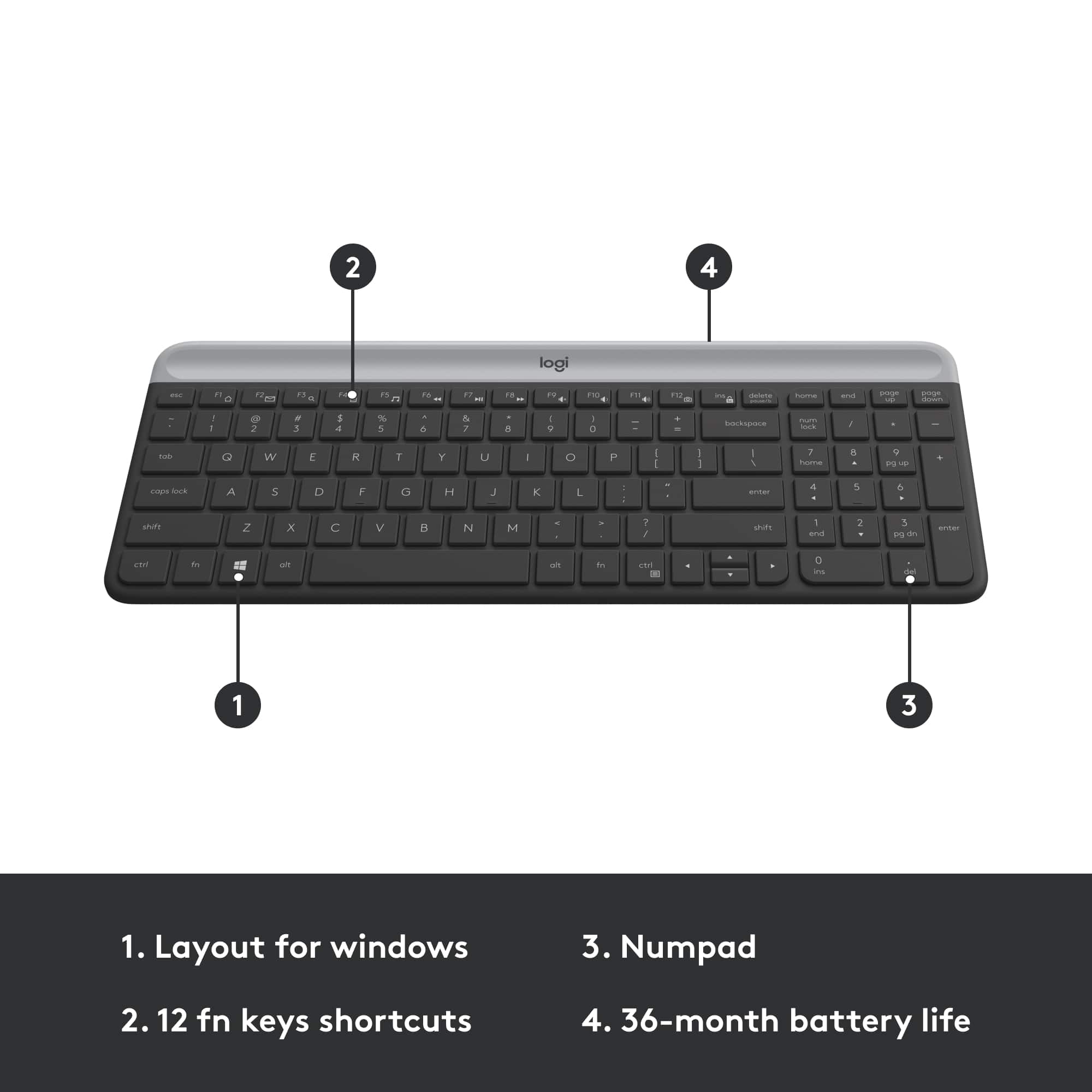
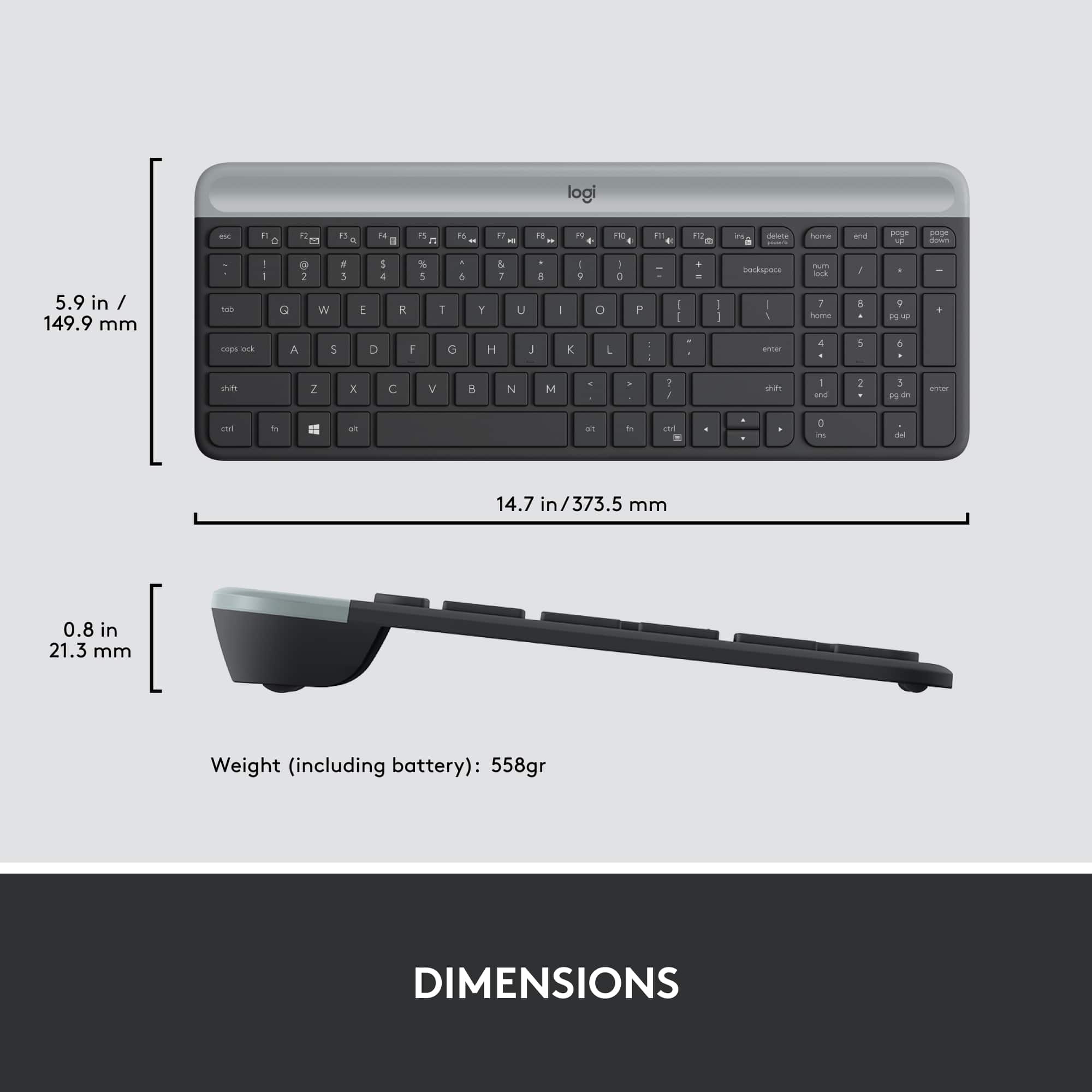
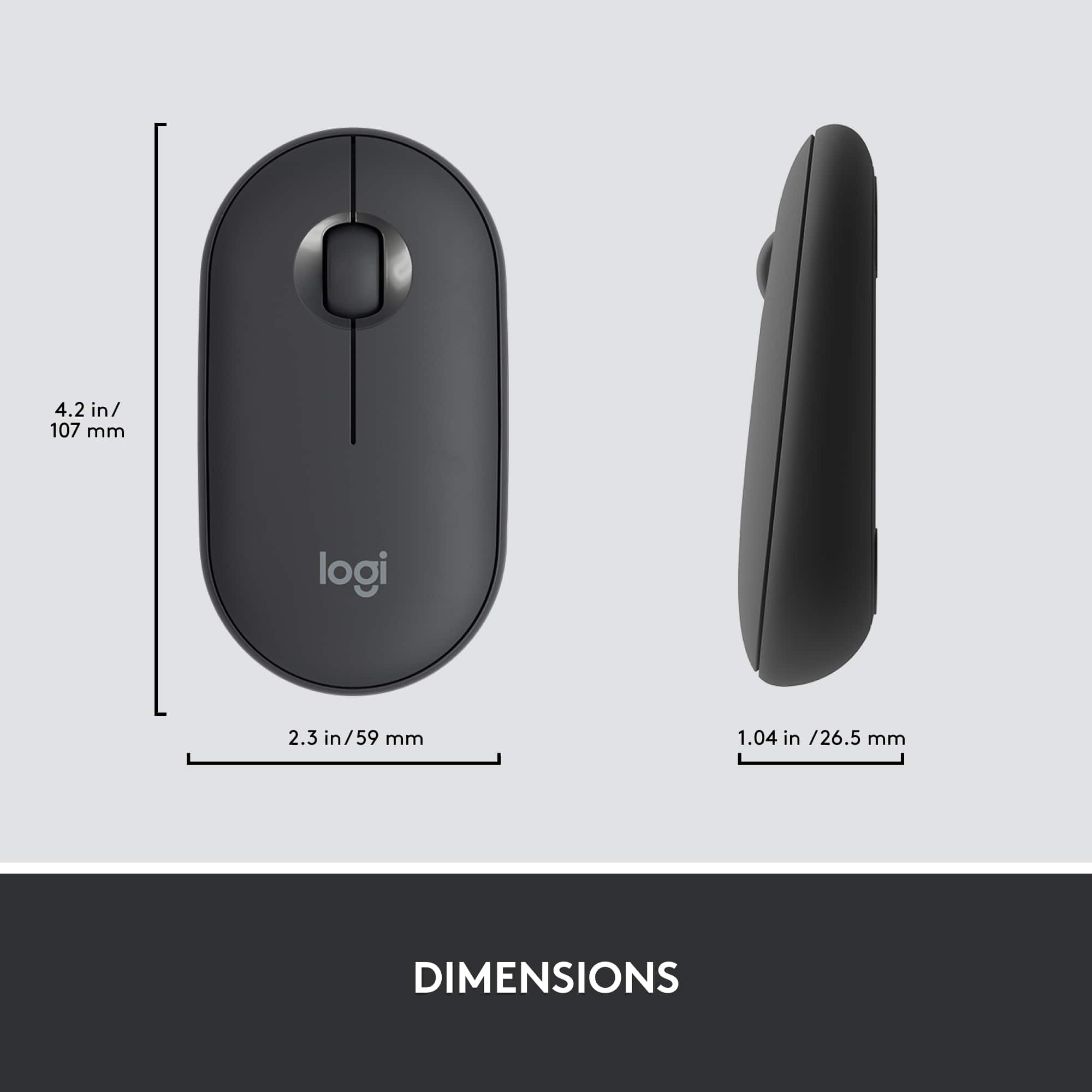
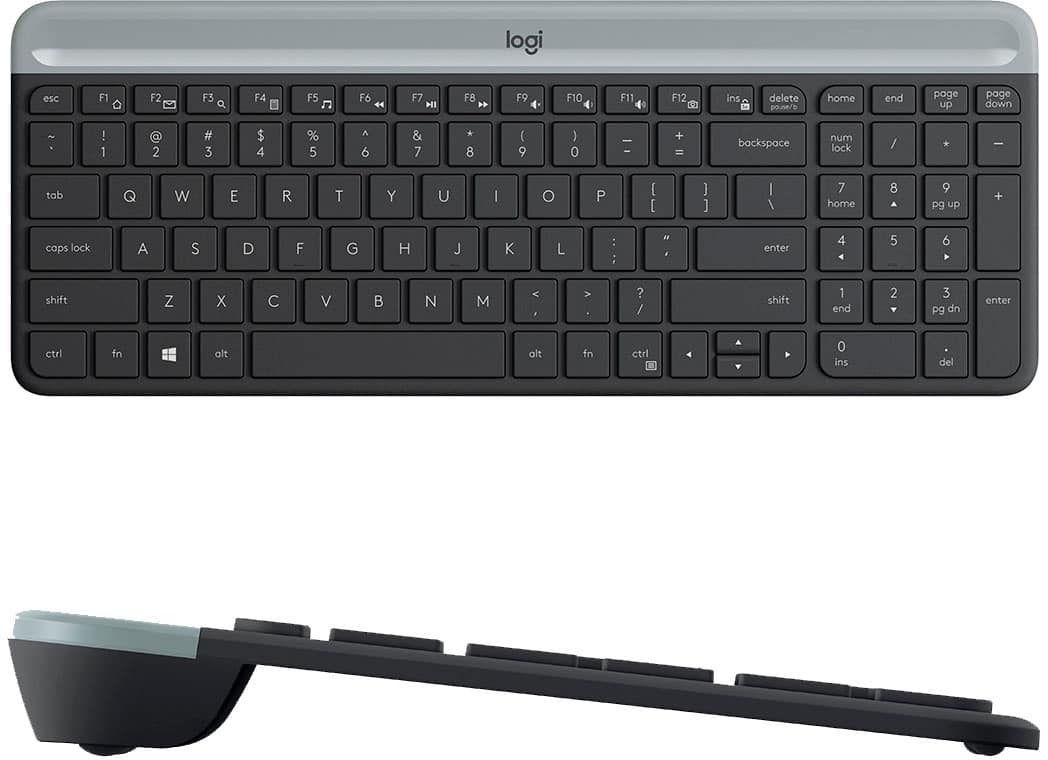
|Posted .This reviewer received promo considerations or sweepstakes entry for writing a review.This Logitech Slim Combo MK470 wireless keyboard and mouse combination is pretty much perfect for what it is, a smaller but still nearly full-size keyboard targeted primarily to laptop users who want to be able to type on a full-size keyboard instead of the laptop’s keyboard and to be able to use a regular mouse instead of a touchpad. The keyboard measures 14.75 x 5.75 inches whereas my every-day keyboard, a Logitech G14 Carbon, measures 17.5 x 5.25 inches. So while it is actually a half-inch wider than my regular keyboard, it is almost three inches shorter side-to-side. This decrease in length comes at the expense of the typical extra set of arrow and ins, del, home, etc. keys located between the main keyboard and the number pad on the far right side. But all of the keys that are needed are there. The target audience for this keyboard is laptop users who want to be able to type on a more full-size keyboard instead of the laptop’s own keyboard but need something that will fit in their laptop carrying case. This keyboard should fit the bill nicely. Many people find using a laptop’s built-in keyboard to be uncomfortable for long-term typing. The keys on this keyboard are completely quiet, but they still have a mild tactile feedback, so you know you have pressed the key. I find the feel quite satisfactory. The keyboard has a nice heft to it, so it is unlikely to walk around on your desktop as you type on it. One minor drawback is that there is no numlock light, so the only way to know if the numlock key is engaged is to try entering something with one of the keypad keys. Not the most convenient thing in the world, but not show-stopping, either. Also, the keys themselves are not illuminated. None of this is surprising nor expected given the battery-powered nature of the keyboard. The included mouse, which also connects via the same USB dongle, is a bit smaller and a bit flatter on top than a more typical mouse, but it works and feels fine, and the mouse/keyboard combination are perfect for laptop use or just for everyday use with a desktop computer. In fact, the primary user of this keyboard and mouse will be my wife, who will use it with her all-in-one computer. Her hands are somewhat small, she finds the mouse to be quite comfortable in her hand, and she loves the keyboard. In particular, the shorter length gives her more room for the mouse, which she uses to the right side of the keyboard. The slide-out panel where her mouse and keyboard sit is not that wide, and, with the standard keyboard she had been using, she was often bumping the edge of the keyboard as she moved the mouse around. Both the mouse and the keyboard come with batteries already installed. To prevent the batteries (one AA for the mouse, two AAA for the keyboard) from running down while the board and mouse are sitting on a store shelf, there are little strips of paper inserted into the battery compartments that you pull out when ready to use to allow the batteries to engage. The box claims that the keyboard batteries will last 18 months while the mouse battery will last three years. We will see. So while this keyboard and mouse are now at home with my wife, I am thinking of buying a second set and keeping them in my laptop bag for when I’m traveling. Very highly recommended.
I would recommend this to a friendAwesome Duo
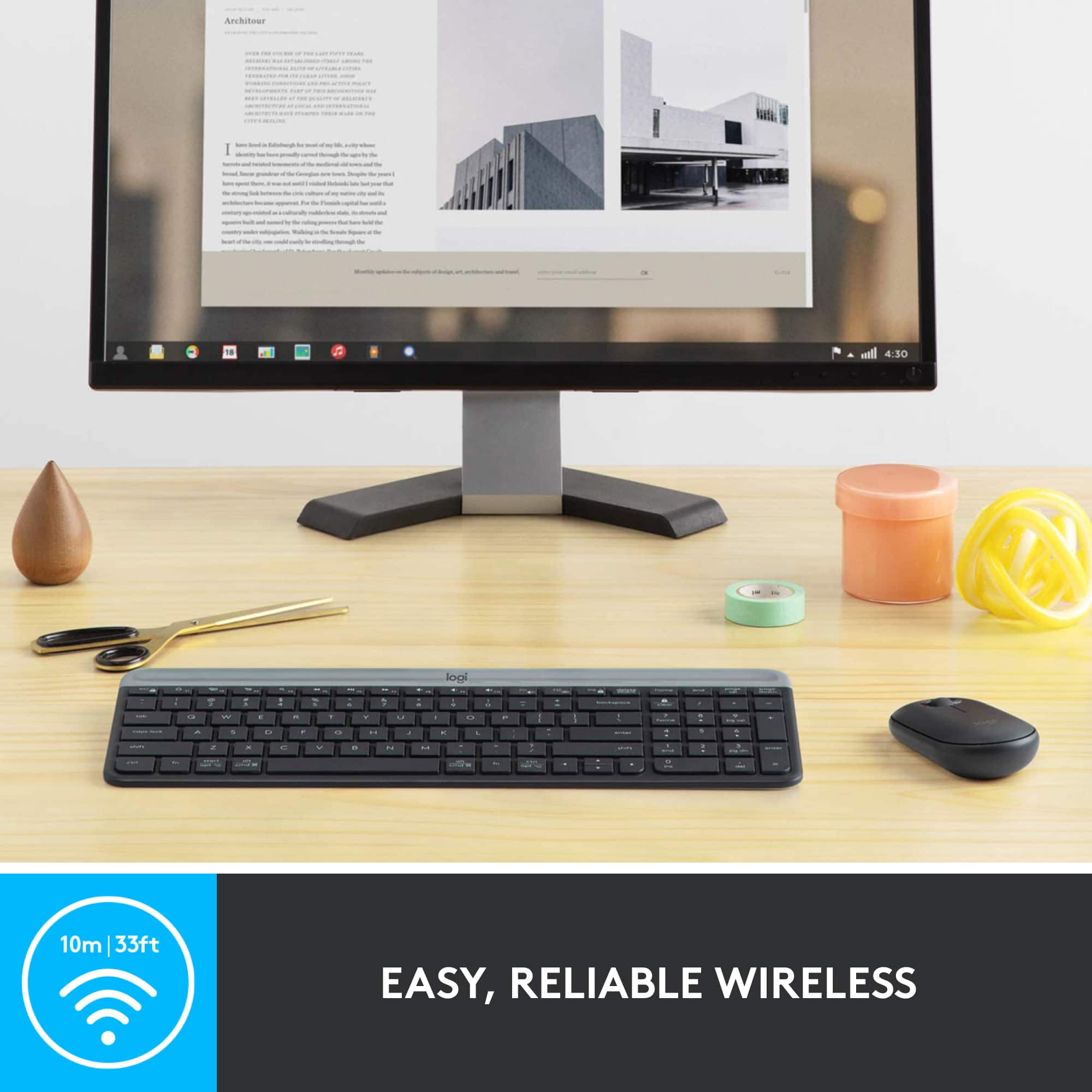
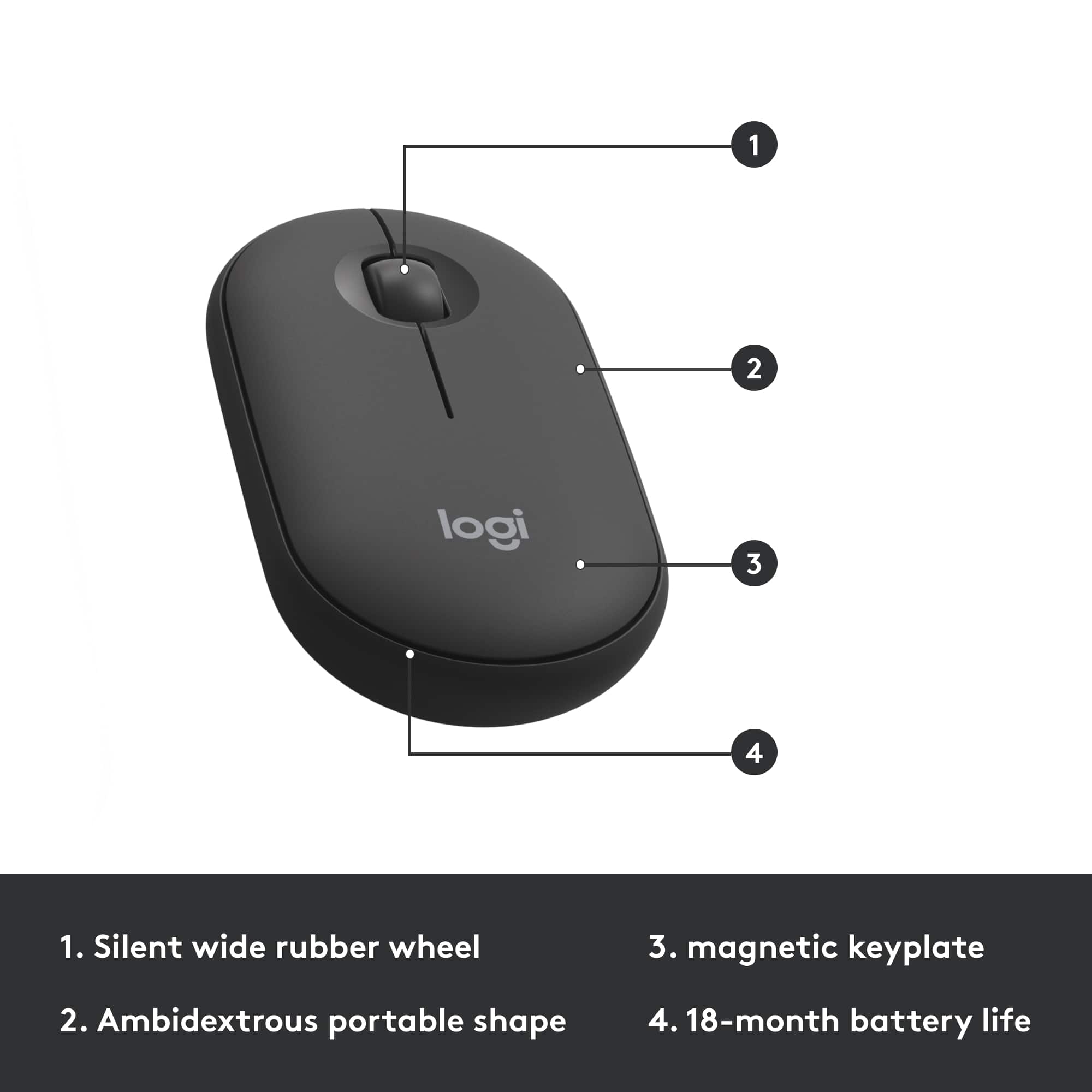
|Posted .This reviewer received promo considerations or sweepstakes entry for writing a review.Logitech - MK470 Slim Wireless Mouse and Keyboard Combo I am loving this Logitech MK470 combo. I feel like I came home with an $80 keyboard & mouse combo for $50. I unboxed it, pulled off the paper to engage the battery connection, installed the unified receiver on my computer’s USB port, turned on the computer and voila! Ready to go. Windows 10 automatically installed the necessary drivers. This also works just as well on Mac computers. In the box you get the keyboard and mouse with their batteries already installed. You also get a receiver that works with both the mouse and keyboard. The receiver works on the 2.4GHz band up to 10 meters. I don’t see myself needing that far of a distance but I’m sure it would be useful for presentations on a big screen. According to Logitech, the keyboard batteries which uses two AAA lasts up 18 months and the one AA battery on the mouse lasts up to 30 month. Works with the Logitech Options app that you can download from Logitech. The Options app lets you personalize your keyboard and mouse. I use it to change the scroll wheel direction on the mouse. I use inverted, natural on Mac. On the keyboard, you can change the functions of the FN shortcuts (F1 - F4), Mac not available. The keyboard is made of plastic with a charcoal and gray color scheme. It has a very low and slim profile but it does have some weight to it so it doesn’t feel cheap. In fact, it feels solidly built. The keys feels just like the keys on the more expensive Logitech Craft keyboard that I have. The keys are chiclet style keys that uses scissor switches. It is a compact full size keyboard with number keypad. The gray part of the keyboard is removable and that is where the batteries are located and also holds the receiver should you need to take this combo with you on your trip. The only thing missing is backlit keys but that would be stretching the $50 value. The mouse is also plastic that’s colored charcoal. It has a flat and low profile with no ergonomics in the design. The bottom glides are not as smooth as my Master 2S but that might be asking for too much. The top is made of very thin plastic that is removable and it is secured with magnets which I thought was pretty ingenious. Makes battery changes easy...every 30 months. It is ambidextrous. I found the clicking and scrolling wheel to be quieter than my MX Master 2S. The build on the mouse is ok but I don’t think you should drop it more than once. Overall, I am very pleased with MK470 Slim Wireless keyboard and mouse combo from Logitech. It functions well and it is very pleasant to look at. The mouse and keyboard are both comfortable enough to use. The battery life will be a big benefit if it holds true. I think it is perfect for novice users but can definitely hold its own for more advanced users. ** Apple Mac users. In my testing, the FN functions only worked for adjusting volume. I am using BETA version of MacOS Catalina.
I would recommend this to a friendKeyboard is really amazing. The mouse is just ok
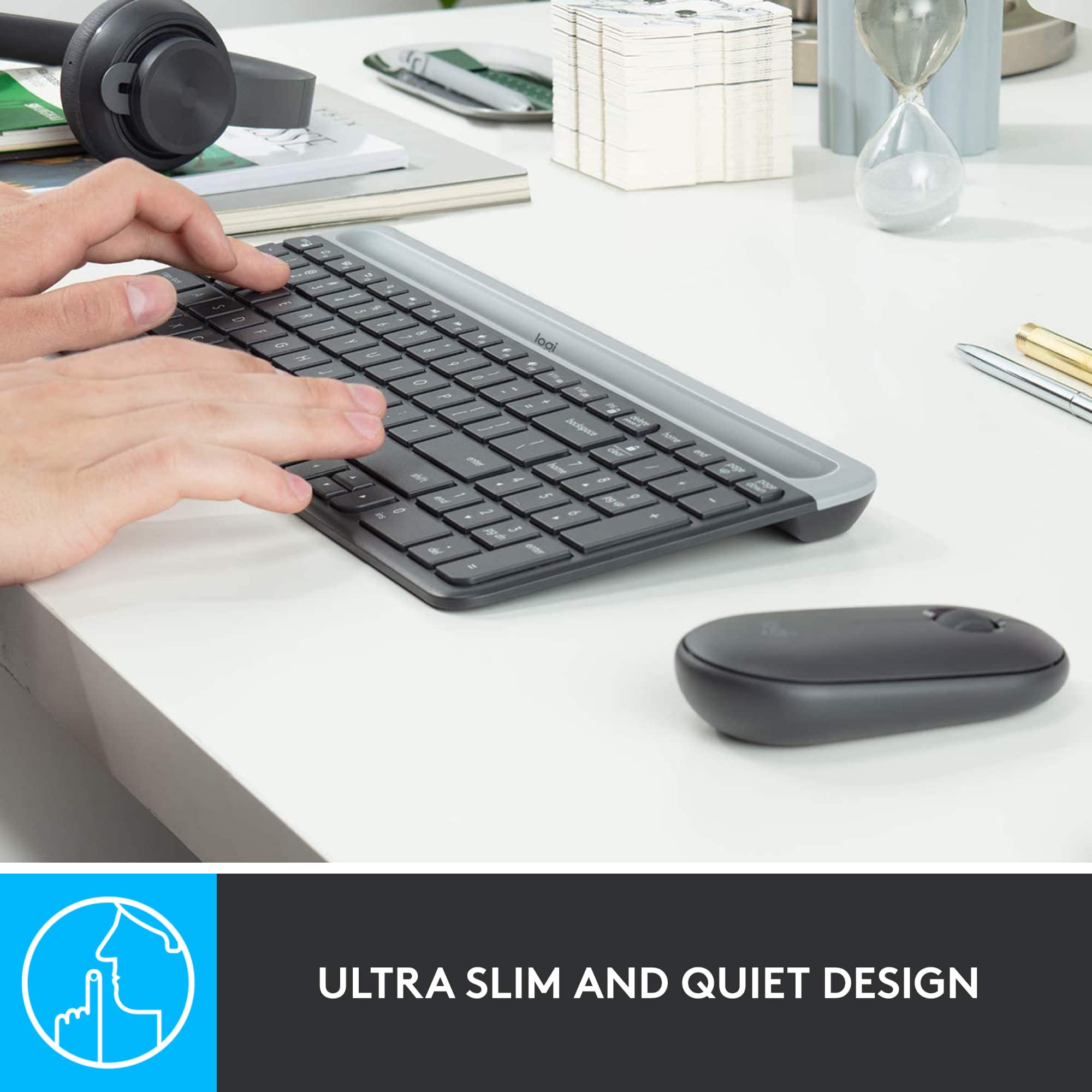
|Posted .This reviewer received promo considerations or sweepstakes entry for writing a review.First, I like the new Logitech branding "Logi". In general, Logitech always a good producer of computer accessories. This MK470 is just as amazing as Logitech products. It has a very slim profile. Very nice typing experience. Wireless connection is fast and has a good range. I tried the combo (keyboard and mouse) with several OS computers (Linux, Win10 and Chrome OS) driver installs with no issues. Mouse and keyboard work with no glitches. Function buttons works very good with Win10 (well pre-defined). Most of them (almost all) work well also with Chrome OS. Linux is a bit tricky but with some extra efforts I think you can get it to do whatever they are intended to. The mouse is too slim (for my big hand) I got used to it after few hours of use but I am used to my other mice to have a big bump to rest the my hand on it. This is a different way of use. It is small enough to be managed. The mouse response is very good. Scrolling is nice the clicks are quite. I even tried using it on some electric design works and it is just fine. But, I love the keyboard more. It is amazing.. The low profile is very ergonomic. The keys travel is very good! You can type very fast without mistakes or confusions. The layout is perfect. Spacing is very good. Keys shape is also good. Another good thing, the keyboard is on the heavy side. Very stable on the using surface. It also gives a premium feeling to the keyboard. This keyboard/mouse combo can be used as main computer's accessory and also as additional (portable kit) to be used with laptops and other devices supporting USB connector.
I would recommend this to a friendKEYBOARD AND MOUSE COMBO
||Posted . Owned for 3 weeks when reviewed.This reviewer received promo considerations or sweepstakes entry for writing a review.I PURCHASED THIS ITEM AND I RECEIVED A DEFECTIVE ITEM AND MISSING A PART.
I would recommend this to a friendWhisper Quiet and Comfortable
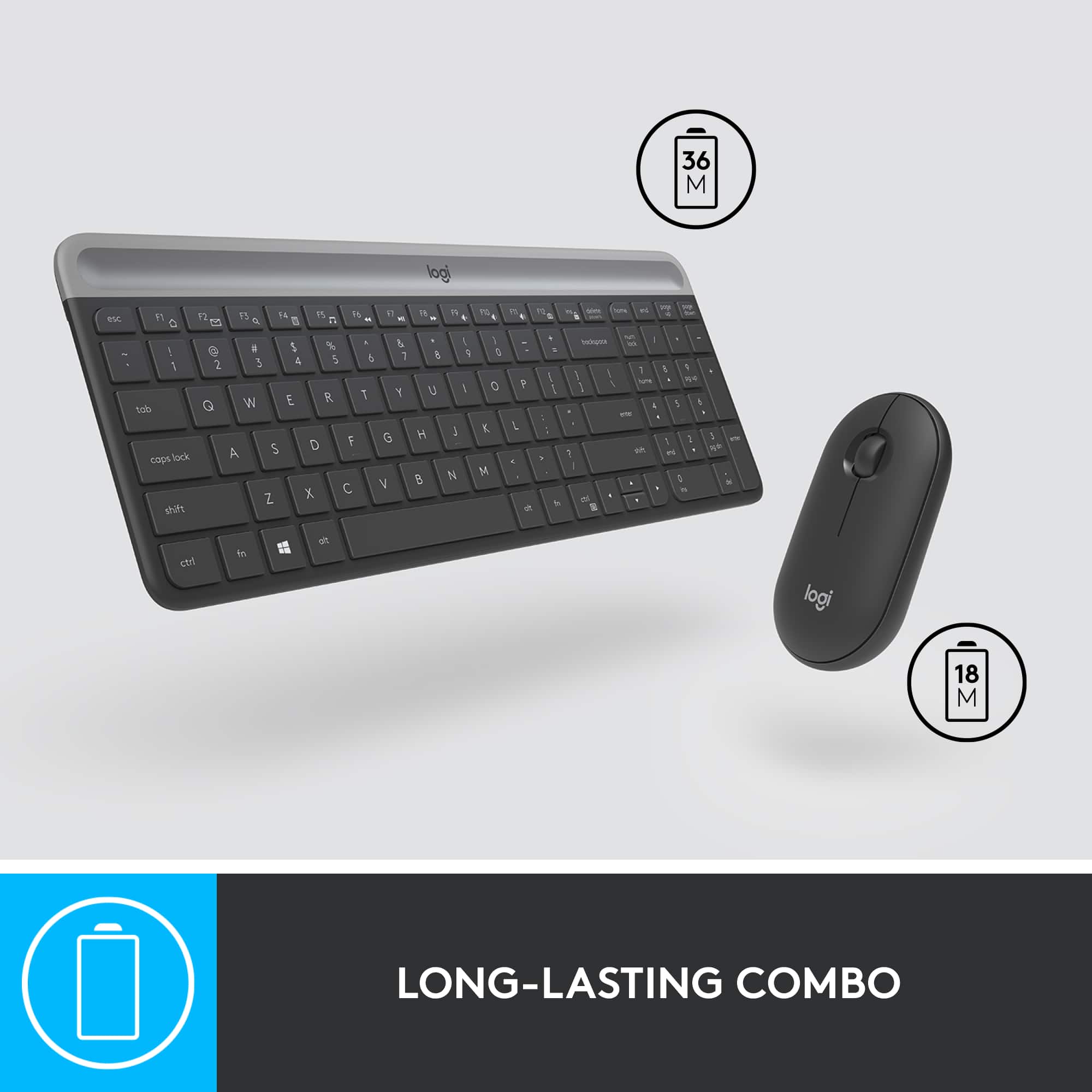
|Posted .This reviewer received promo considerations or sweepstakes entry for writing a review.No matter where I use them, my preference has always been for wireless keyboards. As to mouse, it always depends on what I am working with. What I cannot compromise is quality, precision and reliability. The Logitech MK470 keyboard meets those requirements. It is very quiet compared to most keyboards. It feels very sturdy and heavier than most bigger ones. That is perfect because it does not move while I type. It is also very comfortable, as it does not feel small for my hands and the tactile feedback is good, especially because the keys are of normal size. The position of the cursor keys are not standard but interestingly, I had absolutely no trouble getting used to it. It felt like I had used them before. The mouse is very reliable and its weight is just perfect for most of what I do but I would not use it for serious gaming. The top is also a lid that pops up to replace the battery. I was a bit concerned about that but its strong magnet holds the lid securely and it looks and feels glued there. The whole mouse is slim but not too small. It feels good in your hands but nothing special about it This combo is clearly designed for normal day-to-day work and it does a good job there. It gave me back a lot of room on my desk. Compact and no wires. The promised 18-month of battery life for the mouse and a whopping 36 months for the keyboard almost sounds too good to be true. I would have complained because it uses AA batteries instead of USB charging but with that life span, who cares? There are no LED lights indicating CAPS or NUM locks on. You need to rely on the brief display on the screen. I still miss the LEDs but they would decrease the battery life. I think it is a good compromise. It also uses a dongle that are shared by the keyboard and mouse. It is good that it requires only one USB port. My preference would have been to use Bluetooth, which requires no ports but that has become rare for keyboards and it would probably drain batteries too. Again, it is a good compromise unless you do not have a spare USB port. The dongle (adapter) is slim and is somewhat discreet even in a laptop. Overall, I really like the keyboard but not so sure about the mouse. I ended up using a separate mouse for video/photo editing but for everything else other than gaming, I like it.
I would recommend this to a friendReturned
||Posted . Owned for 3 weeks when reviewed.This reviewer received promo considerations or sweepstakes entry for writing a review.Very small and thin keyboard. Returned because it was easier to just use my laptop keyboard
No, I would not recommend this to a friendBrand response from Logitech
Posted .Hi L1AS,
Thank you for your feedback. It is greatly appreciated. Sorry for any inconvenience. If you ever need assistance, please contact Logitech Support on the website. LaShonda from Logitech
small arrow keys
||Posted .This reviewer received promo considerations or sweepstakes entry for writing a review.I really don't like small arrow keys. It is hard to use them.
No, I would not recommend this to a friendThin and perfect for travel
|Posted .This reviewer received promo considerations or sweepstakes entry for writing a review.This combo has absolutely insane battery life. We are looking at well over a year before needing to change batteries. The keyboard size is just about right when talking a chicklet style keyboards. This is definitely a membrane keyboard, you can feel it with each keystroke. The keyboard is a full sized keyboard with condensed arrow keys. Key travel is about what you would expect, the keys are very shallow so not much travel before bottoming out. I have found a couple issues, one may just be my hardware but I will mention it if someone else runs into the same issue. I had the dongle attached to a USB hub, occasionally the keyboard and mouse would stop working and lock up the laptops keyboard as well. After removing the hub and connecting the receiver direct, I have had no such issues with the built in or the Logitech hardware. This happened with multiple hubs and the laptop I am using. When using a dongle for USB-C connecting the hub that way, no issues so far. It could be the laptop or another driver I have installed. My second issue, this is impossibly thin. Which can be good or bad depending on hand size. I need to sit the keyboard at the end of the desk so I can dangle my meat hooks over the edge so I can have some comfort. The mouse is also very thin and causes my XXL hands to feel like I am overwhelming the mouse and I get the nice hand cramps that come along with such a small device. If you can use a switch controller without hand cramps, you should be good with this mouse. Construction wise this is Logitech and top notch. You have multiple places to store the dongle when not in use, I prefer inside the mouse but there is also a place under the battery cover in the keyboard as well. This keyboard and mouse will find a permanent home in my work backpack. When on call it is nice to not have to use the small laptop keyboard on a 13 inch laptop. I'll probably bust it out when using my Chromebook hooked up to the living room TV when I need to do such things. I knocked one star because of my meaty hands. I did not subtract for the issue with disconnects since I think that is more laptop related than anything. I just like to document in case anyone else has the issue.
I would recommend this to a friendKeys are terrible
||Posted . Owned for 2 months when reviewed.This reviewer received promo considerations or sweepstakes entry for writing a review.I have had this for less than two months and the caps lock key no longer works
No, I would not recommend this to a friendBrand response from Logitech
Posted .Hi UnsatisfiedCustomer, thank you for your feedback! For support, please refer to: https://support.logi.com/hc/en-us/articles/360026084174-Getting-Started-MK470-Slim-Wireless-Keyboard-and-Mouse-Combo - Will, Logitech.
Wireless Full Numeric Compact Keyboard
|Posted .This reviewer received promo considerations or sweepstakes entry for writing a review.It has been a few hours using the Logitech MK470 and I am happy (and typing this review on the keyboard). This keyboard was an upgrade for a wired keyboard that came with our desktop PC (but I am sure the MK470 would be fine as an external keyboard on a laptop). Setup is plug and play. No drivers, downloads, or installs. It uses the standard Logitech nano USB transmitter/receiver. Things you need to know. It has a full numeric keypad and standard sized keys but it's relatively compact. That said, I didn't suffer any muscle memory typing errors in the changeover. The mouse is dominant hand neutral - so it doesn't care if you're left or right handed. Great in my home when I'm the lefty in the family. Logitech ship the MK470 with AAA batteries and the claim about 18-36 months battery life (mouse / keyboard) which is impressive. Probably the biggest standout though is the keys are very very quiet but have great travel. It's more like typing on a nice laptop keyboard. I'm using this in our home office but would happily take this and use it at work (and I know a few angry typers at work who I would LOVE to give this to). Overall, the MK470 looks nice, frees up room on the desk, wireless functionality is perfect and you can never really fault logitech for quality. Recommended and super happy!
I would recommend this to a friend