Customer Ratings & Reviews
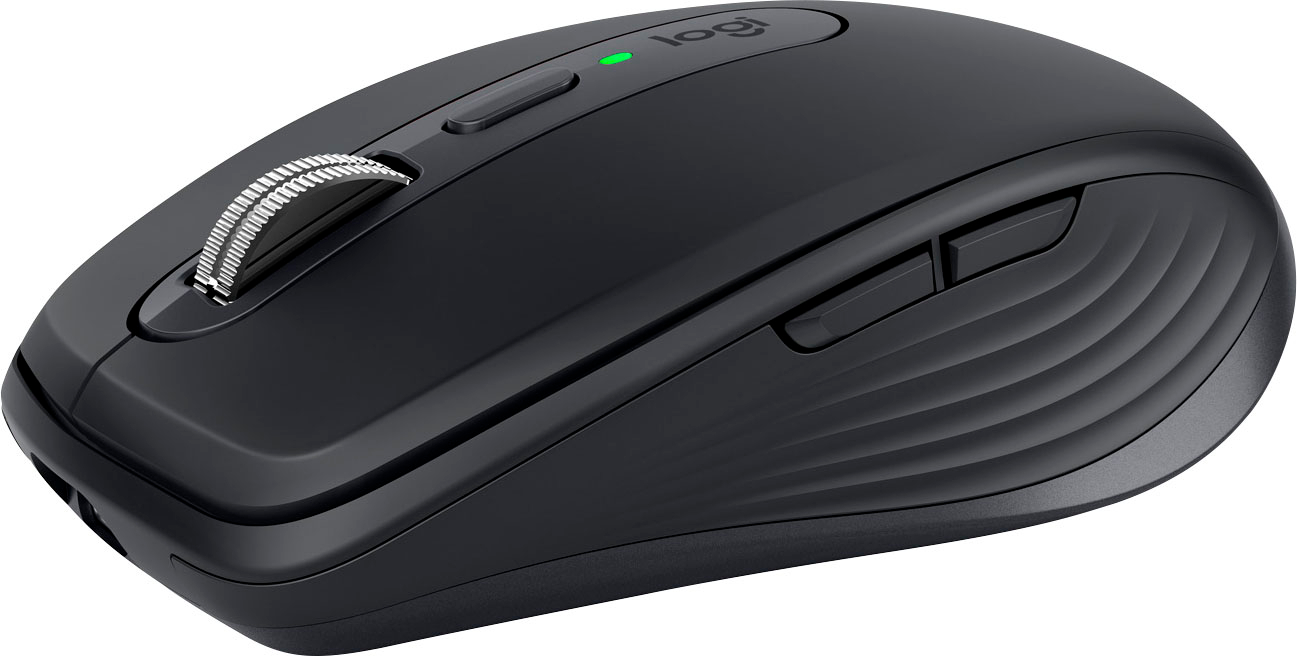
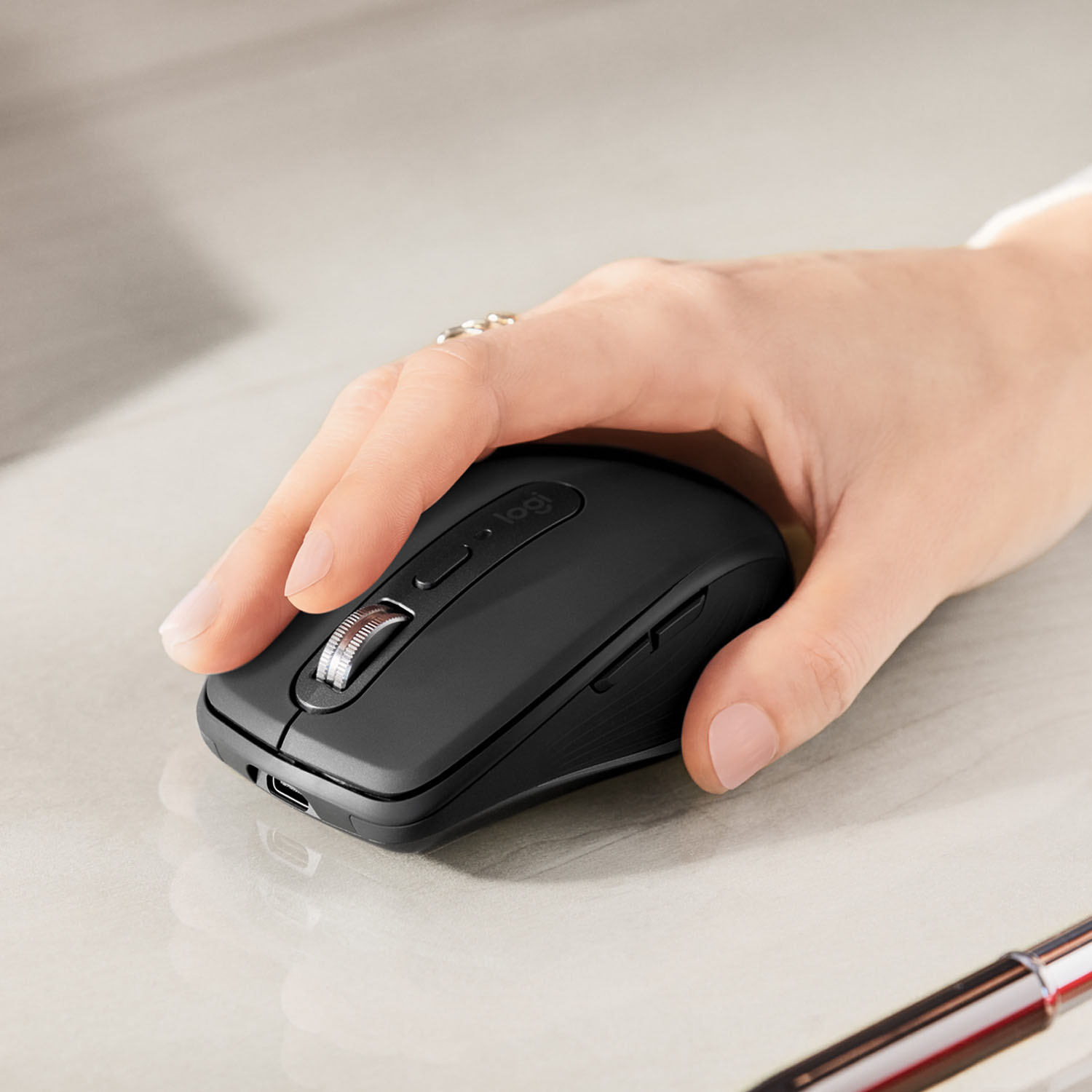
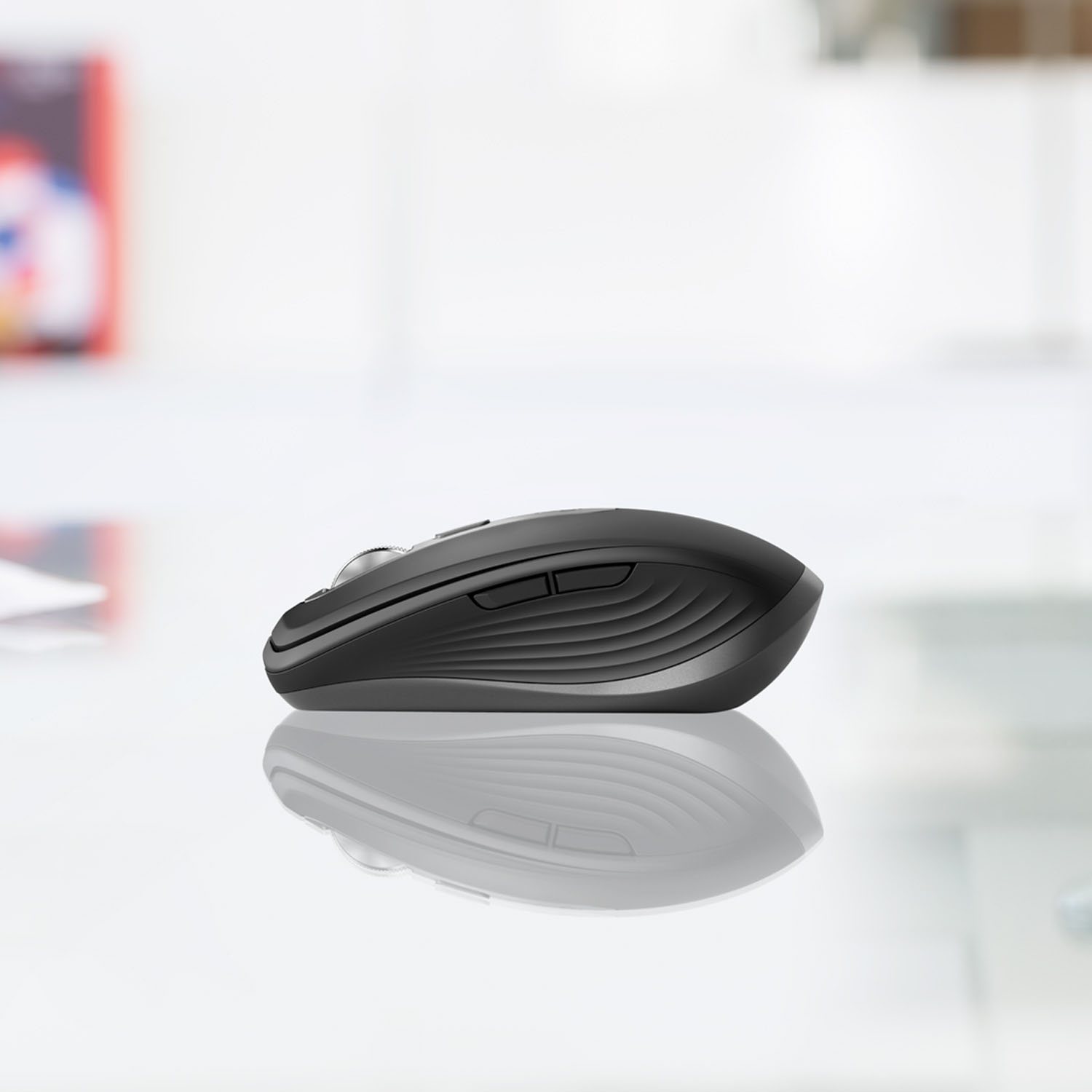
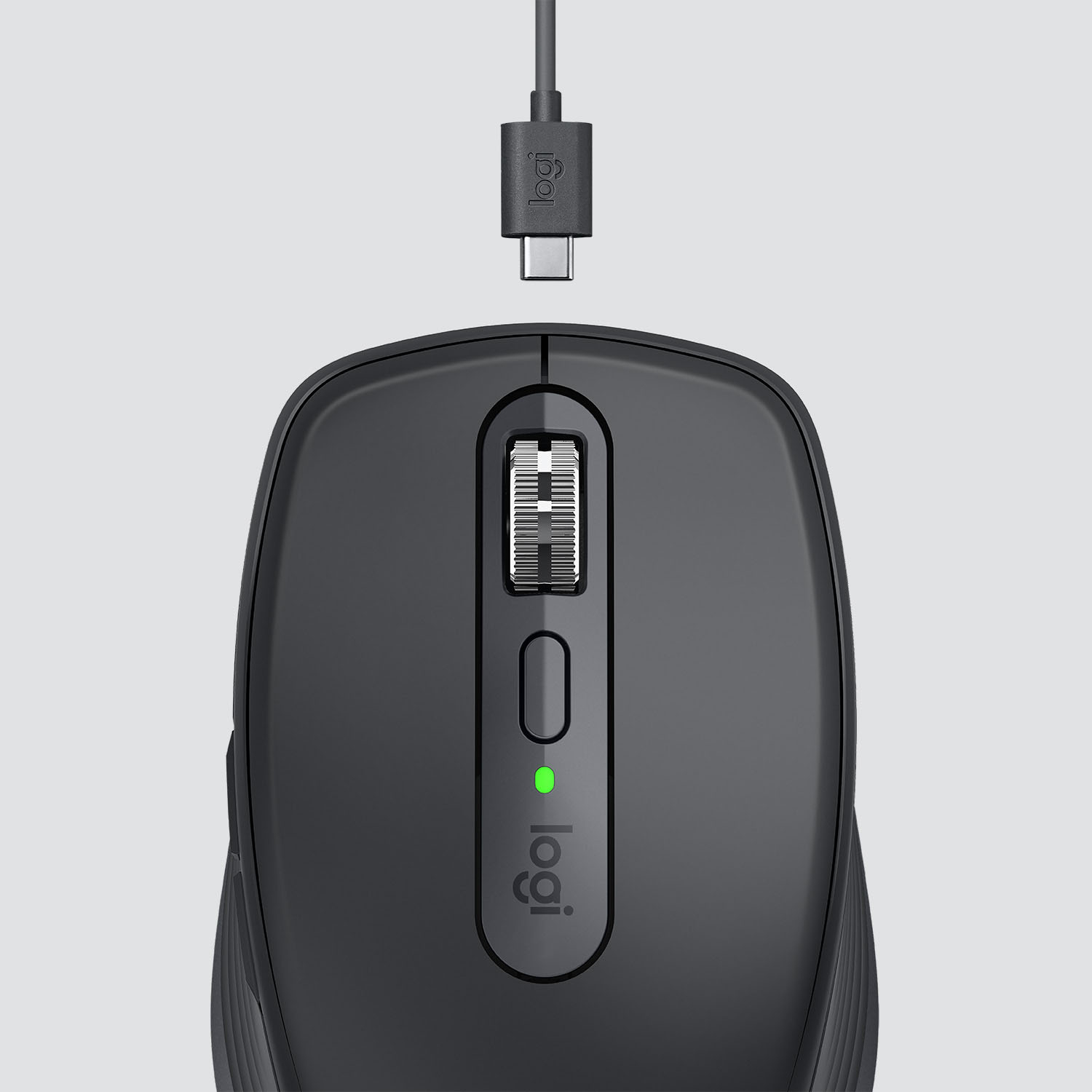



- Model:
- 910-005987
- SKU:
- 6424893
Rating by feature
- Value
Rating 4.5 out of 5 stars
- Quality
Rating 4.8 out of 5 stars
- Ease of Use
Rating 4.8 out of 5 stars
Customers are saying
Customers recognize the MX Anywhere 3 mouse's ease of use, excellent battery life, and superb scroll wheel as significant advantages. Many appreciate its compact size and Bluetooth connectivity, while some find the price point to be a drawback. A few users noted that the side buttons could be improved, and some found the click sound louder than expected.
This summary was generated by AI based on customer reviews.
Best Buy the only place that had it in town.
||Posted . Owned for 1 month when reviewed.This reviewer received promo considerations or sweepstakes entry for writing a review.Haven’t used it yet. It’s a Christmas present for my kid. It was a good price and the only place in town that had it. It is pretty though! Lol
I would recommend this to a friendMX anywhere 3 Compact
||Posted . Owned for 3 weeks when reviewed.This reviewer received promo considerations or sweepstakes entry for writing a review.It really does work everywhere but with a little bit of lag using Bluetooth. Make sure to use the USB dongle to have seamless connection.
I would recommend this to a friendFair mouse
||Posted . Owned for 4 months when reviewed.This reviewer received promo considerations or sweepstakes entry for writing a review.I bought this mouse to replace my Apple mouse, but it didn’t work as well as my Apple mouse so I returned it.
No, I would not recommend this to a friendWouldn’t purchase again.
||Posted . Owned for 3 weeks when reviewed.This reviewer received promo considerations or sweepstakes entry for writing a review.It’s not the best mouse but it’s not my worse. For the cost I expected better.
No, I would not recommend this to a friendRIght click too sensitive.
||Posted . Owned for 1 week when reviewed.This reviewer received promo considerations or sweepstakes entry for writing a review.The mouse works fine except one thing - the right click button is too sensitive. I am constantly right clicking unintentionally. They need to make the right click button less sensitive. This is actually a problem on most of their mice now. I returned the mouse.
No, I would not recommend this to a friendBrand response from Logitech
Posted .Hello, displayname34! I'm sorry to hear about your experience with the MX Anywhere 3 mouse. Thank you for the feedback on your right click button issue! I will be passing this along. - Maggie from Logitech
Not the greatest mouse
||Posted . Owned for 4 months when reviewed.This reviewer received promo considerations or sweepstakes entry for writing a review.This mouse is a little finicky. I wish I would have gone with the apple mouse.
No, I would not recommend this to a friendAverage went back to the cord
||Posted . Owned for 1 year when reviewed.This reviewer received promo considerations or sweepstakes entry for writing a review.Kind of touchy, and to many pieces to keep track of for use.
I would recommend this to a friendThis mouse has amnezia
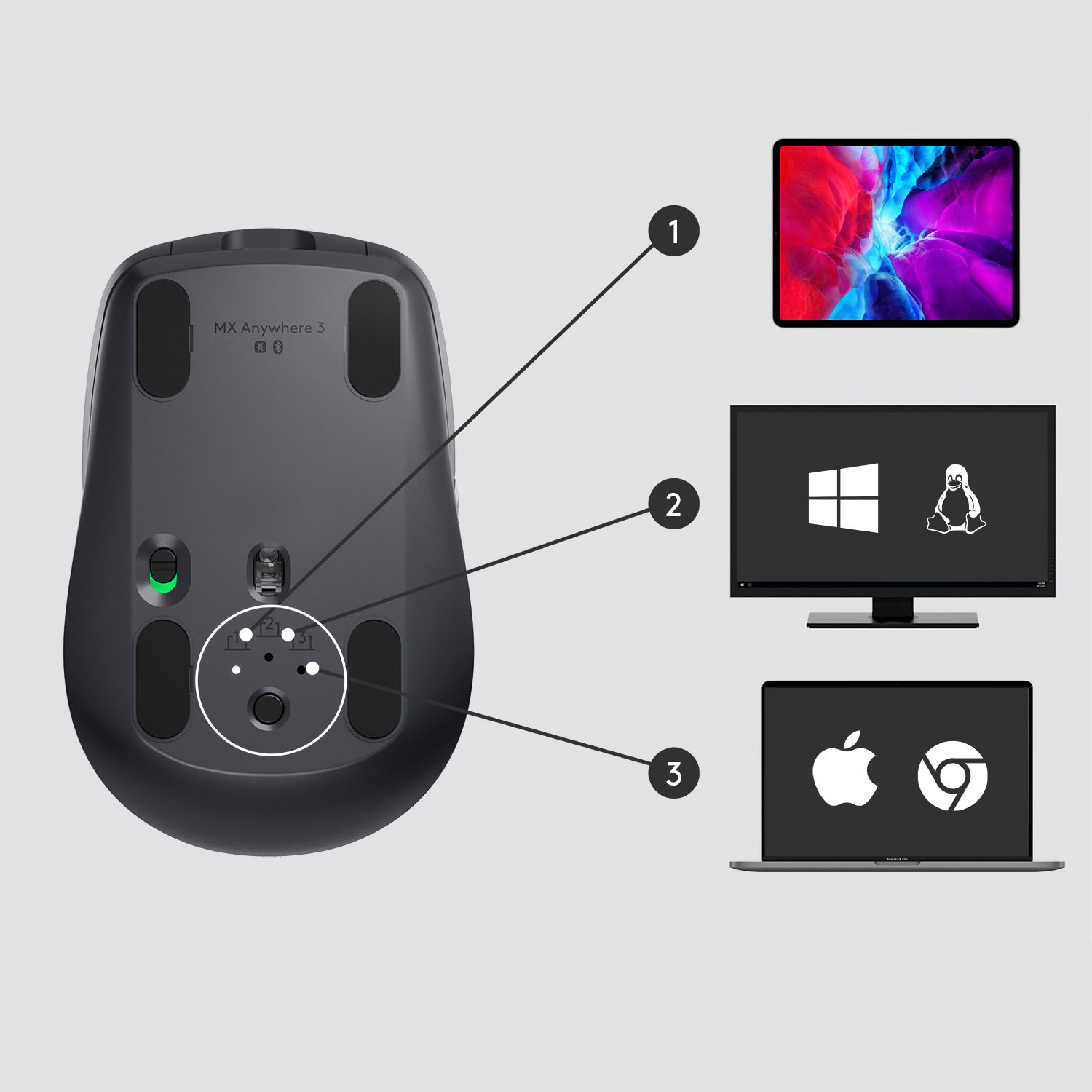
||Posted . Owned for 3 weeks when reviewed.This reviewer received promo considerations or sweepstakes entry for writing a review.This mouse has no memory and needs to have another plugin mouse to get Bluetooth to recognize it. I almoust returned it about three times. I'm really sorry I didn't. BTW, tried with Mac and Windows with same result and this is with Logi Options software.
No, I would not recommend this to a friendBrand response from Logitech
Posted .Hello Marty,
I am sorry that the MX Anywhere 3 did not work as expected. Feel free to contact the Logitech support team to receive personalized assistance. I will record your product insight and pass it on for further investigation. Logitech appreciates your product review. - Leo from Logitech
Disappointed
||Posted . Owned for less than 1 week when reviewed.This reviewer received promo considerations or sweepstakes entry for writing a review.Expected better..I work from home 40 hr week 5 days mouse does not hold a charge for one eight hour period. Also when you move cursor from last location you much left click before or you will be dragging a high lighted line with you.
No, I would not recommend this to a friendBrand response from Logitech
Posted .Hello Disappointed,
I am sorry you are having issues using the MX Anywhere 3 as intended. I suggest you update the device's firmware using Logitech Options+ or download the software directly from the Logitech website. Contact Logitech's support team for personalized assistance if this does not work. Logitech appreciates your product review. - Leo from Logitech
Not high on Logitech MX Anywhere mouse
||Posted . Owned for 2 months when reviewed.This reviewer received promo considerations or sweepstakes entry for writing a review.I'm not high on this mouse. I had to try multiple setup changes in order to get to work properly for me. Out of the box, it was way too sensitive. When I looked at maps, it either zoomed in too much or zoomed out too much.
No, I would not recommend this to a friendBrand response from Logitech
Posted .Hello MikeM,
I am sorry that the MX Anywhere 3 is not meeting your expectations. I recommend you download the Logitech Options+ app to unlock all the mouse features, keep its firmware updated, and adjust the advanced settings to your needs. Logitech appreciates your product review. - Leo from Logitech
Short Height
||Posted .This reviewer received promo considerations or sweepstakes entry for writing a review.It is nice mouse but very short in height. I decided to return because it is not ergonomic and looks like they made it like a sport car shape rather than thinking how hand will grip it. I got pain in my wrist.
No, I would not recommend this to a friend
Excellent Mobile Mouse
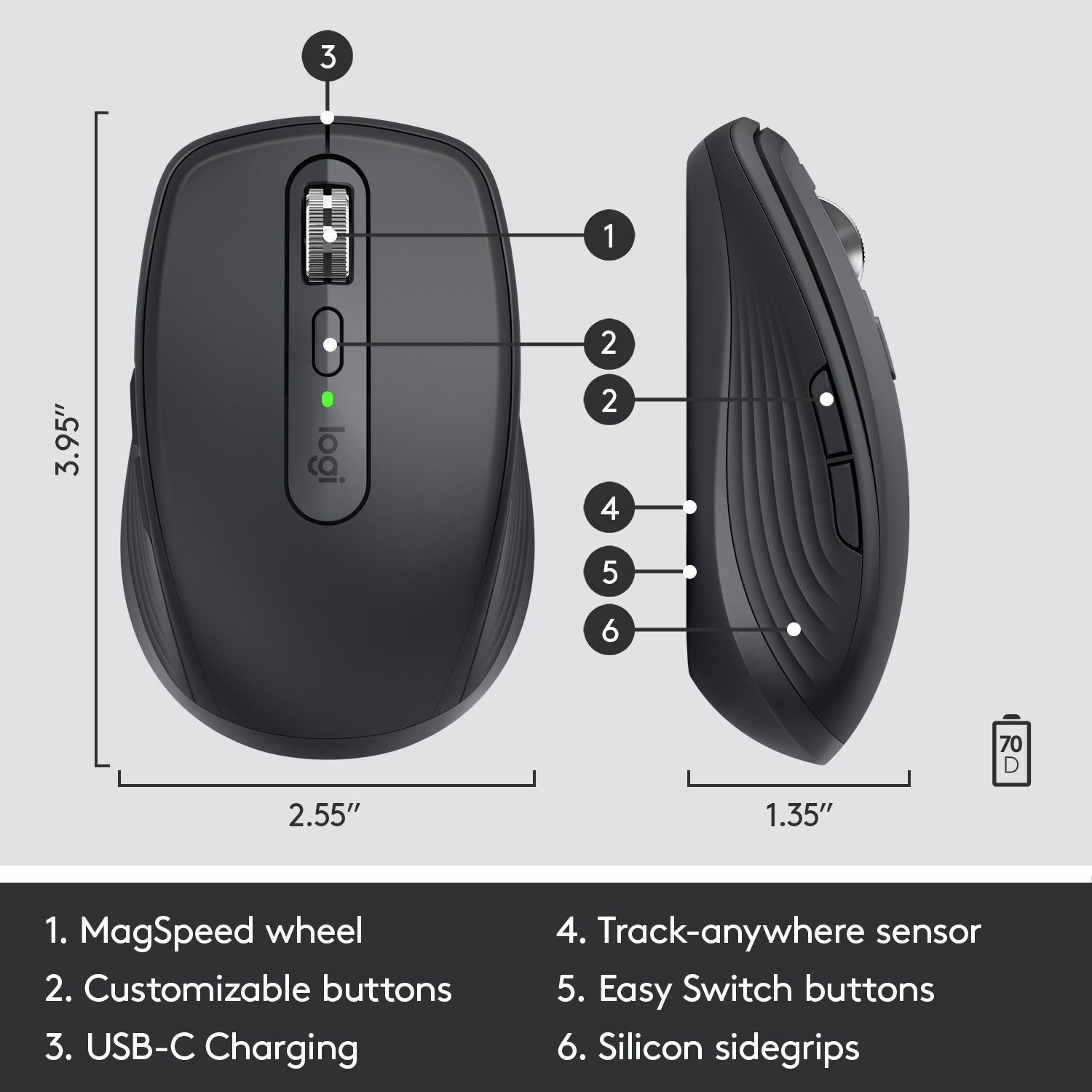
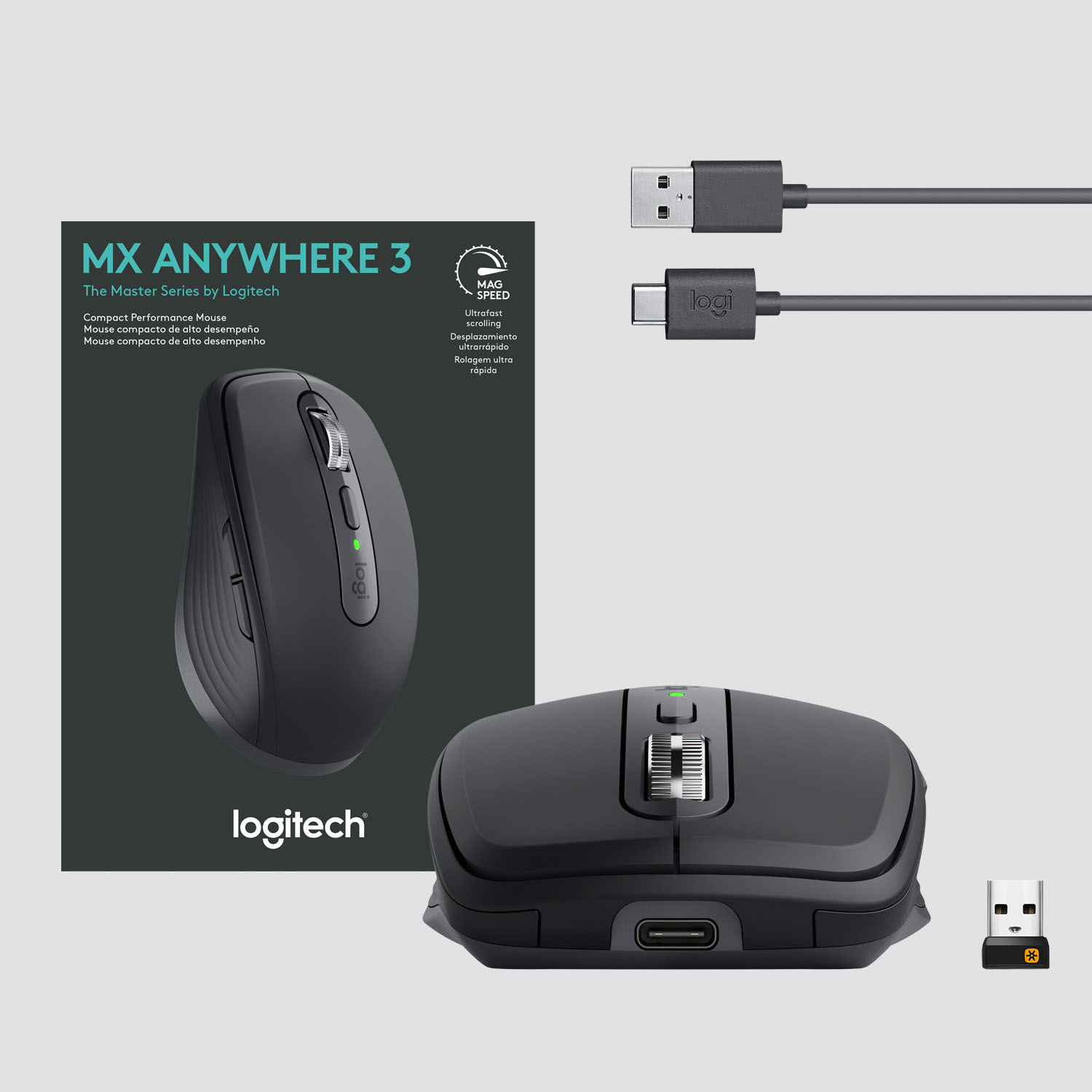
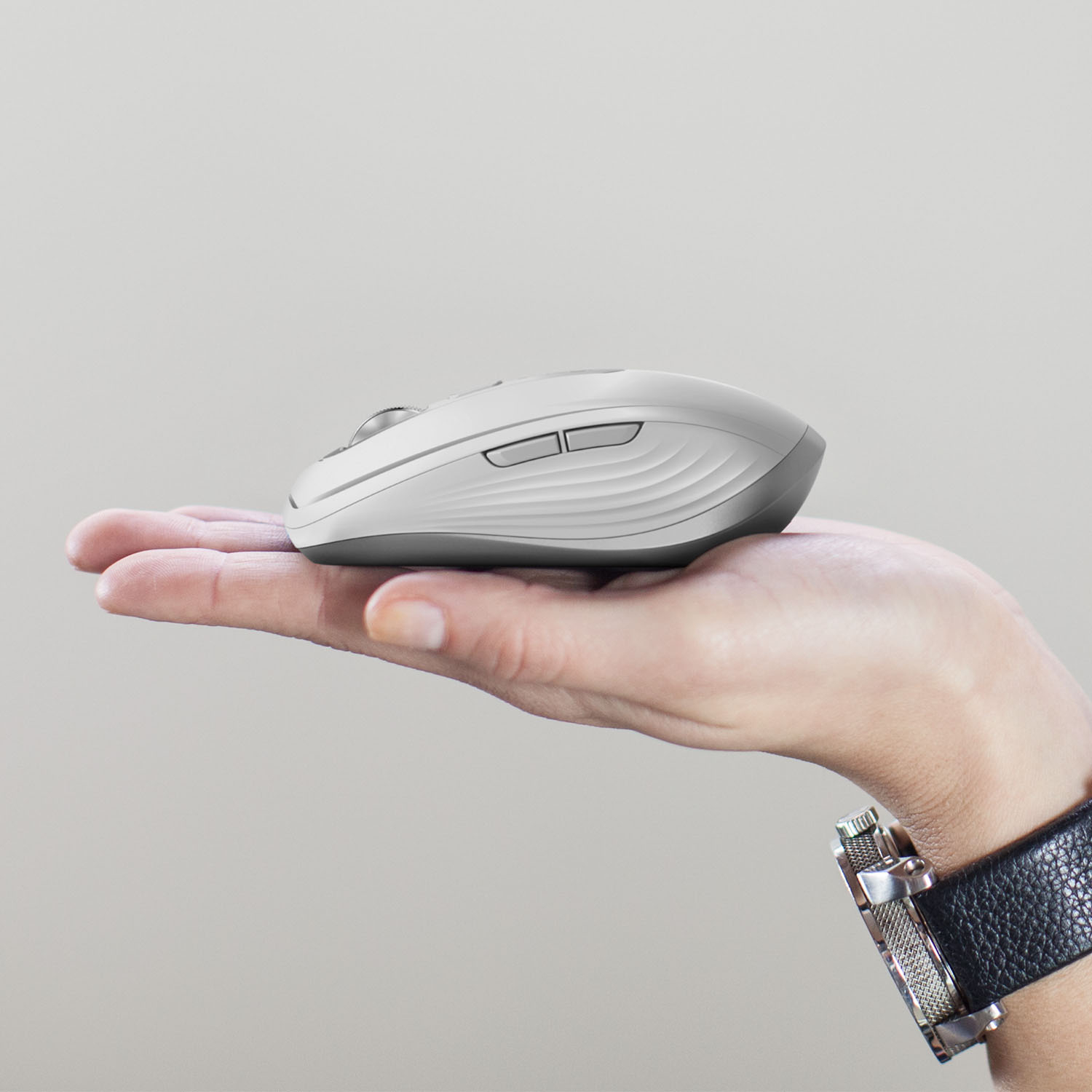
|Posted .This reviewer received promo considerations or sweepstakes entry for writing a review.I’m not one who adores a track pad so I am always on the lookout for new devices (especially mice) that can make my life easier when using a laptop computer. I have only tested this with a Windows 10 computer and have found it to be everything that is advertised. It is small, but not tiny. I’d say right in-between a full size mouse and one of the tiny mobile mice. Just right for me. The scroll wheel is superb. It is grippy, super smooth, and almost completely silent. You can click the middle top button to go between precise scrolling with some very light friction and full on freewheel flying with zero friction. Both modes work really well and both have their uses. The other two buttons on the side can be customized to your preference depending on what programs you use and by using the Logitech Options Software. By default and when using a browser, they operate as a forward and back button making browsing the web even quicker and more efficient. Probably my favorite thing about this mouse is the “anywhere” tracking. Hence the name MX Anywhere. I have tried using this on a multitude of surfaces ranging from my cork desktop, to pattern fabric, to hardwood floors and all have worked flawlessly. I even tried it on multicolored carpet and it was spot on. The battery life is very efficient. I charged it right out of the box first thing and haven’t had to charge it since. Not having to use AA or AAA batteries is a BIG bonus. It is rated at 70 days on a full charge which seems crazy considering the size. It also uses a USB-C cable for charging which is a bonus for me considering I can just use my laptop to charge it on the rare occurrence that it needs it. Pairing was also really easy. Plug in the USB dongle, turn on the mouse, and Windows detected it immediately with no fuss. All in all, Logitech has been doing this for a very long time. I trust their brand and have always had great luck with their products. Another excellent piece of tech!
I would recommend this to a friendBrand response from Logitech
Posted .Hi Mr. Shiny, Thank you for your review! It is greatly appreciated. Continue to enjoy your device. If you ever need assistance, please contact Logitech Support on the website. LaShonda from Logitech
Great Overall Mouse, with unique wheel experience
|Posted .This reviewer received promo considerations or sweepstakes entry for writing a review.I own two mice of the previous version of this mouse, and was excited to see what an updated version could offer. The original experience was exceptional and fun for a mouse, and while this updated version offers the same high level of functionality, the fun factor of the wheel has been dialed down and modified on this version. For newcomers to the MX Anywhere, this mouse can work purely from bluetooth or with the use of a dongle, with there being no noticeable difference between the two. You can also use it while it charges by connecting it to your PC with a USB cable (Type-C on this version). Battery life is great, and it is equipped for gaming (albeit with less functionality with the wheel-related features). As with most Logitech mice, it can pretty much track across any surface, including glass, fabric, and skin. The wheel is where returners to this product line will find the most variations, as the wheel no longer shifts side to side (left to right), and no longer has the highly enjoyable option to switch from a regular scroll to a freeform scroll by clicking down on the wheel itself. The wheel still has a fast scroll mode, but it is now accessed by moving the mouse as though it is free scrolling, which causes a light vibration in the wheel while it responds as though you are free scrolling. While I can appreciate the tech that makes something like this possible, I personally find the active free scroll wheel of the older version to be more enjoyable than this new simulated experience. File transfer between two PCs through the mouse is still intact, as is the ability to load three preset bluetooth devices into the mouse. It is still very quick and intuitive to connect the mouse via bluetooth. Overall, I still find this mouse to be among the best wireless mice that one can get, and most will find this to be a 5 star mouse. As someone who used the previous version, Im docking a star for removing one of the more enjoyable elements of the previous mouse, although some will prefer the new wheel experience (and new comers will have nothing to compare it to). All in all, I highly recommend.
I would recommend this to a friendBrand response from Logitech
Posted .Hi RedOmen, Thank you for this comprehensive and insightful review of the MX Anywhere 3 mouse. In regards to the scroll wheel, the mode button right underneath should toggle between Ratchet and Free-Spin modes even if it doesn't go side to side anymore. (You can still Horizontal scroll by holding the side button while turning the wheel) Here's a link to the MX Anywhere 3's product page: https://www.logitech.com/en-us/products/mice/mx-anywhere-3.910-005985.html. Under the Support tab just under the ADD TO CART button, you'll find some helpful information that can help you get to know some of the new scroll wheels functionality. Hope that this was useful and that you're doing well. - Richard from Logitech
mouse
||Posted . Owned for 1 month when reviewed.This reviewer received promo considerations or sweepstakes entry for writing a review.Overall fine mouse. Haven't figured out how it connects to three computers at once with only one drive stick thing. until I figure that out, not really worth the extra cost
No, I would not recommend this to a friendBrand response from Logitech
Posted .Hi Deborah, thank you for your feedback! Here is everything you need to know about the MX Anywhere 3 mouse: https://support.logi.com/hc/en-us/articles/360053831734-Getting-Started-MX-Anywhere-3 - Download "Logitech Options" software for advanced features: https://support.logi.com/hc/en-us/articles/360025297893 - Will, Logitech.
Don't buy!
||Posted . Owned for 1 month when reviewed.This reviewer received promo considerations or sweepstakes entry for writing a review.It worked great for a while then stopped working altogether - long after I could return it for a refund. Therefore, a waste of money!
No, I would not recommend this to a friendBrand response from Logitech
Posted .Hello, TCHR! I'm sorry to hear about your experience with the MX Anywhere 3 mouse. I would recommend reaching out to our support team here https://support.logi.com/hc/en-us/requests/new?ticket_form_id=360000621393 to file a warranty claim. The MX Anywhere 3 has a 1-year limited hardware warranty. Thank you so much for the feedback on the longevity of your mouse. I will be passing this along. - Maggie from Logitech
Overpriced
||Posted . Owned for 3 weeks when reviewed.This reviewer received promo considerations or sweepstakes entry for writing a review.It's a good enough mouse but the price is absolutely too high. You can get the same features for half the price.
No, I would not recommend this to a friendBrand response from Logitech
Posted .Hello Badge18135,
I am sorry that the MX Anywhere 3 is not meeting your expectations. Logitech offers other mice with similar features for a lower price point, feel free to check those out if the price is an issue. However, the MX Anywhere 3 offers the industry's best design and construction materials. Logitech appreciates your product review. - Leo from Logitech
Cool and compact
|Posted .This reviewer received promo considerations or sweepstakes entry for writing a review.I found myself liking this mouse much more than I expected. The build quality is very good and quite solid, and the buttons feel great for the most part. I found the side buttons (forward and back by default) required a bit more pressure than I’m accustomed to. The scroll wheel is a class by itself. Smooth and tight when in rachet mode. It spins fast and free with a quick flick of the finger or when changed to free mode by one button press. I knew this would be a good travel mouse since that’s the concept as an “anywhere” mouse. I was concerned that it might be too small for everyday use, especially for those of us with large hands. However, I quickly found that I actually forgot I wasn’t using my larger desktop mouse. In addition, despite its small size, this mouse is packed with features. The included USB C cable re-charges the battery from any source, and it’s rated at 70 days per charge. It can pair with three devices using either the included Logitech Unifying Receiver, or better yet, via Bluetooth, and there’s a button on the bottom that allows you to switch between devices. To really get the most from this mouse, you need to use the Logitech Options software. It lets you define the function of everything other than the left/right, and those definitions can be different based on the active program. It also supports Logitech Flow which lets you move the cursor between multiple devices as long as they are connected to the same WIFI network and all have the Options software installed. In effect almost like an extended desktop. Of course, the computers are functioning separately, but you can copy and paste between the separate screens. It’s a really cool feature. This is a great mouse with lots of features packed into an easy to carry size. It may well become my primary mouse.
I would recommend this to a friendPricey
||Posted . Owned for 1 week when reviewed.This reviewer received promo considerations or sweepstakes entry for writing a review.Returned it because it doesn't have horizontal scroll like the 2S
No, I would not recommend this to a friendBrand response from Logitech
Posted .Hi Tezzy,
Thank you for your feedback. It's greatly appreciated. Sorry for any inconvenience. If you ever need assistance, please contact Logitech Support on the website. LaShonda from Logitech
MacBook Pro
||Posted . Owned for 3 weeks when reviewed.This reviewer received promo considerations or sweepstakes entry for writing a review.doesn't work with Mac Pro. Your employees don't know that
No, I would not recommend this to a friendBrand response from Logitech
Posted .Hello, I am sorry if there was any confusion regarding the mouse. We do have a version of this mouse optimized for Mac products. Here is the link for that one: https://www.logitech.com/en-us/products/mice/mx-anywhere-3-mac.910-005899.html?crid=7. i hope that helps! Thank you for taking the time to write this review, we appreciate the feedback.
-Danielle from Logitech
good but pricey
||Posted . Owned for 1 month when reviewed.This reviewer received promo considerations or sweepstakes entry for writing a review.price is quite i high, i like the mouse, and its capability to move between systems, but still, the price hurts
No, I would not recommend this to a friendBrand response from Logitech
Posted .Hello Wowers0069. Thank you for taking the time to write your review of the MX Anywhere 3 mouse. I'm happy to hear that you're enjoying your new mouse, even if it is a little on the pricey side. I've found that with computer peripherals, just like most things, you're getting what you pay for, but I get it... especially during these times, the price tag can hurt. If you have any questions or issues with the mouse, please visit our support site: support.logi.com
Thank for choosing Logitech!
-Charlton at Logitech