Customer Ratings & Reviews
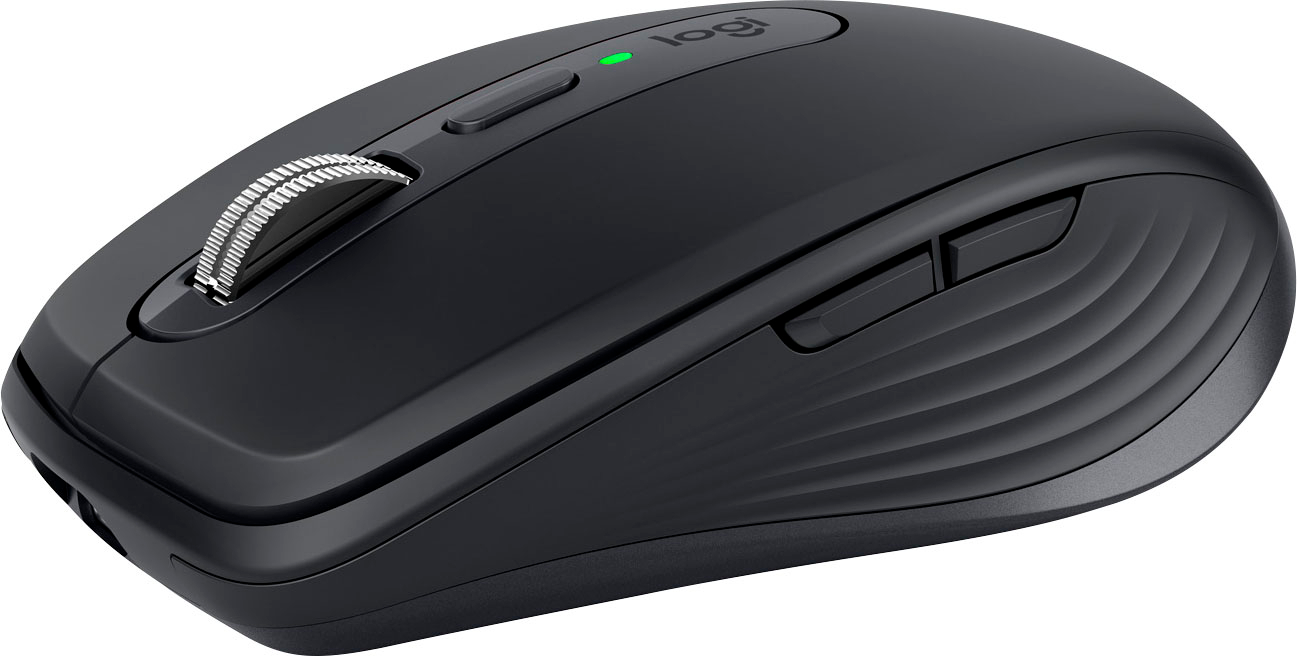
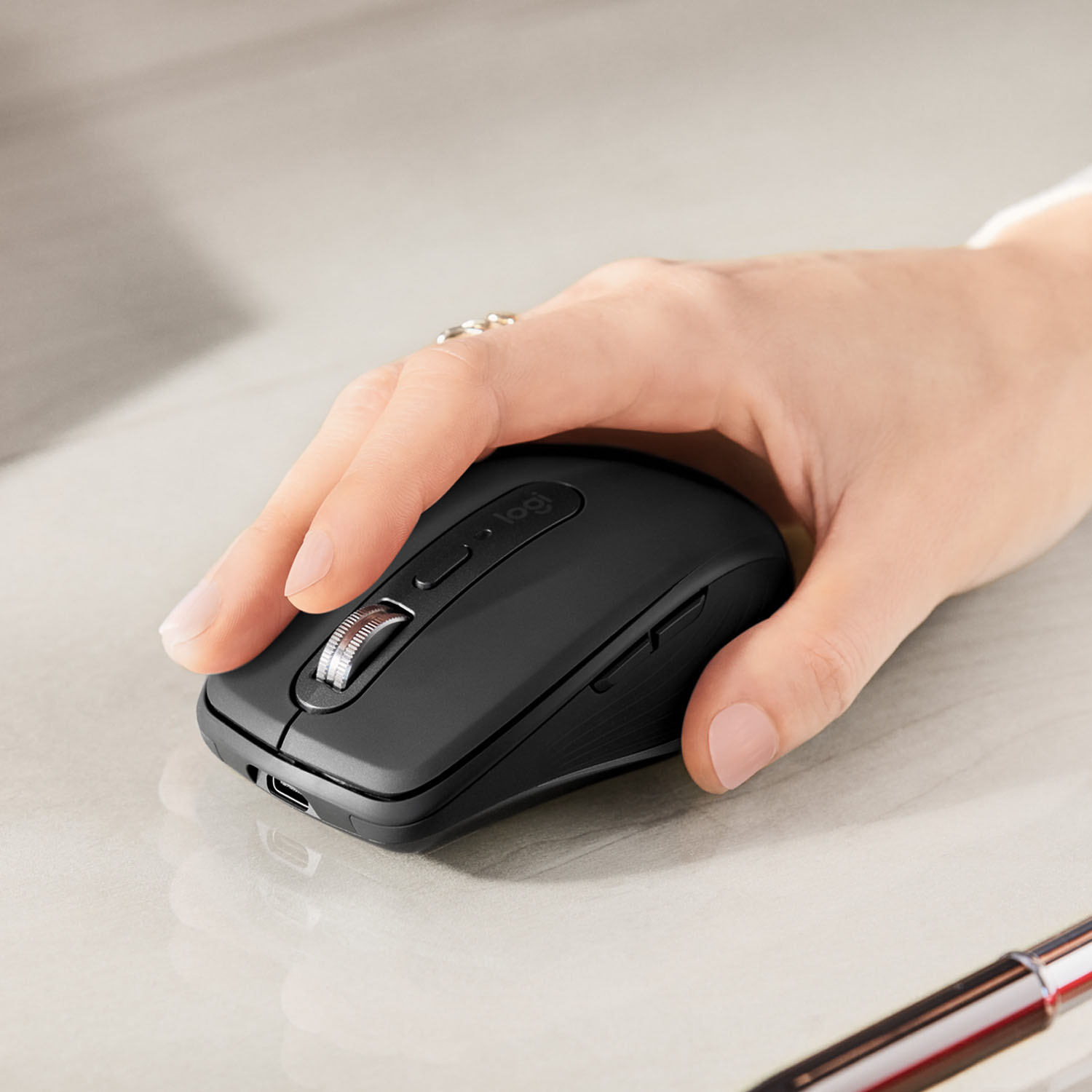
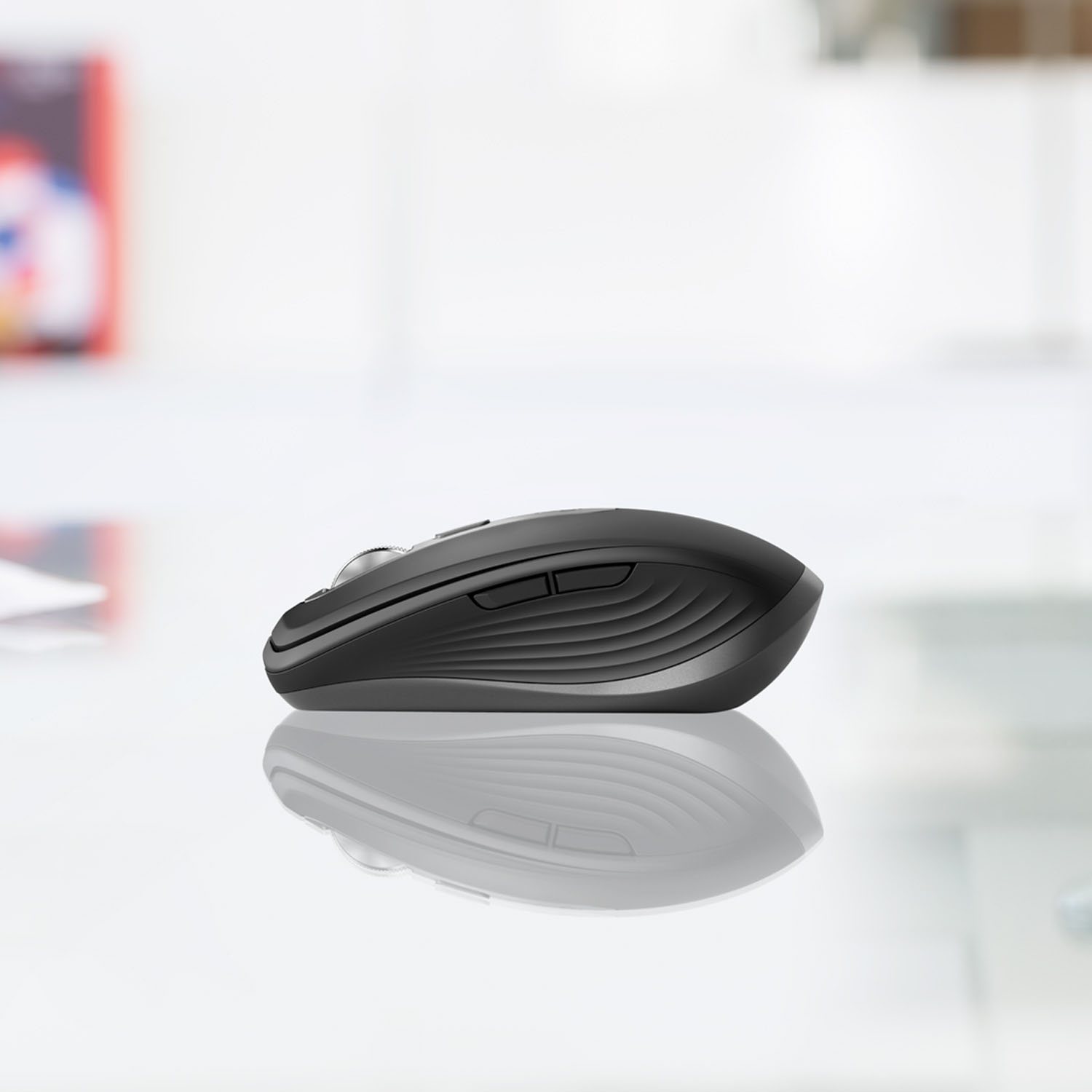
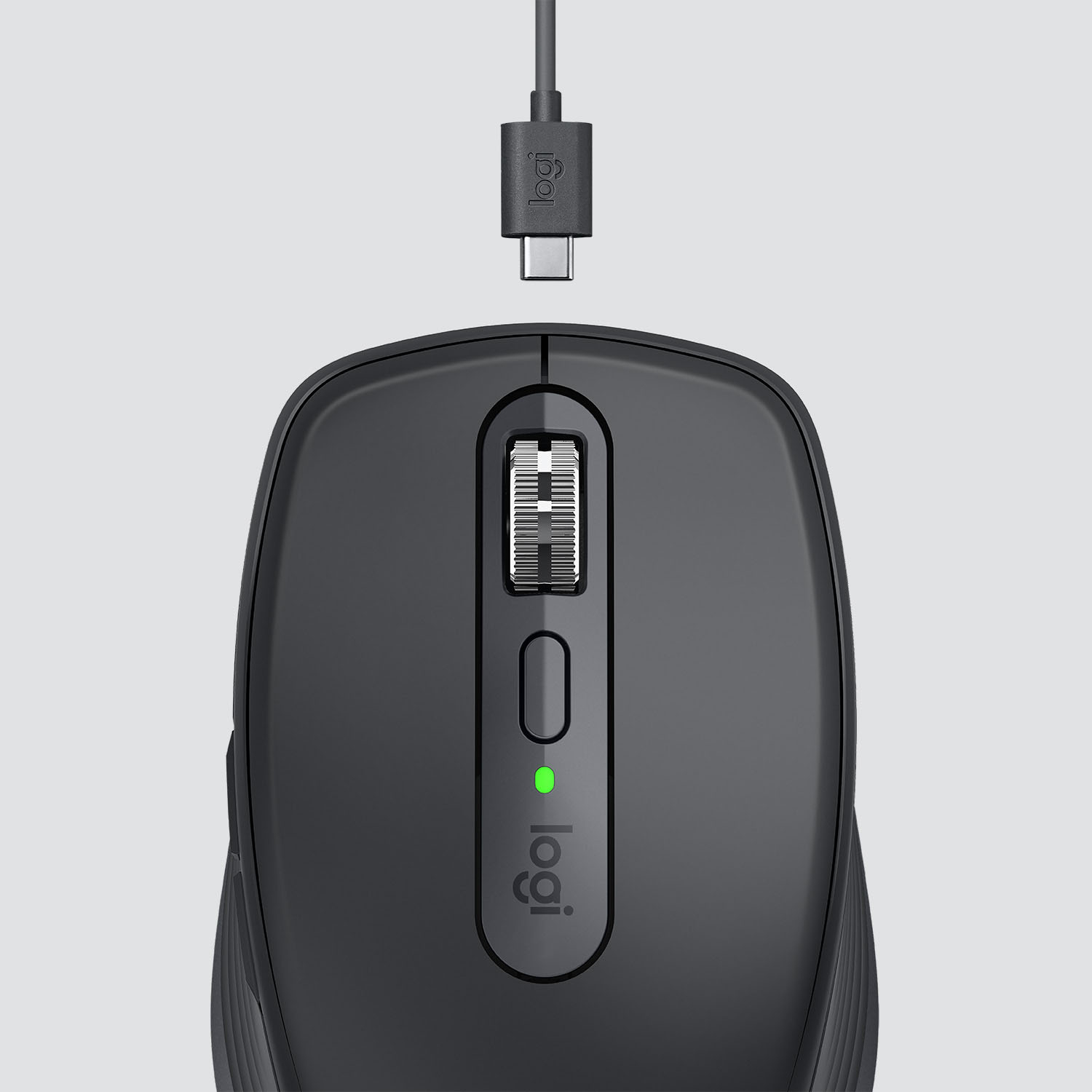

- Model:
- 910-005987
- SKU:
- 6424893
Rating by feature
- Value
Rating 4.5 out of 5 stars
- Quality
Rating 4.8 out of 5 stars
- Ease of Use
Rating 4.8 out of 5 stars
Customers are saying
Customers recognize the MX Anywhere 3 mouse's ease of use, excellent battery life, and superb scroll wheel as significant advantages. Many appreciate its compact size and Bluetooth connectivity, while some find the price point to be a drawback. A few users noted that the side buttons could be improved, and some found the click sound louder than expected.
This summary was generated by AI based on customer reviews.
It’s ok but
||Posted .This reviewer received promo considerations or sweepstakes entry for writing a review.It seems good but sadly I couldn’t use it because I don’t have the kind of usb plug on my MacBook.
No, I would not recommend this to a friendBrand response from Logitech
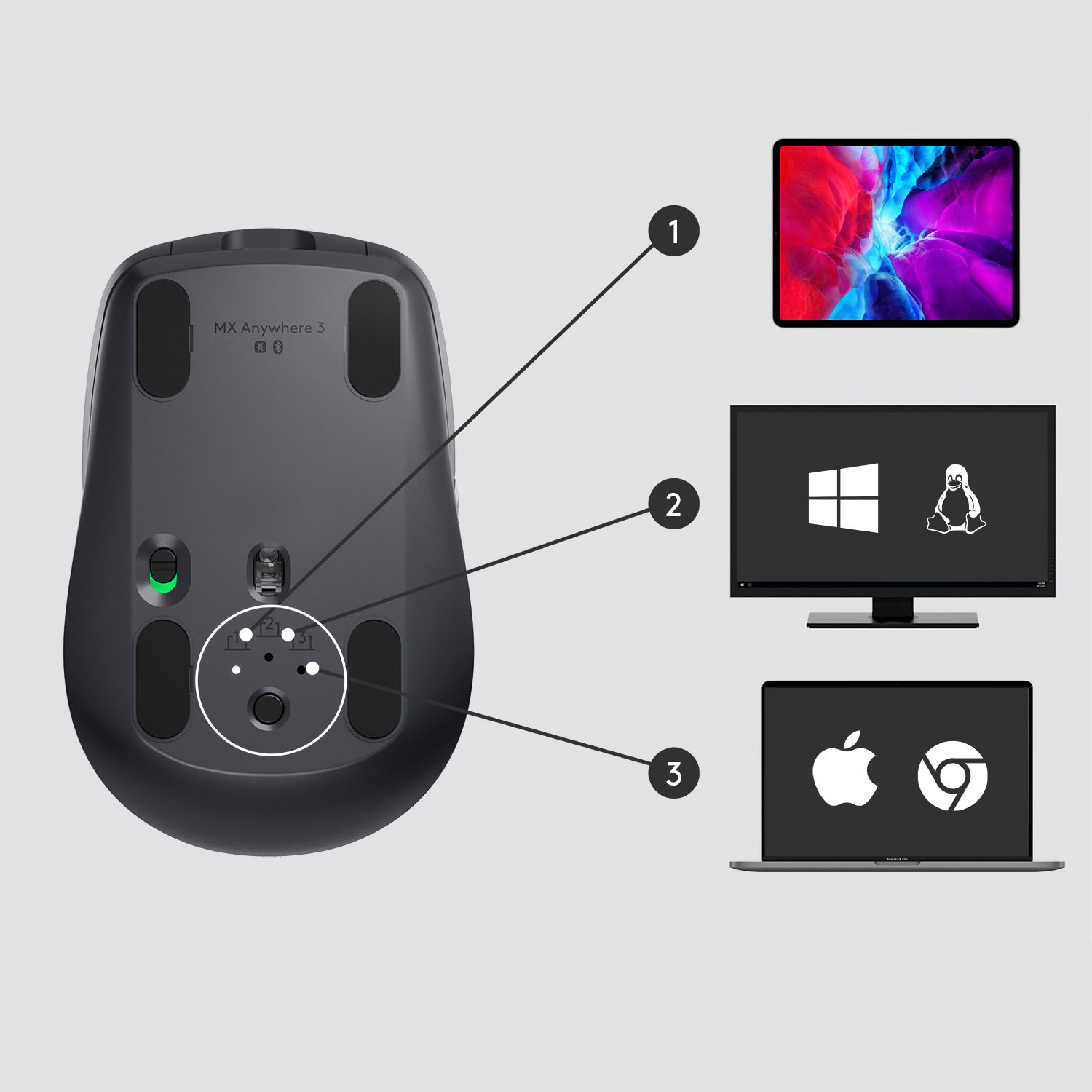
Posted .Hi Raoul, thank you for sharing your experience with the MX Anywhere 3 mouse. The mouse can be paired to your MacBook via Bluetooth. You do not have to use just the provided USB receiver. In order to pair the mouse via Bluetooth press the button on the bottom of the mouse so that the light is flashing on "2". Then go into the Bluetooth settings of your MacBook and select MX Anywhere 3 from the list of devices. It will now be paired to your computer for you too use. Thank you for being a Logitech customer. Kristi from Logitech
Not worth it
||Posted . Owned for 1 month when reviewed.This reviewer received promo considerations or sweepstakes entry for writing a review.Not worth the money. Save your money. There are better for less.
No, I would not recommend this to a friendBrand response from Logitech
Posted .Hello, I am sorry to hear you were not satisfied with the mouse. We would greatly appreciate feedback as to why you did not like it! Thank you for taking the time to write this review.

Productivity champ, for all (most). Has it all.
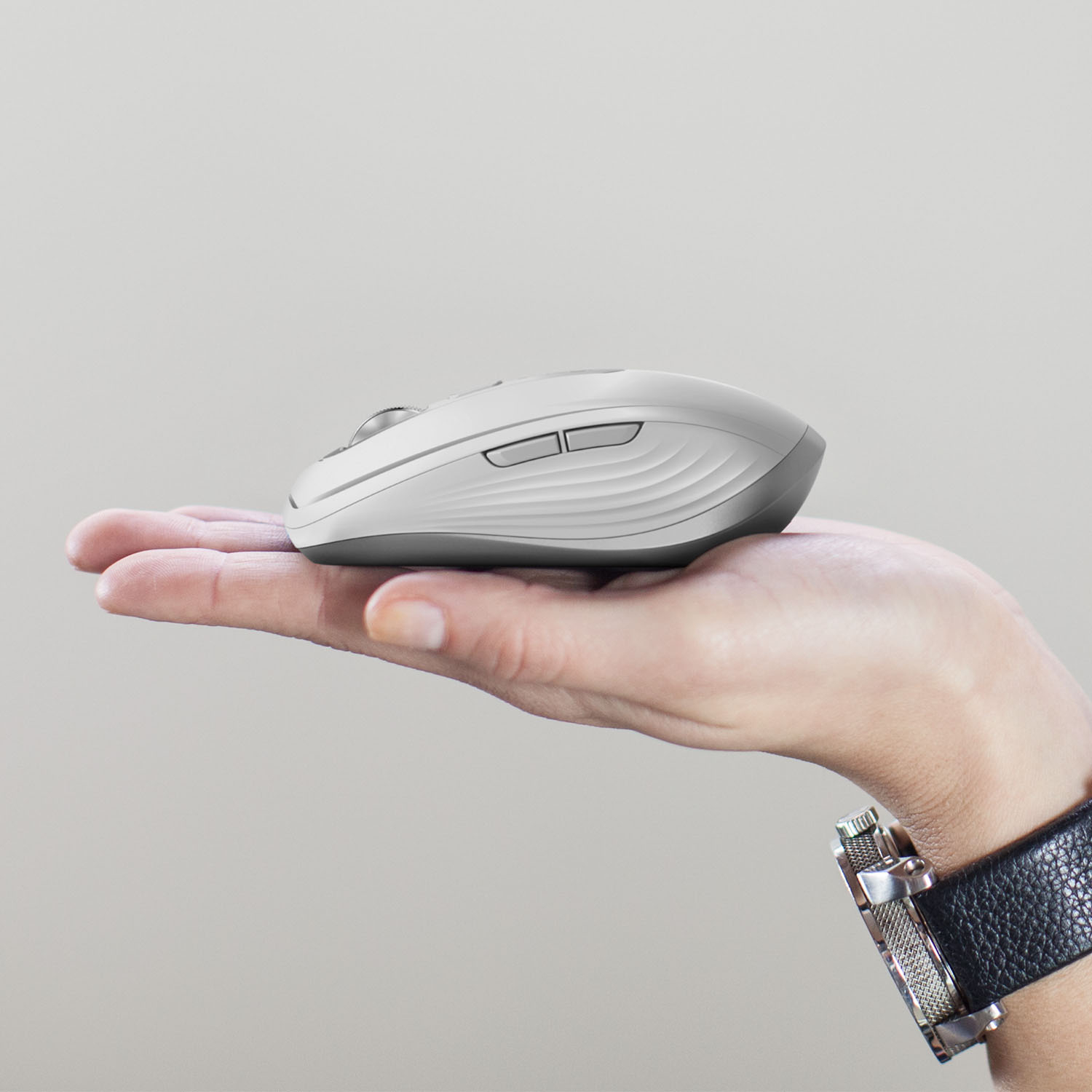
|Posted .This reviewer received promo considerations or sweepstakes entry for writing a review.I have had and have been using Logitech mice for many years and this one simply adds to my positive experiences with them. It carries that Logitech name, so if you are familiar with their feature sets and/or quality, you should expect more of the same. I love the build, with good material choices. From silicone on the sides, and horizontal “ribs” for grip, to the plastic and metal scattered throughout. It is solid, a good weight, and “feels good in the hand.” As it is a mouse, for anywhere, it is a tad on the small-ish side. It took a bit for me to get used to, but after a short while, I got comfortable with it. I do have somewhat large hands, and I have been using the Logitech MX Master 2S on my main rig for some time, but this MX A3 is comfortable enough that I will definitely be using this new one with all my other devices as well as when I am on the go. Design-wise, it looks great and has quite a few nice features. Modern, sleek, and simple, with clean colors and accents. There are multiple buttons (6), most (4) being programable, and a slick wheel, that uses their MagSpeed scrolling. It essentially is super scrolling. Extremely versatile, precise, and controllable, with multiple set-ups and options. Tracking is fantastic. You can more or less use this on any surface with accuracy and without issue (you can also adjust here as well). Logitech also nailed the battery life and charging. It is rated for 70 hours (and 3 hours of use with 60 seconds of charging), and while I have not been using it non-stop, the math seems to work with my use so far. I just do not see this ever being an issue. Happily, they opted with USB-C (to A) for the charging. If only everyone would do the same. While I love the design, feel, and set-up of the mouse, the software, connectivity, and versatility Logitech offers, to me at least, are the real winners with this product. With their Options software, you can reprogram buttons, set-up multi-device control or simply use it across 3 devices. There are some limitations to what you program the buttons to do (not many), but you can use general keystrokes and commands, launch programs, or launch settings on an app to app basis. There are also quite a few pre-loaded options for the most popular programs. A great add. Connectivity is either USB dongle or Bluetooth and can be used with just about any OS (Windows, Chrome, Linux, Mac, iPad). I had zero issues. You can connect it to up to 3 blue tooth devices and use a button on the bottom of the mouse to easily switch between them, or you can use their Flow feature in the software to simply move the pointer from screen to screen. You can copy text, share images…etc… Honestly, I find this an amazing feature, even if I am not exactly sure how it is working. Further, when combined with the buttons I have reprogrammed, the entire package just makes everything more efficient, more productive, and just a more enjoyable experience. Hands down. In the end, I think this is a great mouse. It has a full and rich feature set in a small size, brings a high-quality experience, and comes from a trusted name in the space. I think just about anybody would be happy with this mouse, and it would work in just about any setting. My ONLY caveat would be if you have exceptionally large hands, it MAY not be best for your main daily driver. Otherwise, it is a winner.
I would recommend this to a friendBrand response from Logitech
Posted .Hello, I am so glad to hear you are loving the product as much as we do! Thank you for being a Logitech customer and taking the time to write this very informative review. we really appreciate it! This mouse does come with a 1 year warranty through Logitech if anything should ever happen in the future. Just visit the support page for the item to file a claim.
Don't buy returning it
||Posted .This reviewer received promo considerations or sweepstakes entry for writing a review.Wanted to upgrade from the original MX anywhere mouse, this one is too much more cheap feeling and the middle button doesn't open up links anywhere.
No, I would not recommend this to a friendBrand response from Logitech
Posted .Hi BestBuymouse9,
Thank you for your feedback. Sorry for the inconvenience you're experiencing. Be sure to download Logitech Options Software to access all the features and customize your mouse. If you need further assistance, please contact Logitech Support on the website. LaShonda from Logitech
Compact & Highly Useful
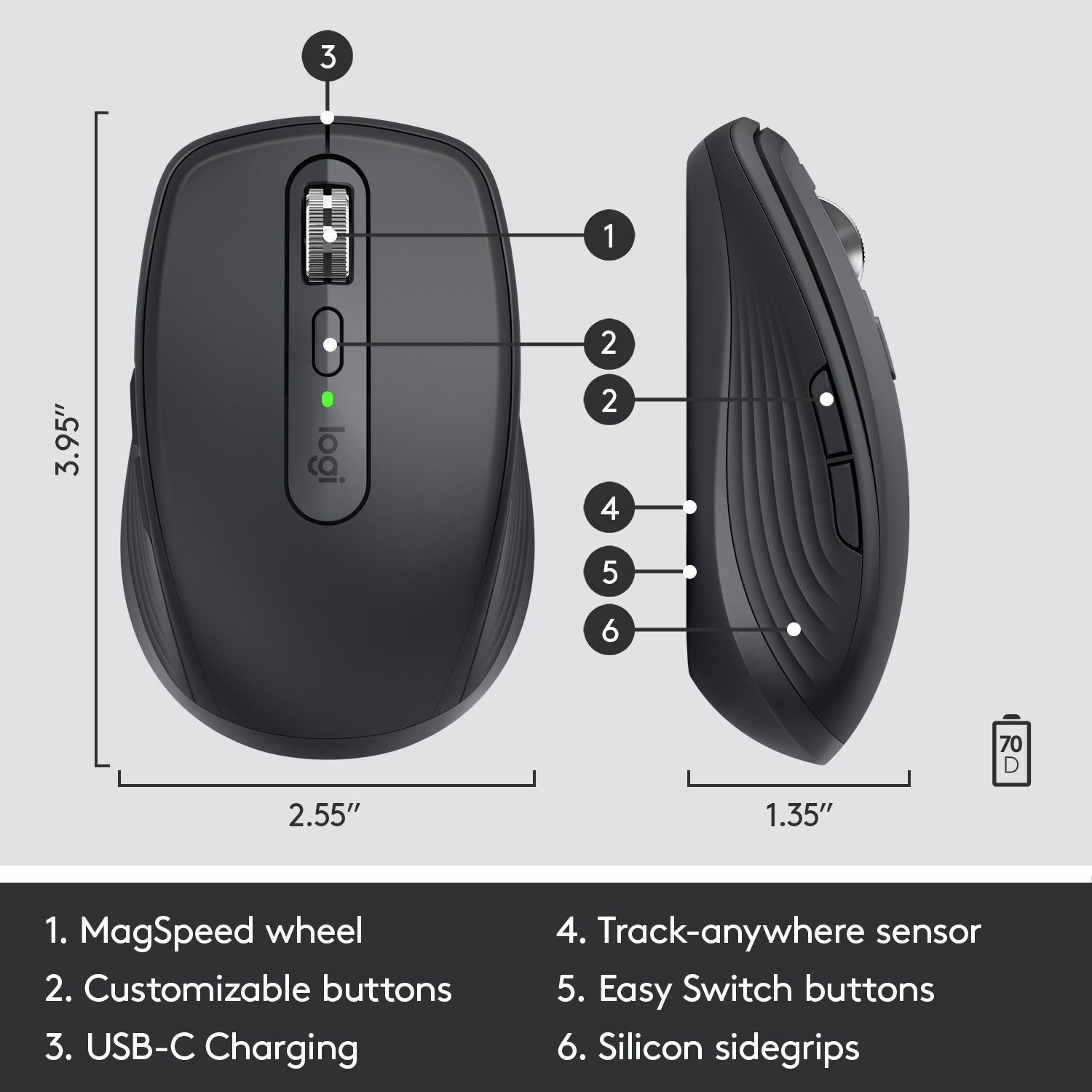
|Posted .This reviewer received promo considerations or sweepstakes entry for writing a review.The new MX Anywhere 3 is going to be traveling with me and my laptop everywhere I go. It is very small so it doesn't take up a lot of storage space in my back pack. There are some neat features with this mouse that I am going to highlight as they are advertised by logitech. The following is what I think about each feature. Please note that you must install Logitech Options Software to be able to customize features. I installed it right away as it prompted me to when I connected via the usb receiver. Mag-Speed Scrolling:The basic description of this feature is that you're able to change between "hyper-fast and ratchet modes" while scrolling through web pages or documents. The scroll wheel is very silent and does not make any noise. The fast scrolling is present with this feature on but I do not feel it will get anyone to buy this mouse. I think the silent scroll wheel and smooth scrolling gives it it's edge over other mice. Go Anywhere Comfort: Logitech claims that the mouse if contoured for your hand for incredible comfort. My opinion of the comfort level of the mouse is that it is extremely comfortable but I have small hands. The mouse is very small and would probably cause big hands to cramp up. The mouse is durable and will withstand falls as logitech claims as I have already dropped it on hardwood floors by accident. Flow Enabled & App-Specific Customization: By far the best feature of this mouse is FLOW. I have a laptop and a desktop PC that I am constantly switching between when I work. With FLOW enabled, I was able to use the same mouse on both computers without clicking on the button below the mouse to switch. It's very smooth and no noticeable lag occurs. I was also able to copy files from one computer and paste it onto the other computer. As long as FLOW is enabled on both computers (up to 3!), this feature will work. Along with FLOW you can customize the mouse to work differently on different apps. The most compatible apps are Microsoft Office Apps. I have left the buttons at default and have not customized them but that feature is there for those that can keep track of all their different layouts. USB-C Quick Charging: Logitech claims this mouse stays powered for 70 days on a full charge. I have not had it long enough for it to die but I have charged from 50% to 100% in literally minutes. It is safe to say that this mouse will never die on me (at least until the battery finally gives out). Track Anywhere - Even on Glass: NOT A FALSE CLAIM! I literally tracked it on my dog and my fiances head. It worked on both surfaces. I also tried it on glass as it advertised that and to no surprise, it worked! This is honestly a sleeper feature that might not seem to important when buying a new mouse but when you're on the move and need a surface to track your mouse, often times you don't have a mouse pad or a good enough surface to place it on. This mouse solves that problem and I love it. Overall, the MX Anywhere 3 is a fantastic mouse that will be coming with me everywhere. It does come with a usb receiver that does not have a storage spot in the mouse as other mice do but if you lose it, you can always connect via bluetooth to your computer (even smartphone).
I would recommend this to a friendA unnecessary mouse
||Posted . Owned for 3 weeks when reviewed.This reviewer received promo considerations or sweepstakes entry for writing a review.I don’t know what I was thinking to order that over priced mouse . I had shoppers remorse and returned it. The color is what motivated me to purchase it.
No, I would not recommend this to a friendBrand response from Logitech
Posted .Hi Velvet, Very sorry to hear about your "shoppers remorse" regarding the MX Anywhere 3 Mouse. There is certainly more to the MX Anywhere 3 than the Rose color that make up it's premium pricing. The MagSpeed Electromagnetic scrolling is precise enough to stop on a pixel and fast enough to scroll 1,000 lines in a second in near silence. The MX Anywhere 3 tracks on virtually any surface, including glass (4 mm minimum glass thickness). So you can work seamlessly at the desk, at your favorite coffee shop, or even on the couch. The MX Anywhere 3 stays powered for up to 70 days on a full charge and gets three hours from a one-minute quick charge (depending on usage). These are just a few reasons why the MX Anywhere 3 is more than just a cute colored mouse and we hope that you'll give Logitech a try in the future. Thank you for being a Logitech customer. - Richard from Logitech
Versatile, customiziable mouse
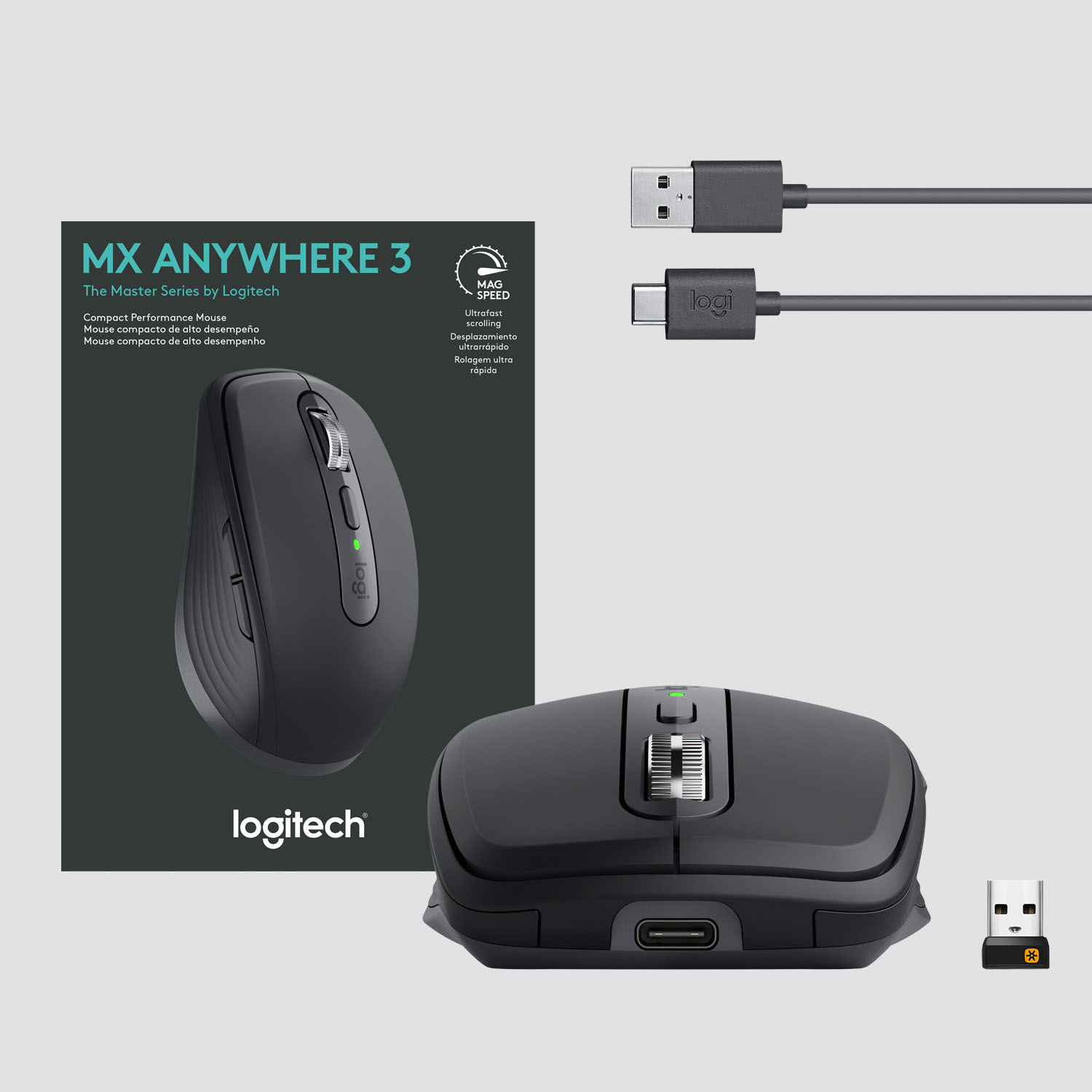
|Posted .This reviewer received promo considerations or sweepstakes entry for writing a review.Logitech MX Anywhere 3 Wireless Mouse for PC This flexible mouse can connect to three different devices via Bluetooth (Windows 10 or later, macOS 10.15 or later, ChromeOS, or Linux). Or, if you prefer, you can choose to connect to a single device by using the included USB receiver. Since I value my USB slots dearly, I chose to connect to three devices (two laptops and my newest device, the Microsoft Surface Duo) via Bluetooth. Using the mouse on my Surface Duo makes it easier and faster to navigate and makes the Duo feel and act more like a tablet or computer rather than a mobile device. It’s nice to know that whichever of these three devices I choose to take along with me, this one mouse is already connected and ready to go. For initial Bluetooth setup, simply choose a number (1, 2 or 3) to assign to the device you want the mouse to pair with. You do this by clicking on a button on the bottom of the mouse that alternates between device one, device two and device three. A light shows the number of the device you’ve chosen. Hold down on the button and the light for that numbered choice starts flashing, indicating that it’s ready to be paired. Simply select the MX Anywhere Mouse from the Bluetooth setup on your device and you’re paired. Once paired, you use that same button and lights on the bottom of the mouse to select which of the three paired devices you want the mouse to work with at the present time. Then, to switch to a different device, you simply select the lighted number that corresponds to the number you previously assigned to that device and you’re good to go. Since you normally only work on one device at a time, it’s really nice to have one customizable mouse that works on up to three different devices, rather than needing a separate mouse for each device, with the possibility of each mouse having a different feel. It has what Logitech calls “a track-anywhere sensor” which means you can work on virtually any surface. I used it on the fabric on the side arm of my easy chair and on a slick glass-like tabletop and it didn’t skip a beat. And to my surprise, it even worked well using my leg as the surface for the mouse. And the electromagnetic MagSpeed scroll wheel is fast, quiet, and very precise. There are silicone side grips that are soft to the touch. And you can customize the app-specific buttons on the side of the mouse to speed up your workflow in the apps you use most. This device doesn’t require batteries, Rather, you use the included quick charging USB-C cable to charge the mouse. You get up to 70 days of power per full charge and you can get up to three hours of power with a one-minute charge. That’s a lot of bang for the buck! Bottom Line: This is a versatile, customizable mouse that you can use just about anywhere. And, since it eliminates the need for multiple mice, it’s very cost effective. The MX Anywhere 3 Wireless Mouse is definitely a winner! *Reviewers in this invitation-only program are provided products for the purpose of writing honest, unbiased reviews.
I would recommend this to a friendonly get this if you know you want it
||Posted . Owned for 1 month when reviewed.This reviewer received promo considerations or sweepstakes entry for writing a review.hated this mouse, hade a mind of its own, and 5 others people i hade use it agree, dont know how people like it. 20$ cheep one was way better...
I would recommend this to a friendBrand response from Logitech
Posted .Hi austingamer99, thank you for your feedback! The MX Anywhere 3 is designed to be the best, portable performance mouse. For support, please refer to: https://support.logi.com/hc/en-us/articles/360053831734-Getting-Started-MX-Anywhere-3 - Will, Logitech.
There is a new king in wireless mice...
|Posted .This reviewer received promo considerations or sweepstakes entry for writing a review.I really like this mouse. It fits great in my hands as I use it for everyday work and for the longer days online getting stuff done. The scroll wheel is surprisingly good to use and not loose like some similar mice. It lets you be productive but still in control of your mouse while you are in the groove. The USB C port allows for faster charging and it seems to last forever. I like the fact that I can use it for multiple PC's at the same. The only gripe I might have is that it felt like it was a little prone to finger prints otherwise this is the new standard.
I would recommend this to a friendMovin' on up
|Posted .This reviewer received promo considerations or sweepstakes entry for writing a review.As an owner of the Mx-2 I I thought there was no way to improve upon it. The Mx-3 is here, and I was wrong! A requirement for any of my mice is that it can be used on a clear glass surface (as that is what my desk and keyboard drawer is made out of). This is a requirement that used to be a nightmare to achieve. While I'm sure other companies have stepped up, Logitech had stepped up first - so they gained my business. The Mx3 tracks perfectly on the glass surface. Whether it be for web-browsing, or image editing - the Mx3 is very precise. The genius of this device is that it can accommodate someone with large hands (me) or someone with small hands. How? It's all in how Logitech have literally made the mold of the mouse so different size hands can grip it in different areas. And by doing so, you are not hitting any buttons by mistake. That was a nightmare with other mice. Speaking of buttons, this mouse has more than your usual "standard" mouse. Below the stylish chrome wheel, there is a center button that lets you change the mode of the middle wheel. You can, on the fly, choose to scroll in the the slower "ratchet" mode, or the quicker free wheel mode. I think that is pretty nifty! On the left side of the mouse, there are 2 function buttons, like the MX2. This time there is more integration with apps out of the box. But, you are not stuck to just those. Every app I've run across can have the 2 buttons assigned to them. My favorite use for these buttons are to use them as back/forward buttons in my web-browser of choice. You can connect either via blue-tooth, or via the included usb wireless adapter. Being old school (and having an abundance of USB ports) I went with 2nd option. Literally seconds after plugging in usb adapter, I was up and running. I'm sure it's the same with blue-tooth. But the "get off the lawn" old man inside of me prevents me from attempting to test it out. Charging can be done with the included USB-A to USB-C (Yay!) cable. This may seem like a small thing, but the MX3 is more pretty/handsome than the mx2. I love the way the chrome of the scroll wheel is contrasted by the black/graphite/gray of the mouse. It screams "quality". Because... Well.. it IS quality! Logitech does not disappoint! If you're someone, like me, who needs a QUALITY mouse that can track across glass - the Mx3 is your mouse! You'll love it! Now get off my lawn!
I would recommend this to a friendWaste of money
||Posted . Owned for 3 months when reviewed.This reviewer received promo considerations or sweepstakes entry for writing a review.Don't waste your money. The mouse scrolling keeps disconnecting even though my drive is updated.
No, I would not recommend this to a friendBrand response from Logitech
Posted .Hello John,
I am sorry that you are dissatisfied with your new MX Anywhere 3 mouse. Feel free to reach out to Logitech's support team if you feel you got a defective item or need personalized technical support. Logitech appreciates your product review. - Leo from Logitech
A very solid portable mouse
|Posted .This reviewer received promo considerations or sweepstakes entry for writing a review.Designed for mobile use and for smaller hands. Bluetooth or Logitech's unifying usb dongle connection. Can be connected to three different computers. Logitech claims 70 days on a full charge. I've had mine running CAD at the office for almost two weeks and it's at 65% battery remaining. The mouse works on any surface including glass and has plenty of customization options via the Logitech Options software. This mouse is a solid travel mouse and does the job well at the office also. Small hands required.
I would recommend this to a friendScroll stops working with Mac
||Posted . Owned for 3 weeks when reviewed.This reviewer received promo considerations or sweepstakes entry for writing a review.Scroll sometimes stops working when connected to Mac
No, I would not recommend this to a friendBrand response from Logitech
Posted .Hello MeTheGuy,
I am sorry that the MX Anywhere 3 is not working as expected. Try downloading the Logitech Options+ app to update the firmware to the latest version. If the problem persists, contact Logitech's technical support for personalized assistance. Logitech appreciates your product review. - Leo from Logitech
What can I say, another amazing Logitech product!
|Posted .This reviewer received promo considerations or sweepstakes entry for writing a review.I am finding myself with a LOT of Logitech products around my house and classroom. As a teacher, I get to where I rely on technology and expect it to function right all the time. The MX Anywhere 3 mouse is one of those products. It is reliable, I love the option to use USB or Bluetooth connection and the ability to switch between devices as well. It has just the right buttons that I use often with my MX Master 2S and so I can switch right to this without relearning everything. The MX Anywhere 3 is a little small for my hands, but is just the right size for a portable mouse and it only takes a little adjustment for me when switching from my desk machine with the MX Master to my laptop with the MX Anywhere. I cringe when anyone says they are a fan of some brand, that usually means you are willing to overlook glaring flaws. I have used Logitech products for several decades now and have almost never been disappointed. I did run into a small problem with the Logitech Options software... it had a hard time seeing the MX Anywhere 3 mouse, since I already had the MX Master 2S installed. This meant that the MagSpeed wheel didn't want to switch between free and click modes. I finally gave up trying to get it set and then a couple of days later there was an update and everything works great now. As I have come to expect, Logitech has designed another great device and I have one more tool to use.
I would recommend this to a friendMouse!
||Posted . Owned for 2 weeks when reviewed.This reviewer received promo considerations or sweepstakes entry for writing a review.Could not get it to hook up with my Wi-Fi. Not so good!!!!
No, I would not recommend this to a friendBrand response from Logitech
Posted .Hello. The MX Anywhere 3 mouse uses Bluetooth, not Wi-Fi. It can also use the included USB receiver. Please visit our support site with any other questions or issues: support.logi.com
-Charlton at Logitech
Unassuming but powerful mouse that does tricks
|Posted .This reviewer received promo considerations or sweepstakes entry for writing a review.I know what you are thinking. What? Another mouse? What can it possibly do that my current mouse does not already do. Well as it turns out, quite a lot, despite its somewhat ordinary appearance -- a compact but ergonomic black-on-black color scheme whose only unusual feature in a shiny metal scroll wheel. Speaking of which, the scroll wheel is somewhat special, despite being a common accessory on nearly every mouse these days. The one on the MX Anywhere 3 is very different in several ways. The first is simply the way it looks. Instead of smooth plastic or rubberized wheel, this one is is a finely carved bit of gleaming metal with fine grooves etched in for fingertip traction. Even more surprising is a button behind the scroll wheel that changes how it feels when you scroll. Pretty slick. If you prefer the "ratchet" feel, with little bumps as you scroll. It does that. But if you are more inclined toward a super smooth roll and scroll, it does that too. The button switches back and forth between those two options with just a touch. Finally, there is a third new function that affects what happens when you scroll. Go slow and the scroll is normal, albeit very precise. But spin the wheel fast and it scrolls super fast, what Logitech calls "MagSpeed." All this is customizable, of course, using the Logitech Options software, which you must download if you do not already have it. This also makes it possible to correctly setup the mouse and any existing Logitech wireless keyboard you might have. A single unified USB receiver that comes with the mouse will control all such devices. No need for a separate receiver for each device. Oh, and a few more bonuses. The mouse can be setup as a normal 2.4 ghz wireless device or Bluetooth. It's nice to have that option. And it's rechargeable, via an included USB C cable. No more AA batteries to worry about. A 1 minute charge will last three hours. A full charge: 70 days. A light behind the wheel warns you if the battery is low. Now comes the "anywhere" part of this new mouse. As the name implies, it is designed to be used anywhere, on any surface (including glass) with up to three different computers at once, or individually. A button on the bottom of the mouse allows you to pair it with each one. But even more impressive is the new "flow" control, which allows you to use the mouse with three computers at the same time. Say you want to drag a file or folder from the desktop of one computer to your laptop. Yep, you can do that with the MX Anywhere 3. You have to set this up first using the software but it is very handy. Finally, there are a couple of buttons on the left side, which do different things depending on what application you are using. By default, when used with the scroll wheel, they can control horizontal scrolling. In a browser, you can go backwards and forward to web pages you have viewed. All this is fully customizable of course. The options are nearly endless. In the end, this is a very capable mouse and may be well worth the cost if you need or desire any of the special capabilities built into this thing.
I would recommend this to a friendProbably the best portable mouse period
|Posted .This reviewer received promo considerations or sweepstakes entry for writing a review.I have used the original Anywhere MX mouse as my travel mouse for many years now, and this is a worthy upgrade. The overall design is similar to the past incarnations, small, portable, but the contouring, overall shape is very comfortable. You do not feel as if you are making any compromise in productivity or ergonomics despite the small size. Charging is done via a USB-C cable and charging is fast - Logitech claims 3 hours of use for 1 minute of charge. This is pretty handy if you're in a pinch. 70 days on a full charge is also plenty in my situation where I would mainly be using this when I travel for work. As with past Anywhere MX mice, this one is also great at tracking accurately and smoothly on any surface, even glass. Never had an issue in this regard. Scroll wheel is very nice as well, easy to scroll down to the end of a page/document really quickly when you need to, or switch to click mode and go bit by bit. I haven't played around with the app specific customization yet, but seems like it could be useful. In any case, if you need a high productivity mouse that is also portable, this is really the best choice. Each version gets better than the last with Logitech's high-end MX mice.
I would recommend this to a friendLogitech makes great products
|Posted .This reviewer received promo considerations or sweepstakes entry for writing a review.I have been using Logitech products for years and have not had one I haven't liked. I have Harmony remotes, mice, keyboards and speakers and they all work great. This mouse is very precise and does work on any surface including glass which is a plus. The software is laid out and easy to understand and it makes the mouse very versatile to use and there are numerous ways to customize it to how you want to use it. I especially like that I can connect it to 3 different computers and switch from pc to pc with the push of a button. It allowed me to replace 2 other Logitech mice with this 1 and I don't have use a USB port for a dongle as I was able to easily pair it to my pc and Chromebook with no problems. The automatic or push button switching when scrolling is great if you have move thru a long webpage. It is very comfortable to use and has a good solid feel to it. It came out of the box with 50% charge and a 25 minute USB-C charge and the battery is full. As with every Logitech product I have had I expect this will last for a long time. Unfortunately I do not have 2 Windows computers to try the automatic moving of files from one computer to the other but I am sure it works well. Very happy
I would recommend this to a friendSlight changes, big improvement
|Posted .This reviewer received promo considerations or sweepstakes entry for writing a review.To preface things, I've been a huge fan of the Anywhere MX line since the first iteration. I've owned each model in this series and haven't been disappointed by any of them. The Anywhere MX 3 is no different. As mentioned, slight changes, but big improvement. First off, the switch to USB-C is awesome. Not having to figure which way the cord needs to be inserted is nice, but the ability to quick charge is key. Sometimes I forget to charge the mouse because it lasts so long, but being able to get hours of use from a short charging period is so valuable. The scroll wheel has been upgraded over the previous version: it's slightly wider. The change makes scrolling a lot more comfortable. I can't say much about the USB dongle connection, because I've gotten this mouse (and the MX 2) for the Bluetooth connectivity. The connection button has been removed from the previous version, but pairing is still intuitive. Lastly, I feel they've changed the contour of the mouse which I feel makes it much more comfortable than MX 2. If you want a dependable mouse to ditch the USB dongle, I definitely recommend this mouse.
I would recommend this to a friendFlows from one computer to the other
|Posted .This reviewer received promo considerations or sweepstakes entry for writing a review.My first impression is that this mouse is really fast. I even feels fast. It is light, perhaps because of the lack of batteries (it charges through a USB-C port). Out of the box, it was simple and fast to connect to one computer using the USB receiver and then the second using Bluetooth. Connections seem to stick. Switching is a matter of pushing a button. I only tried it with two, a desktop and a notebook, but it says it can support up to three computers. It tracked quickly and smoothly on all the surface on my desk - mouse pad, wood desk top and even a cloth drink coaster. Button customization is done by way of the Logitech software which you have to download. You can change tracking speed and other features you may use. I've never done much mouse button customization before, but I am tempted to do more now because it is so easy. Charging was quick. I have yet to test the claimed "70 days of power on a full charge" but, based on my experience with the mouse, I think it will deliver everything it claims.This will be my go-to mouse for travel.
I would recommend this to a friend